Sponsored

BradMav

2.0L EcoBoost
Active member
First Name
Brad
Joined
Dec 29, 2023
Threads
5
Messages
41
Reaction score
19
Location
Michigan
Vehicle(s)
2024 Ford Maverick
Engine
2.0L EcoBoost
FYI I think both of these options are in EASY mode now for IPC, I did it without as-built codes to change to square signs. What I don't have is the color inversion after some time. The signs stay for a while, then disappear, no inverted colors.

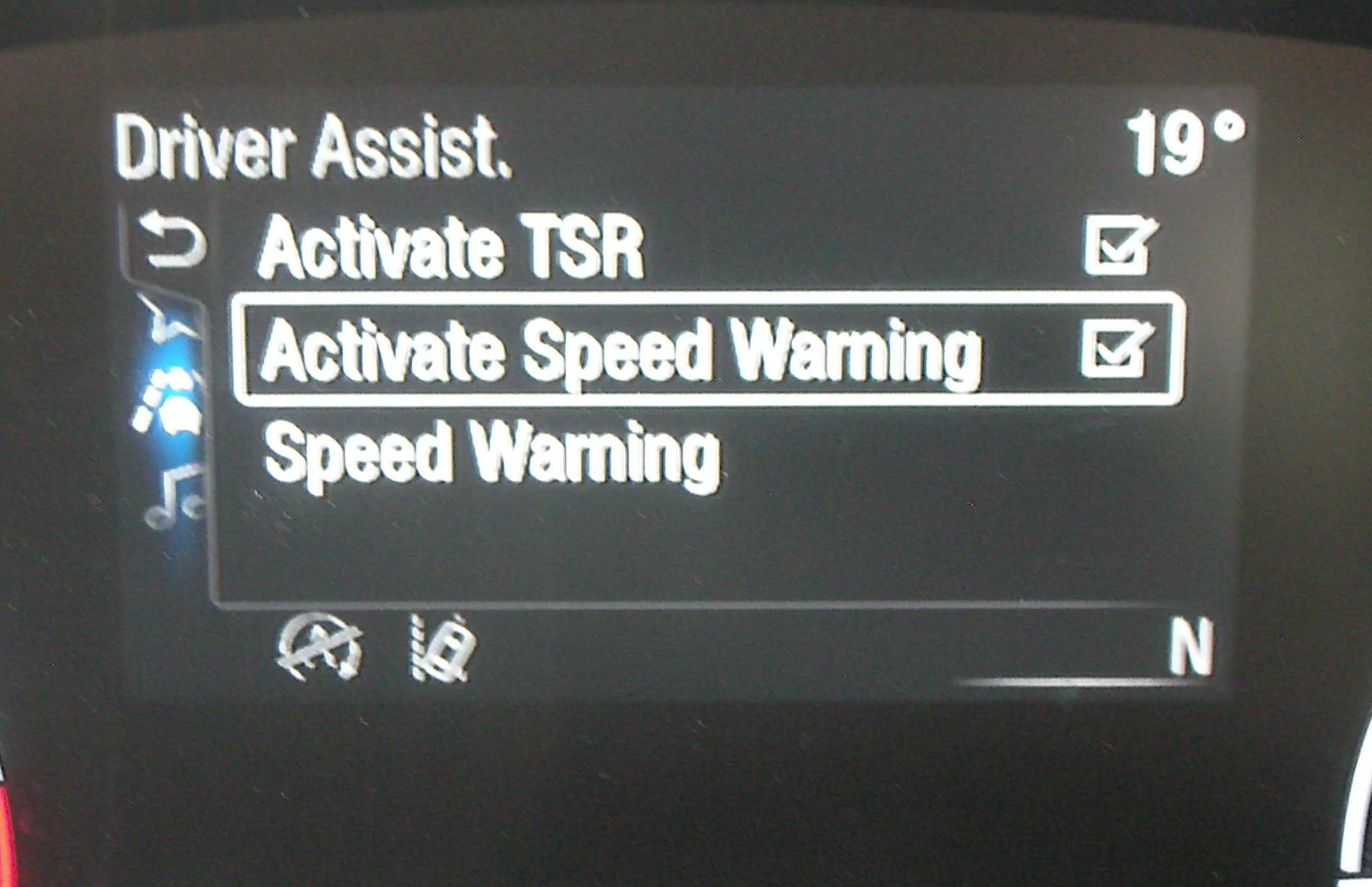
Note: Disabling TSR in IPC means a little bit more than square vs round signs I believe. You lose the recognition of signs other than speed signs with this change. The only other signs it recognized for me before making this change was passing zone signs, which for me wasn't so useful anyways and didn't seem reliable. I am not sure, if there are any other signs others have noticed it recognizes with TSR enabled?

@nickn066 - Do you mind sharing how you came up with these codes? I'm curious to learn how people are discovering these codes. What's interesting for me is when I used EASY mode to enable SLIF in the IPC module, it actually set 720-09-01 to xxxx xxxx 9x, 9 instead of 8. For those that understand binary, I think that's because each hexadecimal value actually represents up to 4 different settings (aka bits):

Hex value 8 represents 4 binary bits: 1-0-0-0.
Hex value 9 represents 4 binary bits: 1-0-0-1.

What this tells me, is it is probably only the first bit being turned on that actually enables SLIF. But... I guess this also means that if I would have entered "8" into as-built, I might've been unknowingly turning something else off (whatever that 4th bit set to 1 represents).
F150 settings, while using a different address for this, has the following configuration for value 8:

8 =TSR enabled • TS disabled • TBS disabled • TSP disabled

This seems to match what I mentioned previously, where 8 represents in binary 4 switches: (1000: On, Off, Off Off)

So, setting it to 9 (1001: On-Off-Off-On) I guess keeps TSP enabled. I had to Google what the heck is TSP, i guess it is the feature that lets you pause your trip meter by pressing the "OK" button. I guess most people didn't even know this feature existed (i didn't!), so probably not a big deal for most, but it's good to be aware if you are setting values in "As-Built" mode, be warned, you might be changing 3 settings that you didn't intend to change by setting 1 value!
Sponsored

 

TruckPrius

2.5L Hybrid
Well-known member
Joined
Nov 8, 2023
Threads
6
Messages
167
Reaction score
186
Location
Home
Vehicle(s)
'23 Maverick Lariat Lux CP360 Assist
Engine
2.5L Hybrid
Just did this myself via easy mode on my Lariat as well

IPMA settings:

  • Traffic Sign Recognition (TSR) - Speed Limit Information Function (SLIF)
  • Traffic Sign Recognition Mode - Camera data only
IPC settings:

  • Traffic Sign Recognition (TSR) - Disabled
  • Speed Limit Information Function (SLIF) - Enabled
1705862505151.png
 

Automan21

2.0L EcoBoost
Well-known member
First Name
Mel
Joined
Nov 30, 2023
Threads
23
Messages
1,063
Reaction score
927
Location
CT
Vehicle(s)
‘23 XLT Eco AWD 4K Tow
Engine
2.0L EcoBoost
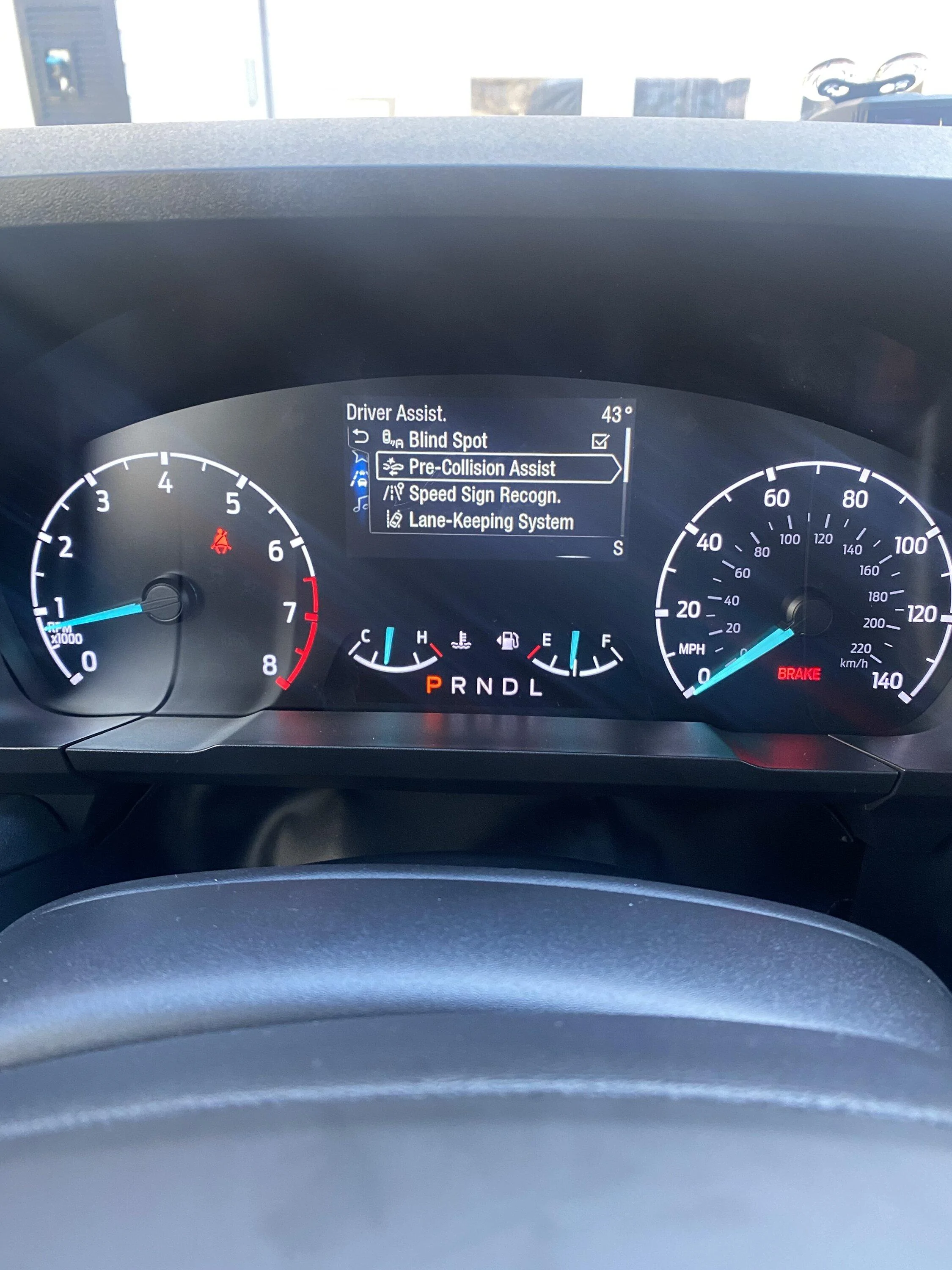
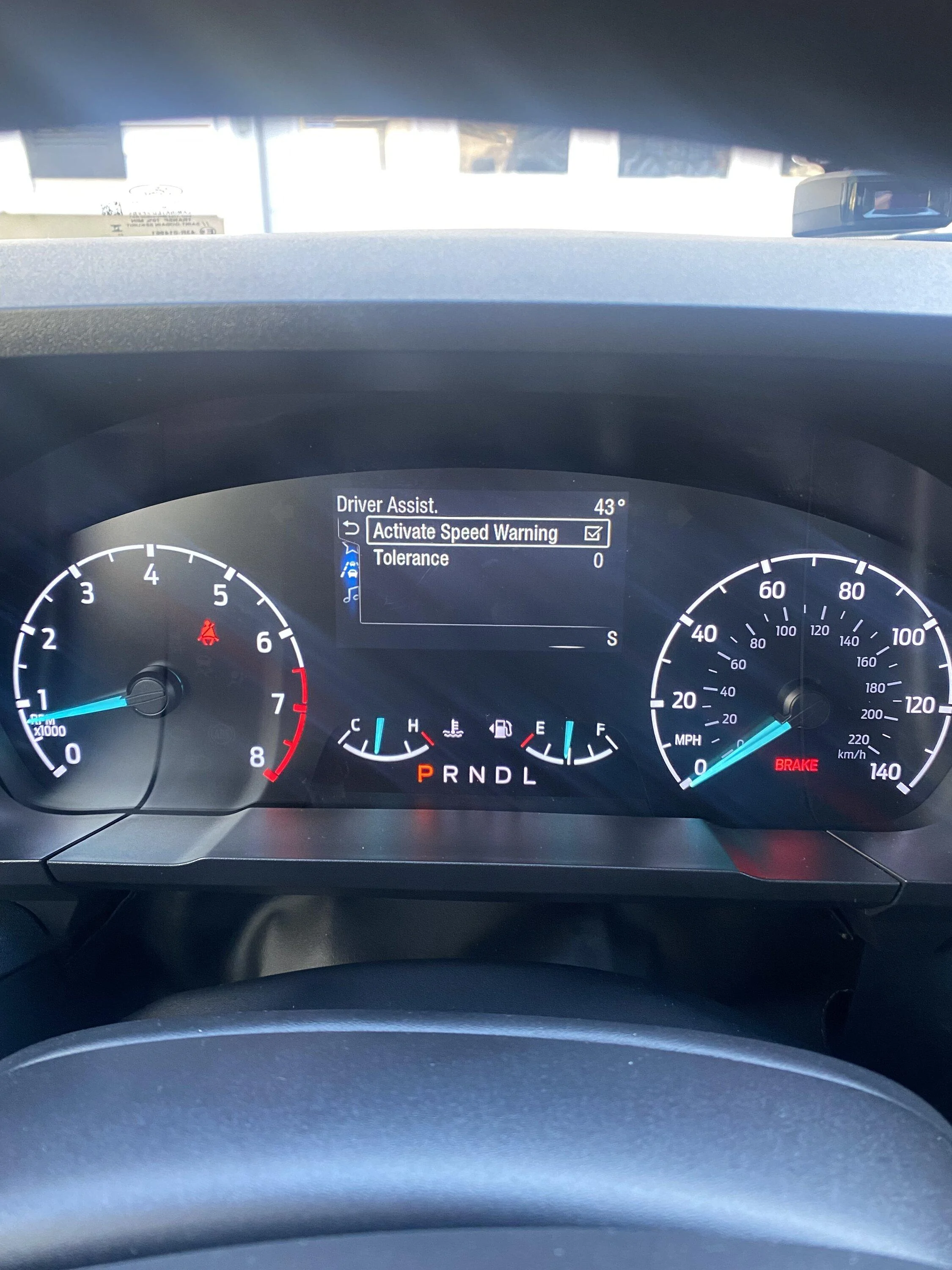
Got this working but don’t see all the other options others have, just these.
I don’t want anything beeping or going crazy if I happen to accidentally exceed the speed limit going down hill😉

Ford Maverick Traffic Sign Recognition (TSR) FORScan mod (confirmed working) IMG_3088


Ford Maverick Traffic Sign Recognition (TSR) FORScan mod (confirmed working) IMG_3089
 

Automan21

2.0L EcoBoost
Well-known member
First Name
Mel
Joined
Nov 30, 2023
Threads
23
Messages
1,063
Reaction score
927
Location
CT
Vehicle(s)
‘23 XLT Eco AWD 4K Tow
Engine
2.0L EcoBoost
I don't have this one coming up. The activate TSR one.

Eventhough I got this to work at my first try at FORScan I hope I didn't mess anything up. I did use the easy mode to change things not the numbers way.
 

Darnon

2.5L Hybrid
Well-known member
Joined
Jul 4, 2021
Threads
10
Messages
5,720
Reaction score
7,227
Location
WNY
Vehicle(s)
2022 Maverick
Engine
2.5L Hybrid
I don't have this one coming up. The activate TSR one.

Eventhough I got this to work at my first try at FORScan I hope I didn't mess anything up. I did use the easy mode to change things not the numbers way.
If you enable the TSR option in the IPC then the menu appears. You may not actually need to, though, as just enabling it in the IPMA will still allow the instrument cluster to start showing the sign indicator. Ironically that's actually one of the factors between getting the round signs and square signs in the Lariat cluster, it seems.
 

Sponsored

Automan21

2.0L EcoBoost
Well-known member
First Name
Mel
Joined
Nov 30, 2023
Threads
23
Messages
1,063
Reaction score
927
Location
CT
Vehicle(s)
‘23 XLT Eco AWD 4K Tow
Engine
2.0L EcoBoost
If you enable the TSR option in the IPC then the menu appears. You may not actually need to, though, as just enabling it in the IPMA will still allow the instrument cluster to start showing the sign indicator. Ironically that's actually one of the factors between getting the round signs and square signs in the Lariat cluster, it seems.
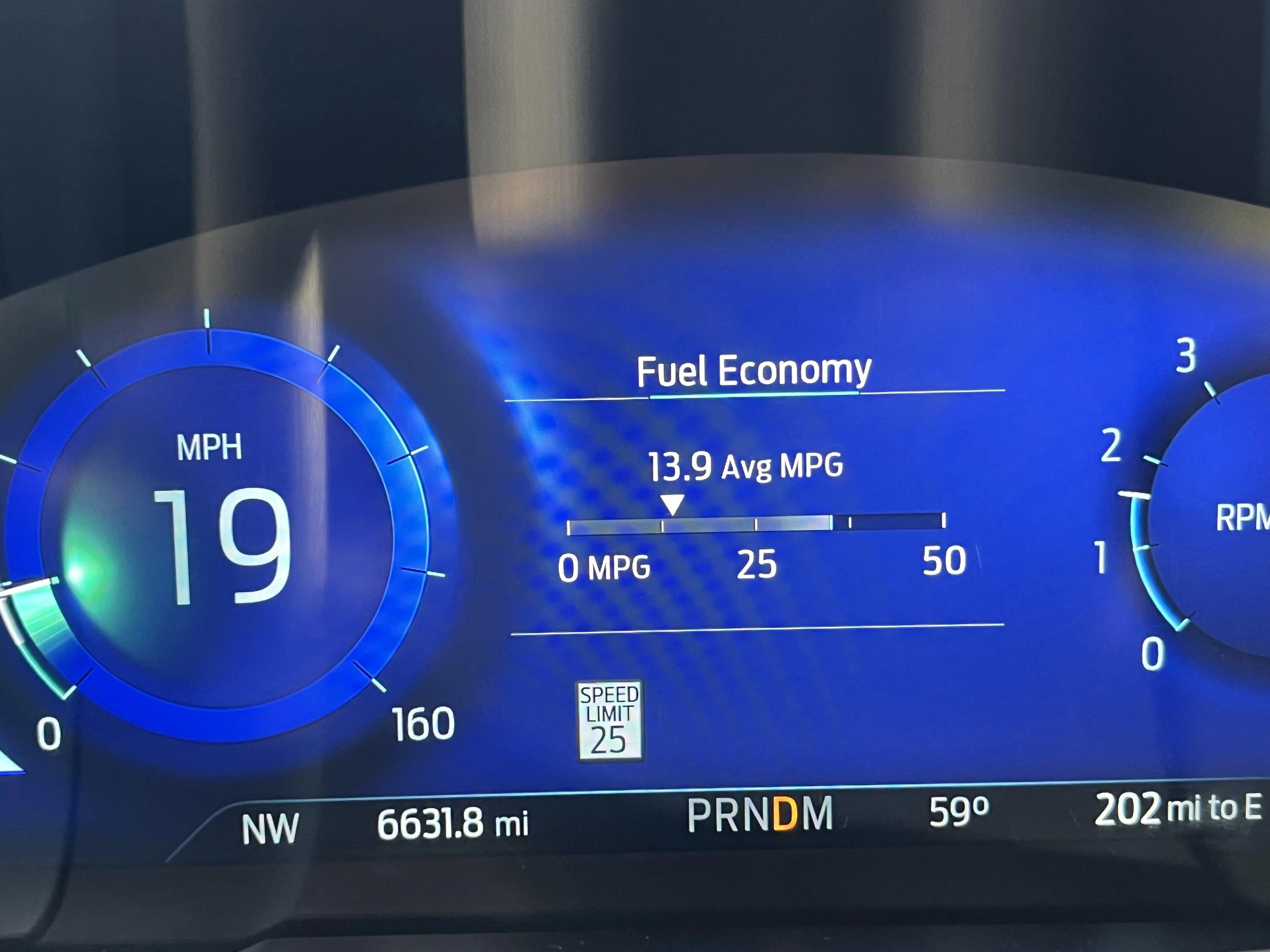
Oh ok, I guess I did it right by accident since the signs show up as squares lol.
Thanks guys for the info and the confidence build up.
 

Toinky

2.0L EcoBoost
Well-known member
Joined
Nov 30, 2022
Threads
7
Messages
105
Reaction score
197
Location
California
Vehicle(s)
Toyota Tacoma
Engine
2.0L EcoBoost
I have a '23 EB Lariat Lux FX4 Tow. I successfully enabled TSR in easy mode, but initially had the round signs (European?). When I changed the IPC to enable SLIF, the square signs (US) appeared as they should. See post #452 for the simplest of instructions, although I enabled the TSR in the IPC. This gives you the I/O option on the cluster (for Lariat's, at least).
 
Last edited:

Raphaelfns

2.0L EcoBoost
Member
First Name
Raphael
Joined
Mar 14, 2024
Threads
1
Messages
15
Reaction score
8
Location
Brazil
Vehicle(s)
2023 Ford Maverick Lariat
Engine
2.0L EcoBoost
Hello friend, Raphael from Brazil here.

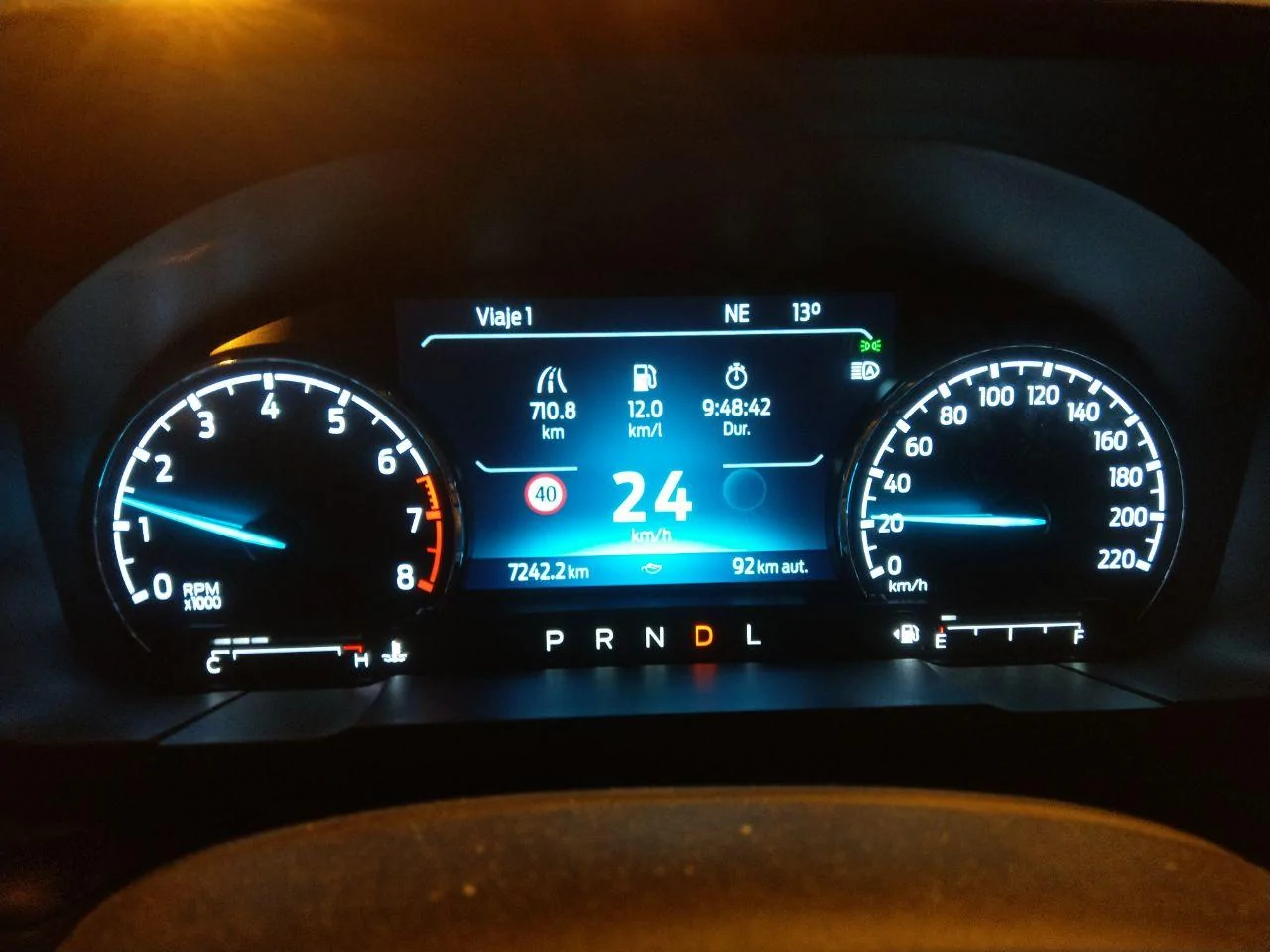
Why on my TSR shows two speed signs, instead of one? Can you guys help me?

Thank you
 
First Name
Mark
Joined
Aug 22, 2021
Threads
1
Messages
24
Reaction score
29
Location
Macomb, MI
Vehicle(s)
Maverick
Engine
2.5L Hybrid
Clubs
 
Sponsored

Raphaelfns

2.0L EcoBoost
Member
First Name
Raphael
Joined
Mar 14, 2024
Threads
1
Messages
15
Reaction score
8
Location
Brazil
Vehicle(s)
2023 Ford Maverick Lariat
Engine
2.0L EcoBoost

Eldrick1

2.5L Hybrid
Well-known member
Joined
Apr 1, 2024
Threads
4
Messages
148
Reaction score
183
Location
NW Suburbs Chicago
Vehicle(s)
2024 Maverick
Engine
2.5L Hybrid
Clubs
 
Just did this myself via easy mode on my Lariat as well

IPMA settings:

  • Traffic Sign Recognition (TSR) - Speed Limit Information Function (SLIF)
  • Traffic Sign Recognition Mode - Camera data only
IPC settings:

  • Traffic Sign Recognition (TSR) - Disabled
  • Speed Limit Information Function (SLIF) - Enabled
1705862505151.webp
Just want to say thanks. Tried this again this morning, after thinking it did not work to enable the US style speed limit signs on my 24 Lariat, and it worked perfectly. Very happy to have the square signs now, after trying before and thinking I was stuck with the Euro ones.

Thanks again to all who contribute!
 
Last edited:

Vtec87pr1

2.0L EcoBoost
Well-known member
First Name
Antonio
Joined
Jul 21, 2022
Threads
26
Messages
1,270
Reaction score
2,117
Location
Virginia
Website
youtube.com
Vehicle(s)
2022 XL Ford Maverick
Engine
2.0L EcoBoost
Clubs
 
I did it on mine I'm going to wait until I'm in the road to see if it works with the Ford Explorer IPC lol.
 

pantera156

2.0L EcoBoost
Well-known member
First Name
Pantera
Joined
Feb 25, 2024
Threads
0
Messages
86
Reaction score
35
Location
Porto Alegre
Vehicle(s)
lariat 2.0
Engine
2.0L EcoBoost
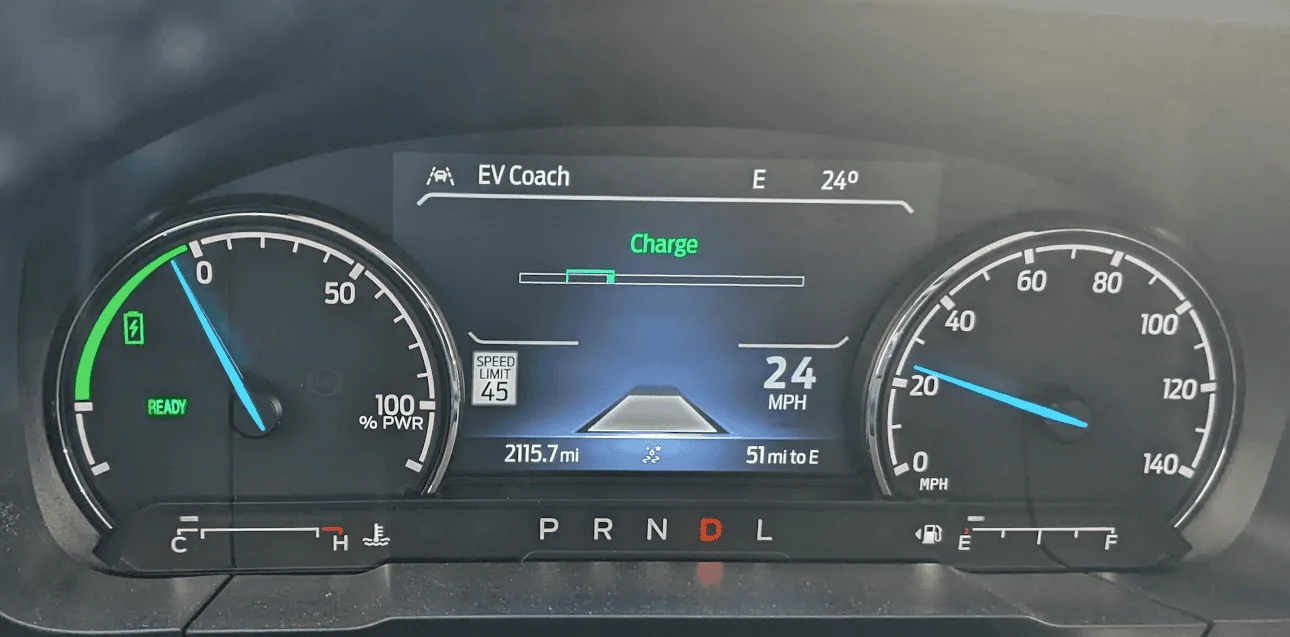
Working! But for some reason it doesn't show anything on the right side. :crying:
Ford Maverick Traffic Sign Recognition (TSR) FORScan mod (confirmed working) photo_2024-07-24_01-03-34
Sponsored


Top