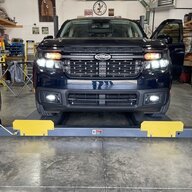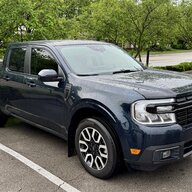

Sponsored

Diode Dynamics fog lights

Bobert47

2.5L Hybrid
Active member
First Name
Bobert
Joined
Dec 2, 2022
Threads
1
Messages
30
Reaction score
33
Location
Kentucky, US
Vehicle(s)
2023 Ford Maverick Lariat
Engine
2.5L Hybrid
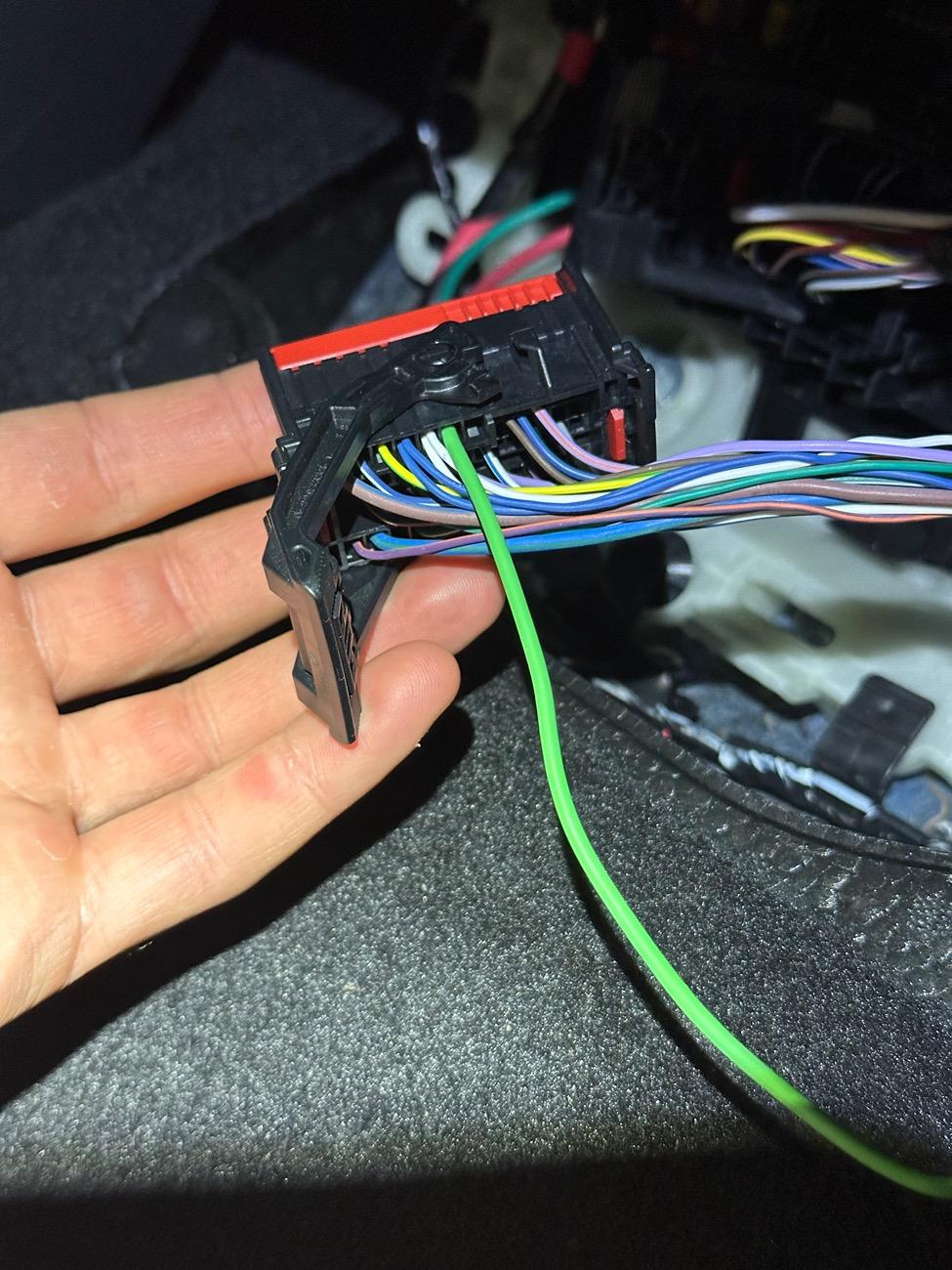
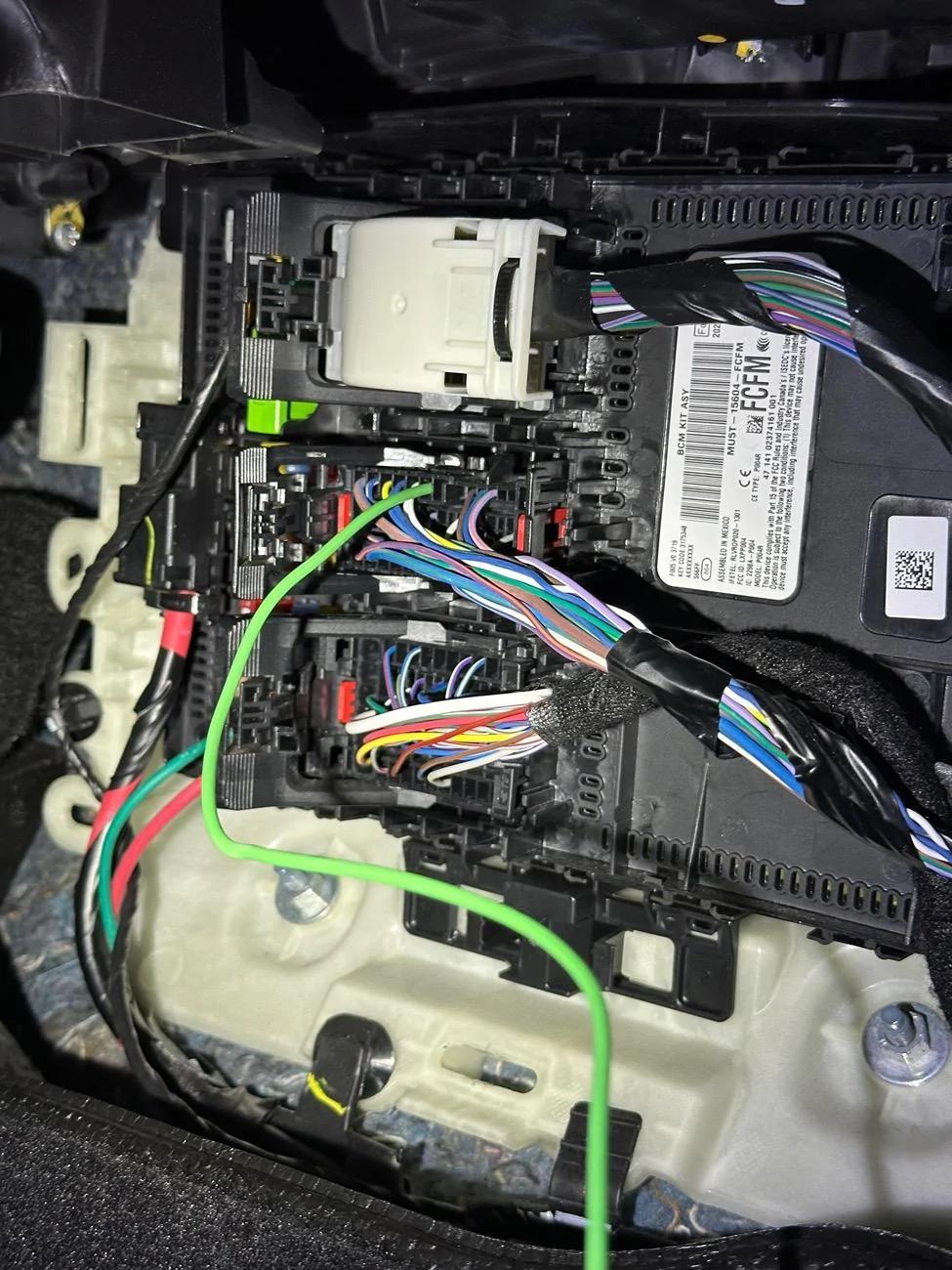
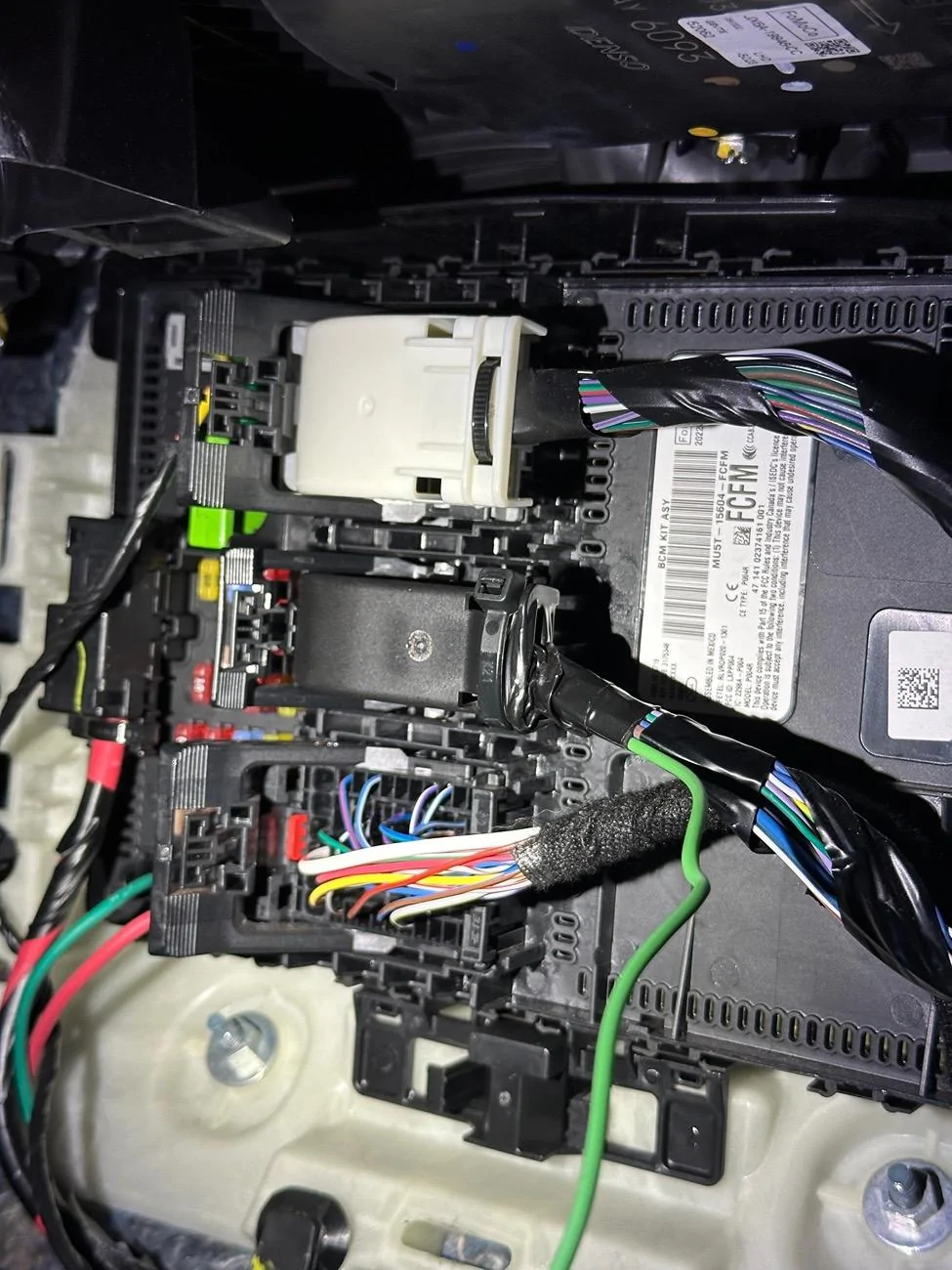
The green wire from the bcm connects to the switch wire on DD harness
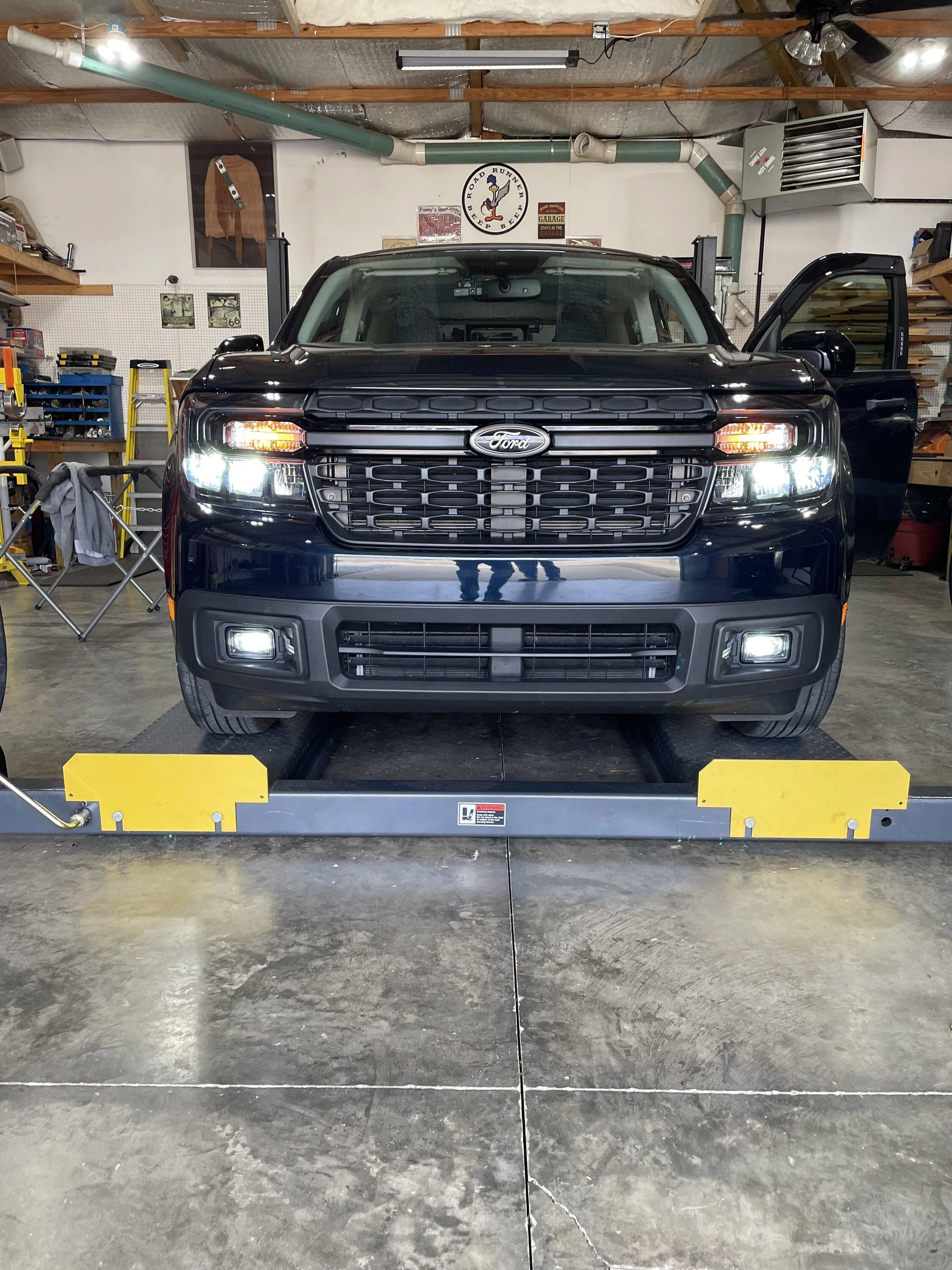
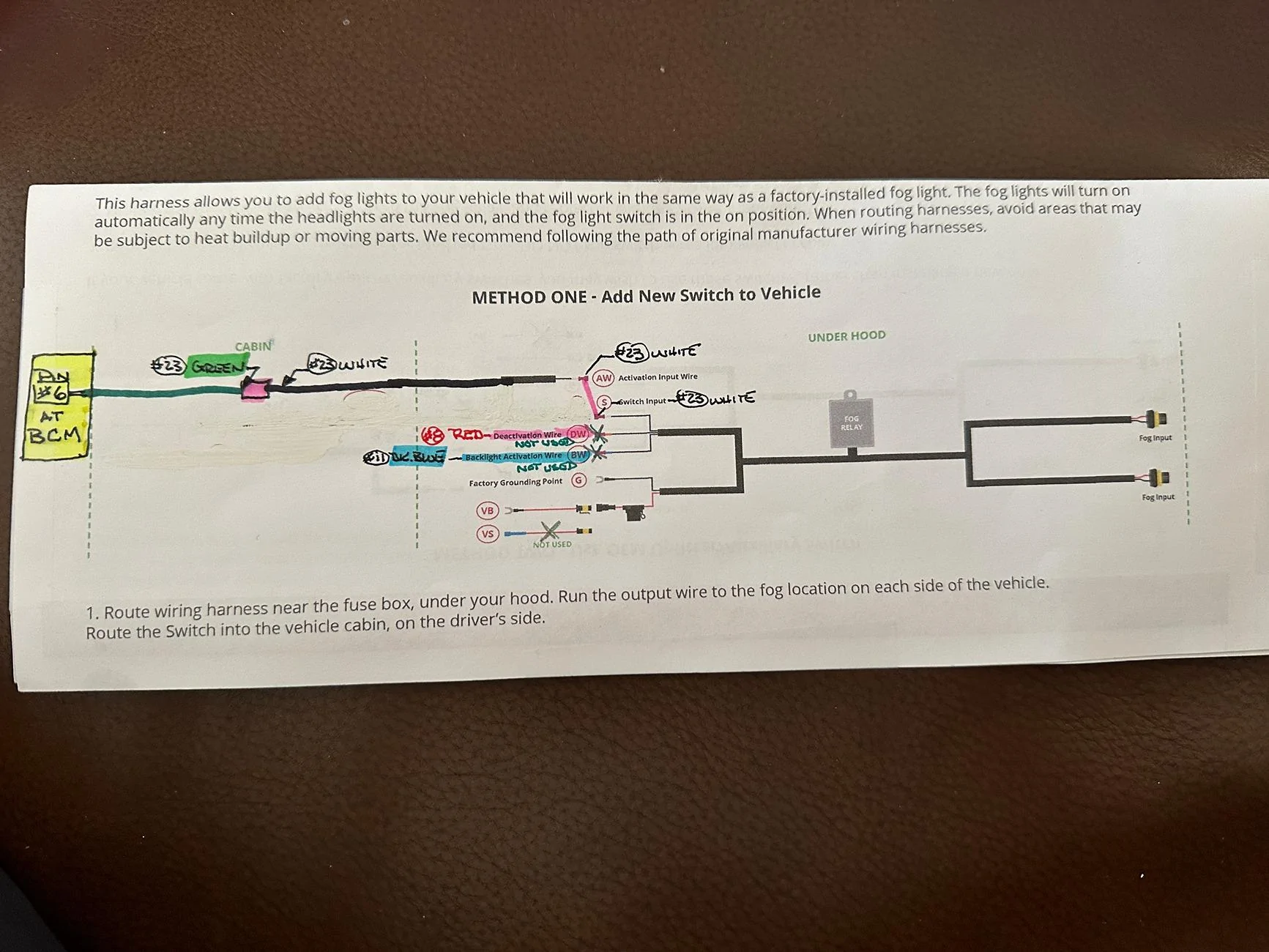
Hi again all! I got my lights installed today and thought I wired everything up according to my understanding from the write-up, but now the fog lights stay on all the time. I drew the diagram attached and this is how I have wired things. The BCM #6 pin is wired to the "S" Switch Input Wire on the DD wiring harness. The "VB" Positive Wire is connected to the batt/post under the hood. The "G" Ground is connected to the factory ground wire under the hood. I did not connect the "DW" deactivation wire or the "BW" Backlight wires to anything, as I didn't want the running backlights when fogs are off. I made and saved all the of the FORscan changes as described as well and the fog light dash indicator does show when the fog light button is pushed on the F-150 hyrbid headlight switch. Do you see anything I may have missed or hooked up wrong?

Additionally, I tried disconnected the "VB" Positive wire while leaving the "G" ground and "S"-->BCM #6 wire connected, and this results in the fog lights not turning on at all under any condition. Any and all help is most appreciate!
Ford Maverick Diode Dynamics fog lights IMG_3621
Sponsored
 

A.Bursell

2.0L EcoBoost
Well-known member
Joined
Jun 23, 2023
Threads
11
Messages
663
Reaction score
786
Location
Stanwood, WA
Vehicle(s)
Maverick
Engine
2.0L EcoBoost
Clubs
 
Hi again all! I got my lights installed today and thought I wired everything up according to my understanding from the write-up, but now the fog lights stay on all the time. I drew the diagram attached and this is how I have wired things. The BCM #6 pin is wired to the "S" Switch Input Wire on the DD wiring harness. The "VB" Positive Wire is connected to the batt/post under the hood. The "G" Ground is connected to the factory ground wire under the hood. I did not connect the "DW" deactivation wire or the "BW" Backlight wires to anything, as I didn't want the running backlights when fogs are off. I made and saved all the of the FORscan changes as described as well and the fog light dash indicator does show when the fog light button is pushed on the F-150 hyrbid headlight switch. Do you see anything I may have missed or hooked up wrong?

Additionally, I tried disconnected the "VB" Positive wire while leaving the "G" ground and "S"-->BCM #6 wire connected, and this results in the fog lights not turning on at all under any condition. Any and all help is most appreciate!
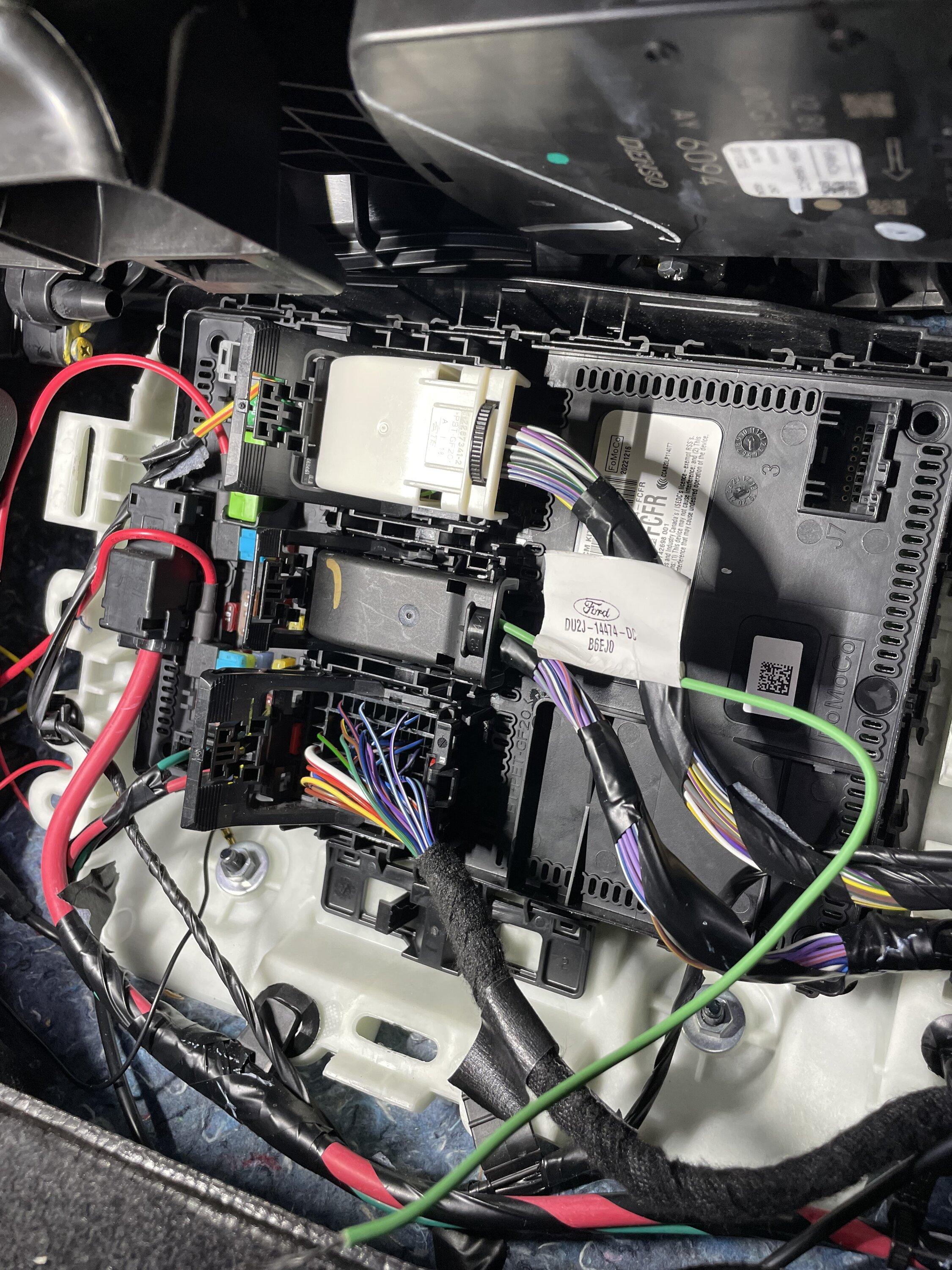
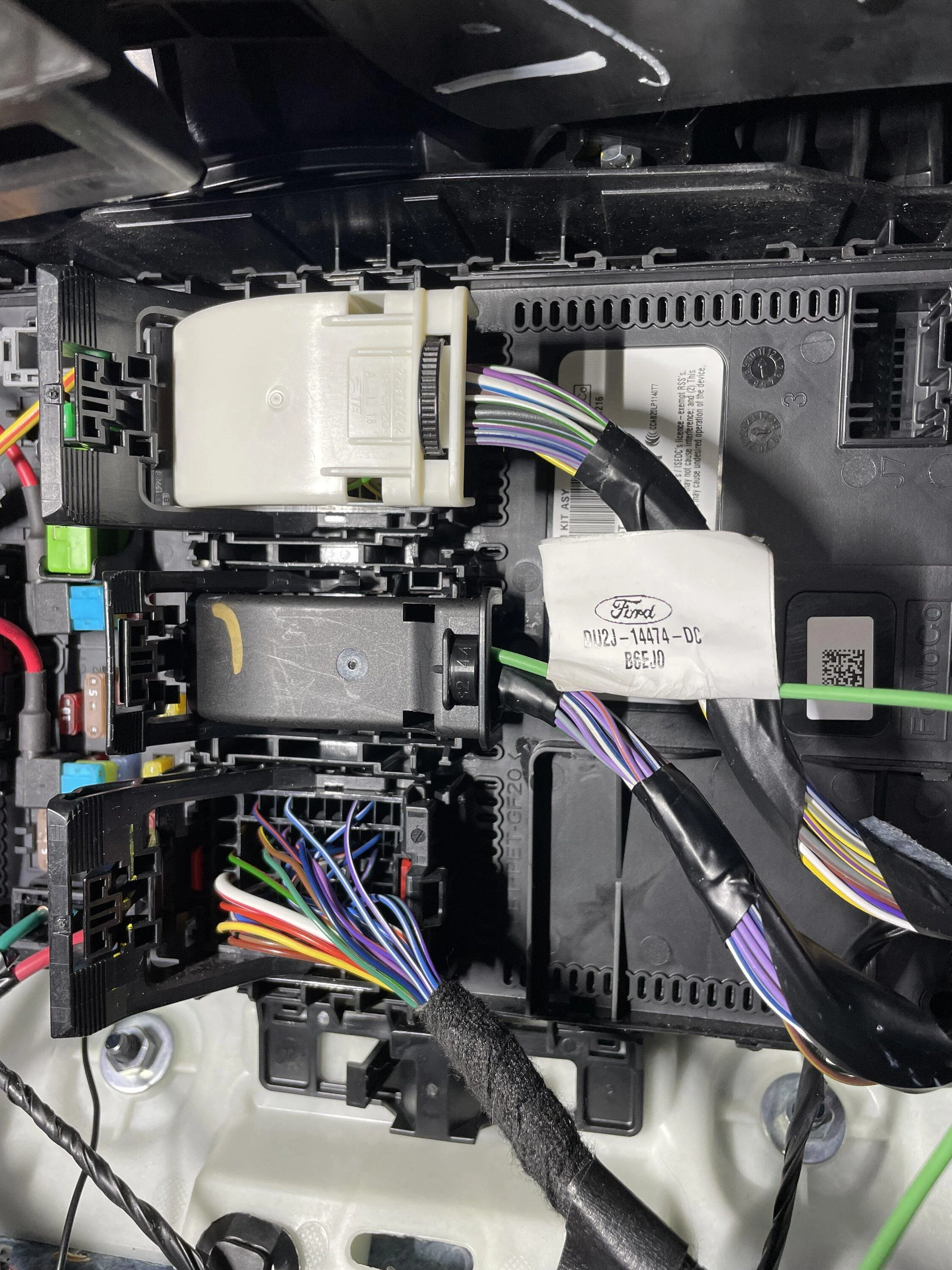
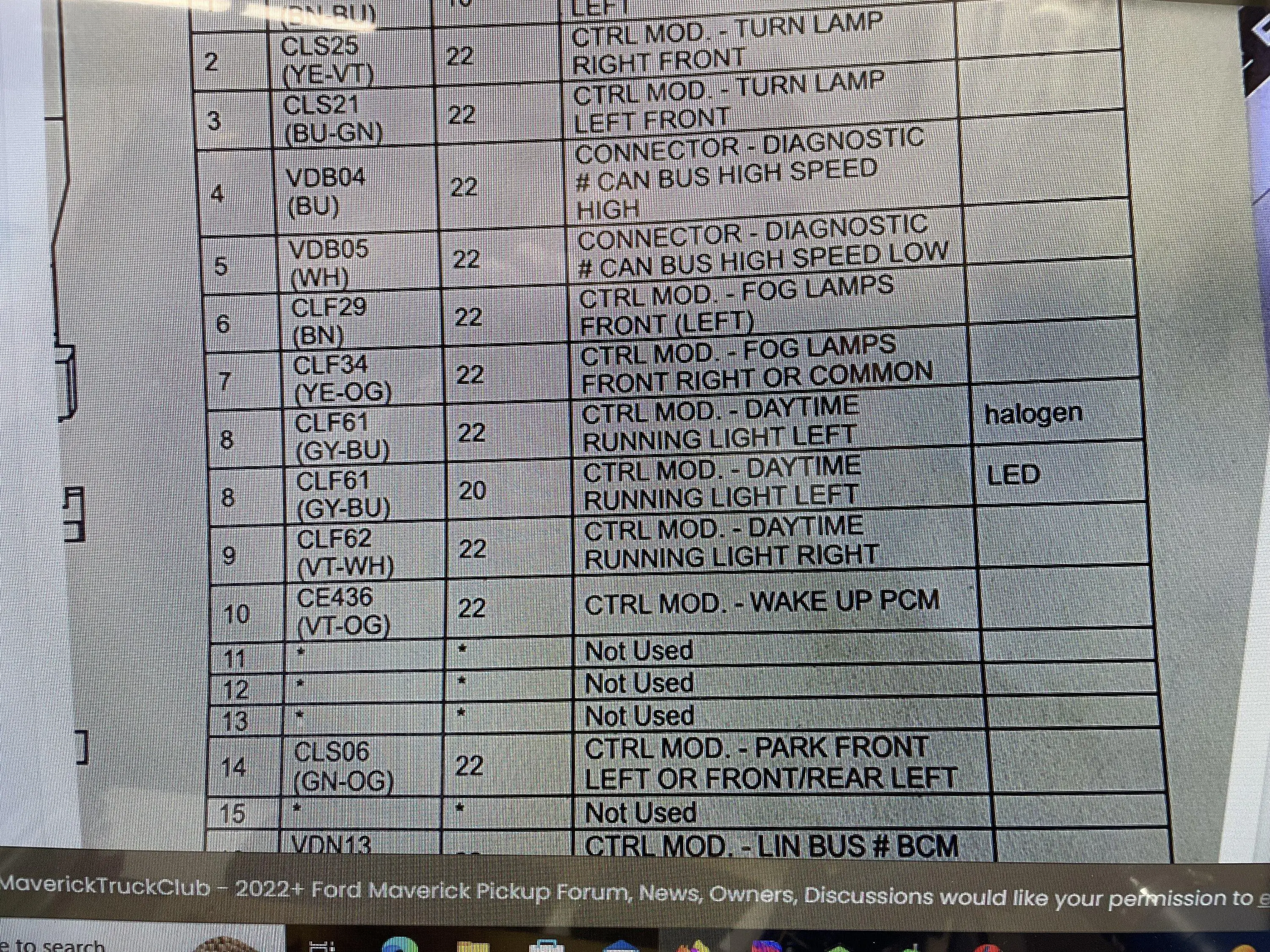
There isn't really much you can have wrong if the lights are coming on -- that means ground is good and your power feed is good from the battery. My guess is that you didn't actually connect to pin 6 on the BCM and that you are actually in the cavity across from it. Easy mistake to make. When you look at the wire diagrams, it is looking at the connector from the front - not the back where you insert the contact. I would take another look there. In order to remove the contact, you will have to take the front side red piece all the way off (pry it back and forth), and then you will reach into the cavity with a small pick or screwdriver and gently lift up on the retaining tab while gently pulling on the wire. It should come right out.
 

Bobert47

2.5L Hybrid
Active member
First Name
Bobert
Joined
Dec 2, 2022
Threads
1
Messages
30
Reaction score
33
Location
Kentucky, US
Vehicle(s)
2023 Ford Maverick Lariat
Engine
2.5L Hybrid
There isn't really much you can have wrong if the lights are coming on -- that means ground is good and your power feed is good from the battery. My guess is that you didn't actually connect to pin 6 on the BCM and that you are actually in the cavity across from it. Easy mistake to make. When you look at the wire diagrams, it is looking at the connector from the front - not the back where you insert the contact. I would take another look there. In order to remove the contact, you will have to take the front side red piece all the way off (pry it back and forth), and then you will reach into the cavity with a small pick or screwdriver and gently lift up on the retaining tab while gently pulling on the wire. It should come right out.
You were spot on! I was looking at the pin diagram from the back/wire-in side and it was flipped. Everything works perfectly and as planned now, with the VB Positive + Ground + BCM Pin#6!!! Thank you so much for your help, you saved me another long day in this heat trying to troubleshoot! I had already checked terminal continuity and fuses and was running out ideas. You saved the day, thank you!
 

Toddman45

2.0L EcoBoost
Well-known member
First Name
Todd
Joined
May 21, 2024
Threads
27
Messages
1,977
Reaction score
2,773
Location
St. Louis, MO
Vehicle(s)
24' Ford Maverick XLT, 19' Ford Explorer Limited, 14' Chevy Equinox
Engine
2.0L EcoBoost
I love the look in everything of the diode dynamics fog lamps as well as using the OEM switch the only thing I don't care for is the Amber parking light function on them.

Down the road when I add them I'm not wiring in the parking light function on the fog lamps.
 

JPinPA

2.5L Hybrid
Well-known member
First Name
Jay
Joined
May 12, 2024
Threads
16
Messages
196
Reaction score
227
Location
Stewartstown PA
Vehicle(s)
2024 Maverick XLT
Engine
2.5L Hybrid
Clubs
 
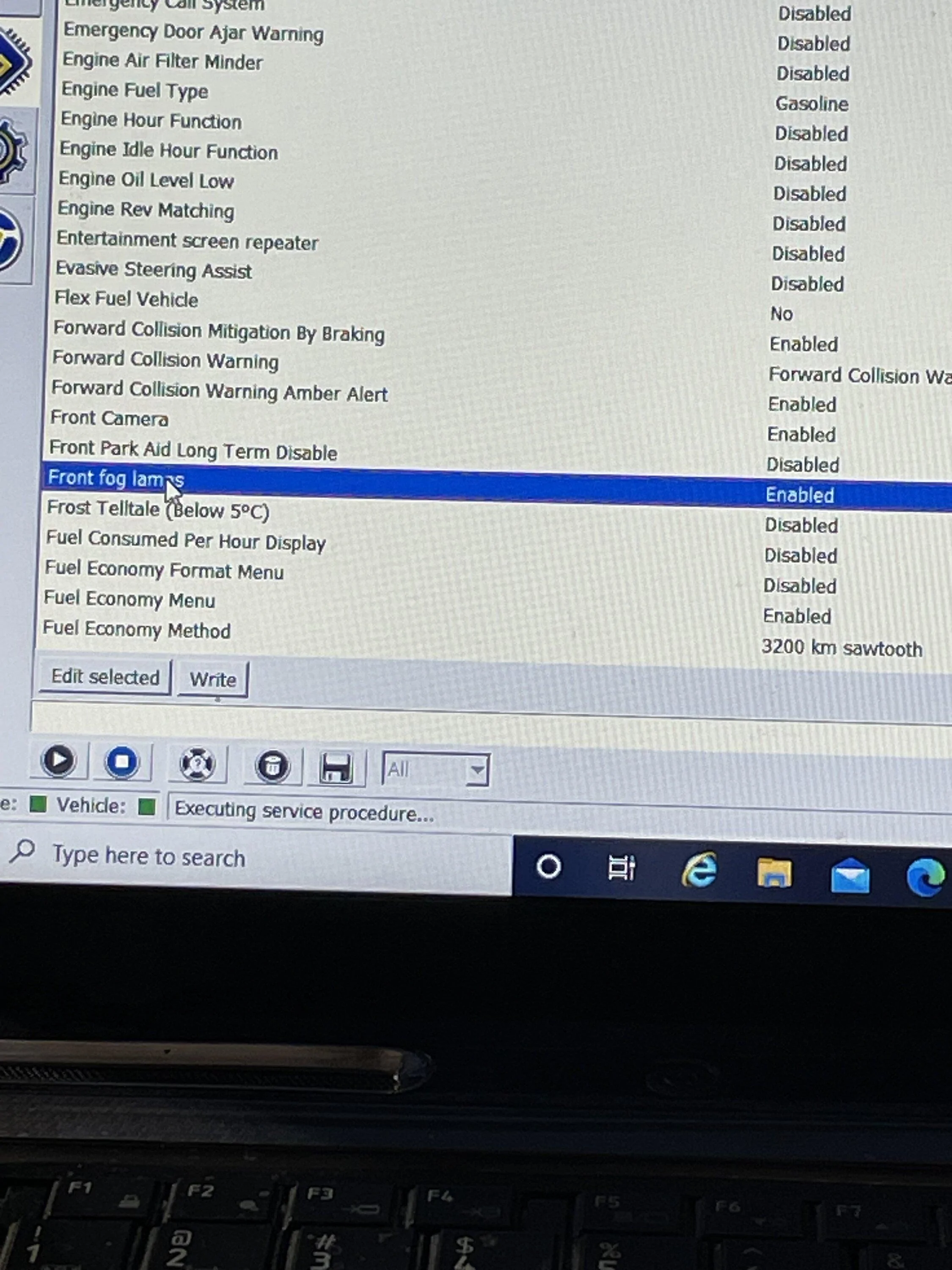
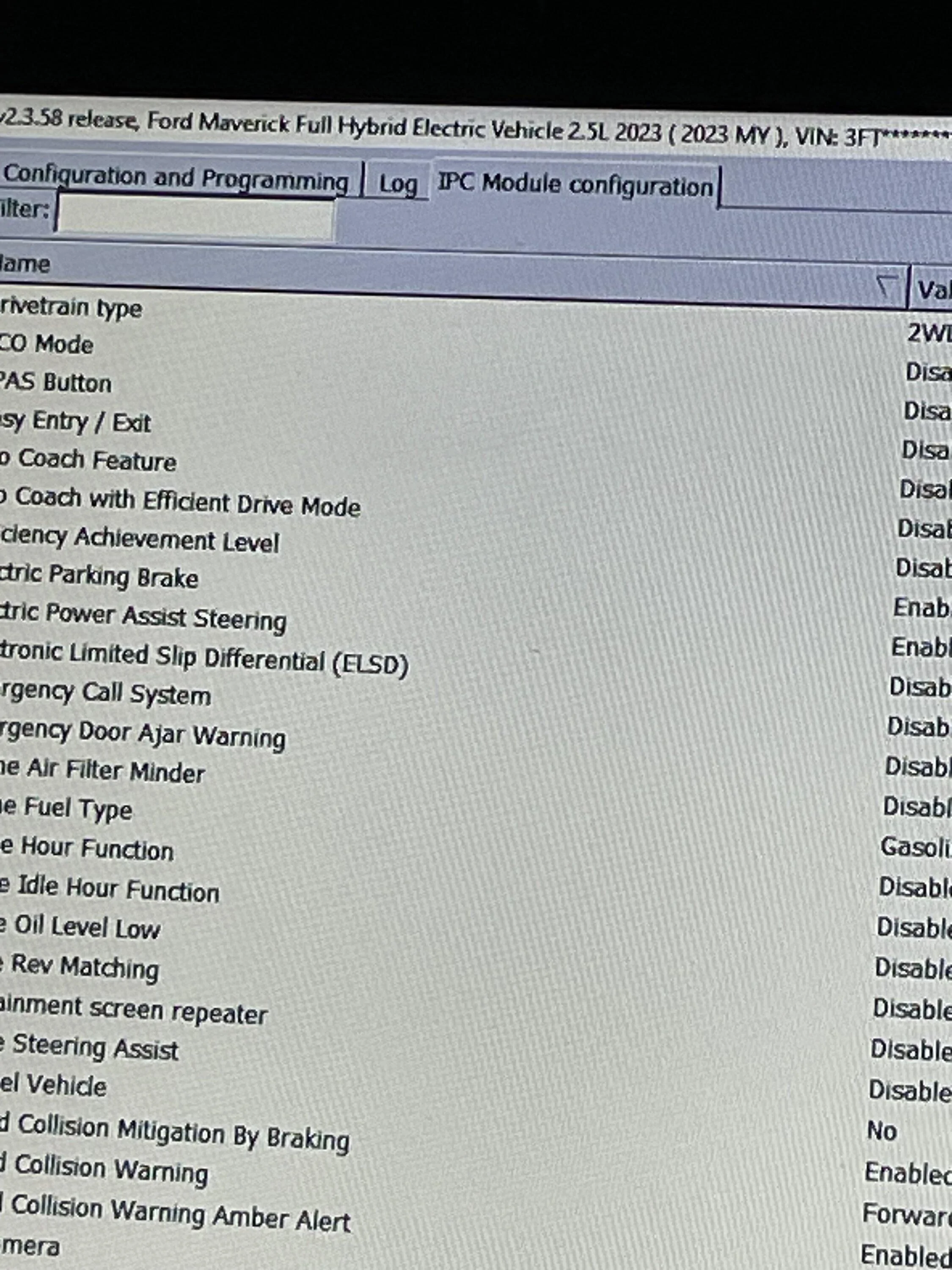
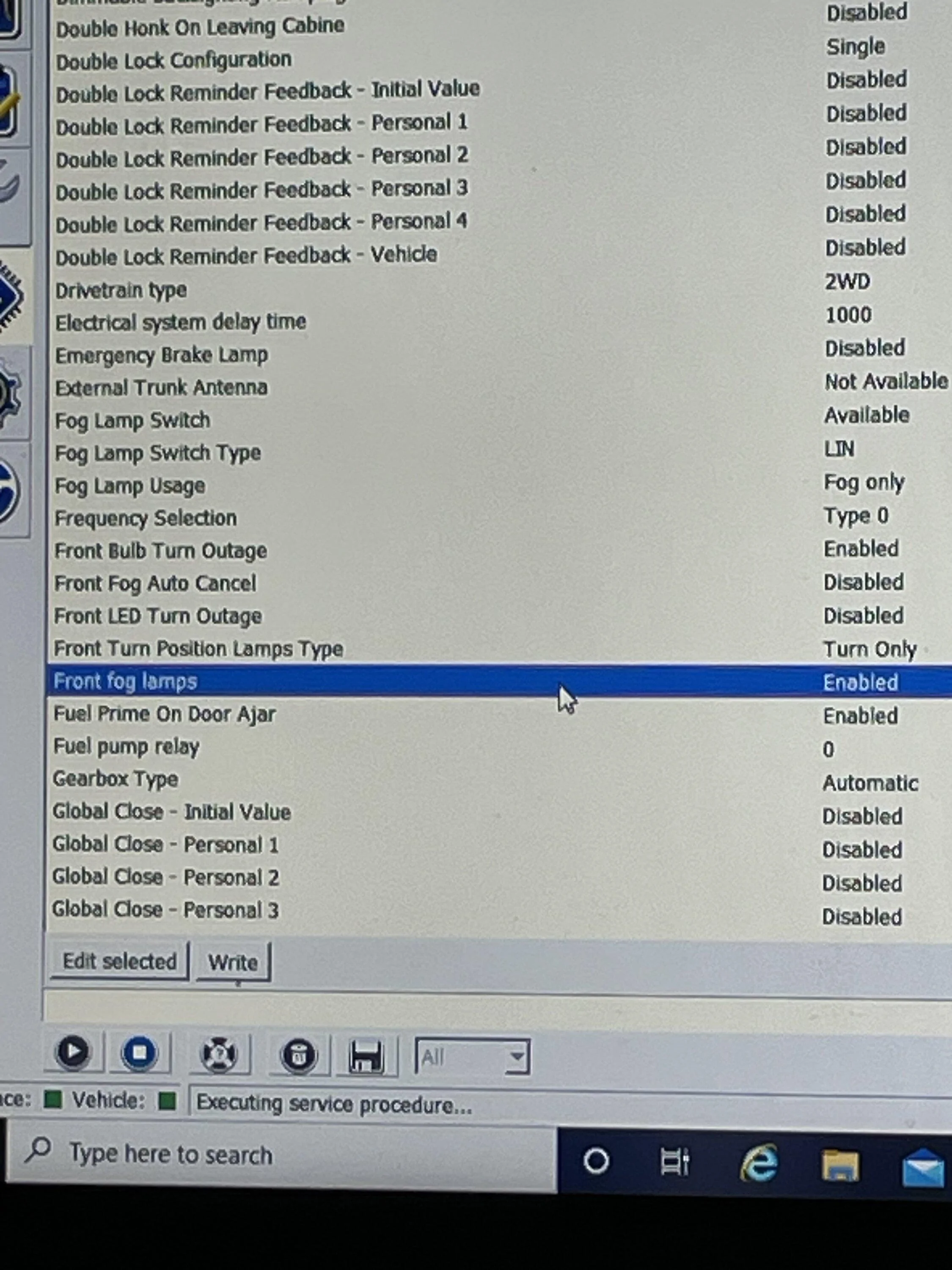
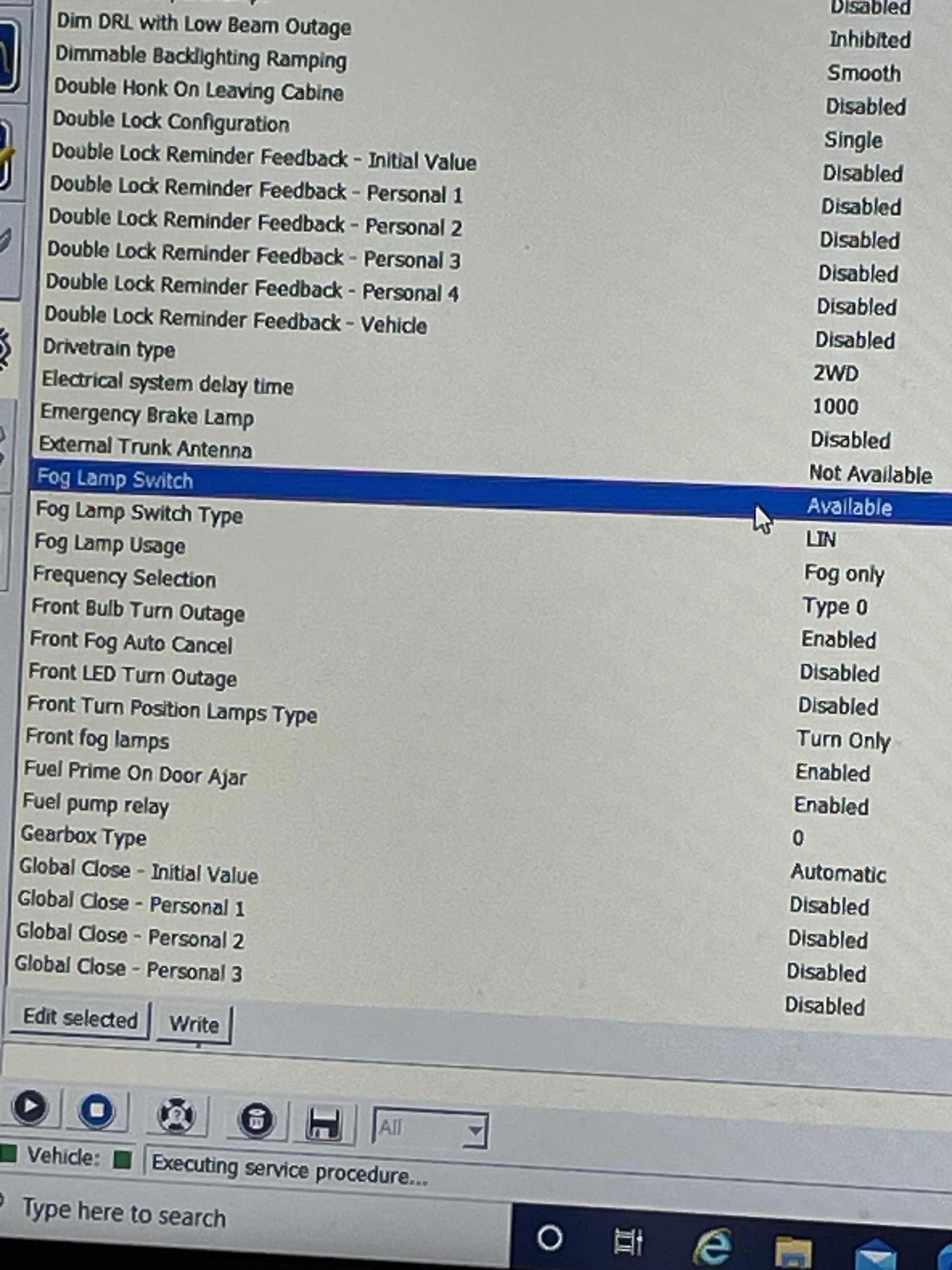
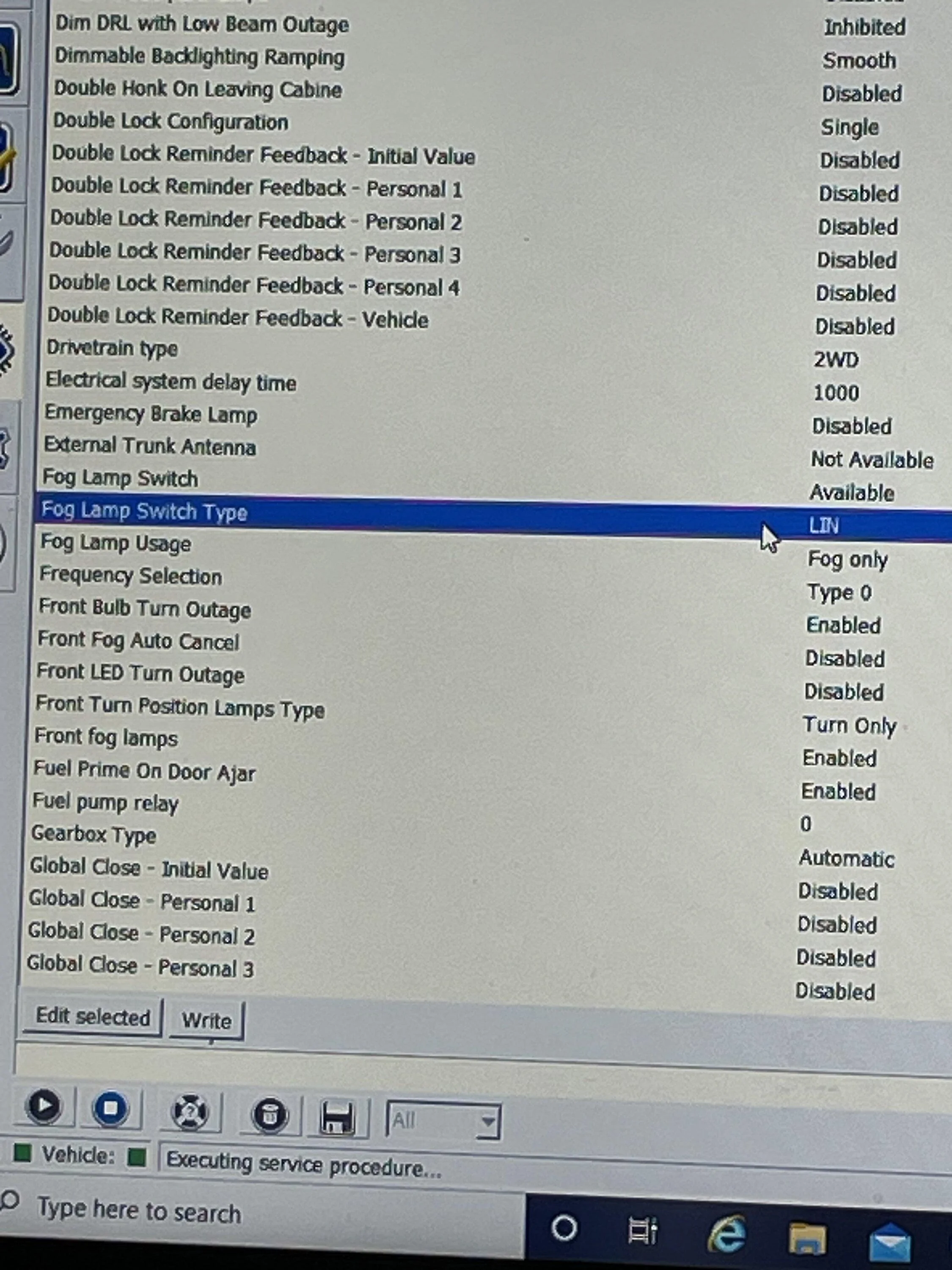
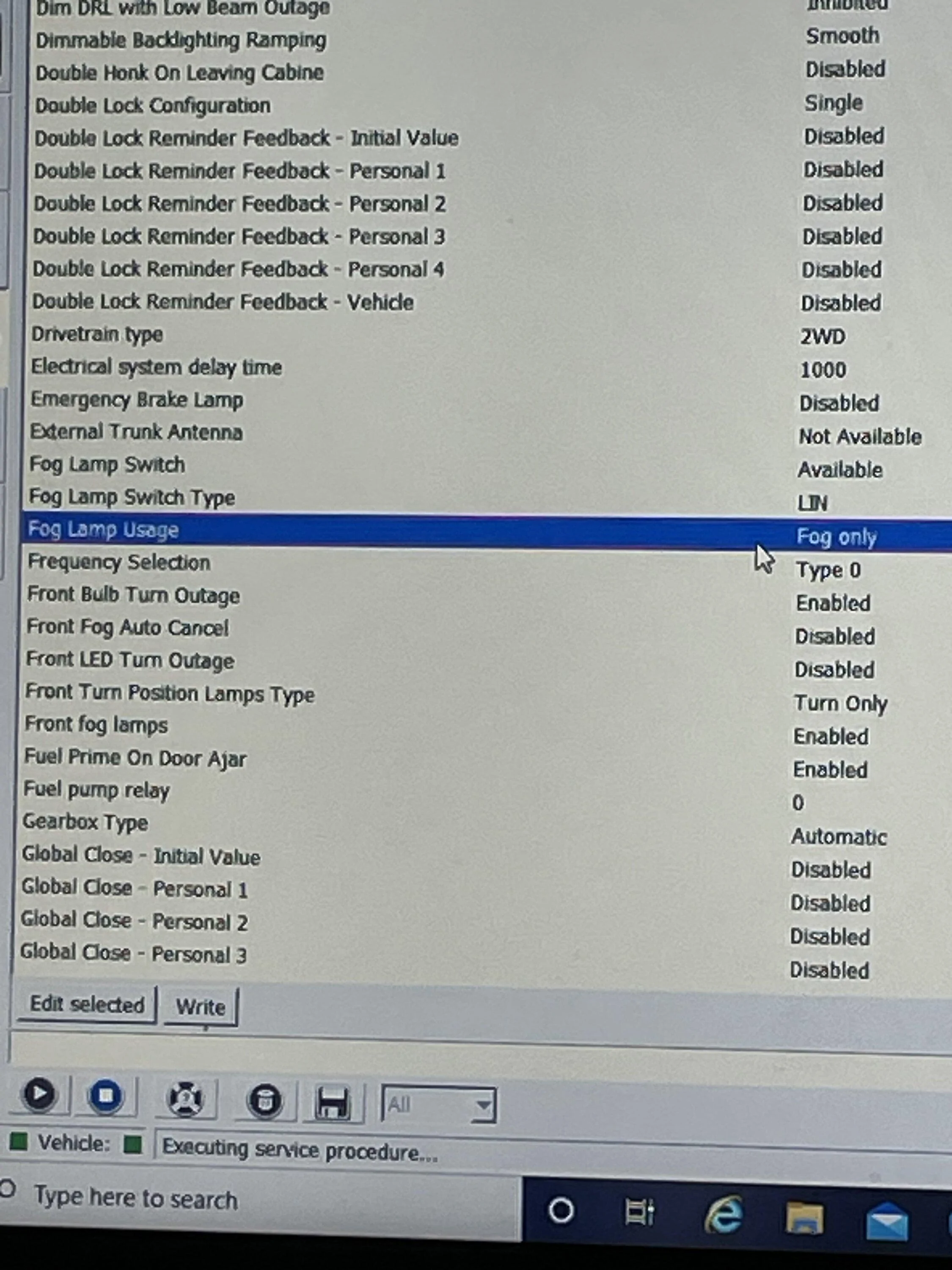
I assisted Larry with the fog light wiring change today for the Diode Dynamic fog light kit. It was initially installed per the instructions received from Diode Dynamic. The toggle switch was wired and placed under the dash. The F-150 headlight switch, (part number in the first post), was installed, but did not allow us to enable the fog light indicator on the dash or be able to use the push button on the head light switch to turn on the fog lights because the power was not being provided by BCM. He was able to find the correct pins and location of BCM connector through researching other posts that are currently active. He ordered two wires with the correct connector pin, (part number in first post), to add to the BCM connector to power the fog lights. Today he wanted to find the way to connect the BCM to the existing Diode Dynamic wiring harness. The wiring changes were minimal. The toggle switch was removed along with the two existing wires connected to it that ran to the switch input line and the passenger side headlight wire harness. The remaining Diode Dynamics wiring harness was left in place. This was convenient because the front grill of the truck did not need to be removed to complete this wiring change. The two pins, pin 6 and 7, at the BCM are power wires for the fog lights. One is for the left fog light and the other is for the right fog light. We only had to add one wire at the BCM connector because we did not remove the Diode Dynamics wiring harness. This allowed the one power wire to apply power to both fog lights through the Diode Dynamics wiring harness. The new wire from the BCM was connected to the switch input wire that had been connected to one side of the toggle switch that was removed. That completed the wiring changes for his fog light install today.

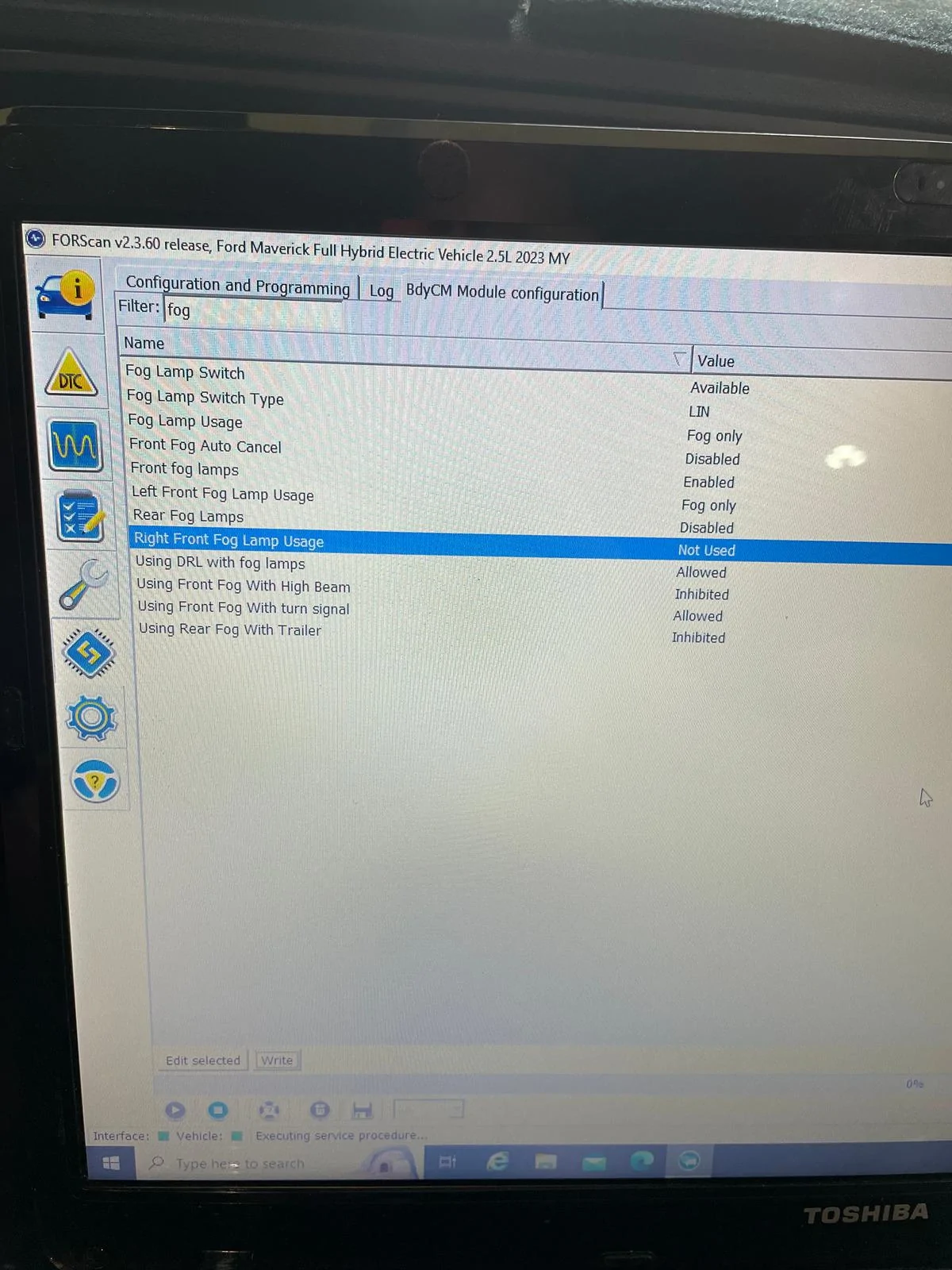
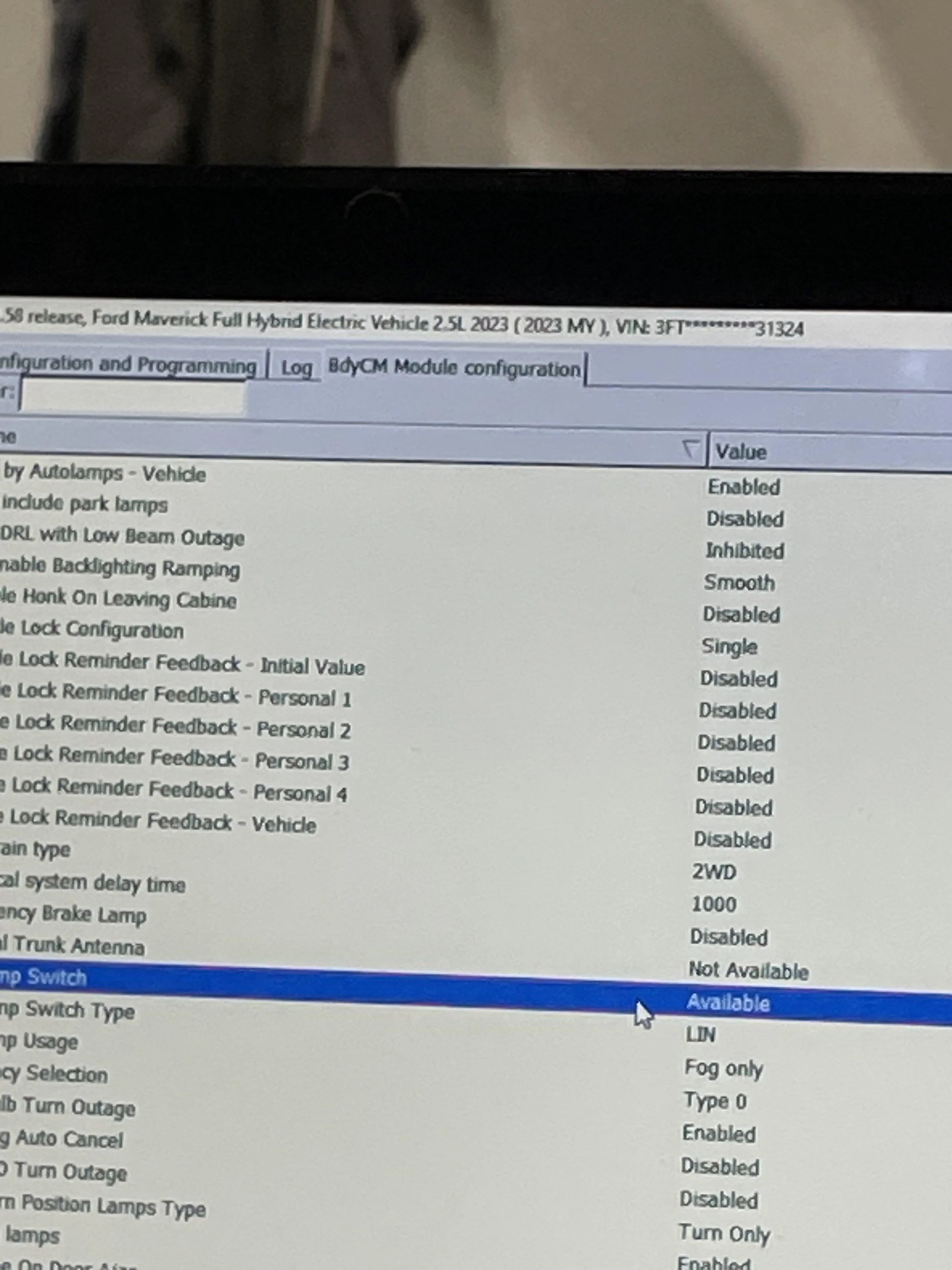
We moved on to the Forscan changes that allow for the fog light dash indicator to work. Two modules are involed in the required changes for his 2023 Ford Maverick XLT. I will list them separately.

IPC Module
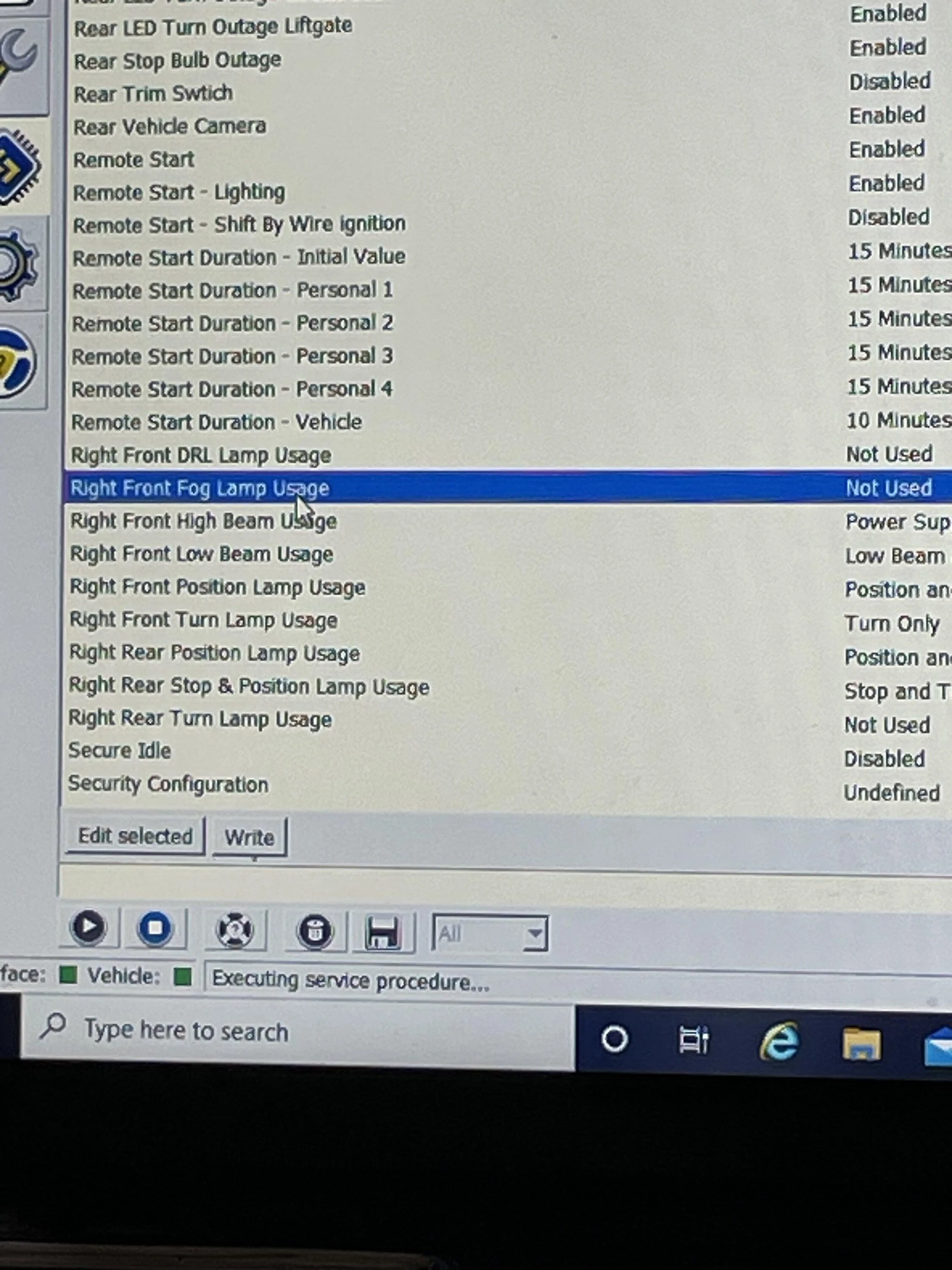
Front Fog Lamps (default is disabled) - Change to enabled

BCM Module
Fog Lamp Usage - Fog Only
Front fog lamps - (default is disabled) - Enabled
Fog Lamp Switch (default is not available) - Available
Fog Lamp Switch Type (default is hardwire) - LIN
*Left Front Fog Lamp Usage (default is not used) - Fog only (providing power from the BCM)
*Right Front Fog Lamp Usage - Not Used (We only needed one power input since the Diode Dynamic wiring harness was ran to both fog lamps.)

*We initially used both the left and right option becasue we could not remember which pin we chose to use to send power to the fog lights from the BCM. After we tested that everything worked, we disabled the pin that we did not install a wire into during the wiring change.

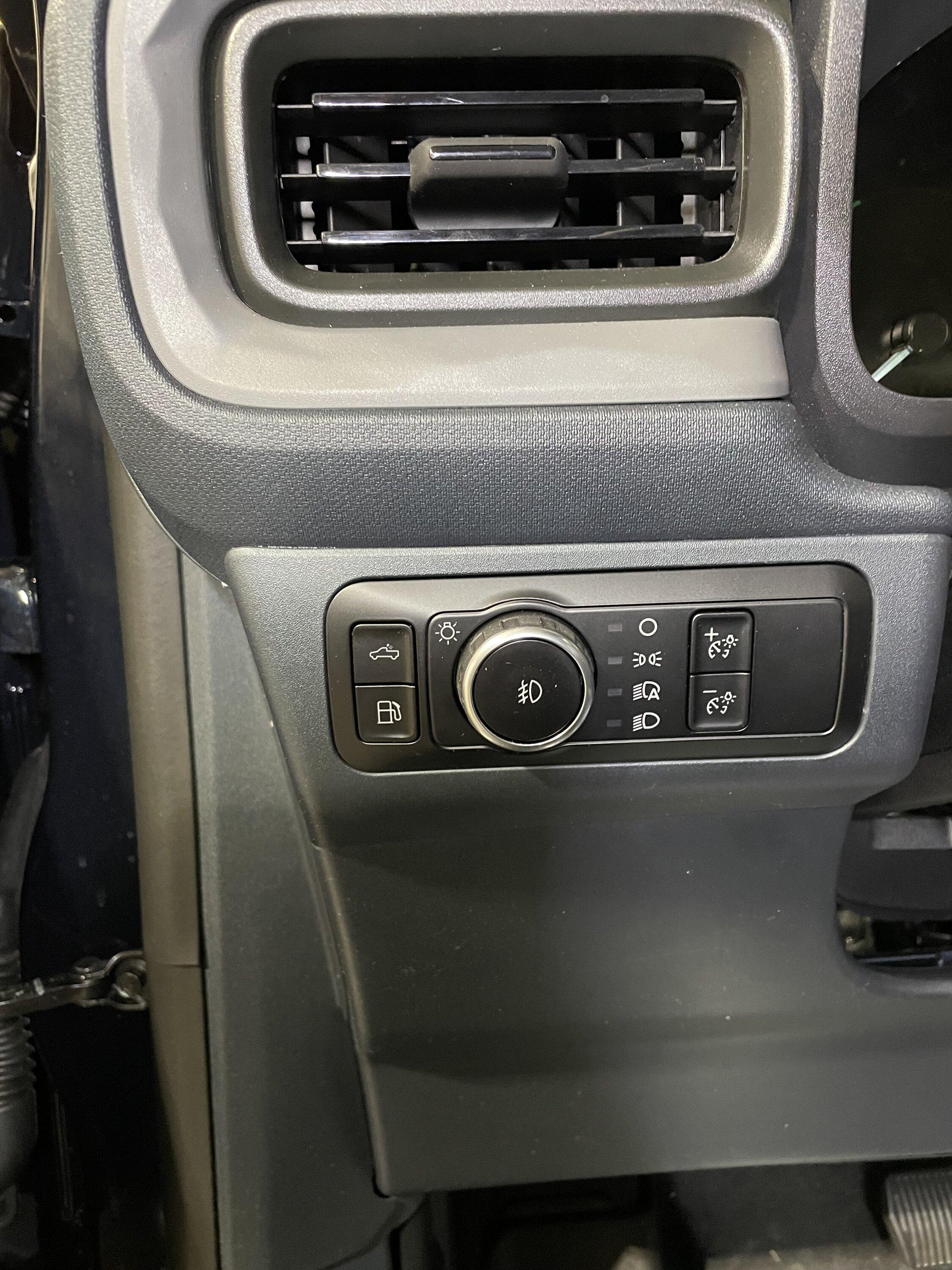
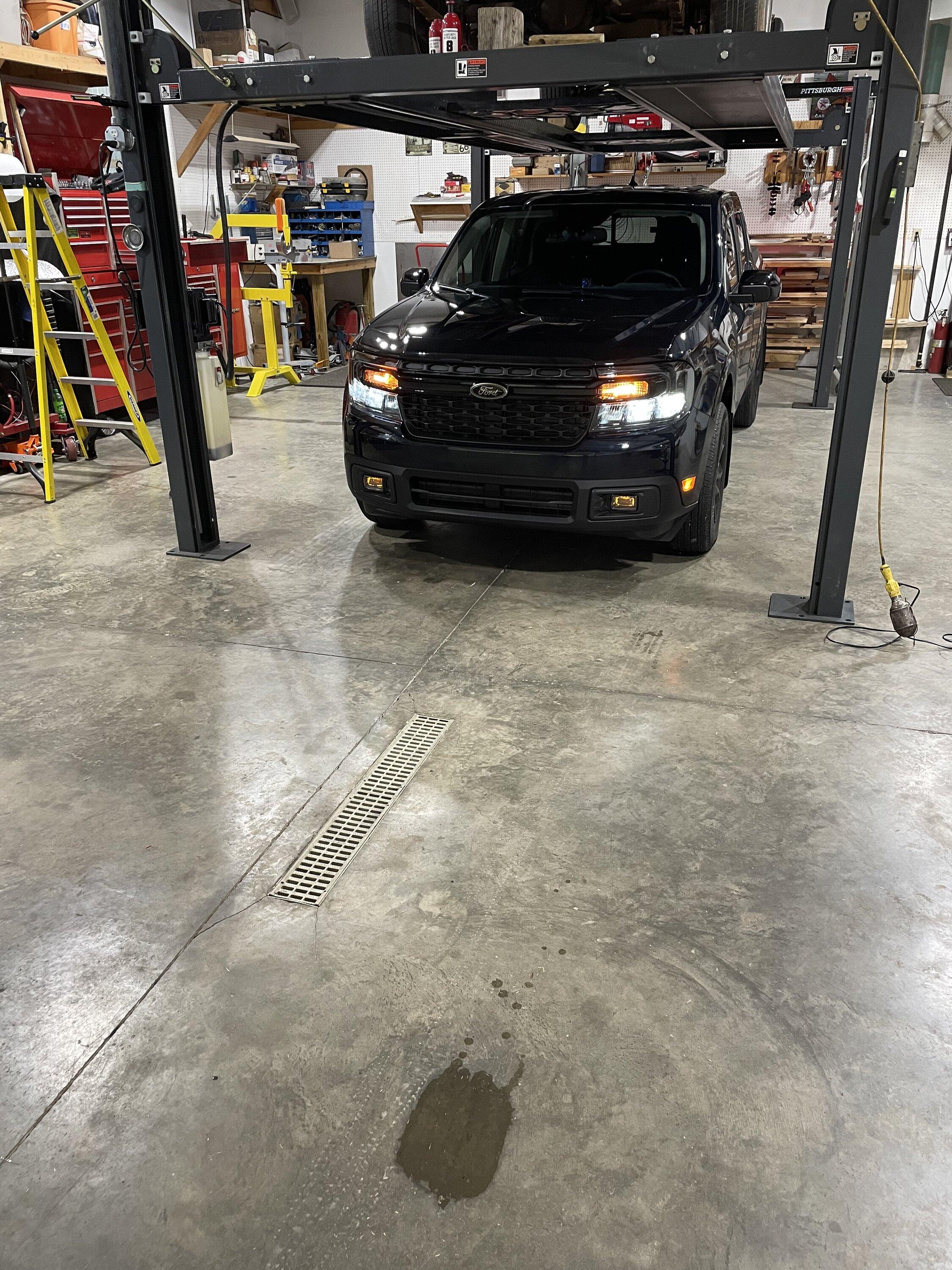
The fog light indicator is now working and he can use the push button on the F-150 headlight switch to turn them on or off. The fog lights automatically turn off when the high beams are turned on. The amber back lighting is working correctly. The Diode Dynamic fog lights, custom wiring and F-150 headlight switch give his truck a factory feel.

BCM.jpg


IPC.jpg
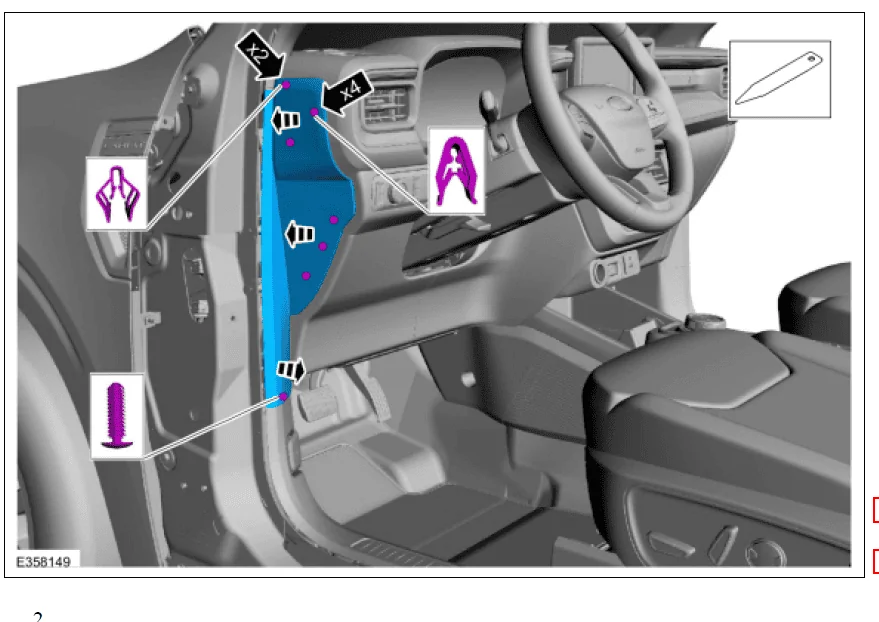
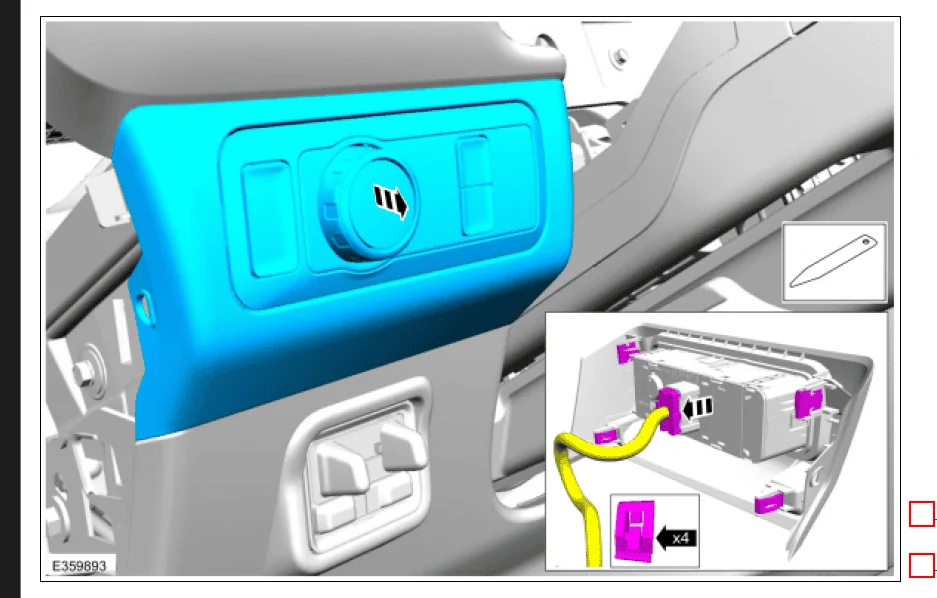
How did you remove the headlight switch unit? Trim removal tool? Start on the left or right? Etc...
 

Sponsored
Dmat

2.5L Hybrid
Well-known member
Joined
Oct 26, 2022
Threads
46
Messages
571
Reaction score
617
Location
Baton Rouge
Vehicle(s)
MAVERICK
Engine
2.5L Hybrid
Clubs
 
How did you remove the headlight switch unit? Trim removal tool? Start on the left or right? Etc...
there are several clips you have to pop tabs out of. When I did mine, I started at the top and worked my way down. For the lamp controls, there is a tab on eah side to push inward

Ford Maverick Diode Dynamics fog lights 1721543208114-ds
Ford Maverick Diode Dynamics fog lights 1721543309916-m
 

whoknew1985

2.5L Hybrid
Well-known member
First Name
James
Joined
Aug 11, 2022
Threads
3
Messages
80
Reaction score
99
Location
Brighon, TN.
Vehicle(s)
2023 Ford Maverick Hybrid XLT
Engine
2.5L Hybrid
How did you remove the headlight switch unit? Trim removal tool? Start on the left or right? Etc...
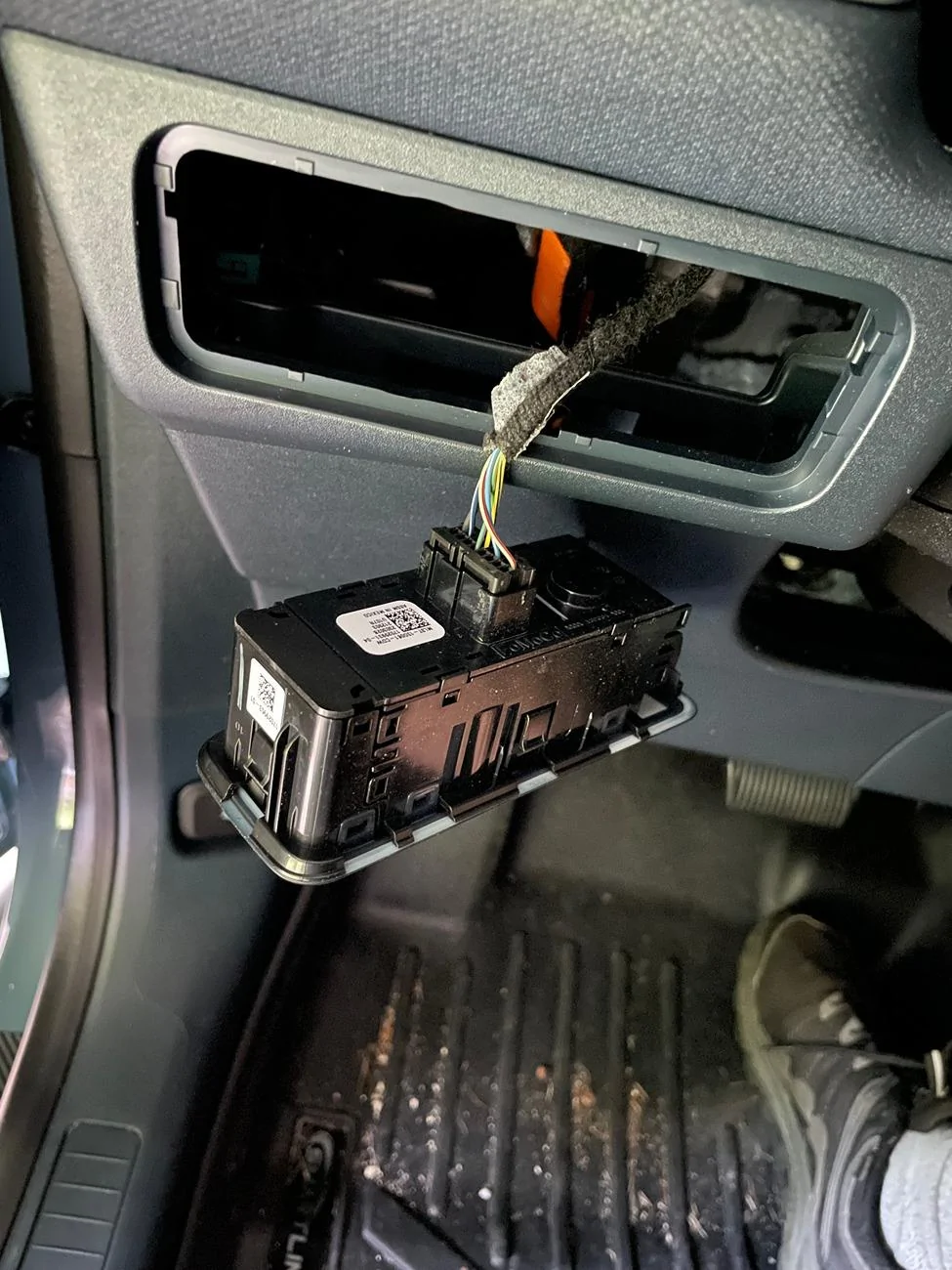
I used a trim piece remover. There are two clips, one on the left and one on the right. I started on the left and gently worked the tool under the lip of the headlight switch and it released the clip and allowed me to remove the switch from the dash.

Ford Maverick Diode Dynamics fog lights Headlight switch
 

Pfendi

2.0L EcoBoost
Active member
First Name
Peter
Joined
Jul 22, 2024
Threads
2
Messages
30
Reaction score
40
Location
Rochester, NY
Vehicle(s)
2022 Maverick XLT
Engine
2.0L EcoBoost
How did you remove the headlight switch unit? Trim removal tool? Start on the left or right? Etc...
Trim removal tools, see Amazon for cheap options. I got the cheapest possible, tabs are located top and bottom center. Gently stick the tools in and pry down and out. Could honestly do it with a butter knife, but plastic tools prevent marring.
 
Sponsored
Pfendi

2.0L EcoBoost
Active member
First Name
Peter
Joined
Jul 22, 2024
Threads
2
Messages
30
Reaction score
40
Location
Rochester, NY
Vehicle(s)
2022 Maverick XLT
Engine
2.0L EcoBoost
You were spot on! I was looking at the pin diagram from the back/wire-in side and it was flipped. Everything works perfectly and as planned now, with the VB Positive + Ground + BCM Pin#6!!! Thank you so much for your help, you saved me another long day in this heat trying to troubleshoot! I had already checked terminal continuity and fuses and was running out ideas. You saved the day, thank you!
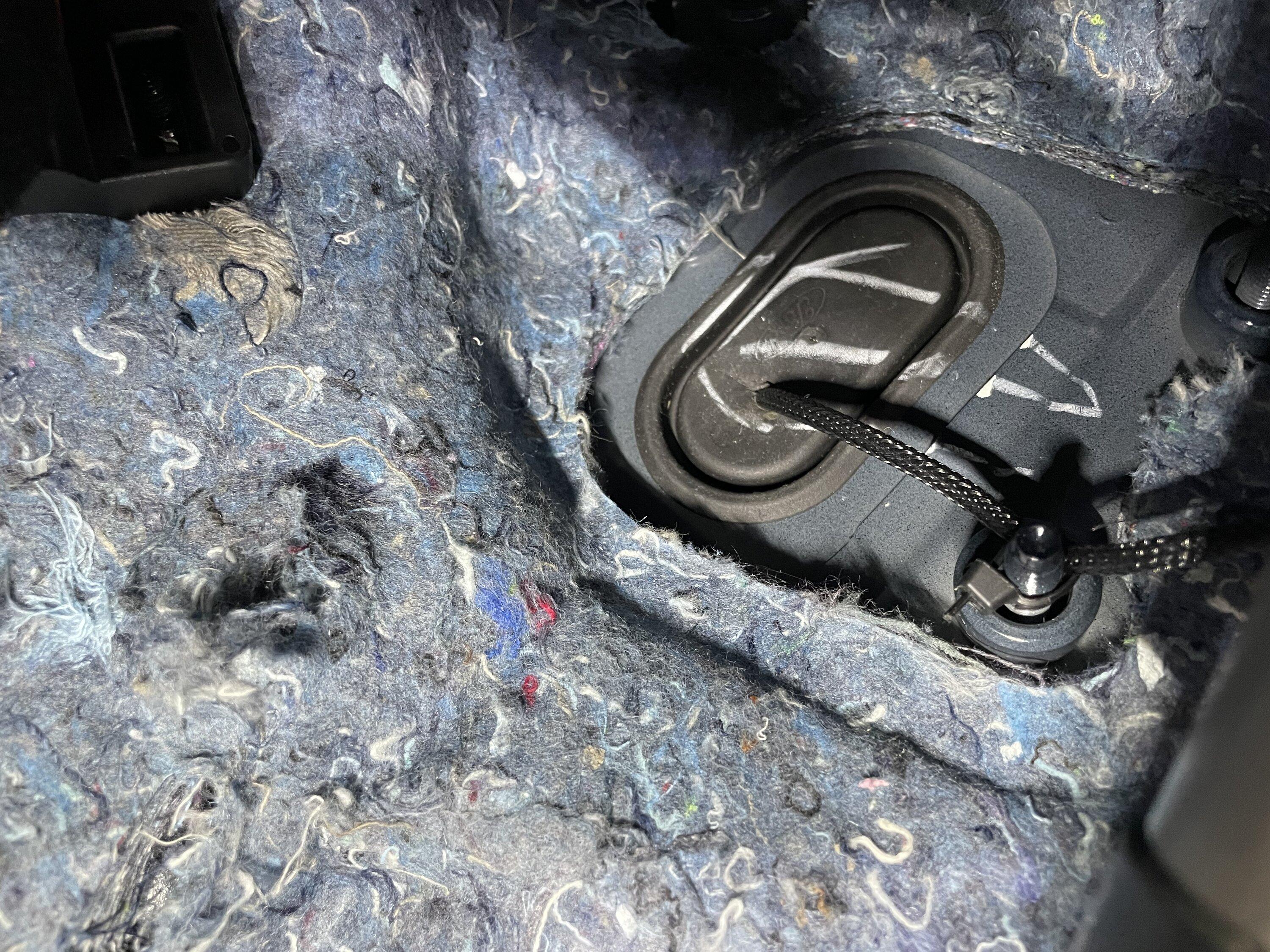
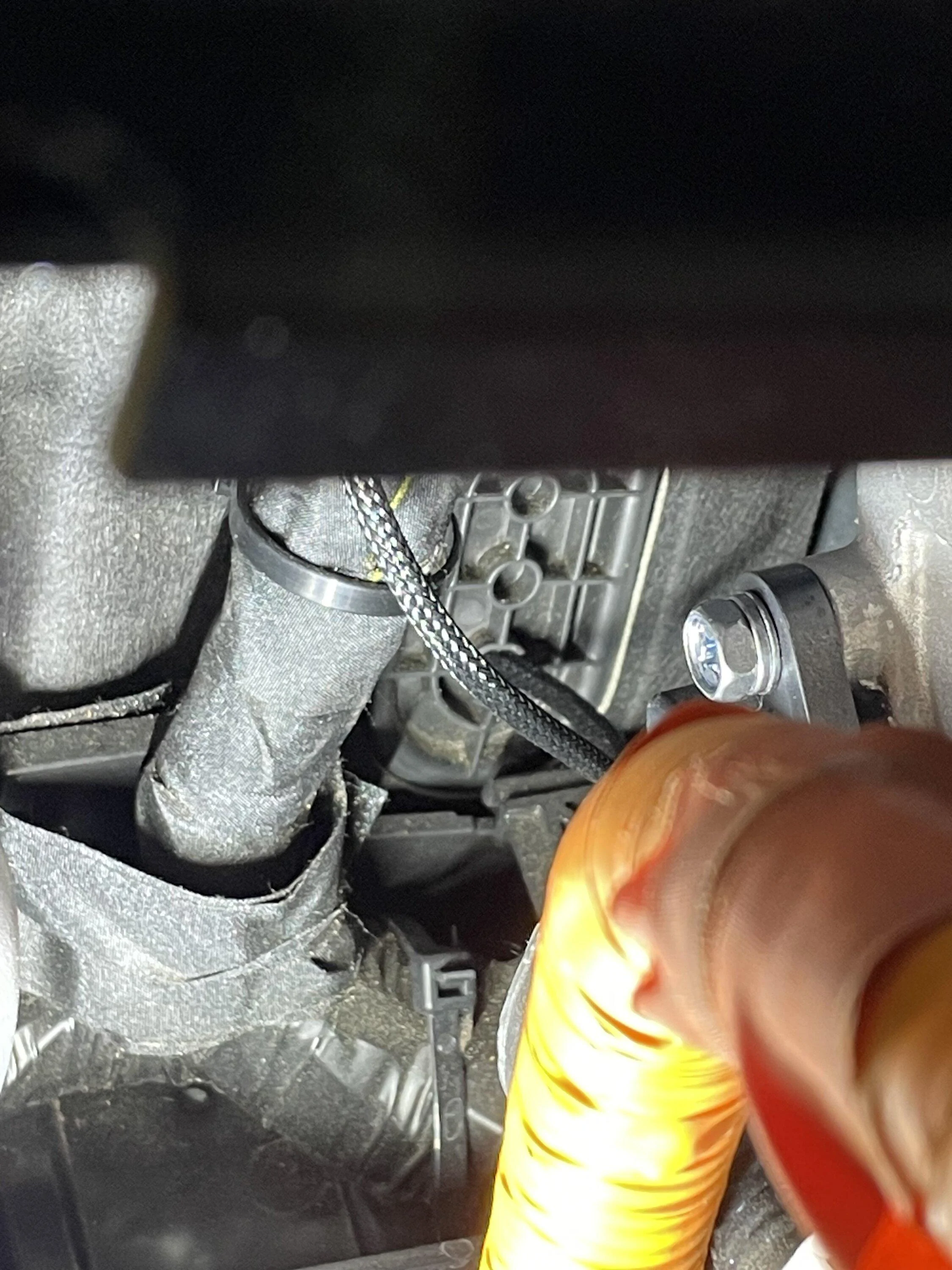
Just ran into this while probing what I thought was pin 6 and flipping the fog switch on and off. Thanks for posting this here! Just finished wiring my switch and pinned the bcm. I’ll attach some pics:
Ford Maverick Diode Dynamics fog lights IMG_7277
Ford Maverick Diode Dynamics fog lights IMG_7278
Ford Maverick Diode Dynamics fog lights IMG_7279
 

mar.neumann

2.5L Hybrid
Member
First Name
Marcelo
Joined
Nov 21, 2024
Threads
0
Messages
13
Reaction score
9
Location
Brasil
Vehicle(s)
Maverick Hybrid Lariat 2024
Engine
2.5L Hybrid
Installed the diode dynamics fog lights plus I used the F150 hybrid light switch since my truck is the hybrid. Installed wire from bcm to signal wire on diode fog lights . I used the complete wiring harness but I didn’t use the switch from diode dynamics. Programmed the bcm and ipc to show the fogs on the dash and when the brights are on the fog lights turn off. The plug I used for the bcm is DU2Z-14474-DA only needed one and the light switch is ML3Z-11654-Dc . I went off #6 on the bcm for left front fog lights .

IMG_5408.jpeg


IMG_5410.jpeg


IMG_5411.jpeg


IMG_5412.webp


IMG_5414.webp


IMG_5416.webp


IMG_5446.jpeg


IMG_5447.webp


IMG_5453.jpeg


IMG_5454.jpeg


IMG_5457.webp


IMG_5458.webp


IMG_5459.webp


IMG_5460.webp


IMG_5461.webp


IMG_5462.webp


IMG_5463.webp


IMG_5465.webp


IMG_5466.jpeg


IMG_5467.webp


IMG_5452.webp
Very excellent. Congratulations. That's all I want!

I have to ask you, because I'm not very experienced with electrical wires, harnesses and plugs.
- I've already bought the DD kit. Its OK.
- The switch is either the ML3Z-11654-DC or the ML3Z-11654-DB (I don't know the difference, but I've seen some people recommend using the DB or DBW).
- Besides that, what else do I need to buy?
- What do I need to know to make the connection and make it work? I'm already familiar with Forscan!

My truck is the 2024 Hybrid Lariat.

Thank you very much
 
OP
OP
Lgoodso

Lgoodso

2.5L Hybrid
Active member
First Name
Larry
Joined
Apr 2, 2023
Threads
2
Messages
33
Reaction score
57
Location
Drummonds,Tn
Vehicle(s)
2015ford f250 ,2023Ford maverick 53&57chevy truck
Engine
2.5L Hybrid
Very excellent. Congratulations. That's all I want!

I have to ask you, because I'm not very experienced with electrical wires, harnesses and plugs.
- I've already bought the DD kit. Its OK.
- The switch is either the ML3Z-11654-DC or the ML3Z-11654-DB (I don't know the difference, but I've seen some people recommend using the DB or DBW).
- Besides that, what else do I need to buy?
- What do I need to know to make the connection and make it work? I'm already familiar with Forscan!

My truck is the 2024 Hybrid Lariat.

Thank you very much
You’ll need the wire plug for the BCM, I used the DC not sure about the DB or the DBW. Only problem I’ve had is when an update is done from ford I have to reprogram the lights not a problem tho .
 

mar.neumann

2.5L Hybrid
Member
First Name
Marcelo
Joined
Nov 21, 2024
Threads
0
Messages
13
Reaction score
9
Location
Brasil
Vehicle(s)
Maverick Hybrid Lariat 2024
Engine
2.5L Hybrid
You’ll need the wire plug for the BCM, I used the DC not sure about the DB or the DBW. Only problem I’ve had is when an update is done from ford I have to reprogram the lights not a problem tho .
Great...
By any chance, is the plug you're referring to this DU2Z-14474-DA?
So I'm asking, can I make any adaptations with any other wiring, without having to buy this original plug?
I say this because I'm from Brazil. So it's worth importing more expensive parts. Now, buying a $25 plug isn't worth it, the shipping is much more than that lol
Thank you for your reply.
 
OP
OP
Lgoodso

Lgoodso

2.5L Hybrid
Active member
First Name
Larry
Joined
Apr 2, 2023
Threads
2
Messages
33
Reaction score
57
Location
Drummonds,Tn
Vehicle(s)
2015ford f250 ,2023Ford maverick 53&57chevy truck
Engine
2.5L Hybrid
Great...
By any chance, is the plug you're referring to this DU2Z-14474-DA?
So I'm asking, can I make any adaptations with any other wiring, without having to buy this original plug?
I say this because I'm from Brazil. So it's worth importing more expensive parts. Now, buying a $25 plug isn't worth it, the shipping is much more than that lol
Thank you for your reply.
Yes that’s the plug I used ordered two but only needed one , when I ordered the du2z-14474-da it showed a five pack but only one was shipped ,if you get the correct plug end you could make your own wire.
Sponsored


Top