Sponsored

Wireless Android Auto

rockcandymountain

2.5L Hybrid
Well-known member
Joined
Mar 22, 2024
Threads
22
Messages
50
Reaction score
32
Location
Seattle
Vehicle(s)
2015 Duramax
Engine
2.5L Hybrid
I have a 2024 Maverick XLT. I wanted Android Auto, which this has. I had hoped that the Android auto was wireless. I do not know if it is wireless or not.

On my 8 inch screen, it shows the Apple Car Play choice but not the Android Auto icon. Hopefully I will not have to have my phone tethered to the truck in order to use Android Auto. Can anyone help me with this?
Sponsored


 

Hunters Edge

2.0L EcoBoost
Well-known member
First Name
Sid
Joined
Jan 26, 2024
Threads
30
Messages
1,795
Reaction score
2,144
Location
Michigan
Vehicle(s)
F150 crew
Engine
2.0L EcoBoost
Yes it will have to be tethered unless you purchase an aftermarket Android auto that I believe uses bluetooth. Several available through Amazon and I'm sure Walmart and others offer them as well.
 

colinl

2.0L EcoBoost
Well-known member
First Name
Colin
Joined
Jun 21, 2022
Threads
32
Messages
5,440
Reaction score
6,175
Location
ICT
Vehicle(s)
'22 Maverick Lariat AWD, '22 Bronco OBX 2-Door
Engine
2.0L EcoBoost
Clubs
 
I've got this one: https://www.amazon.com/gp/product/B0BZTTGMH1

It works fine, but Android Auto has been really buggy lately. I am sure it's not this adapter because I had issues on a road trip using wired. (You need to still use wired on a long drives, to charge the phone.)
 
OP
OP

rockcandymountain

2.5L Hybrid
Well-known member
Joined
Mar 22, 2024
Threads
22
Messages
50
Reaction score
32
Location
Seattle
Vehicle(s)
2015 Duramax
Engine
2.5L Hybrid
Here is another question regarding Android Auto. When I rented a car a few months ago, it had Android Auto wireless in it. On my phone I have a geocaching app that will show routing information. The Android Auto that was in my rental car would 'mirror' the screen on my phone. I can't see a way to do that with the Maverick, so far.
 

Sponsored

colinl

2.0L EcoBoost
Well-known member
First Name
Colin
Joined
Jun 21, 2022
Threads
32
Messages
5,440
Reaction score
6,175
Location
ICT
Vehicle(s)
'22 Maverick Lariat AWD, '22 Bronco OBX 2-Door
Engine
2.0L EcoBoost
Clubs
 
Here is another question regarding Android Auto. When I rented a car a few months ago, it had Android Auto wireless in it. On my phone I have a geocaching app that will show routing information. The Android Auto that was in my rental car would 'mirror' the screen on my phone. I can't see a way to do that with the Maverick, so far.
that's officially unsupported, but there are devices that can do it anyway.

https://www.amazon.com/s?k=android+auto+screen+mirroring&crid=2ZEKLPLH72GRW&sprefix=android+auto+screen+mirroring,aps,132&ref=nb_sb_noss_1

read the reviews carefully- many people complain about these devices. if this is for your use while parked, or for kids and other passengers, you might just use an existing tablet especially if you don't have a lariat lux. the screen on the non sync3/lariat lux trucks is not great.
 
Last edited:

Dignam

2.5L Hybrid
Well-known member
Joined
Jan 19, 2023
Threads
3
Messages
242
Reaction score
367
Location
Madison, WI
Vehicle(s)
'25 Maverick Lariat
Engine
2.5L Hybrid
Mavericks don't have Wireless Android Auto or Wireless Carplay built in.

The Moto MA1 is nice and on sale
https://a.co/d/77OYJNS

I used one for a year with no issues. Then was given an Aawireless adapter that works with Android And iPhones so I use it now.
A note on the Motorola one - mine bricked after about a year. It was great up until that point. Reading the Amazon reviews, I'm not the only one to report that it failed right as it got out of warranty.

Someone posted another listing in this thread, which I'm now using. It has been fine so far.
 

TheWizziard

2.5L Hybrid
Well-known member
Joined
Jul 14, 2022
Threads
3
Messages
1,051
Reaction score
1,116
Location
Texas-RGV
Vehicle(s)
2023 Maverick XLT Oxford White
Engine
2.5L Hybrid
Here is another question regarding Android Auto. When I rented a car a few months ago, it had Android Auto wireless in it. On my phone I have a geocaching app that will show routing information. The Android Auto that was in my rental car would 'mirror' the screen on my phone. I can't see a way to do that with the Maverick, so far.
You can connect your phone to the Maverick's screen with a USB cable or a wireless module such as a a Motorola MA1 Wireless Android Auto Car Adapter.

I have a MA1 in two of my vehicles with rarely a bug. The occasional bug is fixed with the customary unplug and plug it back in routine.
 

dearbulls

2.0L EcoBoost
Well-known member
First Name
Dan
Joined
Jan 28, 2024
Threads
6
Messages
82
Reaction score
43
Location
GA
Vehicle(s)
Maverick
Engine
2.0L EcoBoost
Really no need if you do not have a wireless charging pad, like on my XL. I have other vehicles that had both, but still the plug in method is more reliable and charging faster than Qi wireless charger. And the wireless charging would some times makes your phone very hot.
 

Gullzway

2.5L Hybrid
Well-known member
Joined
Dec 17, 2021
Threads
25
Messages
2,040
Reaction score
2,437
Location
OK
Vehicle(s)
1968 Ford Mustang Fastback
Engine
2.5L Hybrid
Really no need if you do not have a wireless charging pad, like on my XL. I have other vehicles that had both, but still the plug in method is more reliable and charging faster than Qi wireless charger. And the wireless charging would some times makes your phone very hot.
I don't even use the wireless charging pad for my phone as it's slow and can heat up the phone. I do use it for my Buds and Buds 2 headphones.

Love the AAWireless adapter though. A typical trip for me with two stops and going to the gym had me plugging and unplugging my phone eight times. The wireless adapter is so much more convenient.

OnePlus phones with 65 w or faster charging really don't need plugged in while you're driving anyway unless it's a long trip. I can fast charge from 50 to 100% in about 15 minutes.
 
Sponsored

PeteJ

New member
Joined
Jul 11, 2024
Threads
0
Messages
3
Reaction score
1
Location
Americas
Vehicle(s)
Ford car & Ford Truck
Engine
Undecided
A typical trip for me with two stops and going to the gym had me plugging and unplugging my phone eight times. The wireless adapter is so much more convenient.

...phones with 65 w or faster charging really don't need plugged in while you're driving anyway unless it's a long trip. I can fast charge from 50 to 100% in about 15 minutes.
Bingo. In my last car I'd been using a BT->3.5mm adapter because of annoyances with using native Ford bluetooth streaming, that were completely avoided with only the slight annoyance of needing to power up my BT adapter each time, plug it in to charge overnight or while I'm at work about every 2 weeks, and it's lower audio levels (but still generally loud enough).

In the first few days with the Maverick it already refused to connect BT audio a few times, even though would let me make a hands-free call. I don't want to wear out the charging port cover on my phone case by constantly opening it for wired use, and the battery lasts plenty long enough I don't need it to charge while in the car either around town and commuting.

My only problem is needing to buy a combo adapter that's compatible with both AA and CP, and deciding how I want to mount my RAM mount phone holder.
 

Darnon

2.5L Hybrid
Well-known member
Joined
Jul 4, 2021
Threads
10
Messages
5,707
Reaction score
7,205
Location
WNY
Vehicle(s)
2022 Maverick
Engine
2.5L Hybrid
Yes it will have to be tethered unless you purchase an aftermarket Android auto that I believe uses bluetooth. Several available through Amazon and I'm sure Walmart and others offer them as well.
Wireless Android Auto utilizes bluetooth for calling and negotiating the connection, but most of the actual data is done over a direct WiFi connection. BT on its own wouldn't have the bandwidth for the screen sharing aspect.
 

jfourman

2.0L EcoBoost
Well-known member
First Name
Jeff
Joined
Dec 21, 2023
Threads
4
Messages
53
Reaction score
102
Location
Chicago
Vehicle(s)
2024 Maverick Lariat/EB/AWD Atlas Blue
Engine
2.0L EcoBoost
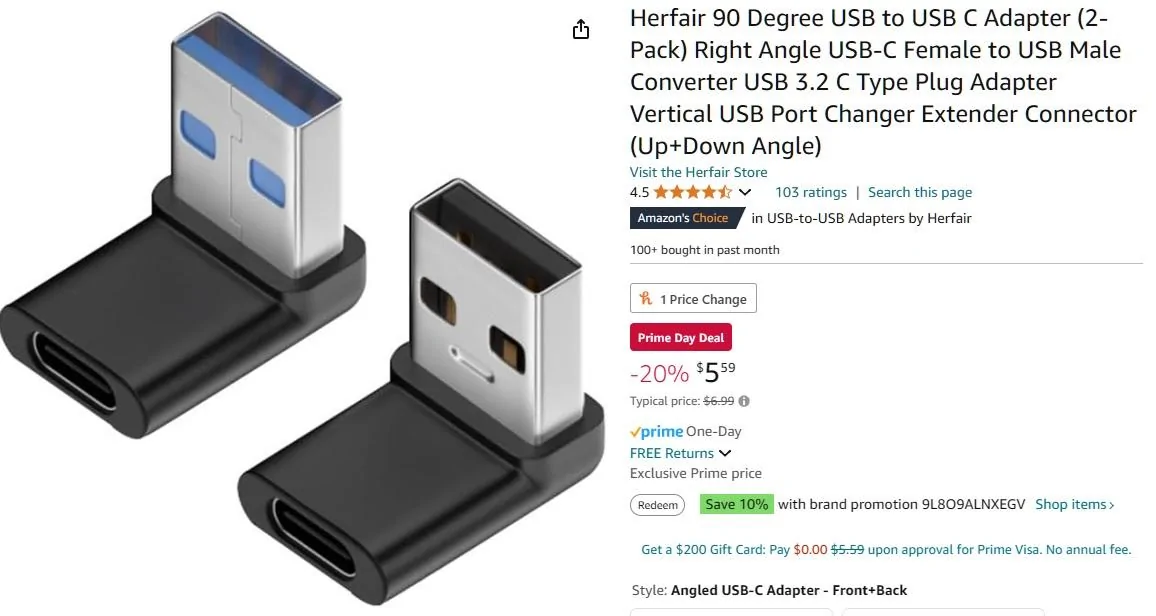
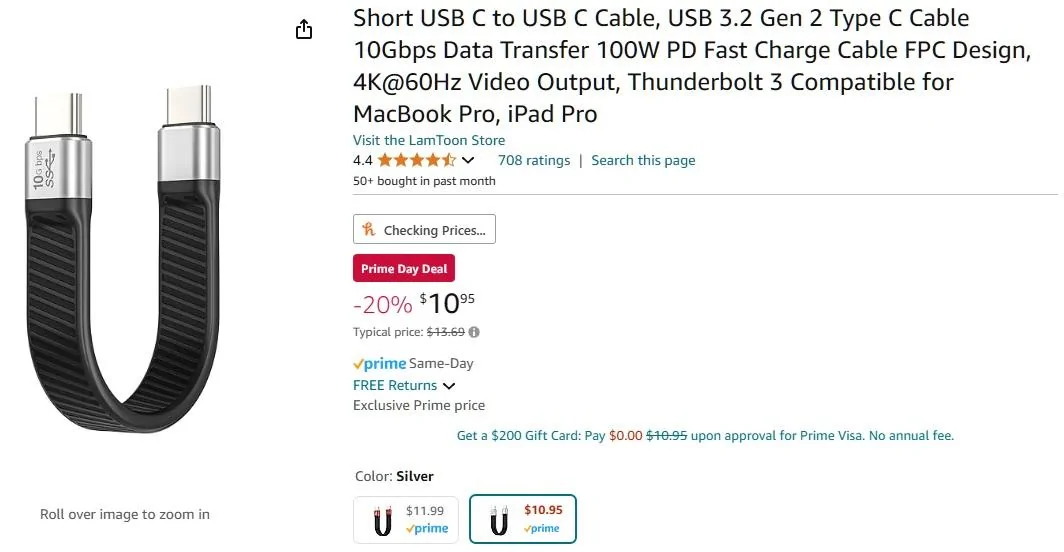
I use the AAWireless connected with these USB-A to C adapter and a short USC-C cable. I velco'd the AAWireless under the dash and totally forget it's there. I have my Maverick set to not display the AA screen automatically since I often listen to my Mav's FM Radio. I have had an occasional issue with AA being wonkly and not hearing my "OK Google" command. I unplug/plug the USB adapter and everthing is fine. I love the setup.
Ford Maverick Wireless Android Auto USB A to C connector
Ford Maverick Wireless Android Auto Short USB Cabl
 

Ozarkbeard

Well-known member
Joined
May 22, 2022
Threads
14
Messages
4,344
Reaction score
5,476
Location
.
Vehicle(s)
.
Engine
Undecided
...the battery lasts plenty long enough I don't need it to charge while in the car either around town and commuting.
This ☝
And it's hard on the phone's lithium ion battery to keep it charged at 100% all the time. Same reason the Hybrid Maverick never charges the HV battery beyond ~70%. It shortens battery lifetime.

My only problem is needing to buy a combo adapter that's compatible with both AA and CP, and deciding how I want to mount my RAM mount phone holder.
AAWireless does that. Originally designed for Android OS, but now also works with apple car play.
 

Darnon

2.5L Hybrid
Well-known member
Joined
Jul 4, 2021
Threads
10
Messages
5,707
Reaction score
7,205
Location
WNY
Vehicle(s)
2022 Maverick
Engine
2.5L Hybrid
I have had an occasional issue with AA being wonkly and not hearing my "OK Google" command. I unplug/plug the USB adapter and everthing is fine. I love the setup..
You can also just press the steering wheel Talk button (next to the forward/back) and it will activate Google's listening for a command.
Sponsored


Top