- First Name
- TOM
- Joined
- Dec 12, 2023
- Threads
- 0
- Messages
- 6
- Reaction score
- 11
- Location
- PAPILLION NE
- Vehicle(s)
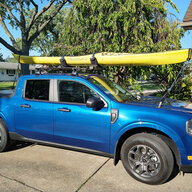
- 2023 FORD MAVERICK XLT HYBRID
- Engine
- 2.5L Hybrid
Works like a charmHello everyone!
I finally found the way to disable the ANNOYING Seatbelt information screen that comes on when you start the truck and stays on even after you buckle your seatbelt. Thank you to @ZOODAD over on the F250 forums for the coding information. THIS SUPER DUTY spreadsheet he put together might be useful for future MAVERICK FORScan Mods.
DISABLE SEATBELT INFORMATION SCREEN
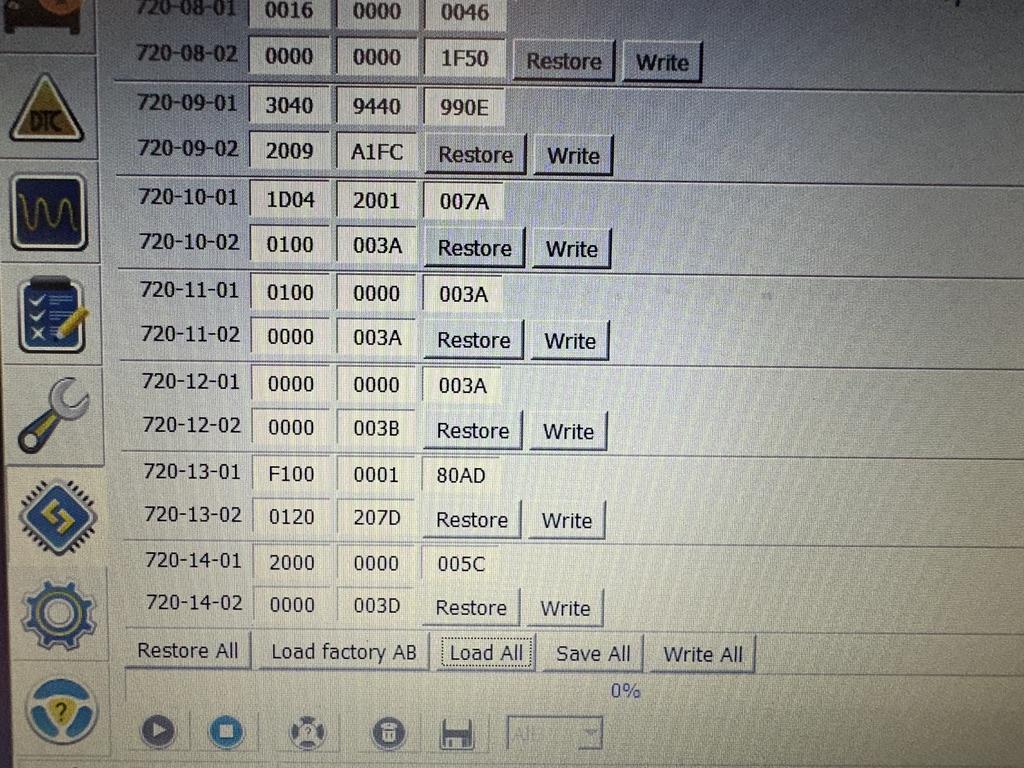
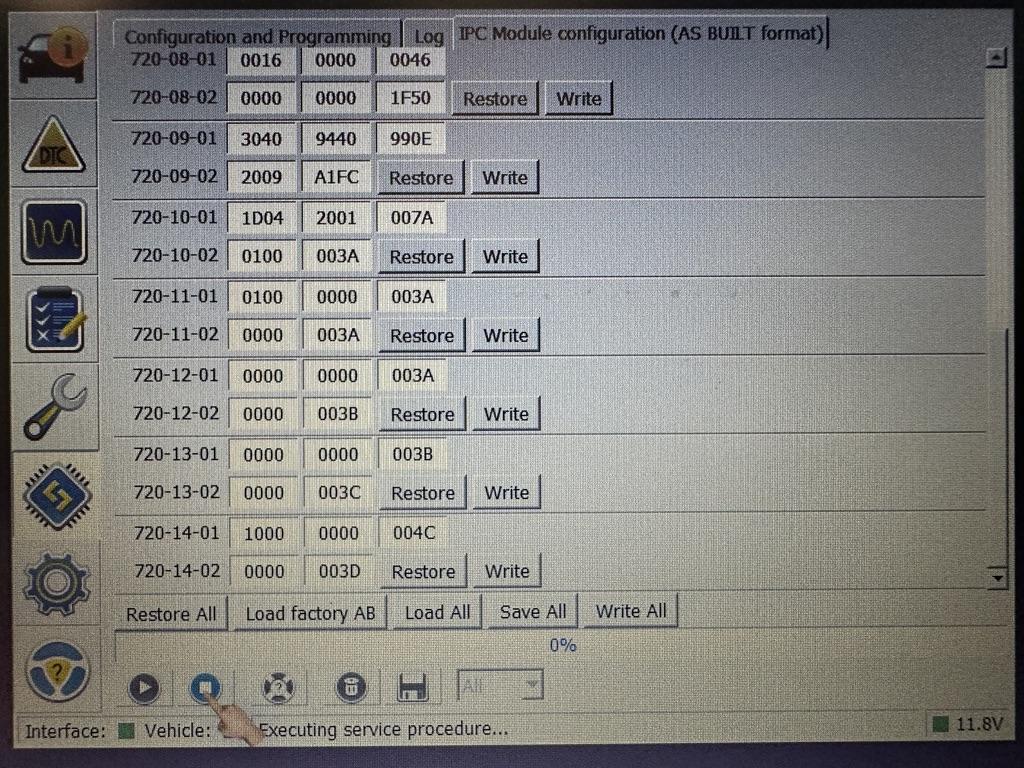
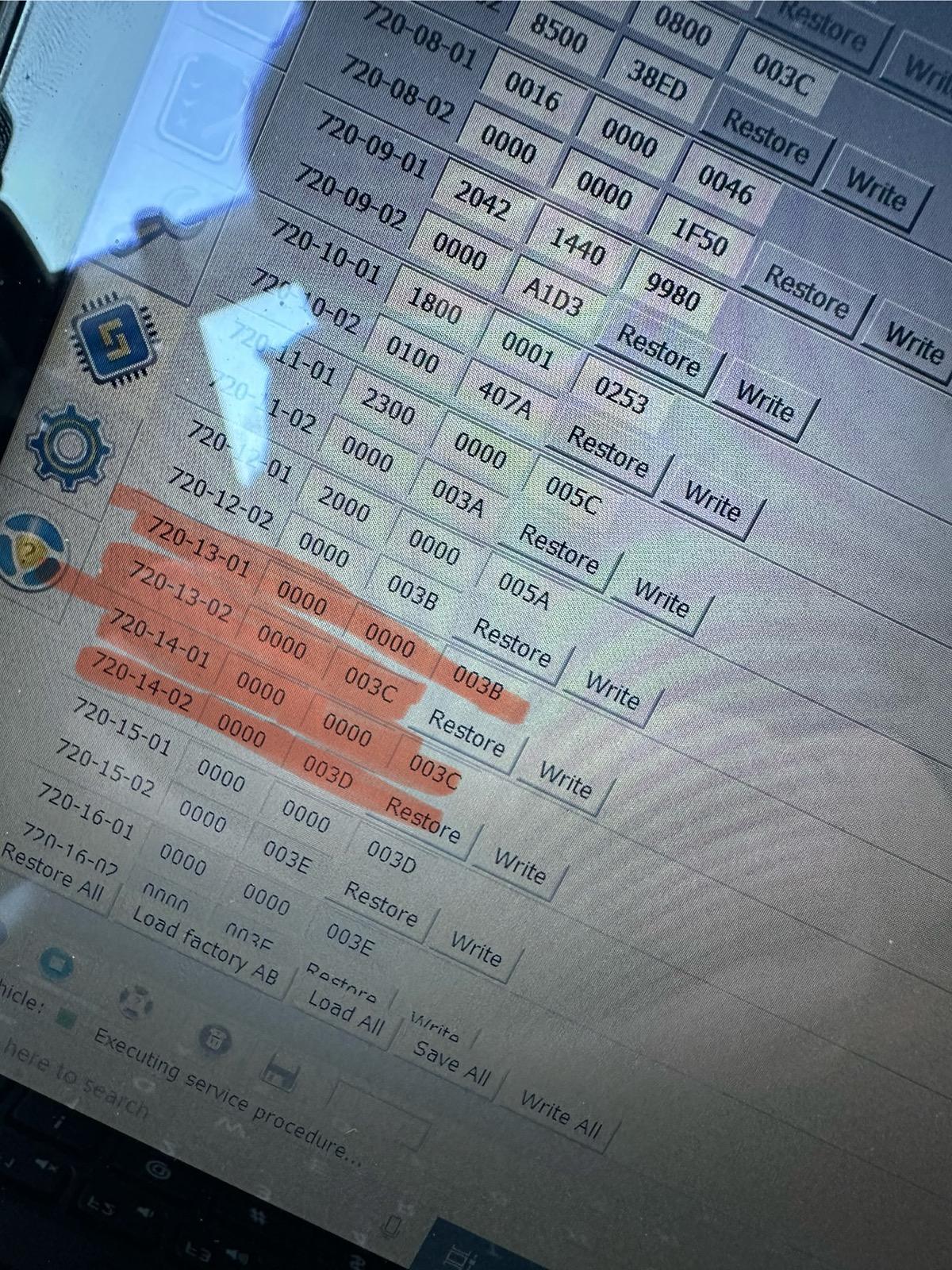
1. Open IPC AS BUILT
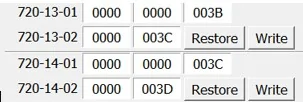
2. Change line 720-13-01 and 720-13-02 to ALL ZEROS. And WRITE the changes. Click yes to let Forscan correct the checksum.
3. Change line 720-14-01 and 720-14-02 to ALL ZEROS. And WRITE the changes. Click yes to let Forscan correct the checksum.
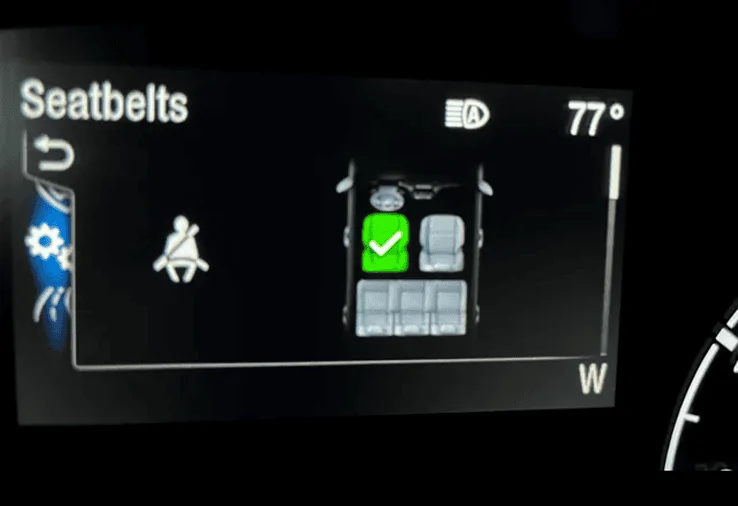
These coding changes worked for my 2024 Maverick XL AWD ECOBOOST. These changes remove the seatbelt info screen pictured below entirely and it also seems to disable the seatbelt chime too. I would love to hear from other members to see if these changes work in your Maverick! Also, I have the smaller instrument cluster. (The 4 inch Instrument Cluster)
EDIT:
If you would like to keep the Minder (the dash light and chime) and not the Monitor (the seatbelt screen) I would suggest doing the following coding based on this 2023 Maverick HEX code spreadsheet and my original coding in my Maverick. CONFIRMED WORKING by @Mavrik23
720-13-01 9100 0001 8000
720-13-02 0110 1000
720-14-01 1000 0000 0000
720-14-02 All Zeros
Thank You so much
Sponsored