
Sponsored

breeves002

2.0L EcoBoost
Member
First Name
Sam
Joined
Mar 10, 2025
Threads
0
Messages
17
Reaction score
38
Location
St. Louis, MO
Vehicle(s)
2022 Maverick
Engine
2.0L EcoBoost

Bwillie

2.5L Hybrid
Active member
First Name
Josh
Joined
Feb 29, 2024
Threads
7
Messages
34
Reaction score
35
Location
Arizona
Vehicle(s)
2024 Maverick XL
Engine
2.5L Hybrid
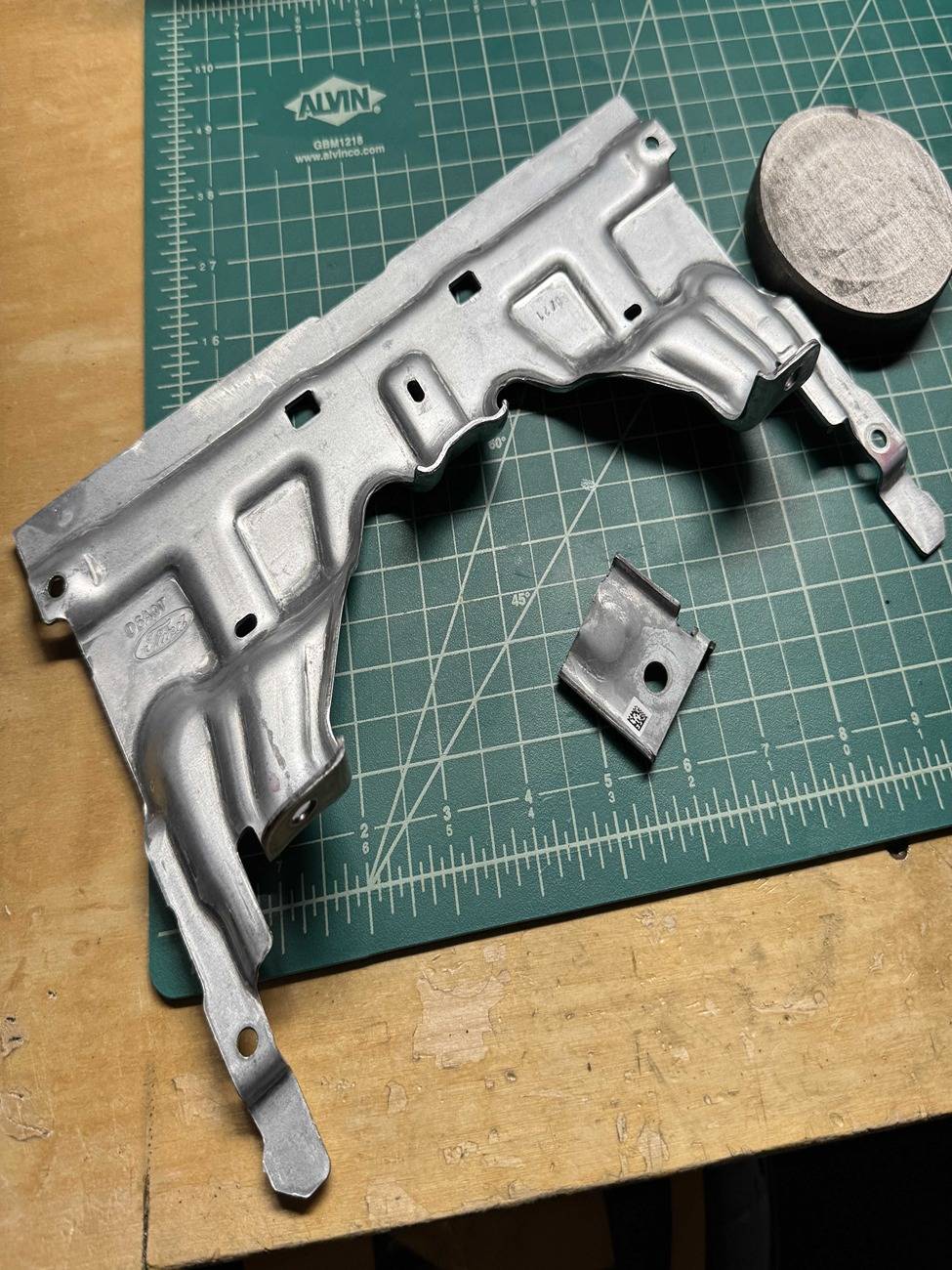
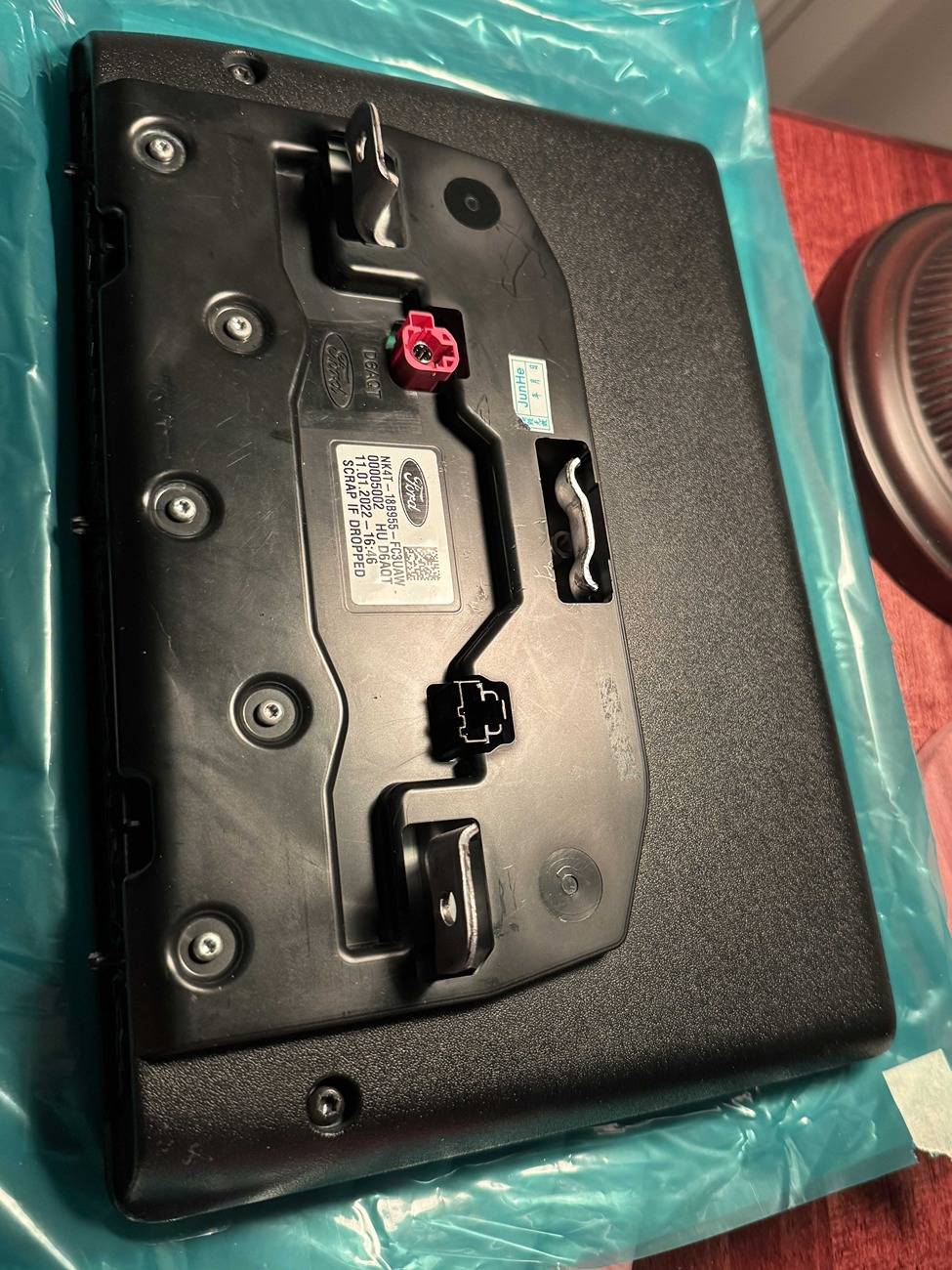
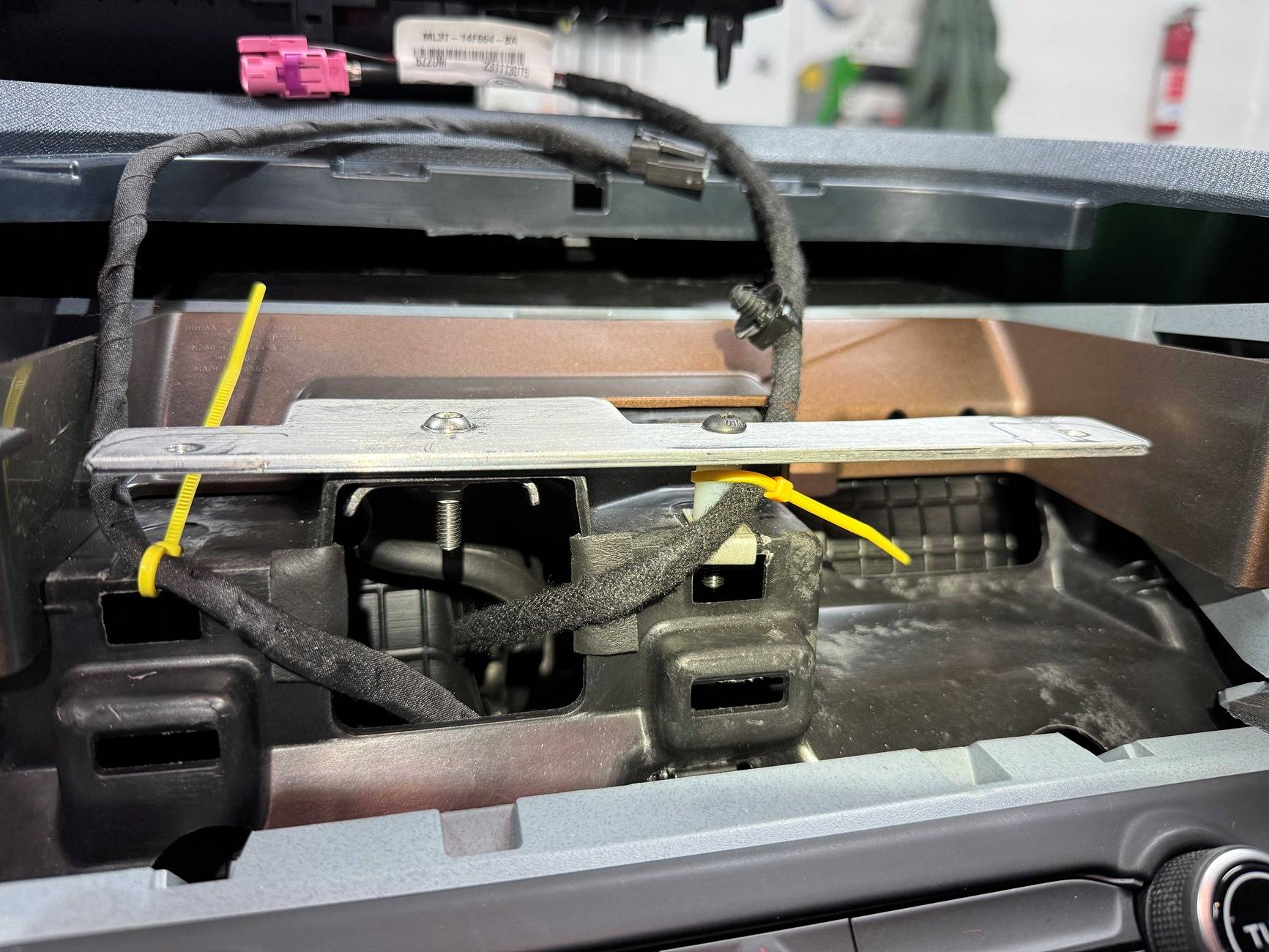
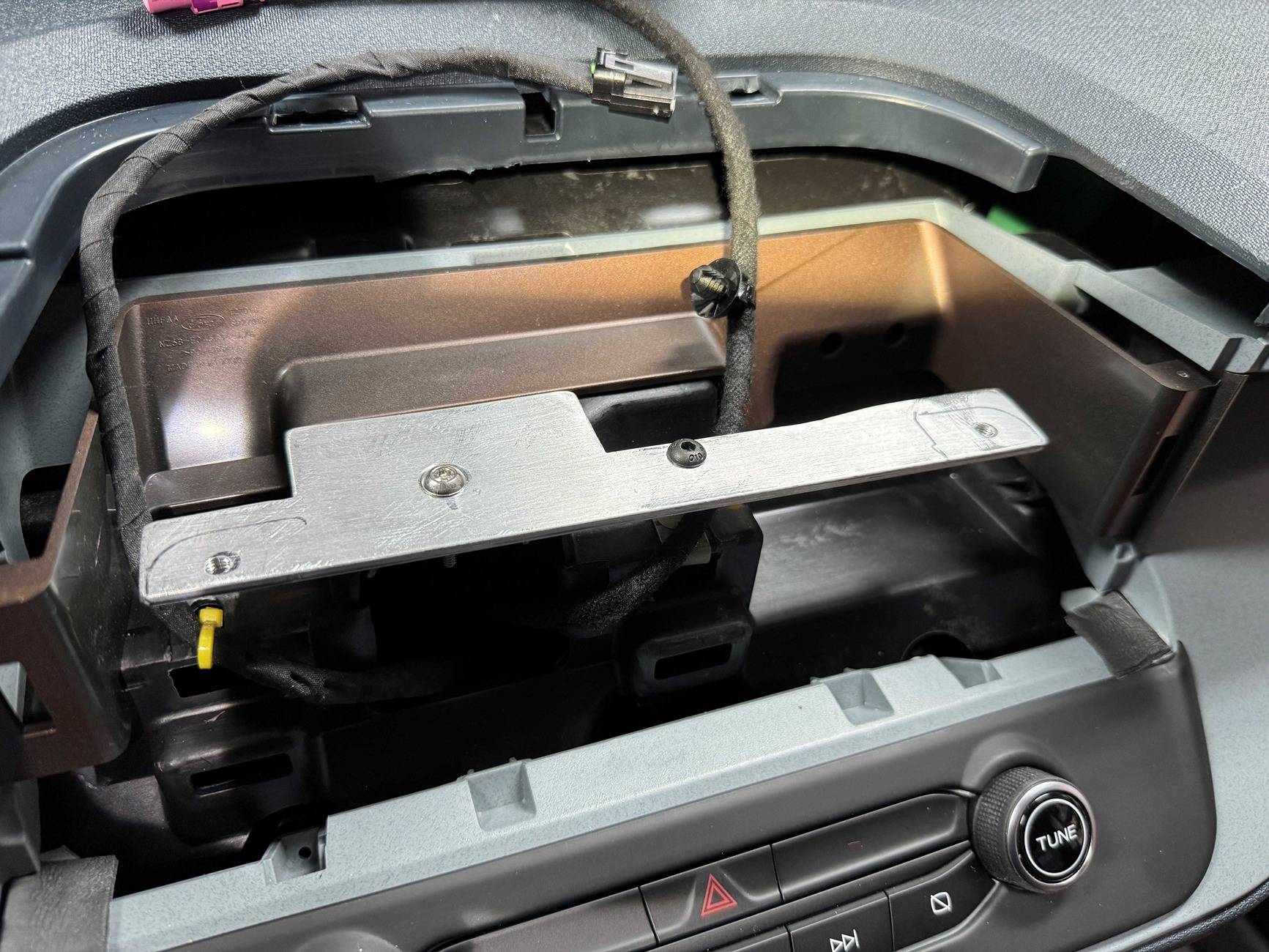
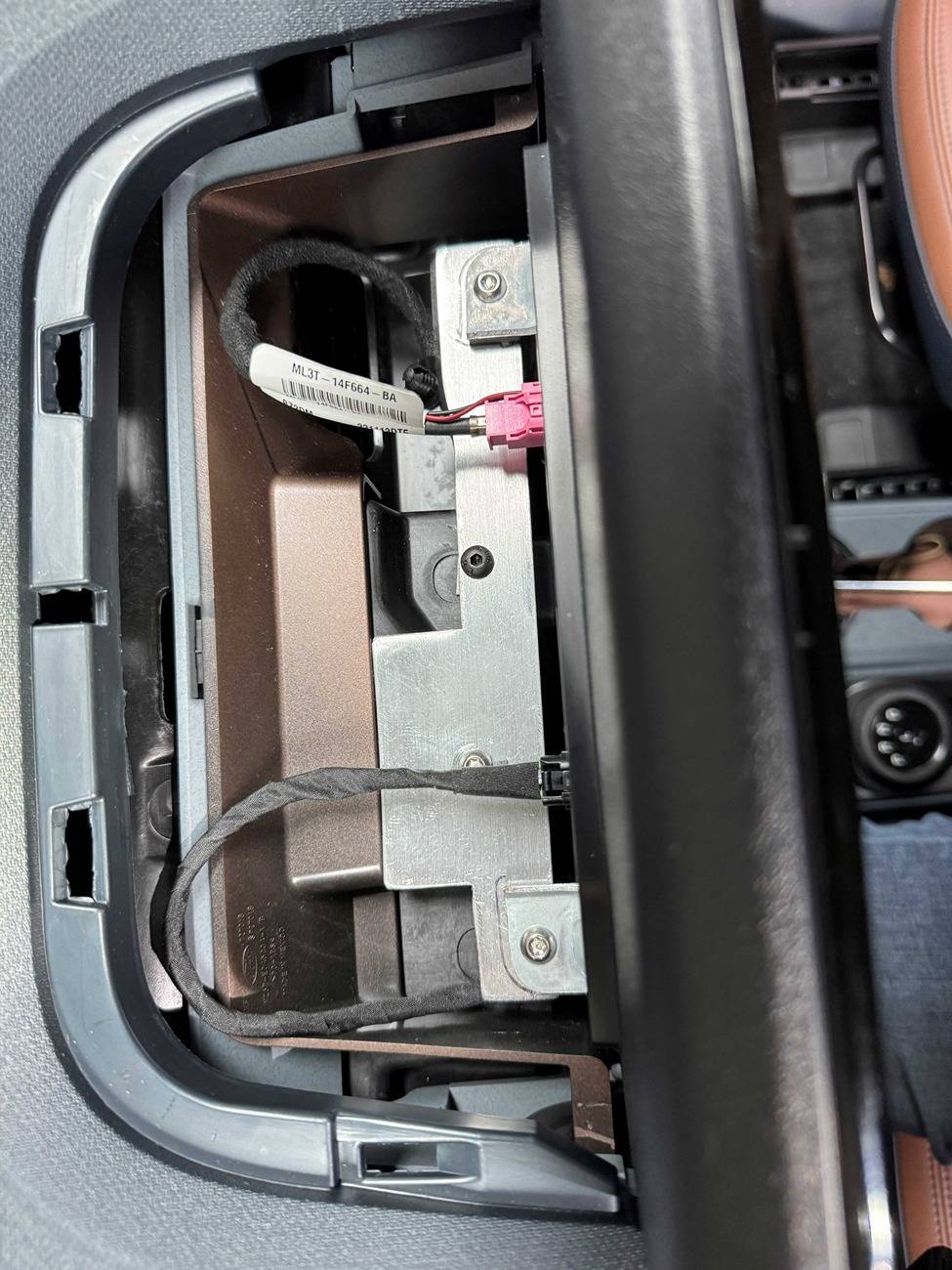
Harnesses are finally in and 1 more revision to the bracket and I'm hoping to have them shipping by the end of this week! Harness works with both upgrades to 8" sync 4, 12" sync 4, and the 13.2" escape screen. Bracket is only for the 12" transit screen.

tempImageBUYr5G.jpg


tempImageNEvYSr.jpg


tempImagewoepPl.jpg
Just ordered the complete kit from you! I've been waiting for an easy plug and play option! Thank you and can't wait for the upgrade! 🥳
 

Toddman45

2.0L EcoBoost
Well-known member
First Name
Todd
Joined
May 21, 2024
Threads
27
Messages
1,984
Reaction score
2,778
Location
St. Louis, MO
Vehicle(s)
24' Ford Maverick XLT, 19' Ford Explorer Limited, 14' Chevy Equinox
Engine
2.0L EcoBoost

Toddman45

2.0L EcoBoost
Well-known member
First Name
Todd
Joined
May 21, 2024
Threads
27
Messages
1,984
Reaction score
2,778
Location
St. Louis, MO
Vehicle(s)
24' Ford Maverick XLT, 19' Ford Explorer Limited, 14' Chevy Equinox
Engine
2.0L EcoBoost
My biggest problem I have with the upgrade kit is that you don't get the OEM navigation which I don't really care about but for the price it should be included as well as you still don't get serious XM capabilities other than streaming.

For the $1,500 charge it should include a Sirius XM tuner as well that functions. Seems like a lot of money for little added features in my opinion.
 

Bwillie

2.5L Hybrid
Active member
First Name
Josh
Joined
Feb 29, 2024
Threads
7
Messages
34
Reaction score
35
Location
Arizona
Vehicle(s)
2024 Maverick XL
Engine
2.5L Hybrid
Any forum discounts for the whole kit for the XLT?
My biggest problem I have with the upgrade kit is that you don't get the OEM navigation which I don't really care about but for the price it should be included as well as you still don't get serious XM capabilities other than streaming.

For the $1,500 charge it should include a Sirius XM tuner as well that functions. Seems like a lot of money for little added features in my opinion.
For me I'm strictly doing it for the bigger screen. I haven't seen an easier install than this, and it seems like it should have a good bracket to make everything fit like factory! Android auto or apple carplay will have free traffic navigation. I'm also sure that you can download SiriusXM app and use that on both Apple carplay and Android auto.
 

Sponsored

breeves002

2.0L EcoBoost
Member
First Name
Sam
Joined
Mar 10, 2025
Threads
0
Messages
17
Reaction score
38
Location
St. Louis, MO
Vehicle(s)
2022 Maverick
Engine
2.0L EcoBoost
My biggest problem I have with the upgrade kit is that you don't get the OEM navigation which I don't really care about but for the price it should be included as well as you still don't get serious XM capabilities other than streaming.

For the $1,500 charge it should include a Sirius XM tuner as well that functions. Seems like a lot of money for little added features in my opinion.
The Sirius XM tuner is included. I haven't actually tried it yet but it does have one. I'll have to add that to the list of things to check out. Personally I use the SXM app because its higher quality, as long as you have cell service.

The mavericktruckclub code gives you $50 off of that kit as well.

With a lot of these upgrades it comes down to personal preference too. Some people hate the huge screen and for some people it's a huge upgrade. To each their own! Once I get caught up on initial orders I will be selling the brackets separately too for those wishing to do their own upgrade with used parts to save money.

The OEM navigation is technically included too but Ford has made it subscription based and theres no way to activate the subscription since Ford doesn't recognize the Maverick has having subscription based navigation. Therefore all you see is a map. If in the future I am able to unlock that capability, I will.
 
Last edited:

FischAutoTechGarten

2.0L EcoBoost
Well-known member
First Name
Peter
Joined
Sep 9, 2022
Threads
59
Messages
2,536
Reaction score
3,643
Location
Green Valley Arizona USA, Alamos Sonora MEX
Vehicle(s)
2024 Mav Lariat EB LUX AWD 4K HPR BAP
Engine
2.0L EcoBoost
Clubs
 
The Sirius XM tuner is included. I haven't actually tried it yet but it does have one. I'll have to add that to the list of things to check out. Personally I use the SXM app because its higher quality, as long as you have cell service.

The mavericktruckclub code gives you $50 off of that kit as well.

With a lot of these upgrades it comes down to personal preference too. Some people hate the huge screen and for some people it's a huge upgrade. To each their own! Once I get caught up on initial orders I will be selling the brackets separately too for those wishing to do their own upgrade with used parts to save money.

The OEM navigation is technically included too but Ford has made it subscription based and theres no way to activate the subscription since Ford doesn't recognize the Maverick has having subscription based navigation. Therefore all you see is a map. If in the future I am able to unlock that capability, I will.
Of course if you have the Lariat, you don't swap out the stock ACM or antena, that will have your Sirius XM tuner already... primary difference in the base to sync4 kit vs sync 3 to sync4 kits no?
 

breeves002

2.0L EcoBoost
Member
First Name
Sam
Joined
Mar 10, 2025
Threads
0
Messages
17
Reaction score
38
Location
St. Louis, MO
Vehicle(s)
2022 Maverick
Engine
2.0L EcoBoost
Of course if you have the Lariat, you don't swap out the stock ACM or antena, that will have your Sirius XM tuner already... primary difference in the base to sync4 kit vs sync 3 to sync4 kits no?
That’s correct. No new ACM and a simpler harness and no APIM bracket to install since you already have it.
 

breeves002

2.0L EcoBoost
Member
First Name
Sam
Joined
Mar 10, 2025
Threads
0
Messages
17
Reaction score
38
Location
St. Louis, MO
Vehicle(s)
2022 Maverick
Engine
2.0L EcoBoost
One other update...we also launched the lariat kits and harness for those with a lariat wanting to do the sync 4 upgrades. They're both less expensive than the XL/XLT kits due to needing less parts. mavericktruckclub code works on those too! https://oemplusupgrades.com/collections/2022-2024-maverick

We got our first complete kit shipped today with several more going next week as we get the last of the parts needed.
 

KingRex

2.0L EcoBoost
New member
First Name
Rex
Joined
Jun 5, 2025
Threads
0
Messages
2
Reaction score
1
Location
WI
Vehicle(s)
2023 Maverick Lariat FX4
Engine
2.0L EcoBoost
After collecting information from lots of people on this thread (especially Billzilla15, 801Maverick801, pantera156, yeahiguessman, and Redneck Garage’s youtube videos…thank you everyone!!), I am happy to report that I now have a fully functional, all knobs and buttons working, no audio issues, working nav, and working reverse camera SYNC4 swap!

My Dad (Skilled Trade Ford retiree) and I sunk a considerable amount of time into this project and we wanted to give back to this great community. Here are the steps and “gotchas” we ran into and I hope this is helpful for those still trying to get things sorted out.

Background: I started with a stock 2023 Maverick Hybrid Lariat w/ Lux package & Co-pilot360, factory navigation, and B&O sound system.

  1. Obtain necessary parts (basically what others have stated here, but this is what I used)
    • 2023 Ford Escape APIM SYNC4 (P/N: PJ6T-14G670-BFP)
    • 2022 Ford Transit 12in display w/HOUSING (P/N: NK4T-18B955-FC3UAW)
    • SYNC3 54pin passthrough cable (Amazon)
    • Screen Power Wire (P/N: 6U2Z14S411JB)
    • Screen Data Cable (P/N: ML3Z14D202B)
    • Aluminum flat stock (1/8in)
    • M5-0.8x30mm bolts (for custom bracket to dash mounting, factory thread patten)
    • M5x8 bolts (for Transit screen to bracket mounting, you can use what you have)
    • 25mm Nylon Standoff (M5 center hole)
  2. Take a photo or use FORscan to make a backup of your current SYNC3-3.4 APIM AsBuilt data (DO NOT SKIP THIS STEP)
    • The HEX code page with the strings of numbers/letters for the APIM is what we are interested in here.
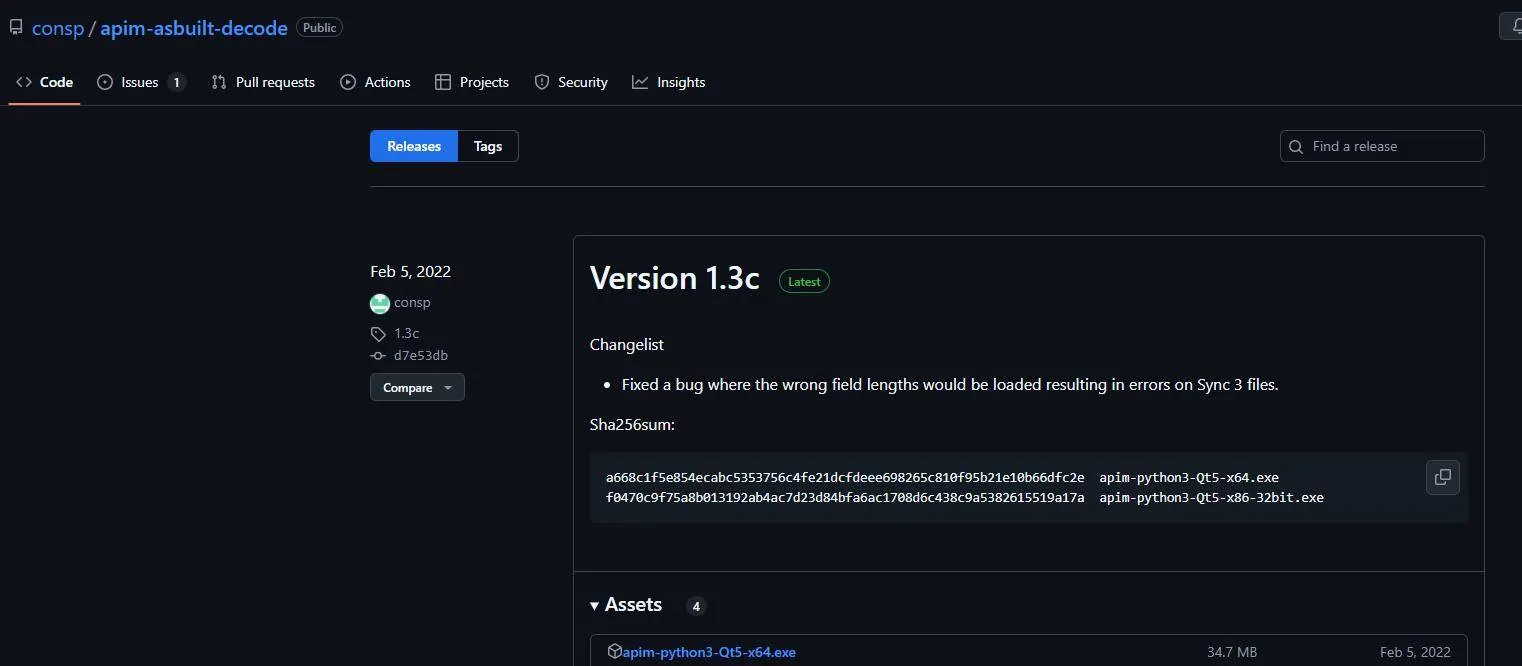
  3. Use this piece of software from @consp GitHub repository (Thank you sir!!) https://github.com/consp/apim-asbuilt-decode/releases
    Screenshot 2025-01-26 110045.jpg
    • You can open you SYNC3-3.4 APIM AsBuilt ABT file from FORscan and make notes of your configuration as shown. This will help tremendously in knowing what to set when programming SYNC4 APIM. The settings and values Ford has provided are NOT intuitive and there is a lot of missing context. Ex. Often times “Disable” value is what is needed for a setting if you already have a hard-button on your truck.
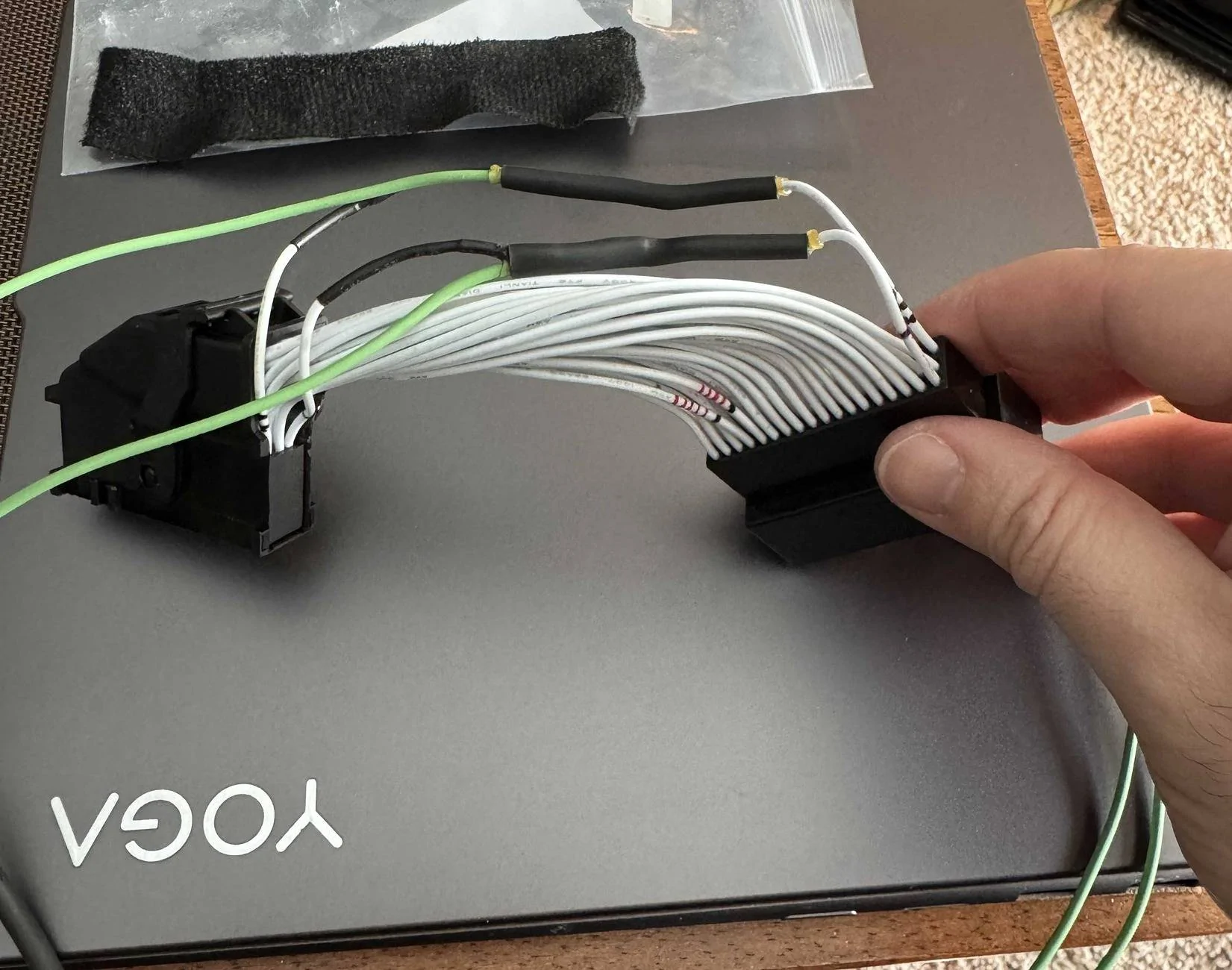
  4. Prepare your SYNC3 passthrough wiring harness
    • NOTE: This is the piece (as many other have mentioned) is what caused me the most issues. I have a non-functioning reverse camera that was difficult to diagnose because of this cheap harness. I highly recommend depinning, and slightly bending the locking tab/barb on the pins outward for every pin and reinstalling. These pins are exceptionally loose from the factory apparently, and my camera pin was wired correctly but not tight enough to make a connection!
      IMG_5240.JPG
  5. Disassemble the Transit screen from the housing and snip off the three little black “pins” sticking out from the bottom. Not doing this can make mounting the screen squarely to the dash difficult, at least for me.
  6. While the housing is off of the screen, remove the metal screen bracket from the LCD carefully, and cut off enough of the central mounting tab so it is at least flush with the outside plastic housing when reinstalled. This allows you mount the screen more securely later.
    IMG_5197.JPG
    IMG_5202.JPG
  7. I watched a couple of YouTube videos (thank you @ Redneck Garage) for the teardown and physical install.
  8. No one was kidding, removed the factory APIM from the dash was a NIGHTMARE. It can and will cut you, scratch up your plastic interior, and came close to nicking some nearby wiring harnesses during removal/install.
    • I found carefully rotating the APIM 90deg left of right so you can get better access to unplug cables…things will still be very tight to get a hand in for unplugging.
  9. Plug in all new parts (screen, passthrough harness, APIM, climate knobs, etc…) carefully and turn ignition to ON.
  10. Make a FORscan APIM backup (image and file) of the SYNC4 APIMs AsBuilt (This is handy for troubleshooting later and for the values in memory block 10, which isn’t fully defined in the analysis software from GitHub yet).
  11. Does the screen boot up???
    • If YES, then success! Proceed with install
    • If NO, then your passthrough wiring harness likely has a fault
  12. Use the aluminum bar stock to layout where the CENTER dash mounting hole from the OEM screen will be, and also the PASSENGER side mounting hole for stability.
    • This is very important for Audio quality…the center screw hole in the dash from the original screen is the only grounded mount to the car frame (image). This made a pretty big difference for me.
  13. We chose to use our own M5x30mm bolts to mounting our cut aluminum bar stock using through holes, and then drilled and tapped hole on the ends for the Transit screen mount after tracing the layout.
    IMG_5321.JPG
    IMG_5324.JPG
  14. If you cut off the center metal tab on the screen housing mount, you can reinstall the factory begin screen tray without any modification.
    • We used some 3/8-1/2in sections of heatshrink tubing to fill the gaps next to the screen until I can 3D print something (maybe at a later date).
      IMG_5326.JPG
  15. At this point everything should be reinstalled and new screen mounted.
  16. Using FORscan, I started with Billzilla15’s (this helped a ton, thanks again!) to get things in a mostly working starting state.
    • As Billzilla15 mentioned, this is VERY SPECIFIC to your vehicle. That posted AsBuilt is setup for an AWD EcoBoost Mav, and it mostly worked with my Hybrid, but fuel efficiency, switch to electric, and braking seemed a little “off” until I tweaked to for my Hybrid Mav (as expected).
  17. I used the software from consp’s GitHub to match all of the setting that I could from my factory APIM SYNC3 AsBuilt to make a SYNC4 APIM AsBuilt for my vehicle.
    • The major tweak for me was under the “Visual Design” setting to “12in Landscape”, and setting “HEV/Hybrid” to “Enable/HEV”.
  18. Success!! The following work as they did from factory:
    • Volume knob works and show volume number correctly on new display.
    • Climate controls and fan speed shows numbers on display when changed.
    • Heated seats and heated steering wheel work.
    • Reverse Camera is bright, clear, and works perfectly with proximity sensors.
    • Audio plays clearly and without static, pops, or cracks (woot!)
    • Navigation/GPS is spot on
    • Ambient Lighting works as original.
    • CarPlay works flawlessly.
    • FordPass App allows all of the same functionality as factory. (Must HotSwap already app connected factory APIM to SYNC4 APIM….DO NOT FACTORY RESET SYNC or you have to tear down, reinstall factory APIM, reconnect app, then reinstall SYNC4 hardware!)
    • Door Keypad and Intelligent Access work
    • You cannot get OTA SYNC4 updates now.
    • HD Radio works

This would not have been possible without all of the information contributed, so thanks to everyone again! Feel free to ask any questions and I’ll see if I can help.
-----------------------------------------------------

Here is my SYNC4 APIM AsBuilt for the above, hopefully it helps someone!

;Block 1

7D0G1G1: A081-4804-80C6

7D0G1G2: 0000-C609-38E1

7D0G1G3: 0001-0020-0C08

7D0G1G4: 02E0-00C0-007E

;Block 2

7D0G2G1: 0520-000A-0009

7D0G2G2: 02C0-00B0-004D

7D0G2G3: A040-0000-00BC

;Block 3

7D0G3G1: 5553-1503-039E

7D0G3G2: 0B00-073E-012D

7D0G3G3: 0000-0000-00DD

;Block 4

7D0G4G1: 0500-0000-00E1

;Block 5

7D0G5G1: 2102-3800-0038

7D0G5G2: 0000-0000-00DE

7D0G5G3: 0000-0000-00DF

;Block 6

7D0G6G1: 1806-1810-2F53

7D0G6G2: 4423

;Block 7

7D0G7G1: 1800-3300-002A

7D0G7G2: 03E8-A4B6-0025

7D0G7G3: 0056-5680-000D

7D0G7G4: 886A

;Block 8

7D0G8G1: C000-0001-00A1

7D0G8G2: 0000-0000-00E1

;Block 9

7D0G9G1: 0613-422C-F65E

7D0G9G2: 606C-5E00-0410

7D0G9G3: 0240-0000-0025

7D0G9G4: 1040-0000-0034

7D0G9G5: 0000-0000-00E5

;Block 10

7D0GAG1: 0000-0000-00E8

7D0GAG2: 0000-0000-00E9

7D0GAG3: 0000-0000-00EA

7D0GAG4: 0000-0000-00EB

7D0GAG5: 0000-0000-00EC
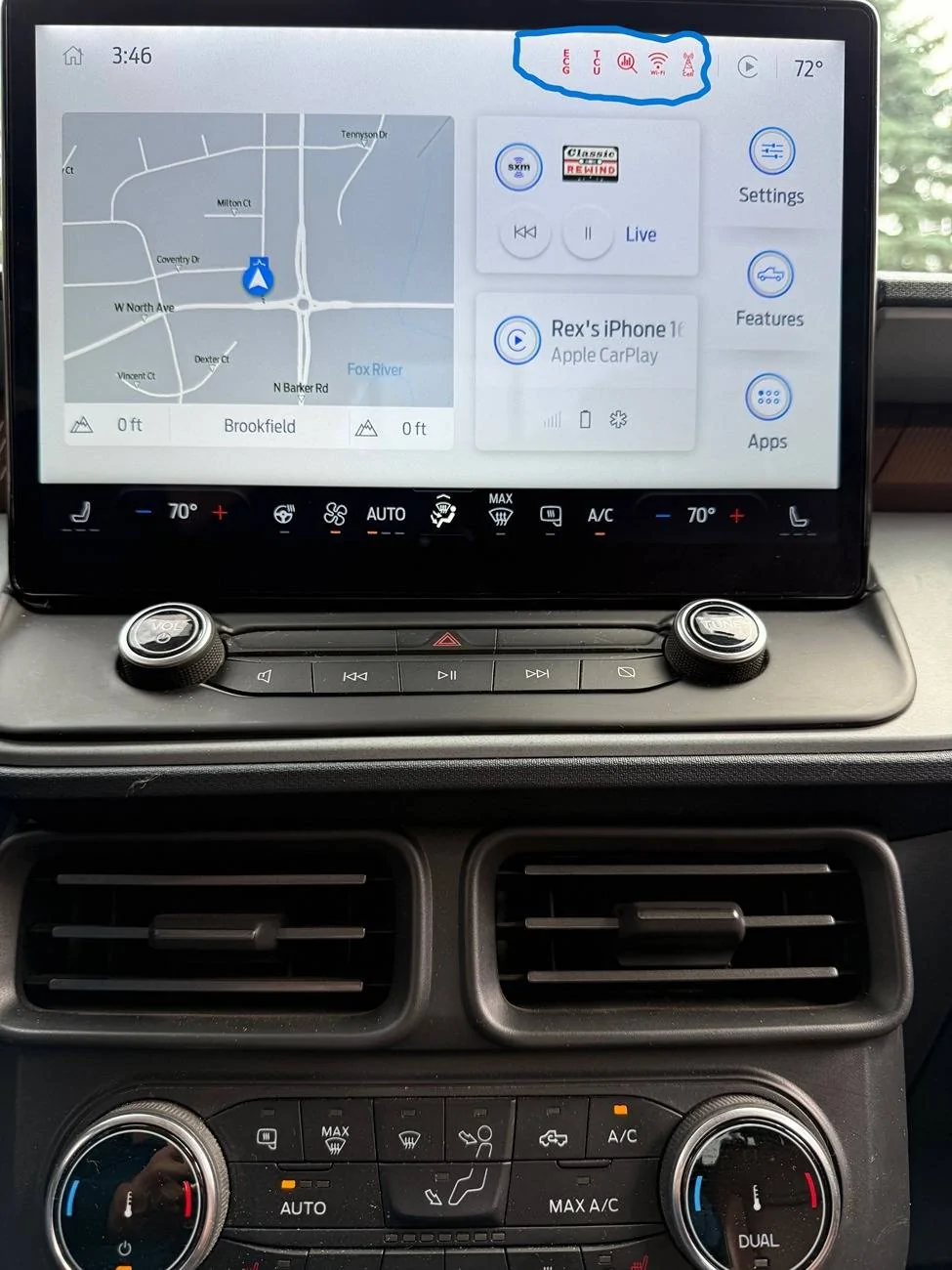
Great write-up, thank you very much, your APIM setting helped with my rear view camera and radio volume control on screen. I have the same setup as your except the Sync4 is from a 2023 F150 Lighting. There are some symbols in the top right part of the screen I am trying to activate or make disappear. I hope you can help or suggest options. The symbols are circled in blue. Thanks, Rex

Ford Maverick Sync4 APIM and 13.2" Screen Installation Guide (Lariat Models) IMG_0735a
 
Sponsored

Bobert47

2.5L Hybrid
Active member
First Name
Bobert
Joined
Dec 2, 2022
Threads
1
Messages
30
Reaction score
33
Location
Kentucky, US
Vehicle(s)
2023 Ford Maverick Lariat
Engine
2.5L Hybrid
Great write-up, thank you very much, your APIM setting helped with my rear view camera and radio volume control on screen. I have the same setup as your except the Sync4 is from a 2023 F150 Lighting. There are some symbols in the top right part of the screen I am trying to activate or make disappear. I hope you can help or suggest options. The symbols are circled in blue. Thanks, Rex

IMG_0735a.jpg
Thanks!

I haven't seen all of those red symbols, but from the looks of it they are indicating communication (or lack there of) with the TCU module for one, and the Wifi unfortunately is not something that will work with this swap as far as I'm aware. I use the other theme where the category buttons are on the bottom instead of climate and that changed a lot...might be worth a shot, but I don't have a good concrete answer for you, sorry!
 

Cactus22

2.5L Hybrid
Active member
First Name
B
Joined
Jun 13, 2022
Threads
0
Messages
35
Reaction score
14
Location
California
Vehicle(s)
2022 Maverick, Cactus Grey
Engine
2.5L Hybrid
One other update...we also launched the lariat kits and harness for those with a lariat wanting to do the sync 4 upgrades. They're both less expensive than the XL/XLT kits due to needing less parts. mavericktruckclub code works on those too! https://oemplusupgrades.com/collections/2022-2024-maverick

We got our first complete kit shipped today with several more going next week as we get the last of the parts needed.
As the Sync4 enables wireless carplay... if I get the 12" kit for my '22 Lariat, I would bypass the need to use the USB ports for carplay?
My truck just went out of warranty and was waiting for the warranty to go so I could do the big screen swap... and my USB ports for carplay died yesterday (checked fuses, did the master reset, with no luck).
Going to probably order tomorrow.
 

MakinDoForNow

2.5L Hybrid
Well-known member
First Name
James
Joined
Sep 24, 2021
Threads
2
Messages
8,440
Reaction score
6,008
Location
Texas
Vehicle(s)
2022 Maverick
Engine
2.5L Hybrid
As the Sync4 enables wireless carplay... if I get the 12" kit for my '22 Lariat, I would bypass the need to use the USB ports for carplay?
My truck just went out of warranty and was waiting for the warranty to go so I could do the big screen swap... and my USB ports for carplay died yesterday (checked fuses, did the master reset, with no luck).
Going to probably order tomorrow.
Ahh, a vote for max extended warranty, or possibly vehicle trade in for new 3/36 warranty. I would prefer a 5/75 OEM BUMPER-BUMPER WARRANTY but might make a 4/60 work. 3/36 ought to be 3/45 at least!
 

RONR11

2.5L Hybrid
Well-known member
First Name
Ron
Joined
Sep 1, 2021
Threads
49
Messages
272
Reaction score
121
Location
Hartsville SC
Vehicle(s)
2019 Ranger/Maverick
Engine
2.5L Hybrid
As the Sync4 enables wireless carplay... if I get the 12" kit for my '22 Lariat, I would bypass the need to use the USB ports for carplay?
My truck just went out of warranty and was waiting for the warranty to go so I could do the big screen swap... and my USB ports for carplay died yesterday (checked fuses, did the master reset, with no luck).
Going to probably order tomorrow.
USB ports come from the ACM and possibly the new one in the kit will fix but my dealership had to replace my USB module. He said they had issues with them
They have also had cable issues from acm to module.
 

Cactus22

2.5L Hybrid
Active member
First Name
B
Joined
Jun 13, 2022
Threads
0
Messages
35
Reaction score
14
Location
California
Vehicle(s)
2022 Maverick, Cactus Grey
Engine
2.5L Hybrid
USB ports come from the ACM and possibly the new one in the kit will fix but my dealership had to replace my USB module. He said they had issues with them
They have also had cable issues from acm to module.
yeah. I am hopeful that the replacement ACM in the kit will address it. I have read about the cable harness issue as well. I was using wireless Carplay adapters, so having it native will hopefully mean I won't need them if they don't work and I'll just wire up some USB-C high power ones in their place.
Sponsored


Top