- First Name
- Swag
- Joined
- Feb 26, 2024
- Threads
- 44
- Messages
- 1,442
- Reaction score
- 1,655
- Location
- United States
- Vehicle(s)
- 2024 Ford Maverick XL
- Engine
- 2.0L EcoBoost
- Thread starter
- #1
Hey everyone!
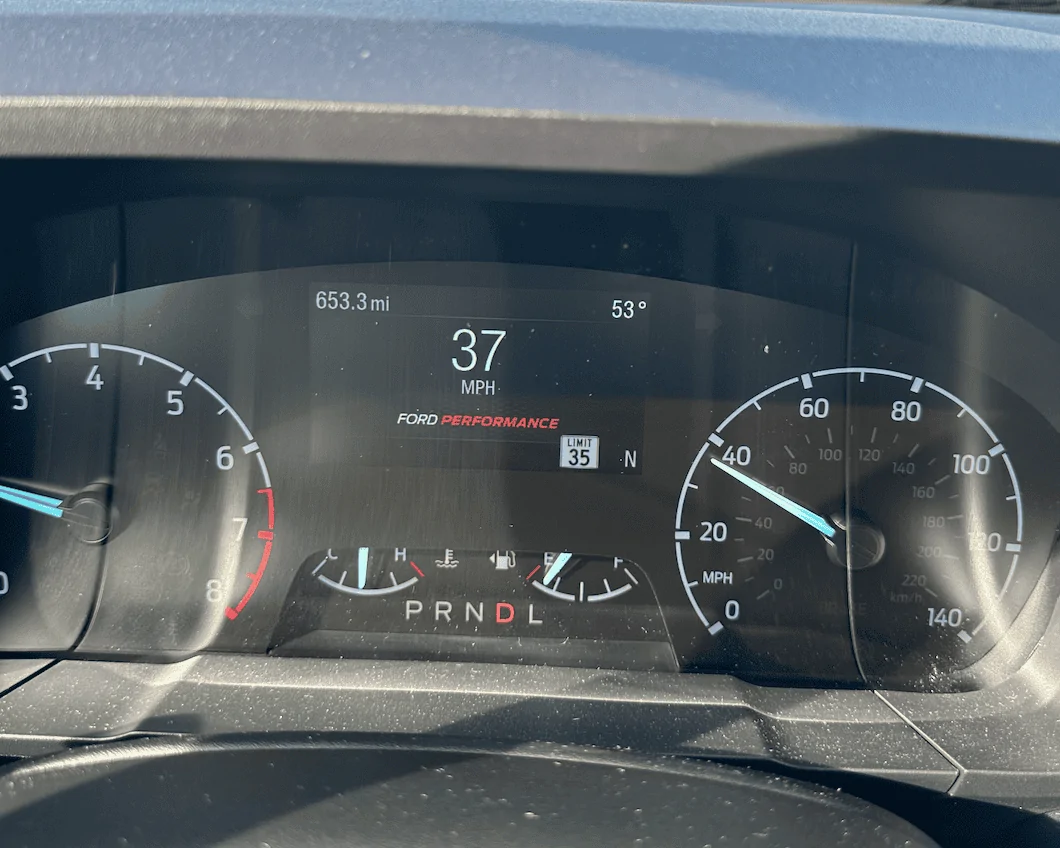
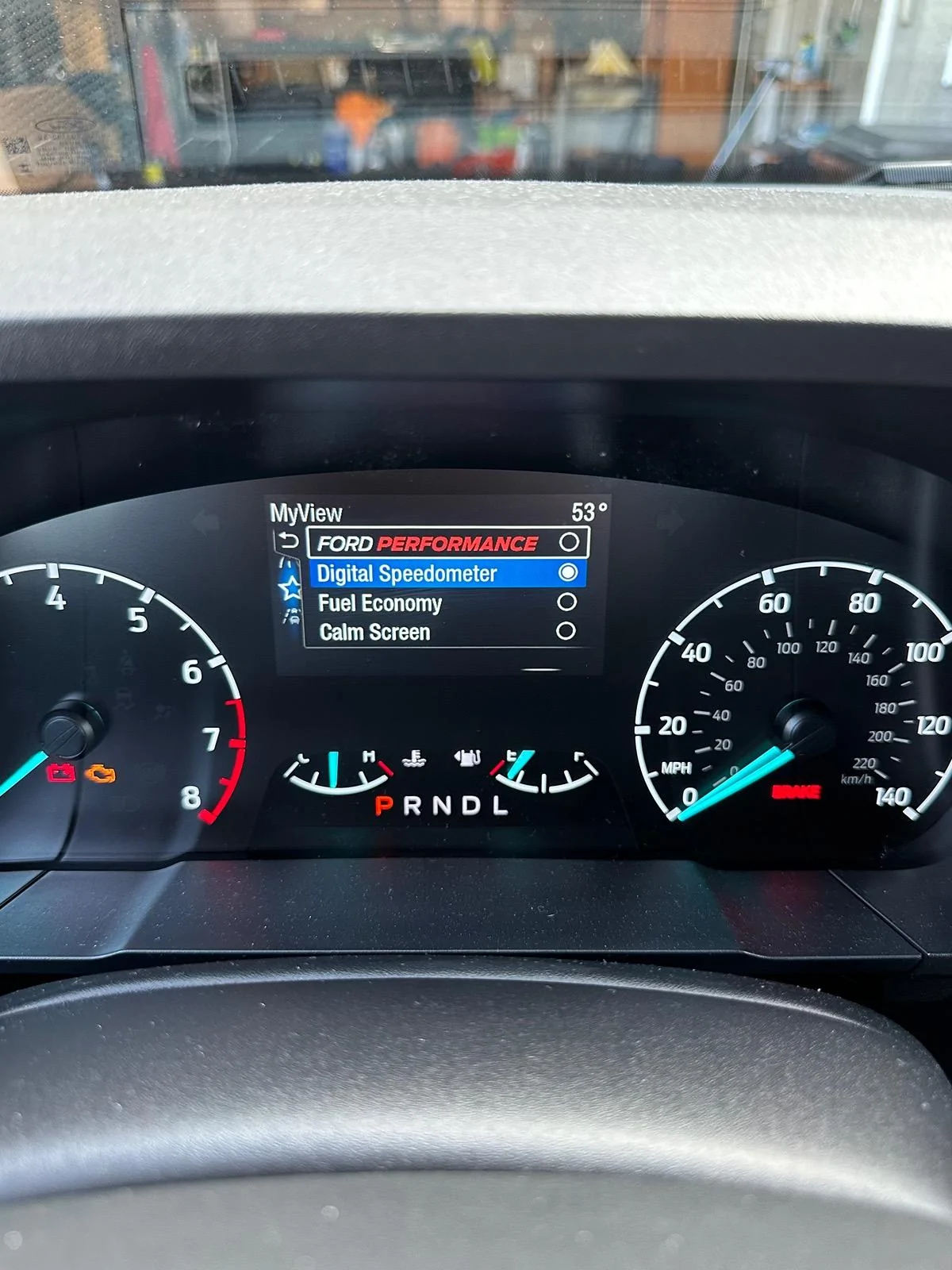
I just found a coding to enable the Ford Performance MYVIEW digital speedo on the 4 inch instrument cluster. I also found a coding to make it your default MYVIEW screen so you don't have to keep switching back to it every time you go for a drive. THIS CODING ONLY WORKS ON THE SMALLER 4 INCH CLUSTER!
MAKE FORD PERFORMANCE MYVIEW DEFAULT
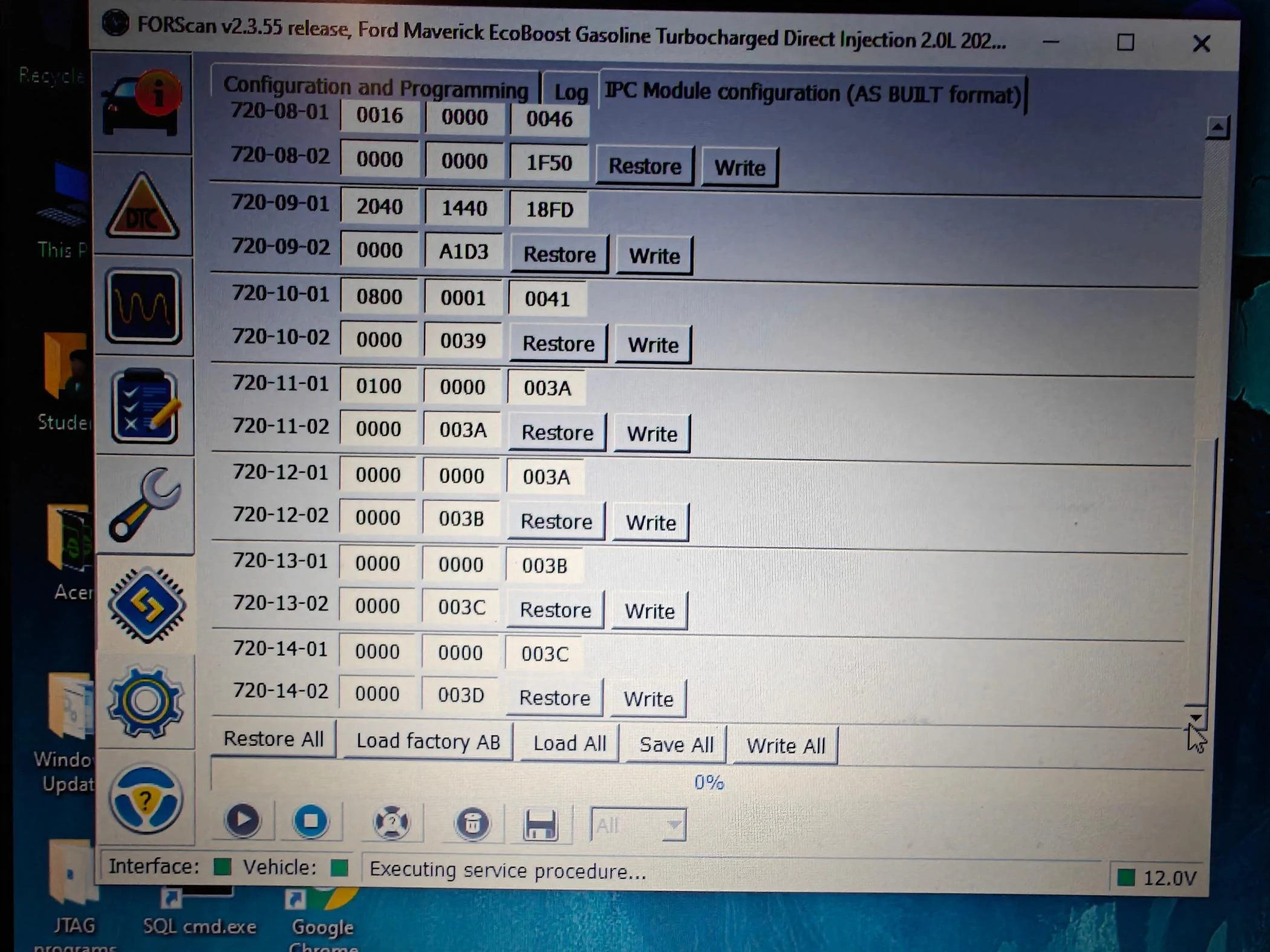
1. Open IPC AS BUILT
2. Go to 720-17-02
3. Replace the second digit with a "5" as shown here
x5xx-xxxx
4. Write the changes and let Forscan correct the checksum
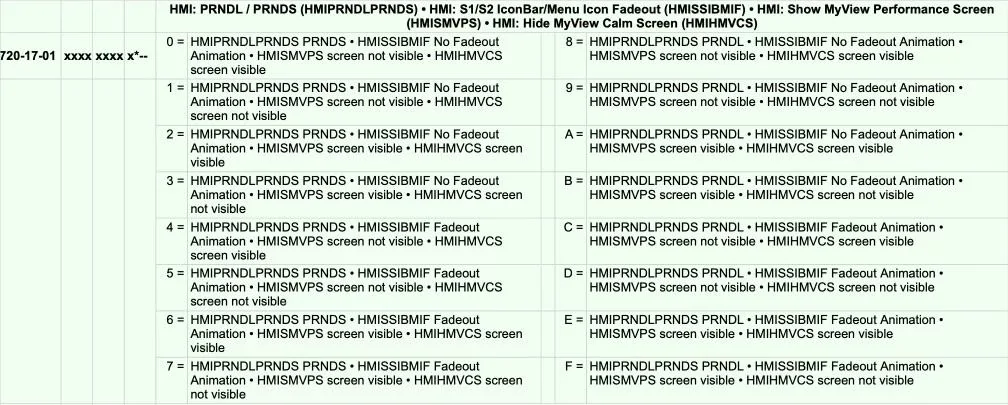
ENABLE FORD PERFORMANCE MYVIEW (Only 4 inch Cluster)
1. Open IPC AS BUILT
2. Go to 720-17-01
3. Replace the tenth digit with a "6" as shown here
xxxx-xxxx-x6xx
4. Write the changes and let Forscan correct the checksum
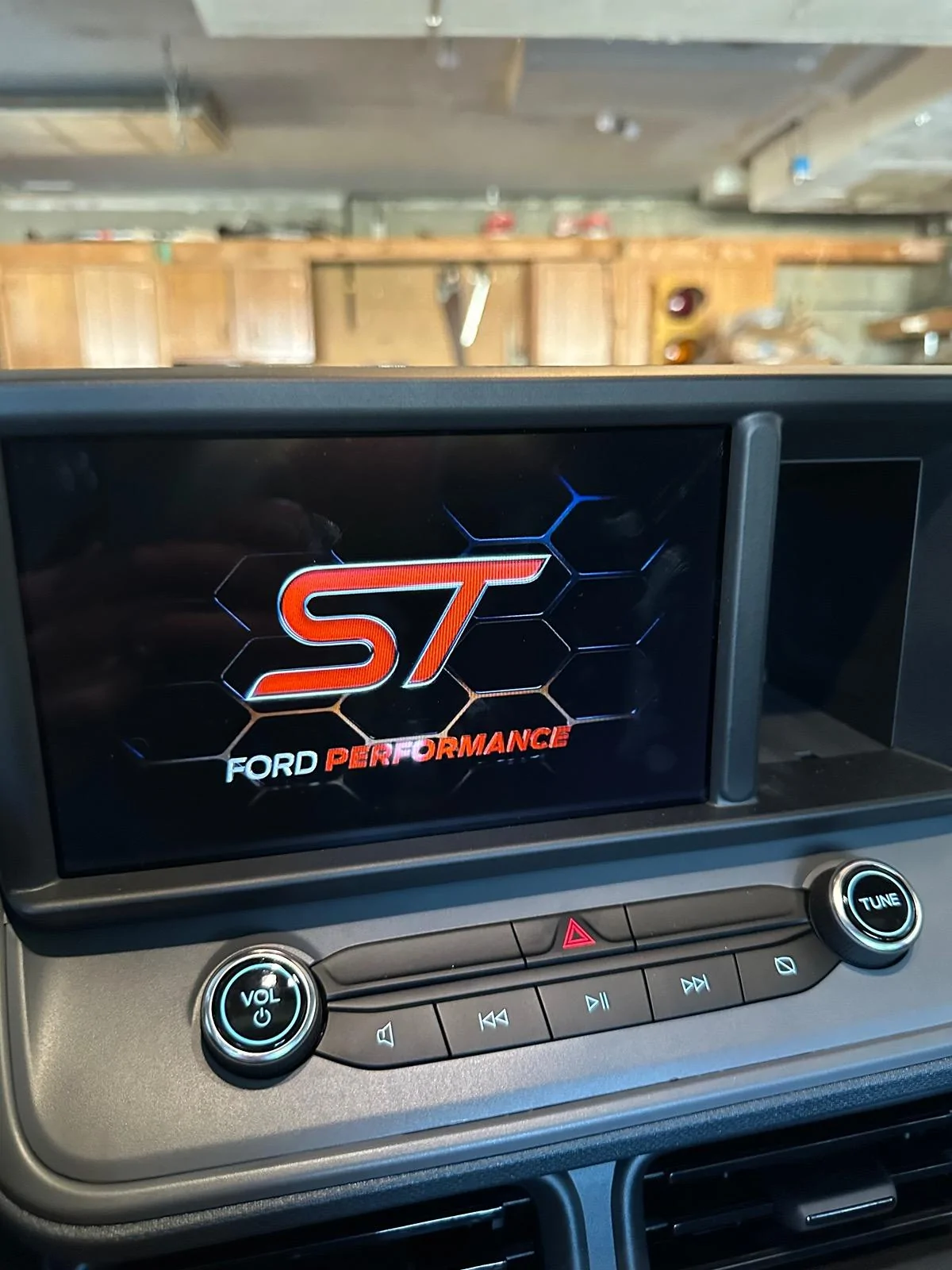
Here are some pictures of this screen and a picture of my original coding compared to the new coding!
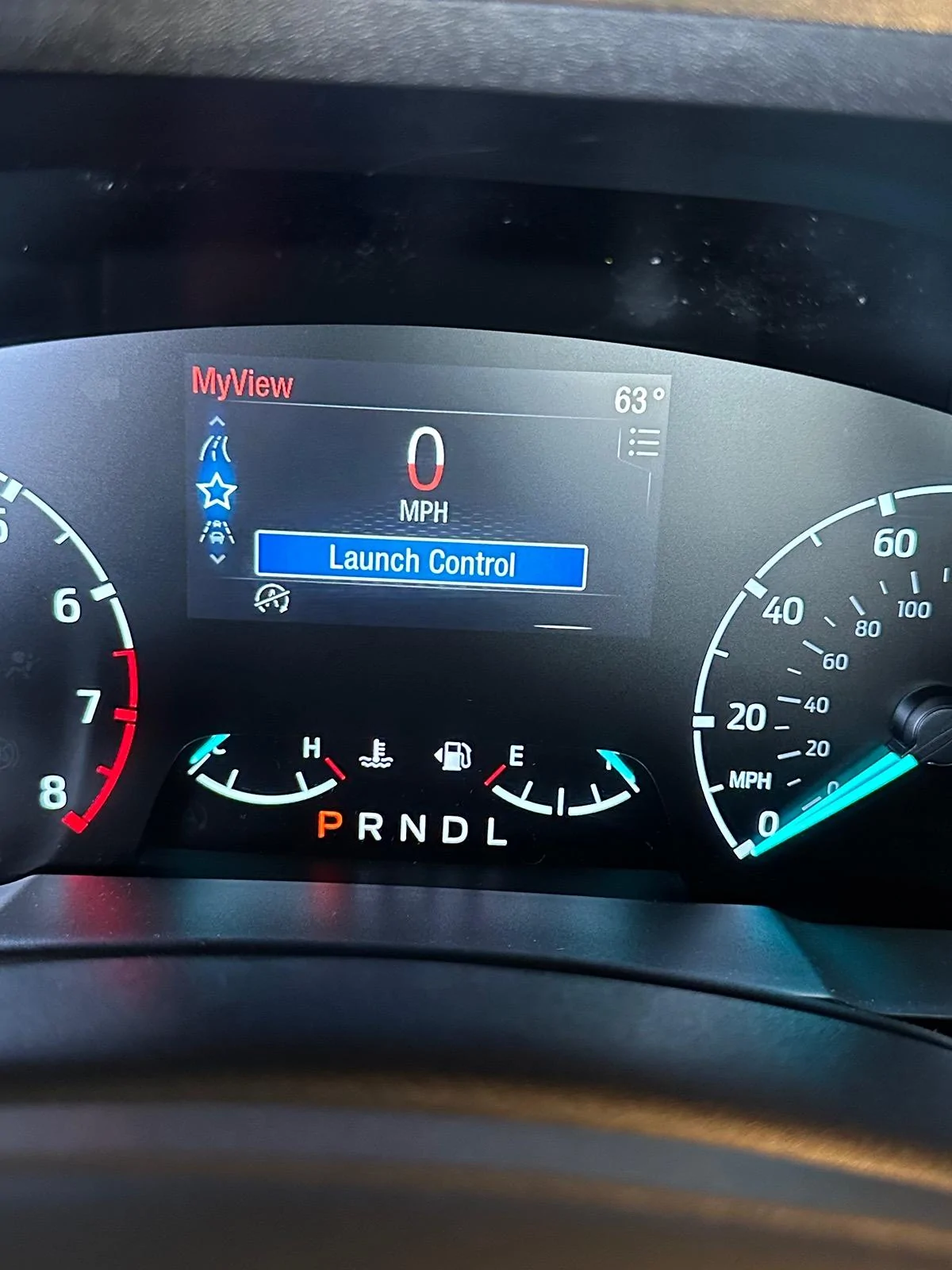
UPDATE: Just added LAUNCH CONTROL and set launch control limiter to 3000rpm! As you rev the engine with Launch Control on, the MPH fills up with red the closer you get to 3000rpms. I will likely not use the launch control as I do not want to damage anything prematurely! Just wanted to see what the coding would do! Check out the coding and pictures below!I
ENABLE LAUNCH CONTROL BUTTON IN DRIVER ASSIST (Works on 4 inch CLUSTER only!)
1. Open IPC Easy Mode
2. Enable "Launch Control"
ENABLE LAUNCH CONTROL BUTTON AND ADJUST LIMITER
(only 4 inch CLUSTER screens)
1. Open IPC AS BUILT
2. 720-17-02
3. Replace the first digit with a digit based off of the diagram below and in the pictures. I replaced it with a "6" for a 3000rpm LC limit for example.
6xxx-xxxx
Launch Control Counter Limiter
0= LCCL OFF
1= LCCL 2500rpm
2= LCCL 2600rpm
3= LCCL 2700rpm
4= LCCL 2800rpm
5= LCCL 2900rpm
6= LCCL 3000rpm
7= LCCL 3100rpm
8= LCCL 3200rpm
9= LCCL 3300rpm
A= LCCL 3400rpm
B= LCCL 3500rpm
C= LCCL 3600rpm
D= LCCL 3700rpm
E= LCCL 3800rpm
F= LCCL 3900rpm



I just found a coding to enable the Ford Performance MYVIEW digital speedo on the 4 inch instrument cluster. I also found a coding to make it your default MYVIEW screen so you don't have to keep switching back to it every time you go for a drive. THIS CODING ONLY WORKS ON THE SMALLER 4 INCH CLUSTER!
MAKE FORD PERFORMANCE MYVIEW DEFAULT
1. Open IPC AS BUILT
2. Go to 720-17-02
3. Replace the second digit with a "5" as shown here
x5xx-xxxx
4. Write the changes and let Forscan correct the checksum
ENABLE FORD PERFORMANCE MYVIEW (Only 4 inch Cluster)
1. Open IPC AS BUILT
2. Go to 720-17-01
3. Replace the tenth digit with a "6" as shown here
xxxx-xxxx-x6xx
4. Write the changes and let Forscan correct the checksum
Here are some pictures of this screen and a picture of my original coding compared to the new coding!
UPDATE: Just added LAUNCH CONTROL and set launch control limiter to 3000rpm! As you rev the engine with Launch Control on, the MPH fills up with red the closer you get to 3000rpms. I will likely not use the launch control as I do not want to damage anything prematurely! Just wanted to see what the coding would do! Check out the coding and pictures below!I
ENABLE LAUNCH CONTROL BUTTON IN DRIVER ASSIST (Works on 4 inch CLUSTER only!)
1. Open IPC Easy Mode
2. Enable "Launch Control"
ENABLE LAUNCH CONTROL BUTTON AND ADJUST LIMITER
(only 4 inch CLUSTER screens)
1. Open IPC AS BUILT
2. 720-17-02
3. Replace the first digit with a digit based off of the diagram below and in the pictures. I replaced it with a "6" for a 3000rpm LC limit for example.
6xxx-xxxx
Launch Control Counter Limiter
0= LCCL OFF
1= LCCL 2500rpm
2= LCCL 2600rpm
3= LCCL 2700rpm
4= LCCL 2800rpm
5= LCCL 2900rpm
6= LCCL 3000rpm
7= LCCL 3100rpm
8= LCCL 3200rpm
9= LCCL 3300rpm
A= LCCL 3400rpm
B= LCCL 3500rpm
C= LCCL 3600rpm
D= LCCL 3700rpm
E= LCCL 3800rpm
F= LCCL 3900rpm
Sponsored
Last edited: