
Sponsored

HSBII

2.5L Hybrid
Well-known member
First Name
Sam
Joined
May 2, 2024
Threads
27
Messages
149
Reaction score
362
Location
California
Vehicle(s)
2017 Super Duty 2024 Maverick
Engine
2.5L Hybrid
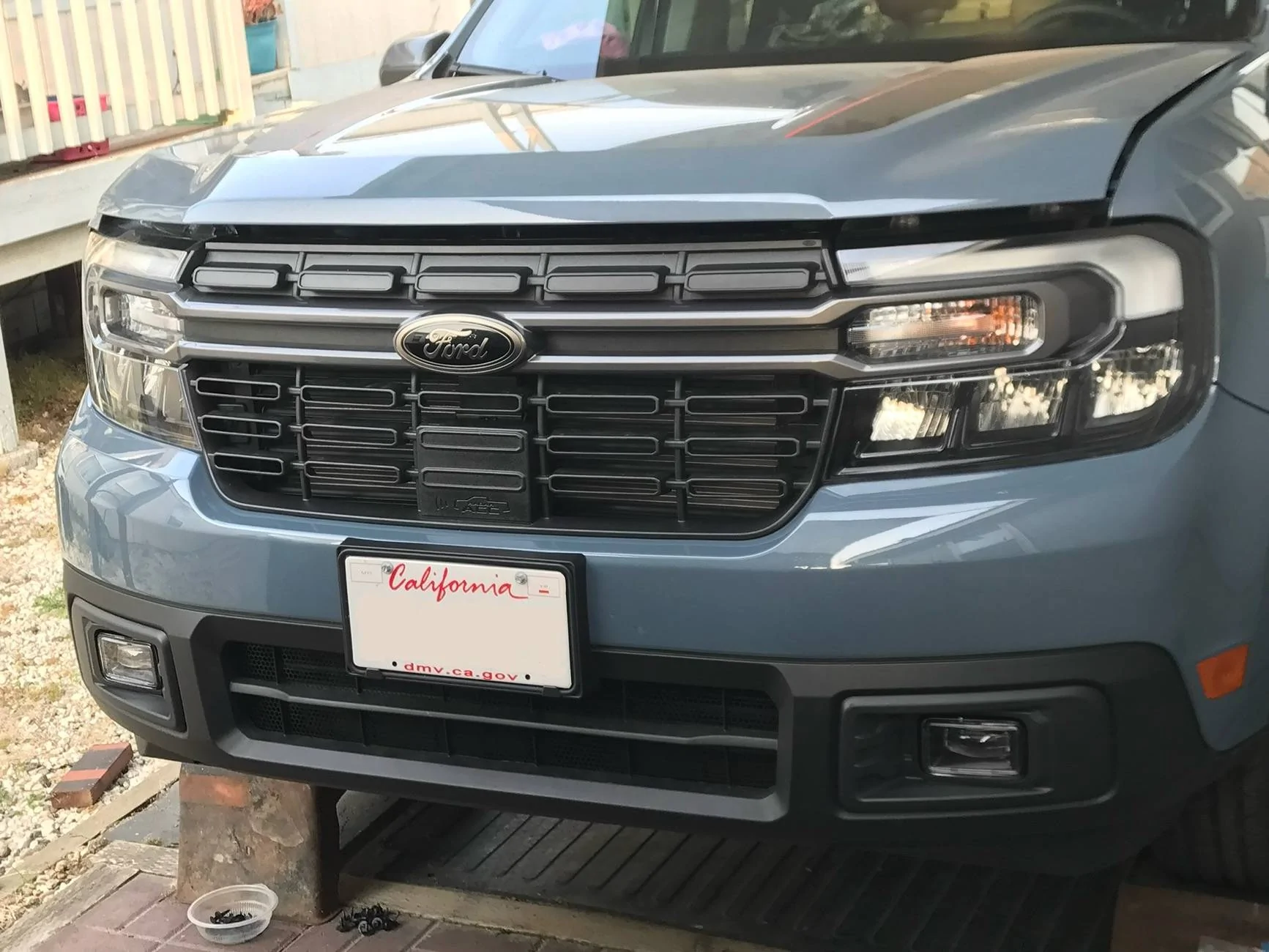
Finally had some time to install my @Diode Dynamics Fog Lights several weeks ago the install was easy and my install was slightly different and not exactly per the suggested instructions from DD..

I started my install by doing the Fog Light switch inside the cab, I didn’t want to mess with going the F150 switch route and the needed forscan thing for several reasons.. So before installing while I was considering who what and where as well as looking at what others had done I came up with an idea.

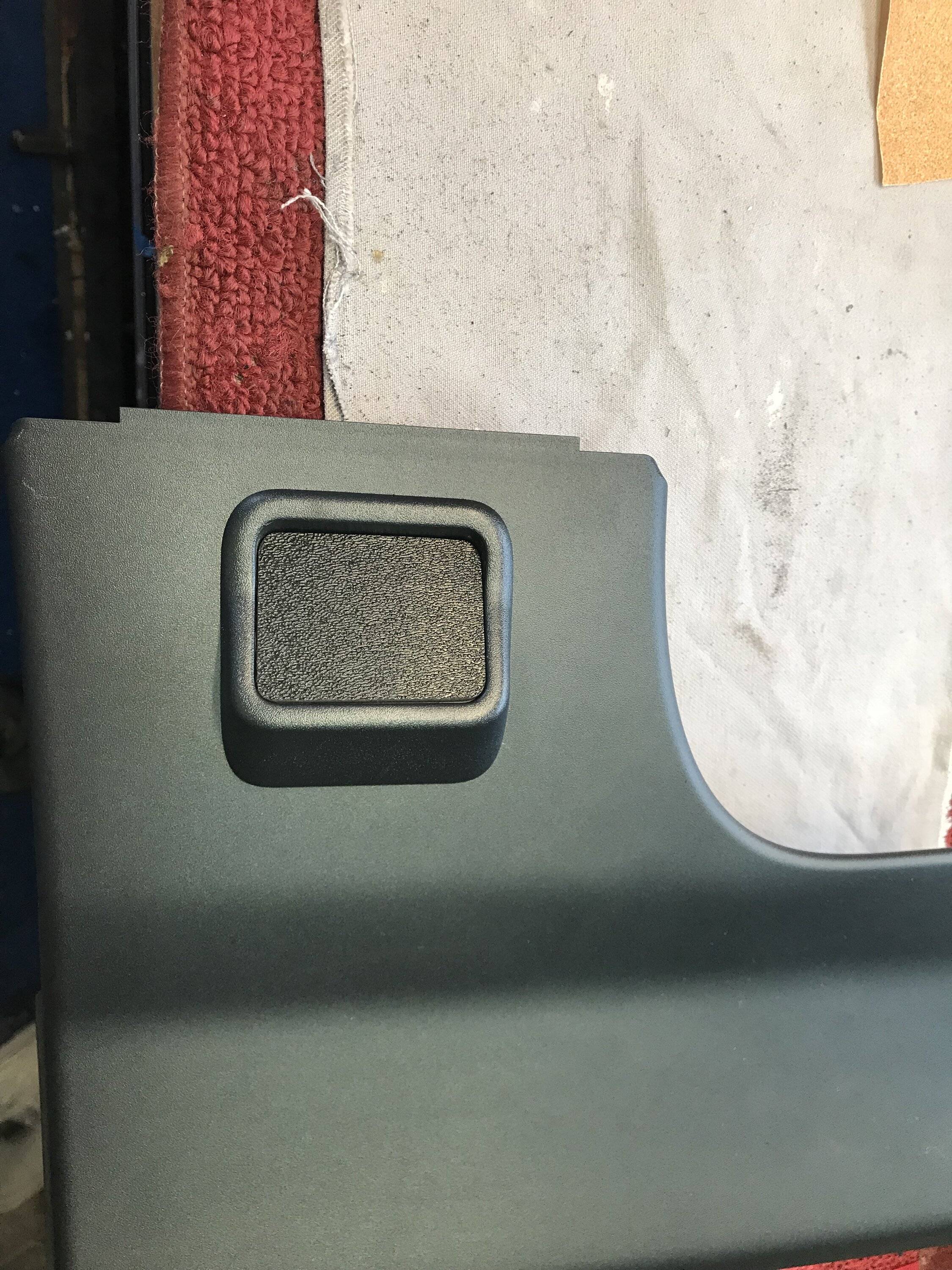
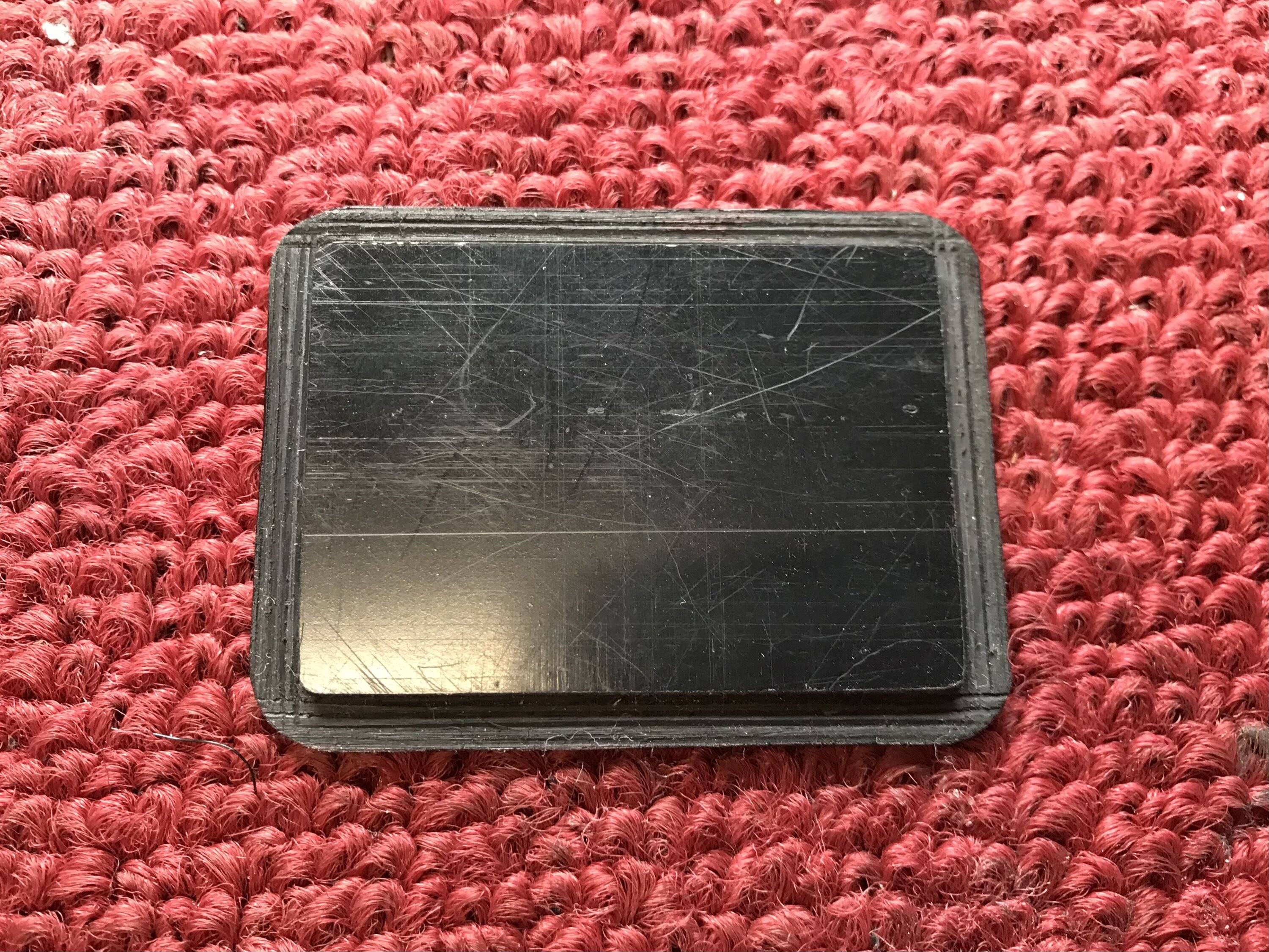
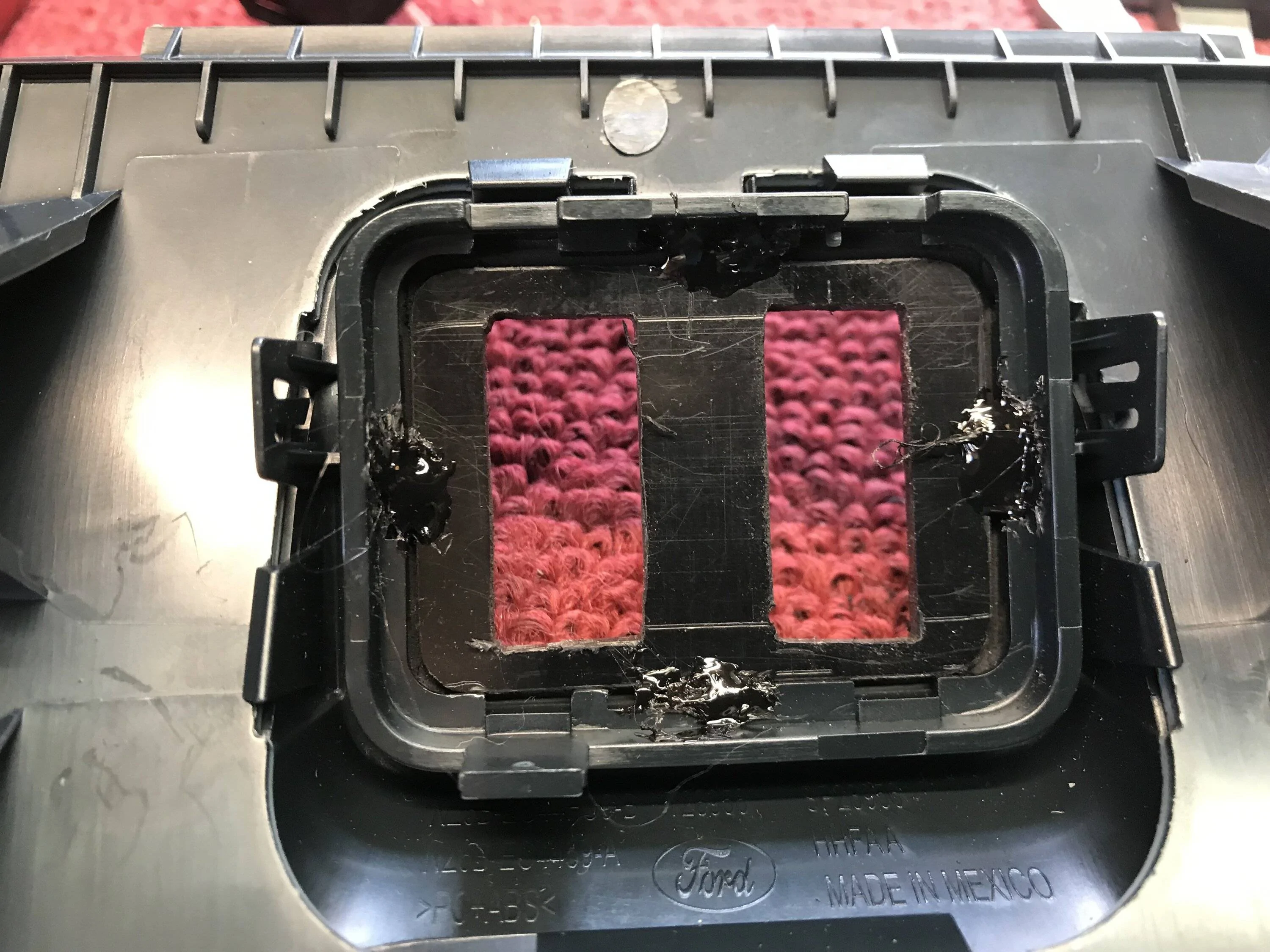
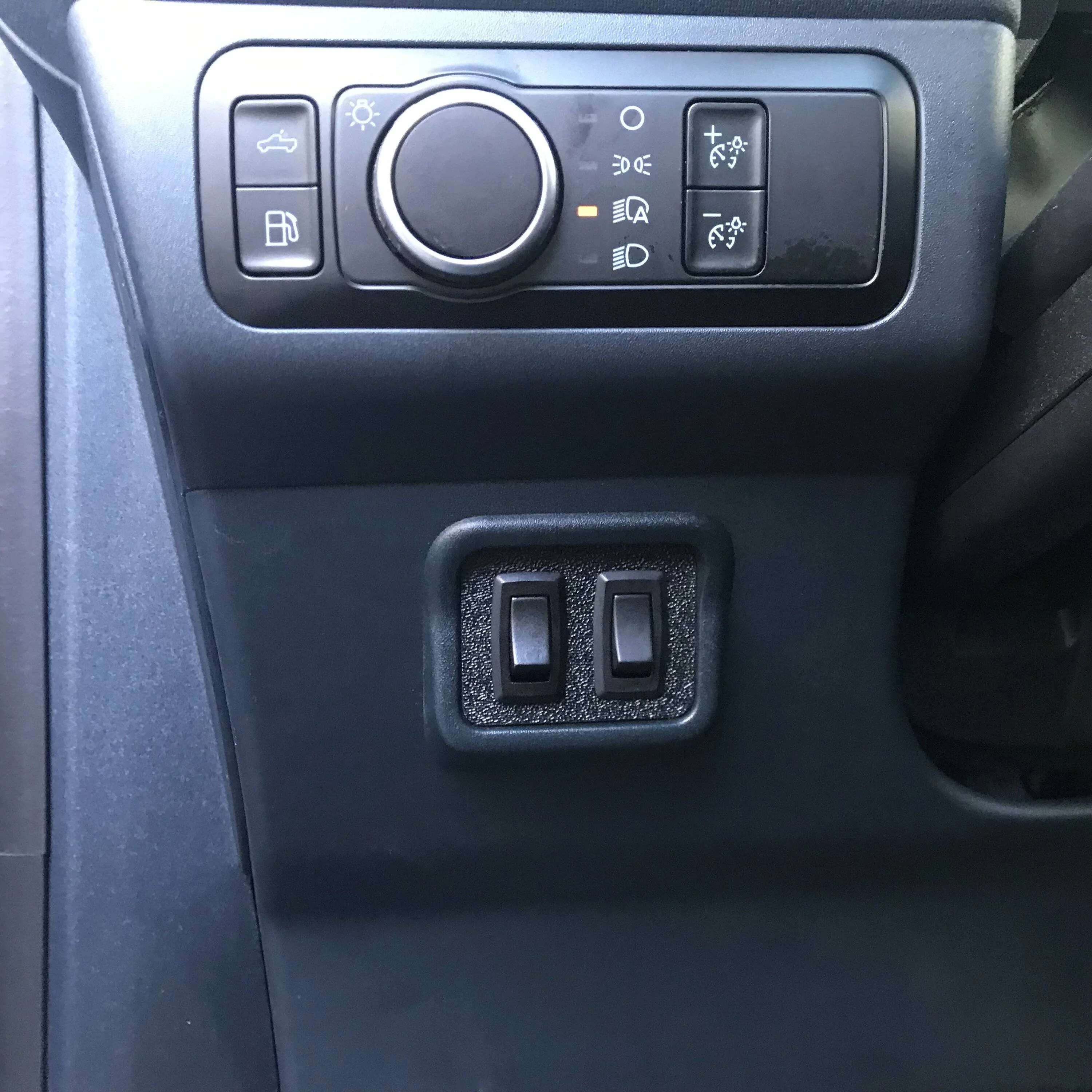
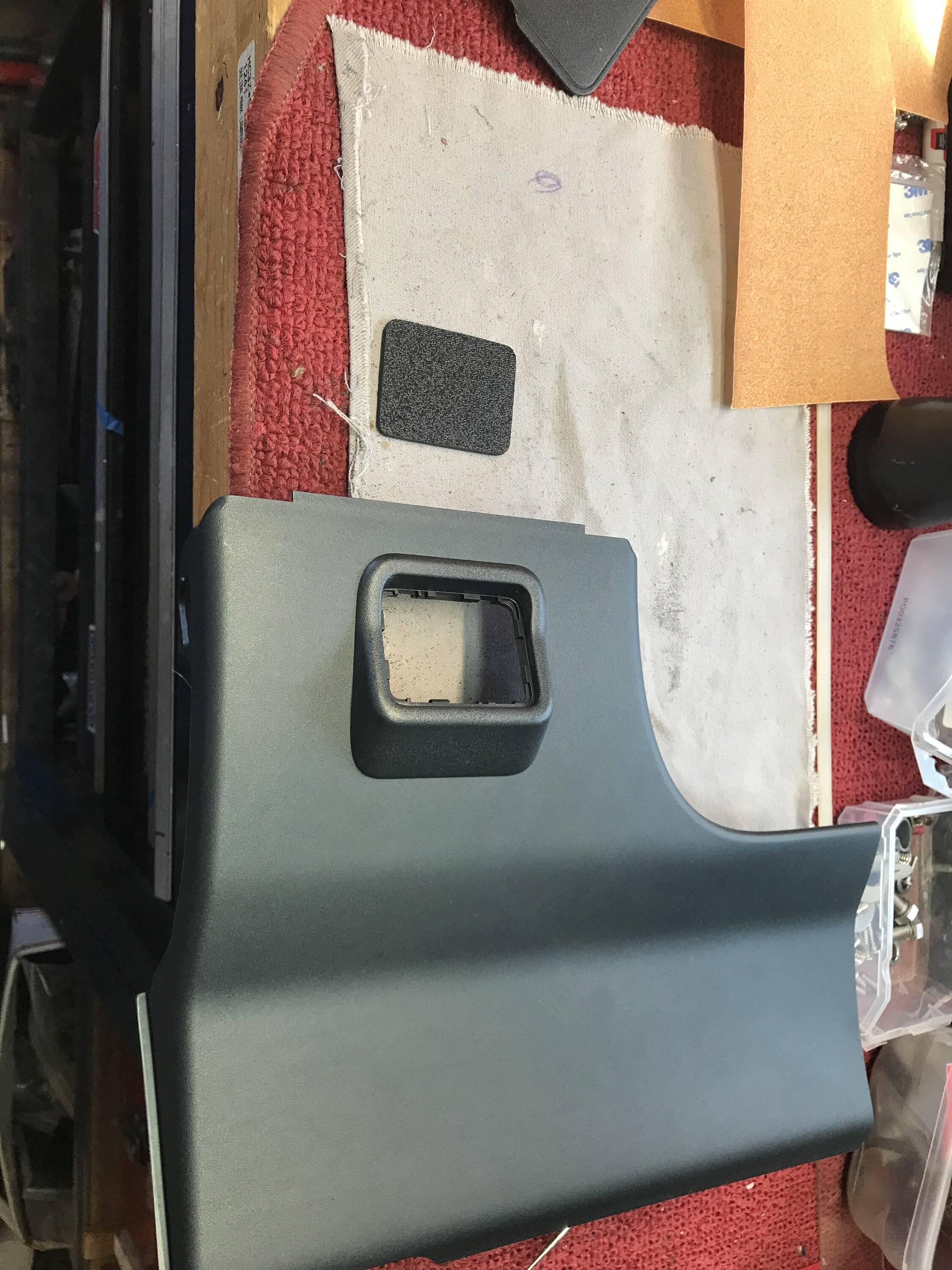
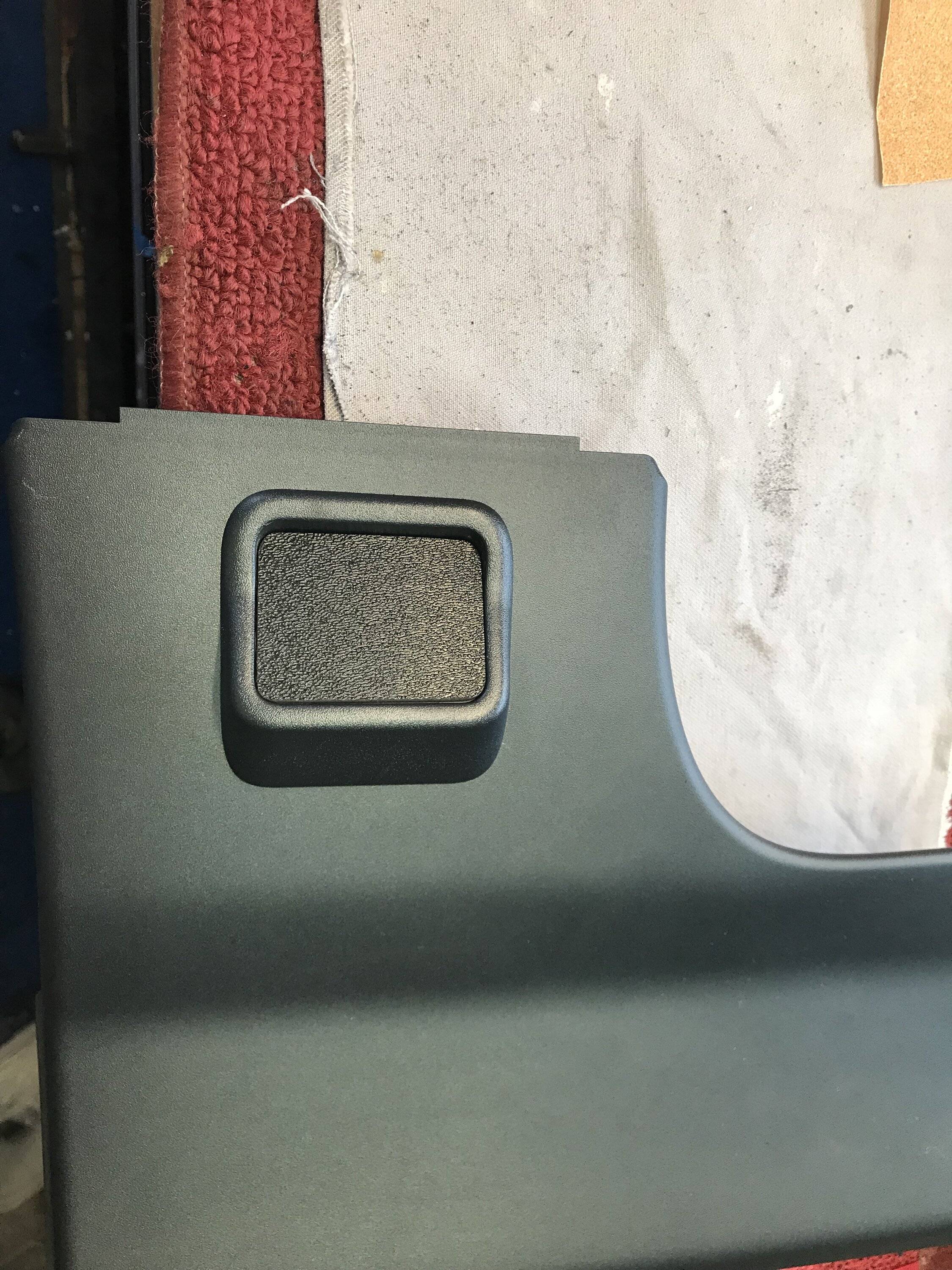
I got the idea while reading one of the threads posted about towing and the factory brake controller.. Since I own a hybrid and do not have the 4k tow package thought I’d look into tow package's lower panel as it it might offer a perfect location for a couple of toggle switch’s.. I started searching the web and bought a lower panel it comes without the controller but has the mounting bezel.. This looked like it was going to be rather simple, all I needed to do was make a small plate/panel to fit into the controllers location.. I already had some textured ABS plastic sheet it was 1/8’’ thick and should do the trick..
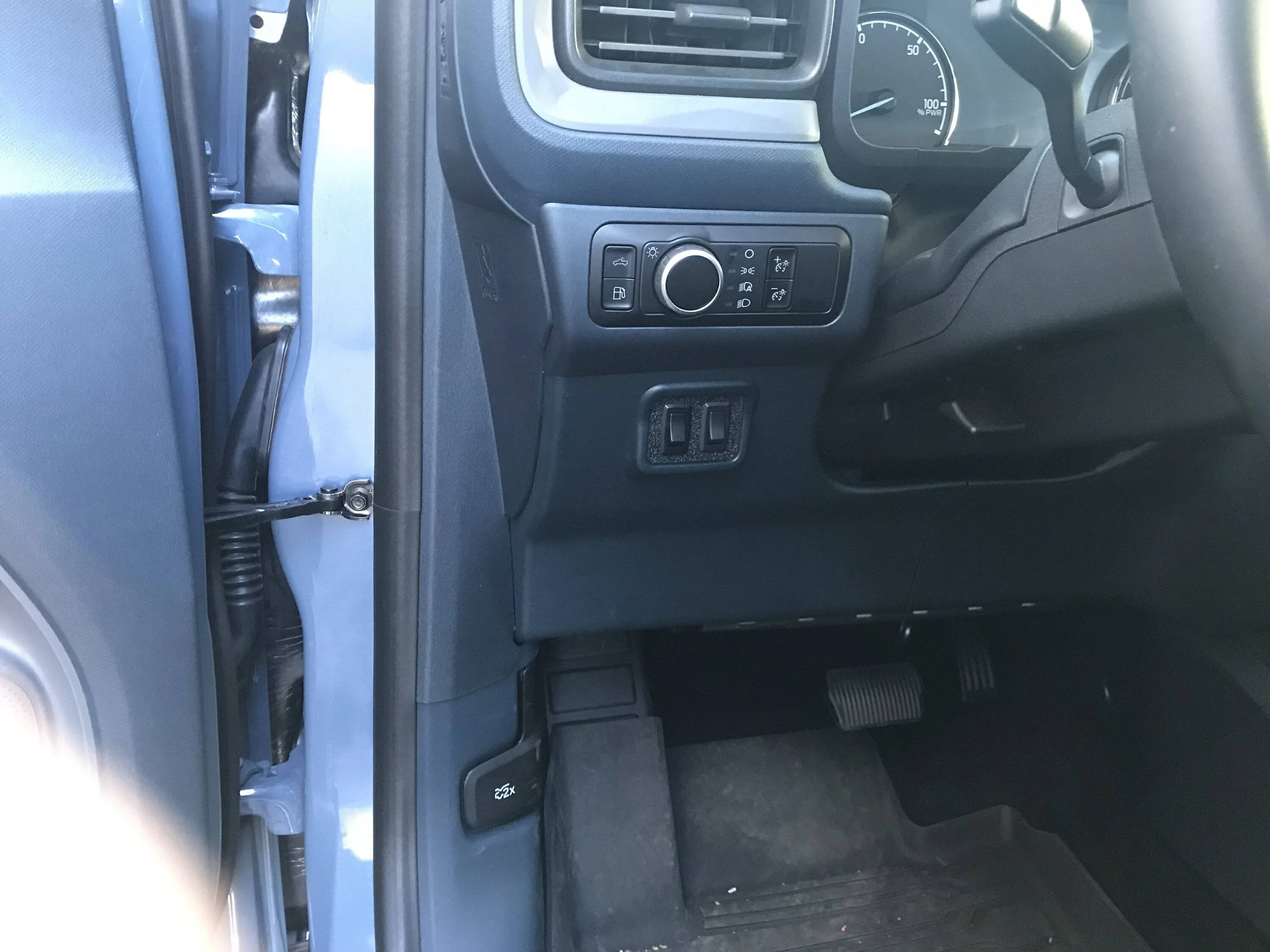
Ford Maverick DIY Diode Dynamics Fog Lights Install (Pic Heavy) IMG_3696


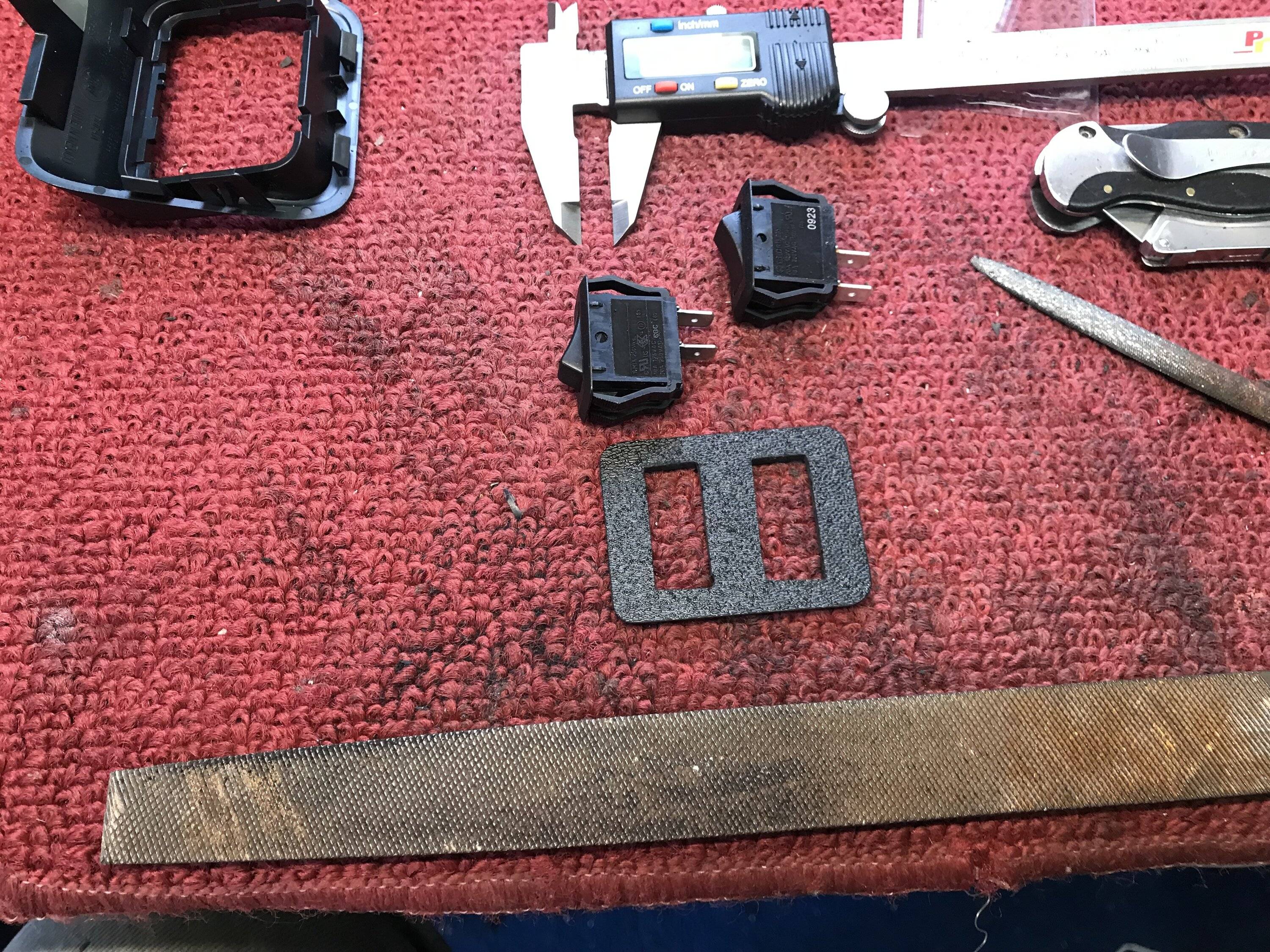
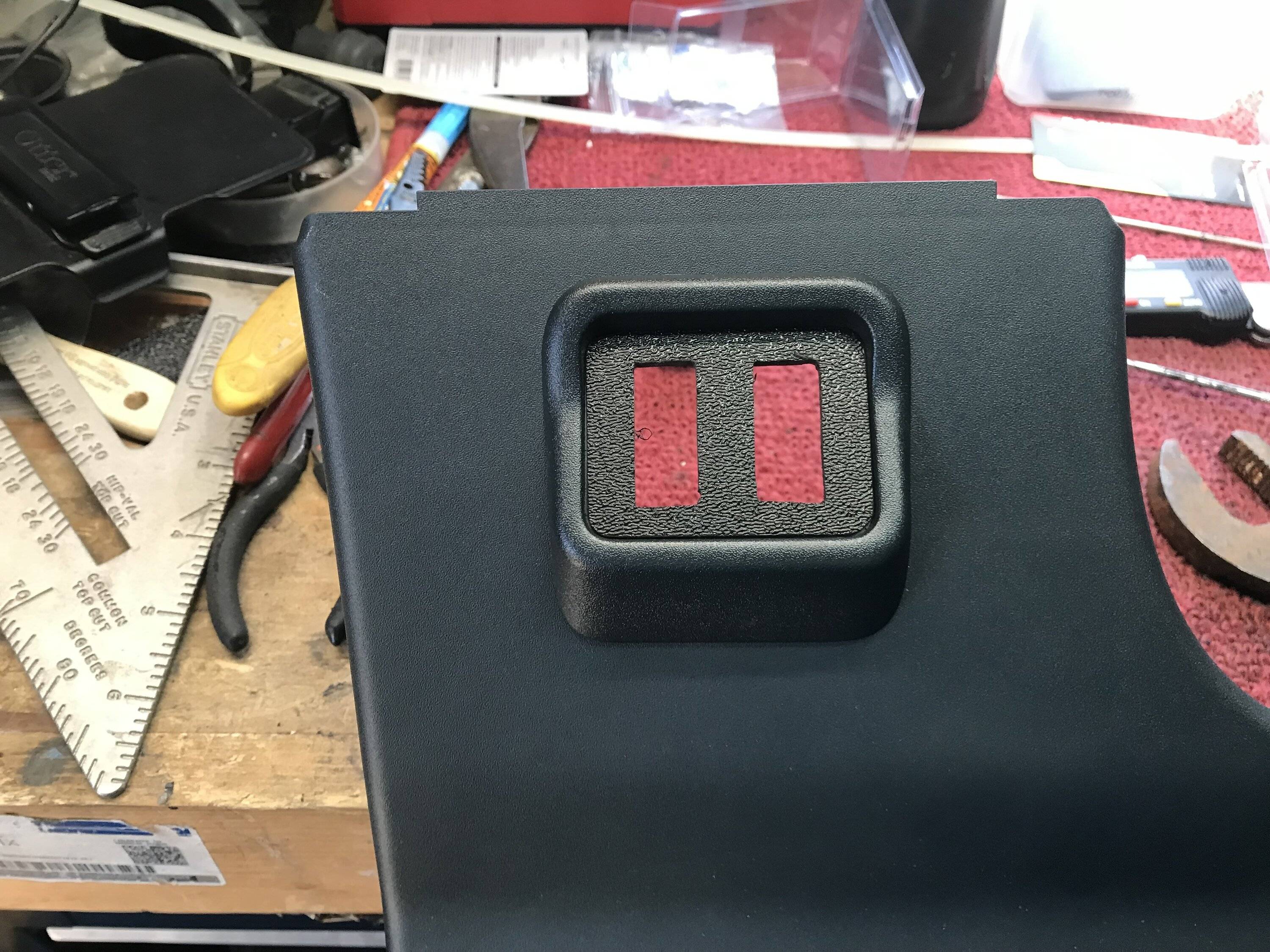
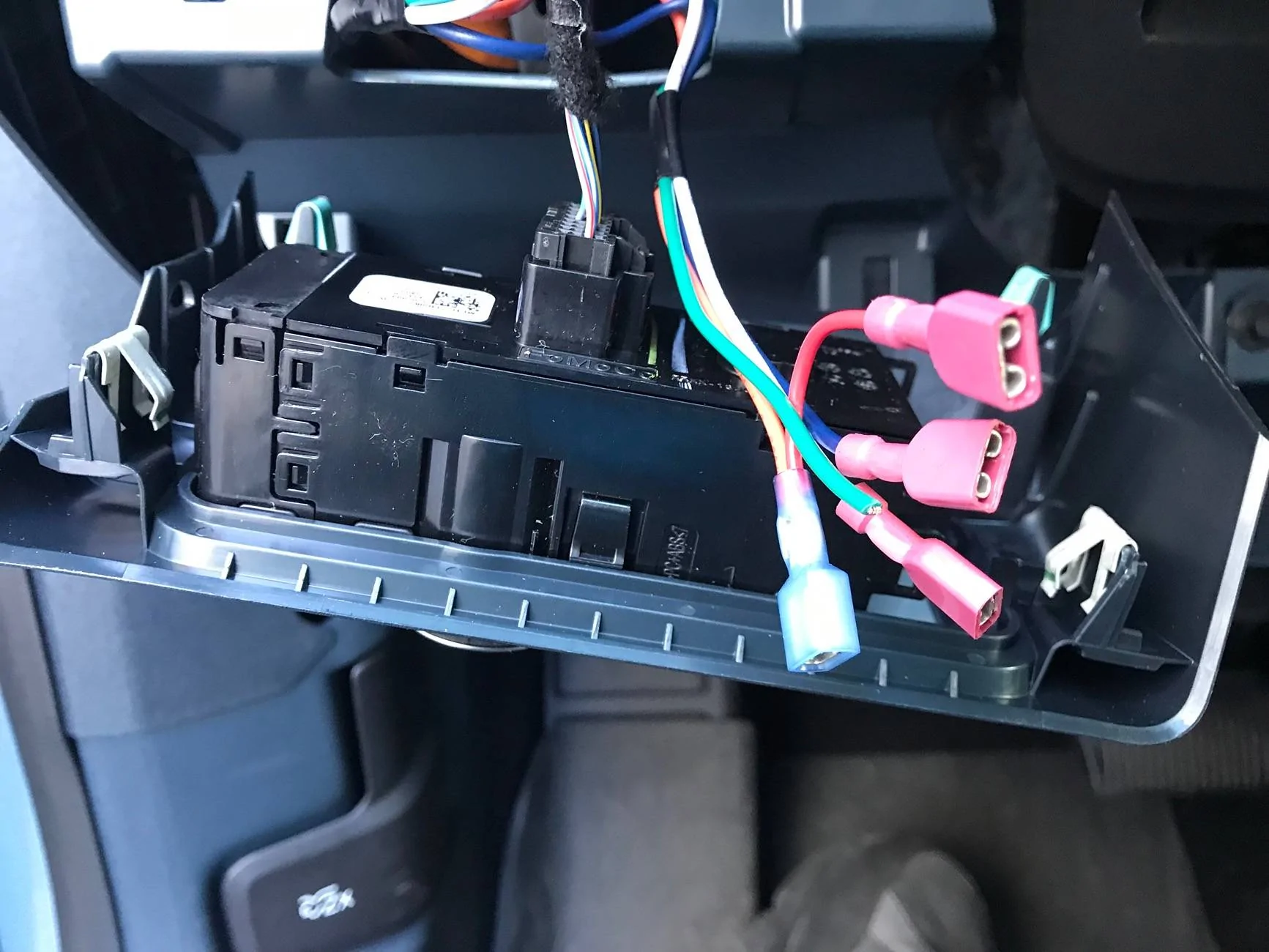
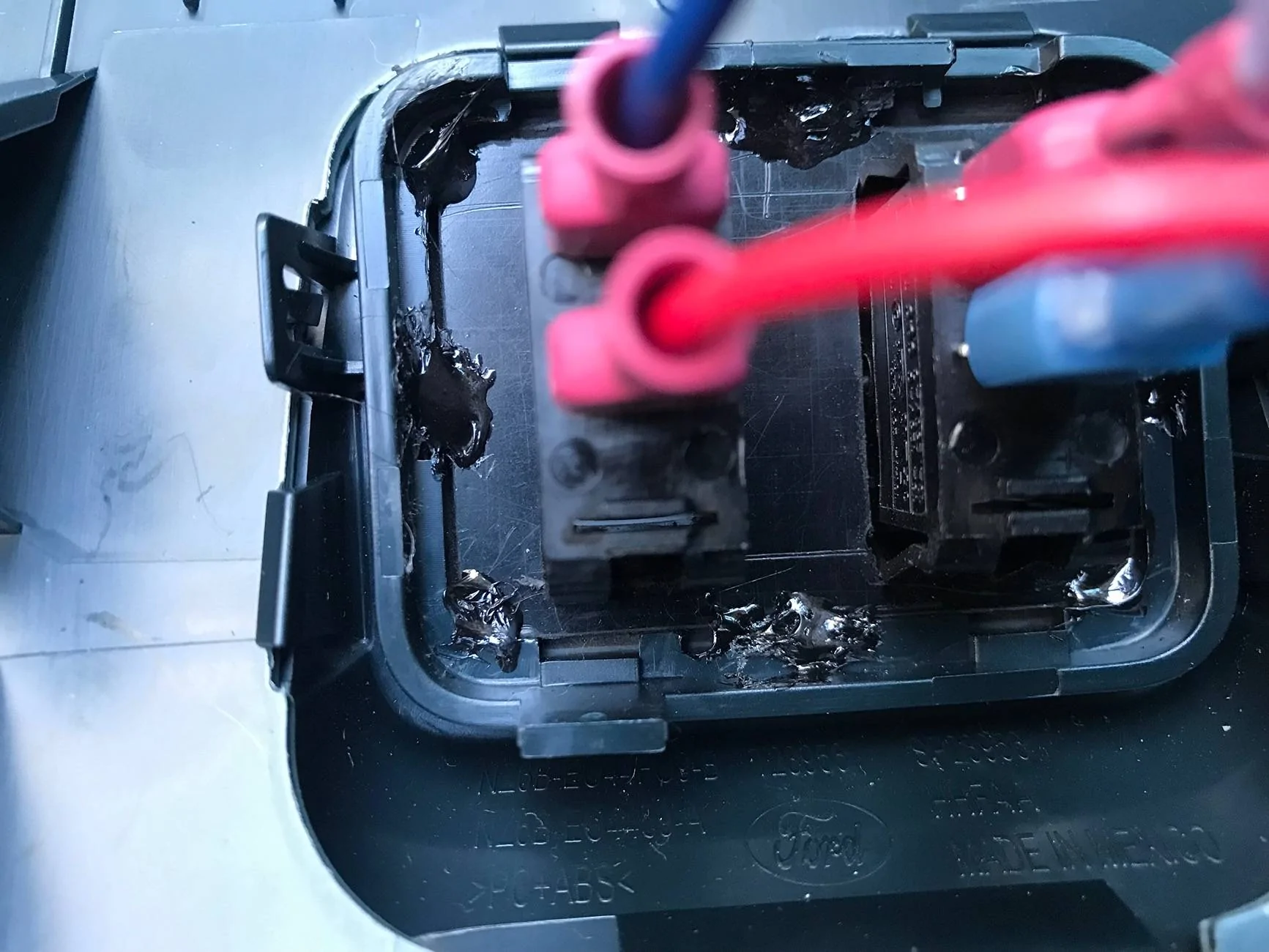
I measured the opening and then cut myself several piece's to have some backups just in case.. As I started to fit the small plastic panel to the bezel opening it was not sitting as flush as I would like so I decided to cut a shallow bevel on the back of it to make it fit more flush with the bezels mounting face.. Once fitment was to my liking I centered and spaced my 2 new switch’s location in the panel marked it and cut there openings out, when I was happy with the fit of the panel and the switch’s I then used some ABS glue since both were ABS plastic to bond them together..
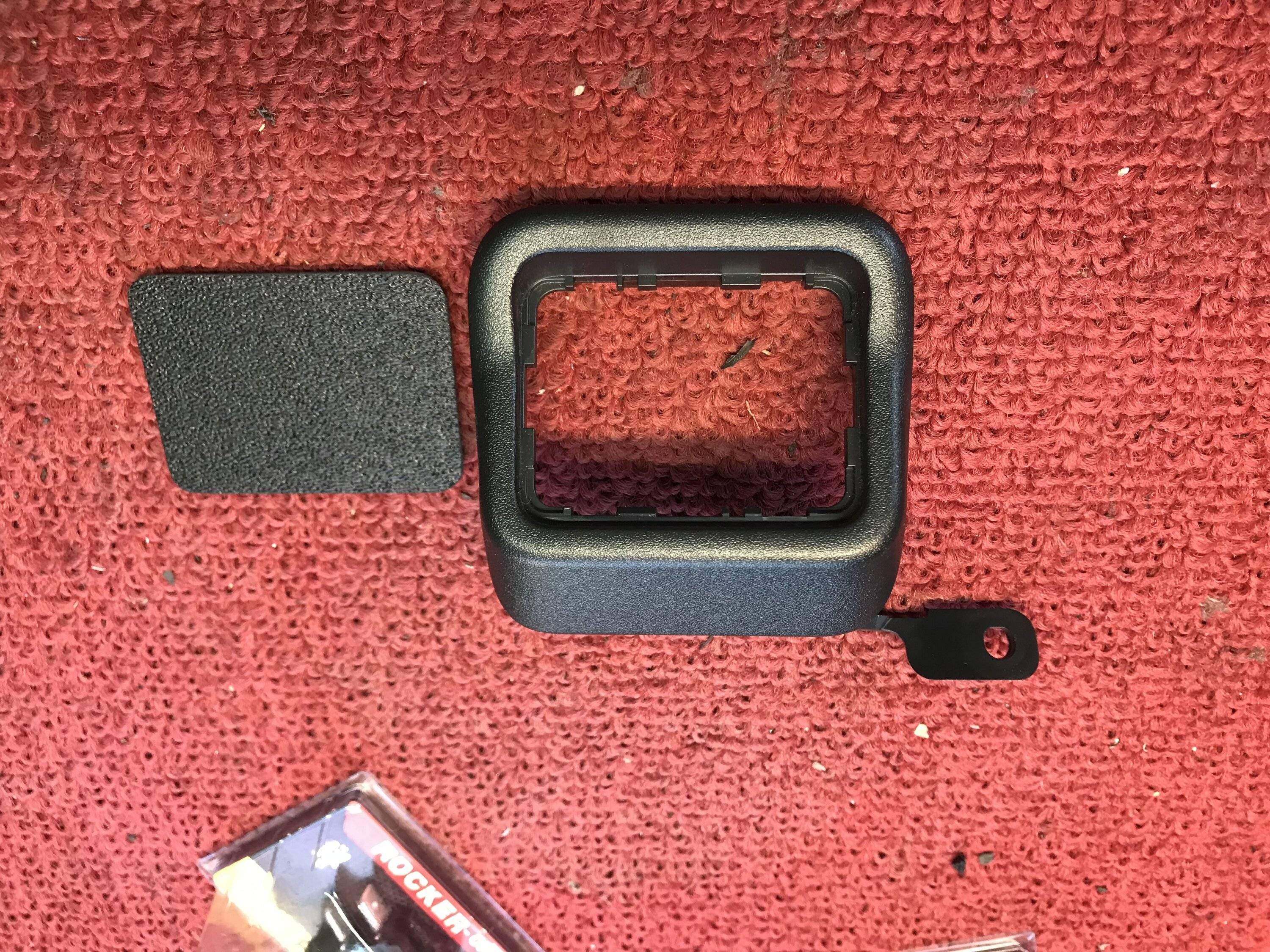
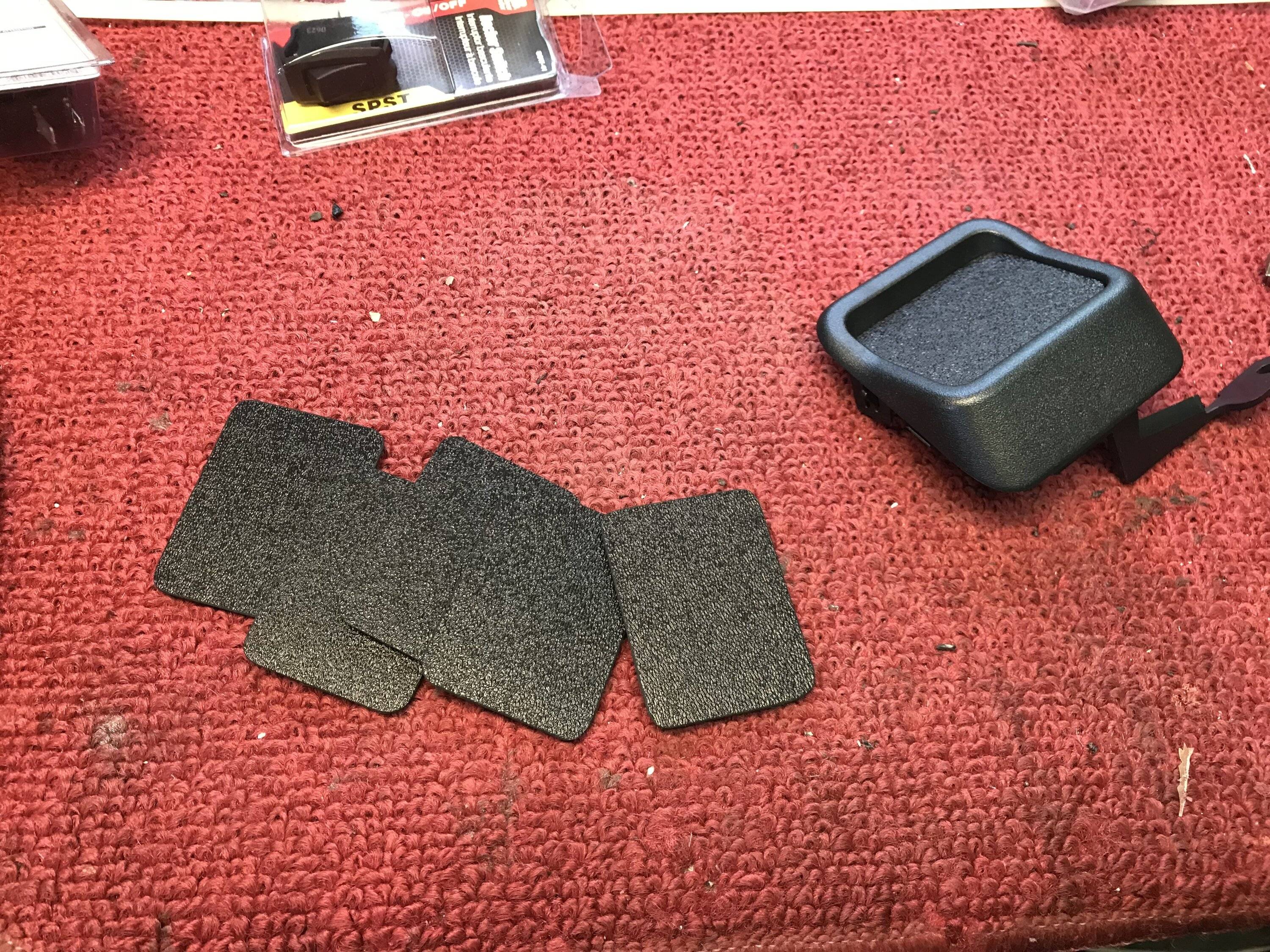
Ford Maverick DIY Diode Dynamics Fog Lights Install (Pic Heavy) IMG_3683
Ford Maverick DIY Diode Dynamics Fog Lights Install (Pic Heavy) IMG_3681
Ford Maverick DIY Diode Dynamics Fog Lights Install (Pic Heavy) IMG_3682
Ford Maverick DIY Diode Dynamics Fog Lights Install (Pic Heavy) IMG_3675
Ford Maverick DIY Diode Dynamics Fog Lights Install (Pic Heavy) IMG_3899
Ford Maverick DIY Diode Dynamics Fog Lights Install (Pic Heavy) IMG_3684
Ford Maverick DIY Diode Dynamics Fog Lights Install (Pic Heavy) IMG_3685
Ford Maverick DIY Diode Dynamics Fog Lights Install (Pic Heavy) IMG_3686

Ford Maverick DIY Diode Dynamics Fog Lights Install (Pic Heavy) IMG_3694


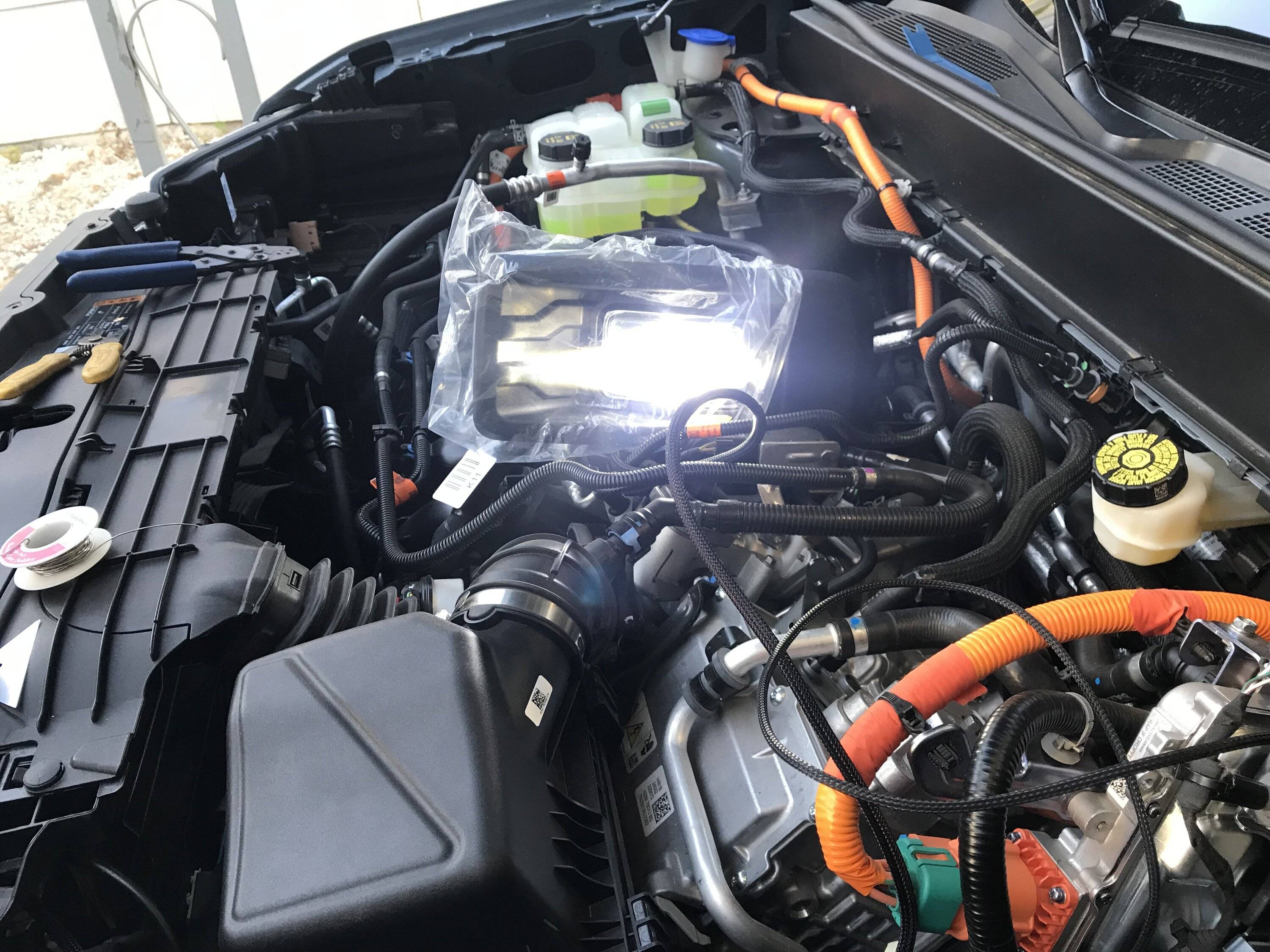
Next was the fog's wiring harness while not totally following the DD provided instruction, I decided to locate the electronic relay in a location where it would be accessible if I ever needed (if this thing ever took a dump I did not want to have to pull the whole front end off just to replace it) the decided location was on the drivers side frame inside the engine compartment...

Ford Maverick DIY Diode Dynamics Fog Lights Install (Pic Heavy) IMG_3907


It fit nicely in that location and also allowed me to shorten up some portions of the supplied mile long control switch wiring harness so I drilled a hole and mounted it. For the ground I tagged a factory frame ground only a few inches away, as well as the relays + power tap.

For the fog lights toggle switch’s power I tied that into the drivers side headlight wiring instead of the passengers side, since I do not like or use T taps I soldered my splices to the factory wiring and coated them with liquid electrical tape once dry I then taped them up and installed some corrugated plastic wire loom…

Ford Maverick DIY Diode Dynamics Fog Lights Install (Pic Heavy) IMG_3707


I made my own wiring harness assembly to go into the cab I added a 6 pin molex plug and extra wiring for possible future lighting additions, I ran my wire bundle thru the large firewall plug on the drivers side, attached the wires to my switch's and spliced the needed wires into the trucks and DD wiring harness.. After the control wiring was roughly laid out and as I installed them I added some corrugated plastic wire loom to wiring harness's to keep things looking clean and close to factory... I decided to do a quick test with one of the lights just to make sure all was working as intended and it did....

Ford Maverick DIY Diode Dynamics Fog Lights Install (Pic Heavy) IMG_3906

Ford Maverick DIY Diode Dynamics Fog Lights Install (Pic Heavy) IMG_3688
Ford Maverick DIY Diode Dynamics Fog Lights Install (Pic Heavy) IMG_3690

Ford Maverick DIY Diode Dynamics Fog Lights Install (Pic Heavy) IMG_3708


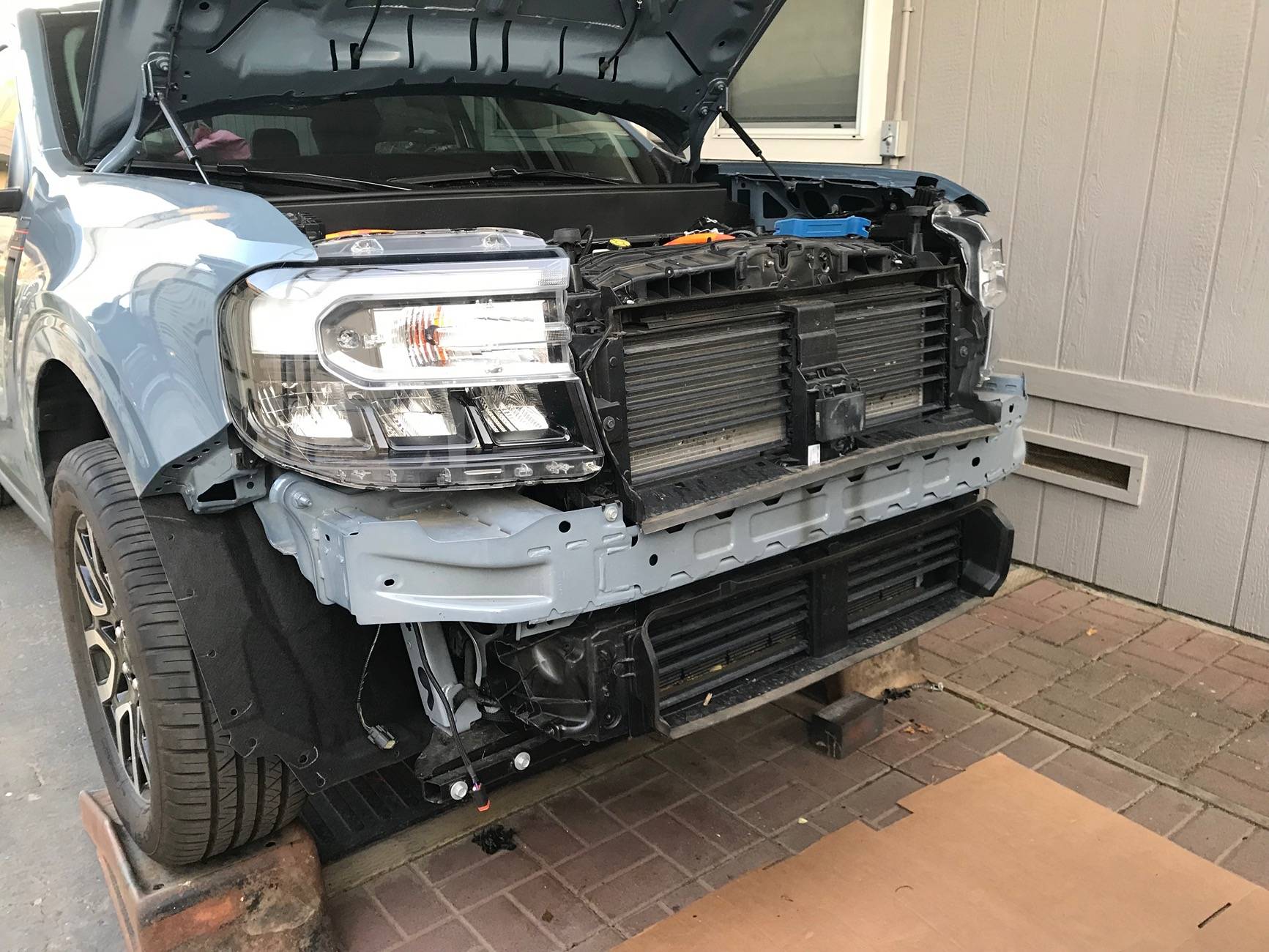
Now that the wiring is all sorted out other than plugging the lights in and before I go and pull the complete front grill and bumper assembly off of the truck, I had already gave this some thought before I ever even ordered my lights. I thought why cant I just cut the openings for the fog lights from the front while the bumpers still on the truck.. I had looked at some of the install videos and didn't see any reason why it could not be done, as it would be a heck of a lot easier doing this work while the bumper is on the truck than on a makeshift work bench...

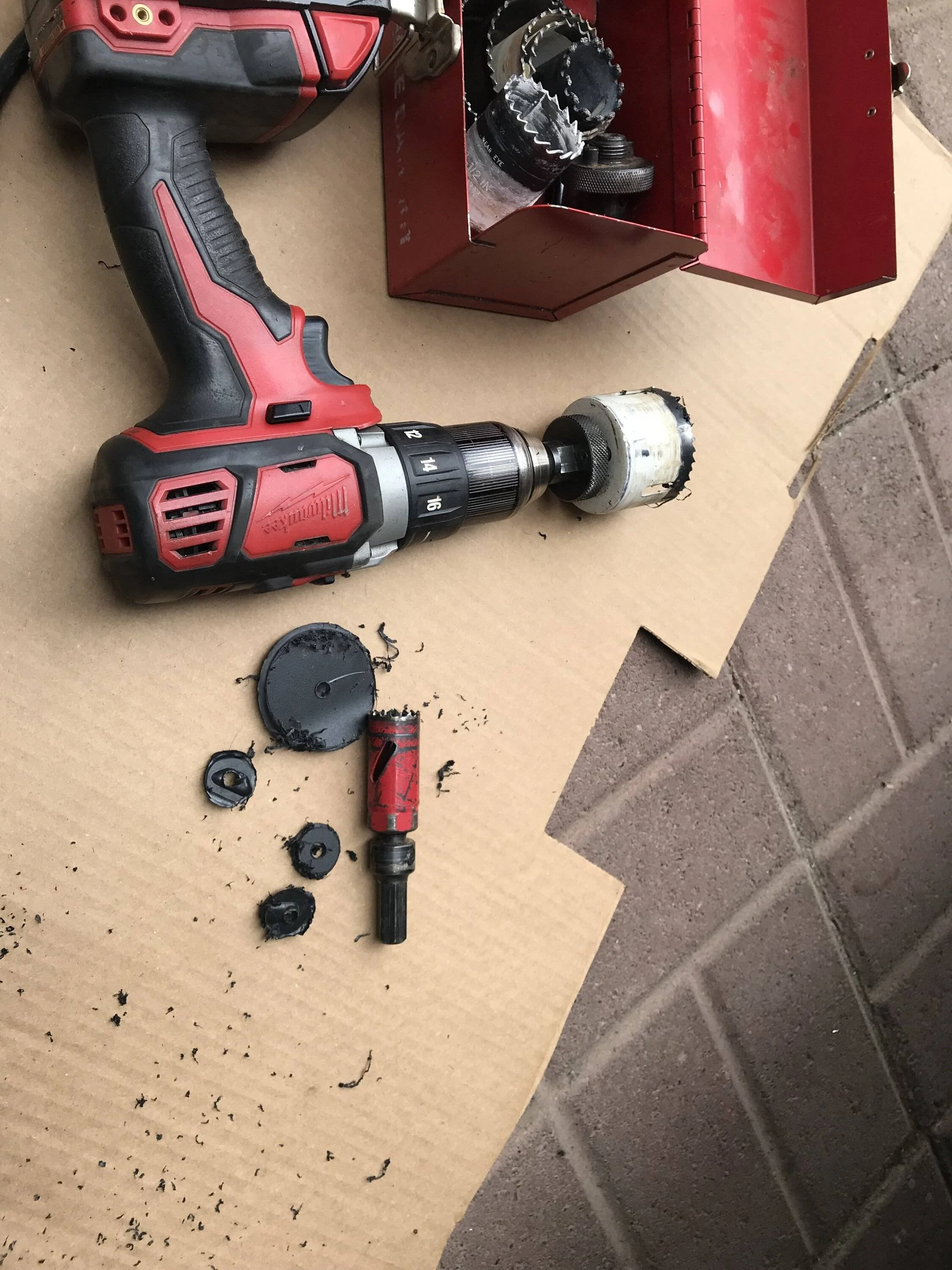
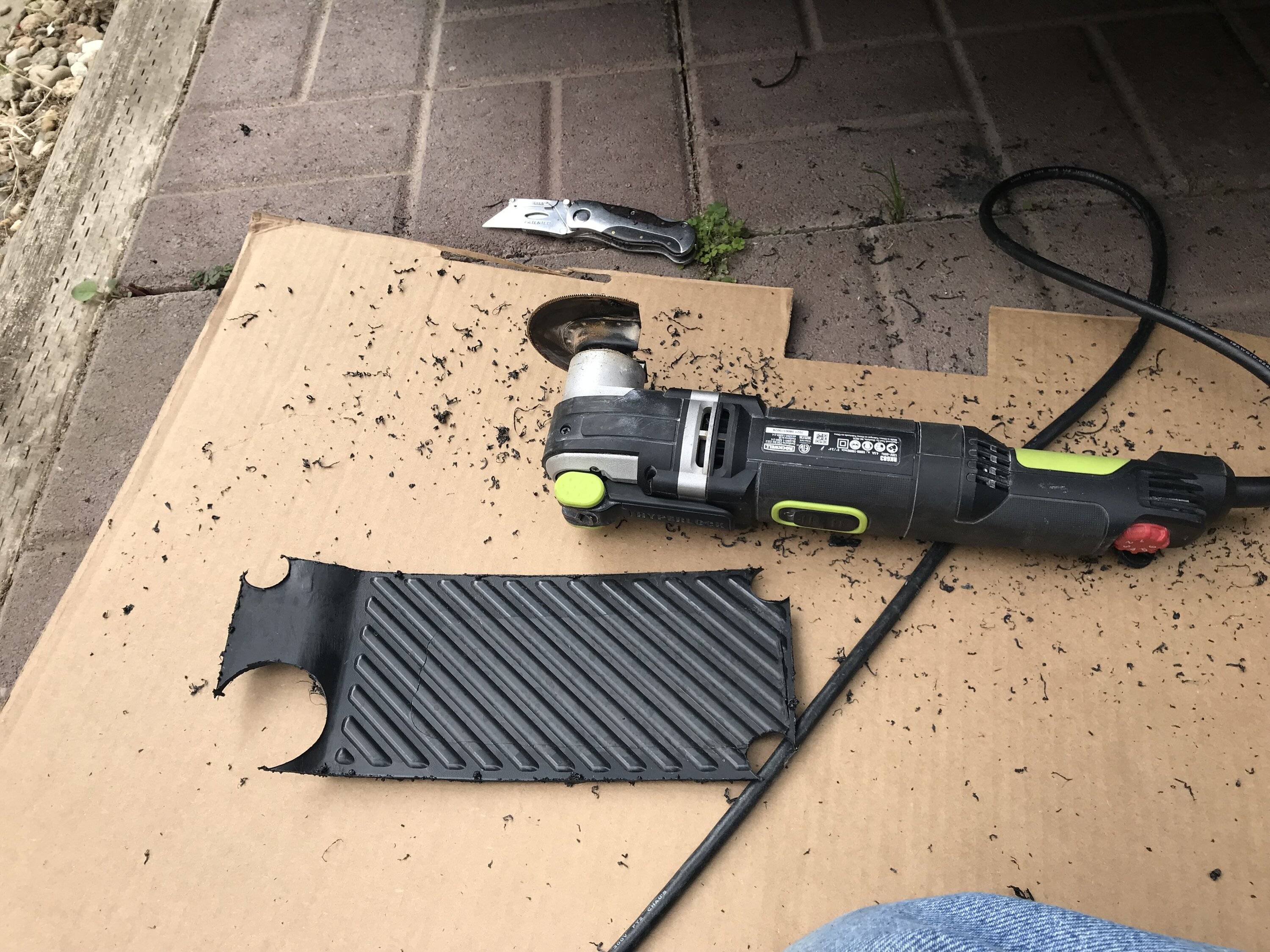
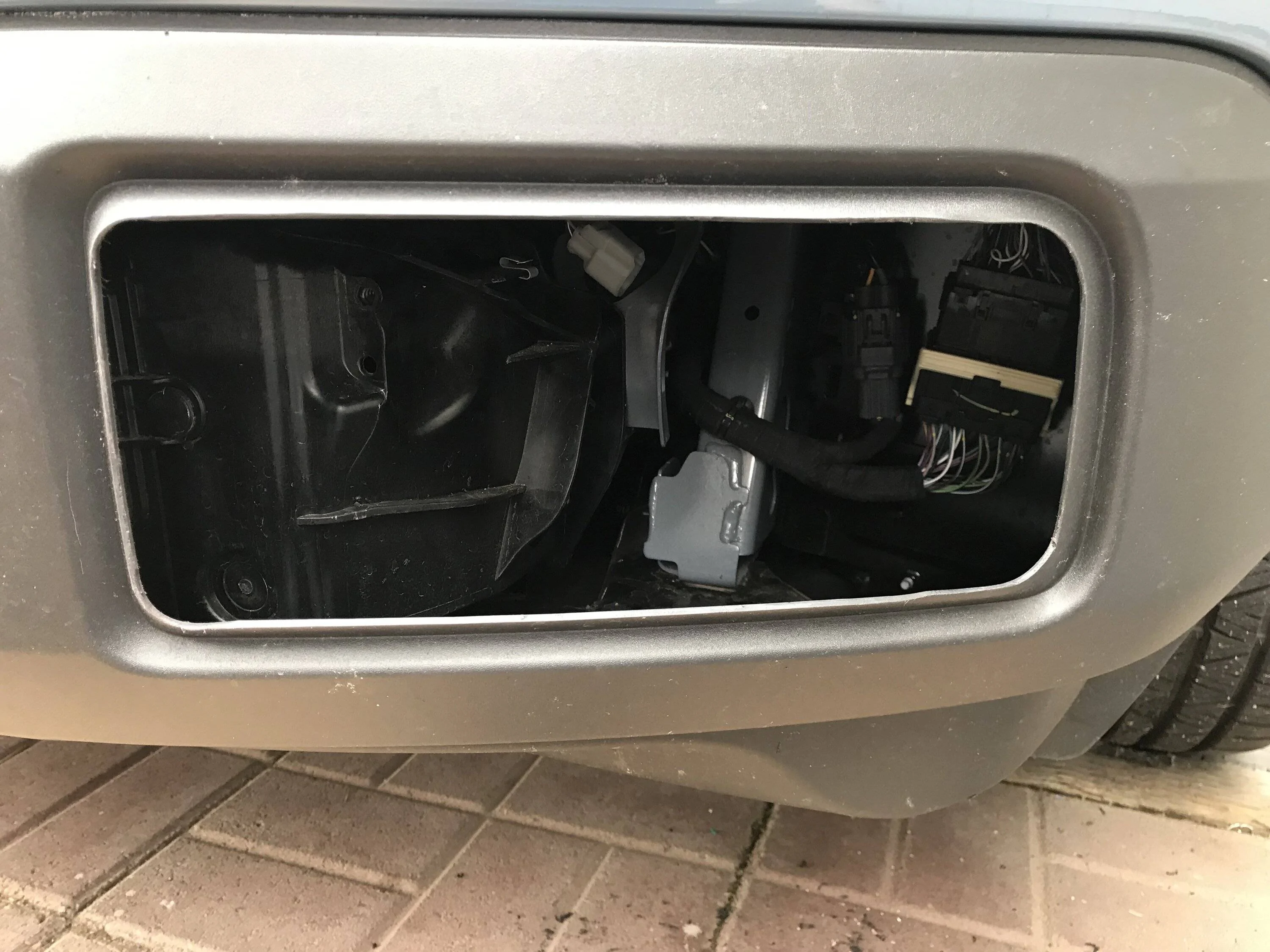
I decided I would just rough in an opening on the raised portion up of the bumpers lights locations.. I started with a hole saw and cut out the 4 corners of that raised portion I used 2 different sizes, then I just took my oscillating saw and cut between the holes both did a very clean job...

Ford Maverick DIY Diode Dynamics Fog Lights Install (Pic Heavy) IMG_3711
Ford Maverick DIY Diode Dynamics Fog Lights Install (Pic Heavy) IMG_3712
Ford Maverick DIY Diode Dynamics Fog Lights Install (Pic Heavy) IMG_3720
Ford Maverick DIY Diode Dynamics Fog Lights Install (Pic Heavy) IMG_3722


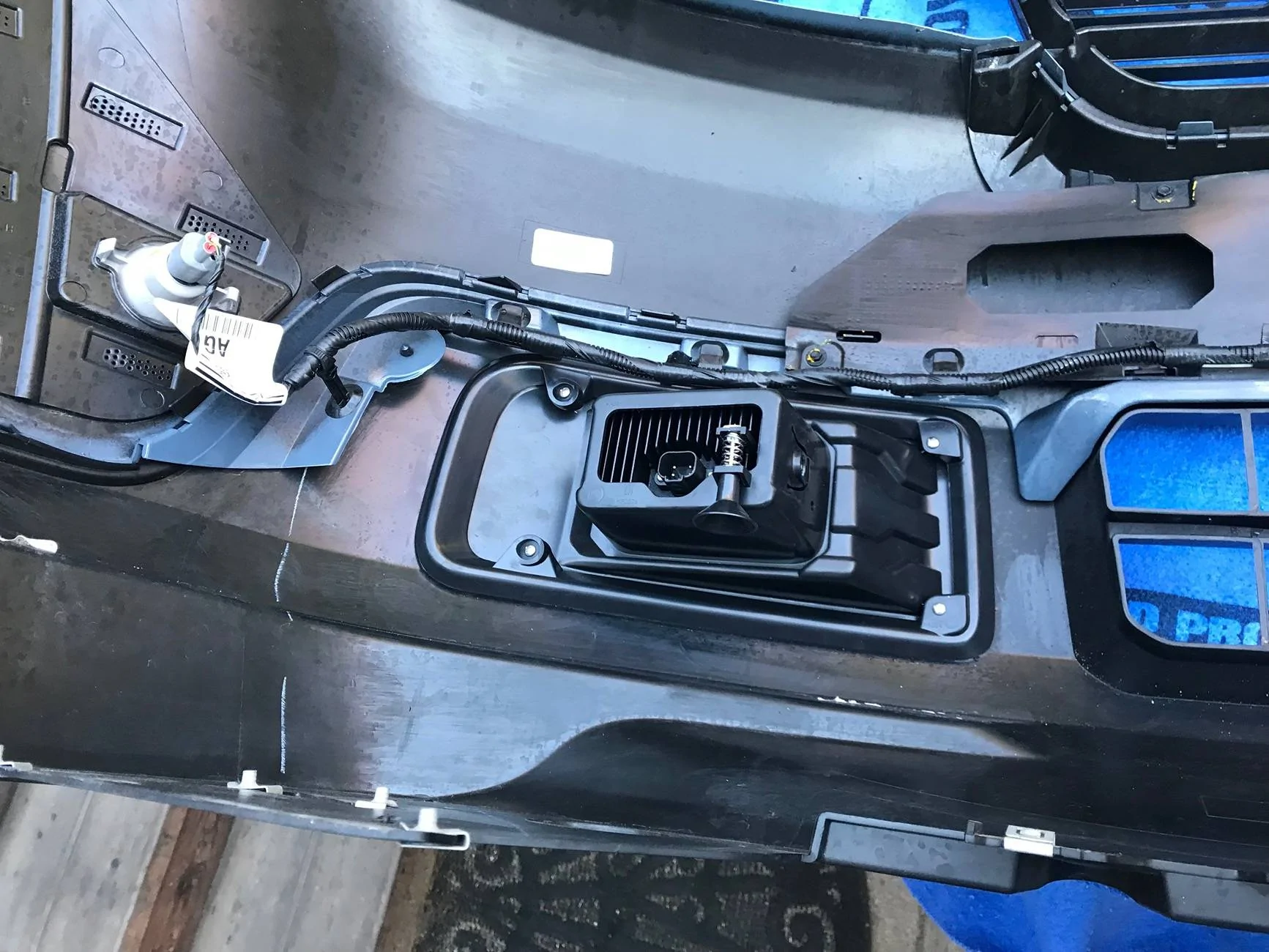
Once the openings were roughed in I then took the lights mounting trim ring put it thru the hole aligned it inside the opening and began to use it as a visual guide to do the finish trimming out of the remainder of the openings as needed.. Once I thought it was good I used the fog light assembly itself to finish trimming the opening up and make sure they were fitting flush on the bumper…

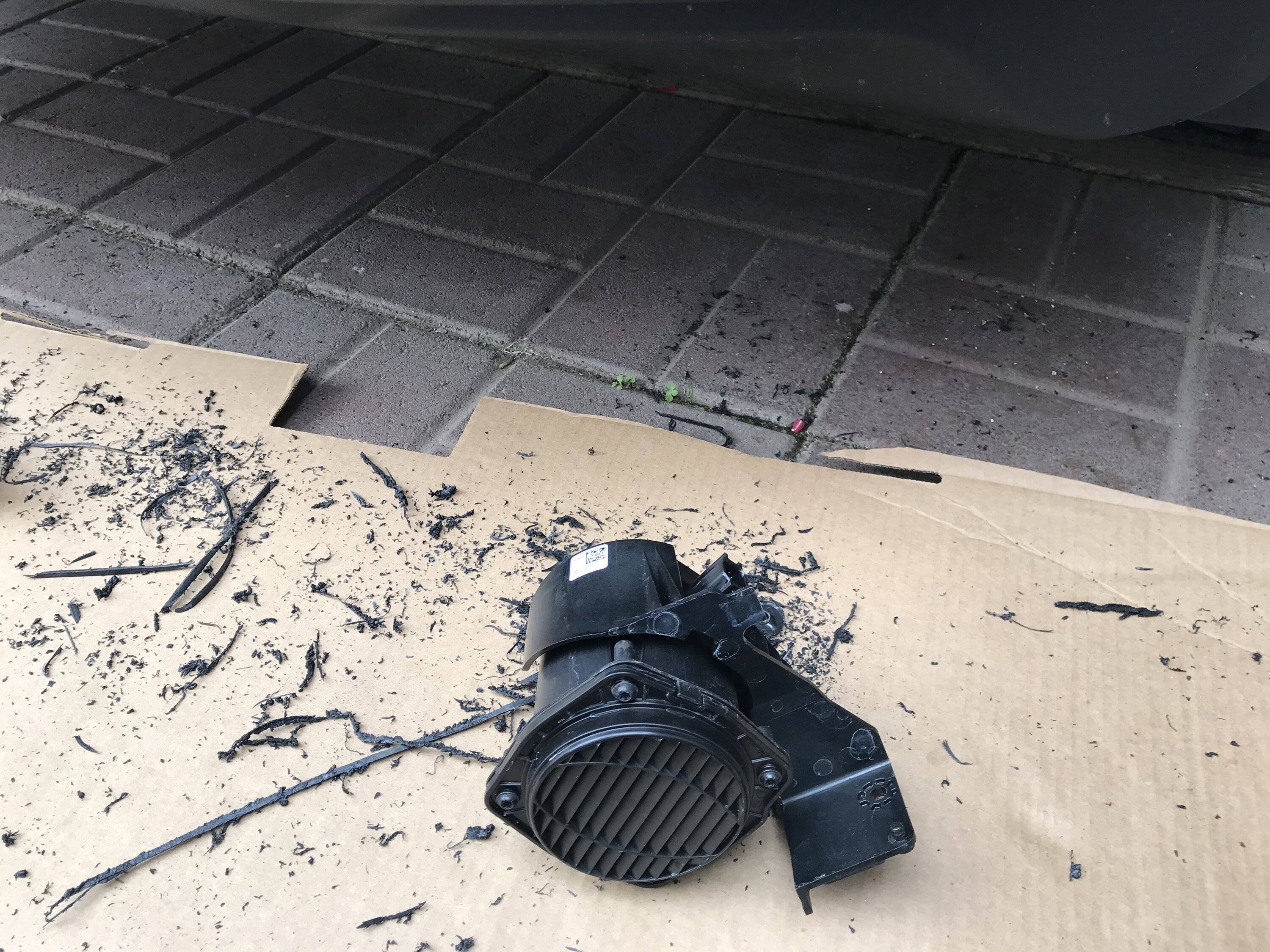
As you can see from the pic I ended up with about a 3/8” perimeter on the top the bottom and the outside edge and about 1/2” on the inside edge for the lights to sit flush.. On the drivers side I needed to take out the annoying backup alarm or as Ford calls it Pedestrian Safety System, it was easy to remove thru the new opening I needed to do this in order to allow clearance for the lights fitment...

Ford Maverick DIY Diode Dynamics Fog Lights Install (Pic Heavy) IMG_3719
Ford Maverick DIY Diode Dynamics Fog Lights Install (Pic Heavy) IMG_3721


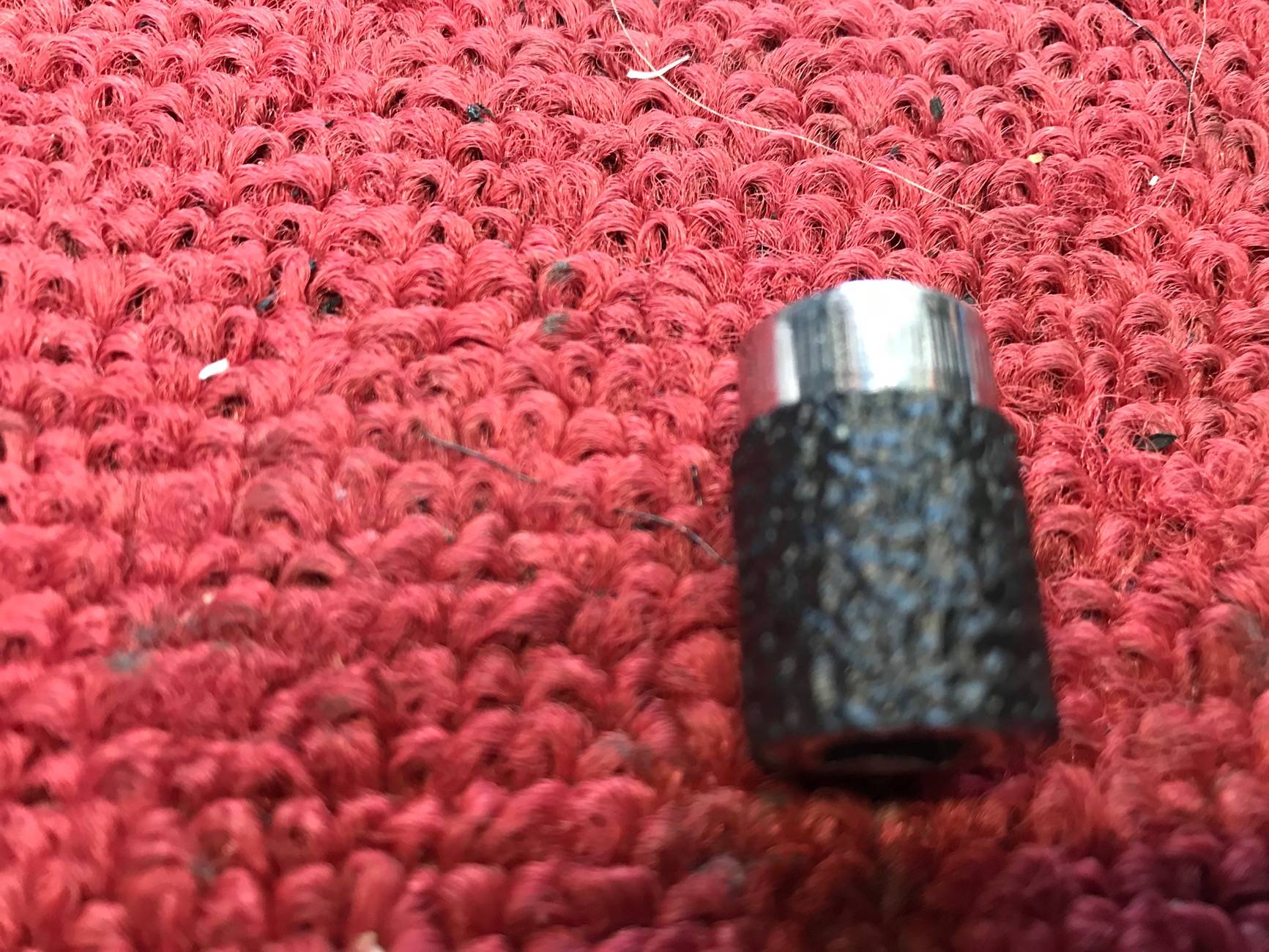
Now with all the really hard and dirty work done it was time for the easy part remove the front grill and bumper assembly from the truck.. Disassembly was pretty straight forward as per the instructions although not in the instructions I removed the lower splash shield as it frees up a couple of attachment points on each side that it shares with the fender liners.. I also removed an additional fender liner clip per side which gave me more working room in the inner fender/bumper area.. The 3 per side 10mm bolts with my big hands were a little fun I used a 1/4'' socket and ratchet to loose and to reinstall them not a lot of working room in there so I put some grip tape on my socket which made it much easier to remove and install the bolts by hand… The rest of the removal was as per the book, I did it solo but a extra pair of hands would have been nice when I finally pulled it off...

Ford Maverick DIY Diode Dynamics Fog Lights Install (Pic Heavy) IMG_3727
Ford Maverick DIY Diode Dynamics Fog Lights Install (Pic Heavy) IMG_3728
Ford Maverick DIY Diode Dynamics Fog Lights Install (Pic Heavy) IMG_3775


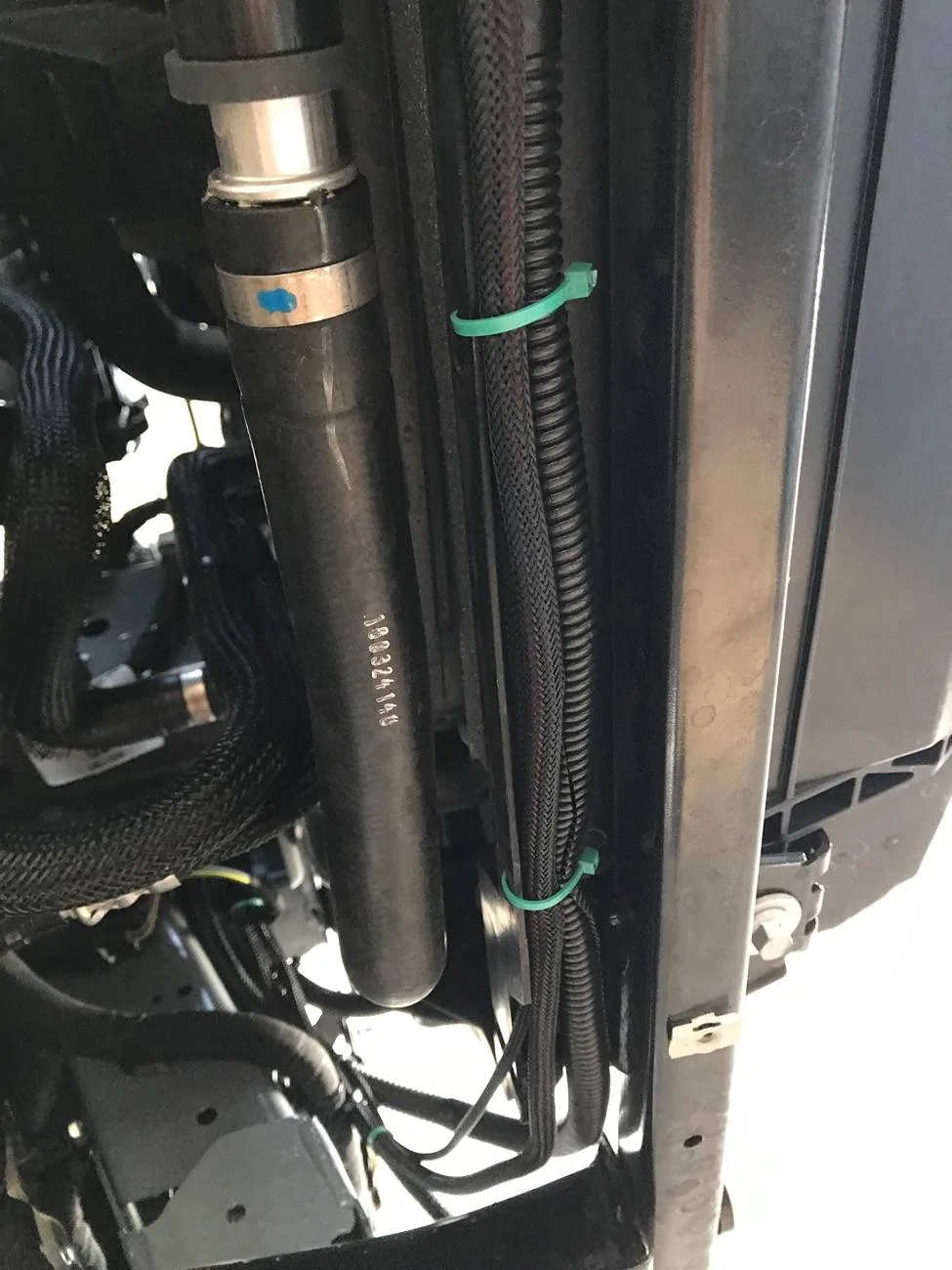
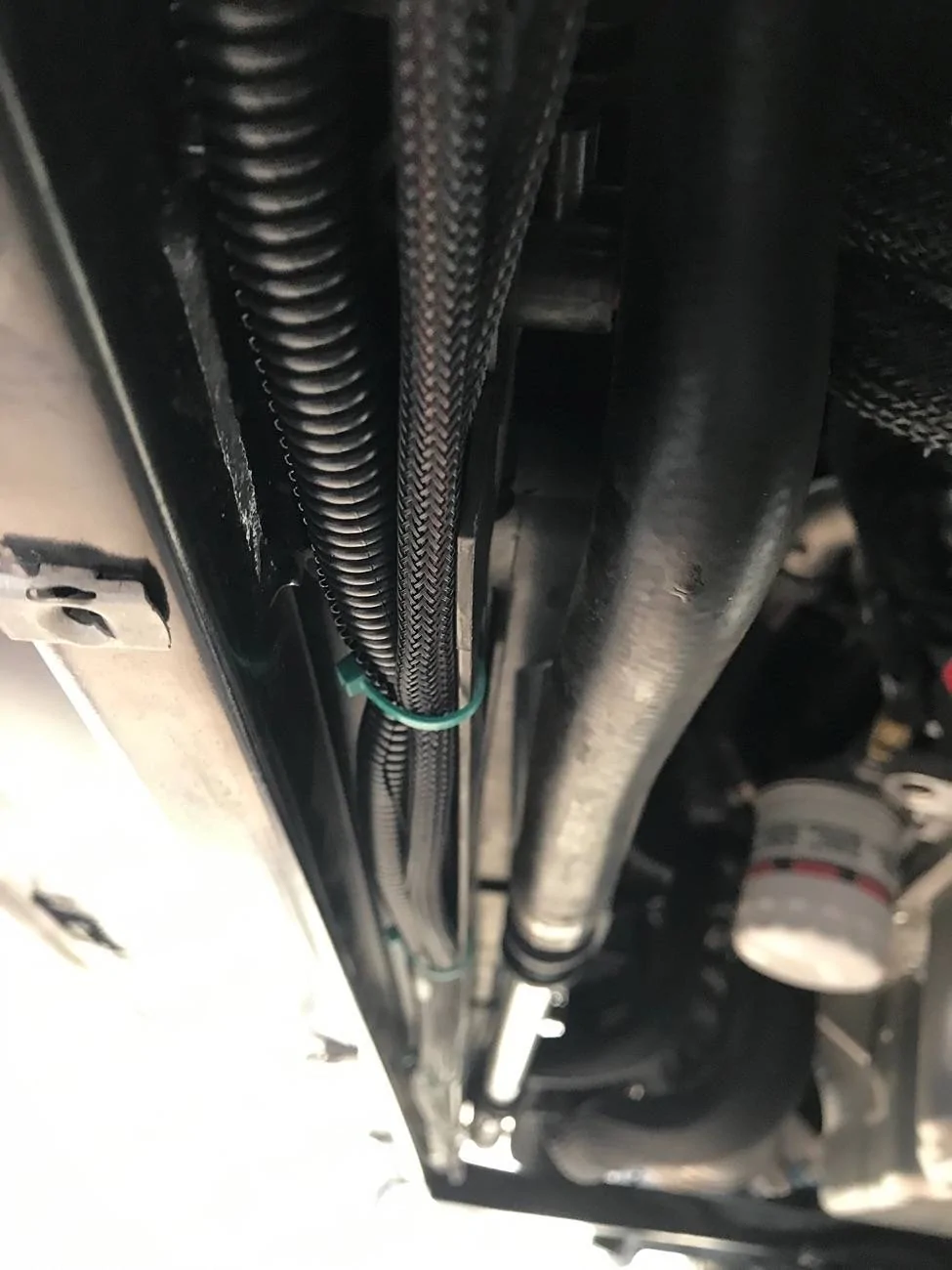
I did not like DD suggested route for the passenger's side fog light wiring so I changed it and ran it below along a frame cross member under the radiator there is a small channel in it with some holes that were a perfect fit for it and some wire ties to hold it in place…

Ford Maverick DIY Diode Dynamics Fog Lights Install (Pic Heavy) IMG_3752
Ford Maverick DIY Diode Dynamics Fog Lights Install (Pic Heavy) IMG_3750
Ford Maverick DIY Diode Dynamics Fog Lights Install (Pic Heavy) IMG_3754


Now with the bumper and grille off and on a padded table it was easy to just install the lights, and now the grill and bumper was just about ready to reinstall on the truck...

Ford Maverick DIY Diode Dynamics Fog Lights Install (Pic Heavy) IMG_3731
Ford Maverick DIY Diode Dynamics Fog Lights Install (Pic Heavy) IMG_3729


I did some additional changes to the truck while the bumper was off I did not remount the backup alarm in the suggested location did some additional work to relocated it to the rear of the truck… I also relocated my horns to the passengers side I tucked them in behind the bumper…

Ford Maverick DIY Diode Dynamics Fog Lights Install (Pic Heavy) IMG_3765


Ford Maverick DIY Diode Dynamics Fog Lights Install (Pic Heavy) IMG_3673


Ford Maverick DIY Diode Dynamics Fog Lights Install (Pic Heavy) IMG_3675
Sponsored

 
Last edited:

A.Bursell

2.0L EcoBoost
Well-known member
Joined
Jun 23, 2023
Threads
11
Messages
663
Reaction score
786
Location
Stanwood, WA
Vehicle(s)
Maverick
Engine
2.0L EcoBoost
Clubs
 
What are your several reasons for not using the F150 switch and Forscan settings? It just would have been so much easier and cleaner - probably more reliable too. And look/work like OEM.
 

PeachsBestFriend

2.5L Hybrid
Active member
First Name
Jay
Joined
Aug 19, 2024
Threads
1
Messages
34
Reaction score
36
Location
Los Angeles, CA
Vehicle(s)
2025 Ford Maverick XLT Hybrid AWD
Engine
2.5L Hybrid
Clubs
 
What are your several reasons for not using the F150 switch and Forscan settings? It just would have been so much easier and cleaner - probably more reliable too. And look/work like OEM.
Not the OP but I’m really considering getting these same fog lights when my Maverick arrives. Honestly, Forscan sounds like a colossal PITA that I’d rather avoid so I’ll be considering some kind of switch setup like what’s shown here.
 

A.Bursell

2.0L EcoBoost
Well-known member
Joined
Jun 23, 2023
Threads
11
Messages
663
Reaction score
786
Location
Stanwood, WA
Vehicle(s)
Maverick
Engine
2.0L EcoBoost
Clubs
 
Not the OP but I’m really considering getting these same fog lights when my Maverick arrives. Honestly, Forscan sounds like a colossal PITA that I’d rather avoid so I’ll be considering some kind of switch setup like what’s shown here.
Download the program and get a free/temporary license. Plug in the cable. Change some settings in dropdown menus (well documented). Done.
 

PeachsBestFriend

2.5L Hybrid
Active member
First Name
Jay
Joined
Aug 19, 2024
Threads
1
Messages
34
Reaction score
36
Location
Los Angeles, CA
Vehicle(s)
2025 Ford Maverick XLT Hybrid AWD
Engine
2.5L Hybrid
Clubs
 
Download the program and get a free/temporary license. Plug in the cable. Change some settings in dropdown menus (well documented). Done.
Yeah. Honestly sounds like more trouble than it’s worth.

—EDIT because I kind of think I am coming across as rude here and I really don’t mean it that way—

I think for me (and presumably people like OP who might be thinking like me), Forscan is added expense (I’d need to buy a Windows laptop, the connecting cable, and the software) and added risk (it might sound and seem easy, but you can mess stuff up with Forscan and it sounds like it can be a headache to undo, even if permanent damage is unlikely). I also personally wouldn’t find futzing around with Forscan fun at all, at least compared to getting out some wrenches and taking things apart.

So that’s a bunch of negatives right there, at least for me/someone thinking like me. And what do you get for it? A more OEM-seeming setup, for sure but…that just isn’t a valuable enough trade-off for me to make. If you enjoy the computer side of tinkering and already have the equipment then the cost and risk might be worth it for you but that’s not the case for everyone. Just trying to explain to give you an answer as to why not everyone would want to go the F-150 switch/Forscan route.
 
Last edited:

Sponsored

A.Bursell

2.0L EcoBoost
Well-known member
Joined
Jun 23, 2023
Threads
11
Messages
663
Reaction score
786
Location
Stanwood, WA
Vehicle(s)
Maverick
Engine
2.0L EcoBoost
Clubs
 
Yeah. Honestly sounds like more trouble than it’s worth.

—EDIT because I kind of think I am coming across as rude here and I really don’t mean it that way—

I think for me (and presumably people like OP who might be thinking like me), Forscan is added expense (I’d need to buy a Windows laptop, the connecting cable, and the software) and added risk (it might sound and seem easy, but you can mess stuff up with Forscan and it sounds like it can be a headache to undo, even if permanent damage is unlikely). I also personally wouldn’t find futzing around with Forscan fun at all, at least compared to getting out some wrenches and taking things apart.

So that’s a bunch of negatives right there, at least for me/someone thinking like me. And what do you get for it? A more OEM-seeming setup, for sure but…that just isn’t a valuable enough trade-off for me to make. If you enjoy the computer side of tinkering and already have the equipment then the cost and risk might be worth it for you but that’s not the case for everyone. Just trying to explain to give you an answer as to why not everyone would want to go the F-150 switch/Forscan route.
Honestly, the cable is $40, the software is free, and borrow a laptop? Or maybe make a friend on here who can help? There is nothing to worry about with Forscan. You would have to accidentally click into the wrong thing, accidentally change a setting, ignore the warning message, and accidentally write the change. At any point if you decide something isn't right, you just stop and no harm done. But we are literally talking about a few drop-down menus. It's probably harder to get on here and write a message.

But, point taken. It doesn't have to be for everyone.
 

OleFordGuy

2.0L EcoBoost
Well-known member
First Name
Craig
Joined
Dec 5, 2021
Threads
38
Messages
3,771
Reaction score
5,908
Location
Alabama
Vehicle(s)
11 F150 Lariat, 24 Expedition Limited, 22 Mav Lariat AWD
Engine
2.0L EcoBoost
Nice work!! You can’t beat Diode Dynamic products, all their products are top of the line quality imo
 

Mdavis

2.0L EcoBoost
Well-known member
First Name
Michael
Joined
Mar 2, 2024
Threads
6
Messages
69
Reaction score
106
Location
Florida
Vehicle(s)
2024 Maverick XLT
Engine
2.0L EcoBoost
Finally had some time to install my DD Fog Lights several weeks ago the install was easy and my install was slightly different and not exactly per the suggested instructions from DD..

I started my install by doing the Fog Light switch inside the cab, I didn’t want to mess with going the F150 switch route and the needed forscan thing for several reasons.. So before installing while I was considering who what and where as well as looking at what others had done I came up with an idea.

I got the idea while reading one of the threads posted about towing and the factory brake controller.. Since I own a hybrid and do not have the 4k tow package thought I’d look into tow package's lower panel as it it might offer a perfect location for a couple of toggle switch’s.. I started searching the web and bought a lower panel it comes without the controller but has the mounting bezel.. This looked like it was going to be rather simple, all I needed to do was make a small plate/panel to fit into the controllers location.. I already had some textured ABS plastic sheet it was 1/8’’ thick and should do the trick..
IMG_3696.jpeg


I measured the opening and then cut myself several piece's to have some backups just in case.. As I started to fit the small plastic panel to the bezel opening it was not sitting as flush as I would like so I decided to cut a shallow bevel on the back of it to make it fit more flush with the bezels mounting face.. Once fitment was to my liking I centered and spaced my 2 new switch’s location in the panel marked it and cut there openings out, when I was happy with the fit of the panel and the switch’s I then used some ABS glue since both were ABS plastic to bond them together..
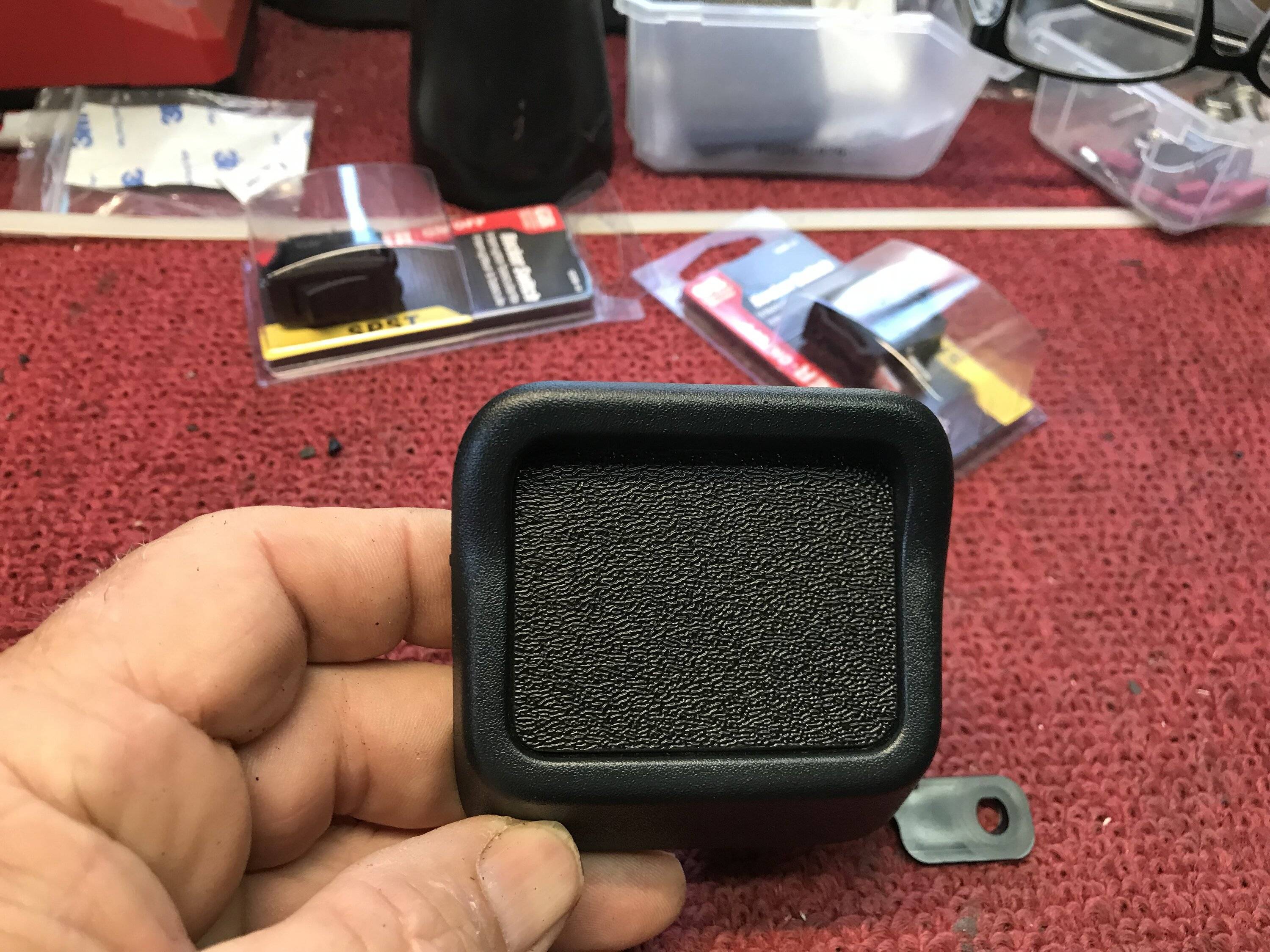
IMG_3683.jpeg
IMG_3681.jpeg
IMG_3682.jpeg
IMG_3675.jpeg
IMG_3899.jpeg
IMG_3684.jpeg
IMG_3685.jpeg
IMG_3686.jpeg

IMG_3694.jpeg

Next was the fog's wiring harness while not totally following the DD provided instruction, I decided to locate the electronic relay in a location where it would be accessible if I ever needed (if this thing ever took a dump I did not want to have to pull the whole front end off just to replace it) the decided location was on the drivers side frame inside the engine compartment...
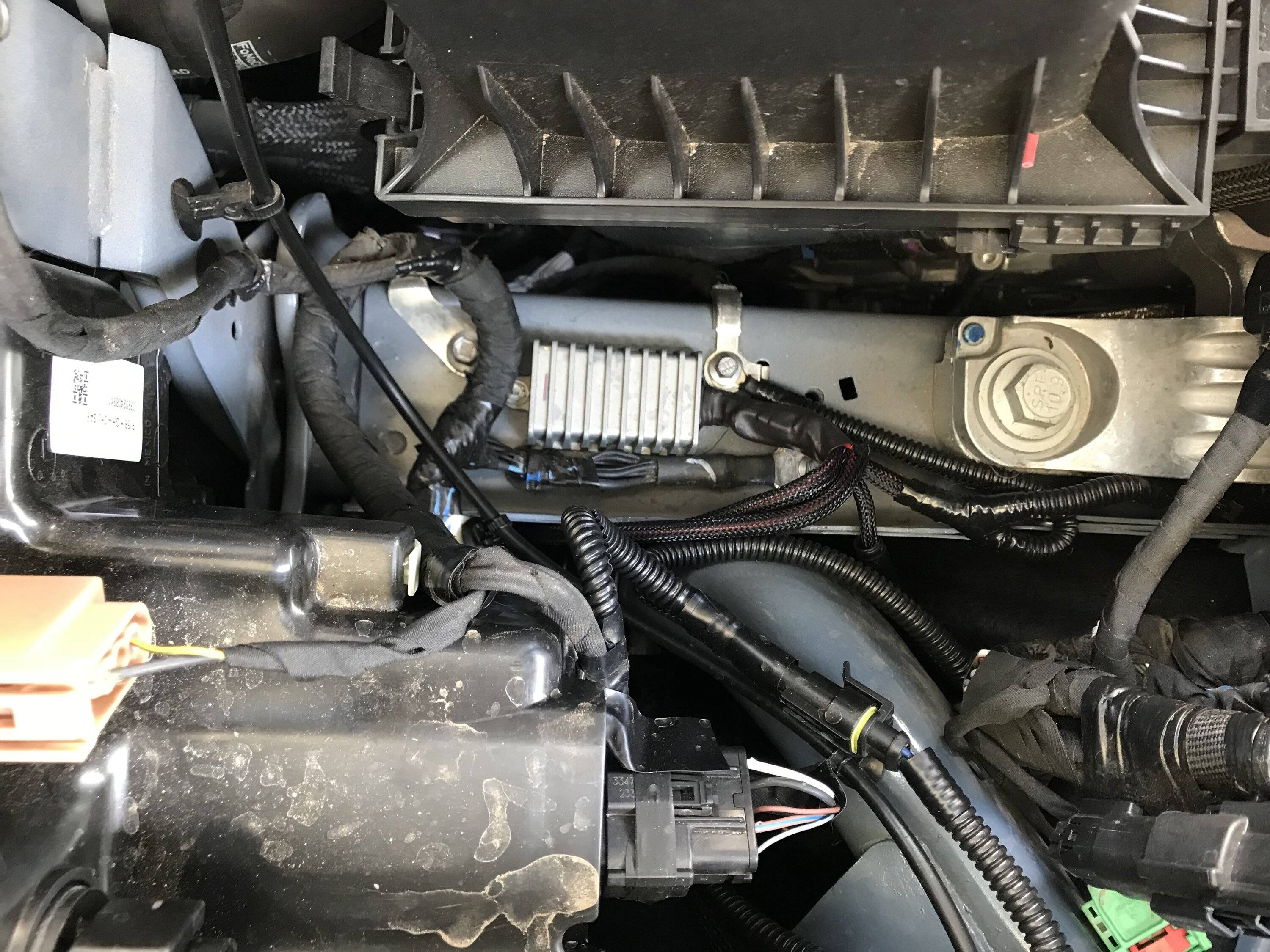
IMG_3907.jpeg


It fit nicely in that location and also allowed me to shorten up some portions of the supplied mile long control switch wiring harness so I drilled a hole and mounted it. For the ground I tagged a factory frame ground only a few inches away, as well as the relays + power tap.

For the fog lights toggle switch’s power I tied that into the drivers side headlight wiring instead of the passengers side, since I do not like or use T taps I soldered my splices to the factory wiring and coated them with liquid electrical tape once dry I then taped them up and installed some corrugated plastic wire loom…
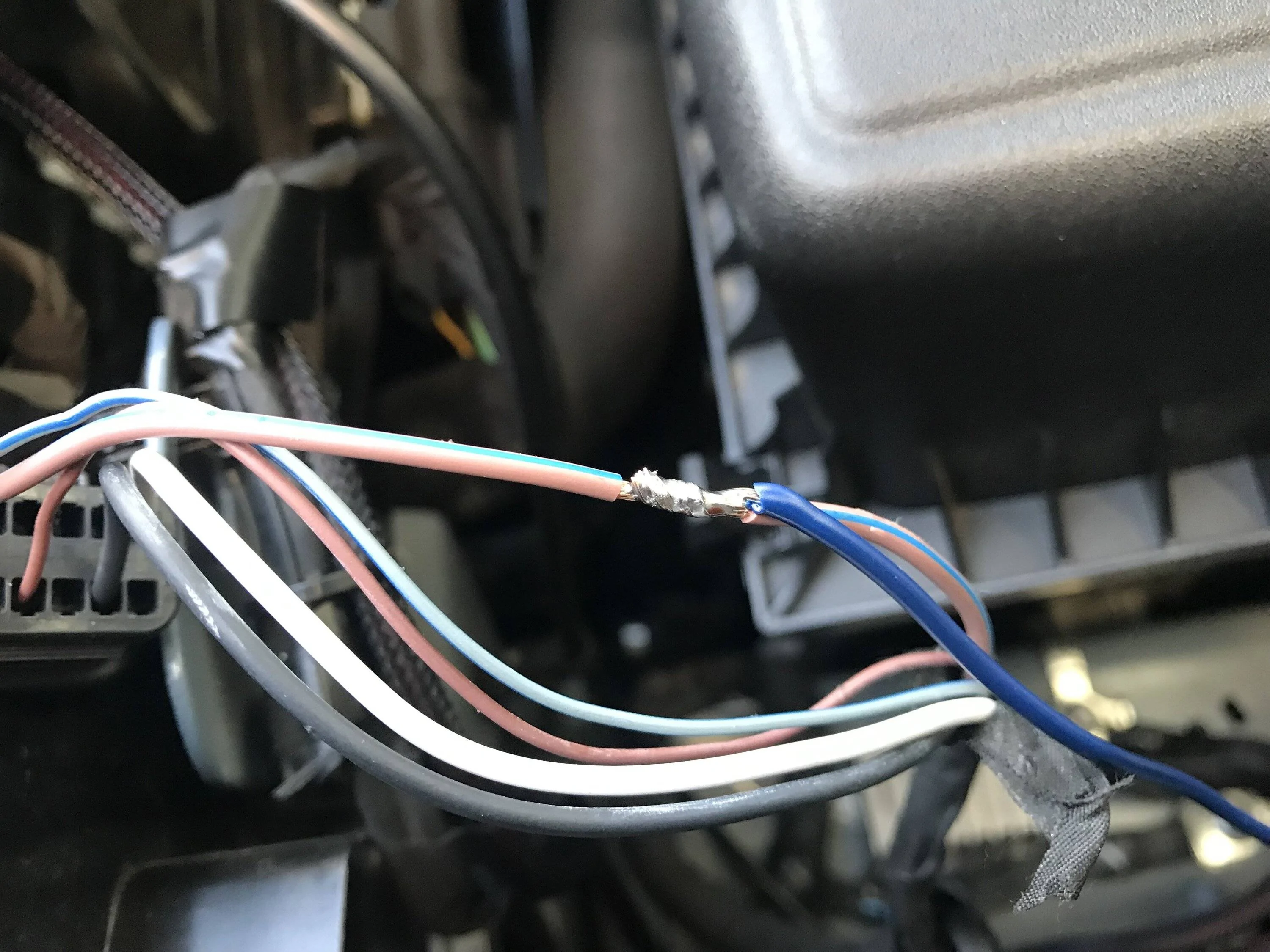
IMG_3707.jpeg


I made my own wiring harness assembly to go into the cab I added a 6 pin molex plug and extra wiring for possible future lighting additions, I ran my wire bundle thru the large firewall plug on the drivers side, attached the wires to my switch's and spliced the needed wires into the trucks and DD wiring harness.. After the control wiring was roughly laid out and as I installed them I added some corrugated plastic wire loom to wiring harness's to keep things looking clean and close to factory... I decided to do a quick test with one of the lights just to make sure all was working as intended and it did....
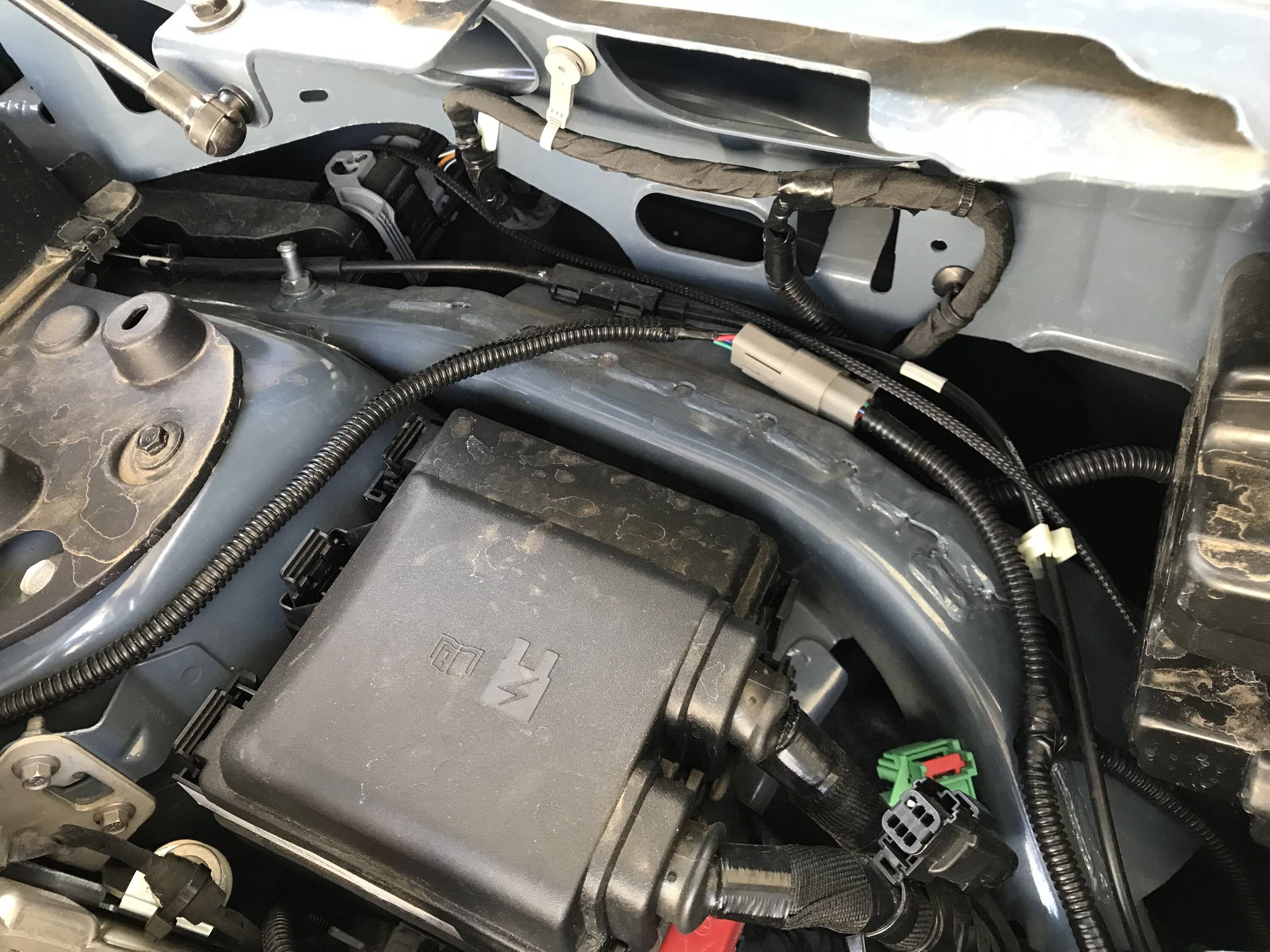
IMG_3906.jpeg

IMG_3688.jpeg
IMG_3690.jpeg

IMG_3708.jpeg


Now that the wiring is all sorted out other than plugging the lights in and before I go and pull the complete front grill and bumper assembly off of the truck, I had already gave this some thought before I ever even ordered my lights. I thought why cant I just cut the openings for the fog lights from the front while the bumpers still on the truck.. I had looked at some of the install videos and didn't see any reason why it could not be done, as it would be a heck of a lot easier doing this work while the bumper is on the truck than on a makeshift work bench...
I decided I would just rough in an opening on the raised portion up of the bumpers lights locations.. I started with a hole saw and cut out the 4 corners of that raised portion I used 2 different sizes, then I just took my oscillating saw and cut between the holes both did a very clean job...
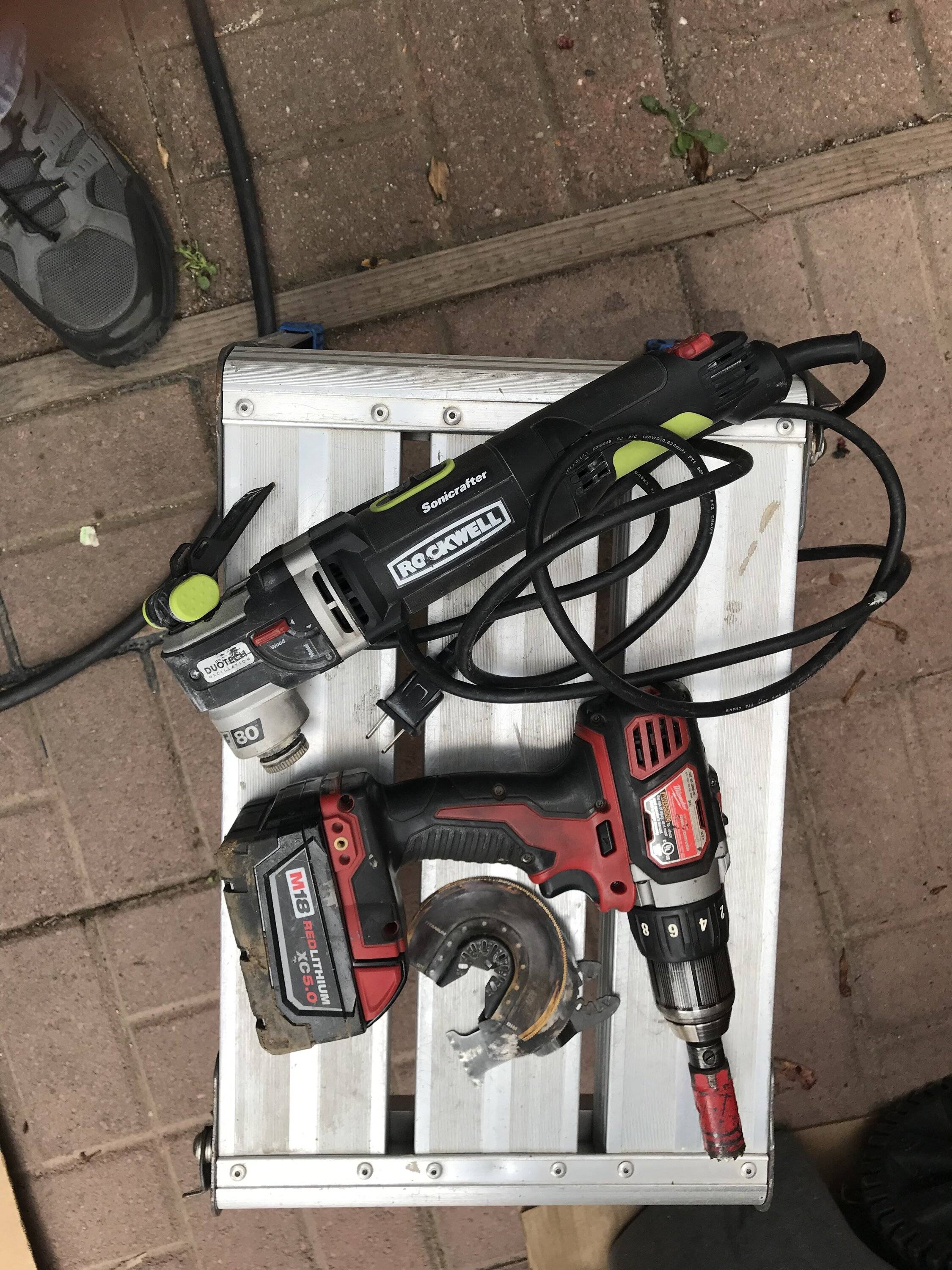
IMG_3711.jpeg
IMG_3712.jpeg
IMG_3720.jpeg
IMG_3722.jpeg


Once the openings were roughed in I then took the lights mounting trim ring put it thru the hole aligned it inside the opening and began to use it as a visual guide to do the finish trimming out of the remainder of the openings as needed.. Once I thought it was good I used the fog light assembly itself to finish trimming the opening up and make sure they were fitting flush on the bumper…
As you can see from the pic I ended up with about a 3/8” perimeter on the top the bottom and the outside edge and about 1/2” on the inside edge for the lights to sit flush.. On the drivers side I needed to take out the annoying backup alarm or as Ford calls it Pedestrian Safety System, it was easy to remove thru the new opening I needed to do this in order to allow clearance for the lights fitment...
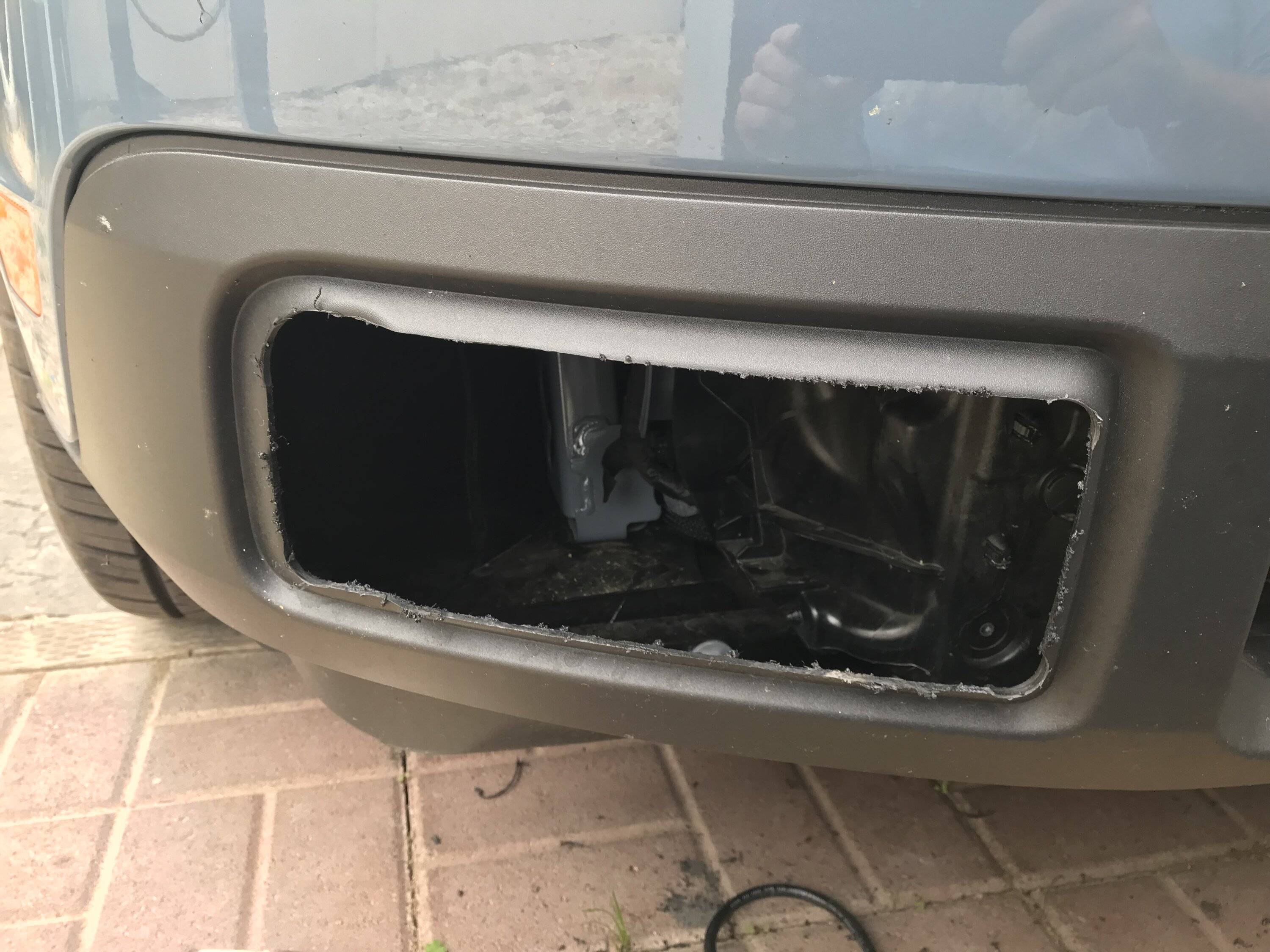
IMG_3719.jpeg
IMG_3721.jpeg


Now with all the really hard and dirty work done it was time for the easy part remove the front grill and bumper assembly from the truck.. Disassembly was pretty straight forward as per the instructions although not in the instructions I removed the lower splash shield as it frees up a couple of attachment points on each side that it shares with the fender liners.. I also removed an additional fender liner clip per side which gave me more working room in the inner fender/bumper area.. The 3 per side 10mm bolts with my big hands were a little fun I used a 1/4'' socket and ratchet to loose and to reinstall them not a lot of working room in there so I put some grip tape on my socket which made it much easier to remove and install the bolts by hand… The rest of the removal was as per the book, I did it solo but a extra pair of hands would have been nice when I finally pulled it off...
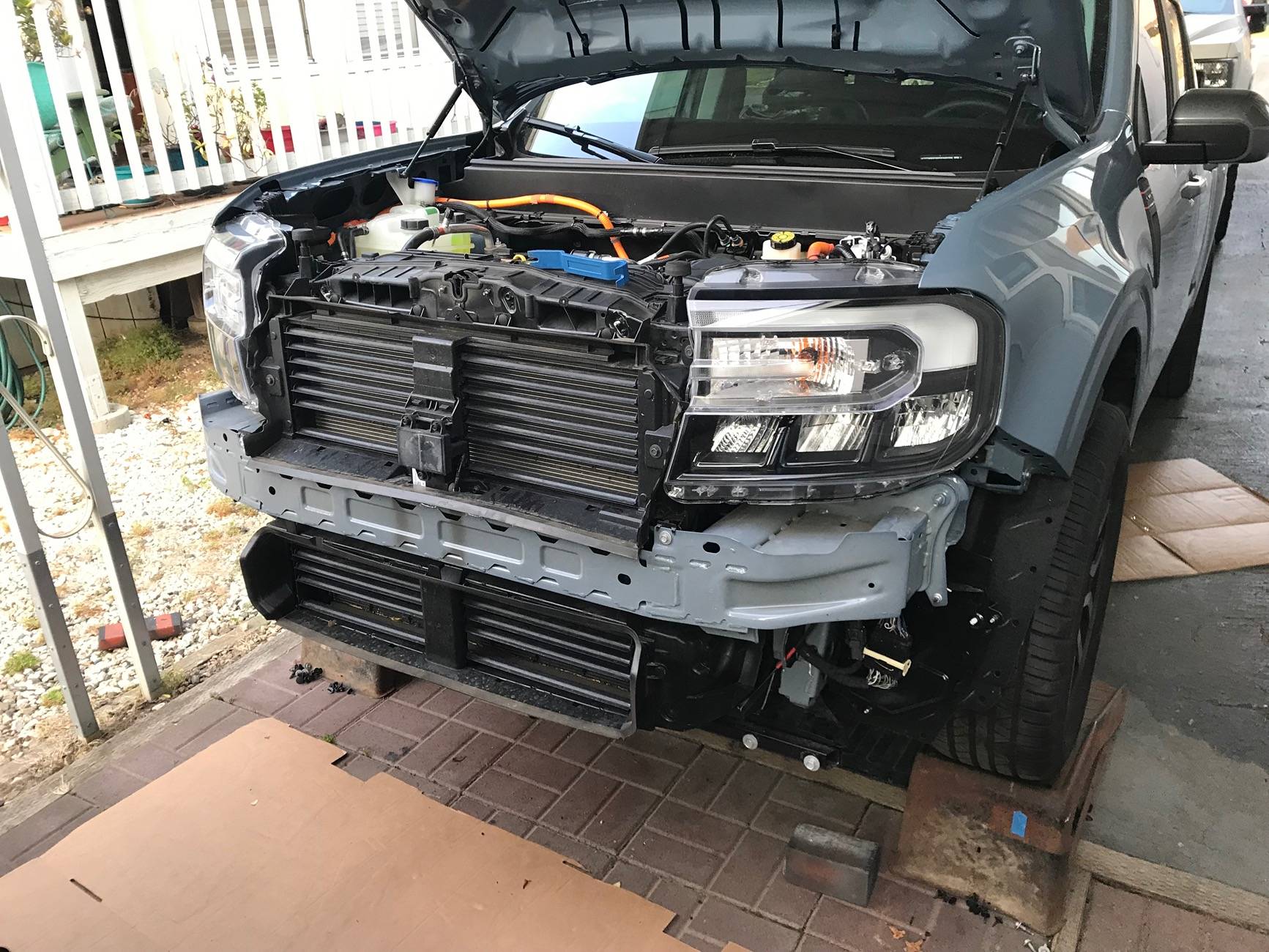
IMG_3727.jpeg
IMG_3728.jpeg
IMG_3775.jpeg


I did not like DD suggested route for the passenger's side fog light wiring so I changed it and ran it below along a frame cross member under the radiator there is a small channel in it with some holes that were a perfect fit for it and some wire ties to hold it in place…
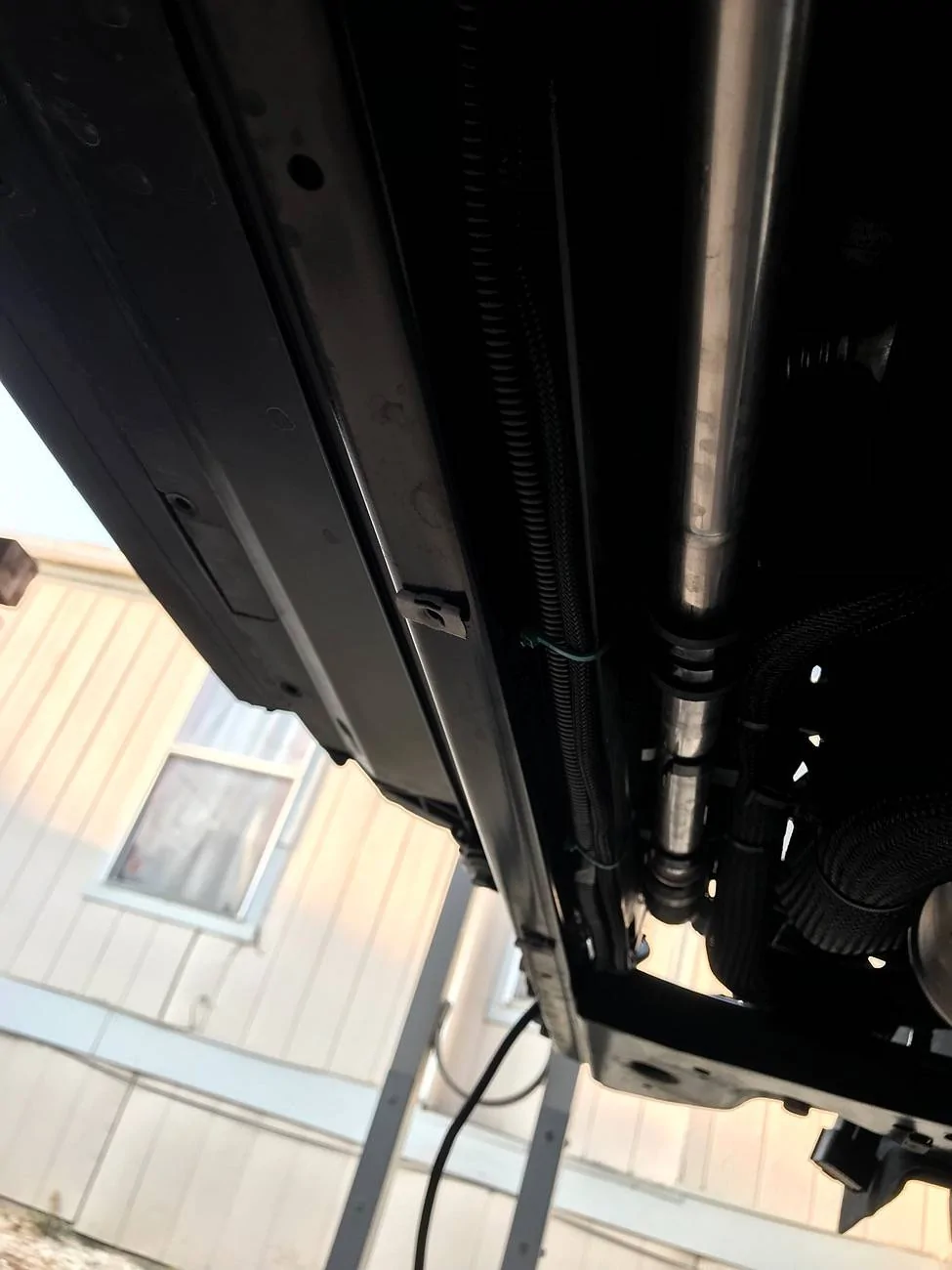
IMG_3752.jpeg
IMG_3750.jpeg
IMG_3754.jpeg


Now with the bumper and grille off and on a padded table it was easy to just install the lights, and now the grill and bumper was just about ready to reinstall on the truck...
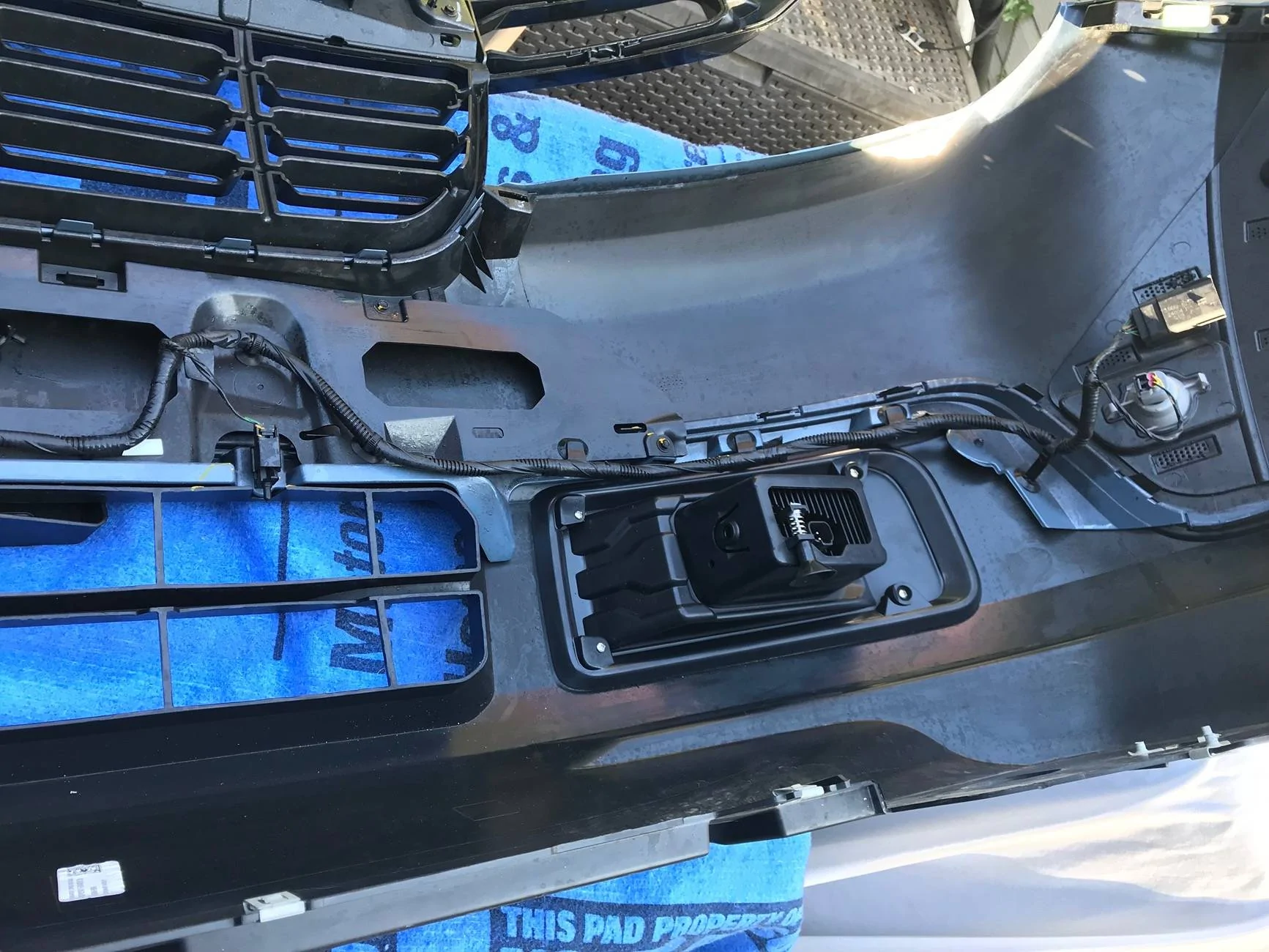
IMG_3731.jpeg
IMG_3729.jpeg


I did some additional changes to the truck while the bumper was off I did not remount the backup alarm in the suggested location did some additional work to relocated it to the rear of the truck… I also relocated my horns to the passengers side I tucked them in behind the bumper…
IMG_3765.jpeg


IMG_3673.jpeg


IMG_3675.jpeg
Install looks incredible. And all the pictures with the written explanations to go with is just top notch. I myself truly appreciate all the effort you put into this to share with us. KUDOS
 

Steve Wolf

2.5L Hybrid
Active member
First Name
Steve, W8IZ
Joined
Jul 31, 2024
Threads
3
Messages
39
Reaction score
42
Location
North Olmsted, Ohio
Vehicle(s)
2024 Maverick XLT, flat towing, with ham antennas
Engine
2.5L Hybrid
You had me at the soldered connector. Anyone who has worked on a twenty or thirty year-old car knows those crimped on connectors are a very bad shortcut. Fast? Yes. Efficient? Yes. Corroded to poop in a decade or so? Guaranteed.
 
OP
OP
HSBII

HSBII

2.5L Hybrid
Well-known member
First Name
Sam
Joined
May 2, 2024
Threads
27
Messages
149
Reaction score
362
Location
California
Vehicle(s)
2017 Super Duty 2024 Maverick
Engine
2.5L Hybrid
What are your several reasons for not using the F150 switch and Forscan settings? It just would have been so much easier and cleaner - probably more reliable too. And look/work like OEM.
Well first off it’s not just the reconfiguration of the factory programming with Forscan you also have to tap into the BCM.
From what I have read you will also have to redo the changes anytime Ford has an update to the trucks computer system…
As for your comment on it being probably more reliable, please explain to all of us how it could possibly be more reliable than a manual set of contacts triggered by a toggle switch..

In an addition how can you add or complete an additional set of contacts with the F150 switch, as I said I wanted 2 switch’s for my truck obviously one is for the Fogs and one will be for additional LED lighting..

If I could have found 2 push button style switches that would have fit into the small space of the electronic brake controllers bezel I would have used them as they would have more closely matched the factory headlight switch style..

In my opinion it looks pretty dam good and functional also I didnt have to cut up or drill any part of my dash, tap into the BCM, or change the as builds in addition if need be I can return it to stock which I dought I will ever need to do….

Lastly as another member pointed out I do not have a laptop and do not want to buy one as I do not have the need for one and would not want to borrow one either..
 
Last edited:
Sponsored
OP
OP
HSBII

HSBII

2.5L Hybrid
Well-known member
First Name
Sam
Joined
May 2, 2024
Threads
27
Messages
149
Reaction score
362
Location
California
Vehicle(s)
2017 Super Duty 2024 Maverick
Engine
2.5L Hybrid
You had me at the soldered connector. Anyone who has worked on a twenty or thirty year-old car knows those crimped on connectors are a very bad shortcut. Fast? Yes. Efficient? Yes. Corroded to poop in a decade or so? Guaranteed.
Thanks call me old school but I prefer to do all my automotive electrical connections this way inside out and as you have pointed out they will last and if sealed correctly you will not have a corroded connection or a poor connection…
 

A.Bursell

2.0L EcoBoost
Well-known member
Joined
Jun 23, 2023
Threads
11
Messages
663
Reaction score
786
Location
Stanwood, WA
Vehicle(s)
Maverick
Engine
2.0L EcoBoost
Clubs
 
Well first off it’s not just the reconfiguration of the factory programming with Forscan you also have to tap into the BCM.
From what I have read you will also have to redo the changes anytime Ford has an update to the trucks computer system…
As for your comment on it being probably more reliable, please explain to all of us how it could possibly be more reliable than a manual set of contacts triggered by a toggle switch..
Instead of tapping into a headlight wire and a power wire for the relay, you add an additional wire to the BCM plug. It already has a built in relay. You don't disturb any factory wiring. For reliability, I like DD products, but I feel certain that Ford's OEM relay and power system would be more reliable than anything aftermarket.

I don't think you did a bad job or anything of the sort, I just think you made it harder with no advantages and more room for failure.
 
OP
OP
HSBII

HSBII

2.5L Hybrid
Well-known member
First Name
Sam
Joined
May 2, 2024
Threads
27
Messages
149
Reaction score
362
Location
California
Vehicle(s)
2017 Super Duty 2024 Maverick
Engine
2.5L Hybrid
Instead of tapping into a headlight wire and a power wire for the relay, you add an additional wire to the BCM plug. It already has a built in relay. You don't disturb any factory wiring. For reliability, I like DD products, but I feel certain that Ford's OEM relay and power system would be more reliable than anything aftermarket.

I don't think you did a bad job or anything of the sort, I just think you made it harder with no advantages and more room for failure.
Instead of tapping into a headlight wire and a power wire for the relay, you add an additional wire to the BCM plug.
Only taped into the low beam headlight wire I did not tap into an additional power wire...Yes I already know that I said you have tap into the BCM...
You still have to tap into the factory side marker light wiring harness if you want to use the Amber Backlight, or is there a trigger for that in the BCM??

It already has a built in relay. You don't disturb any factory wiring. For reliability, I like DD products, but I feel certain that Ford's OEM relay and power system would be more reliable than anything aftermarket.
Again its a manual toggle switch Sorry its going to be just as reliable and easily replaced if ever needed...
Like to see you get the BCM replaced in warranty if that relay you use in it ever failed...


I don't think you did a bad job or anything of the sort, I just think you made it harder with no advantages and more room for failure.
Thank you...
But sorry you see it that way I completely disagree, call me old school as I been doing modifications to my cars for more that 50+ years to me it was extremely easy much more so than the suggested norm from this forum and the web, in fact Diode Dynamics gives you a simple toggle switch for there fog light install so if you think they make a reliable product then I really don't see your point...
 
Last edited:

02Knight

2.5L Hybrid
Well-known member
First Name
Michael
Joined
Jul 2, 2024
Threads
1
Messages
83
Reaction score
74
Location
Texas
Vehicle(s)
2024 Ford Maverick XLT Hybrid
Engine
2.5L Hybrid
Clubs
 
Dang, @HSBII I wish I had your talents. They look great and eventually I'll go to 4 wheel Parts and have some professionally installed on my 24 Hybrid. Kudos
 
OP
OP
HSBII

HSBII

2.5L Hybrid
Well-known member
First Name
Sam
Joined
May 2, 2024
Threads
27
Messages
149
Reaction score
362
Location
California
Vehicle(s)
2017 Super Duty 2024 Maverick
Engine
2.5L Hybrid
Dang, @HSBII I wish I had your talents. They look great and eventually I'll go to 4 wheel Parts and have some professionally installed on my 24 Hybrid. Kudos
Thanks but just do it yourself it really is easy.
While I did not say it in my write up I did not complete this all in 1 day… I did it over the course of a week or so taking my time on each phase, the write up is pretty much in chronological order of the steps I took for the installation…
Sponsored


Top