
Sponsored

Carplay and general software issues investigation

Montana

2.0L EcoBoost
Banned
Banned
Joined
Jun 13, 2023
Threads
24
Messages
4,094
Reaction score
6,347
Location
USA
Vehicle(s)
.
Engine
2.0L EcoBoost
Android user here...

Same random issues. I legitimately hate this sync setup. At least on the ones with nav you don't need Android auto and then it just becomes random Bluetooth connection issues, but the issues with carplay and this system are enough to make me just turn it off entirely some days.
Sponsored


 

Eagle11

2.5L Hybrid
Well-known member
Joined
Aug 6, 2021
Threads
18
Messages
1,982
Reaction score
1,693
Location
Valley of the Sun
Vehicle(s)
'07 Boxster S, 2018 BMW M5, Ducati's, Suzuki's
Engine
2.5L Hybrid
Clubs
 
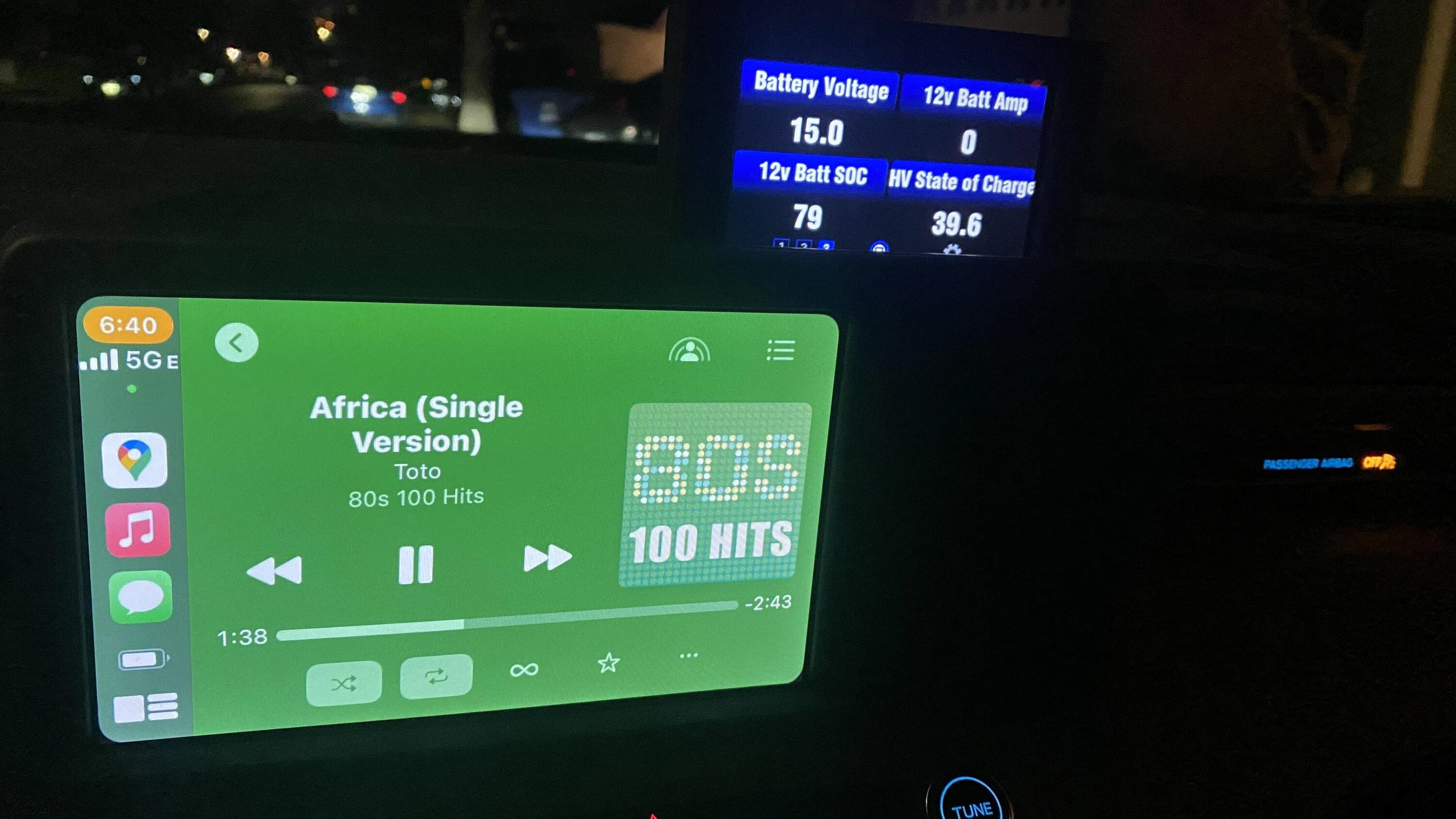
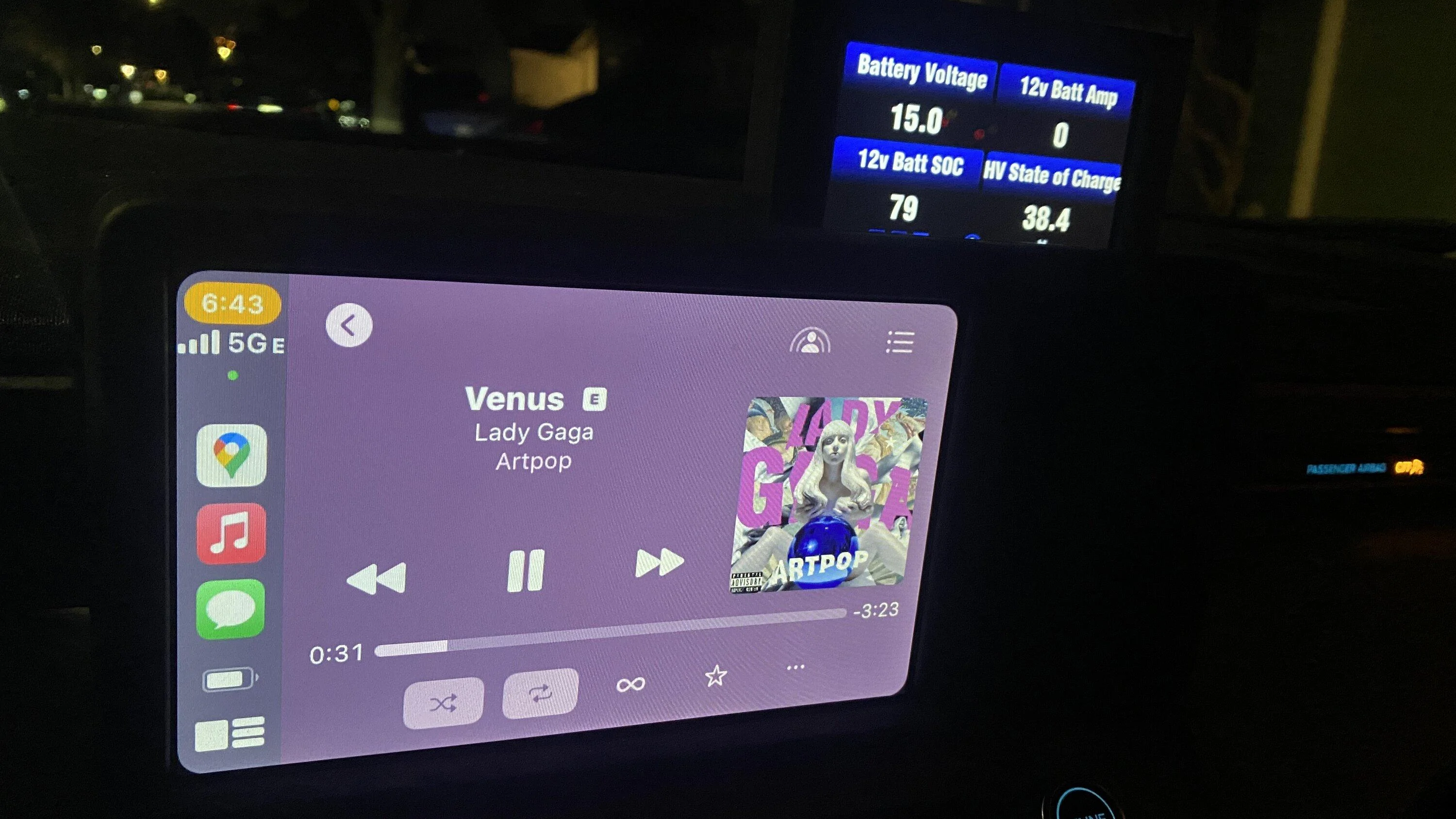
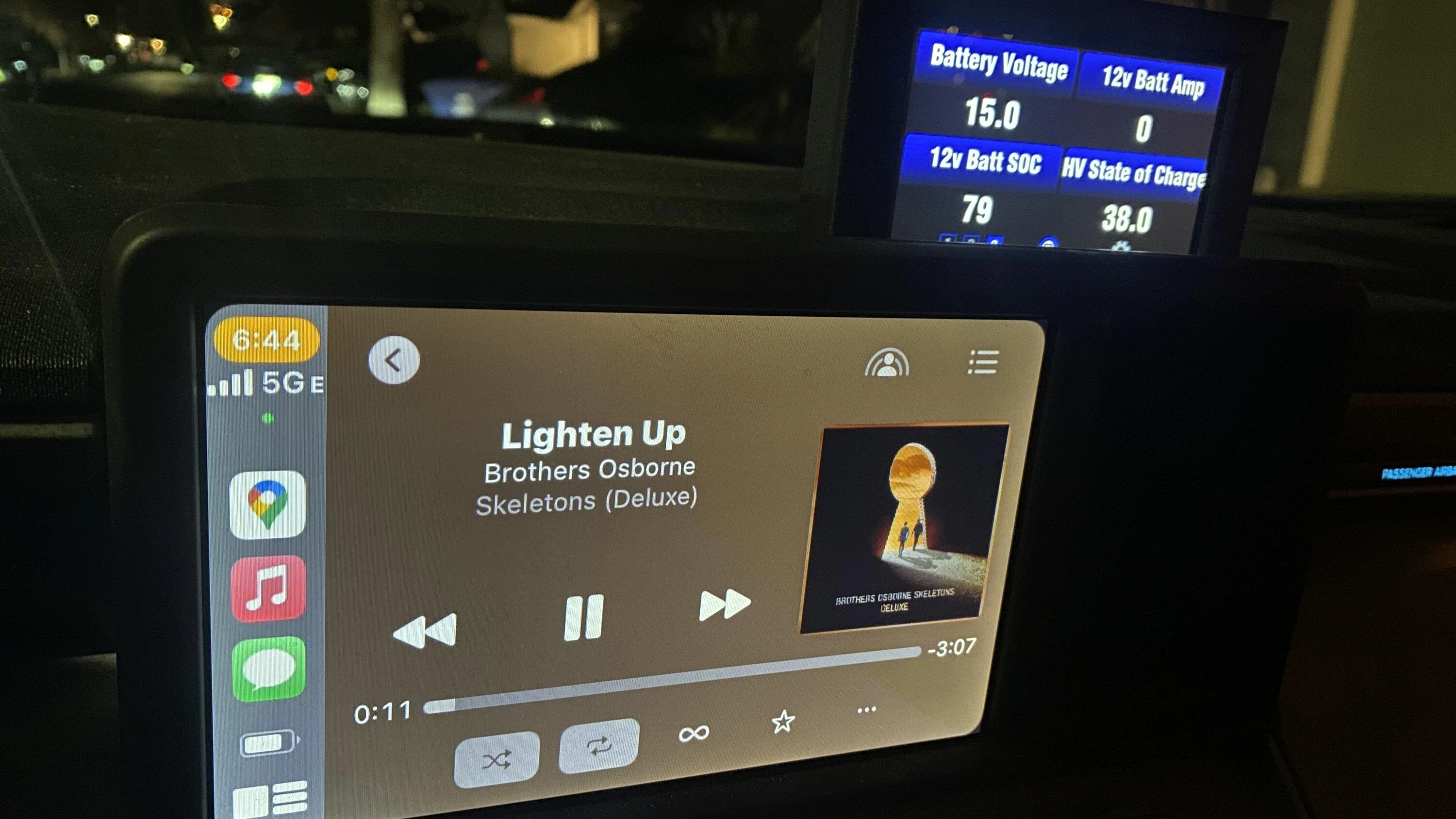
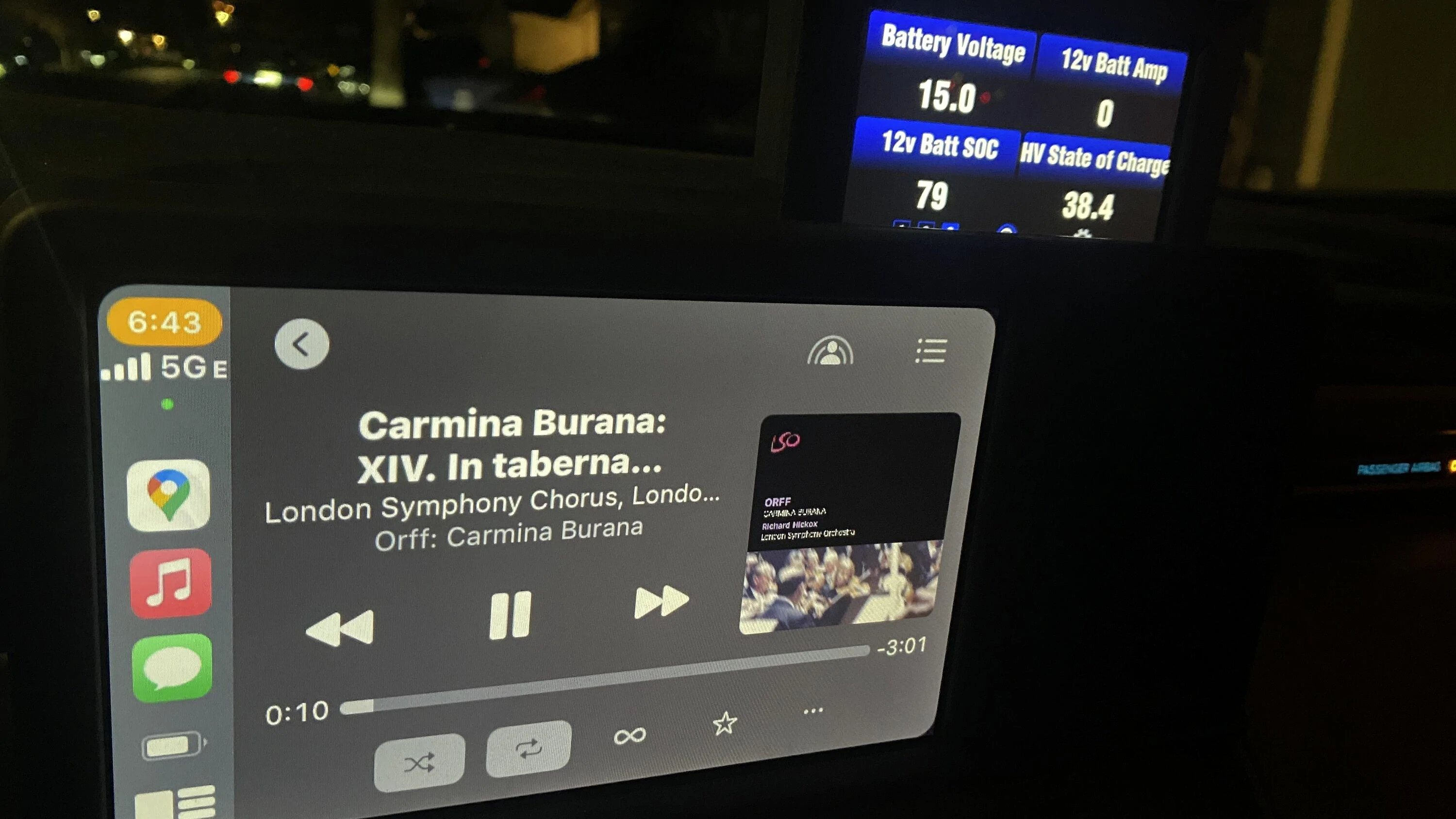
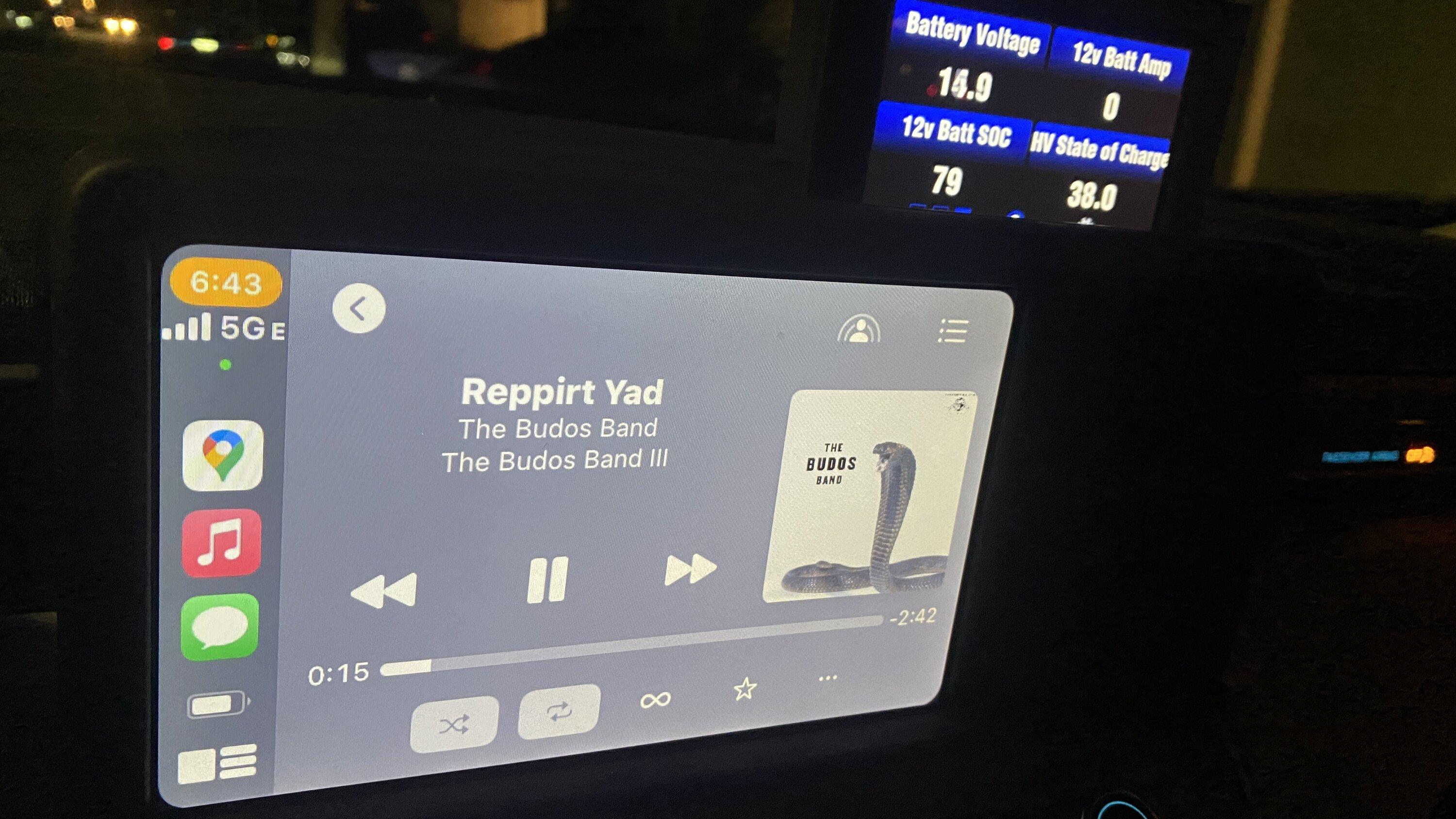
After a new iOS update, seems carplay displays song info a little differently.
By that I mean look at the tint in the following shots. Look at the constant ScanGauge in the back for constant white/black balance.

I don't recall the tint OF THE ENTIRE SCREEN changing before. Just interesting.

The green was/is very noticeable now. I would have noticed before. It didn't do this before. The cover art was the same. But the background was always black or dark grey or something.

IMG_8978.jpeg

IMG_8982.jpeg

IMG_8985.jpeg

IMG_8983.jpeg

IMG_8984.jpeg

Really annoying when you get a "white" one at night. The brightness is way too much. Especially on random.

Also I used to be able to pick "image size" as in small, medium, large, original when posting here. That menu is gone or move. It just posted these automatically. I didn't pick the size.
Yup, I noticed that too, a few months ago.
 

JTori

2.0L EcoBoost
Active member
First Name
Joe
Joined
Dec 2, 2023
Threads
1
Messages
27
Reaction score
21
Location
Michigan
Vehicle(s)
2024 Maverick XLT FX4
Engine
2.0L EcoBoost
Has anyone else experienced any Carplay issues and general software using an iPhone (11 pro, iOS v17.1.2) over usbc? I am having a really frustrating time. I would say at least one of the issues listed below occurs about ~20% of the time I try to use my phone. The most common issue is the first where the phone doesn't connect at all.
  • Won't connect at all, requires unplugging and plugging it back in
  • No audio on calls
    • Usually audio is working in other apps such as Spotify or radio
  • No audio from Spotify
    • Shows music is playing, yet there is no audio
  • Blank map with Google Maps
    • User location icon is shown but the map is completely blank
  • Entire OS Crashing
    • only way this is resolved is waiting for it to reboot (ford logo appears and takes like 20 seconds to boot back up)t
 

JTori

2.0L EcoBoost
Active member
First Name
Joe
Joined
Dec 2, 2023
Threads
1
Messages
27
Reaction score
21
Location
Michigan
Vehicle(s)
2024 Maverick XLT FX4
Engine
2.0L EcoBoost
I've got a '24 XLT and iPhone 13 Pro Max, running iOS 17.1.2 and have experienced many of the issues cited by the OP. The first, in particular, occurs nearly every time I try to connect. Usually four or five tries are necessary to establish a stable and working connection. I have made sure all settings are correct on the iPhone and cycled it off and on, everything short of resetting all settings. I've also checked the Maverick for OTA updates and done a master reset. Finally, I've tried different Apple-certified cables. The issue persists. Gotta' admit, it's pretty annoying.
 

Sponsored

LSchicago

2.5L Hybrid
Well-known member
First Name
Lloyd
Joined
Jul 19, 2022
Threads
83
Messages
4,004
Reaction score
5,184
Location
IL
Vehicle(s)
2018 Mustang GT, 99 E150 Clb Wgn, 23 Mav XL Hybrid
Engine
2.5L Hybrid
Clubs
 
No issues when plugged in or using a wireless adaptor.
 
OP
OP
zolland

zolland

2.5L Hybrid
Well-known member
First Name
Zac
Joined
Dec 1, 2023
Threads
11
Messages
66
Reaction score
107
Location
North California
Vehicle(s)
2023 Ford Maverick
Engine
2.5L Hybrid
I've got a '24 XLT and iPhone 13 Pro Max, running iOS 17.1.2 and have experienced many of the issues cited by the OP. The first, in particular, occurs nearly every time I try to connect.
I experience the first issue and the no audio on first call issue the most.. it's super annoying.
 

Eagle11

2.5L Hybrid
Well-known member
Joined
Aug 6, 2021
Threads
18
Messages
1,982
Reaction score
1,693
Location
Valley of the Sun
Vehicle(s)
'07 Boxster S, 2018 BMW M5, Ducati's, Suzuki's
Engine
2.5L Hybrid
Clubs
 
I've got a '24 XLT and iPhone 13 Pro Max, running iOS 17.1.2 and have experienced many of the issues cited by the OP. The first, in particular, occurs nearly every time I try to connect. Usually four or five tries are necessary to establish a stable and working connection. I have made sure all settings are correct on the iPhone and cycled it off and on, everything short of resetting all settings. I've also checked the Maverick for OTA updates and done a master reset. Finally, I've tried different Apple-certified cables. The issue persists. Gotta' admit, it's pretty annoying.
OTA does not happen with the Maverick, I have a 2022 XLT, and I have an iPhone 13, updated too. The last update fixes many issues. Go into your info system you need to be connected to a wifi to update. BTW, many people including myself have mentioned this in this thread.
 

Unkechaug

2.5L Hybrid
Member
Joined
Feb 7, 2023
Threads
1
Messages
15
Reaction score
1
Location
Florida
Vehicle(s)
Maverick XL
Engine
2.5L Hybrid
I've experienced some of the issues too (notably no audio during the first call using Carplay, an occasional crash/connection problems). We need to go full nerd and include as much details as possible.

Here is my setup:

2023 XL Hybrid
Ford Audio version G1.9.0.1_R22075A, Revision G1.9.0.1_PRODUCT_GE
iPhone 11 running iOS 16.6.1
Wired Carplay connection using known good Apple USB-A to Lightning cable
Bluetooth OFF (phone was paired but turned off to ensure no conflicts)


I wanted to document my issues as I received the car, but I plan to try and update firmware later (to 2.1 or whatever the latest is) to see if that helps at all. Will report back when I can.


Edit: I've tried over 10 times and for some reason the update gets to 100% downloaded, but never begins installing. My wifi connection is good, the car is running, I have tried turning off the car and restarting, I've tried a soft reset (power + fast forward), and nothing has worked. I am stuck on 1.9 for now...
 
Last edited:

Shane75796

2.5L Hybrid
Well-known member
First Name
Shane
Joined
Sep 20, 2022
Threads
8
Messages
58
Reaction score
67
Location
Minnesota
Vehicle(s)
2023 Ford Mav XL Hybrid
Engine
2.5L Hybrid
Clubs
 
No, my Carplay has been flawless-
iPhone 15 Pro iOS 17.1.2 (Verizon) and Anker series 3 USB-C to USB-C cable,
Apple Maps and occasionally Waze,
Apple Music (streaming and on-device library),
and current on Ford software updates.
Curious, when you bought your iPhone 15 did you restore a backup or was it a brand new setup for you? I have annoying issues.

2023 hybrid xl
iPhone 15 pro 17.2
Apple usb c to usb c connection.
Tried Anker cables usb c and usb a
Latest head unit software R23021A

1. Master reset head unit
2. Deleted all traces of Apple car play on phone and behicle
3. Renamed iPhone and then performed a reset network settings in the iphone
4. Setup as all new on vehicle

these steps eliminated one really annoying thing

“every first call prior to these steps had no audio, always had to hang up and place a second call”

“ my random disconnects are fewer apart but still happen” usually while I’m talking in the car

super annoying
 
Sponsored

vinnymac

2.0L EcoBoost
Well-known member
First Name
Vince
Joined
Oct 26, 2022
Threads
24
Messages
706
Reaction score
344
Location
Florida
Vehicle(s)
Maverick
Engine
2.0L EcoBoost
Mine is perfect and I am using an iPhone 7 I bought on Swappa for 99 bucks Mint with 98% battery. Sometimes things can be made too complicated needlessly just for the sake of making them. I wonder if this is the case with the newer iPhones. iOS 15.xx seems to run CarPlay very well.

Once in a while Google Maps will be blank but this also happens on wife's Jeep with U-Connect as well.
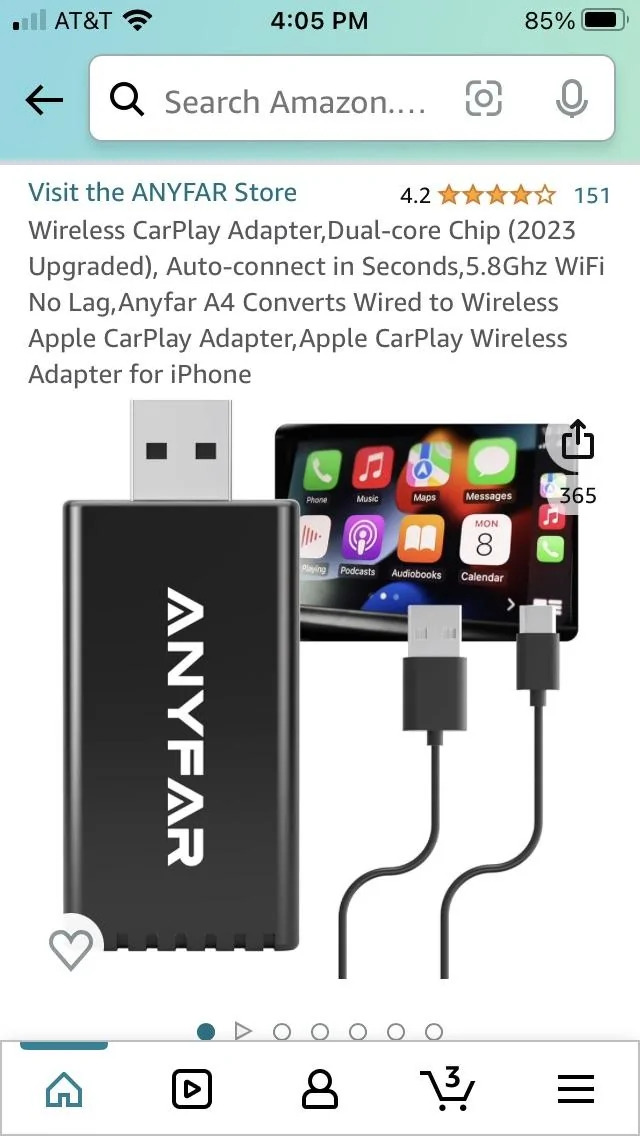
I’m using a 7 also and with CarPlay adapter see pic works great

Ford Maverick Carplay and general software issues investigation B1FFD59C-A4AF-4178-8D1D-11CE7E0F1CAF
 

Bob The Builder

2.0L EcoBoost
Well-known member
First Name
Butch
Joined
Dec 2, 2021
Threads
54
Messages
2,598
Reaction score
4,884
Location
Vermont
Vehicle(s)
2020 Jeep Cherokee ** 2023 Mav FX/4
Engine
2.0L EcoBoost
I’m using a 7 also and with CarPlay adapter see pic works great

B1FFD59C-A4AF-4178-8D1D-11CE7E0F1CAF.webp
Thanx!! The other day I got a message from Ford through the Pass App that the app will soon require iOS 16 to operate, thus no longer working on the 7 as 15.xx is the best it will ever get.

Browsing for used second or third generation SE on Swappa. Gen 3's can be had for less than 200 bucks in great condition with good battery and they have the A15 processor which should give updates for a while.
 

Bob The Builder

2.0L EcoBoost
Well-known member
First Name
Butch
Joined
Dec 2, 2021
Threads
54
Messages
2,598
Reaction score
4,884
Location
Vermont
Vehicle(s)
2020 Jeep Cherokee ** 2023 Mav FX/4
Engine
2.0L EcoBoost
Factory NAV has its issues too. The most glaring one is always have maps that are out of date and then cost an arm and a leg to get an update so you can still have maps that are out of date, just somewhat less out of date. ;) :unsure:
 

vinnymac

2.0L EcoBoost
Well-known member
First Name
Vince
Joined
Oct 26, 2022
Threads
24
Messages
706
Reaction score
344
Location
Florida
Vehicle(s)
Maverick
Engine
2.0L EcoBoost
Thanx!! The other day I got a message from Ford through the Pass App that the app will soon require iOS 16 to operate, thus no longer working on the 7 as 15.xx is the best it will ever get.

Browsing for used second or third generation SE on Swappa. Gen 3's can be had for less than 200 bucks in great condition with good battery and they have the A15 processor which should give updates for a while.
Yes thanks for the info I’m overdue for a new phone 📱
Sponsored


Top