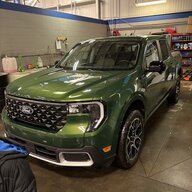

- Thread starter
- #1
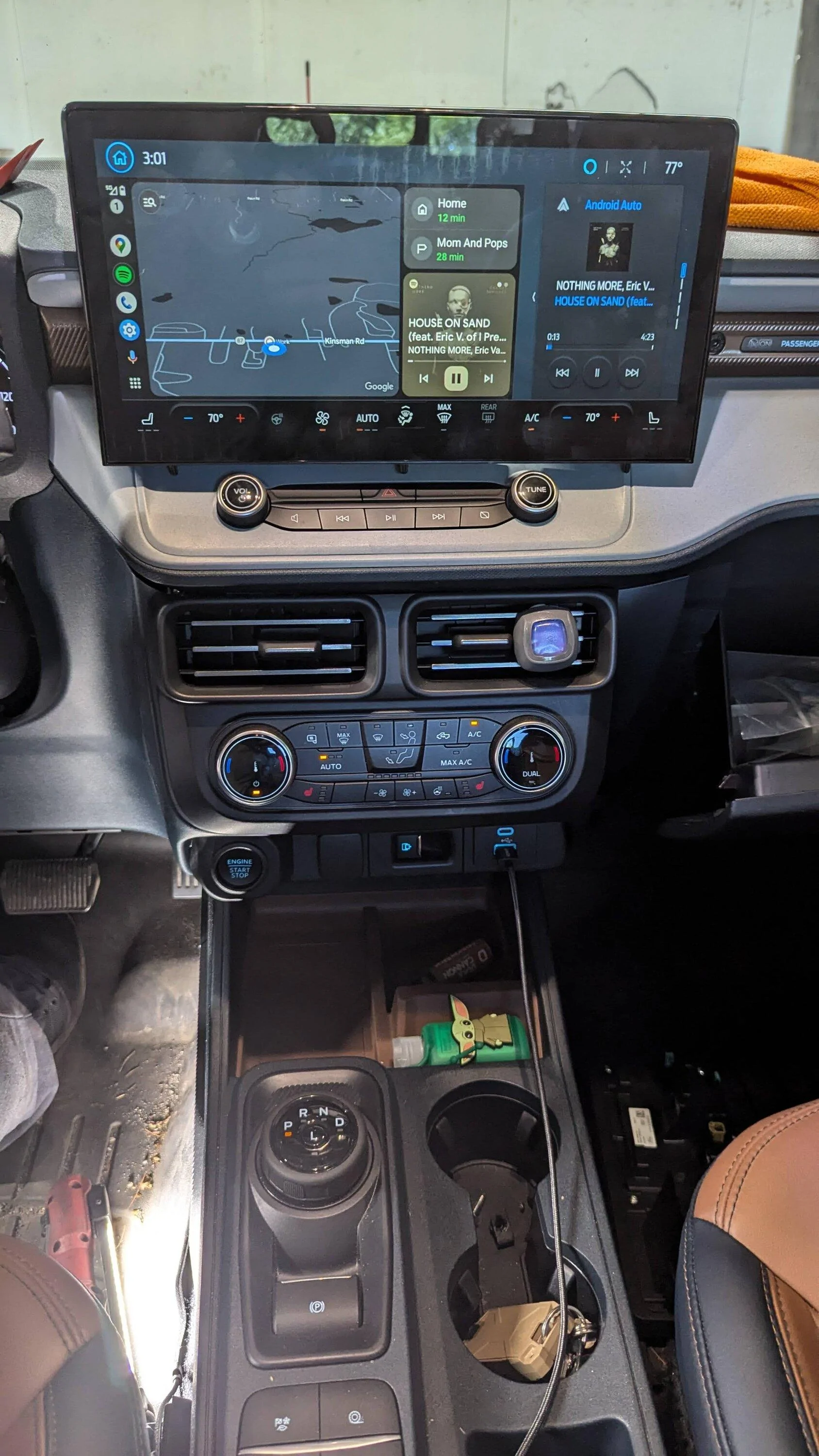
posted this on Facebook but wanted to join here to post it and try to put my thoughts down into somewhat of a install guide for everyone since that has been requested about a thousand times. i installed the sync4 apim and screen from a escape in the maverick the other day. this will be a parts and ROUGH install guide but it will point you all in the right direction, PROGRAMING is up to you. every truck is different. this requires a decent amount of forscan knowledge. and my install is on a lariat that already has the sync 3 system. if you have a xl or xlt there is a thread here on installing a sync4 apim to that truck and you can adapt the two to make it work for you if you want to
Onto the Install
You Will Need
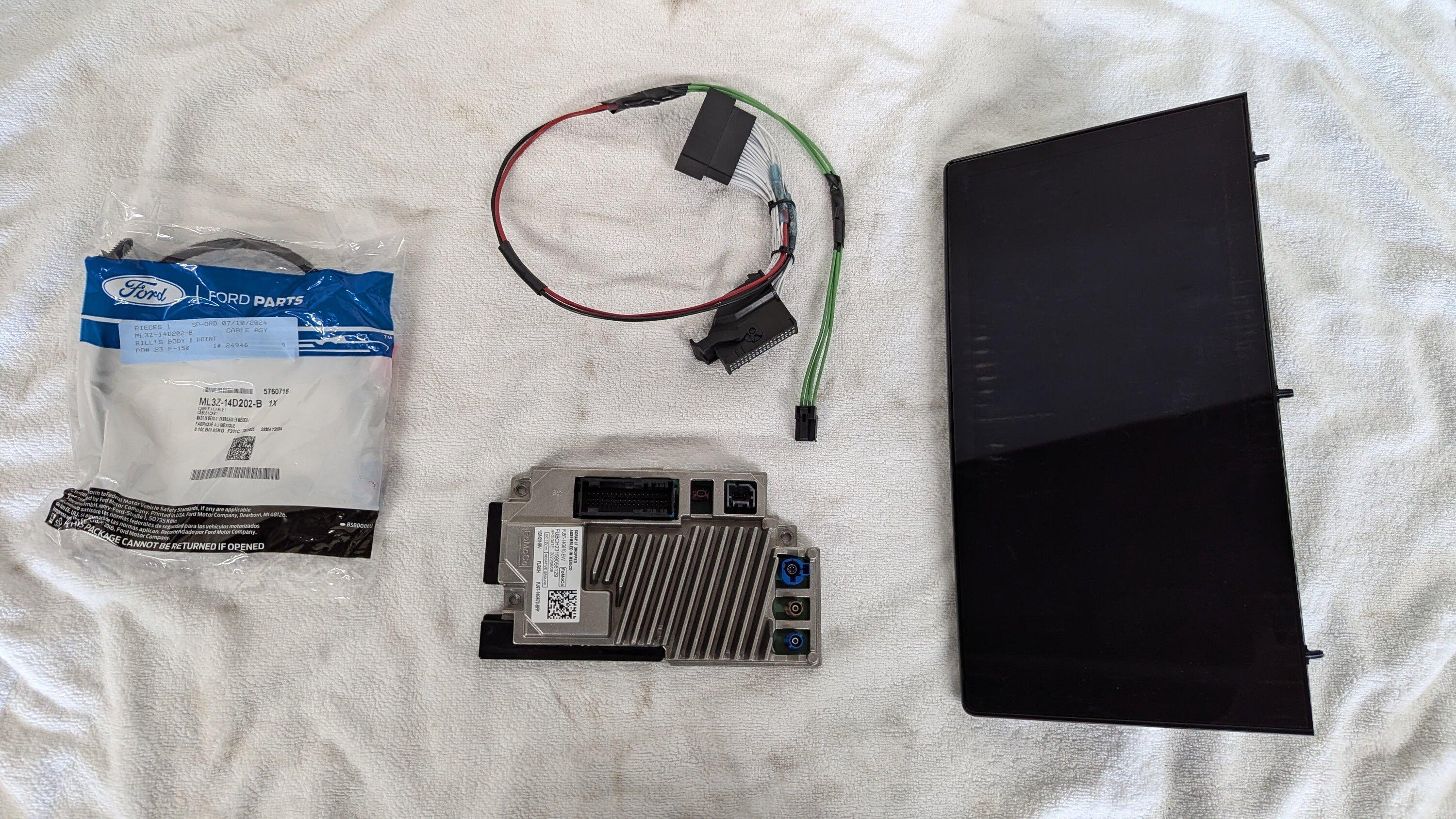
1. Sync 4 Apim (the sync 4 apim comes in 4 flavors, 8in screen and 12+ screen, with or without navigation. you will obviously need the 12+, the 12+ is identifiable by the 6 pin screen connection the others are only 4 pin)
2. 23+ escape Screen Part No NX7T18B955LE
3. Screen to Apim Plug ML3Z14D202B
4. Power Plug 6U2Z14S411JB
5. Sync 3 pass though harness (i got one of the sync 3 camera adapter plugs on amazon)
i got some stuff from for others on ebay and have about 600 wrapped up in it all
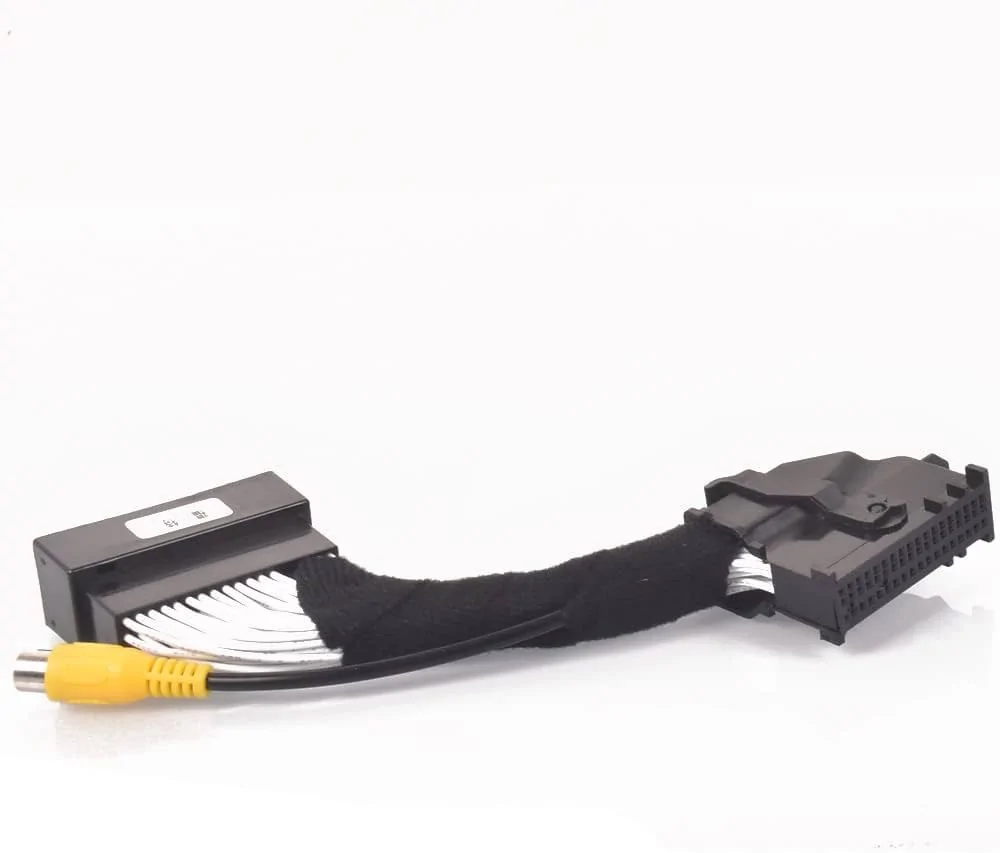
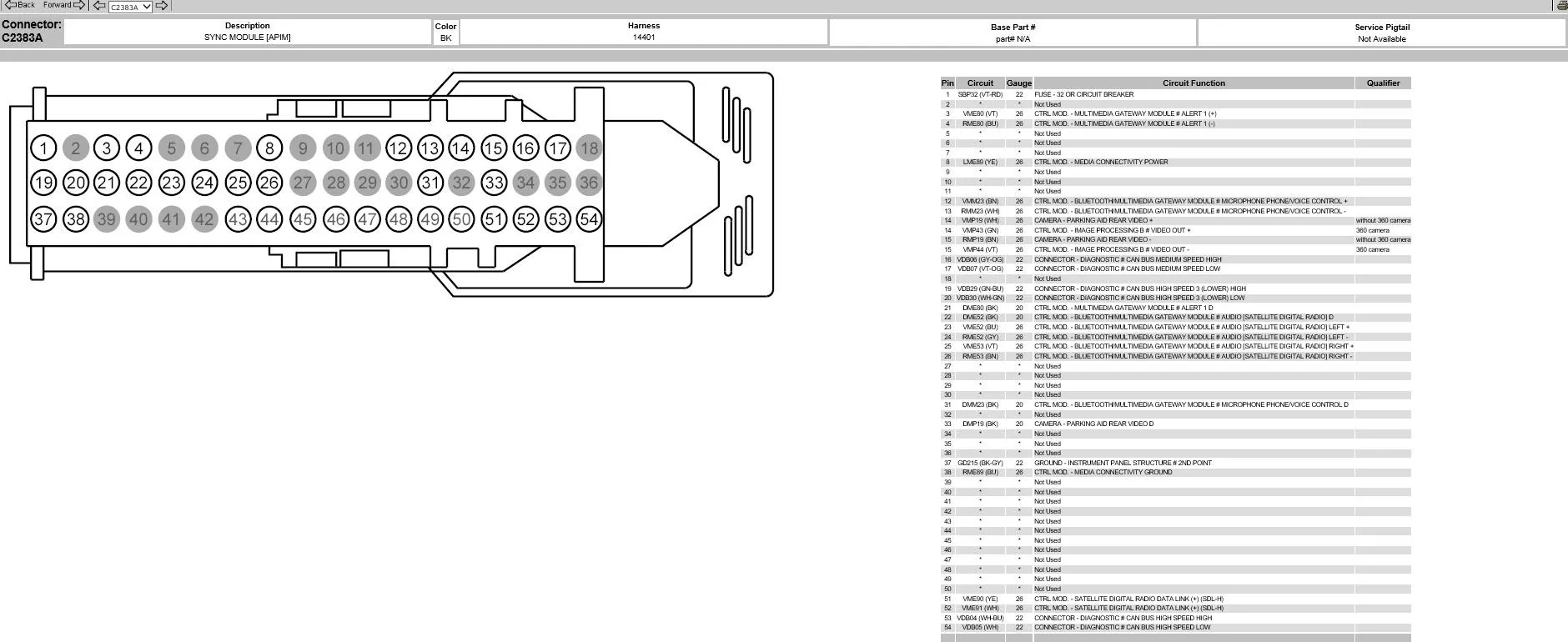
the pass though plug needs modified before install, you need to Completely remove pins 41/42 AND pins 53/54. you can use the removed pins to replace the rca plug and connect the camera back to passing though
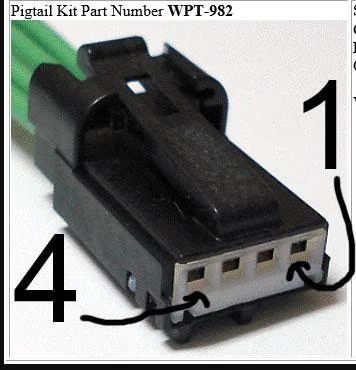
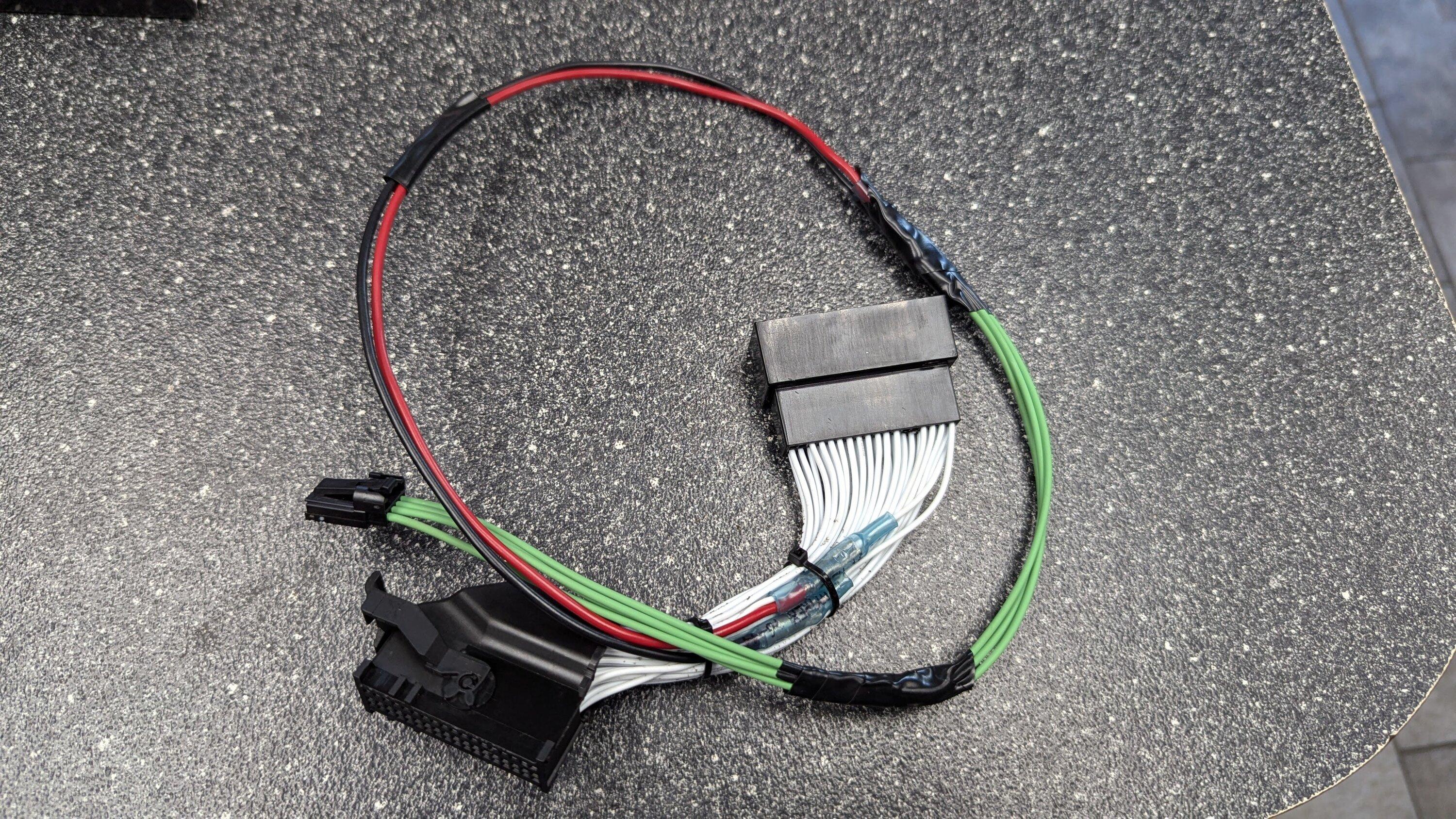
the power plug 6U2Z14S411JB will need pin 1 tapped into pin one of the pass though harness and pin 4 tapped into pin 37. this will provide power and ground to the additional connector of the screen.
on to the install.
the apim is located behind the hvac controls and the radio module. once the radio module is out there is a bracket holding the apim in with 3 7mm, remove that and swap the apim out for the 4. run your new screen plugs from the apim up to the screen.
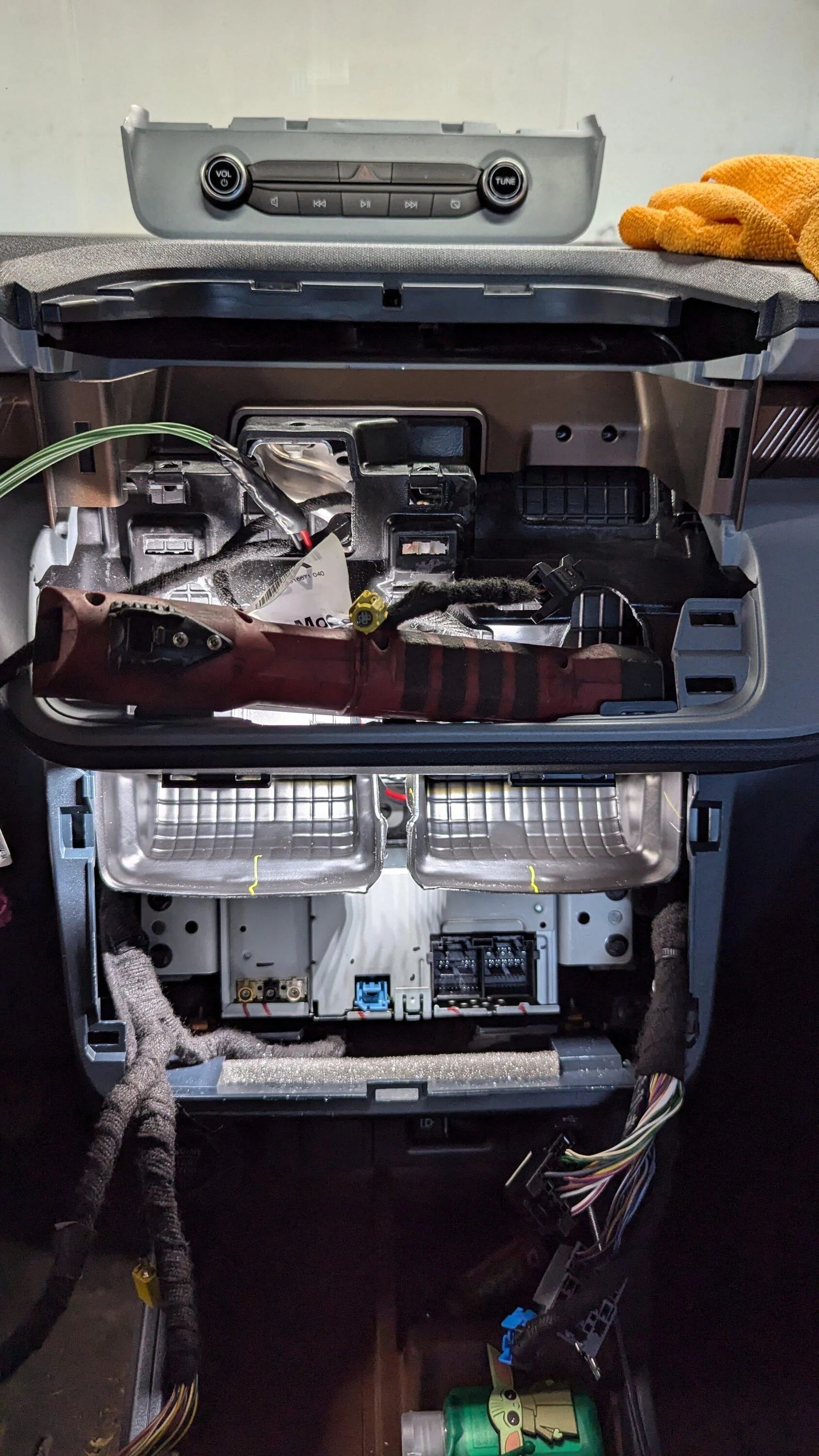
the screen install is custom, i need to print a bracket for the mount to get rid of my snap-on spacer lol. i used one of the holes to mount the screen and its solid enough but will need to refining
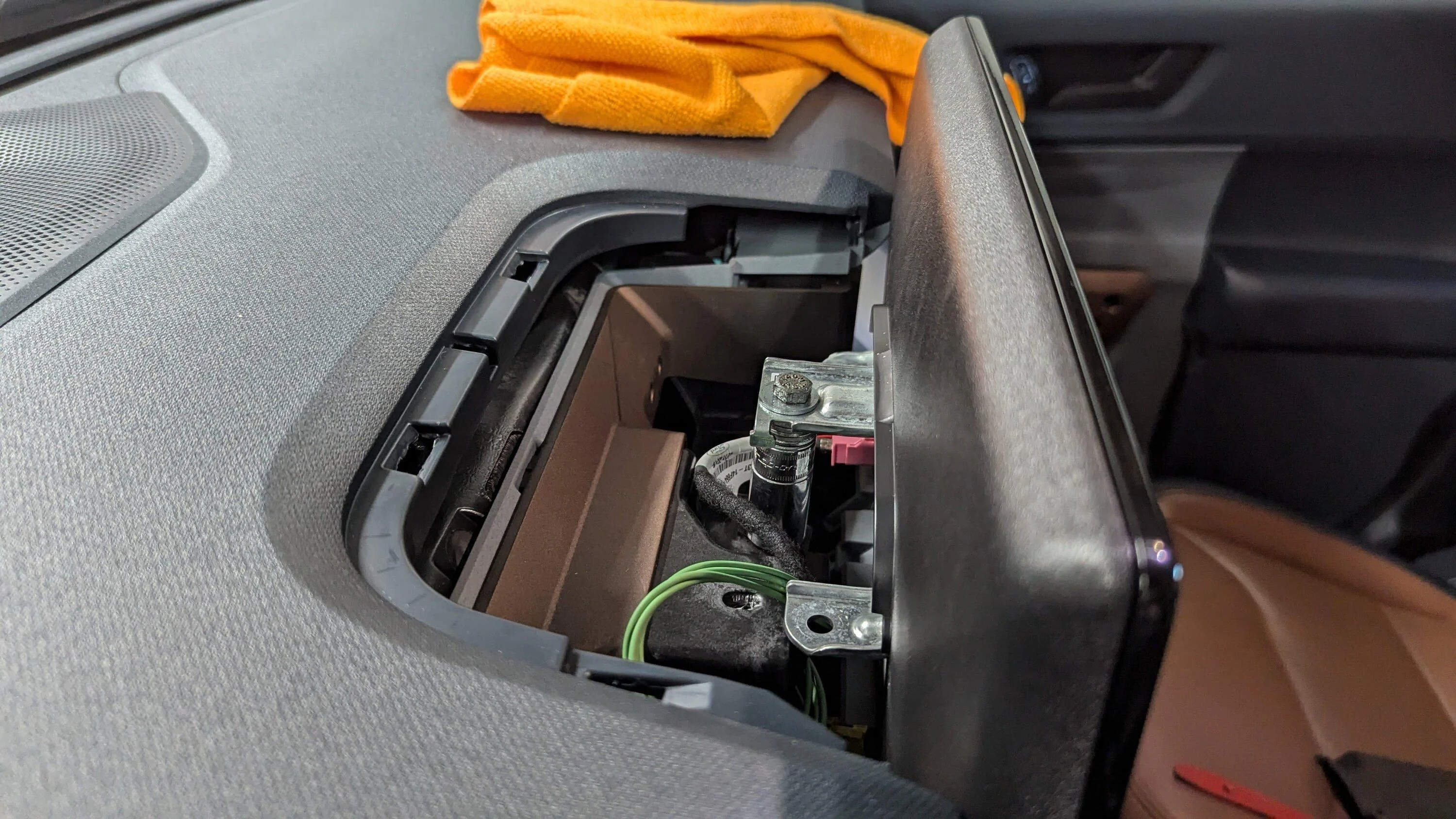
the tray behind the new screen will need to be modified because the new mount is so high up now. i used a heat gun to massage the plastics out of the way.
plug everything in. the pass though harness is just that a pass though and it allows you to not modify your existing harness in the car. there are several plugs on the sync 4 apim that are not used so dont freak out about that. reinstall everything and you'll be ready for programing
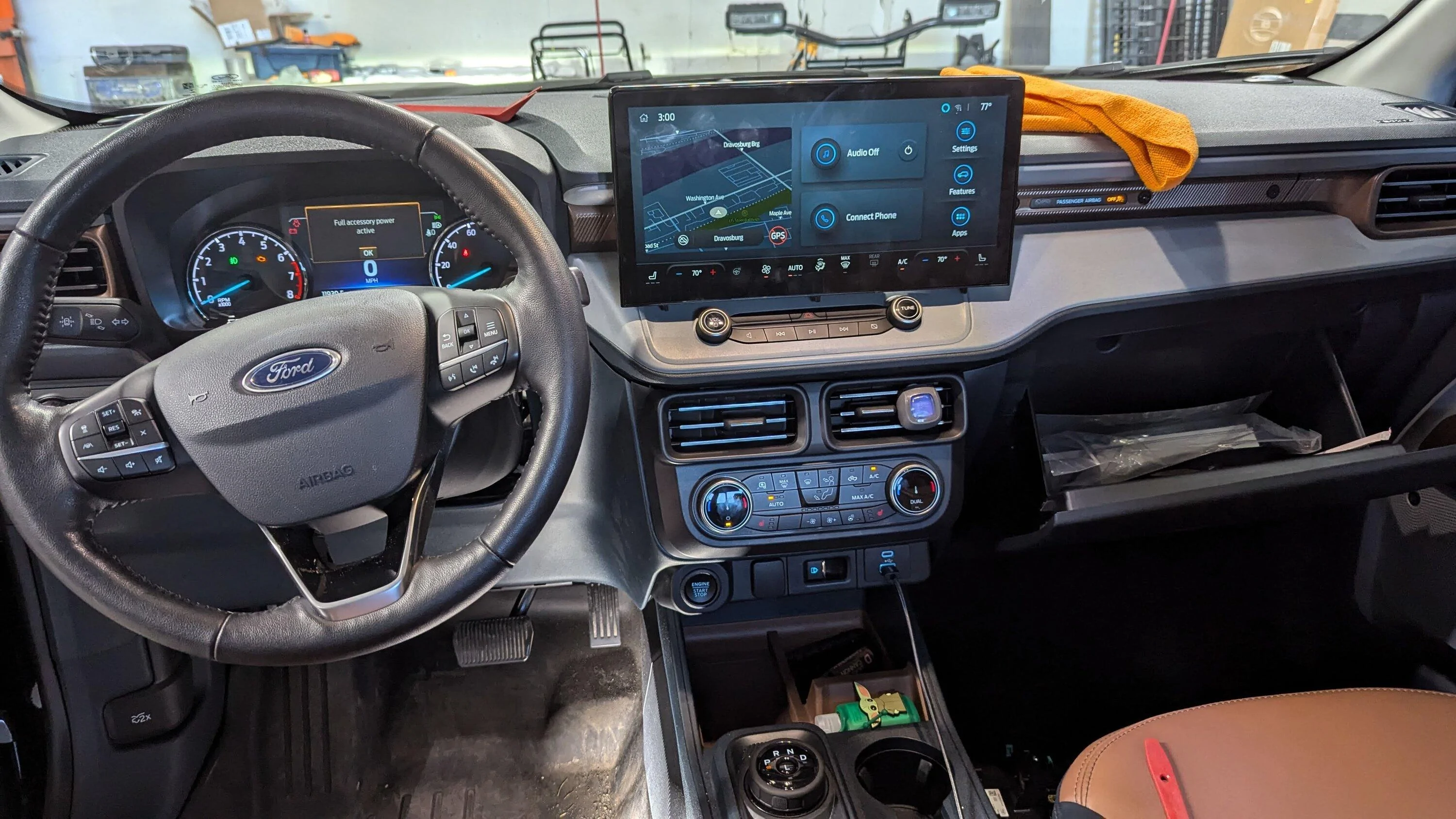
i will try to respond here when i can but Facebook in the maverick groups is probable your best bet. hopefully this is helpful yo you guys
****Update**** if you are using the 13.2 in escape screen make sure you get a apim from the same model year 23 or newer. We have found that the older ones don't have the firmware for the screen installed because the screen wasn't introduced till 23. So for a example a 21 f150 apim will not display properly on the 23 escape screen
Onto the Install
You Will Need
1. Sync 4 Apim (the sync 4 apim comes in 4 flavors, 8in screen and 12+ screen, with or without navigation. you will obviously need the 12+, the 12+ is identifiable by the 6 pin screen connection the others are only 4 pin)
2. 23+ escape Screen Part No NX7T18B955LE
3. Screen to Apim Plug ML3Z14D202B
4. Power Plug 6U2Z14S411JB
5. Sync 3 pass though harness (i got one of the sync 3 camera adapter plugs on amazon)
i got some stuff from for others on ebay and have about 600 wrapped up in it all
the pass though plug needs modified before install, you need to Completely remove pins 41/42 AND pins 53/54. you can use the removed pins to replace the rca plug and connect the camera back to passing though
the power plug 6U2Z14S411JB will need pin 1 tapped into pin one of the pass though harness and pin 4 tapped into pin 37. this will provide power and ground to the additional connector of the screen.
on to the install.
the apim is located behind the hvac controls and the radio module. once the radio module is out there is a bracket holding the apim in with 3 7mm, remove that and swap the apim out for the 4. run your new screen plugs from the apim up to the screen.
the screen install is custom, i need to print a bracket for the mount to get rid of my snap-on spacer lol. i used one of the holes to mount the screen and its solid enough but will need to refining
the tray behind the new screen will need to be modified because the new mount is so high up now. i used a heat gun to massage the plastics out of the way.
plug everything in. the pass though harness is just that a pass though and it allows you to not modify your existing harness in the car. there are several plugs on the sync 4 apim that are not used so dont freak out about that. reinstall everything and you'll be ready for programing
i will try to respond here when i can but Facebook in the maverick groups is probable your best bet. hopefully this is helpful yo you guys
****Update**** if you are using the 13.2 in escape screen make sure you get a apim from the same model year 23 or newer. We have found that the older ones don't have the firmware for the screen installed because the screen wasn't introduced till 23. So for a example a 21 f150 apim will not display properly on the 23 escape screen
Sponsored
Last edited: