
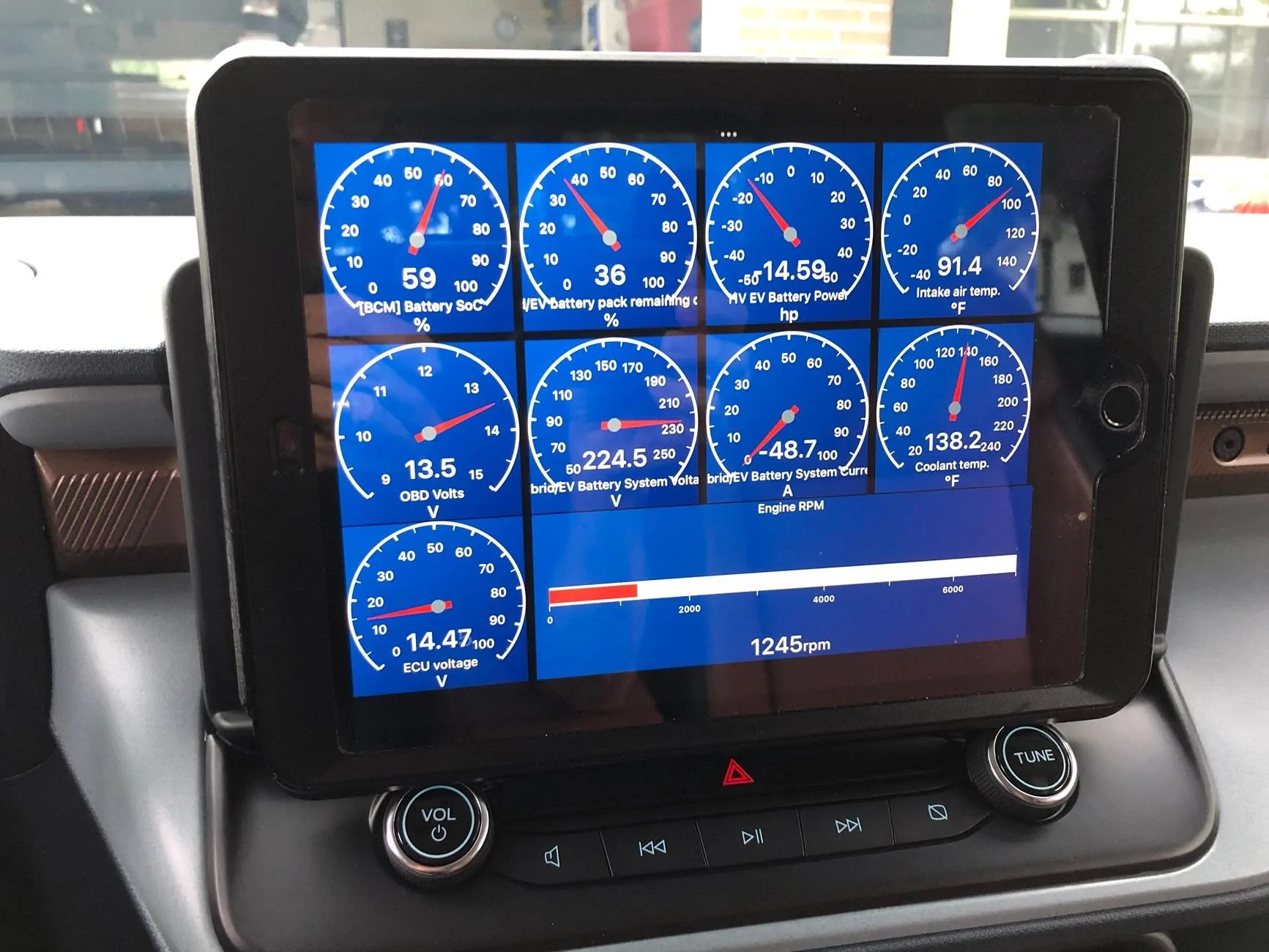
CarScanner app through OBDII has all sorts of “voltage” options available. This is from my 24 Lariat Hybrid.
Sponsored
When vehicle is on, the DCDC converter will charge the 12v battery, providing voltage & amps determined by the PCM.The reason why I'm asking is because I'm about to install a radio transceiver with a PowerWerx ITS-12 Automatic DC timer/LV disconnect.
When the input voltage is 13.0-14.5V, the contacts close and provide power on the output terminals. When the input voltage is 12.6V or less, a timer starts a countdown to open the contacts and shut down power on the output terminals.
On a normal vehicle, these voltage correspond with the ICE running an alternator. I want to know if the voltage provided to the battery will drop below 12.6V and start the timer every time the engine stops, or if the voltage will only drop below 12.6V when I take the key out of run mode, like it would on a normal vehicle.
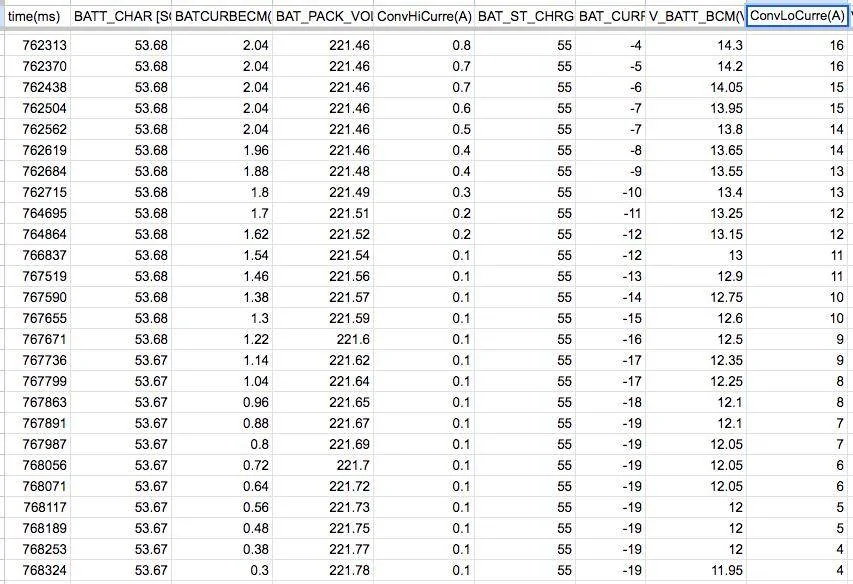
Nope. The DC/DC converter can put out anything up to 50A to the 12V battery, and your 12V battery is in full charging mode in the accessory or run positions. My brand-new battery typically says 15.5V in Engineering Test mode, or full charging mode, and 12.2V at rest after the surface charge leaks away.You will get some voltage rise in the accessory position, but I think that's just the DC/DC converter utilizing some HV from the precharge capacitor. Not sure how much amperage the DC/DC converter is actually putting out in that state.

The max output is more like 265A. And voltage doesn't completely correlate to amperage output. One would need to put an ammeter on the DC/DC converter connection in accessory to validate what actual amperage output is. But in the accessory state the full HVB battery contactor isn't closed yet, so any HV the DC/DC converter is getting is through the precharge resistor and capacitor.Nope. The DC/DC converter can put out anything up to 50A to the 12V battery, and your 12V battery is in full charging mode in the accessory or run positions. My brand-new battery typically says 15.5V in Engineering Test mode, or full charging mode, and 12.2V at rest after the surface charge leaks away.

Hey @BlueMav43 I was going to ask how you had cast your car scanner screen to the built in Mav screen, then saw you have a tablet sitting over the factory unit. Does anybody know how to get the gauges/infor from the phone directly to the built in screen?CarScanner app through OBDII has all sorts of “voltage” options available. This is from my 24 Lariat Hybrid.

If you have an Android device it looks like Torque can albeit with needing to sideload the AA Torque app.Hey @BlueMav43 I was going to ask how you had cast your car scanner screen to the built in Mav screen, then saw you have a tablet sitting over the factory unit. Does anybody know how to get the gauges/infor from the phone directly to the built in screen?
Thanks - I might give that a try. Currently I'm just looking at HV SOC and how it relates to when the ICE starts charging. I just leave my phone sitting on it's side and occasionally glance down. Would be safer to have it up on the screen though. I could also rig up something to hold the phone.If you have an Android device it looks like Torque can albeit with needing to sideload the AA Torque app.
USB connection and use Android Auto or Apple Carplay to display your phone image on the screen and use the app.Thanks - I might give that a try. Currently I'm just looking at HV SOC and how it relates to when the ICE starts charging. I just leave my phone sitting on it's side and occasionally glance down. Would be safer to have it up on the screen though. I could also rig up something to hold the phone.
That does not work - at least not for me. Have you been able to get it to work?USB connection and use Android Auto or Apple Carplay to display your phone image on the screen and use the app.
In lieu of screen shots from my display I found this short video that shows what the native Car scanner looks like on android auto. Towards the end it shows what mirroring off your phone looks like with a 3rd party app.That does not work - at least not for me. Have you been able to get it to work?
Like @Darnon said, I think you need a third party app. . Car scanner recently showed up on my android auto and I can now get text readouts but no gauges. I"ll try to take a pic soon to show what it looks like

I miss the AutobahnOBD Reader and Torque app should show it? But I haven't looked.

Concur, I’ve looked a lot too. Just not worth it to me.Hey @BlueMav43 I was going to ask how you had cast your car scanner screen to the built in Mav screen, then saw you have a tablet sitting over the factory unit. Does anybody know how to get the gauges/infor from the phone directly to the built in screen?
Edit - I just did a web search and it sounds like there is no easy way to do this without a piece of third party hardware.
There is Accessory. The manual tells you how to access it.I have the push button start, no accessory.





