
Sponsored

Annoying "Some functions are disabled when moving....." warning.

NewBernWolf

2.5L Hybrid
Well-known member
First Name
Lynda
Joined
Aug 5, 2021
Threads
0
Messages
596
Reaction score
960
Location
New Bern, NC
Vehicle(s)
2017 Prius
Engine
2.5L Hybrid
I think it's a setting on your phone that somehow became enabled. I seem to remember that it might be in phone settings(?) or maybe messaging(?).
Sponsored

 

atomguy245

2.5L Hybrid
Well-known member
First Name
Doug
Joined
Sep 18, 2021
Threads
17
Messages
1,052
Reaction score
1,772
Location
CT
Vehicle(s)
Chevrolet Bolt EUV, Ford Maverick
Engine
2.5L Hybrid
Is this just when you are using CarPlay?
 
OP
OP

whtnrdy

2.0L EcoBoost
Well-known member
Joined
Sep 2, 2021
Threads
1
Messages
66
Reaction score
85
Location
Chicago
Vehicle(s)
'05 AWD Astro, '90 G20 Van, '22 Maverick XLT
Engine
2.0L EcoBoost
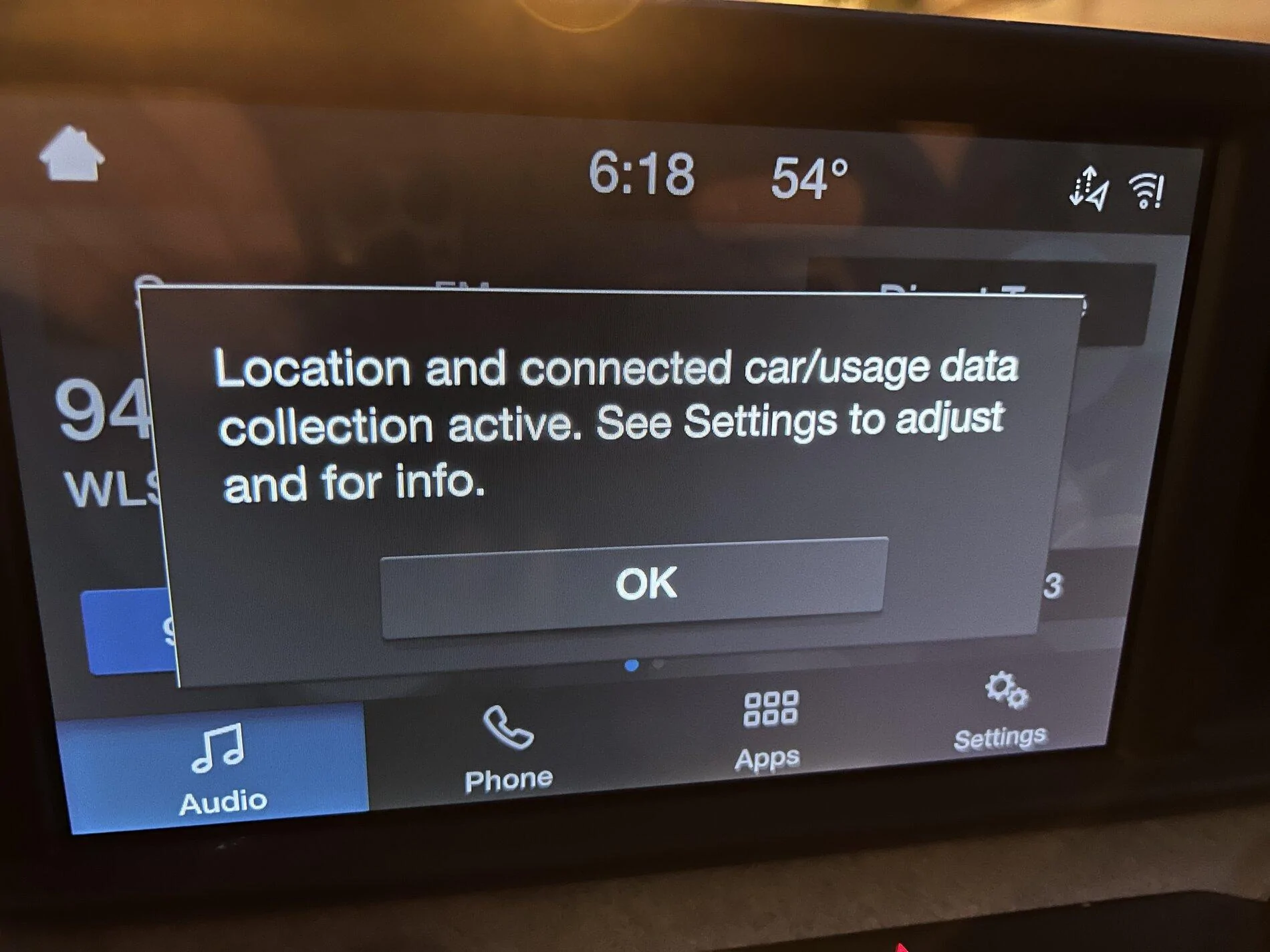
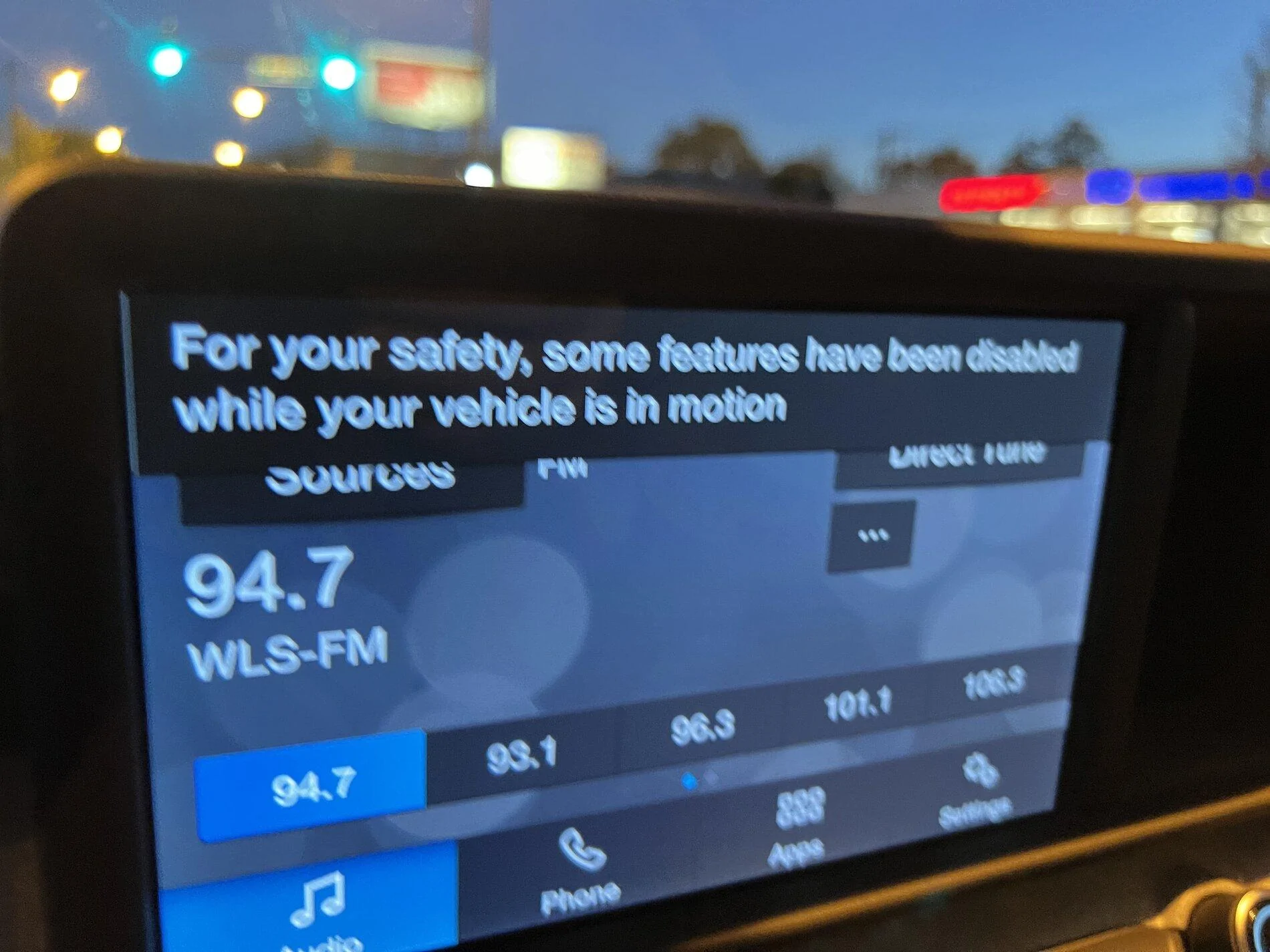
Maybe I should edit my first post, but I have figured out a little more of what is happening. So to backtrack, there are two popup warning that I see when I drop below 5 mph, here they are:

Ford Maverick Annoying "Some functions are disabled when moving....." warning. IMG-6214
Ford Maverick Annoying "Some functions are disabled when moving....." warning. IMG-6215


One can be acknowledged by pushing the "OK" button and the other can not. When you hit OK for the one, they both stop popping up. Unfortunately, when in any of the CarPlay screens, only the second one pops up; the one without the OK button. In all other screens they both pop up together. So if you connect your phone right away when you get in your car, and go into CarPlay, you won't be able to make the second pop up go away until you leave CarPlay when slowed down. Once you leave CarPlay and hit the OK button, then they both stop popping up no matter the screen.

Still working on what exactly I can possibly adjust to make them both never pop up. It is annoying that you are forced to acknowledge them every time you drive and they repeatedly pop up until you do so.
 

LC48

2.0L EcoBoost
Well-known member
First Name
Bill
Joined
Oct 24, 2021
Threads
6
Messages
456
Reaction score
676
Location
Johnson County Texas
Vehicle(s)
Maverick XLT, AWD, Carbonized Gray. Highlander Lim
Engine
2.0L EcoBoost
Clubs
 

Sponsored

EMD_Driver

2.0L EcoBoost
Well-known member
First Name
Gary
Joined
Oct 28, 2021
Threads
31
Messages
359
Reaction score
747
Location
South Carolina
Vehicle(s)
2015 F-350 DRW 6.7 / 2022 Maverick XLT 2.0 AWD
Engine
2.0L EcoBoost
Clubs
 
Doesn't sound right.
Try cleaning the screen while the Maverick is OFF, Use the provided cloth, NO WATER.​
X2 on that! It sounds like something is telling the system that you're touching the screen, even when you're not. I had a Windows touchscreen computer once, that continuously thought someone was touching it. I ended up just disabling the touchscreen and used it like a regular monitor. I'm not saying this is your fix, but that the touchscreen in your Maverick may be getting false input signals. If so, it's a trip to the dealer for you.
 
OP
OP

whtnrdy

2.0L EcoBoost
Well-known member
Joined
Sep 2, 2021
Threads
1
Messages
66
Reaction score
85
Location
Chicago
Vehicle(s)
'05 AWD Astro, '90 G20 Van, '22 Maverick XLT
Engine
2.0L EcoBoost
So this has nothing to do with touching my screen. I figured out that the issue is with Ford Pass. If you activate Ford Pass in your Maverick's Sync system, you will get those warning popups. Deactivate Ford Pass, and you don't get either warning ever.

Which sucks and is super annoying since the app requires it to be active.
 

Dechion

2.5L Hybrid
Well-known member
First Name
Brad
Joined
Oct 30, 2021
Threads
36
Messages
362
Reaction score
629
Location
Titusville, Fl
Vehicle(s)
2015 Kia Forte
Engine
2.5L Hybrid
So this has nothing to do with touching my screen. I figured out that the issue is with Ford Pass. If you activate Ford Pass in your Maverick's Sync system, you will get those warning popups. Deactivate Ford Pass, and you don't get either warning ever.

Which sucks and is super annoying since the app requires it to be active.
So, I will either get continous popups or not be able to use Fordpass to control my truck?
 
OP
OP

whtnrdy

2.0L EcoBoost
Well-known member
Joined
Sep 2, 2021
Threads
1
Messages
66
Reaction score
85
Location
Chicago
Vehicle(s)
'05 AWD Astro, '90 G20 Van, '22 Maverick XLT
Engine
2.0L EcoBoost
So, I will either get continous popups or not be able to use Fordpass to control my truck?
You can see my comment up a few posts. You can acknowledge/cancel the popups but not when in CarPlay mode. That is what I was initially confused about. But you will have to acknowledge the popup every time you drive it.
 

Dechion

2.5L Hybrid
Well-known member
First Name
Brad
Joined
Oct 30, 2021
Threads
36
Messages
362
Reaction score
629
Location
Titusville, Fl
Vehicle(s)
2015 Kia Forte
Engine
2.5L Hybrid
You can see my comment up a few posts. You can acknowledge/cancel the popups but not when in CarPlay mode. That is what I was initially confused about. But you will have to acknowledge the popup every time you drive it.
Thats annoying, and I use carplay all the time. (Pandora or books on tape over bluetooth generally).

I'll turn off fordpass I suppose, till they patch the app after enough people complain.
 
Sponsored

Caper

2.0L EcoBoost
Well-known member
Joined
Nov 16, 2021
Threads
5
Messages
74
Reaction score
85
Location
Nova Scotia
Vehicle(s)
Maverick FX4
Engine
2.0L EcoBoost
I have the same 2 pop messages when Sync is turned on. Every time the vehicle goes below about 10km/hr they pop up and stay on until speed is increased. That is very annoying and maybe even illegal as we are not allowed to text and drive in my province! I view these messages the same as if someone was sending me texts on my phone.

There is an option to acknowledge the tracking message/ Fords privacy agreement but I won't as I strongly disagree with the policy. It also appears that you have to agree to it EVERY TIME you start the vehicle....who wants to do that!

My option is to turn off Sync and lose the remote start-stop option available only through Sync (on my vehicle). I am looking at options for a remote start on the key fob which I think Ford removed intentionally so as to force us to use their Sync system / data collection.

edit to add that I don't have a phone connected, only a USB drive with music
 
OP
OP

whtnrdy

2.0L EcoBoost
Well-known member
Joined
Sep 2, 2021
Threads
1
Messages
66
Reaction score
85
Location
Chicago
Vehicle(s)
'05 AWD Astro, '90 G20 Van, '22 Maverick XLT
Engine
2.0L EcoBoost
I have the same 2 pop messages when Sync is turned on. Every time the vehicle goes below about 10km/hr they pop up and stay on until speed is increased. That is very annoying and maybe even illegal as we are not allowed to text and drive in my province! I view these messages the same as if someone was sending me texts on my phone.

There is an option to acknowledge the tracking message/ Fords privacy agreement but I won't as I strongly disagree with the policy. It also appears that you have to agree to it EVERY TIME you start the vehicle....who wants to do that!

My option is to turn off Sync and lose the remote start-stop option available only through Sync (on my vehicle). I am looking at options for a remote start on the key fob which I think Ford removed intentionally so as to force us to use their Sync system / data collection.

edit to add that I don't have a phone connected, only a USB drive with music
Just an FYI, you not acknowledging the popup isn't preventing data collection.
 

Caper

2.0L EcoBoost
Well-known member
Joined
Nov 16, 2021
Threads
5
Messages
74
Reaction score
85
Location
Nova Scotia
Vehicle(s)
Maverick FX4
Engine
2.0L EcoBoost
Just an FYI, you not acknowledging the popup isn't preventing data collection.
Thanks as I did not make that clear.
I have turned Sync off so no more messages and I am sending less data to Ford. However the Terms and Privacy Policy states: "Uninstalling FordPass will not turn off sending data to Ford" so it seems some data always is being collected.


Top