


Also make sure your router isn't using the same SSID name for both bands simultaneously. Some devices get confused by that.Try to connect @ 2.4 ghz NOT 5ghz
Sponsored
Also make sure your router isn't using the same SSID name for both bands simultaneously. Some devices get confused by that.Try to connect @ 2.4 ghz NOT 5ghz
B-Hyve most difficult pairing ever but great product afterwards -Also make sure your router isn't using the same SSID name for both bands simultaneously. Some devices get confused by that.
If the phones aren't activated what network would a hotspot connect other devices to? Is it wifi-to-wifi?I have an unactivated LG G6 and several Motos(Ace 5g,Z3 play)that I've used for this purpose.
Yes to wifi so you can use the routers internetIf the phones aren't activated what network would a hotspot connect other devices to? Is it wifi-to-wifi?
or just buy a wifi repeater im sure they are souper cheap.Yes to wifi so you can use the routers internet
connection. since the sim card is not approved for an active data plan with a carrier. Think of the router being the hot spot and the cell phone only as a wifi signaling device. If you do not need to go through an app on the phone just sign a device directly to your router.

He cannot put it into hot spot mode because it is older was replaced by new phone and has NO DATA PLAN.Just put your phone into hotspot mode and use that to update ye'r truck.
If you caint put y'er phone into hotspot mode what kinda phone you got ther bubba?

Then you would still have to enter the Home Wi-Fi routers password, which seemed to be the problem. If he could connect with an Android phone, then creat a hotspot, without a password, he would be able to connect to it.or just buy a wifi repeater im sure they are souper cheap.
You CAN put "most" Android phones in hotspot mode when connected to a Wifi signal, I do it with my un activated(no data plan) LG and Motorola phones.He cannot put it into hot spot mode because it is older was replaced by new phone and has NO DATA PLAN.
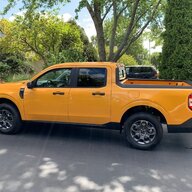
On a 2023 Lariat. Had the vehicle for a few months. I have tried multiple times to connect to our home WIFI network. The vehicle finds the network easily. The signal is strong. But, it will not accept the WIFI password.
The password is the original WIFI password supplied by the modem manufacturer. I have tried the password out on other devices and it works just fine. It is a long password but really doesn't have any special characters beyond a "dot" or "period" occurring three times in it. The rest is just lower-case letters.
While on the subject is there a way for the Maverick to "Show" the password in its entirety when typing it in?
Wi-Fi phone to printer direct or through router do not need data plan for internal data.You CAN put "most" Android phones in hotspot mode when connected to a Wifi signal, I do it with my un activated(no data plan) LG and Motorola phones.

Check to see if the previous owner removed fuse #11 from the BCM fuse panel in the passenger footwell. It's a popular tactic for owners fond of Alcoa-branded hats.I have an appointment in a week to have my problem looked at. I have a 2025 Tremor. When trying to connect to Wifi no networks are seen. I also can't get Fordpass to connect either. Carplay will work with no problems. I've done a factory reset and right afterwards I can see all available networks and connect to my home network, but only briefly. I check a minute or two later and no networks show again. I also get a no GPS symbol too when maps try to display. There is also no Onboard Modem serial number displayed. I bought the Tremor used so I don't know if it ever worked. It's a Tremor and window sticker shows I should have all the equipment for it to work. I'm showing the latest version of SYNC 4 Software. Just looking for any input of things to try before I take it in for my upcoming appointment.
Check to see if the previous owner removed fuse #11 from the BCM fuse panel in the passenger footwell. It's a popular tactic for owners fond of Alcoa-branded hats.



