
Sponsored

MakinDoForNow

2.5L Hybrid
Well-known member
First Name
James
Joined
Sep 24, 2021
Threads
2
Messages
8,433
Reaction score
6,001
Location
Texas
Vehicle(s)
2022 Maverick
Engine
2.5L Hybrid
That's a really good point, I forgot about that. I had a XLT and Sync3 on my Lariat was a big step up so Sync 4 is a giant step up. Ford Connected Audio felt like 2005.
I have a hybrid XLT and Lariat. Everything seems to be slower in the XLT than the LARIAT, brings up the question "Is the main CPU identical in all trucks with the clock speed set slower in the XLT or if different cpu's can main boards be swapped?".
 

yeahiguessman

2.5L Hybrid
Well-known member
First Name
Angelo
Joined
Nov 30, 2024
Threads
15
Messages
150
Reaction score
96
Location
USA
Vehicle(s)
2024 Maverick Lariat
Engine
2.5L Hybrid
Yeah, I feel like this has to be a software bug. Two of my APIMs running the same software having the same issue while one running much much older software doesn’t have that issue at all?

Feel like I’d be better off buying a Mongoose and power supply and updating overnight using FDRS rather than trying to find another APIM.
 

pantera156

2.0L EcoBoost
Well-known member
First Name
Pantera
Joined
Feb 25, 2024
Threads
0
Messages
86
Reaction score
35
Location
Porto Alegre
Vehicle(s)
lariat 2.0
Engine
2.0L EcoBoost
What software version are you guys running? Both of the 2024 APIMs I had that are acting up are running this one. Trying to figure out if it’s a hardware revision that caused some communication issues with the ACM or a possible software bug. Would be helpful to let others know what to avoid in the future!

IMG_0686.jpeg
Ford Maverick Sync4 APIM and 13.2" Screen Installation Guide (Lariat Models) photo_2025-01-18_00-59-32
 

Sponsored

OP
OP
Billzilla15

Billzilla15

2.0L EcoBoost
Well-known member
First Name
Bill
Joined
Jul 19, 2024
Threads
1
Messages
71
Reaction score
138
Location
Ohio
Vehicle(s)
22 Maverick Lariat
Engine
2.0L EcoBoost
It looks great!
I bought an Explorer 2022 cluster that I haven't installed yet. Did you have to change anything in the configuration to get the trips ?
No trips showed up once they started talk to each other. I did have to modify some abs module stuff to get drive modes "working". There's a few threads here on it .

Drive modes on the escape cluster are different but I just leave it in auto and drive. Sport does work too and I can turn traction control off so I'm happy with that
 

Bobert47

2.5L Hybrid
Active member
First Name
Bobert
Joined
Dec 2, 2022
Threads
1
Messages
30
Reaction score
33
Location
Kentucky, US
Vehicle(s)
2023 Ford Maverick Lariat
Engine
2.5L Hybrid
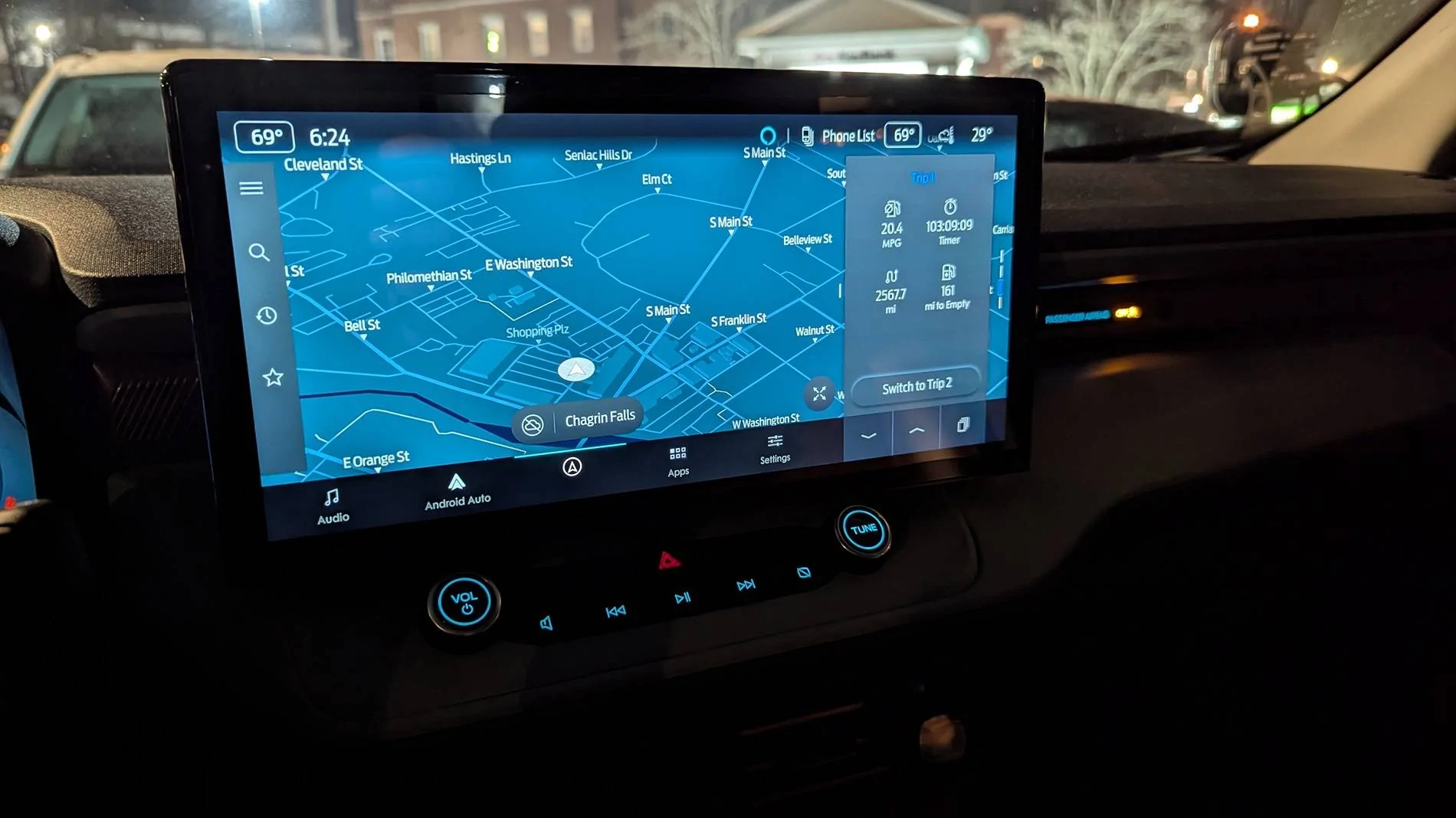
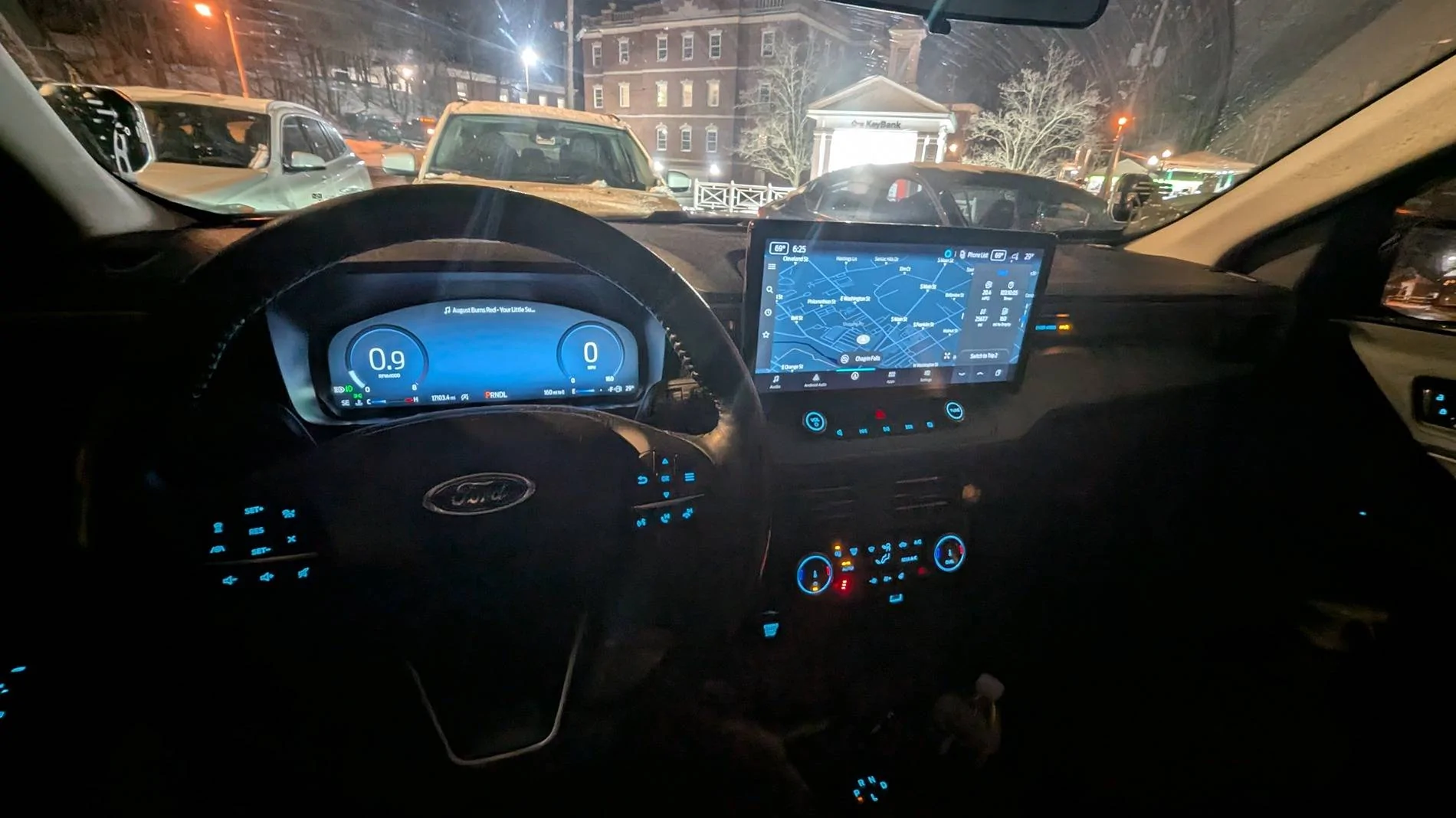
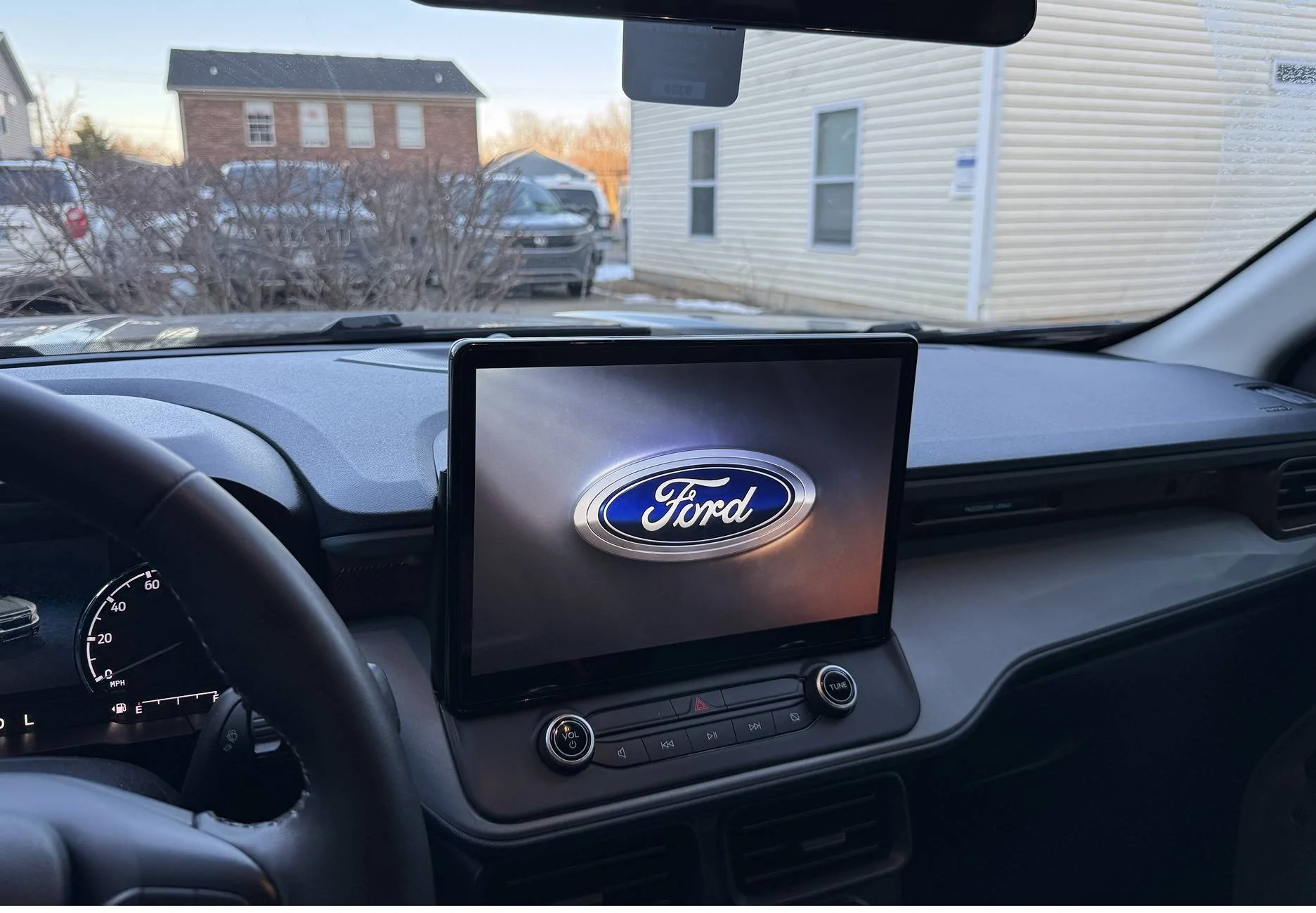
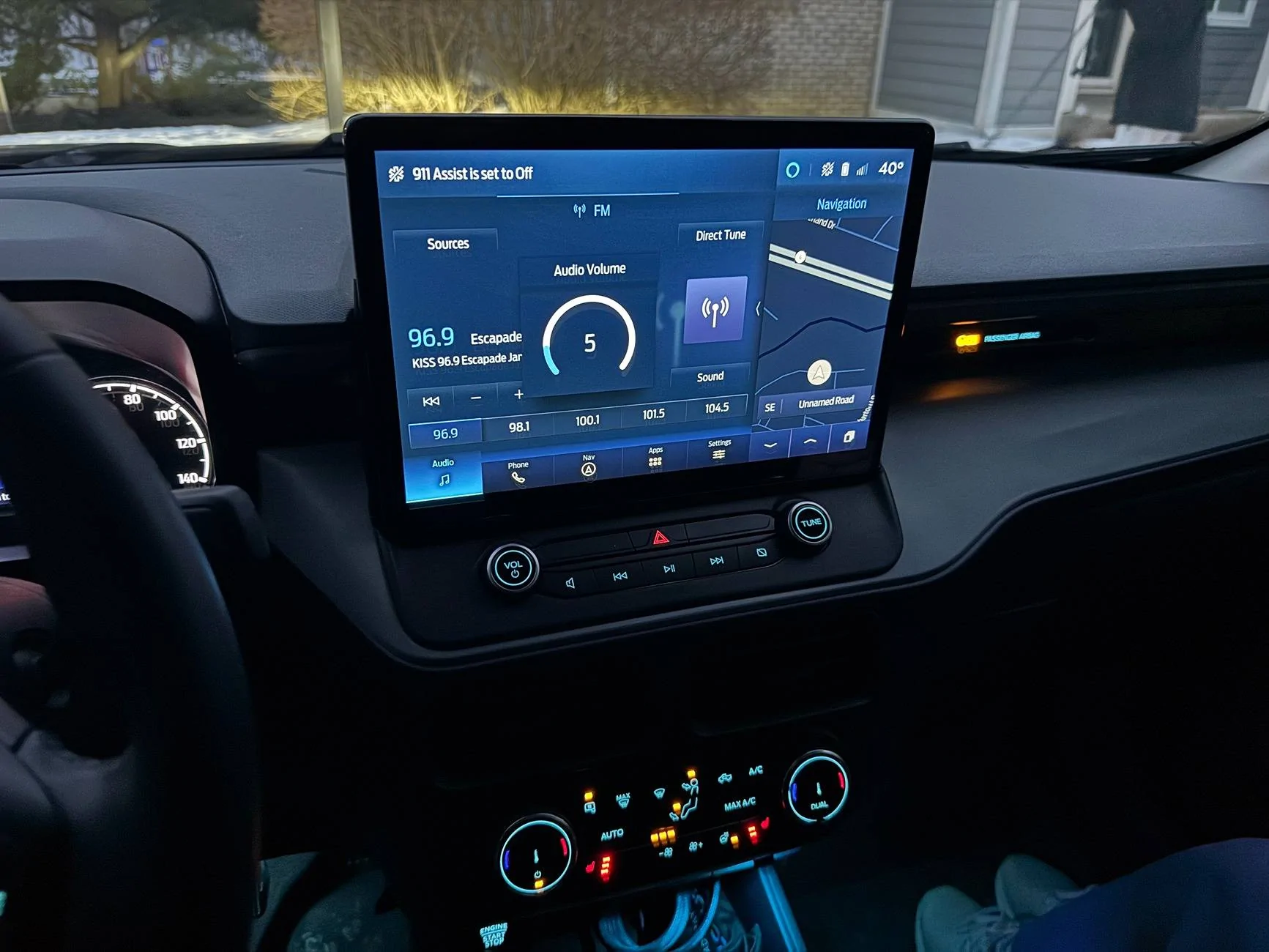
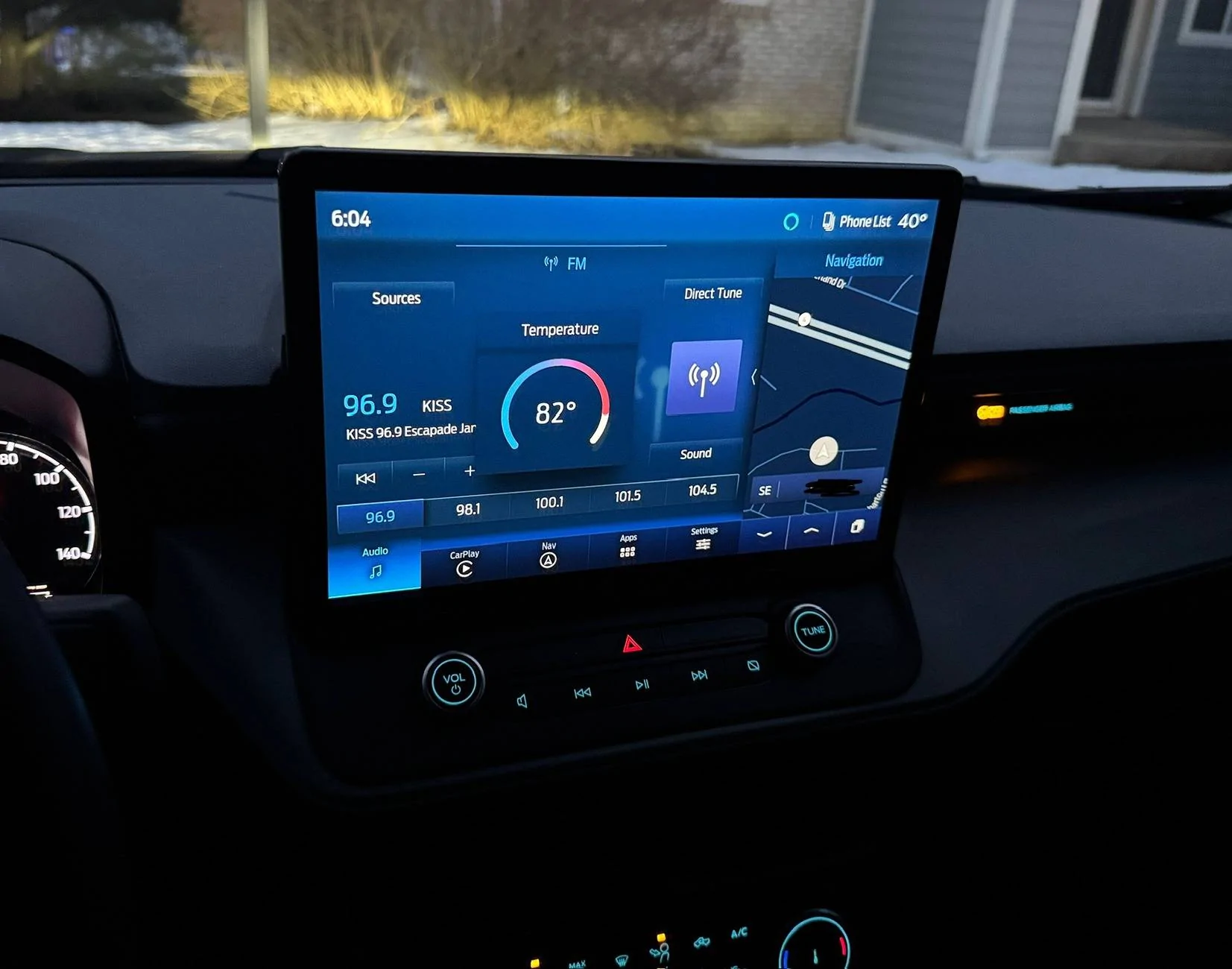
After collecting information from lots of people on this thread (especially Billzilla15, 801Maverick801, pantera156, yeahiguessman, and Redneck Garage’s youtube videos…thank you everyone!!), I am happy to report that I now have a fully functional, all knobs and buttons working, no audio issues, working nav, and working reverse camera SYNC4 swap!

My Dad (Skilled Trade Ford retiree) and I sunk a considerable amount of time into this project and we wanted to give back to this great community. Here are the steps and “gotchas” we ran into and I hope this is helpful for those still trying to get things sorted out.

Background: I started with a stock 2023 Maverick Hybrid Lariat w/ Lux package & Co-pilot360, factory navigation, and B&O sound system.

  1. Obtain necessary parts (basically what others have stated here, but this is what I used)
    • 2023 Ford Escape APIM SYNC4 (P/N: PJ6T-14G670-BFP)
    • 2022 Ford Transit 12in display w/HOUSING (P/N: NK4T-18B955-FC3UAW)
    • SYNC3 54pin passthrough cable (Amazon)
    • Screen Power Wire (P/N: 6U2Z14S411JB)
    • Screen Data Cable (P/N: ML3Z14D202B)
    • Aluminum flat stock (1/8in)
    • M5-0.8x30mm bolts (for custom bracket to dash mounting, factory thread patten)
    • M5x8 bolts (for Transit screen to bracket mounting, you can use what you have)
    • 25mm Nylon Standoff (M5 center hole)
  2. Take a photo or use FORscan to make a backup of your current SYNC3-3.4 APIM AsBuilt data (DO NOT SKIP THIS STEP)
    • The HEX code page with the strings of numbers/letters for the APIM is what we are interested in here.
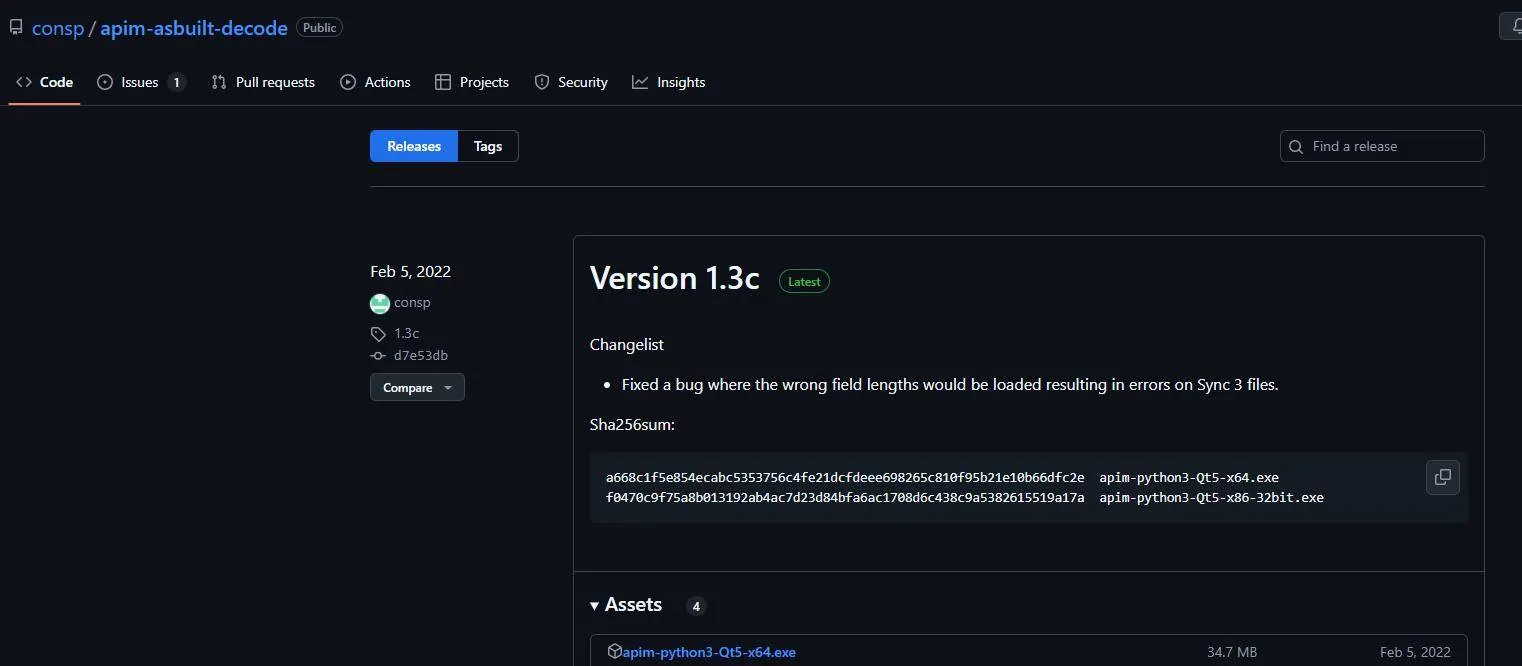
  3. Use this piece of software from @consp GitHub repository (Thank you sir!!) https://github.com/consp/apim-asbuilt-decode/releases
    Ford Maverick Sync4 APIM and 13.2" Screen Installation Guide (Lariat Models) Screenshot 2025-01-26 110045
    • You can open you SYNC3-3.4 APIM AsBuilt ABT file from FORscan and make notes of your configuration as shown. This will help tremendously in knowing what to set when programming SYNC4 APIM. The settings and values Ford has provided are NOT intuitive and there is a lot of missing context. Ex. Often times “Disable” value is what is needed for a setting if you already have a hard-button on your truck.
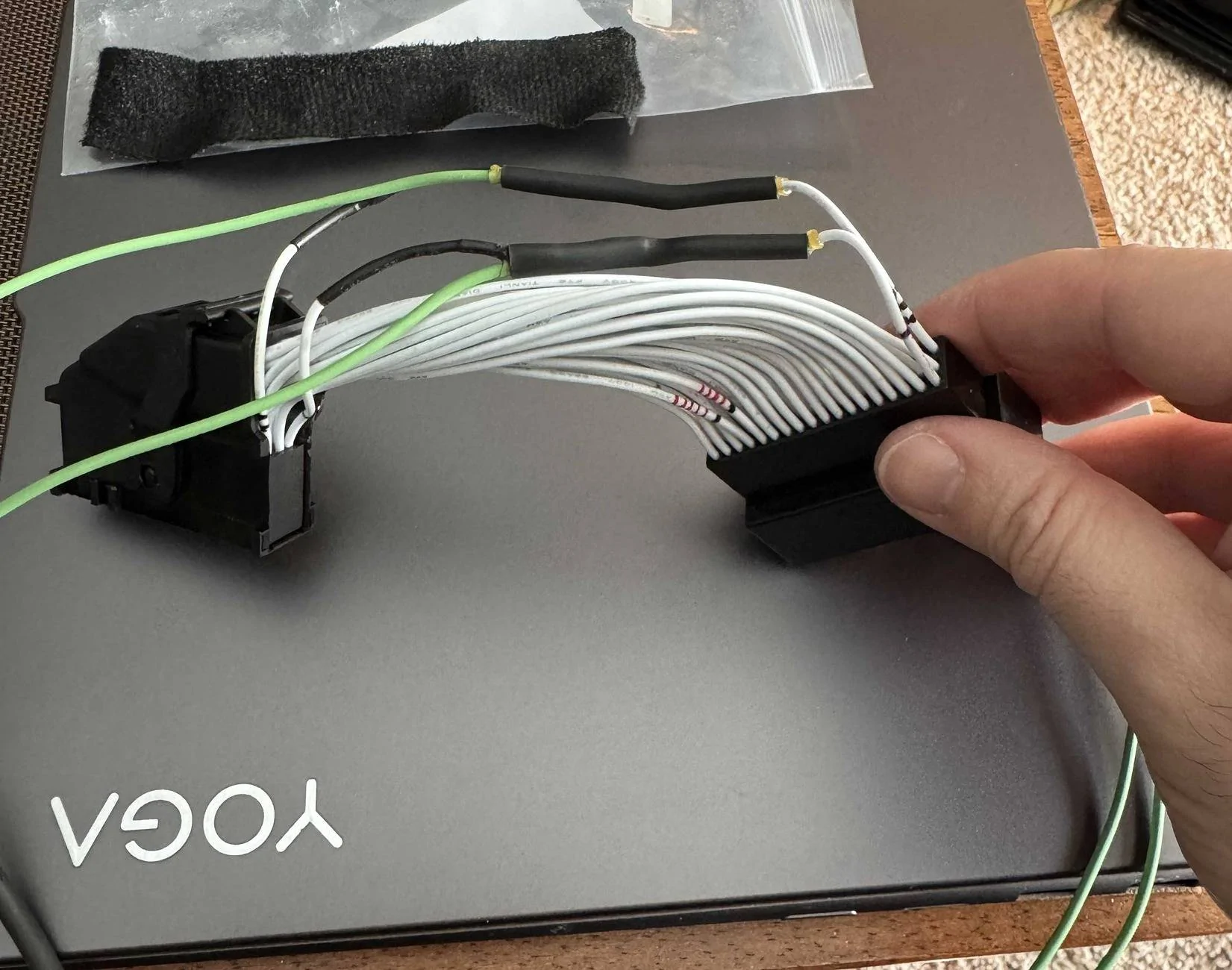
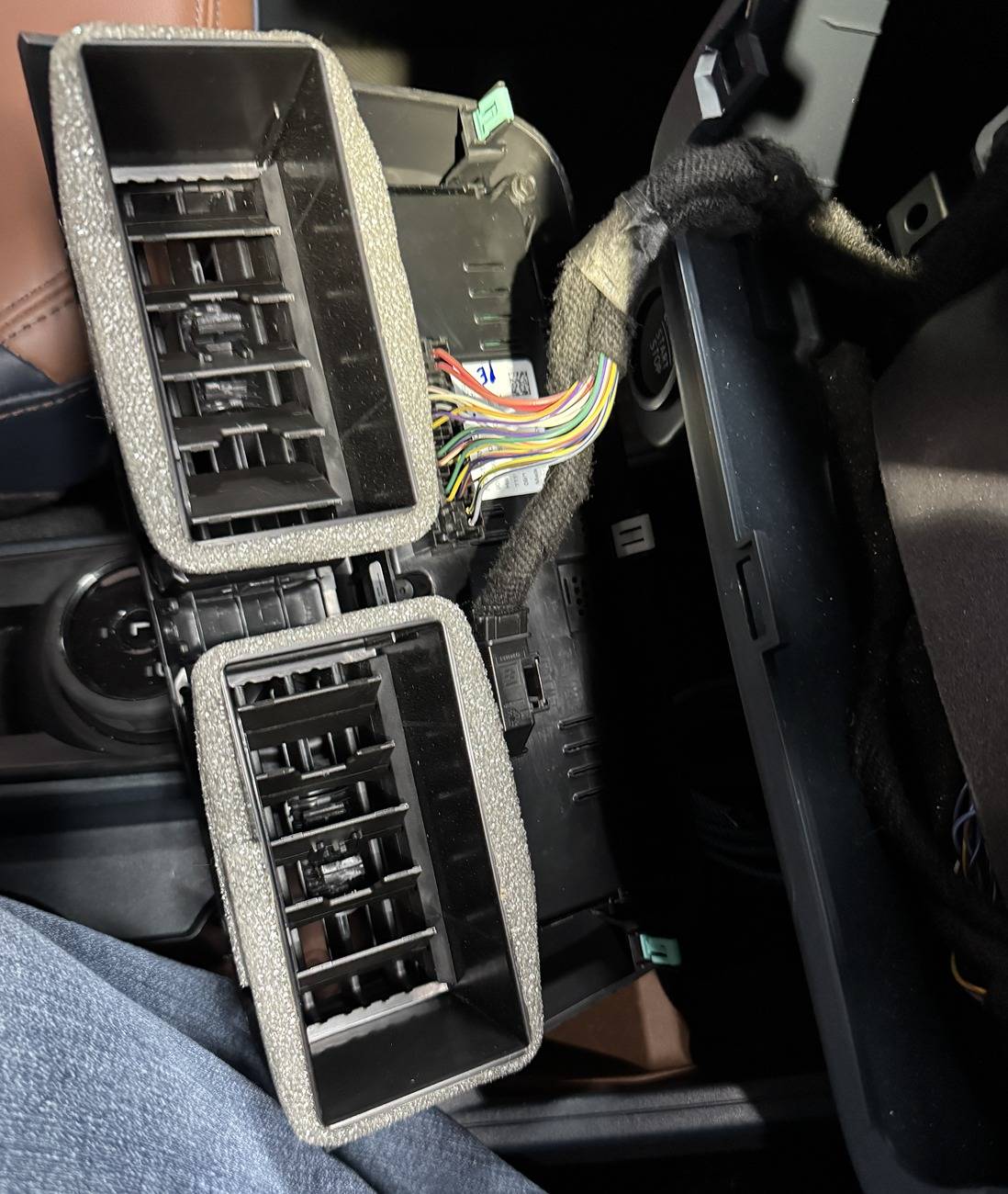
  4. Prepare your SYNC3 passthrough wiring harness
    • NOTE: This is the piece (as many other have mentioned) is what caused me the most issues. I have a non-functioning reverse camera that was difficult to diagnose because of this cheap harness. I highly recommend depinning, and slightly bending the locking tab/barb on the pins outward for every pin and reinstalling. These pins are exceptionally loose from the factory apparently, and my camera pin was wired correctly but not tight enough to make a connection!
      Ford Maverick Sync4 APIM and 13.2" Screen Installation Guide (Lariat Models) IMG_5240
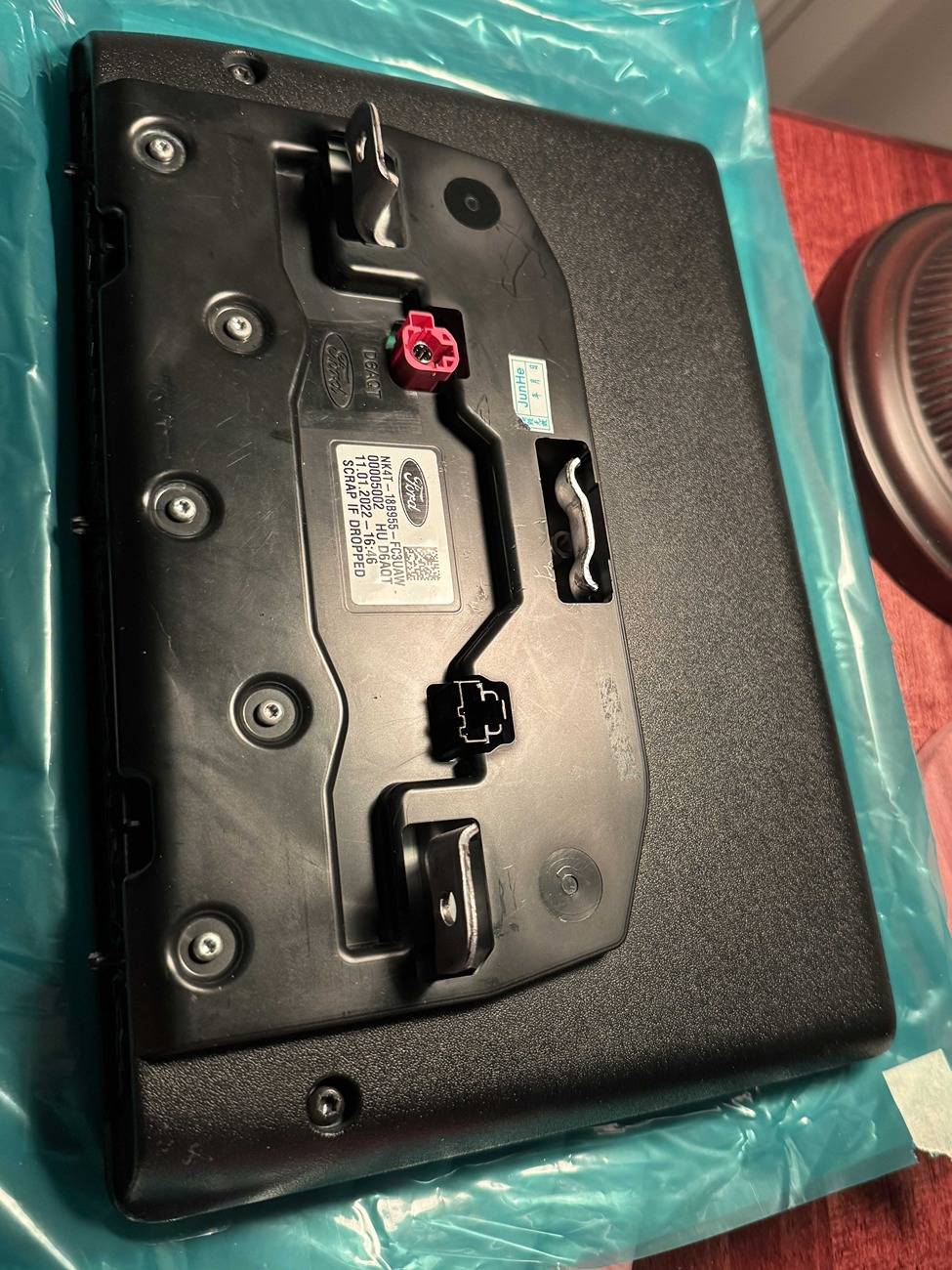
  5. Disassemble the Transit screen from the housing and snip off the three little black “pins” sticking out from the bottom. Not doing this can make mounting the screen squarely to the dash difficult, at least for me.
  6. While the housing is off of the screen, remove the metal screen bracket from the LCD carefully, and cut off enough of the central mounting tab so it is at least flush with the outside plastic housing when reinstalled. This allows you mount the screen more securely later.
    Ford Maverick Sync4 APIM and 13.2" Screen Installation Guide (Lariat Models) IMG_5197.JPG
    Ford Maverick Sync4 APIM and 13.2" Screen Installation Guide (Lariat Models) IMG_5202.JPG
  7. I watched a couple of YouTube videos (thank you @ Redneck Garage) for the teardown and physical install.
  8. No one was kidding, removed the factory APIM from the dash was a NIGHTMARE. It can and will cut you, scratch up your plastic interior, and came close to nicking some nearby wiring harnesses during removal/install.
    • I found carefully rotating the APIM 90deg left of right so you can get better access to unplug cables…things will still be very tight to get a hand in for unplugging.
  9. Plug in all new parts (screen, passthrough harness, APIM, climate knobs, etc…) carefully and turn ignition to ON.
  10. Make a FORscan APIM backup (image and file) of the SYNC4 APIMs AsBuilt (This is handy for troubleshooting later and for the values in memory block 10, which isn’t fully defined in the analysis software from GitHub yet).
  11. Does the screen boot up???
    • If YES, then success! Proceed with install
    • If NO, then your passthrough wiring harness likely has a fault
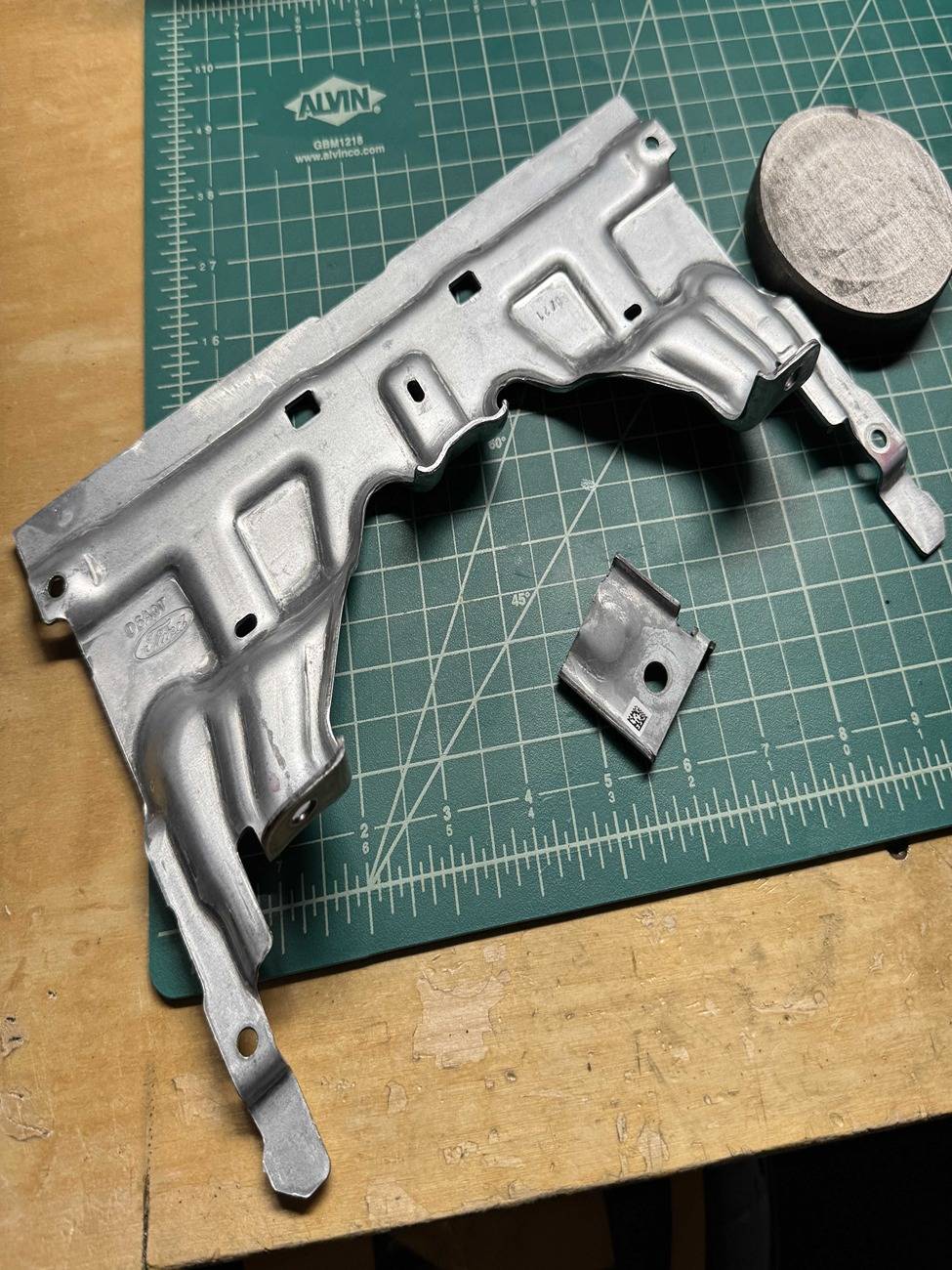
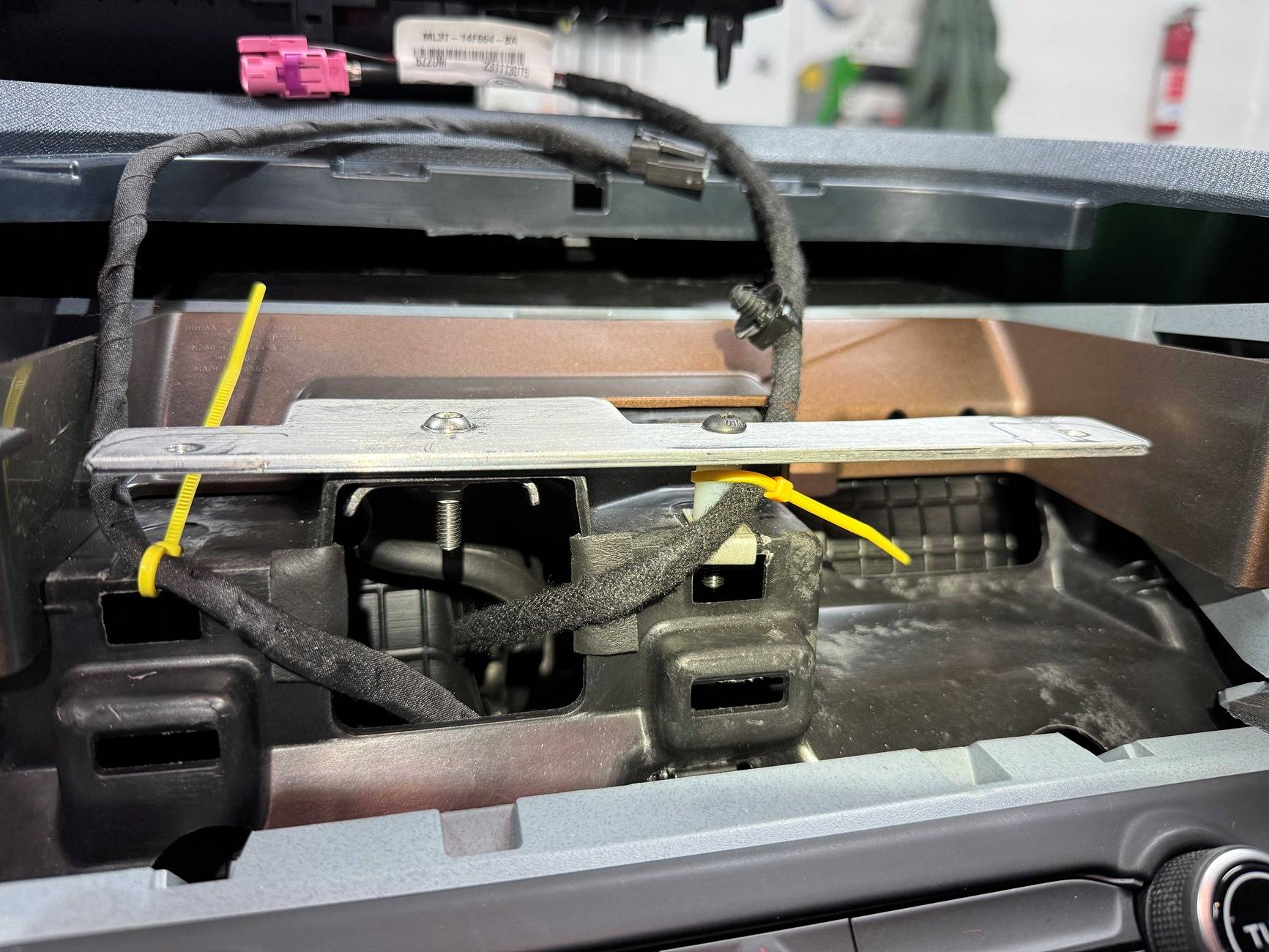
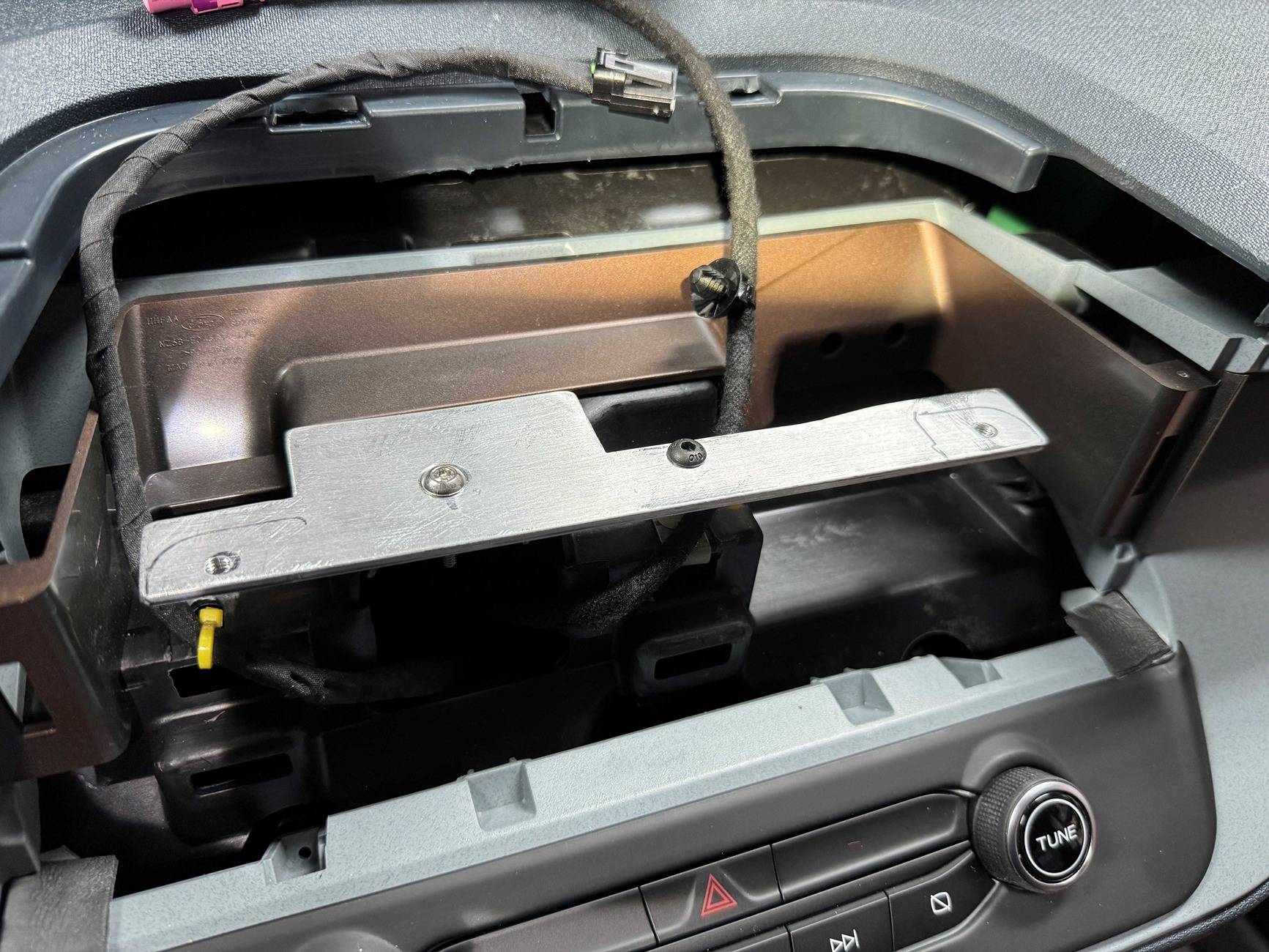
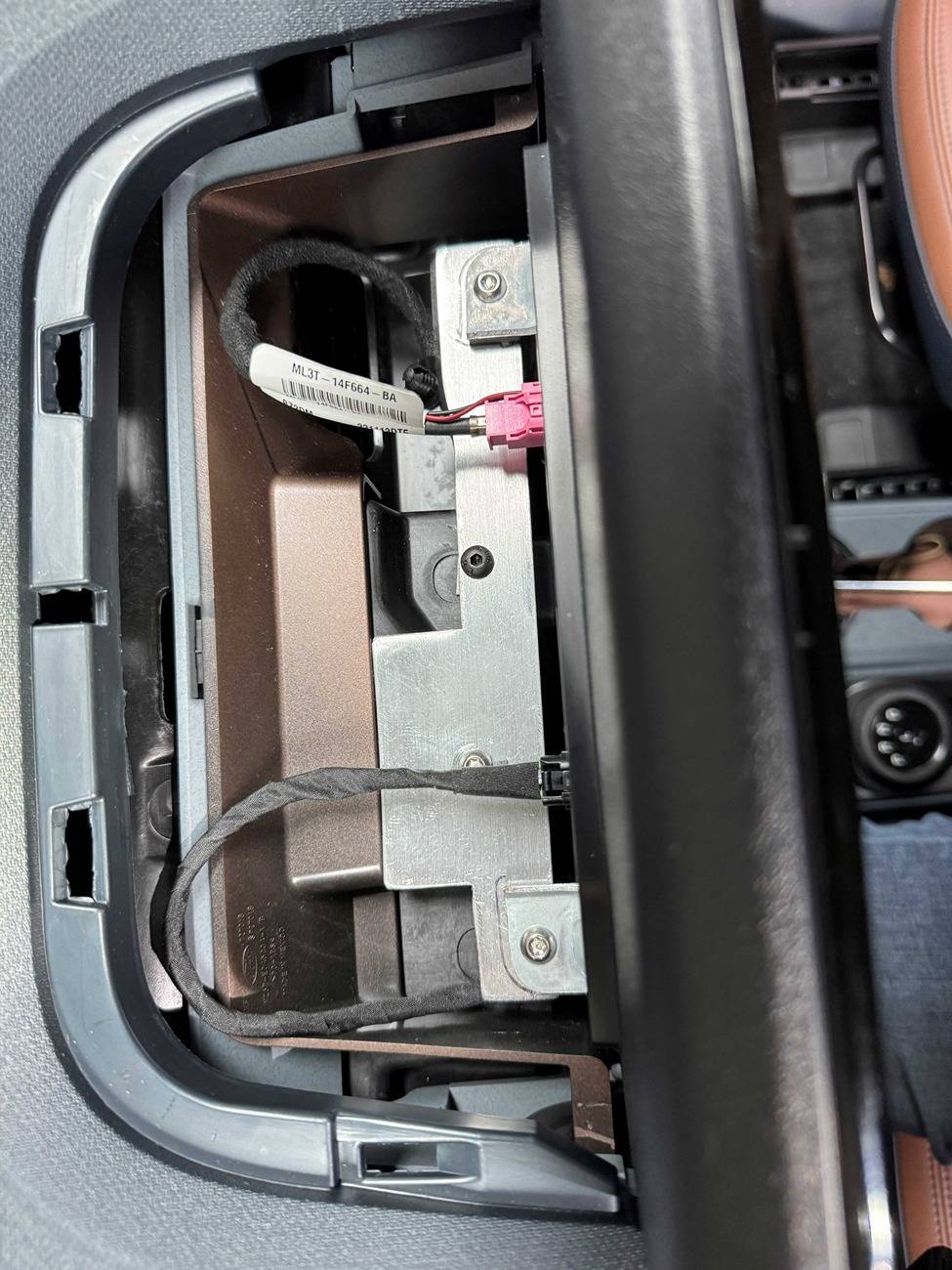
  12. Use the aluminum bar stock to layout where the CENTER dash mounting hole from the OEM screen will be, and also the PASSENGER side mounting hole for stability.
    • This is very important for Audio quality…the center screw hole in the dash from the original screen is the only grounded mount to the car frame (image). This made a pretty big difference for me.
  13. We chose to use our own M5x30mm bolts to mounting our cut aluminum bar stock using through holes, and then drilled and tapped hole on the ends for the Transit screen mount after tracing the layout.
    Ford Maverick Sync4 APIM and 13.2" Screen Installation Guide (Lariat Models) IMG_5321.JPG
    Ford Maverick Sync4 APIM and 13.2" Screen Installation Guide (Lariat Models) IMG_5324.JPG
  14. If you cut off the center metal tab on the screen housing mount, you can reinstall the factory begin screen tray without any modification.
    • We used some 3/8-1/2in sections of heatshrink tubing to fill the gaps next to the screen until I can 3D print something (maybe at a later date).
      Ford Maverick Sync4 APIM and 13.2" Screen Installation Guide (Lariat Models) IMG_5326.JPG
  15. At this point everything should be reinstalled and new screen mounted.
  16. Using FORscan, I started with Billzilla15’s (this helped a ton, thanks again!) to get things in a mostly working starting state.
    • As Billzilla15 mentioned, this is VERY SPECIFIC to your vehicle. That posted AsBuilt is setup for an AWD EcoBoost Mav, and it mostly worked with my Hybrid, but fuel efficiency, switch to electric, and braking seemed a little “off” until I tweaked to for my Hybrid Mav (as expected).
  17. I used the software from consp’s GitHub to match all of the setting that I could from my factory APIM SYNC3 AsBuilt to make a SYNC4 APIM AsBuilt for my vehicle.
    • The major tweak for me was under the “Visual Design” setting to “12in Landscape”, and setting “HEV/Hybrid” to “Enable/HEV”.
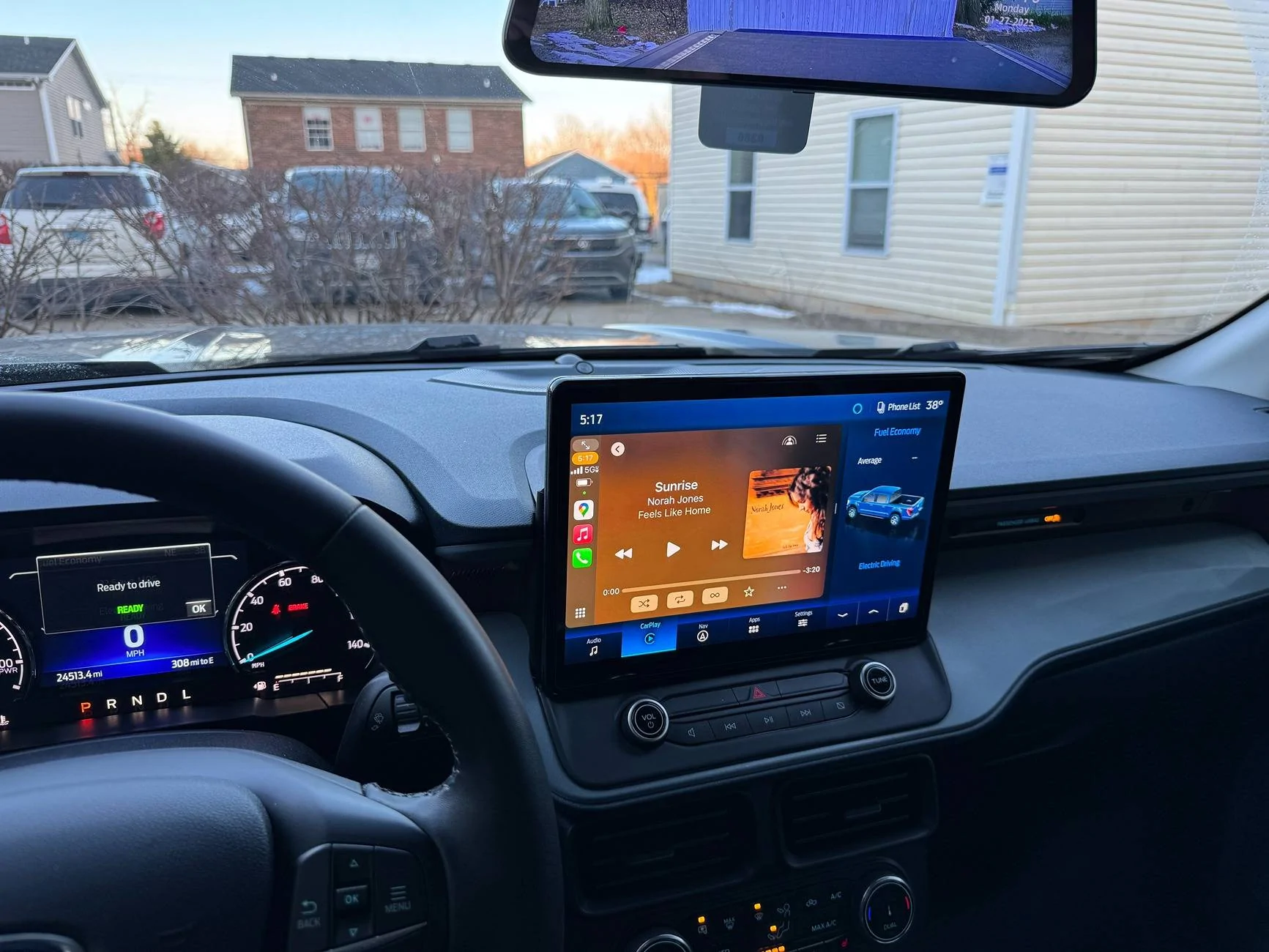
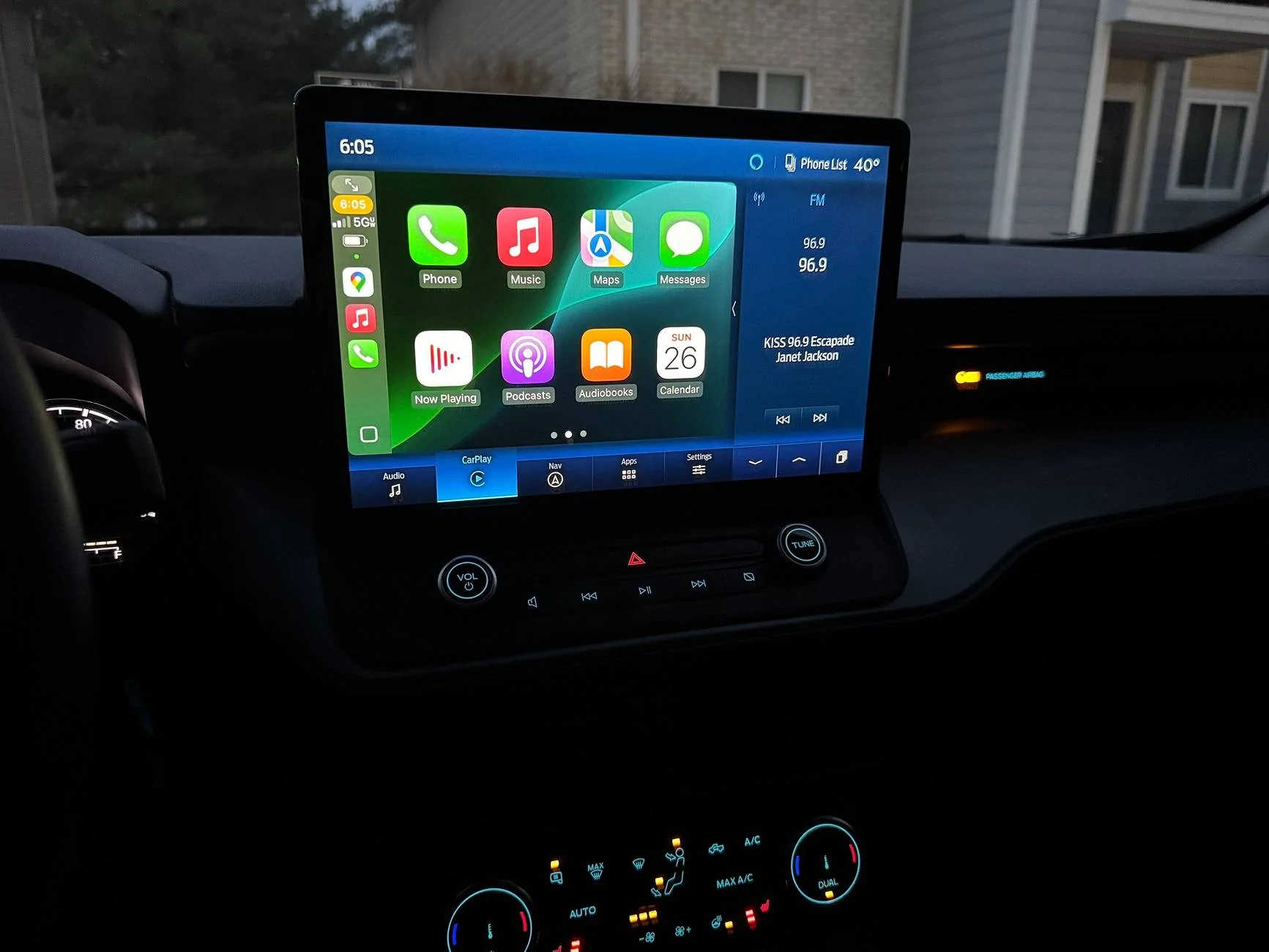
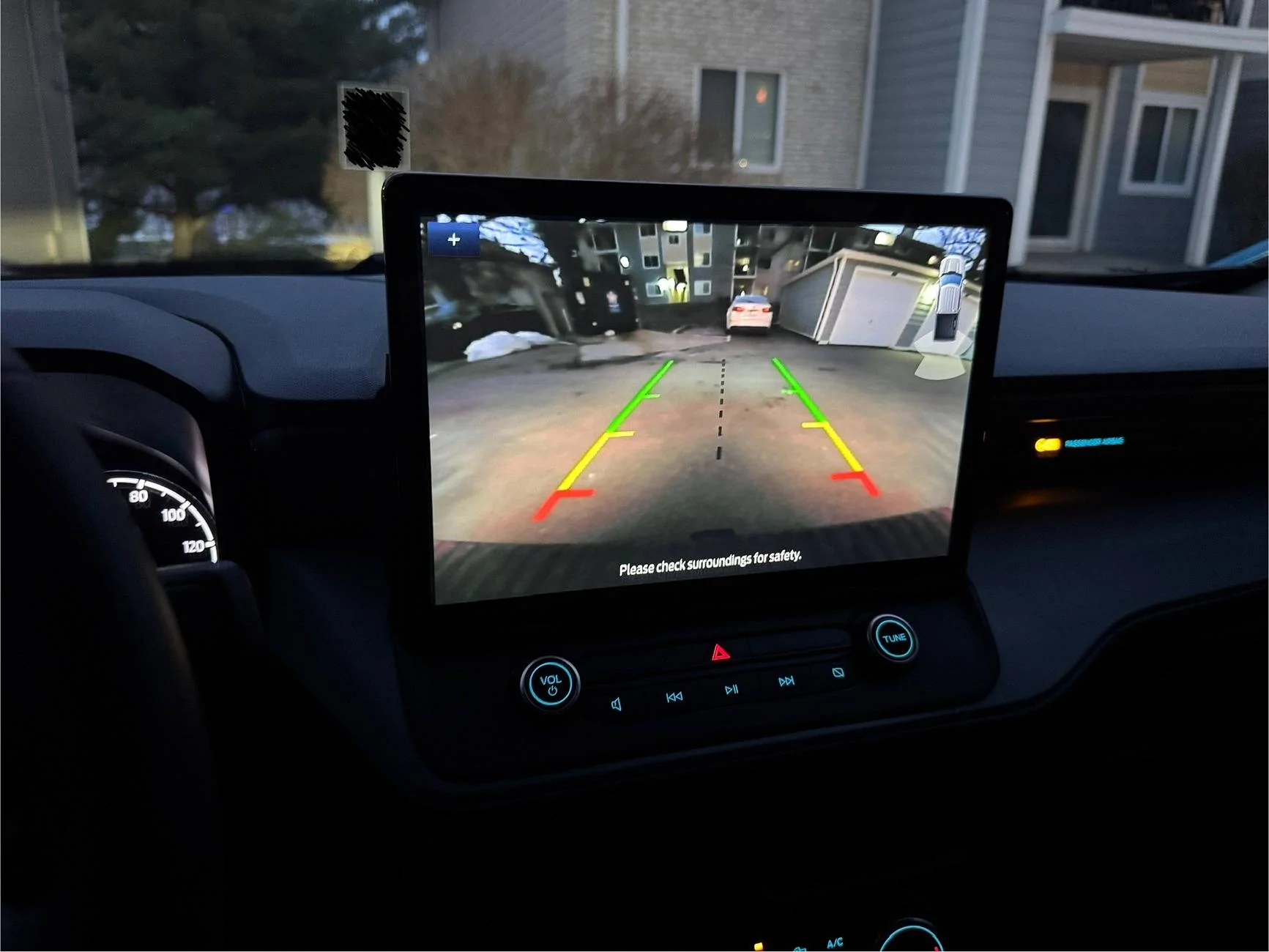
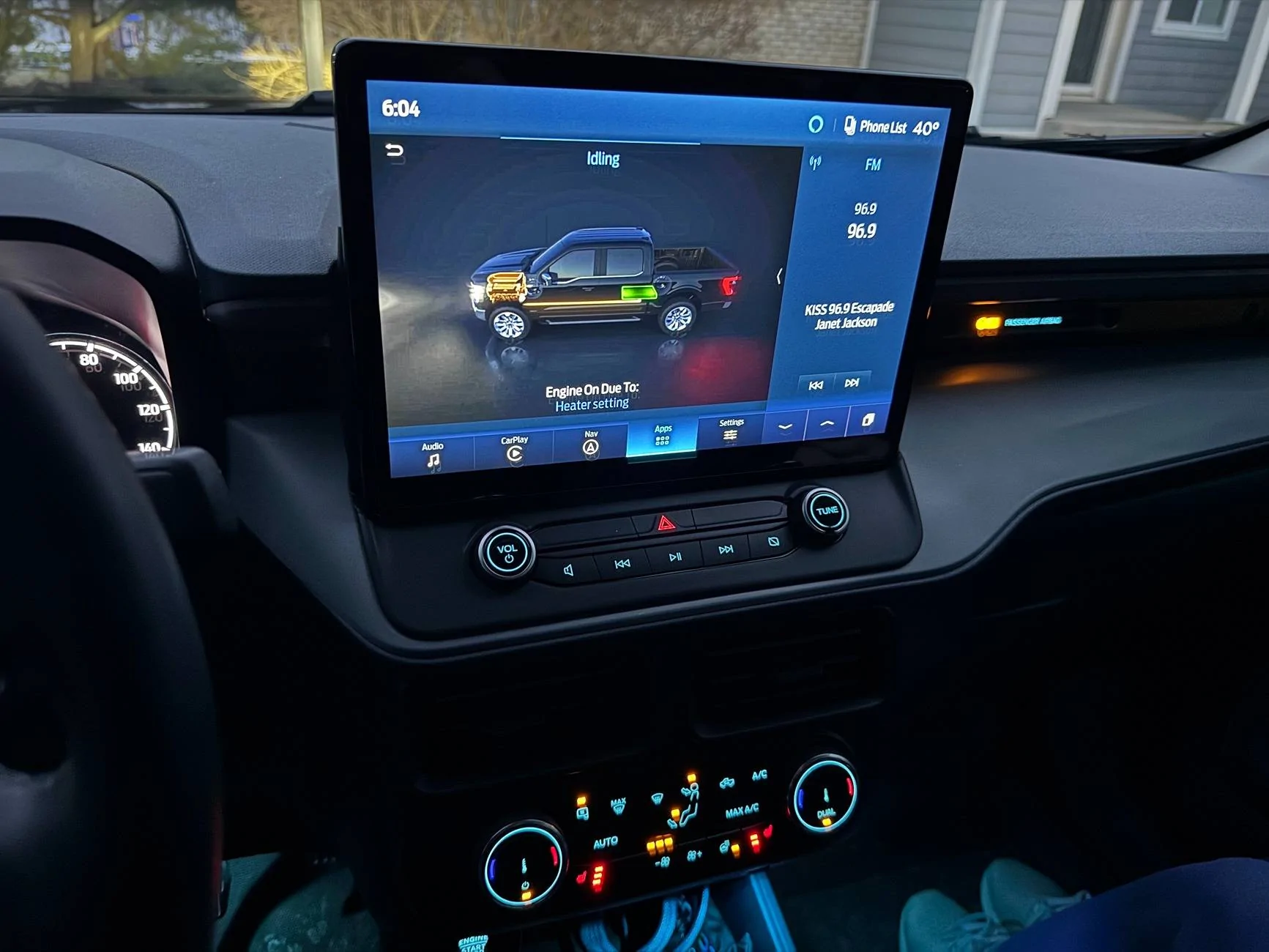
  18. Success!! The following work as they did from factory:
    • Volume knob works and show volume number correctly on new display.
    • Climate controls and fan speed shows numbers on display when changed.
    • Heated seats and heated steering wheel work.
    • Reverse Camera is bright, clear, and works perfectly with proximity sensors.
    • Audio plays clearly and without static, pops, or cracks (woot!)
    • Navigation/GPS is spot on
    • Ambient Lighting works as original.
    • CarPlay works flawlessly.
    • FordPass App allows all of the same functionality as factory. (Must HotSwap already app connected factory APIM to SYNC4 APIM….DO NOT FACTORY RESET SYNC or you have to tear down, reinstall factory APIM, reconnect app, then reinstall SYNC4 hardware!)
    • Door Keypad and Intelligent Access work
    • You cannot get OTA SYNC4 updates now.
    • HD Radio works

This would not have been possible without all of the information contributed, so thanks to everyone again! Feel free to ask any questions and I’ll see if I can help.
-----------------------------------------------------

Here is my SYNC4 APIM AsBuilt for the above, hopefully it helps someone!

;Block 1

7D0G1G1: A081-4804-80C6

7D0G1G2: 0000-C609-38E1

7D0G1G3: 0001-0020-0C08

7D0G1G4: 02E0-00C0-007E

;Block 2

7D0G2G1: 0520-000A-0009

7D0G2G2: 02C0-00B0-004D

7D0G2G3: A040-0000-00BC

;Block 3

7D0G3G1: 5553-1503-039E

7D0G3G2: 0B00-073E-012D

7D0G3G3: 0000-0000-00DD

;Block 4

7D0G4G1: 0500-0000-00E1

;Block 5

7D0G5G1: 2102-3800-0038

7D0G5G2: 0000-0000-00DE

7D0G5G3: 0000-0000-00DF

;Block 6

7D0G6G1: 1806-1810-2F53

7D0G6G2: 4423

;Block 7

7D0G7G1: 1800-3300-002A

7D0G7G2: 03E8-A4B6-0025

7D0G7G3: 0056-5680-000D

7D0G7G4: 886A

;Block 8

7D0G8G1: C000-0001-00A1

7D0G8G2: 0000-0000-00E1

;Block 9

7D0G9G1: 0613-422C-F65E

7D0G9G2: 606C-5E00-0410

7D0G9G3: 0240-0000-0025

7D0G9G4: 1040-0000-0034

7D0G9G5: 0000-0000-00E5

;Block 10

7D0GAG1: 0000-0000-00E8

7D0GAG2: 0000-0000-00E9

7D0GAG3: 0000-0000-00EA

7D0GAG4: 0000-0000-00EB

7D0GAG5: 0000-0000-00EC
 
Last edited:
OP
OP
Billzilla15

Billzilla15

2.0L EcoBoost
Well-known member
First Name
Bill
Joined
Jul 19, 2024
Threads
1
Messages
71
Reaction score
138
Location
Ohio
Vehicle(s)
22 Maverick Lariat
Engine
2.0L EcoBoost
After collecting information from lots of people on this thread (especially Billzilla15, 801Maverick801, pantera156, yeahiguessman, and Redneck Garage’s youtube videos…thank you everyone!!), I am happy to report that I now have a fully functional, all knobs and buttons working, no audio issues, working nav, and working reverse camera SYNC4 swap!

My Dad (Skilled Trade Ford retiree) and I sunk a considerable amount of time into this project and we wanted to give back to this great community. Here are the steps and “gotchas” we ran into and I hope this is helpful for those still trying to get things sorted out.

Background: I started with a stock 2023 Maverick Hybrid Lariat w/ Lux package & Co-pilot360, factory navigation, and B&O sound system.

  1. Obtain necessary parts (basically what others have stated here, but this is what I used)
    • 2023 Ford Escape APIM SYNC4 (P/N: PJ6T-14G670-BFP)
    • 2022 Ford Transit 12in display w/HOUSING (P/N: NK4T-18B955-FC3UAW)
    • SYNC3 54pin passthrough cable (Amazon)
    • Screen Power Wire (P/N: 6U2Z14S411JB)
    • Screen Data Cable (P/N: ML3Z14D202B)
    • Aluminum flat stock (1/8in)
    • M5-0.8x30mm bolts (for custom bracket to dash mounting, factory thread patten)
    • M5x8 bolts (for Transit screen to bracket mounting, you can use what you have)
    • 25mm Nylon Standoff (M5 center hole)
  2. Take a photo or use FORscan to make a backup of your current SYNC3-3.4 APIM AsBuilt data (DO NOT SKIP THIS STEP)
    • The HEX code page with the strings of numbers/letters for the APIM is what we are interested in here.
  3. Use this piece of software from @consp GitHub repository (Thank you sir!!) https://github.com/consp/apim-asbuilt-decode/releases
    Screenshot 2025-01-26 110045.jpg
    • You can open you SYNC3-3.4 APIM AsBuilt ABT file from FORscan and make notes of your configuration as shown. This will help tremendously in knowing what to set when programming SYNC4 APIM. The settings and values Ford has provided are NOT intuitive and there is a lot of missing context. Ex. Often times “Disable” value is what is needed for a setting if you already have a hard-button on your truck.
  4. Prepare your SYNC3 passthrough wiring harness
    • NOTE: This is the piece (as many other have mentioned) is what caused me the most issues. I have a non-functioning reverse camera that was difficult to diagnose because of this cheap harness. I highly recommend depinning, and slightly bending the locking tab/barb on the pins outward for every pin and reinstalling. These pins are exceptionally loose from the factory apparently, and my camera pin was wired correctly but not tight enough to make a connection!
      IMG_5240.JPG
  5. Disassemble the Transit screen from the housing and snip off the three little black “pins” sticking out from the bottom. Not doing this can make mounting the screen squarely to the dash difficult, at least for me.
  6. While the housing is off of the screen, remove the metal screen bracket from the LCD carefully, and cut off enough of the central mounting tab so it is at least flush with the outside plastic housing when reinstalled. This allows you mount the screen more securely later.
    IMG_5197.JPG
    IMG_5202.JPG
  7. I watched a couple of YouTube videos (thank you @ Redneck Garage) for the teardown and physical install.
  8. No one was kidding, removed the factory APIM from the dash was a NIGHTMARE. It can and will cut you, scratch up your plastic interior, and came close to nicking some nearby wiring harnesses during removal/install.
    • I found carefully rotating the APIM 90deg left of right so you can get better access to unplug cables…things will still be very tight to get a hand in for unplugging.
  9. Plug in all new parts (screen, passthrough harness, APIM, climate knobs, etc…) carefully and turn ignition to ON.
  10. Make a FORscan APIM backup (image and file) of the SYNC4 APIMs AsBuilt (This is handy for troubleshooting later and for the values in memory block 10, which isn’t fully defined in the analysis software from GitHub yet).
  11. Does the screen boot up???
    • If YES, then success! Proceed with install
    • If NO, then your passthrough wiring harness likely has a fault
  12. Use the aluminum bar stock to layout where the CENTER dash mounting hole from the OEM screen will be, and also the PASSENGER side mounting hole for stability.
    • This is very important for Audio quality…the center screw hole in the dash from the original screen is the only grounded mount to the car frame (image). This made a pretty big difference for me.
  13. We chose to use our own M5x30mm bolts to mounting our cut aluminum bar stock using through holes, and then drilled and tapped hole on the ends for the Transit screen mount after tracing the layout.
    IMG_5321.JPG
    IMG_5324.JPG
  14. If you cut off the center metal tab on the screen housing mount, you can reinstall the factory begin screen tray without any modification.
    • We used some 3/8-1/2in sections of heatshrink tubing to fill the gaps next to the screen until I can 3D print something (maybe at a later date).
      IMG_5326.JPG
  15. At this point everything should be reinstalled and new screen mounted.
  16. Using FORscan, I started with Billzilla15’s (this helped a ton, thanks again!) to get things in a mostly working starting state.
    • As Billzilla15 mentioned, this is VERY SPECIFIC to your vehicle. That posted AsBuilt is setup for an AWD EcoBoost Mav, and it mostly worked with my Hybrid, but fuel efficiency, switch to electric, and braking seemed a little “off” until I tweaked to for my Hybrid Mav (as expected).
  17. I used the software from consp’s GitHub to match all of the setting that I could from my factory APIM SYNC3 AsBuilt to make a SYNC4 APIM AsBuilt for my vehicle.
    • The major tweak for me was under the “Visual Design” setting to “12in Landscape”, and setting “HEV/Hybrid” to “Enable/HEV”.
  18. Success!! The following work as they did from factory:
    • Volume knob works and show volume number correctly on new display.
    • Climate controls and fan speed shows numbers on display when changed.
    • Heated seats and heated steering wheel work.
    • Reverse Camera is bright, clear, and works perfectly with proximity sensors.
    • Audio plays clearly and without static, pops, or cracks (woot!)
    • Navigation/GPS is spot on
    • Ambient Lighting works as original.
    • CarPlay works flawlessly.
    • FordPass App allows all of the same functionality as factory. (Must HotSwap already app connected factory APIM to SYNC4 APIM….DO NOT FACTORY RESET SYNC or you have to tear down, reinstall factory APIM, reconnect app, then reinstall SYNC4 hardware!)
    • Door Keypad and Intelligent Access work
    • You cannot get OTA SYNC4 updates now.
    • HD Radio works

This would not have been possible without all of the information contributed, so thanks to everyone again! Feel free to ask any questions and I’ll see if I can help.
-----------------------------------------------------

Here is my SYNC4 APIM AsBuilt for the above, hopefully it helps someone!

;Block 1

7D0G1G1: A081-4804-80C6

7D0G1G2: 0000-C609-38E1

7D0G1G3: 0001-0020-0C08

7D0G1G4: 02E0-00C0-007E

;Block 2

7D0G2G1: 0520-000A-0009

7D0G2G2: 02C0-00B0-004D

7D0G2G3: A040-0000-00BC

;Block 3

7D0G3G1: 5553-1503-039E

7D0G3G2: 0B00-073E-012D

7D0G3G3: 0000-0000-00DD

;Block 4

7D0G4G1: 0500-0000-00E1

;Block 5

7D0G5G1: 2102-3800-0038

7D0G5G2: 0000-0000-00DE

7D0G5G3: 0000-0000-00DF

;Block 6

7D0G6G1: 1806-1810-2F53

7D0G6G2: 4423

;Block 7

7D0G7G1: 1800-3300-002A

7D0G7G2: 03E8-A4B6-0025

7D0G7G3: 0056-5680-000D

7D0G7G4: 886A

;Block 8

7D0G8G1: C000-0001-00A1

7D0G8G2: 0000-0000-00E1

;Block 9

7D0G9G1: 0613-422C-F65E

7D0G9G2: 606C-5E00-0410

7D0G9G3: 0240-0000-0025

7D0G9G4: 1040-0000-0034

7D0G9G5: 0000-0000-00E5

;Block 10

7D0GAG1: 0000-0000-00E8

7D0GAG2: 0000-0000-00E9

7D0GAG3: 0000-0000-00EA

7D0GAG4: 0000-0000-00EB

7D0GAG5: 0000-0000-00EC
All this and no final pics lol. Nice write up glad you got it all working !
 

Bobert47

2.5L Hybrid
Active member
First Name
Bobert
Joined
Dec 2, 2022
Threads
1
Messages
30
Reaction score
33
Location
Kentucky, US
Vehicle(s)
2023 Ford Maverick Lariat
Engine
2.5L Hybrid
All this and no final pics lol. Nice write up glad you got it all working !
HAHA, I may have gotten excited when it was all working and forgot to take final pics lol. I'll post some later today. Thanks!!
 

palmtreefrb

2.5L Hybrid
Well-known member
First Name
Rick
Joined
Jul 15, 2022
Threads
8
Messages
139
Reaction score
214
Location
SoCal
Vehicle(s)
F150 FX2, Maverick Lariat Hybrid
Engine
2.5L Hybrid
After collecting information from lots of people on this thread (especially Billzilla15, 801Maverick801, pantera156, yeahiguessman, and Redneck Garage’s youtube videos…thank you everyone!!), I am happy to report that I now have a fully functional, all knobs and buttons working, no audio issues, working nav, and working reverse camera SYNC4 swap!

My Dad (Skilled Trade Ford retiree) and I sunk a considerable amount of time into this project and we wanted to give back to this great community. Here are the steps and “gotchas” we ran into and I hope this is helpful for those still trying to get things sorted out.

Background: I started with a stock 2023 Maverick Hybrid Lariat w/ Lux package & Co-pilot360, factory navigation, and B&O sound system.

  1. Obtain necessary parts (basically what others have stated here, but this is what I used)
    • 2023 Ford Escape APIM SYNC4 (P/N: PJ6T-14G670-BFP)
    • 2022 Ford Transit 12in display w/HOUSING (P/N: NK4T-18B955-FC3UAW)
    • SYNC3 54pin passthrough cable (Amazon)
    • Screen Power Wire (P/N: 6U2Z14S411JB)
    • Screen Data Cable (P/N: ML3Z14D202B)
    • Aluminum flat stock (1/8in)
    • M5-0.8x30mm bolts (for custom bracket to dash mounting, factory thread patten)
    • M5x8 bolts (for Transit screen to bracket mounting, you can use what you have)
    • 25mm Nylon Standoff (M5 center hole)
  2. Take a photo or use FORscan to make a backup of your current SYNC3-3.4 APIM AsBuilt data (DO NOT SKIP THIS STEP)
    • The HEX code page with the strings of numbers/letters for the APIM is what we are interested in here.
  3. Use this piece of software from @consp GitHub repository (Thank you sir!!) https://github.com/consp/apim-asbuilt-decode/releases
    Screenshot 2025-01-26 110045.jpg
    • You can open you SYNC3-3.4 APIM AsBuilt ABT file from FORscan and make notes of your configuration as shown. This will help tremendously in knowing what to set when programming SYNC4 APIM. The settings and values Ford has provided are NOT intuitive and there is a lot of missing context. Ex. Often times “Disable” value is what is needed for a setting if you already have a hard-button on your truck.
  4. Prepare your SYNC3 passthrough wiring harness
    • NOTE: This is the piece (as many other have mentioned) is what caused me the most issues. I have a non-functioning reverse camera that was difficult to diagnose because of this cheap harness. I highly recommend depinning, and slightly bending the locking tab/barb on the pins outward for every pin and reinstalling. These pins are exceptionally loose from the factory apparently, and my camera pin was wired correctly but not tight enough to make a connection!
      IMG_5240.JPG
  5. Disassemble the Transit screen from the housing and snip off the three little black “pins” sticking out from the bottom. Not doing this can make mounting the screen squarely to the dash difficult, at least for me.
  6. While the housing is off of the screen, remove the metal screen bracket from the LCD carefully, and cut off enough of the central mounting tab so it is at least flush with the outside plastic housing when reinstalled. This allows you mount the screen more securely later.
    IMG_5197.JPG
    IMG_5202.JPG
  7. I watched a couple of YouTube videos (thank you @ Redneck Garage) for the teardown and physical install.
  8. No one was kidding, removed the factory APIM from the dash was a NIGHTMARE. It can and will cut you, scratch up your plastic interior, and came close to nicking some nearby wiring harnesses during removal/install.
    • I found carefully rotating the APIM 90deg left of right so you can get better access to unplug cables…things will still be very tight to get a hand in for unplugging.
  9. Plug in all new parts (screen, passthrough harness, APIM, climate knobs, etc…) carefully and turn ignition to ON.
  10. Make a FORscan APIM backup (image and file) of the SYNC4 APIMs AsBuilt (This is handy for troubleshooting later and for the values in memory block 10, which isn’t fully defined in the analysis software from GitHub yet).
  11. Does the screen boot up???
    • If YES, then success! Proceed with install
    • If NO, then your passthrough wiring harness likely has a fault
  12. Use the aluminum bar stock to layout where the CENTER dash mounting hole from the OEM screen will be, and also the PASSENGER side mounting hole for stability.
    • This is very important for Audio quality…the center screw hole in the dash from the original screen is the only grounded mount to the car frame (image). This made a pretty big difference for me.
  13. We chose to use our own M5x30mm bolts to mounting our cut aluminum bar stock using through holes, and then drilled and tapped hole on the ends for the Transit screen mount after tracing the layout.
    IMG_5321.JPG
    IMG_5324.JPG
  14. If you cut off the center metal tab on the screen housing mount, you can reinstall the factory begin screen tray without any modification.
    • We used some 3/8-1/2in sections of heatshrink tubing to fill the gaps next to the screen until I can 3D print something (maybe at a later date).
      IMG_5326.JPG
  15. At this point everything should be reinstalled and new screen mounted.
  16. Using FORscan, I started with Billzilla15’s (this helped a ton, thanks again!) to get things in a mostly working starting state.
    • As Billzilla15 mentioned, this is VERY SPECIFIC to your vehicle. That posted AsBuilt is setup for an AWD EcoBoost Mav, and it mostly worked with my Hybrid, but fuel efficiency, switch to electric, and braking seemed a little “off” until I tweaked to for my Hybrid Mav (as expected).
  17. I used the software from consp’s GitHub to match all of the setting that I could from my factory APIM SYNC3 AsBuilt to make a SYNC4 APIM AsBuilt for my vehicle.
    • The major tweak for me was under the “Visual Design” setting to “12in Landscape”, and setting “HEV/Hybrid” to “Enable/HEV”.
  18. Success!! The following work as they did from factory:
    • Volume knob works and show volume number correctly on new display.
    • Climate controls and fan speed shows numbers on display when changed.
    • Heated seats and heated steering wheel work.
    • Reverse Camera is bright, clear, and works perfectly with proximity sensors.
    • Audio plays clearly and without static, pops, or cracks (woot!)
    • Navigation/GPS is spot on
    • Ambient Lighting works as original.
    • CarPlay works flawlessly.
    • FordPass App allows all of the same functionality as factory. (Must HotSwap already app connected factory APIM to SYNC4 APIM….DO NOT FACTORY RESET SYNC or you have to tear down, reinstall factory APIM, reconnect app, then reinstall SYNC4 hardware!)
    • Door Keypad and Intelligent Access work
    • You cannot get OTA SYNC4 updates now.
    • HD Radio works

This would not have been possible without all of the information contributed, so thanks to everyone again! Feel free to ask any questions and I’ll see if I can help.
-----------------------------------------------------

Here is my SYNC4 APIM AsBuilt for the above, hopefully it helps someone!

;Block 1

7D0G1G1: A081-4804-80C6

7D0G1G2: 0000-C609-38E1

7D0G1G3: 0001-0020-0C08

7D0G1G4: 02E0-00C0-007E

;Block 2

7D0G2G1: 0520-000A-0009

7D0G2G2: 02C0-00B0-004D

7D0G2G3: A040-0000-00BC

;Block 3

7D0G3G1: 5553-1503-039E

7D0G3G2: 0B00-073E-012D

7D0G3G3: 0000-0000-00DD

;Block 4

7D0G4G1: 0500-0000-00E1

;Block 5

7D0G5G1: 2102-3800-0038

7D0G5G2: 0000-0000-00DE

7D0G5G3: 0000-0000-00DF

;Block 6

7D0G6G1: 1806-1810-2F53

7D0G6G2: 4423

;Block 7

7D0G7G1: 1800-3300-002A

7D0G7G2: 03E8-A4B6-0025

7D0G7G3: 0056-5680-000D

7D0G7G4: 886A

;Block 8

7D0G8G1: C000-0001-00A1

7D0G8G2: 0000-0000-00E1

;Block 9

7D0G9G1: 0613-422C-F65E

7D0G9G2: 606C-5E00-0410

7D0G9G3: 0240-0000-0025

7D0G9G4: 1040-0000-0034

7D0G9G5: 0000-0000-00E5

;Block 10

7D0GAG1: 0000-0000-00E8

7D0GAG2: 0000-0000-00E9

7D0GAG3: 0000-0000-00EA

7D0GAG4: 0000-0000-00EB

7D0GAG5: 0000-0000-00EC
Thanks for the awesome write up. What was the final cost of all parts?
 
Sponsored

801Maverick801

2.0L EcoBoost
Well-known member
Joined
Jun 29, 2022
Threads
21
Messages
433
Reaction score
873
Location
Utah
Vehicle(s)
Subaru Forester
Engine
2.0L EcoBoost
After collecting information from lots of people on this thread (especially Billzilla15, 801Maverick801, pantera156, yeahiguessman, and Redneck Garage’s youtube videos…thank you everyone!!), I am happy to report that I now have a fully functional, all knobs and buttons working, no audio issues, working nav, and working reverse camera SYNC4 swap!

My Dad (Skilled Trade Ford retiree) and I sunk a considerable amount of time into this project and we wanted to give back to this great community. Here are the steps and “gotchas” we ran into and I hope this is helpful for those still trying to get things sorted out.

Background: I started with a stock 2023 Maverick Hybrid Lariat w/ Lux package & Co-pilot360, factory navigation, and B&O sound system.

  1. Obtain necessary parts (basically what others have stated here, but this is what I used)
    • 2023 Ford Escape APIM SYNC4 (P/N: PJ6T-14G670-BFP)
    • 2022 Ford Transit 12in display w/HOUSING (P/N: NK4T-18B955-FC3UAW)
    • SYNC3 54pin passthrough cable (Amazon)
    • Screen Power Wire (P/N: 6U2Z14S411JB)
    • Screen Data Cable (P/N: ML3Z14D202B)
    • Aluminum flat stock (1/8in)
    • M5-0.8x30mm bolts (for custom bracket to dash mounting, factory thread patten)
    • M5x8 bolts (for Transit screen to bracket mounting, you can use what you have)
    • 25mm Nylon Standoff (M5 center hole)
  2. Take a photo or use FORscan to make a backup of your current SYNC3-3.4 APIM AsBuilt data (DO NOT SKIP THIS STEP)
    • The HEX code page with the strings of numbers/letters for the APIM is what we are interested in here.
  3. Use this piece of software from @consp GitHub repository (Thank you sir!!) https://github.com/consp/apim-asbuilt-decode/releases
    Screenshot 2025-01-26 110045.jpg
    • You can open you SYNC3-3.4 APIM AsBuilt ABT file from FORscan and make notes of your configuration as shown. This will help tremendously in knowing what to set when programming SYNC4 APIM. The settings and values Ford has provided are NOT intuitive and there is a lot of missing context. Ex. Often times “Disable” value is what is needed for a setting if you already have a hard-button on your truck.
  4. Prepare your SYNC3 passthrough wiring harness
    • NOTE: This is the piece (as many other have mentioned) is what caused me the most issues. I have a non-functioning reverse camera that was difficult to diagnose because of this cheap harness. I highly recommend depinning, and slightly bending the locking tab/barb on the pins outward for every pin and reinstalling. These pins are exceptionally loose from the factory apparently, and my camera pin was wired correctly but not tight enough to make a connection!
      IMG_5240.JPG
  5. Disassemble the Transit screen from the housing and snip off the three little black “pins” sticking out from the bottom. Not doing this can make mounting the screen squarely to the dash difficult, at least for me.
  6. While the housing is off of the screen, remove the metal screen bracket from the LCD carefully, and cut off enough of the central mounting tab so it is at least flush with the outside plastic housing when reinstalled. This allows you mount the screen more securely later.
    IMG_5197.JPG
    IMG_5202.JPG
  7. I watched a couple of YouTube videos (thank you @ Redneck Garage) for the teardown and physical install.
  8. No one was kidding, removed the factory APIM from the dash was a NIGHTMARE. It can and will cut you, scratch up your plastic interior, and came close to nicking some nearby wiring harnesses during removal/install.
    • I found carefully rotating the APIM 90deg left of right so you can get better access to unplug cables…things will still be very tight to get a hand in for unplugging.
  9. Plug in all new parts (screen, passthrough harness, APIM, climate knobs, etc…) carefully and turn ignition to ON.
  10. Make a FORscan APIM backup (image and file) of the SYNC4 APIMs AsBuilt (This is handy for troubleshooting later and for the values in memory block 10, which isn’t fully defined in the analysis software from GitHub yet).
  11. Does the screen boot up???
    • If YES, then success! Proceed with install
    • If NO, then your passthrough wiring harness likely has a fault
  12. Use the aluminum bar stock to layout where the CENTER dash mounting hole from the OEM screen will be, and also the PASSENGER side mounting hole for stability.
    • This is very important for Audio quality…the center screw hole in the dash from the original screen is the only grounded mount to the car frame (image). This made a pretty big difference for me.
  13. We chose to use our own M5x30mm bolts to mounting our cut aluminum bar stock using through holes, and then drilled and tapped hole on the ends for the Transit screen mount after tracing the layout.
    IMG_5321.JPG
    IMG_5324.JPG
  14. If you cut off the center metal tab on the screen housing mount, you can reinstall the factory begin screen tray without any modification.
    • We used some 3/8-1/2in sections of heatshrink tubing to fill the gaps next to the screen until I can 3D print something (maybe at a later date).
      IMG_5326.JPG
  15. At this point everything should be reinstalled and new screen mounted.
  16. Using FORscan, I started with Billzilla15’s (this helped a ton, thanks again!) to get things in a mostly working starting state.
    • As Billzilla15 mentioned, this is VERY SPECIFIC to your vehicle. That posted AsBuilt is setup for an AWD EcoBoost Mav, and it mostly worked with my Hybrid, but fuel efficiency, switch to electric, and braking seemed a little “off” until I tweaked to for my Hybrid Mav (as expected).
  17. I used the software from consp’s GitHub to match all of the setting that I could from my factory APIM SYNC3 AsBuilt to make a SYNC4 APIM AsBuilt for my vehicle.
    • The major tweak for me was under the “Visual Design” setting to “12in Landscape”, and setting “HEV/Hybrid” to “Enable/HEV”.
  18. Success!! The following work as they did from factory:
    • Volume knob works and show volume number correctly on new display.
    • Climate controls and fan speed shows numbers on display when changed.
    • Heated seats and heated steering wheel work.
    • Reverse Camera is bright, clear, and works perfectly with proximity sensors.
    • Audio plays clearly and without static, pops, or cracks (woot!)
    • Navigation/GPS is spot on
    • Ambient Lighting works as original.
    • CarPlay works flawlessly.
    • FordPass App allows all of the same functionality as factory. (Must HotSwap already app connected factory APIM to SYNC4 APIM….DO NOT FACTORY RESET SYNC or you have to tear down, reinstall factory APIM, reconnect app, then reinstall SYNC4 hardware!)
    • Door Keypad and Intelligent Access work
    • You cannot get OTA SYNC4 updates now.
    • HD Radio works

This would not have been possible without all of the information contributed, so thanks to everyone again! Feel free to ask any questions and I’ll see if I can help.
-----------------------------------------------------

Here is my SYNC4 APIM AsBuilt for the above, hopefully it helps someone!

;Block 1

7D0G1G1: A081-4804-80C6

7D0G1G2: 0000-C609-38E1

7D0G1G3: 0001-0020-0C08

7D0G1G4: 02E0-00C0-007E

;Block 2

7D0G2G1: 0520-000A-0009

7D0G2G2: 02C0-00B0-004D

7D0G2G3: A040-0000-00BC

;Block 3

7D0G3G1: 5553-1503-039E

7D0G3G2: 0B00-073E-012D

7D0G3G3: 0000-0000-00DD

;Block 4

7D0G4G1: 0500-0000-00E1

;Block 5

7D0G5G1: 2102-3800-0038

7D0G5G2: 0000-0000-00DE

7D0G5G3: 0000-0000-00DF

;Block 6

7D0G6G1: 1806-1810-2F53

7D0G6G2: 4423

;Block 7

7D0G7G1: 1800-3300-002A

7D0G7G2: 03E8-A4B6-0025

7D0G7G3: 0056-5680-000D

7D0G7G4: 886A

;Block 8

7D0G8G1: C000-0001-00A1

7D0G8G2: 0000-0000-00E1

;Block 9

7D0G9G1: 0613-422C-F65E

7D0G9G2: 606C-5E00-0410

7D0G9G3: 0240-0000-0025

7D0G9G4: 1040-0000-0034

7D0G9G5: 0000-0000-00E5

;Block 10

7D0GAG1: 0000-0000-00E8

7D0GAG2: 0000-0000-00E9

7D0GAG3: 0000-0000-00EA

7D0GAG4: 0000-0000-00EB

7D0GAG5: 0000-0000-00EC
Nice work!

I came from an XLT, so I didnt have Sync before and had to add an APIM. Im not quite sure why, but I have no issues with Fordpass. Non Sync Mavericks, Im pretty sure the ACM is the gateway to the TCU for FordPass, while Sync 3 Mavs the APIM is the gateway to the TCU, hence having to put the old APIM in to reactivate FordPass. I replaced my ACM with a Bronco Sport ACM as per the Sync 4 install thread and still no issues with FordPass, Ive done multiple hard resets of everything and battery disconnects since doing this and FordPass has never not worked. Not sure why, thought I would have to reconnect my old ACM but nope, pretty interesting.
 

Jeff D.

2.0L EcoBoost
Well-known member
First Name
Jeff
Joined
Oct 22, 2023
Threads
17
Messages
641
Reaction score
736
Location
Duluth, MN.
Vehicle(s)
'24 Maverick Lariat & '25 Chevy Equinox LT
Engine
2.0L EcoBoost
Bobert, nice job. Since you have Sync 4 with the larger screen, have the climate control with the dials and buttons, and all works well togther, do you think there's any chance that a climate control until from a 2021-2024 could possibly fit in a 2025 with Sync 4, and be tweaked via Forscan so it would all work together right?

Maybe that's a pipe dream, but it would make a few people happy if it was a simple switch-a-roo. (y)
 

Bobert47

2.5L Hybrid
Active member
First Name
Bobert
Joined
Dec 2, 2022
Threads
1
Messages
30
Reaction score
33
Location
Kentucky, US
Vehicle(s)
2023 Ford Maverick Lariat
Engine
2.5L Hybrid
Thanks for the awesome write up. What was the final cost of all parts?
Not counting the hardware and aluminum (which I already had on hand) or the FORscan license, less than $650 if you find a good price on APIM. Not too bad really!

  • ~$240= 2023 Ford Escape APIM SYNC4 (P/N: PJ6T-14G670-BFP)
  • ~$300= 2022 Ford Transit 12in display w/HOUSING (P/N: NK4T-18B955-FC3UAW)
  • ~$10= SYNC3 54pin passthrough cable (Amazon)
  • ~$30= Ford Screen Power Wire (P/N: 6U2Z14S411JB)
  • ~$45= Ford Screen Data Cable (P/N: ML3Z14D202B)
 

Bobert47

2.5L Hybrid
Active member
First Name
Bobert
Joined
Dec 2, 2022
Threads
1
Messages
30
Reaction score
33
Location
Kentucky, US
Vehicle(s)
2023 Ford Maverick Lariat
Engine
2.5L Hybrid
Nice work!

I came from an XLT, so I didnt have Sync before and had to add an APIM. Im not quite sure why, but I have no issues with Fordpass. Non Sync Mavericks, Im pretty sure the ACM is the gateway to the TCU for FordPass, while Sync 3 Mavs the APIM is the gateway to the TCU, hence having to put the old APIM in to reactivate FordPass. I replaced my ACM with a Bronco Sport ACM as per the Sync 4 install thread and still no issues with FordPass, Ive done multiple hard resets of everything and battery disconnects since doing this and FordPass has never not worked. Not sure why, thought I would have to reconnect my old ACM but nope, pretty interesting.
That is interesting! I would think that there must be a different wiring harness that isn't present in the non-SYNC Mavs like you thought connecting the ACM to TCU since there isn't a factory APIM.

FordPass seems to be ok through battery disconnects and the button combo to force restart SYNC only (press RIGHT seek and VOLUME DOWN at the same time on the steering wheel and hold down together until the display reboots). For me, I used the "Factory Reset" button under the "General" settings menu in SYNC since the previous owner of the APIM I got still have a connected phone and settings (my APIM was from a wreck). This step is what disconnected Fordpass from my Mav and would only cooperate after reactivating with my OEM APIM. Something to keep an eye on for anyone doing the install depending on coming from SYNC or non-SYNC it sounds like.
Sponsored


Top