
- First Name
- Lee
- Joined
- Jul 22, 2021
- Threads
- 18
- Messages
- 391
- Reaction score
- 688
- Location
- San Diego, California
- Vehicle(s)
- Maverick Tremor, Harley Road King Classic
- Engine
- 2.0L EcoBoost
- Thread starter
- #1
I know there's a few other threads about CPlay2Air - but I'm hoping to compile just troubleshooting info here. Wanted to verify if this is how far others are getting as well, or if you are seeing something different. Seems to work fine with the Lariat/Synch setup but not with Ford Connected Touch system (XLT/XL).
Have swapped some emails with CPlay2Air support and they said their engineering team is still working on the 2022 vehicles. Have spent a bit of time trying to work out the connection issue, but so far no joy. I'll also share what else I get from CPlay2Air if I get any more responses.
When connecting the CPlay2Air adapter it recognizes it as a CarPlay device because it brings these two screens up - same if you plugged in a wired connection:
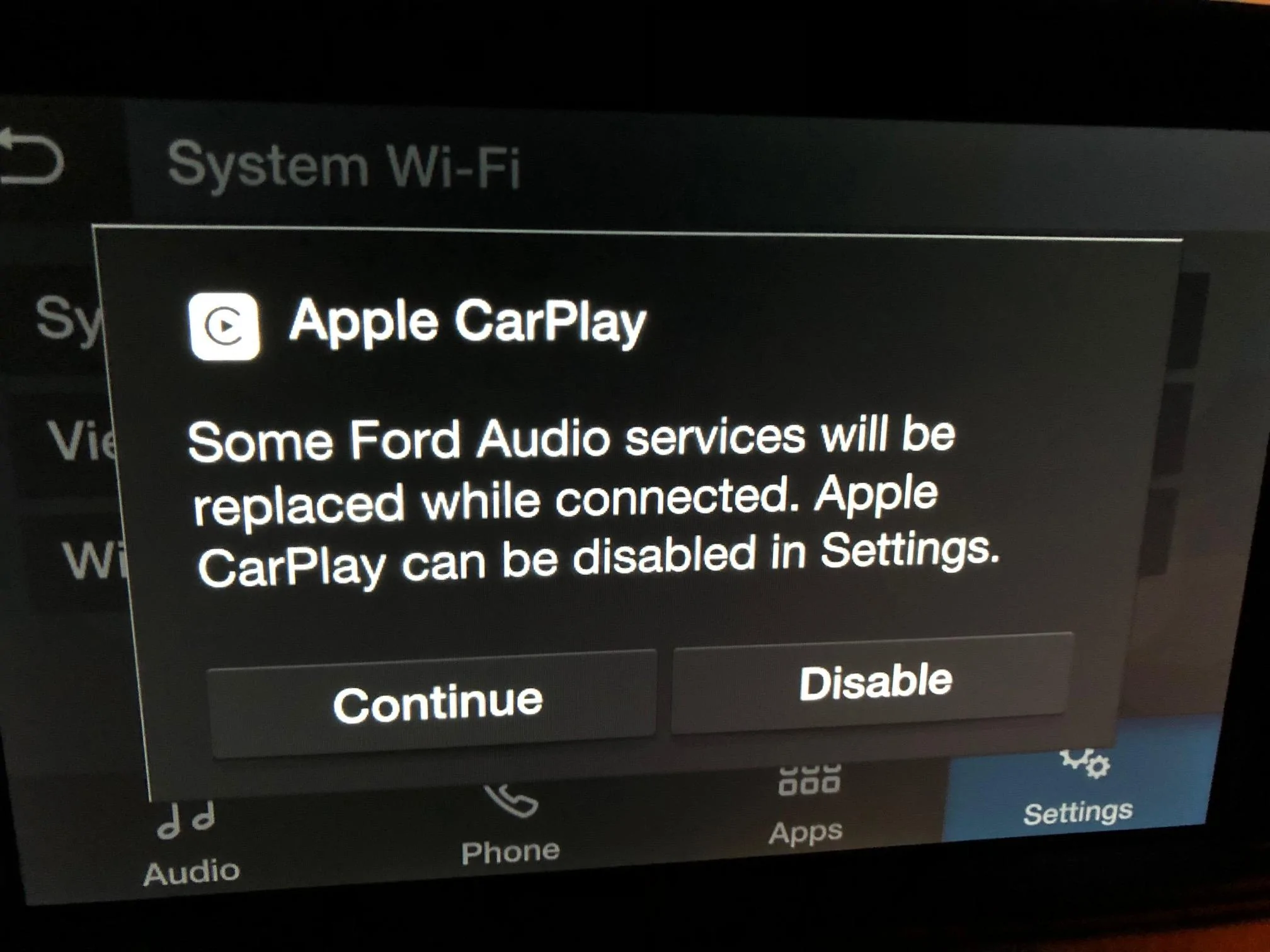
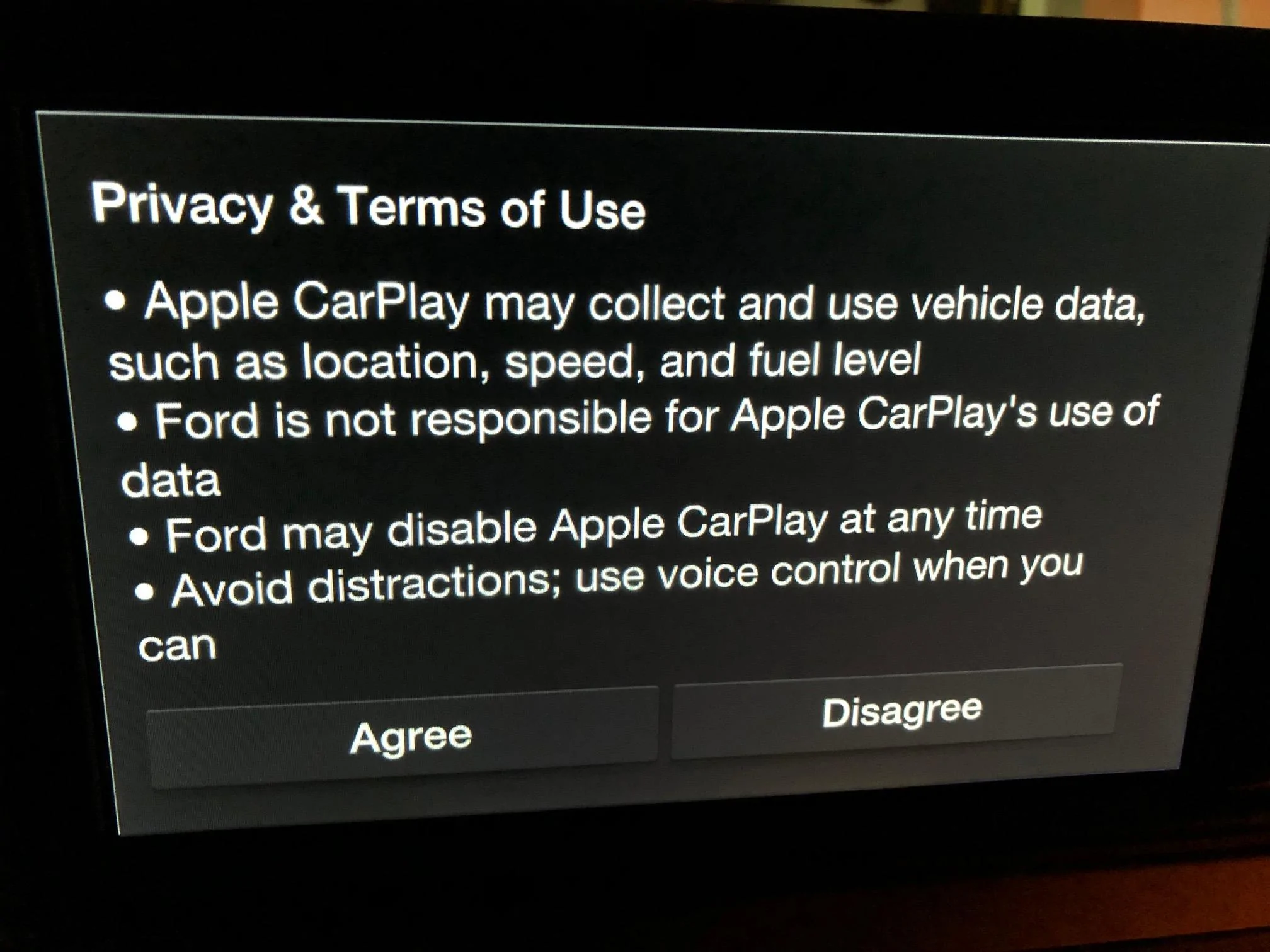
When the CPlay2Air adapter is connected to the it brings up the attached prompts just like it does for Wired CarPlay. However, Wired CarPlay brings up CarPlay after responding to the 2 prompts, but with the Cplay2Air adapter it does not load CarPlay or setup screen afterwards. I am never prompted to connect pair to my phone via Bluetooth and the Cplay2Air and the light on the Cplay2Air adapter stays red. After the first prompt I choose “CONTINUE” and the second prompt I respond “AGREE” just like the Wired CarPlay.
Promising that since you get these two CarPlay prompt screens I'm pretty sure there will eventually be a way to bring up CarPlay afterwards (hopefully).
Have swapped some emails with CPlay2Air support and they said their engineering team is still working on the 2022 vehicles. Have spent a bit of time trying to work out the connection issue, but so far no joy. I'll also share what else I get from CPlay2Air if I get any more responses.
When connecting the CPlay2Air adapter it recognizes it as a CarPlay device because it brings these two screens up - same if you plugged in a wired connection:
When the CPlay2Air adapter is connected to the it brings up the attached prompts just like it does for Wired CarPlay. However, Wired CarPlay brings up CarPlay after responding to the 2 prompts, but with the Cplay2Air adapter it does not load CarPlay or setup screen afterwards. I am never prompted to connect pair to my phone via Bluetooth and the Cplay2Air and the light on the Cplay2Air adapter stays red. After the first prompt I choose “CONTINUE” and the second prompt I respond “AGREE” just like the Wired CarPlay.
Promising that since you get these two CarPlay prompt screens I'm pretty sure there will eventually be a way to bring up CarPlay afterwards (hopefully).
Sponsored



 ). Paired right up with my phone and CarPlay easy as can be, so have eliminated any dongle problems. Also loaded latest firmware from support link, but no change, same behavior. I also disabled all FordPass Connect, WiFi, and started fresh but still at the same stopping point after the prompt screens. Think CPlay2Air is going to need a firmware update for this to work with the new Ford Connect Touch system as there is no way to manually start CarPlay.