
Sponsored

FAIL. Throwing in the towel. CPLAY2Air for XLT/XL.

OP
OP
ReddWulf

ReddWulf

2.0L EcoBoost
Well-known member
First Name
Lee
Joined
Jul 22, 2021
Threads
18
Messages
391
Reaction score
688
Location
San Diego, California
Vehicle(s)
Maverick Tremor, Harley Road King Classic
Engine
2.0L EcoBoost
Well, just a quick update....still not found a way to make it work but have been able to share some good info with CPlay2Air and they are still trying to figure it out. I'm about ready to throw in the towel and stick this one on OfferUp.com if they don't come up with something soon. Honestly, they have been very responsive - but seems I'm providing more support to them than vise-versa.

Funny thing is you can connect to the CPlay2Air dongle manually via WiFi from both the iPhone AND Maverick as it shows up in your available networks as "AutoBox-xxx" ie, mine shows up as "AutoBox-582f" and you can connect to it with the password.
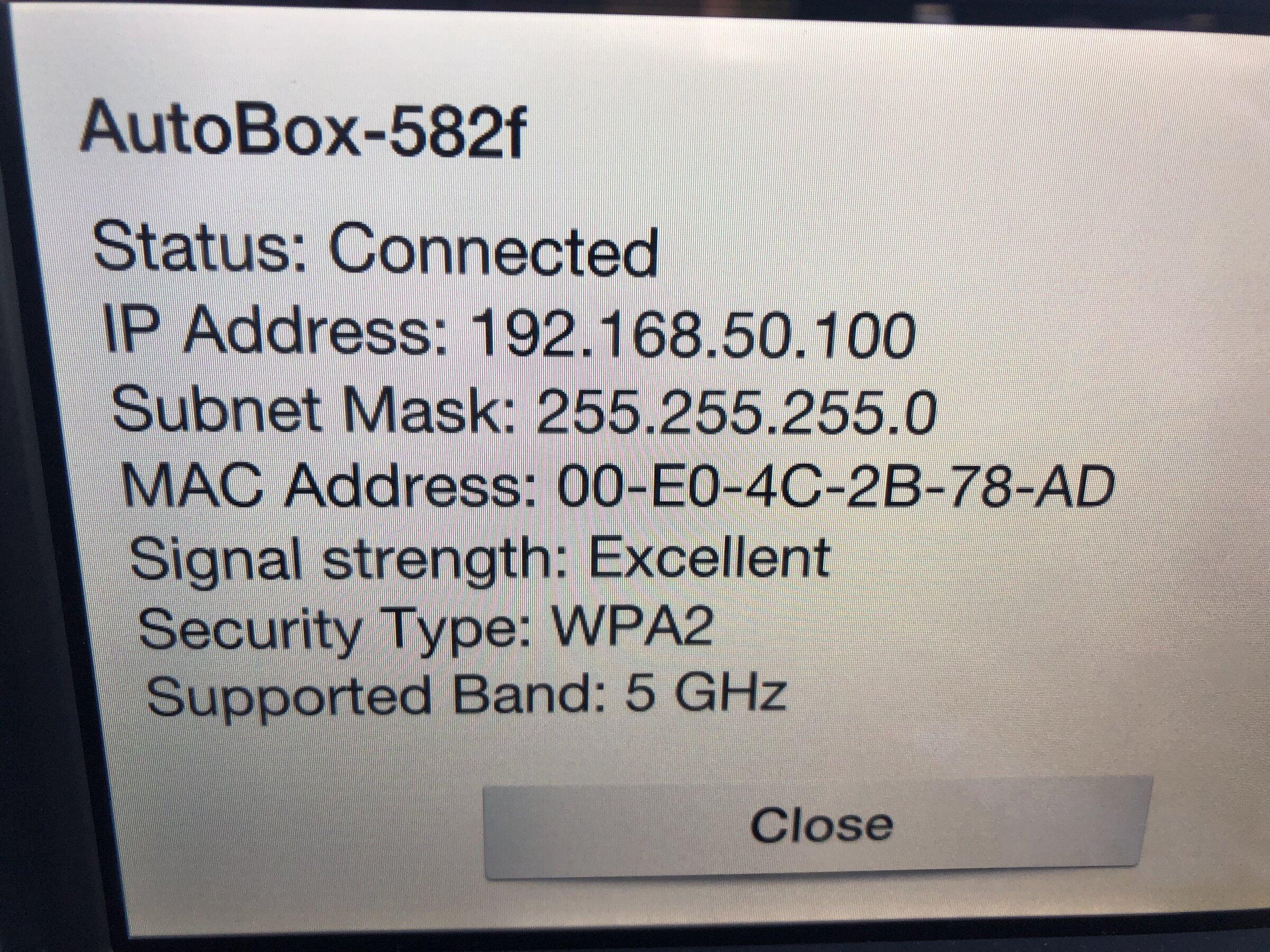
Ford Maverick FAIL. Throwing in the towel.  CPLAY2Air for XLT/XL. IMG_9284

Ford Maverick FAIL. Throwing in the towel.  CPLAY2Air for XLT/XL. IMG_9285.PNG

Online digging found that it was either going to be "88888888" or "12345678" (they are all pretty much from same manufacturer). It was 12345678 for mine. If you connect to it via your iPhone, you can then pull up the update page for CPlay2Air via 192.168.50.2 and run the update multiple times to get the latest version (mine says VER:2021.12.22.1643). Even if it says up to date, ask it to check anyway. Mine still found updates.
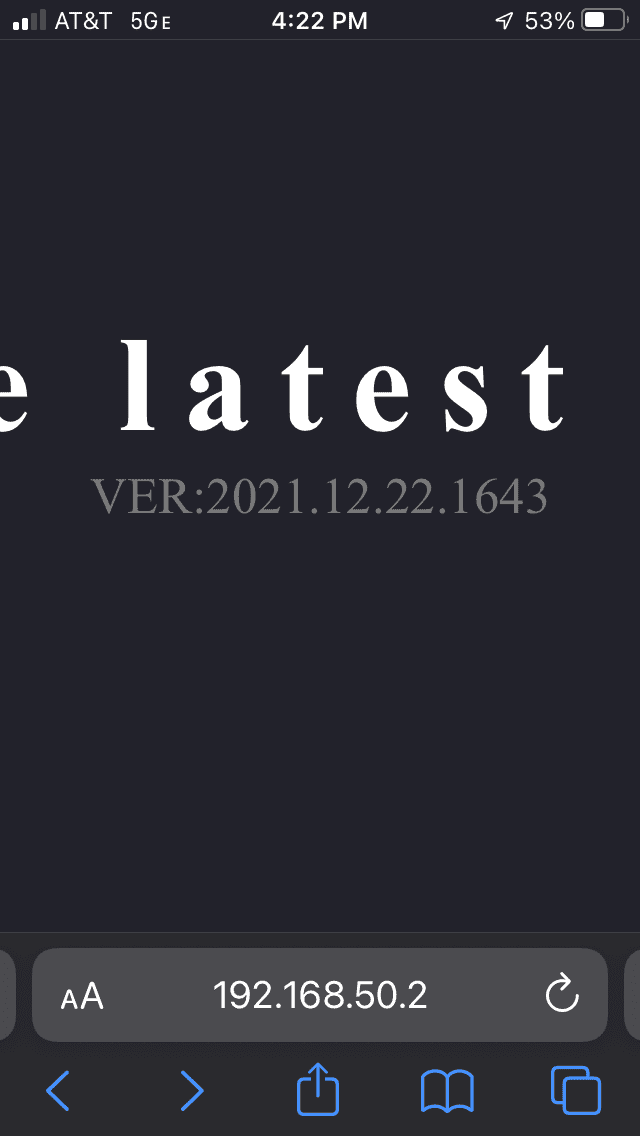
Ford Maverick FAIL. Throwing in the towel.  CPLAY2Air for XLT/XL. IMG_9286.PNG

I think if the Maverick had a Manual CarPlay button you could probably manually start it and it would pick up the connection. It appears to be the Bluetooth link that is the missing link. It has to happen before the Wifi connection for who knows what reason, because apparently it drops Bluetooth and goes Wifi to your dongle once connected.

Honestly, I wouldn't recommend purchasing CPlay2Air right now until it is fixed or the workaround is finally figured out. Seems other ones are working now - but I'm too far into this one to give up yet. Here was the last response I got (tried and didn't work) but at least they are admitting it is no longer an isolated incident....at first I'm pretty sure they just thought I was screwing something up.

Hi Lee,
Got word from our engineers that you should try changing the Sync mode from "normal" to "compatible". Please check the screenshot.
  1. Connect your phone to the adapter and wait until the CarPplay will appear on the screen
    1. Enter 192.168.50.2 in your browser and click go
    2. Settings ->Compatible
I hope this helps because this is not an isolated case.
Sponsored
 
OP
OP
ReddWulf

ReddWulf

2.0L EcoBoost
Well-known member
First Name
Lee
Joined
Jul 22, 2021
Threads
18
Messages
391
Reaction score
688
Location
San Diego, California
Vehicle(s)
Maverick Tremor, Harley Road King Classic
Engine
2.0L EcoBoost
Well, with the below response from CPlay2Air support, I am done and throwing in the towel. I have passed the CPlay2Air adapter off to my neighbor for his wife's car (none of my other vehicles have CarPlay). I'd rather gift it to a friend than pay for shipping back to China and a possible restocking fee to boot - it was her car we tested the unit in to verify it worked in the first place.

Hi Lee,
Unfortunately, we do not have a concrete date yet when is the next firmware update. I understand that you do not want to spend more money in returning the unit back and we apologize for any inconvenience this may have caused. We've attempted to fix the issue but sadly, it's just doesn't work.

Spent numerous hours trying to help them figure it out via photos, video, and a lot of text describing everything along with their recommendations and requests. Looks like they are giving up too. I knew it was a risk of being a big time waste when I went into it, so expected this could be the outcome.

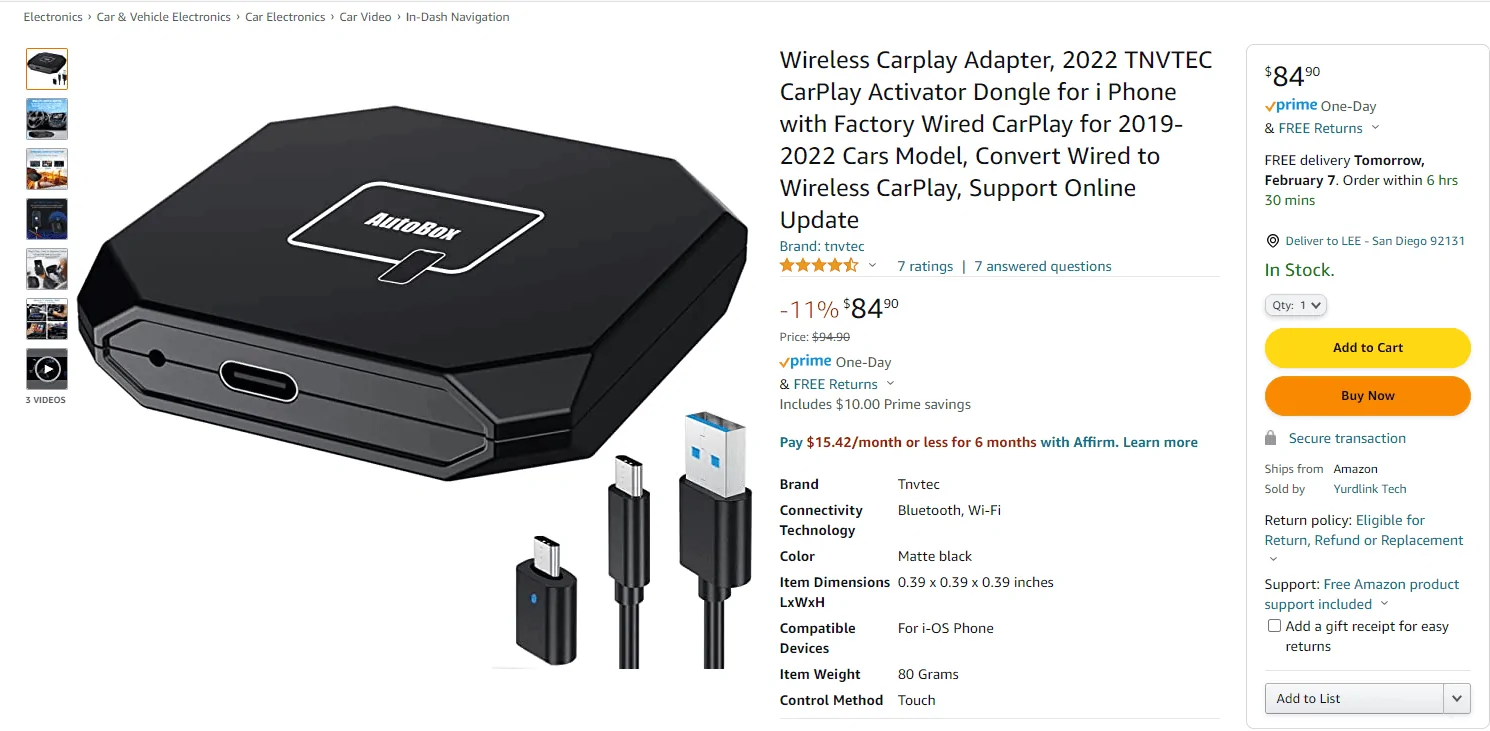
I've ordered the TMVTEC AutoBox via Amazon which seems to be getting great reviews and results with the Maverick XL/XLT so far.
Ford Maverick FAIL. Throwing in the towel.  CPLAY2Air for XLT/XL. 1644259891664
 
Last edited:

Leand60

2.5L Hybrid
Well-known member
First Name
Mark
Joined
Jun 28, 2021
Threads
15
Messages
3,133
Reaction score
8,431
Location
Clearwater FL
Vehicle(s)
2023 Maverick XL Hybrid
Engine
2.5L Hybrid
Have you tried to pair the cplay2air with your phone in a vehicle that is known to work? Then try it in your maverick. The blue tooth connection should remain between your phone and the dongle.
 

pxpaulx

2.0L EcoBoost
Well-known member
Joined
Jun 15, 2021
Threads
18
Messages
1,504
Reaction score
2,087
Location
Minnesota
Vehicle(s)
Ford Maverick
Engine
2.0L EcoBoost
Good luck! These seems much more painful than the android solutions that have become available. At least for me the MA1 Motorola option has worked great.

I think regardless of carplay or android auto you are on to the right path with the bluetooth connection first. with the MA1 that happens first, then I am synced up with the adapter at which point android auto starts working - the bluetooth connection persists, I'm connected via wifi to the adapter and internet remains available through my mobile connection. Interesting to see all of those working seamlessly so far.

It definitely sounds like it is an issue somewhere with the connection integration and requiring both bluetooth and wifi to function correctly.
 

OTACORB

2.5L Hybrid
Well-known member
First Name
DAB
Joined
Jul 11, 2021
Threads
9
Messages
1,051
Reaction score
1,376
Location
Central, Louisiana
Vehicle(s)
2023 Ford Maverick Oxford White Hybrid
Engine
2.5L Hybrid
I have use the CPlay2Air in both my 2022 Maverick Lariat Lux Pak and 2022 Nissan Frontier, works perfectly. Oh I've had to unplug it a time or two, but that happens even if you plug the phone in directly using a cable, so that isn't anything to concern me.
 

Sponsored

SantaStephen

2.0L EcoBoost
Well-known member
First Name
Stephen
Joined
Jul 7, 2021
Threads
11
Messages
140
Reaction score
381
Location
Chicago
Website
www.santastephen.org
Vehicle(s)
GLE, Disco II, Corvette
Engine
2.0L EcoBoost
Well, with the below response from CPlay2Air support, I am done and throwing in the towel. I have passed the CPlay2Air adapter off to my neighbor for his wife's car (none of my other vehicles have CarPlay). I'd rather gift it to a friend than pay for shipping back to China and a possible restocking fee to boot - it was her car we tested the unit in to verify it worked in the first place.

Hi Lee,
Unfortunately, we do not have a concrete date yet when is the next firmware update. I understand that you do not want to spend more money in returning the unit back and we apologize for any inconvenience this may have caused. We've attempted to fix the issue but sadly, it's just doesn't work.

Spent numerous hours trying to help them figure it out via photos, video, and a lot of text describing everything along with their recommendations and requests. Looks like they are giving up too. I knew it was a risk of being a big time waste when I went into it, so expected this could be the outcome.

I've ordered the TMVTECH AutoBox via Amazon which seems to be getting great reviews and results with the Maverick XL/XLT so far.
1644259891664.png
I received the TNVTEC at the weekend and set it up this morning in my XL. Can confirm it works perfectly, painless setup in a couple of minutes. Has maybe a 20-30 sec delay when you turn the car on which I can live with. Now I need to see if anyone wants the CPlay2Air I originally bought...
 
OP
OP
ReddWulf

ReddWulf

2.0L EcoBoost
Well-known member
First Name
Lee
Joined
Jul 22, 2021
Threads
18
Messages
391
Reaction score
688
Location
San Diego, California
Vehicle(s)
Maverick Tremor, Harley Road King Classic
Engine
2.0L EcoBoost
I have use the CPlay2Air in both my 2022 Maverick Lariat Lux Pak and 2022 Nissan Frontier, works perfectly. Oh I've had to unplug it a time or two, but that happens even if you plug the phone in directly using a cable, so that isn't anything to concern me.
Yes, Lariat Lux works fine with as it has the Sync 3 system. The regular Ford Connected Touch Audio in XL/XLT not so much. Only a few have gotten it to work and seems to be with older CPlay2Air units that were previously connected in other cars.
 
OP
OP
ReddWulf

ReddWulf

2.0L EcoBoost
Well-known member
First Name
Lee
Joined
Jul 22, 2021
Threads
18
Messages
391
Reaction score
688
Location
San Diego, California
Vehicle(s)
Maverick Tremor, Harley Road King Classic
Engine
2.0L EcoBoost
Have you tried to pair the cplay2air with your phone in a vehicle that is known to work? Then try it in your maverick. The blue tooth connection should remain between your phone and the dongle.
Yes, that was the 2nd thing we tried after pairing it with my neighbor's car and it worked perfectly (the one who has it permanently now), but no joy back in the Maverick. I was hoping that would be the key to force a Bluetooth connection since that appears to be how others got it to work - but it didn't. Still never got to the connection screen after the prompts or showed up in my Bluetooth discovery. I think if there was a way to manually start CarPlay in the Maverick it might load the connection screen also. But, either way I'm moving on....
 

MLowe05

2.5L Hybrid
Well-known member
Joined
Oct 1, 2021
Threads
8
Messages
2,494
Reaction score
4,367
Location
GA
Vehicle(s)
2024 XLT Hybrid & 2024 Tesla M3P
Engine
2.5L Hybrid
Carplay2Air is a total POS peddled to customers by a shitty company. I recommend avoiding them altogether.
Sponsored


Top