

Looks like the price of the APIMs went down a little.
anyone know the steps to program? im thinking of buying with fordpass points
anyone know the steps to program? im thinking of buying with fordpass points
Sponsored
I was thinking of buying the unit New from Ford. i have 126,000 Ford points. that's about 600 to spend at Ford, i could get the unit for free. and i cant think of anything else i would purchase from ford.You just need to add your VIN via Forscan. Most vendors that sell APIM's will add them for you.

I like having Ford navigation because it works using satellites. My son and I ventured out into the desert where there was no cell service We wanted to come back a different route than what we had taken to a fossil dig site. Cell phone no can do, Ford Nav can do.Can I ask why you'd want to do this when you have android auto/carplay (which can be made wireless with a relatively inexpensive dongle)? Genuinely curious. Google maps is far superior to any in-car nav system I've ever seen.
That Satellite connection is great when you’re where there is no cell service.I think it kind of comes down to personal preference. This is something that is debated on not only this forum but some of the other forums I'm in like B6G. Some people like factory Nav and some don't. I have both Google Maps and Sygic and they are fine but I still prefer having the factory Nav, Ford's is actually pretty decent. I had factory Nav on a old Subaru Forester the was absolute junk, so much so I used my Garmin. We travel to the mountains a lot and cell coverage can be iffy at best so I found the factory unit to be more reliable.
Google maps (and all other navigation services) uses satellites for positioning too - that's what GPS is. In your situation, you definitely could have done that with a cell phone too. You just have to download "offline maps" in the Google maps app before setting off. That's basically what in-car navigation is - map data saved to a hard drive locally in the car, just like "offline maps" downloaded and saved locally on your phone.I like having Ford navigation because it works using satellites. My son and I ventured out into the desert where there was no cell service We wanted to come back a different route than what we had taken to a fossil dig site. Cell phone no can do, Ford Nav can do.

Google Maps can pre download entire states, and more, to your phone for offline use. Less than a 100 MB file usually. Same thing the Built in Nav does, but Google Maps is more up to date and FREE.I like having Ford navigation because it works using satellites. My son and I ventured out into the desert where there was no cell service We wanted to come back a different route than what we had taken to a fossil dig site. Cell phone no can do, Ford Nav can do.
Yep, Built in Nav, or Garmin Devices do the same. Pre loaded maps, they are NOT getting map data from the GPS signal while your out driving.Google maps (and all other navigation services) uses satellites for positioning too - that's what GPS is. In your situation, you definitely could have done that with a cell phone too. You just have to download "offline maps" in the Google maps app before setting off. That's basically what in-car navigation is - map data saved to a hard drive locally in the car, just like "offline maps" downloaded and saved locally on your phone.
Thanks, but no way I'd pay $1k for this. $500 was bad enough, but I thought worth a shot. Don't know if there is something wrong with my truck, or just got 2 units that didn't work in a Mav for some reason. Regardless, probably just going use google maps from my phone instead.You might try these guys. I used them to upgrade from Sync 2 to Sync 3.4 on my 2014 F50. They were very helpful. It is a bit more expensive then the ebay vendor.
https://www.4dtech.com/products/ford/maverick/2022/
I’ll just have to remember to do that. Another issue I have and I know it’s just a matter of me figuring out how to do it is being able to give google maps verbal instructions. I always have to type in where I want to go before plugging into the car.Google Maps can pre download entire states, and more, to your phone for offline use. Less than a 100 MB file usually. Same thing the Built in Nav does, but Google Maps is more up to date and FREE.
Yep, Built in Nav, or Garmin Devices do the same. Pre loaded maps, they are NOT getting map data from the GPS signal while your out driving.
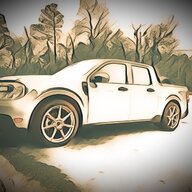
Too cool!I successfully added Navigation to my Maverick Lariat on Saturday, it actually wasn't all that hard. I first want to thank zackmd1 and the other guys who responded on the "How To: Sync 3/4 swap for non Sync 3 XL/XLT" thread for showing detailed descriptions of how to go about replacing a APIM module.
So I took the plunge and bought a Sync 3.4 APIM from a vendor on eBay. He told me that since he hadn't dealt with anyone trying to install this on a Maverick he couldn't guarantee that it would work but also said if it didn't I could send it back for a full refund. Everything appears to be working so far.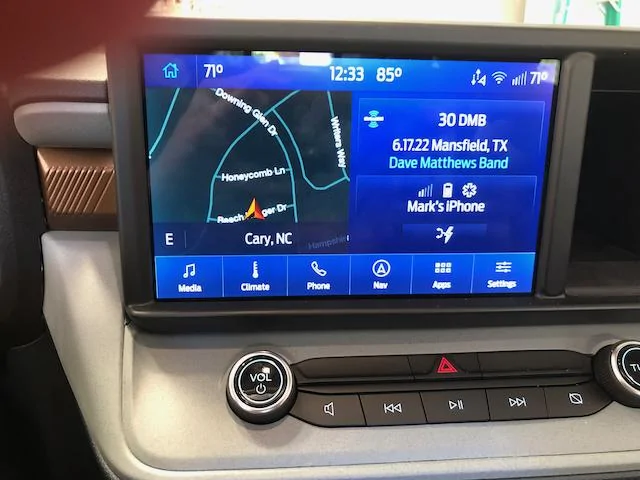
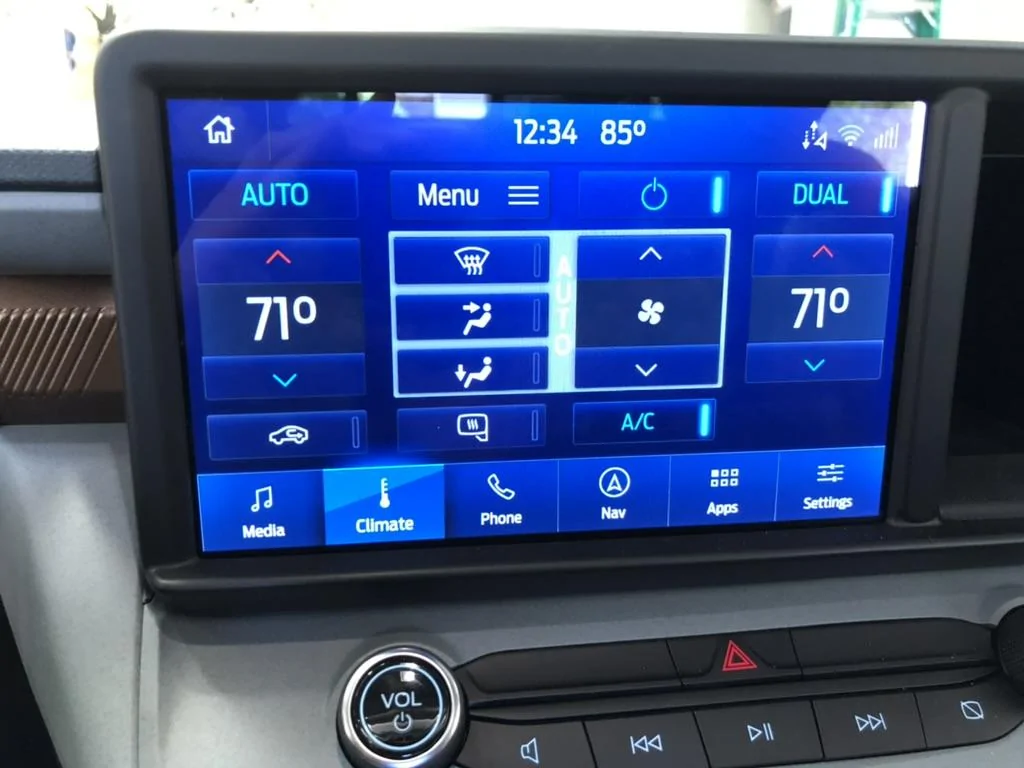
Also got a bonus, it added the climate tab.
yeah i was going to do this APIM swap but instead, i got a $30 android phone that I keep plugged in and use my WIFI hotspot while in the car for mobile data.Resurrecting this thread as an FYI.... I've tried two different apim's from the ebay seller, neither would work. The GPS location would not function. No clue why. So I've given up. Ebay seller was good to work with for returns & refund.