Sponsored

Touch display dim

Darksider

Well-known member
Banned
Joined
Oct 24, 2021
Threads
4
Messages
330
Reaction score
388
Location
Here
Vehicle(s)
Two
Has anyone tried to adjust screen with auto headlights off to all off. Maybe its some how related to the auto part and you can adjust more with auto off. Just a thought.
Sponsored


 

Canis

2.5L Hybrid
Well-known member
Joined
Oct 20, 2021
Threads
2
Messages
119
Reaction score
153
Location
SEPA
Vehicle(s)
VWs
Engine
2.5L Hybrid
This is a shame to hear. It was apparent (We'll a good chance anyway) they went back on the original plan for a larger screen/unit with the silicon/chip shortages. Bummer to hear there are issues with the screen/unit they used. Hopefully it's not already at the max hardware brightness and just a software change we can all get via and update.
 

Redneck Garage

2.5L Hybrid
Well-known member
First Name
David
Joined
Aug 26, 2021
Threads
47
Messages
1,388
Reaction score
2,300
Location
Franklin TN
Website
www.theredneckgarage.com
Vehicle(s)
10 Wrangler 22 Lexus 22 Maverick 23 Maverick
Engine
2.5L Hybrid
Clubs
 
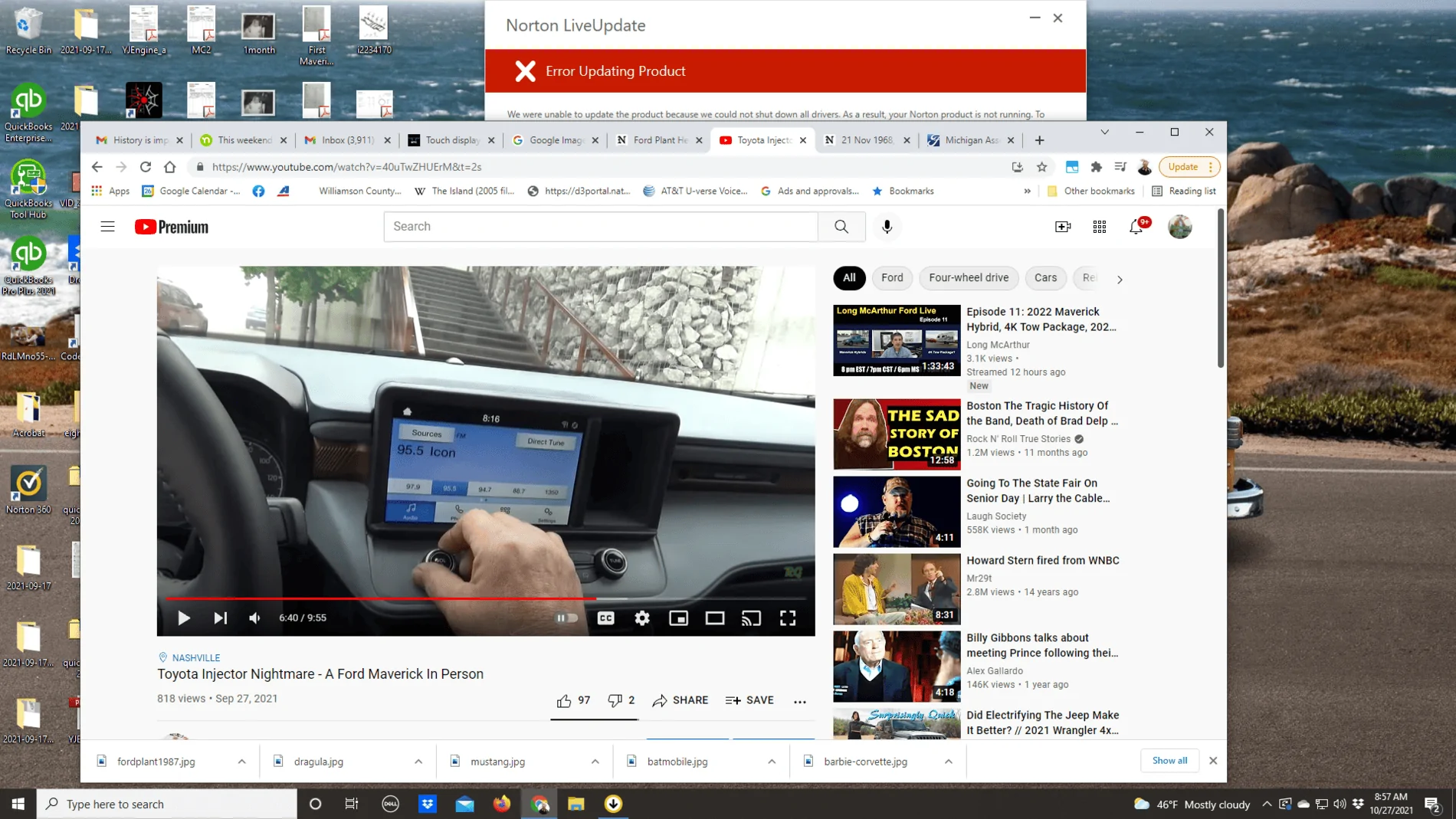
This is from the Maverick Hybrid Mike Levine was driving in Nashville - Dimmer than that ?

Ford Maverick Touch display dim 2021-10-27
 

huunvubu

2.5L Hybrid
Well-known member
First Name
Steve
Joined
Jul 21, 2021
Threads
56
Messages
2,754
Reaction score
4,699
Location
coppell tx
Vehicle(s)
2023 Ford Maverick Hybrid
Engine
2.5L Hybrid
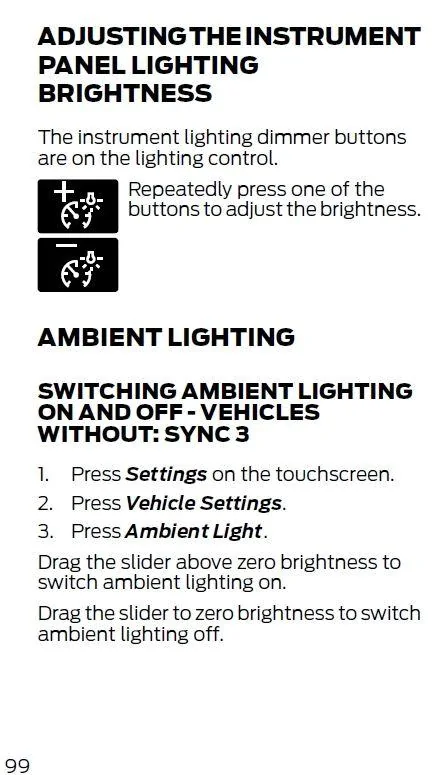
No no, not through the dashboard screen or app or anything like that. Near your headlight controls, there should be two buttons that brighten and dim the display. Kind of looks like this:
https://images.app.goo.gl/sQgS4Qk7vqrYAWKw6

These control the brightness of the screen in addition to the settings that you went through. At least this is the case on my Mustang.
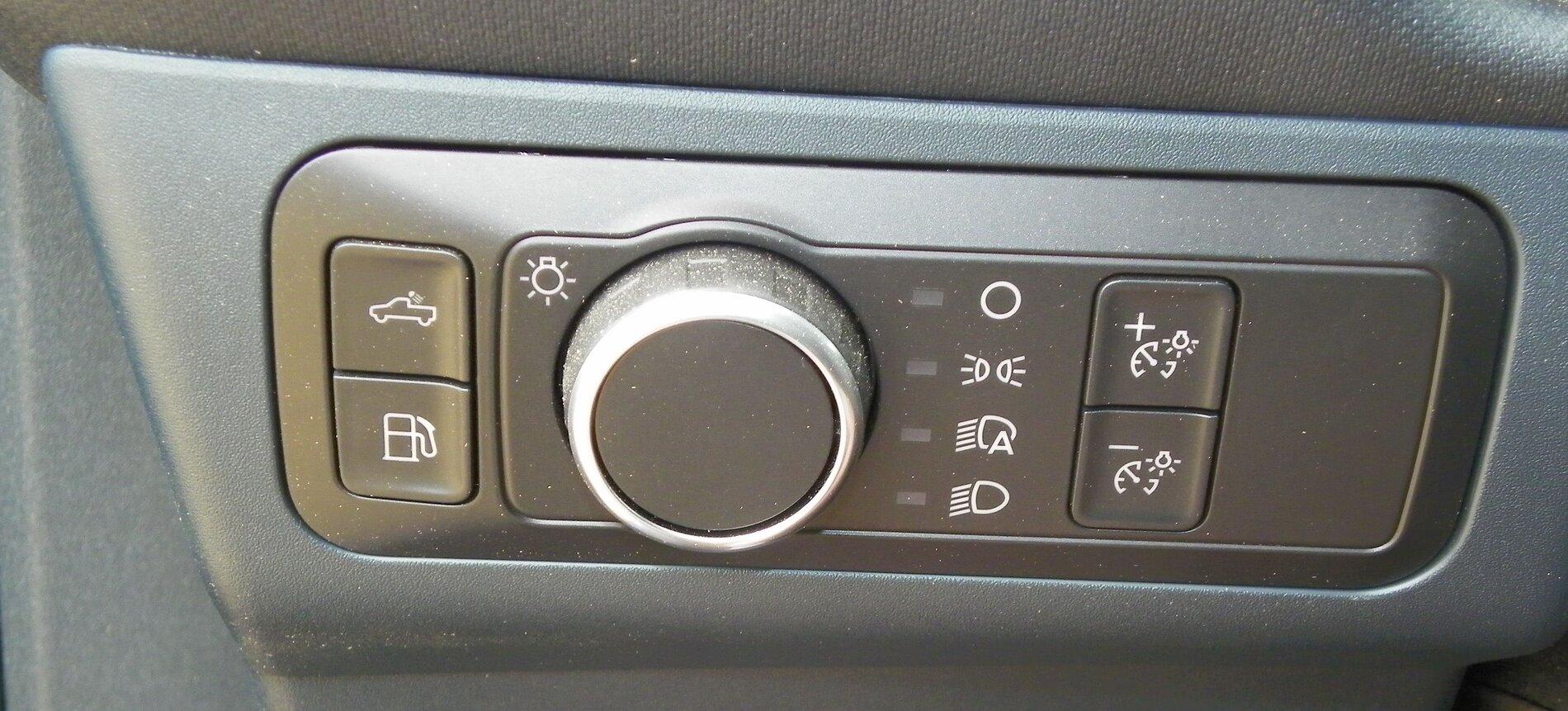
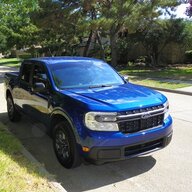
Here is a picture of the buttons on a Maverick Hybrid I saw at the State Fair of Texas.

Instructions for adjusting Instrument Panel Brightness from page 99 of Owners Manual.

Ford Maverick Touch display dim Buttons on Dash left of Steering Wheel.JPG


Ford Maverick Touch display dim Instrument Panel Brightness
 

huunvubu

2.5L Hybrid
Well-known member
First Name
Steve
Joined
Jul 21, 2021
Threads
56
Messages
2,754
Reaction score
4,699
Location
coppell tx
Vehicle(s)
2023 Ford Maverick Hybrid
Engine
2.5L Hybrid
Has anyone tried to adjust screen with auto headlights off to all off. Maybe it's somehow related to the auto part and you can adjust more with auto off. Just a thought.
On my Honda Fit I could not adjust the brightness unless the headlights were on so maybe try to adjust the brightness with the headlights on.
 

Sponsored

projectvortex

Well-known member
Joined
Oct 19, 2021
Threads
2
Messages
880
Reaction score
1,597
Location
.
Vehicle(s)
.
Engine
Undecided
IF this is a real issue, which it seems to be, I will be 😡 since I’m trying to upgrade from the piece of 💩 system Honda uses in the Ridgeline.
 

Nw_adventure

2.0L EcoBoost
Well-known member
Joined
Aug 3, 2021
Threads
101
Messages
3,134
Reaction score
2,930
Location
Salt Lake city
Vehicle(s)
Honda Element/ Toyota Highlander
Engine
2.0L EcoBoost
IF this is a real issue, which it seems to be, I will be 😡 since I’m trying to upgrade from the piece of 💩 system Honda uses in the Ridgeline.
Our highlanders infotainment consists of a 2 inch almost useless screen- I will gladly take the low rent 8 inch any day of the week- lol
 
OP
OP

Barrow007

Member
First Name
John
Joined
Sep 10, 2021
Threads
2
Messages
7
Reaction score
2
Location
Indianapolis
Vehicle(s)
Maverick
Here is a picture of the buttons on a Maverick Hybrid I saw at the State Fair of Texas.

Instructions for adjusting Instrument Panel Brightness from page 99 of Owners Manual.
Buttons on Dash left of Steering Wheel.JPG


Instrument Panel Brightness.JPG
Yes I tried that and it didn’t change anything. When you go into the settings on the touchscreen it appears that you should be able to raise the brightness as the slider is in the middle by default. If I tap the slider down the screen does go dimmer but if I tap the slider brighter the slider moves but the screen does not get brighter
 

Evil2ltr

Well-known member
First Name
Kevin
Joined
Oct 22, 2021
Threads
9
Messages
312
Reaction score
393
Location
Asheville, NC
Vehicle(s)
2022 Alto Blue Maverick XLT AWD
It's inherent of this non sync screen. It kinda sucks.
 

huunvubu

2.5L Hybrid
Well-known member
First Name
Steve
Joined
Jul 21, 2021
Threads
56
Messages
2,754
Reaction score
4,699
Location
coppell tx
Vehicle(s)
2023 Ford Maverick Hybrid
Engine
2.5L Hybrid
Those who have this issue have you reported the problem to your dealer?

Hopefully if a number do report then Ford may investigate, find the problem and issue a fix.
 
Sponsored

Meintc

2.5L Hybrid
Well-known member
First Name
Lynette
Joined
Oct 4, 2021
Threads
18
Messages
1,712
Reaction score
2,292
Location
Northern Lower TC Michigan
Vehicle(s)
2022 CO Hybrid Maverick
Engine
2.5L Hybrid

ogt

2.5L Hybrid
Active member
Joined
Dec 16, 2022
Threads
4
Messages
26
Reaction score
9
Location
Alabama
Vehicle(s)
Dodge 3500
Engine
2.5L Hybrid
Well just going to break the bad News it is not fixed in the 2023 Maverick xlt
 

Noahma

2.0L EcoBoost
Well-known member
First Name
Noah
Joined
Jan 17, 2023
Threads
3
Messages
82
Reaction score
97
Location
Thornton, Colorado
Vehicle(s)
2022 Maverick XLT
Engine
2.0L EcoBoost
Bringing back a dead thread. I was just contacted by Ford at my office number, even though I did not give them my office number to call lol.

I spoke with someone in their software division. After a while on hold while they did some research they said that they have not had any reports of issues like this on the Maverick base audio system. I told them that the Dealership I use has said they have seen the issue on the XL and XLT Mavericks and the base level Bronco Sports frequently. Replacing the screens does not fix the issue, it is most likely software related.

The Ford rep told me to bring the truck into another Ford dealer and have them look at the issue so they can report back to Ford. She did say that since there is not any reports of this issue that there is not a software fix in the works.

I will stop by one of the other 2 dealerships sometime next week and have them take a peek. I have grown used to the dim screen, but it would still be nice to be able to get the brightness above 50%
 

Last Truck Ever

2.5L Hybrid
Well-known member
Joined
May 23, 2022
Threads
28
Messages
973
Reaction score
2,094
Location
Alabama
Vehicle(s)
2023 Hybrid Maverick XLT
Engine
2.5L Hybrid
Clubs
 
IIRC correctly from an old thread on this, the solution is to adjust the brightness all the way down, then all the way up again, at the switch near the light controls, repeat a few times. Something about it auto dimming at night and then maybe not resetting properly in daylight. Worth a try
 

mykey06

2.5L Hybrid
Member
First Name
Myke
Joined
Aug 8, 2023
Threads
1
Messages
16
Reaction score
15
Location
Los Angeles
Vehicle(s)
2023 Ford Maverick
Engine
2.5L Hybrid
Had this same issue and adjusting the instrument light (switches by the headlight switch) to lowest and brightest back and forth seems to have fixed the issue.

Make sure the touchscreen display brightness is on the highest setting.

Also note that if you have auto day/night on for the touchscreen display and you are inside your garage, then the touchscreen display will sometimes be on night mode and may not seem as bright as day mode.

hope this helps
Sponsored


Top