
Sponsored

yeahiguessman

2.5L Hybrid
Well-known member
First Name
Angelo
Joined
Nov 30, 2024
Threads
15
Messages
150
Reaction score
96
Location
USA
Vehicle(s)
2024 Maverick Lariat
Engine
2.5L Hybrid
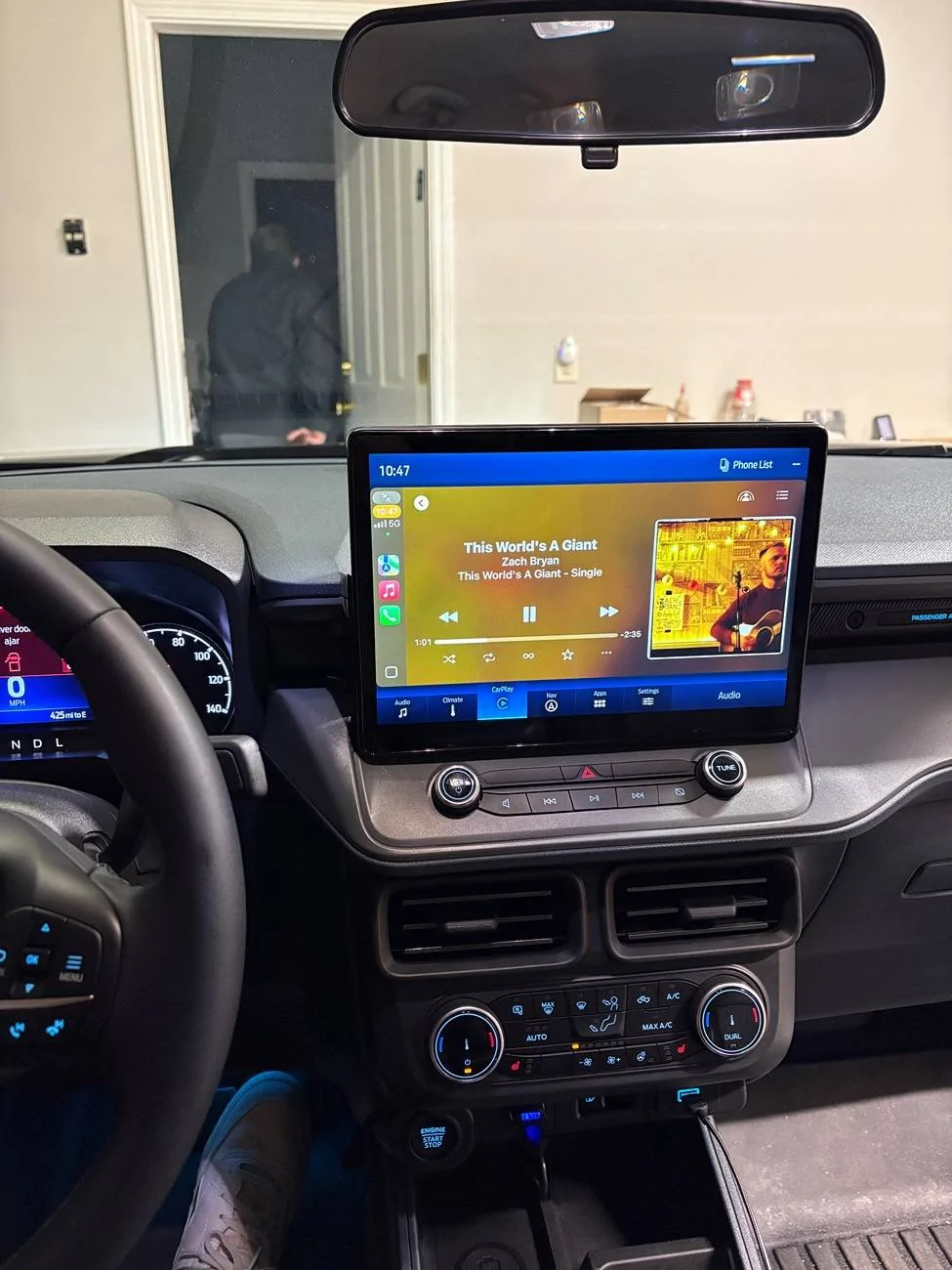
If anybody has any tips for this? Forscan is driving me absolutely insane.

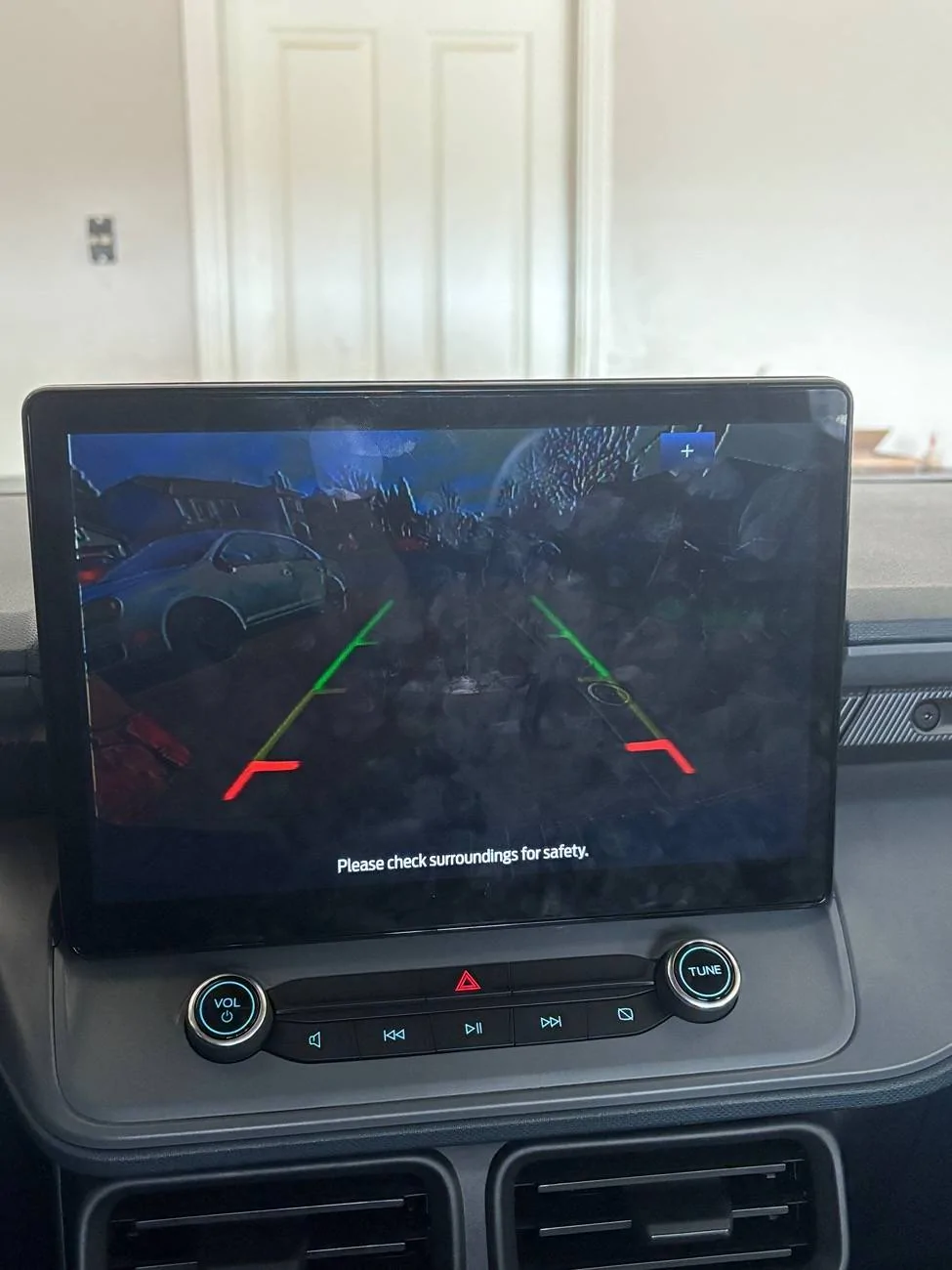
1) Backup camera looks like this and cannot figure out how to recalibrate or reset the module as my first resort.
2) For some reason all of my controls shifted to the passenger side of the screen? Even in CarPlay the app bar is on the right side side now.
3) Cannot figure out for the life of me where the setting to make climate value to appear on screen like the media volume value does.
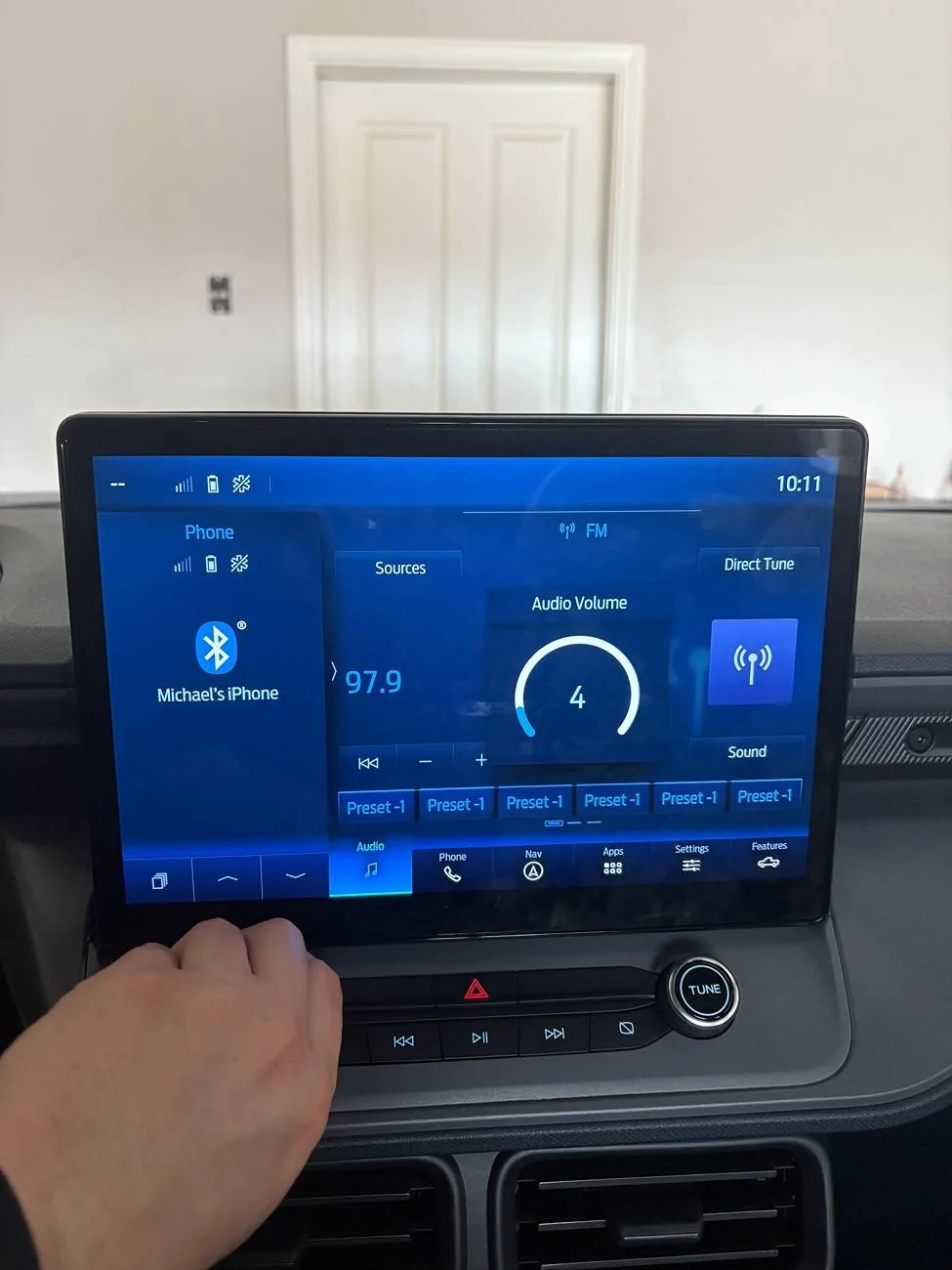
Ford Maverick Sync4 APIM and 13.2" Screen Installation Guide (Lariat Models) IMG_0501


Ford Maverick Sync4 APIM and 13.2" Screen Installation Guide (Lariat Models) IMG_0502
Sponsored


yeahiguessman

2.5L Hybrid
Well-known member
First Name
Angelo
Joined
Nov 30, 2024
Threads
15
Messages
150
Reaction score
96
Location
USA
Vehicle(s)
2024 Maverick Lariat
Engine
2.5L Hybrid
New issue acquired (bummer?) Static popping sound when playing music through USB
 

jonly2468

2.0L EcoBoost
Member
Joined
Dec 24, 2024
Threads
2
Messages
16
Reaction score
2
Location
Detroit
Vehicle(s)
2022 Maverick Lariat
Engine
2.0L EcoBoost
Update for everyone. Finalized programming today and I believe everything works. Ford pass still remote stars locks and unlocks. Xm works. Wireless android auto works. Backup camera works, Ford nav works ish (will show location on the map but a subscription is required for nav not worried about that with AA)
Did you need to add an antenna for the factory nav to work?
 

TwoTone

Well-known member
Joined
Dec 3, 2023
Threads
4
Messages
556
Reaction score
791
Location
MD
Vehicle(s)
Outback 3.6
Engine
Undecided
Yes serious question from the photos it's all hard to tell they sit so high they look more like 12-in screen.
Did you read the thread at all?

From post #1:
You Will Need

1. Sync 4 Apim (the sync 4 apim comes in 4 flavors, 8in screen and 12+ screen, with or without navigation. you will obviously need the 12+, the 12+ is identifiable by the 6 pin screen connection the others are only 4 pin)
2. 23+ escape Screen Part No NX7T18B955LE
3. Screen to Apim Plug ML3Z14D202B
4. Power Plug 6U2Z14S411JB
5. Sync 3 pass though harness (i got one of the sync 3 camera adapter plugs on amazon)
 

Sponsored

pantera156

2.0L EcoBoost
Well-known member
First Name
Pantera
Joined
Feb 25, 2024
Threads
0
Messages
86
Reaction score
35
Location
Porto Alegre
Vehicle(s)
lariat 2.0
Engine
2.0L EcoBoost
And we are up! Couple issues I’ve run into now though. The back up camera works, but is acting up a bit? Incredibly dim.

And then there’s the fun of reprogramming thing. I couldn’t figure out how to get the volume to display properly (stuck on 0) but did get climate controls to display. Also can’t figure out how to get the splash screen to full screen again.

IMG_0495.webp
The same thing happened to me before programming. After programming the volume it stops marking 0
 

pantera156

2.0L EcoBoost
Well-known member
First Name
Pantera
Joined
Feb 25, 2024
Threads
0
Messages
86
Reaction score
35
Location
Porto Alegre
Vehicle(s)
lariat 2.0
Engine
2.0L EcoBoost
Looks great! I’m ready to do this swap as well just not sure exactly what needs to be changed in forscan.

Did you copy Bills as-built from earlier in this thread, or what needs to be changed? Didn’t see any other programming suggestions. I’m using the 12” and apim from a transit

thanks!
I used the programming that is at the beginning of the post.
But I can't say yet that everything works 100%

Thanks!
 

pantera156

2.0L EcoBoost
Well-known member
First Name
Pantera
Joined
Feb 25, 2024
Threads
0
Messages
86
Reaction score
35
Location
Porto Alegre
Vehicle(s)
lariat 2.0
Engine
2.0L EcoBoost
You got sound?

can you share the coding? Txs
Did you connect the climate controls?

I tried without the controls and the radio didn't work.
After connecting the climate control it worked.

I used the codes that are at the beginning of the post.
 

pantera156

2.0L EcoBoost
Well-known member
First Name
Pantera
Joined
Feb 25, 2024
Threads
0
Messages
86
Reaction score
35
Location
Porto Alegre
Vehicle(s)
lariat 2.0
Engine
2.0L EcoBoost
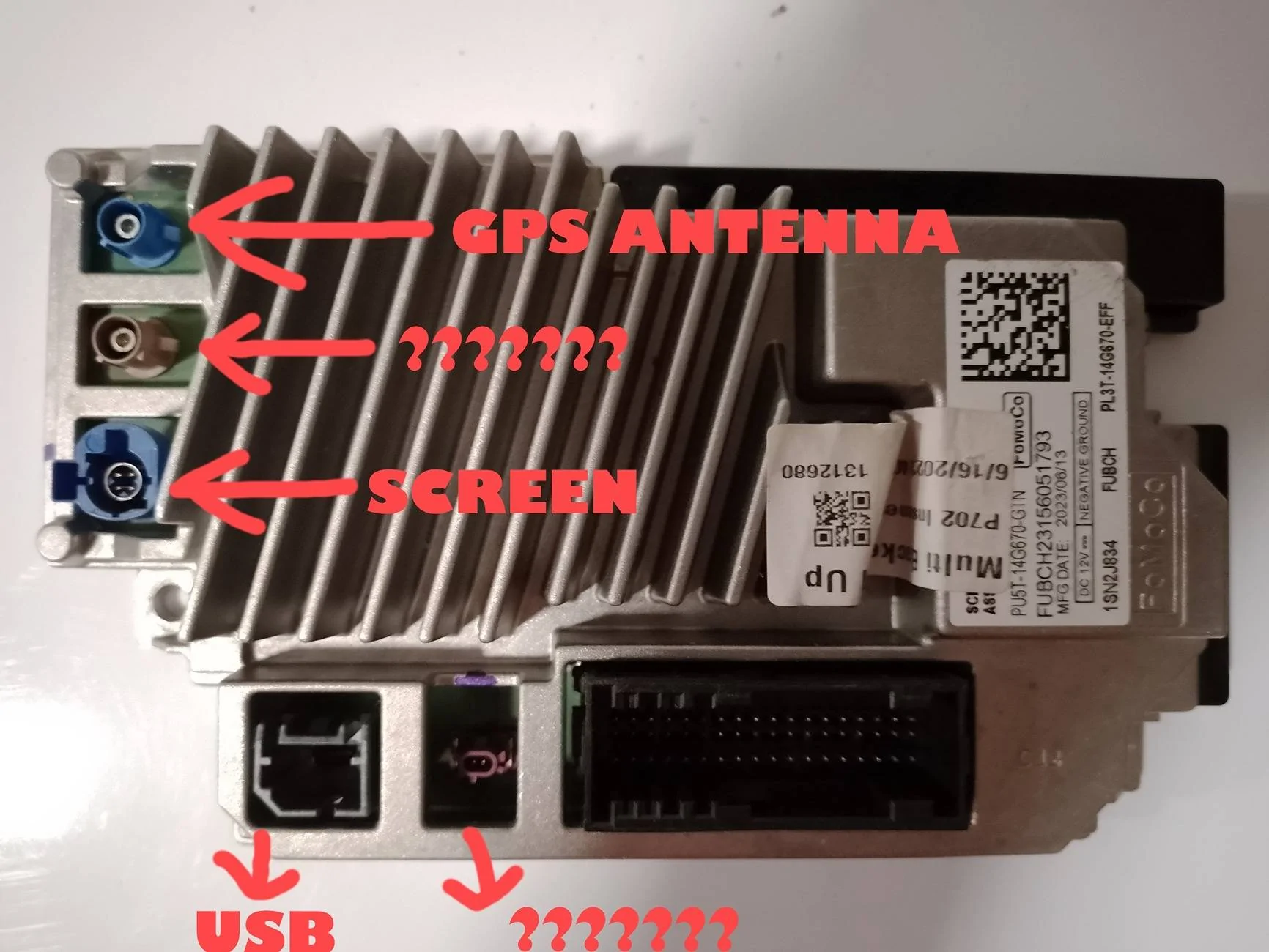
Does anyone know what the other connectors are for?

Thanks!

Ford Maverick Sync4 APIM and 13.2" Screen Installation Guide (Lariat Models) IMG_20241226_025122
 
Sponsored

pantera156

2.0L EcoBoost
Well-known member
First Name
Pantera
Joined
Feb 25, 2024
Threads
0
Messages
86
Reaction score
35
Location
Porto Alegre
Vehicle(s)
lariat 2.0
Engine
2.0L EcoBoost
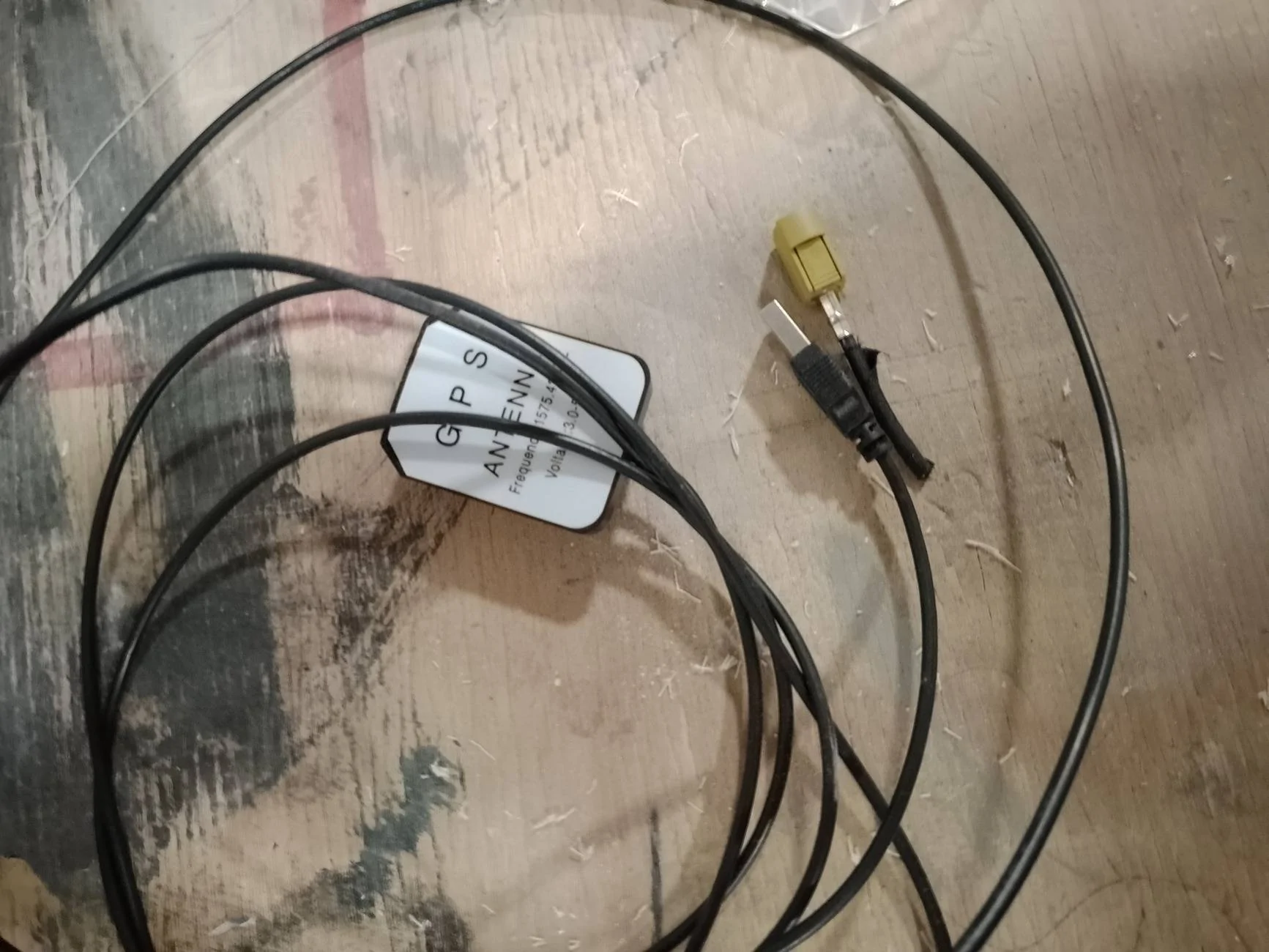
Was wondering the same thing… possibly for the 360* cameras? Would be really cool to figure those out
The brown connector is an antenna connector. I don't know what the other one is.
 

801Maverick801

2.0L EcoBoost
Well-known member
Joined
Jun 29, 2022
Threads
21
Messages
433
Reaction score
873
Location
Utah
Vehicle(s)
Subaru Forester
Engine
2.0L EcoBoost
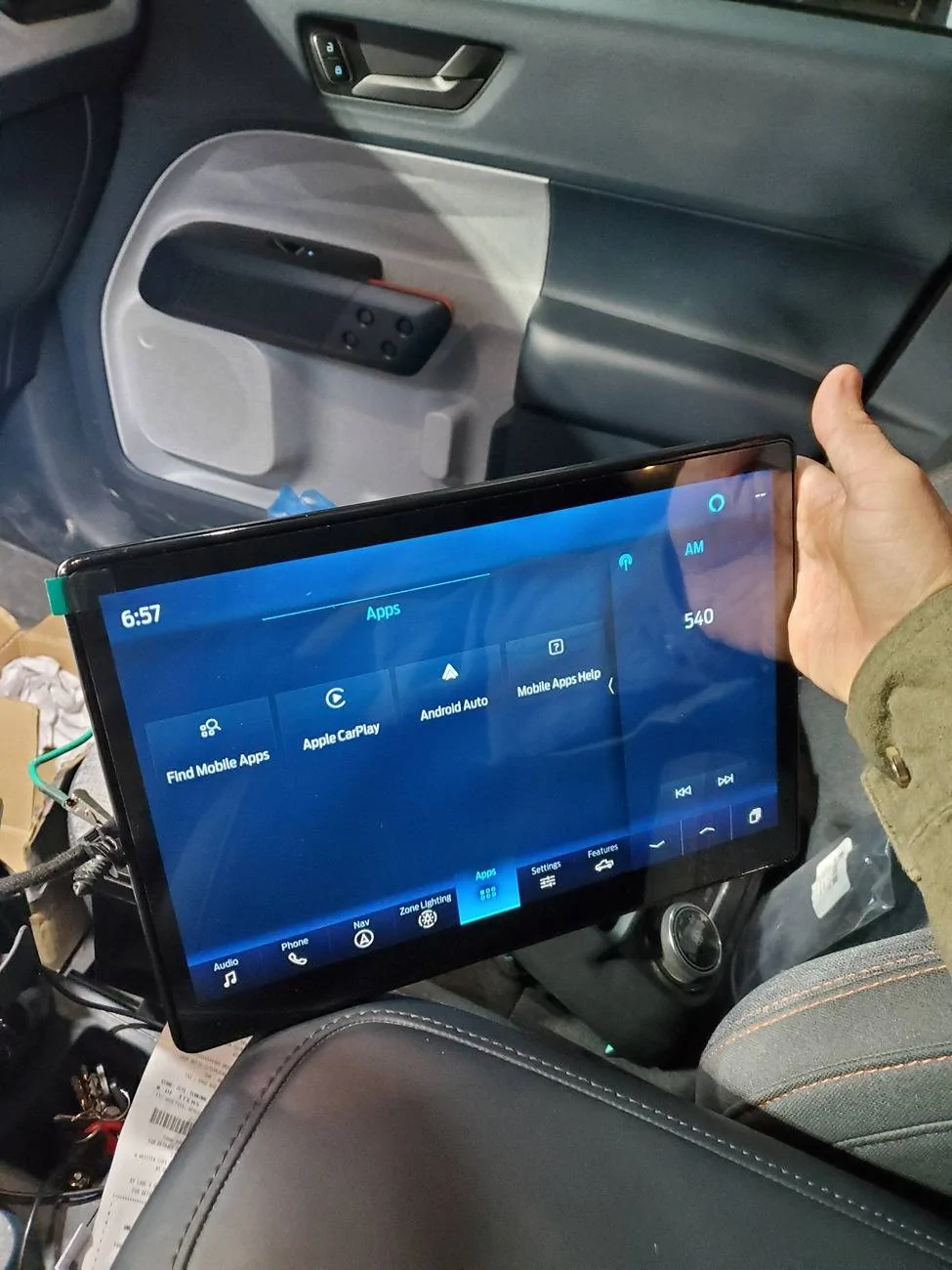
Ford Maverick Sync4 APIM and 13.2" Screen Installation Guide (Lariat Models) 20241225_175703


So my screens alive. Music quality sounds great. My backup camera is not working though, screen just goes black and then says reverse camera not available. I'm hoping it's a programming thing?

Tomorrow I will get it mounted and hopefully start with the Forscan.
 
OP
OP
Billzilla15

Billzilla15

2.0L EcoBoost
Well-known member
First Name
Bill
Joined
Jul 19, 2024
Threads
1
Messages
71
Reaction score
138
Location
Ohio
Vehicle(s)
22 Maverick Lariat
Engine
2.0L EcoBoost
20241225_175703.jpg


So my screens alive. Music quality sounds great. My backup camera is not working though, screen just goes black and then says reverse camera not available. I'm hoping it's a programming thing?

Tomorrow I will get it mounted and hopefully start with the Forscan.
Yes that's programming. I fought with that for a while. I basically killed off everything that had to do with cameras and turned them on one by one till I got mine working
Sponsored


Top