Sponsored

Multiple Phone/Car Play/Nav Issues

mdsalemi

2.5L Hybrid
Well-known member
First Name
Michael
Joined
Aug 1, 2023
Threads
10
Messages
182
Reaction score
221
Location
Davidson NC
Vehicle(s)
2023 Maverick Lariat Hybrid
Engine
2.5L Hybrid
OK, being a problem solver, I always learned that when you have a problem, always suspect the last thing you did. In my case there were multiple last things all at the same time. I just may have to do some kind of master reset but thought I'd throw these problems out there to see what comes back. The multiple things that occurred nearly simultaneously were the dealer performed two recalls and I traded my old iPhone for new.

1. Old Phones for Car Play will NOT go away. My prior iPhone 13, and some "Jim's iPhone 14" show up in the list of available phones to connect. I have repeatedly REMOVED them, and they keep showing back up when I go to use the car again.

2. Present Phone will not "stick". Current phone is iPhone 15. Every time I get into the car either with plugging it in as CarPlay or just letting it connect via Bluetooth, it's not there. Every day is like a brand new device. Nothing I do is allowing the settings to stick. I have things set as preferred phone, etc. Everything set so it should recognize upon startup and or upon plug in, but it's like it's a new device each time I get into the car. Phone is new iPhone 15 and up to date. Don't know if it matters, but the iPhone 13 was plugged into the USB port while the iPhone 15 is plugged into the USB-C port.

3. Black Screen. First noticed a month or two ago, now it's nearly a daily occurrence. No setting changes on my part. When the black screen is on, no controls work and only the last radio station is playing. Cannot change the station.

I guess a master reset?
Sponsored
 
OP
OP

mdsalemi

2.5L Hybrid
Well-known member
First Name
Michael
Joined
Aug 1, 2023
Threads
10
Messages
182
Reaction score
221
Location
Davidson NC
Vehicle(s)
2023 Maverick Lariat Hybrid
Engine
2.5L Hybrid
Crickets.

For those experiencing similar problems--and there are some of you--note that there is a Ford TSB on the issue.

The local dealer's concierge service came by yesterday AM, picked up the Maverick, dropped off an Escape loaner, took the Maverick back to the dealership, did the TSB, solved the problem, and then returned the car in mid afternoon.

Love this concierge service. Now everything works the way it's supposed to.
 

capecruiser

2.0L EcoBoost
Well-known member
First Name
Bret
Joined
Aug 1, 2022
Threads
3
Messages
174
Reaction score
164
Location
southern De
Vehicle(s)
, 1931 Ford , 2025 Maverick Lariat AWD Azure
Engine
2.0L EcoBoost
I have similar issues with connectivity and phone contacts using blue tooth. Dealer told me on 6/18 to expect a fix by October . Do you have the TSB number?
 
OP
OP

mdsalemi

2.5L Hybrid
Well-known member
First Name
Michael
Joined
Aug 1, 2023
Threads
10
Messages
182
Reaction score
221
Location
Davidson NC
Vehicle(s)
2023 Maverick Lariat Hybrid
Engine
2.5L Hybrid
I'll find out. Do not have it on hand.
As an FYI, only some of my problems were with bluetooth. Others were with CarPlay which is through USB
 

capecruiser

2.0L EcoBoost
Well-known member
First Name
Bret
Joined
Aug 1, 2022
Threads
3
Messages
174
Reaction score
164
Location
southern De
Vehicle(s)
, 1931 Ford , 2025 Maverick Lariat AWD Azure
Engine
2.0L EcoBoost
Thanks mdsalemi
 

Sponsored

OP
OP

mdsalemi

2.5L Hybrid
Well-known member
First Name
Michael
Joined
Aug 1, 2023
Threads
10
Messages
182
Reaction score
221
Location
Davidson NC
Vehicle(s)
2023 Maverick Lariat Hybrid
Engine
2.5L Hybrid
OK, @capecruiser and @Dmthomp32 it is TSB 24-2182 "SYNC3 3 - Various SYNC Symptoms"

Among the issues I had and are covered in this TSB are black screen, lack of pairing, CarPlay not starting upon startup, loss of BT pairing, etc.

Supersedes TSB 23-2307.

You can look up the TSB online at Ford. But here it is:

TECHNICAL SERVICE BULLETIN
SYNC 3 - Various SYNC Symptoms
24-2182
05 June 2024​
This bulletin supersedes 23-2307. Reason for update: Service Procedure and vehicle model years affected.
Model:
Ford
2021-2024 Bronco Sport
2020-2022 EcoSport
2019-2020 Edge
2020-2022 Escape
2020-2021 Expedition
2020-2024 Explorer
2019-2020 F-150
2019-2020 Fusion
2022-2024 Maverick
2019-2023 Mustang
2019-2023 Ranger
2020-2022 F-Super Duty
2020-2024 Transit
2019-2021 Transit Connect/Tourneo Connect
Lincoln
2020-2024 Aviator
2019-2020 Continental
2020-2022 Corsair
2019-2020 MKZ
2019-2020 Nautilus
2020-2021 Navigator

Issue: Some 2019-2020 Edge/F-150/Fusion/Continental/MKZ/Nautilus, 2019-2021 Transit Connect, 2019-2023 Mustang, 2019-2023 Ranger, 2020-2021 Expedition/Navigator, 2020-2022 Escape/Corsair/Super Duty/EcoSport, 2020-2024 Explorer/Aviator/Transit, 2021-2024 Bronco Sport, 2022-2024 Maverick vehicles with SYNC 3 may experience various SYNC performance related concerns including but not limited to:

• Programming Failed via USB
• Repeat FAIL - 8033 errors
• Repeat "MEM_ERR", "PKG_ERR", "LIST_ERR", "SIGN_ERR" or "INST_ERR" errors
• Repeat "Check Valid App Fail", "Fails to download to USB", "Configuration Failed" followed by inoperative display (2016 vehicles only)
• Loss of audible voice prompts
• Slow/lagging system response
• Loss of Bluetooth pairing
• Loss of navigation destinations
• Slow/lag operation
• Sirius audio not functioning properly after a key cycle with active subscription
• Presets not responding or indicating properly
• Intermittent audio echo/robotic voice heard during a Bluetooth phone call
• Wi-Fi connection message pop-up every key cycle
• Frozen unresponsive touchscreen
• Solid blue screen when moving forward at speeds above 16 km/h (10 mph) (2019 vehicles only)
• Rear parking aid camera remains on the screen at speeds below 16 km/h (10 mph) (2019 vehicles only)
• Inoperative infotainment applications
• Poor/no AppLink function
• Apple CarPlay not launching on connection or a black screen when connected
• Voice prompts that skip or have short pauses while directions are being provided
• Sirius Travel Link™ not working properly with active subscription
• Remote start not able to be scheduled from FordPass or Lincoln Way (2020 vehicles only)
• System states In Michigan when trying to select a Point Of Interest (POI) on the navigation system
• System scrolls through FM presets on screen when listening to Bluetooth or when on Android Auto/CarPlay
• Climate control features missing after previous update
• Temperature not displayed in pop up screen when increasing or decreasing temperature (2020-2021 Aviator/Navigator only)
• Center display screen flicker (rear camera works properly) (2020-2022 Explorer/Aviator and 2020-2021 Navigator)
This may be due to the SYNC Software. To correct the condition, follow the Service Procedure to update the accesory protocol interface module (APIM) software.

Action: Follow the Service Procedure steps to correct the condition on vehicles that meet all of the following criteria:

• One of the following vehicle lines:
- 2019-2020 Edge/F-150/Fusion/Continental/MKZ/Nautilus
- 2019-2021 Transit Connect
- 2019-2023 Mustang
- 2019-2023 Ranger
- 2020-2021 Expedition/Navigator
- 2020-2022 Escape/Corsair/Super Duty/EcoSport
- 2020-2024 Explorer/Aviator/Transit
- 2021-2024 Bronco Sport
- 2022-2024 Maverick

• Equipped with SYNC 3
• At least one of the following infotainment concerns:
- Programming Failed via USB
- Repeat FAIL - 8033 errors
- Repeat "MEM_ERR", "PKG_ERR", "LIST_ERR", "SIGN_ERR" or "INST_ERR" errors
- Repeat "Check Valid App Fail", "Fails to download to USB", "Configuration Failed" followed by inoperative display (2016 vehicles only)
- Loss of audible voice prompts
- Slow/lagging system response
- Loss of Bluetooth pairing
- Loss of navigation destinations
- Slow/lag operation
- Sirius audio not functioning properly after a key cycle with active subscription
- Presets not responding or indicating properly
- Intermittent audio echo/robotic voice heard during a Bluetooth phone call
- Wi-Fi connection message pop-up every key cycle
- Frozen unresponsive touchscreen
- Solid blue screen when moving forward at speeds above 16 km/h (10 mph) (2019 vehicles only)
- Rear parking aid camera remains on the screen at speeds below 16 km/h (10 mph) (2019 vehicles only)
- Inoperative infotainment applications
- Poor/no AppLink function
- Apple CarPlay not launching on connection or a black screen when connected
- Voice prompts that skip or have short pauses while directions are being provided
- Sirius Travel Link™ not working properly with active subscription
- Remote start not able to be scheduled from FordPass or Lincoln Way (2020 vehicles only)
- System states In Michigan when trying to select a point of interest (POI) on the navigation system
- System scrolls through FM presets on screen when listening to Bluetooth or when on Android Auto/CarPlay
- Climate control features missing after previous update
- Temperature not displayed in pop up screen when increasing or decreasing temperature (2020-2021 Aviator/Navigator only)
- Center display screen flicker (2020-2022 Explorer/Aviator and 2020-2021 Navigator)


Special Tool(s)
SYNC 3 Universal Thumb Drive

Warranty Status: Eligible under provisions of New Vehicle Limited Warranty (NVLW)/Service Part Warranty (SPW)/Service Part New Vehicle (SPNV)/Extended Service Plan (ESP) coverage. Limits/policies/prior approvals are not altered by a TSB. NVLW/SPW/SPNV/ESP coverage limits are determined by the identified causal part and verified using the OASIS part coverage tool.
Labor Times
DescriptionOperation No.Time
Reprogram The APIM Using The SYNC 3 Universal Thumb Drive (Do Not Use With Any Other Labor Operations)
242182A​
0.3 Hrs.​
Repair/Claim Coding
Causal Part:14G371
Condition Code:04

Service Instruction
NOTE: For vehicles that are not currently at the dealership, the customer can also update their vehicle's SYNC 3 software via Wi-Fi or follow the instructions on www.owner.ford.com or www.owner.lincoln.com to update the SYNC 3 software.
1. Verify that the SYNC 3 universal thumb drive is titled SG3v202403 or later (later software levels will have a higher numerical value). Is the SYNC 3 universal thumb drive title SG3v202403 or later?
(1). Yes - proceed to Step 2.
(2). No - download the latest version of the SYNC 3 Universal USB Updater Application (1.0.3.1) under the Service Tips section of PTS using at least a 64GB USB 3.2 GEN 2 flash drive or higher. The USBdrive must be formatted to exFAT. Review the instructions and use Scan for Updates and Update USB. Proceed to Step 2.
• If needed, this is a one-time upload to the thumb drive. Instructions can be found on PTS under Service Tips. Downloading the files to laptop and updating the thumb drive could take up to 2 1/2 hours depending on internet speed. Once the thumb drive is updated, it can be used repeatedly to update all vehicles in this article. The thumb drive must be synced with the Updater Application every 30 days in order to retain usage permissions.
2. Disconnect all customer connected USB items from all media hub locations in the vehicle.
3. Start the vehicle.
4. Insert the SYNC 3 universal thumb drive into the USB port on the media hub.
5. The module automatically updates with no user input required.
(1). Modules already at the latest software level indicate this after approximately 30 seconds.
(2). Module programming for a non-updated module does not need to be monitored and can take approximately 20-30 minutes.
(3). Once the reprograming has completed, the screen displays a message indicating the module is up to date.
6. Remove the SYNC 3 universal thumb drive when complete. The screen returns to the SYNC 3 home screen. Reconnect any of the customer USB items. No vehicle or system restarts are required.
© 2024 Ford Motor Company
All rights reserved.
NOTE: The information in Technical Service Bulletins is intended for use by trained, professional technicians with the knowledge, tools, and equipment to do the job properly and safely. It informs these technicians of conditions that may occur on some vehicles, or provides information that could assist in proper vehicle service. The procedures should not be performed by "do-it-yourselfers". Do not assume that a condition described affects your car or truck. Contact a Ford or Lincoln dealership to determine whether the Bulletin applies to your vehicle. Warranty Policy and Extended Service Plan documentation determine Warranty and/or Extended Service Plan coverage unless stated otherwise in the TSB article. The information in this Technical Service Bulletin (TSB) was current at the time of printing. Ford Motor Company reserves the right to supersede this information with updates. The most recent information is available through Ford Motor Company's on-line technical resources.
 

capecruiser

2.0L EcoBoost
Well-known member
First Name
Bret
Joined
Aug 1, 2022
Threads
3
Messages
174
Reaction score
164
Location
southern De
Vehicle(s)
, 1931 Ford , 2025 Maverick Lariat AWD Azure
Engine
2.0L EcoBoost
Awesome ! Thanks very much mdsalemi. I will give them a call on Monday
 

deezionu1

2.5L Hybrid
Member
First Name
Dee
Joined
Jul 1, 2024
Threads
1
Messages
20
Reaction score
5
Location
90501
Vehicle(s)
2024 Ford Maverick Hybrid
Engine
2.5L Hybrid
Crazy I know!! I can go into my Maverick, press the Volume button on the radio and the radio starts playing. The Crazy part is, the key is not in the ignition. It’s in my hand. So, if you have a 2024 Maverick see if you have the issue. I found the Issue by chance.
 

rcereghino

2.0L EcoBoost
Member
First Name
Rodolfo
Joined
May 17, 2024
Threads
3
Messages
23
Reaction score
19
Location
Chile
Vehicle(s)
Maverick 2024 Lariat
Engine
2.0L EcoBoost
Hi, does anyone know if this TSB works for Sync2.5 (in Chile there is no Sync 3 on Maverick). I also have several issues with the radio, radio buttons, carplay. Thanks!
 
Sponsored

lajlmt

2.5L Hybrid
Well-known member
First Name
Lance
Joined
Jan 17, 2022
Threads
16
Messages
1,161
Reaction score
1,028
Location
Rio Rancho
Vehicle(s)
‘23 Maverick XLT LUX
Engine
2.5L Hybrid
Clubs
 
OK, being a problem solver, I always learned that when you have a problem, always suspect the last thing you did. In my case there were multiple last things all at the same time. I just may have to do some kind of master reset but thought I'd throw these problems out there to see what comes back. The multiple things that occurred nearly simultaneously were the dealer performed two recalls and I traded my old iPhone for new.

1. Old Phones for Car Play will NOT go away. My prior iPhone 13, and some "Jim's iPhone 14" show up in the list of available phones to connect. I have repeatedly REMOVED them, and they keep showing back up when I go to use the car again.

2. Present Phone will not "stick". Current phone is iPhone 15. Every time I get into the car either with plugging it in as CarPlay or just letting it connect via Bluetooth, it's not there. Every day is like a brand new device. Nothing I do is allowing the settings to stick. I have things set as preferred phone, etc. Everything set so it should recognize upon startup and or upon plug in, but it's like it's a new device each time I get into the car. Phone is new iPhone 15 and up to date. Don't know if it matters, but the iPhone 13 was plugged into the USB port while the iPhone 15 is plugged into the USB-C port.

3. Black Screen. First noticed a month or two ago, now it's nearly a daily occurrence. No setting changes on my part. When the black screen is on, no controls work and only the last radio station is playing. Cannot change the station.

I guess a master reset?
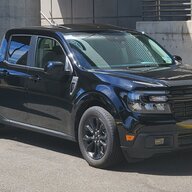
I can’t tell I can’t see my screen🙄 It’s great when you drive at night though even though I don’t drive at night..
 

colinl

2.0L EcoBoost
Well-known member
First Name
Colin
Joined
Jun 21, 2022
Threads
32
Messages
5,440
Reaction score
6,176
Location
ICT
Vehicle(s)
'22 Maverick Lariat AWD, '22 Bronco OBX 2-Door
Engine
2.0L EcoBoost
Clubs
 
Hi, does anyone know if this TSB works for Sync2.5 (in Chile there is no Sync 3 on Maverick). I also have several issues with the radio, radio buttons, carplay. Thanks!
no. "sync 2.5" is Ford Connected Audio which is what any 22-24 Maverick without b&o will have.

it's very different.
 
OP
OP

mdsalemi

2.5L Hybrid
Well-known member
First Name
Michael
Joined
Aug 1, 2023
Threads
10
Messages
182
Reaction score
221
Location
Davidson NC
Vehicle(s)
2023 Maverick Lariat Hybrid
Engine
2.5L Hybrid
Hi, does anyone know if this TSB works for Sync2.5 (in Chile there is no Sync 3 on Maverick). I also have several issues with the radio, radio buttons, carplay. Thanks!
You should check with your dealer; they can easily look it up.
 
OP
OP

mdsalemi

2.5L Hybrid
Well-known member
First Name
Michael
Joined
Aug 1, 2023
Threads
10
Messages
182
Reaction score
221
Location
Davidson NC
Vehicle(s)
2023 Maverick Lariat Hybrid
Engine
2.5L Hybrid
...and just when I thought it was safe, nearly two months without a problem, I'm driving last Saturday evening on the highway at about 75 MPH, when all of a sudden the screen goes black. I had planned on stopping at the next rest stop to turn off the car and start it again, but about 5 minutes after the blackout the system reboots itself...and all has been well since.

"Ghost in the machine"
 

NY DIY GUY

2.0L EcoBoost
Well-known member
Joined
Jan 23, 2024
Threads
3
Messages
90
Reaction score
145
Location
New York City
Website
www.youtube.com
Vehicle(s)
23 Lariat AWD Black W/BAP, LUX, 4K
Engine
2.0L EcoBoost
Check to see if you need a update. You will need to Mobile hotspot your phone to the car and check for updates. I was having the black screen issue and usb disconnect issue and since I did the update everything has been ok.
Sponsored


Top