Sponsored

teciovivas

2.0L EcoBoost
New member
First Name
Tecio
Joined
Nov 4, 2023
Threads
0
Messages
2
Reaction score
0
Location
Brazil
Vehicle(s)
Maverick
Engine
2.0L EcoBoost
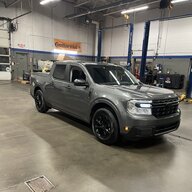
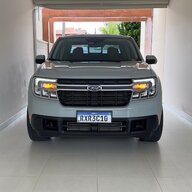
Hello, first time here, from Brazil.

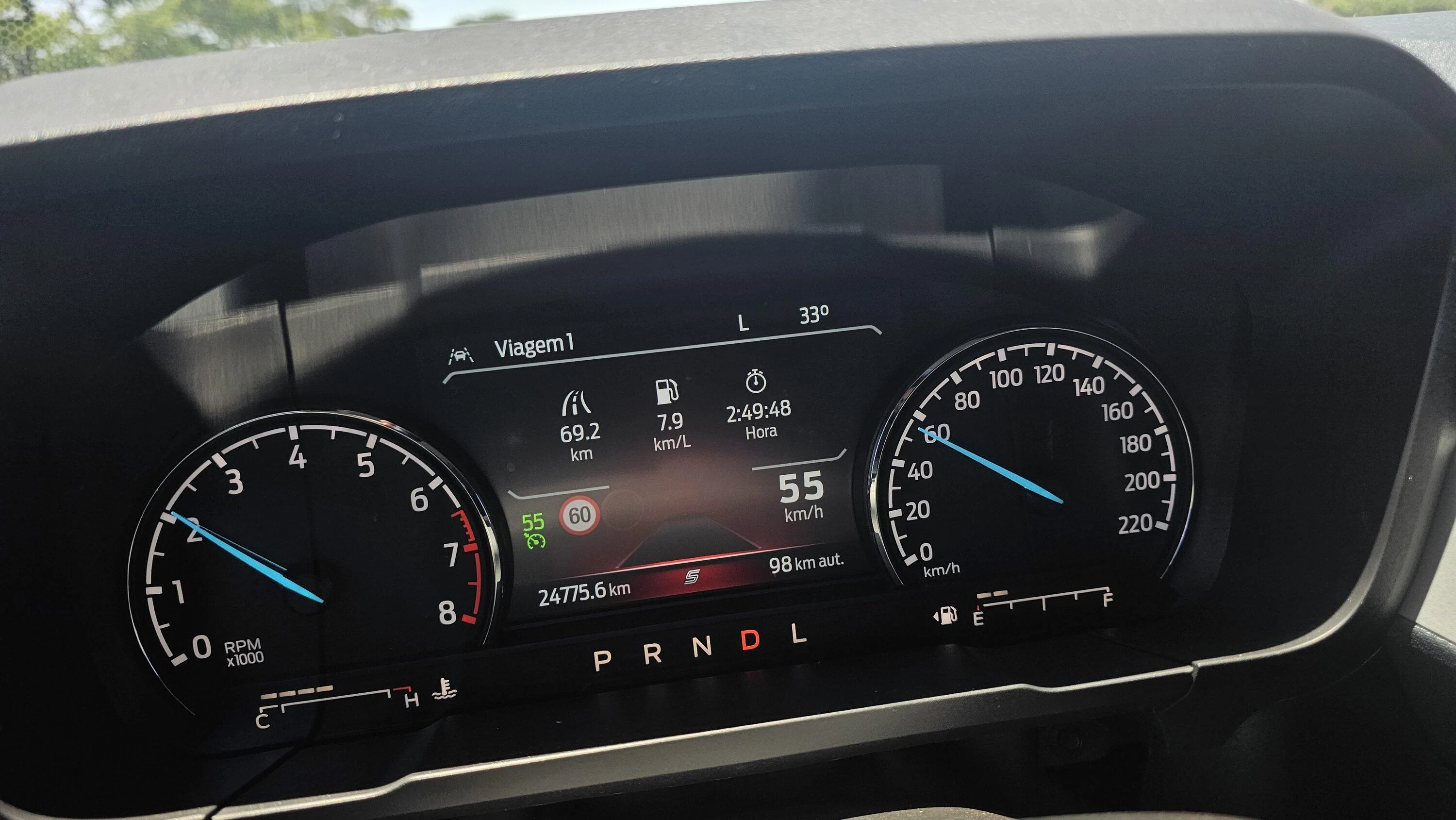
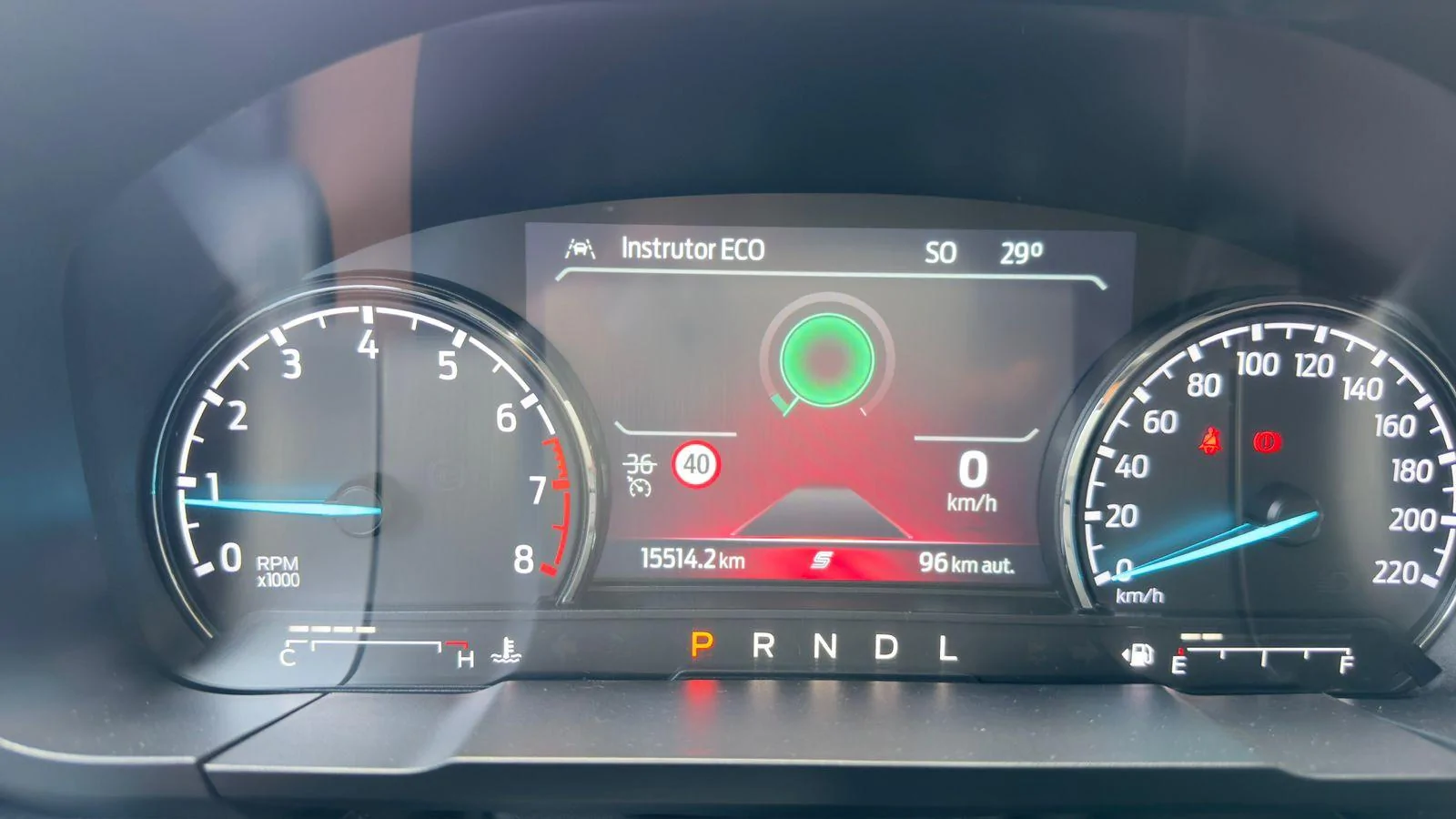
2.OT Lariat FX4 Lane Keeping, Sport & Eco modes and TSR working here.

Thank you!!
20231010_102301.webp
20231011_124304.webp
Hello,

I also have a Lariat and I'm confused about which parameters apply to the Lariat. From what I understood at the beginning of the topic, the parameters are for the XLT version.

Can you help me with this? I intend to enable TSR and Lane Assistance.
Sponsored

 
Last edited:

svllcn

2.5L Hybrid
Well-known member
Joined
Oct 9, 2023
Threads
0
Messages
51
Reaction score
11
Location
Texas
Vehicle(s)
23 XLT Hybrid
Engine
2.5L Hybrid
Do I need the Forscan with extended license for this? I am getting an error in the log that says my adapter won’t allow all features of Forscan. I purchased the same adapter another member used for this mod.
 

BlueSpec1

Well-known member
First Name
Gene
Joined
Jul 10, 2022
Threads
3
Messages
780
Reaction score
796
Location
Texas
Vehicle(s)
23 F150 XLT Powerboost, 22 Escape Plug-In, 23 Bolt EUV
Engine
Undecided

RadioDoc

2.5L Hybrid
Well-known member
Joined
May 30, 2023
Threads
7
Messages
99
Reaction score
97
Location
Fairchild AFB, WA
Vehicle(s)
2023 Maverick XLT Hybrid Lux
Engine
2.5L Hybrid
Just did this mod on my 23 Hybrid XLT Lux, and was able to get it up and running without needing to swap out the left control stalk (full LDW + LKA) and without needing to make AS BUILT changes. I'll probably swap the stalk out later. The detection and correction is working flawlessly, and it even picked up a point where I was just hovering my hands off the steering wheel for a few seconds during my drive home and popped up a brusk reminder about keeping my hands on the wheel (and before anyone comments on safety, it was a straight country road with no traffic for miles, no way I'd test with the system like that if there was traffic within sight).

Here's the changes I made, using FORScan 2.3.58 Extended License
ModuleSettingOldNewNotes
IPCLane Assist0 - Disabled2 - LDW + Lane Keep AssistEnables Driver Assist. Screen (LDW enables just screen, LDW+LKA enables mode menu)
IPCLane Assist Haptic Intensity0 - Disabled1 - EnabledEnables Intensity Option in Lane-Keeping System Menu
IPCLane Assist Sensitivity0 - Disabled1 - EnabledEnables Lane-Keeping System Settings Menu Option
IPCLane Keep System Warning0 - Disabled1 - Enabled
IPMACustomer Preferences - Lane Keep Setting - Personal 11 - LK Alert3 - LK Alert + LK Aid
IPMACustomer Preferences - Lane Keep Setting - Personal 21 - LK Alert3 - LK Alert + LK Aid
IPMACustomer Preferences - Lane Keep Setting - Personal 31 - LK Alert3 - LK Alert + LK Aid
IPMACustomer Preferences - Lane Keep Setting - Personal 41 - LK Alert3 - LK Alert + LK Aid
IPMACustomer Preferences - Lane Keep Setting - Vehicle1 - LK Alert3 - LK Alert + LK Aid
IPMACustomer Preferences - Lane Keep Support - Personal 20 - Disabled1 - Enabled
IPMACustomer Preferences - Lane Keep Support - Personal 30 - Disabled1 - Enabled
IPMACustomer Preferences - Lane Keep Support - Personal 40 - Disabled1 - Enabled
IPMACustomer Preferences - Lane Keep Support - Vehicle0 - Disabled1 - EnabledEnables LKS if phyiscal button not present (left stalk)
IPMACustomer Preferences - Lane Keep Support (LKS) - Personal 10 - Disabled1 - Enabled
IPMALane Assist1 - Disabled3 - LDW + Lane Keep Assist
PSCMLane Departure Warning0 - Disabled255 - Enabled
PSCMLane Keep Assist (LKA)0 - Disabled255 - Enabled
SCCMLane Keep Assist (LKA)0 - Disabled1 - Enabled
 
Last edited:

Sponsored

psang.92

2.0L EcoBoost
Member
First Name
Sebastián
Joined
Aug 17, 2023
Threads
0
Messages
6
Reaction score
3
Location
Santiago, Chile
Vehicle(s)
2024 Escape Platinum
Engine
2.0L EcoBoost
Hi,
Has anyone had the problem of the camera being uncalibrate? (IPMA)
After activating everything without problems, when starting the vehicle the next time, it gives me an error and failure in the front camera system and a message appears: Pre-Collision Assist not available.
Has anyone had this happen and used the camera recalibration function in Forscan?

DTC: C1001:54 - Missing Calibration


Cheers,
 

psang.92

2.0L EcoBoost
Member
First Name
Sebastián
Joined
Aug 17, 2023
Threads
0
Messages
6
Reaction score
3
Location
Santiago, Chile
Vehicle(s)
2024 Escape Platinum
Engine
2.0L EcoBoost
Hi,
Has anyone had the problem of the camera being uncalibrate? (IPMA)
After activating everything without problems, when starting the vehicle the next time, it gives me an error and failure in the front camera system and a message appears: Pre-Collision Assist not available.
Has anyone had this happen and used the camera recalibration function in Forscan?

DTC: C1001:54 - Missing Calibration


Cheers,
Hi again,
It's solved.
Important lesson: don´t write, load or modificate your IPMA with poor light or blinding the camera.
 

Wonderwall

2.5L Hybrid
Member
Joined
Jan 28, 2024
Threads
0
Messages
20
Reaction score
8
Location
ATL
Vehicle(s)
24 Maverick XLT
Engine
2.5L Hybrid
Just did this mod on my 23 Hybrid XLT Lux, and was able to get it up and running without needing to swap out the left control stalk (full LDW + LKA) and without needing to make AS BUILT changes. I'll probably swap the stalk out later. The detection and correction is working flawlessly, and it even picked up a point where I was just hovering my hands off the steering wheel for a few seconds during my drive home and popped up a brusk reminder about keeping my hands on the wheel (and before anyone comments on safety, it was a straight country road with no traffic for miles, no way I'd test with the system like that if there was traffic within sight).

Here's the changes I made, using FORScan 2.3.58 Extended License
ModuleSettingOldNewNotes
IPCLane Assist0 - Disabled2 - LDW + Lane Keep AssistEnables Driver Assist. Screen (LDW enables just screen, LDW+LKA enables mode menu)
IPCLane Assist Haptic Intensity0 - Disabled1 - EnabledEnables Intensity Option in Lane-Keeping System Menu
IPCLane Assist Sensitivity0 - Disabled1 - EnabledEnables Lane-Keeping System Settings Menu Option
IPCLane Keep System Warning0 - Disabled1 - Enabled
IPMACustomer Preferences - Lane Keep Setting - Personal 11 - LK Alert3 - LK Alert + LK Aid
IPMACustomer Preferences - Lane Keep Setting - Personal 21 - LK Alert3 - LK Alert + LK Aid
IPMACustomer Preferences - Lane Keep Setting - Personal 31 - LK Alert3 - LK Alert + LK Aid
IPMACustomer Preferences - Lane Keep Setting - Personal 41 - LK Alert3 - LK Alert + LK Aid
IPMACustomer Preferences - Lane Keep Setting - Vehicle1 - LK Alert3 - LK Alert + LK Aid
IPMACustomer Preferences - Lane Keep Support - Personal 20 - Disabled1 - Enabled
IPMACustomer Preferences - Lane Keep Support - Personal 30 - Disabled1 - Enabled
IPMACustomer Preferences - Lane Keep Support - Personal 40 - Disabled1 - Enabled
IPMACustomer Preferences - Lane Keep Support - Vehicle0 - Disabled1 - EnabledEnables LKS if phyiscal button not present (left stalk)
IPMACustomer Preferences - Lane Keep Support (LKS) - Personal 10 - Disabled1 - Enabled
IPMALane Assist1 - Disabled3 - LDW + Lane Keep Assist
PSCMLane Departure Warning0 - Disabled255 - Enabled
PSCMLane Keep Assist (LKA)0 - Disabled255 - Enabled
SCCMLane Keep Assist (LKA)0 - Disabled1 - Enabled
Awesome work Radiodoc. Thank you for posting this info. I am a Brit so excuse me for being confused! I have the correct updated stalk installed. What do you mean by "Enables LKS if phyiscal button not present (left stalk)"? I have the updated lhs stalk so what do i enter?
 

RadioDoc

2.5L Hybrid
Well-known member
Joined
May 30, 2023
Threads
7
Messages
99
Reaction score
97
Location
Fairchild AFB, WA
Vehicle(s)
2023 Maverick XLT Hybrid Lux
Engine
2.5L Hybrid
Awesome work Radiodoc. Thank you for posting this info. I am a Brit so excuse me for being confused! I have the correct updated stalk installed. What do you mean by "Enables LKS if phyiscal button not present (left stalk)"? I have the updated lhs stalk so what do i enter?
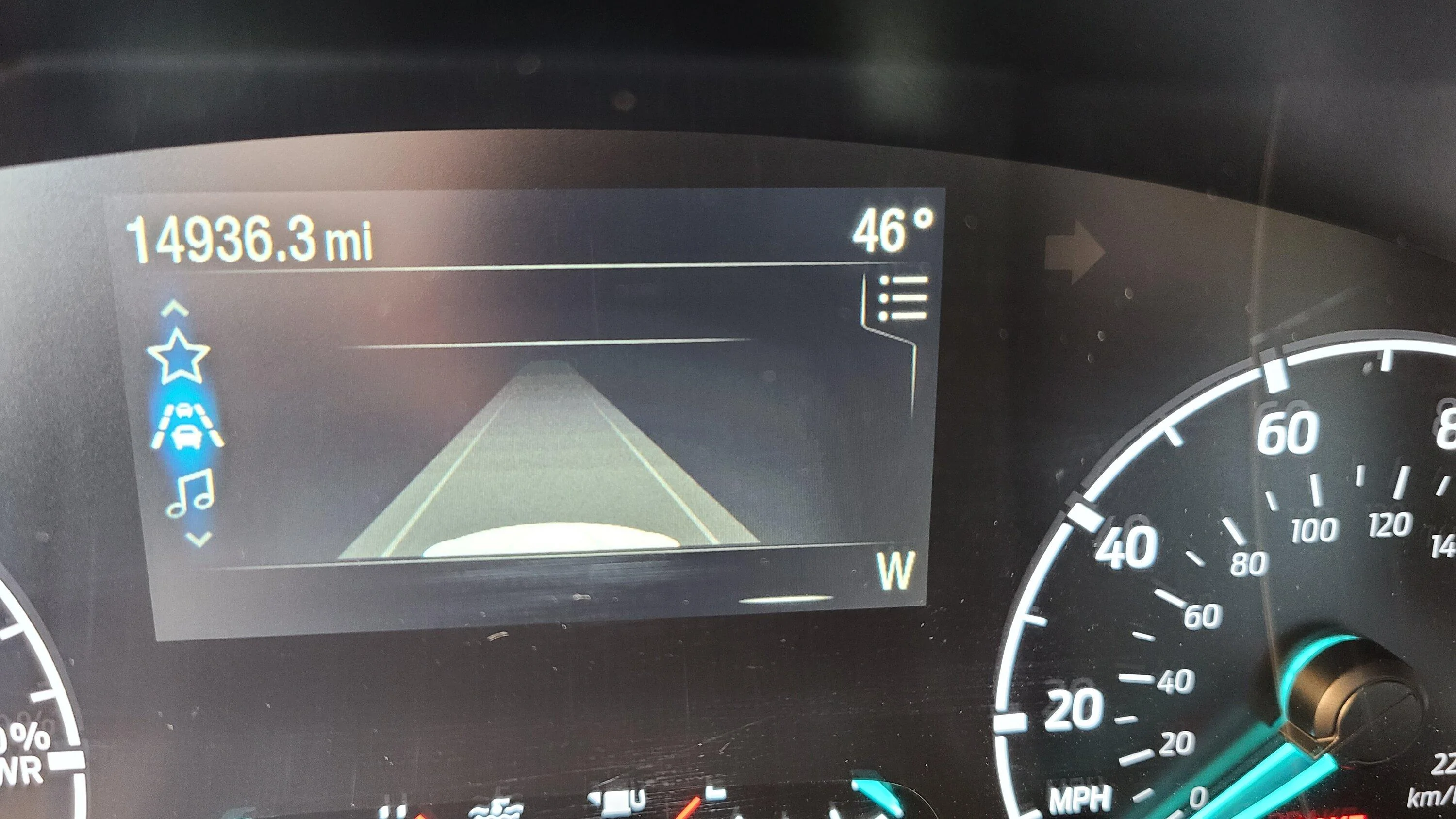
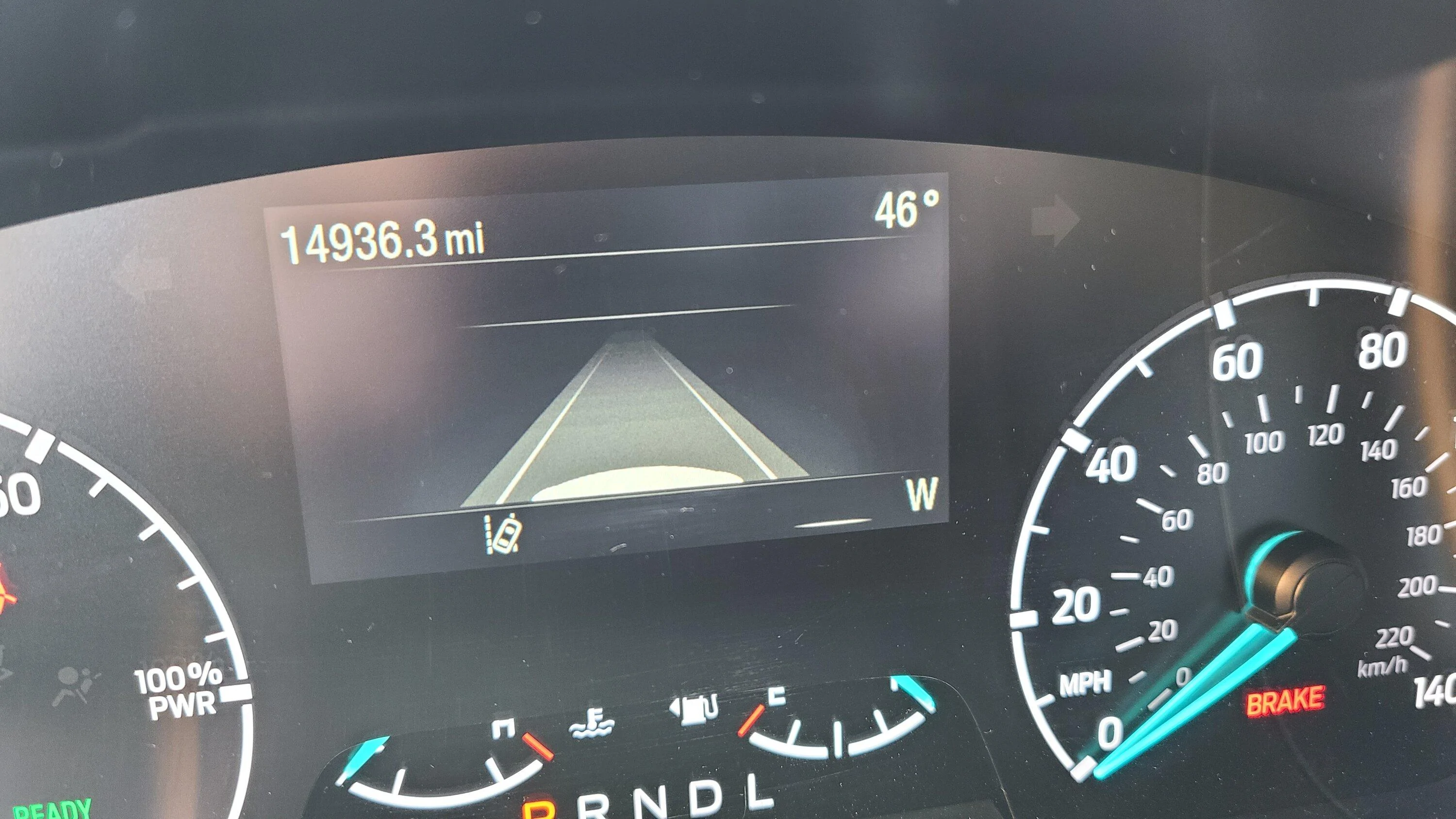
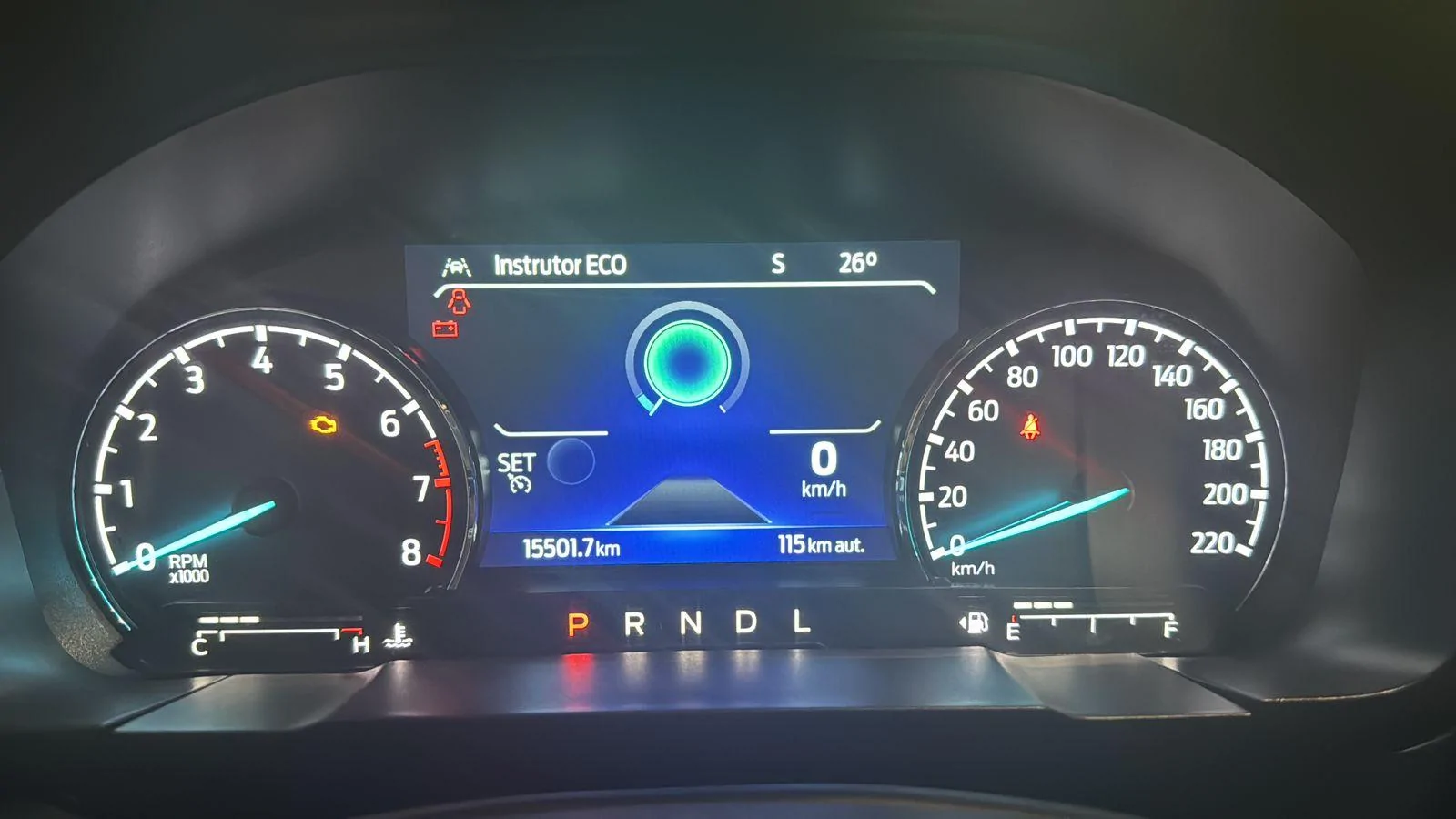
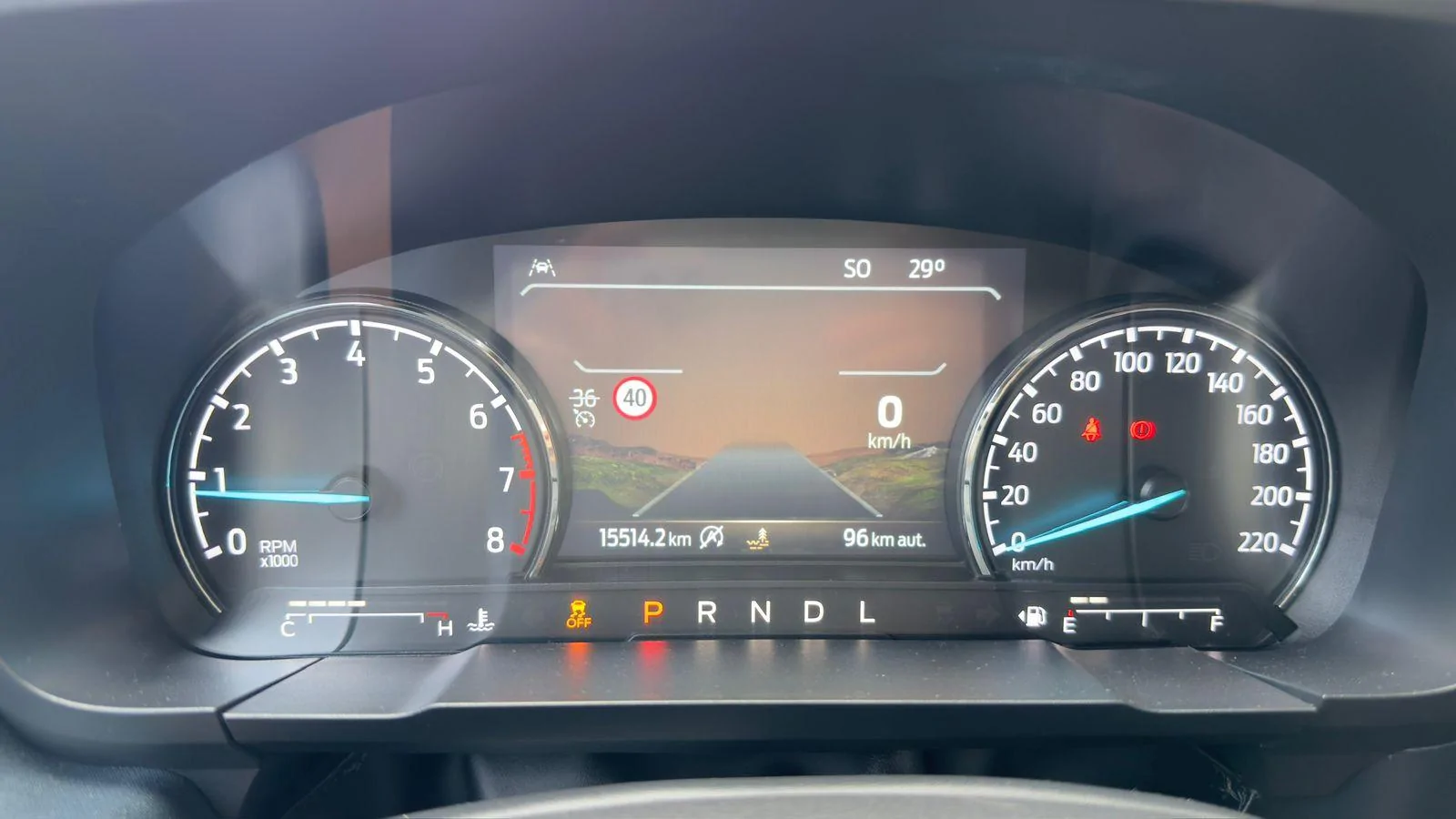
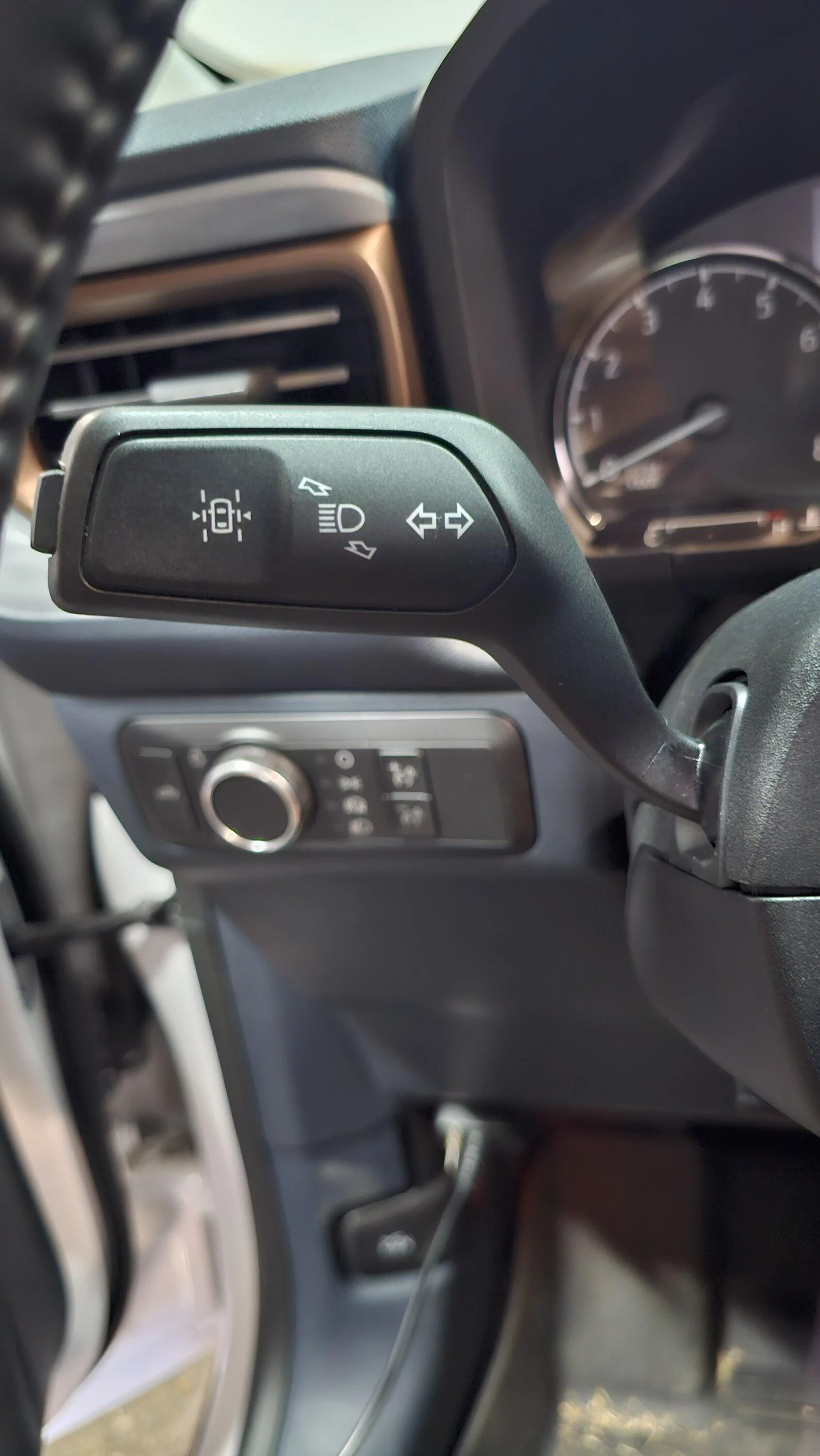
The physical button on the stalk should change that value as you turn the system on/off. Turn it on, then see if hitting the button toggles the system on/off? If it's all set up correctly then you should see the LKS icon appear on the display showing that the system is on and ready. That icon will then turn green when active.
Ford Maverick Lane Keeping System retrofit install using FORScan (on all trims without Copilot 360) 20240309_095014

Ford Maverick Lane Keeping System retrofit install using FORScan (on all trims without Copilot 360) 20240309_095040
 

Wonderwall

2.5L Hybrid
Member
Joined
Jan 28, 2024
Threads
0
Messages
20
Reaction score
8
Location
ATL
Vehicle(s)
24 Maverick XLT
Engine
2.5L Hybrid
The physical button on the stalk should change that value as you turn the system on/off. Turn it on, then see if hitting the button toggles the system on/off? If it's all set up correctly then you should see the LKS icon appear on the display showing that the system is on and ready. That icon will then turn green when active.
20240309_095014.jpg

20240309_095040.jpg
Once again thank you for doing all the research & hard work on Forscan to allow people like me to make "easy" changes. That being said I did the changes you stated and everything works as expected except the button on my turn signal stalk appears to do nothing. All the lane change stuff is on 100% of the time. Pressing the stalk button does nowt. I got the replacement stalk brand new, install is easy and cant really be screwed up. Hardest part is removing the plastic cowling/cover to get to the torx screws.
I was assuming that the stalk button turned everything on or off. Can you confirm how the system works? Am I missing something obvious?
 
Sponsored

teciovivas

2.0L EcoBoost
New member
First Name
Tecio
Joined
Nov 4, 2023
Threads
0
Messages
2
Reaction score
0
Location
Brazil
Vehicle(s)
Maverick
Engine
2.0L EcoBoost
Just did this mod on my 23 Hybrid XLT Lux, and was able to get it up and running without needing to swap out the left control stalk (full LDW + LKA) and without needing to make AS BUILT changes. I'll probably swap the stalk out later. The detection and correction is working flawlessly, and it even picked up a point where I was just hovering my hands off the steering wheel for a few seconds during my drive home and popped up a brusk reminder about keeping my hands on the wheel (and before anyone comments on safety, it was a straight country road with no traffic for miles, no way I'd test with the system like that if there was traffic within sight).

Here's the changes I made, using FORScan 2.3.58 Extended License
ModuleSettingOldNewNotes
IPCLane Assist0 - Disabled2 - LDW + Lane Keep AssistEnables Driver Assist. Screen (LDW enables just screen, LDW+LKA enables mode menu)
IPCLane Assist Haptic Intensity0 - Disabled1 - EnabledEnables Intensity Option in Lane-Keeping System Menu
IPCLane Assist Sensitivity0 - Disabled1 - EnabledEnables Lane-Keeping System Settings Menu Option
IPCLane Keep System Warning0 - Disabled1 - Enabled
IPMACustomer Preferences - Lane Keep Setting - Personal 11 - LK Alert3 - LK Alert + LK Aid
IPMACustomer Preferences - Lane Keep Setting - Personal 21 - LK Alert3 - LK Alert + LK Aid
IPMACustomer Preferences - Lane Keep Setting - Personal 31 - LK Alert3 - LK Alert + LK Aid
IPMACustomer Preferences - Lane Keep Setting - Personal 41 - LK Alert3 - LK Alert + LK Aid
IPMACustomer Preferences - Lane Keep Setting - Vehicle1 - LK Alert3 - LK Alert + LK Aid
IPMACustomer Preferences - Lane Keep Support - Personal 20 - Disabled1 - Enabled
IPMACustomer Preferences - Lane Keep Support - Personal 30 - Disabled1 - Enabled
IPMACustomer Preferences - Lane Keep Support - Personal 40 - Disabled1 - Enabled
IPMACustomer Preferences - Lane Keep Support - Vehicle0 - Disabled1 - EnabledEnables LKS if phyiscal button not present (left stalk)
IPMACustomer Preferences - Lane Keep Support (LKS) - Personal 10 - Disabled1 - Enabled
IPMALane Assist1 - Disabled3 - LDW + Lane Keep Assist
PSCMLane Departure Warning0 - Disabled255 - Enabled
PSCMLane Keep Assist (LKA)0 - Disabled255 - Enabled
SCCMLane Keep Assist (LKA)0 - Disabled1 - Enabled
Great job!

My Maverick is 22 FX4 Lariat and I changed the left stalk with physical button.

I just shouldn't consider the IPMA “Customer Preferences - Lane Keep Support - Vehicle” on table above? For Lariat is the same parameters?
 

Angel1221

2.0L EcoBoost
Well-known member
Joined
Jun 30, 2023
Threads
13
Messages
46
Reaction score
37
Location
Joliet, IL
Vehicle(s)
2023 Ford Maverick XL
Engine
2.0L EcoBoost
Just did this mod on my 23 Hybrid XLT Lux, and was able to get it up and running without needing to swap out the left control stalk (full LDW + LKA) and without needing to make AS BUILT changes. I'll probably swap the stalk out later. The detection and correction is working flawlessly, and it even picked up a point where I was just hovering my hands off the steering wheel for a few seconds during my drive home and popped up a brusk reminder about keeping my hands on the wheel (and before anyone comments on safety, it was a straight country road with no traffic for miles, no way I'd test with the system like that if there was traffic within sight).

Here's the changes I made, using FORScan 2.3.58 Extended License
ModuleSettingOldNewNotes
IPCLane Assist0 - Disabled2 - LDW + Lane Keep AssistEnables Driver Assist. Screen (LDW enables just screen, LDW+LKA enables mode menu)
IPCLane Assist Haptic Intensity0 - Disabled1 - EnabledEnables Intensity Option in Lane-Keeping System Menu
IPCLane Assist Sensitivity0 - Disabled1 - EnabledEnables Lane-Keeping System Settings Menu Option
IPCLane Keep System Warning0 - Disabled1 - Enabled
IPMACustomer Preferences - Lane Keep Setting - Personal 11 - LK Alert3 - LK Alert + LK Aid
IPMACustomer Preferences - Lane Keep Setting - Personal 21 - LK Alert3 - LK Alert + LK Aid
IPMACustomer Preferences - Lane Keep Setting - Personal 31 - LK Alert3 - LK Alert + LK Aid
IPMACustomer Preferences - Lane Keep Setting - Personal 41 - LK Alert3 - LK Alert + LK Aid
IPMACustomer Preferences - Lane Keep Setting - Vehicle1 - LK Alert3 - LK Alert + LK Aid
IPMACustomer Preferences - Lane Keep Support - Personal 20 - Disabled1 - Enabled
IPMACustomer Preferences - Lane Keep Support - Personal 30 - Disabled1 - Enabled
IPMACustomer Preferences - Lane Keep Support - Personal 40 - Disabled1 - Enabled
IPMACustomer Preferences - Lane Keep Support - Vehicle0 - Disabled1 - EnabledEnables LKS if phyiscal button not present (left stalk)
IPMACustomer Preferences - Lane Keep Support (LKS) - Personal 10 - Disabled1 - Enabled
IPMALane Assist1 - Disabled3 - LDW + Lane Keep Assist
PSCMLane Departure Warning0 - Disabled255 - Enabled
PSCMLane Keep Assist (LKA)0 - Disabled255 - Enabled
SCCMLane Keep Assist (LKA)0 - Disabled1 - Enabled
My lane keep aid won’t work. Any idea why?
 

michel

2.0L EcoBoost
Member
First Name
michel
Joined
Jun 26, 2023
Threads
7
Messages
17
Reaction score
21
Location
brasil
Vehicle(s)
ford maverick
Engine
2.0L EcoBoost
Acabei de fazer este mod no meu 23 Hybrid XLT Lux e consegui colocá-lo em funcionamento sem precisar trocar a haste de controle esquerda (LDW completo + LKA) e sem precisar fazer alterações no AS BUILT. Provavelmente trocarei o talo mais tarde. A detecção e correção estão funcionando perfeitamente, e até chegou a um ponto em que eu estava apenas tirando as mãos do volante por alguns segundos durante meu caminho para casa e apareceu um lembrete brusco sobre como manter minhas mãos no volante (e antes alguém comenta sobre segurança, era uma estrada reta sem tráfego por quilômetros, de jeito nenhum eu testaria o sistema assim se houvesse tráfego à vista).

Aqui estão as alterações que fiz, usando a licença estendida do FORScan 2.3.58
MĂłduloContextoVelhoNovoNotas
CIPAssistência de faixa0 - Desativado2 - LDW + Assistência de manutenção de faixaAtiva a Assistência ao Motorista. Tela (LDW ativa apenas a tela, LDW+LKA ativa o menu de modo)
CIPIntensidade tátil do assistente de faixa0 - Desativado1 - HabilitadoAtiva a opção de intensidade no menu do sistema de manutenção de faixa
CIPSensibilidade da assistência de faixa0 - Desativado1 - HabilitadoAtiva a opção de menu de configurações do sistema de manutenção de faixa
CIPAviso do sistema de manutenção de faixa0 - Desativado1 - Habilitado
IPMAPreferências do cliente - Configuração de manutenção de faixa - Pessoal 11 - Alerta LK3 - Alerta LK + Ajuda LK
IPMAPreferências do cliente - Configuração de manutenção de faixa - Pessoal 21 - Alerta LK3 - Alerta LK + Ajuda LK
IPMAPreferências do cliente - Configuração de manutenção de faixa - Pessoal 31 - Alerta LK3 - Alerta LK + Ajuda LK
IPMAPreferências do cliente - Configuração de manutenção de faixa - Pessoal 41 - Alerta LK3 - Alerta LK + Ajuda LK
IPMAPreferências do cliente - Configuração de manutenção de faixa - Veículo1 - Alerta LK3 - Alerta LK + Ajuda LK
IPMAPreferĂŞncias do Cliente - Suporte Lane Keep - Pessoal 20 - Desativado1 - Habilitado
IPMAPreferĂŞncias do Cliente - Suporte Lane Keep - Pessoal 30 - Desativado1 - Habilitado
IPMAPreferĂŞncias do Cliente - Suporte Lane Keep - Pessoal 40 - Desativado1 - Habilitado
IPMAPreferências do cliente - Suporte para manutenção de faixa - Veículo0 - Desativado1 - HabilitadoAtiva o LKS se o botão físico não estiver presente (haste esquerda)
IPMAPreferências do cliente - Suporte de manutenção de faixa (LKS) - Pessoal 10 - Desativado1 - Habilitado
IPMAAssistência de faixa1 - Desativado3 - LDW + Assistência de manutenção de faixa
PSCMAviso de saĂ­da de faixa0 - Desativado255 - Habilitado
PSCMAssistência de manutenção de faixa (LKA)0 - Desativado255 - Habilitado
SCCMAssistência de manutenção de faixa (LKA)0 - Desativado1 - Habilitado
[/CITAR]


Você pode enviar fotos ou vídeos? como você está trabalhando
 

michel

2.0L EcoBoost
Member
First Name
michel
Joined
Jun 26, 2023
Threads
7
Messages
17
Reaction score
21
Location
brasil
Vehicle(s)
ford maverick
Engine
2.0L EcoBoost
funcionando, sem as pressões com o botão lateral

Ford Maverick Lane Keeping System retrofit install using FORScan (on all trims without Copilot 360) WhatsApp Image 2024-04-02 at 14.03.00


Ford Maverick Lane Keeping System retrofit install using FORScan (on all trims without Copilot 360) WhatsApp Image 2024-04-02 at 14.02.59


Ford Maverick Lane Keeping System retrofit install using FORScan (on all trims without Copilot 360) WhatsApp Image 2024-04-02 at 14.02.57


Last edited:

EONR24

2.0L EcoBoost
Well-known member
First Name
Swag
Joined
Feb 26, 2024
Threads
44
Messages
1,442
Reaction score
1,656
Location
United States
Vehicle(s)
2024 Ford Maverick XL
Engine
2.0L EcoBoost
How to add Lane Keep system without Copilot 360 package. This has been tested on a 2.0L XL w/o copilot and 4k tow package. Hybrids will have different foscan settings for certain registers, key valid for both unless specified otherwise. 6 inch cluster screens may also need different forscan hex keys for the same applicable settings in the IPC 720-xx-xx registers.

All trims already come with a front facing camera and image processing module so all that is needed is the correct turn signal stalk which costs about $35. All you need to do is swap the turn signal stalks and activate with forscan. It is valid for all trim levels without Copilot 360.

After swapping the stalks (quick write up to follow) to turn on the lane keep system which includes Lane keep alert, lane keep aid and driver alert system these are the following forscan codes. Should work on all builds except where noted.

Vehicle tested on 2022 XL w/o copilot 2.0L ecoboost and 4k tow package

To get the button for lane keep working first you need to set the following codes.

IPMA
706-01-01
044D 59C9 B537 - 2.0L ecoboost engines
0B4D 59C9 B53E - 2.5L hybrid engines
This activates the functionality in the image processing module

PSCM
730-02-02
FFFF 0000 0039
This activates the power steering functionality for wheel vibration and correction.

SCCM
The middle part of the code specifies you have the lane keep left turn stalk installed the other lines refer to the steering wheel buttons.
724-02-01
1228 A820 3060
Steering wheel buttons w/o cruise control, switch combo SW8588 / SW8589

1258 6820 3050
steering wheel buttons w/ cruise control, switch combo SW8576 / SW8579


If any one of these 3 is incorrect the button won't work and you'll either get no lane keep icon in the cluster screen or it will be there but you won't be able toggle it on and off.

Next are the codes for the instrument cluster. These should also be valid for the 6 inch cluster screen. If you have issues get some as built data for a Lariat with the lux package and change whatever values differ for the same register addresses.

IPC codes

720-01-02
0227 4093
This activates the driver alert system option in the options

720-02-01
09E4 2D34 1E96 - 2.0L ecoboost engines
09E4 2D35 9E17 - 2.5L hybrids engines
This activates the lane keep menu, alert and aid settings.
xxxx xxxx Xxxx is for how mpg is calculated and shown in the trip screen
xxxx xxxx 1xxx = gas
xxxx xxxx 9xxx = hybrid

720-09-01
2042 1440 1900
This enables the lane keep steering wheel vibration and correction intensity settings.

This next section of codes enables the Driver Alert System. If any of them are not set it will not enable when you have Lane Keep on and the driver alert option setting in the vehicle settings

BCM codes
726-15-04
0147 - 2.0L ecoboost engines
Leave setting stock for hybrids as of now. Needs testing to determine if the code is 1 needed to be changed and 2 specific to the vehicle regardless of trim when a hybrid engine is installed.

IPC codes
720-05-02
0840 0379 - 2.0L ecoboost engines
0800 0339 - 2.5L hybrid engines

720-10-01
1800 0001 0253

720-10-02
0100 407A


The whole system to this point will work almost 100% correctly. The only issue is when you enable mykey it is supposed to according to the manual, keep the user using a programmed mykey from shutting off lane keep. So far I haven't been able to do that with a programmed mykey.

edit
A sideways workaround to the mykey issue is to disable mykey functionality outright. If you don't use mykey you'd probably do this anyways.
For register 720-01-01
Leave everything else alone and change the following to 9
xxxx x9xx xxxx

example
09E4 2D34 1E96
becomes
09E4 2934 1Exx

You'll get a checksum error message, go ahead anyways and hit okay and forscan will correct the last 2 digits to the correct checksum for the new setting before writing. The Lane Keep settings will still function normally and if you have a programmed mykey it will function like an unprogrammed key. Turn the setting back on, the programmed key will then function as it should.

Other than that it doesn't throw any error codes and the features work as they should.


Before anyone asks I am not going to do a write up on how to install BLIS afterwards. It can be done but the cost of the parts alone costs more than just having Copilot 360 installed as a factory option.
Hey I believe your coding for 720-10-02 is ecoboost only and doesn't need to change at all for this mod to be work. Ecoboost should be 0100 407A from the factory and it should be 0800 4081 for Hybrid owners. It does not need to be listed under this at all. Thanks!
Sponsored

 
Last edited:


Top