

- Thread starter
- #1
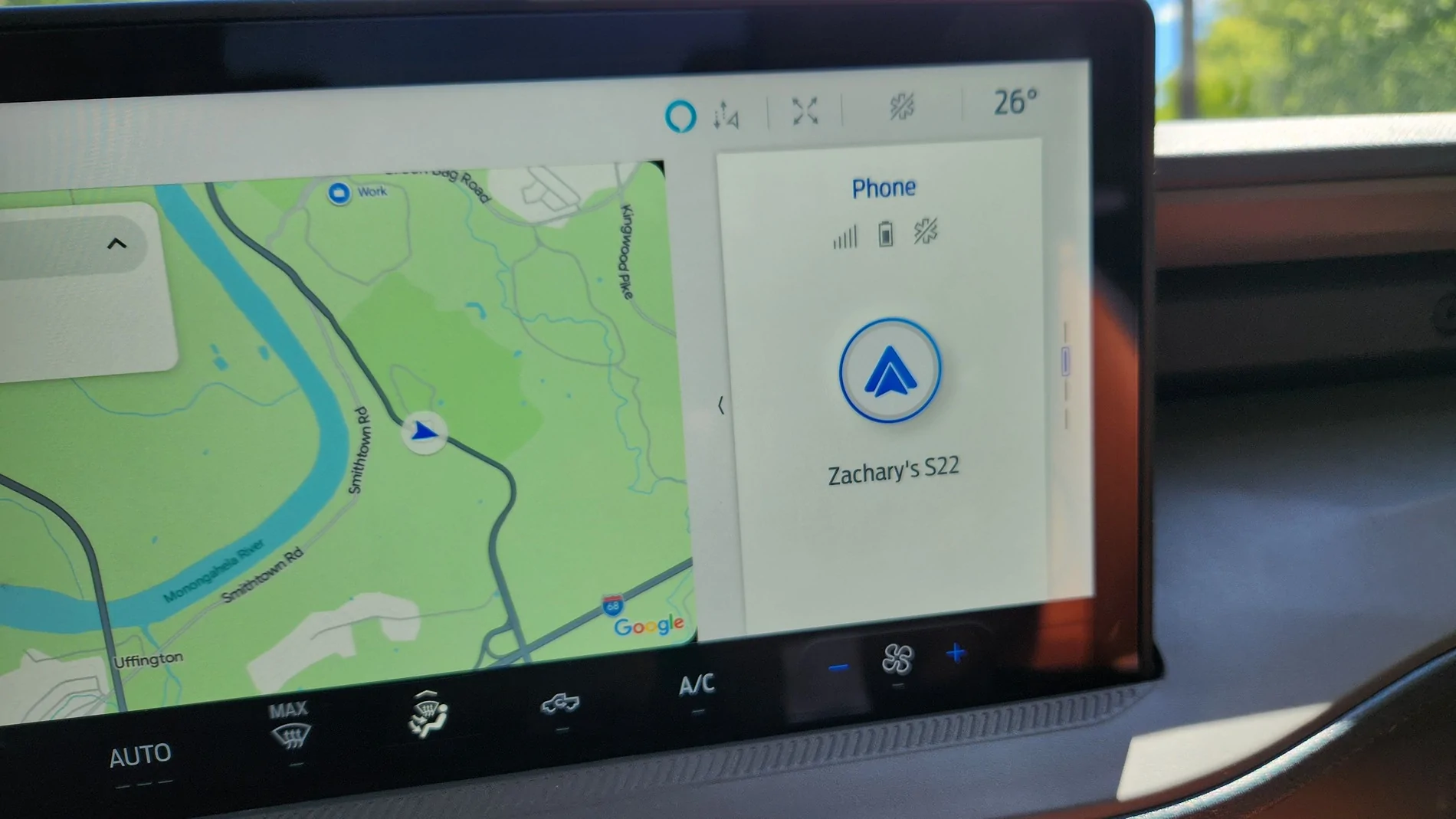
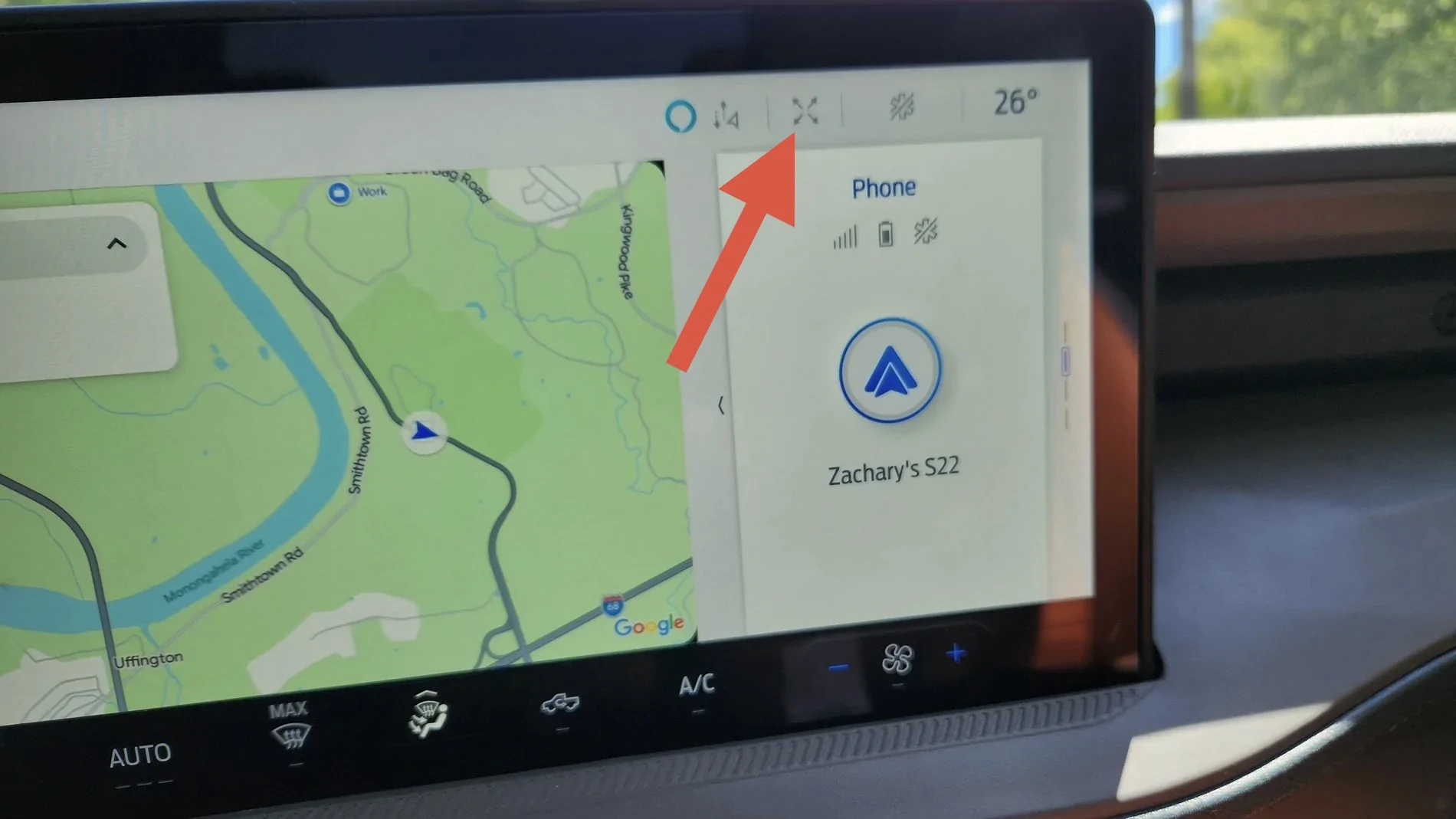
Does anyone know how to get rid of the phone status on the right side of the screen? I think it started when the last update happened. Thanks!
Sponsored
You can also 'grab' the little window with your finger and swipe it across to the left, making it the main window. Certain ones anyway like radio/satellite and phone functions.You can also swipe it up/down to change to another display like trip.

Cool, never tried that as I have Waze in the main window 99.9% of the time.You can also 'grab' the little window with your finger and swipe it across to the left, making it the main window. Certain ones anyway like radio/satellite and phone functions.

Not trying to be a jerk, really - but it's probably fear of pushing buttons to see what they do?Oh f me, how did I miss that?

Nope not being a jerk. And I pressed every button on top bar except that one.Not trying to be a jerk, really - but it's probably fear of pushing buttons to see what they do?
It's not like these trucks have ejector seats. And everything is reversible. Play around with your entertainment. There might not be any easter eggs, but there is surely functionality that no one around here has even figured out yet.
Ain't that the truth!I think too many of us have pushed some button and could never get back to where things were, without asking someone like in this forum.

Does anyone know if there is a way to change which particular screens are available on this little inset display? I know that you can swipe up/down to change which one to view, but the only ones available I think are like Phone, Trip 1, Fuel Econ, I forget the forth one. If I had the choice, I would change some of them to others, and I haven't figured it out.Touch here:
I just looked and noticed that I do not have this button on my 2025. I guess that I cannot dismiss this small screen?Touch here:
The one OP has is for Android Auto specifically. For CarPlay the same button looks two arrows pointing away from each other near the top left corner:I just looked and noticed that I do not have this button on my 2025. I guess that I cannot dismiss this small screen?
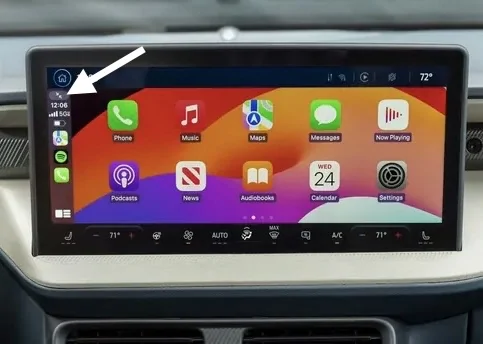
I can do this with CarPlay. But I usually don’t use CarPlay. I thought the previous method was showing the non-CarPlay screen?The one OP has is for Android Auto specifically. For CarPlay the same button looks two arrows pointing away from each other near the top left corner:
No, those buttons just make the Android Auto or CarPlay display take up the whole screen.I can do this with CarPlay. But I usually don’t use CarPlay. I thought the previous method was showing the non-CarPlay screen?