

- Thread starter
- #1
How to decrease time exterior lights remain on at exit? I found the location to adjust the interior lights, but not the exterior lights.
Sponsored
thanksPage 94 of manual
Page 93 shows how to make them instantly turn off upon exit.
.
Thanks, but we did read the full manual, and did already try what is mentioned on pages 93-94 and beyond, but the exterior lights remain on. . . any other suggestions?Page 94 of manual
Page 93 shows how to make them instantly turn off upon exit.
.
You want the lights delayed less than 30 seconds?How to decrease time exterior lights remain on at exit? I found the location to adjust the interior lights, but not the exterior lights.
No! Download the manual, then do key word searches as needed.RTFM
Read the Full Manual
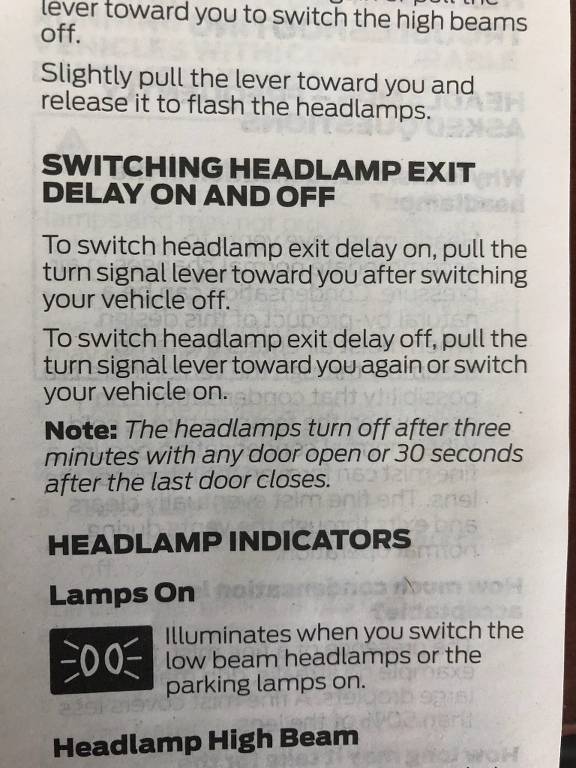
Thanks for the photo.The manual I referenced was the 2022 manual, is that what you have?
Page 93
.
Every second counts on that weak Hybrid 12V to keep from going into Deep Sleep, Lol.You want the lights delayed less than 30 seconds?
But, why not just turn off the delay?Every second counts on that weak Hybrid 12V to keep from going into Deep Sleep, Lol.
That works for the headlights, not the DRL's, parking lights, tail lights, or cargo lightsBut, why not just turn off the delay?
Where I don't have a Maverick yet, I guess I still have a lot to learn.That works for the headlights, not the DRL's, parking lights, tail lights, or cargo lights
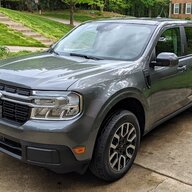
When you lock the truck, those other lights should turn off pretty much instantly. At least with mineThanks for the photo.
Yes, that is the same manual we have, but no it does not control the exterior lights (e.g. parking lights, light over the bed) from turning on/off/delay. That controls the head lights only.
Any other suggestions . . .
Lock the truck - that turns them off instantlyThat works for the headlights, not the DRL's, parking lights, tail lights, or cargo lights



