
Sponsored

New 2025 Lariat - I have a few questions

Busa789

2.5L Hybrid
Well-known member
First Name
Dennis
Joined
Feb 18, 2026
Threads
5
Messages
162
Reaction score
289
Location
Iowa
Vehicle(s)
2025 Lariat
Engine
2.5L Hybrid
I picked up my 2025 Lariat today and am happy with it so far. Like every vehicle, I try to remember to check the things that annoy me from previous vehicles but there is always something different to annoy me on the new vehicle. I appreciate your feedback

Cruise control: On the way home I couldn't find a way to use regular cruise control. Only adaptive was available. The manual in the app was worthless. When I got home, I looked in the .pdf manual and found there is a setting on the instrument panel screen where I can turn it off. I did that and it works better. It's interesting they put it in a menu rather than just a button to push on the wheel, but it's fine. Question: Will this disable the function where the truck slows down automatically when it sees a speed limit sign slower than the last sign it saw? It did this to me twice on the way home. At least that's what it appears to be. It certainly lowered my set speed.

Sync: I don't know what to think. I'm not sure even what to ask. It's not like the Sync in my 2022 F150. The home display shows navigation on the left, then music on the top right, and phone on the bottom right. Is there a way to change these default choices? I don't even know what I'm missing - my F150 has quite a selection of sub menus to choose from. Maybe I don't want to see the map or would prefer the music over there for a better display? Can I put Waze where the Ford navigation screen is? Sync seems more intuitive on my F150.

Waze: How do I get Waze to quit talking to me, even when the app is closed? (honestly same problem on the F150)

Channel surfing: I like to scroll through my presets if a song comes on I don't like. I don't see an easy way to do this. There is no button on the steering wheel like my F150, or my prior Camry. I have to open the music screen, and it seems individually select the preset on-screen. This is unhandy while driving.

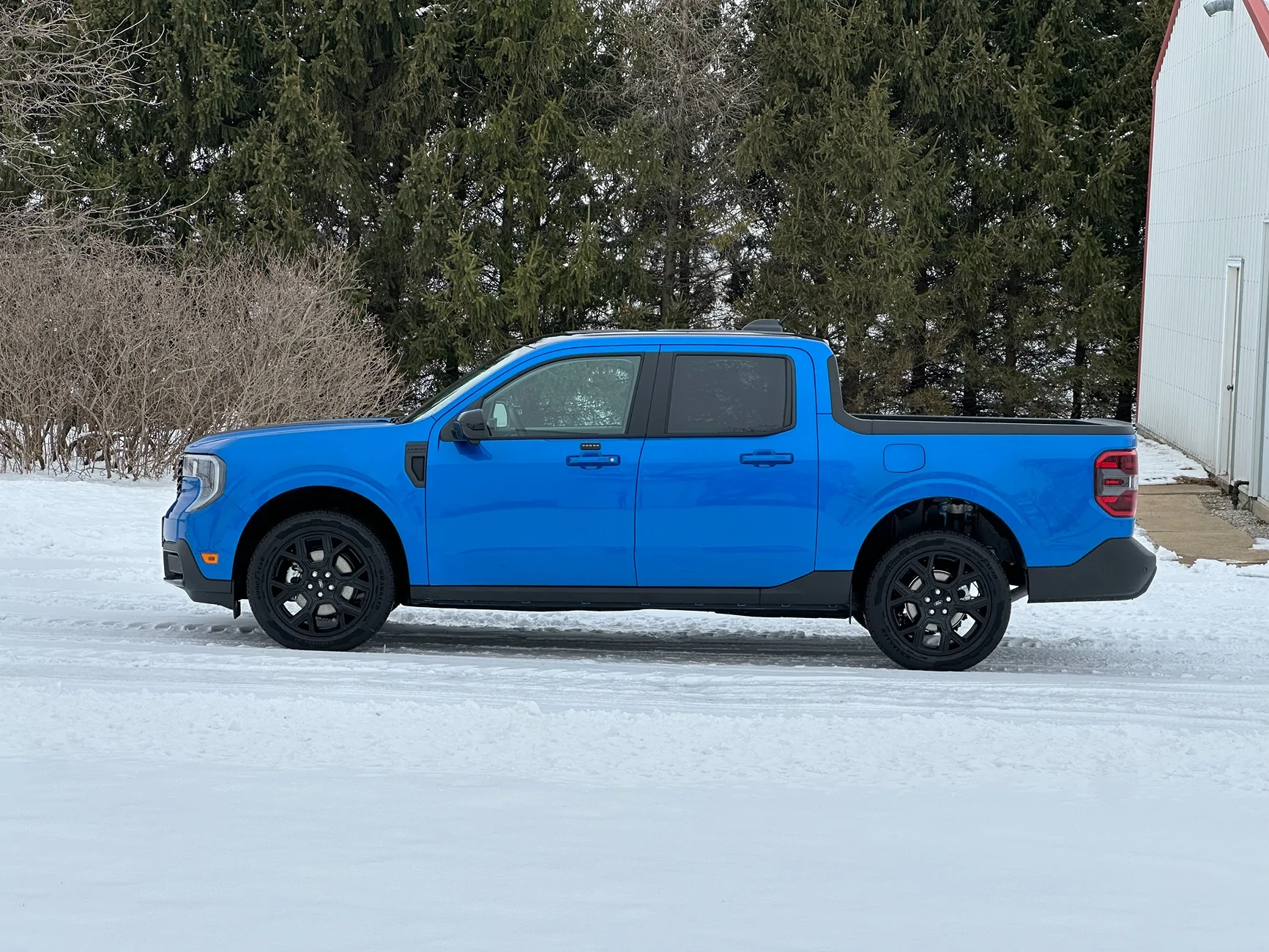
Like: I like that there is a button for brake hold and that it's modal. I like the 360 camera. I like that I can view the rear camera while going down the highway. I like that it is somewhat quieter than the Camry and the smoothness of the drivetrain is very nice. I like that some effort was put into storage. I really like the color.
Ford Maverick New 2025 Lariat - I have a few questions IMG_8486
Sponsored


Dave O

2.5L Hybrid
Well-known member
First Name
Dave
Joined
Jan 25, 2025
Threads
33
Messages
1,645
Reaction score
2,181
Location
New Smyrna Beach Florida
Vehicle(s)
2025 Ford Maverick Lariat AWD Hybrid, 2025 Subaru Forester, 04 Jeep Wrangler TJ
Engine
2.5L Hybrid
Clubs
 
The Maverick’s ability to operate many options using voice commands eliminates the need to scroll through multiple screens, this vehicle IMO is very user friendly yesterday was the one year anniversary of me taking delivery and I’m still extremely happy…
 

TNFurb

2.5L Hybrid
Well-known member
First Name
Kelly
Joined
Jul 16, 2023
Threads
16
Messages
484
Reaction score
597
Location
Nashville
Vehicle(s)
‘23 Bronco Sport OB ‘24 Mav Lariat Hybrid
Engine
2.5L Hybrid
I don’t know for certain where the setting is on the 2025 Mav’s but in my 2023 Bronco Sport there is a setting in the infotainment screen where I can turn the speed limit thing completely off or I can also set a max speed above the speed limit. I think it lets me put in up to 5 mph above the speed limit. This results in your speed automatically decreasing or increasing to 5 mph above the most recent speed limit sign the system “saw”.
 

troutrus

2.0L EcoBoost
New member
First Name
Bob
Joined
Feb 22, 2026
Threads
0
Messages
1
Reaction score
4
Location
N Carolina
Vehicle(s)
2025 Maverick
Engine
2.0L EcoBoost
I just got the same model five days ago. It is frustrating trying to work through all the gadgets. It’s interesting to me how so few of us ever really fully utilize all that these newfangled machines have to offer.
Seems the radio stations can be changed and volume controlled with the phone buttons on the right side of the steering wheel.
I haven’t even tried the cruise control yet, and still trying to figure out the climate control system.
I think I might be too old for the technology. Wish my grandkids lived closer, as those who grew up with this stuff catch on much quicker. 😁
I find that Youtube sometimes offers a better learning experience than trying to read through the digital owners manual.
Good luck and I hope you enjoy the new ride.
 

Raymundo76

2.0L EcoBoost
Well-known member
First Name
Ray
Joined
Oct 15, 2022
Threads
66
Messages
799
Reaction score
793
Location
Mesa Az
Vehicle(s)
21 Mazda CX-5
Engine
2.0L EcoBoost
Clubs
 
I just got the same model five days ago. It is frustrating trying to work through all the gadgets. It’s interesting to me how so few of us ever really fully utilize all that these newfangled machines have to offer.
Seems the radio stations can be changed and volume controlled with the phone buttons on the right side of the steering wheel.
I haven’t even tried the cruise control yet, and still trying to figure out the climate control system.
I think I might be too old for the technology. Wish my grandkids lived closer, as those who grew up with this stuff catch on much quicker. 😁
I find that Youtube sometimes offers a better learning experience than trying to read through the digital owners manual.
Good luck and I hope you enjoy the new ride.
I often have the same feeling, at least once a week I find some new thing. Have had my 2025 Eco for 3.5 months and have no regrets; but the Nav functions really give me fits.
 

Sponsored

HeyBales

2.5L Hybrid
Well-known member
First Name
Mike
Joined
May 3, 2024
Threads
4
Messages
4,827
Reaction score
4,372
Location
KC Metro area
Vehicle(s)
2005 Toyota RAV4, 2024 XLT Hybrid
Engine
2.5L Hybrid
Steering wheel buttons that appear they would be for next track or start/last track - if on radio source go up/down the presets.
Not sure if on other sources.
 
OP
OP
Busa789

Busa789

2.5L Hybrid
Well-known member
First Name
Dennis
Joined
Feb 18, 2026
Threads
5
Messages
162
Reaction score
289
Location
Iowa
Vehicle(s)
2025 Lariat
Engine
2.5L Hybrid
Good info guys, thanks. I looked at the phone buttons as suggested, and they in fact are marked for multiple functions. I saw the phone on them and dismissed them previously. This is a very good thing for me. I'll get used to the odd workings of Sync in general.

Next thing is I will search for the settings for speed limit signs in the settings.

An annoyance that I suspect there is no easy workaround is the typical Ford over use of alarm messages. If I start the truck before putting on my seatbelt it will give me a warning, and even after seeing the belt is latched (noted as green) it will display the message that I have to acknowledge to clear. Also, when I first use the non-adaptive cruise it gives me a message I have to clear.

I checked in my phone settings to see that Waze is using location only when the app is running, so I'm still not certain why with the app closed it announces RR crossings, police, hazards, etc.
 

jpj

2.0L EcoBoost
Well-known member
First Name
John
Joined
Aug 20, 2025
Threads
6
Messages
76
Reaction score
125
Location
Pennsylvania
Vehicle(s)
2025 Maverick Tremor Space White Metallic
Engine
2.0L EcoBoost
It's been six months and I'm still trying to learn all the technology.
Apple CarPlay is being used exclusively. Waze works smoothly. For music, Siri is used for skipping. It's also used for phone calls. The skip buttons on the steering wheel work fine for the music library and when listening to Pandora.
Enjoy your ride; good choice!
 

HeyBales

2.5L Hybrid
Well-known member
First Name
Mike
Joined
May 3, 2024
Threads
4
Messages
4,827
Reaction score
4,372
Location
KC Metro area
Vehicle(s)
2005 Toyota RAV4, 2024 XLT Hybrid
Engine
2.5L Hybrid
Good info guys, thanks. I looked at the phone buttons as suggested, and they in fact are marked for multiple functions. I saw the phone on them and dismissed them previously. This is a very good thing for me. I'll get used to the odd workings of Sync in general.

Next thing is I will search for the settings for speed limit signs in the settings.

An annoyance that I suspect there is no easy workaround is the typical Ford over use of alarm messages. If I start the truck before putting on my seatbelt it will give me a warning, and even after seeing the belt is latched (noted as green) it will display the message that I have to acknowledge to clear. Also, when I first use the non-adaptive cruise it gives me a message I have to clear.

I checked in my phone settings to see that Waze is using location only when the app is running, so I'm still not certain why with the app closed it announces RR crossings, police, hazards, etc.
Seat belt alert is because the back 3 seats have no weight sensors - system doesn't know if someone is there that should have seatbelts on. So you get reminder.
If you buckle those 3, or put buckle "bottle openers" in them, your alert should disappear as soon as you buckle, or if you are already buckled may flash for a second.
If you rarely have someone back there, buckled is easy.
 

Pointyears

2.5L Hybrid
Well-known member
First Name
Richard
Joined
Dec 16, 2025
Threads
6
Messages
631
Reaction score
1,203
Location
South Central PA
Vehicle(s)
2025 Maverick Lariat, 2018 Mustang convertible, 2012 Harley Softail, 2024 Vita
Engine
2.5L Hybrid
Good info guys, thanks. I looked at the phone buttons as suggested, and they in fact are marked for multiple functions. I saw the phone on them and dismissed them previously. This is a very good thing for me. I'll get used to the odd workings of Sync in general.

Next thing is I will search for the settings for speed limit signs in the settings.

An annoyance that I suspect there is no easy workaround is the typical Ford over use of alarm messages. If I start the truck before putting on my seatbelt it will give me a warning, and even after seeing the belt is latched (noted as green) it will display the message that I have to acknowledge to clear. Also, when I first use the non-adaptive cruise it gives me a message I have to clear.

I checked in my phone settings to see that Waze is using location only when the app is running, so I'm still not certain why with the app closed it announces RR crossings, police, hazards, etc.
Unless you force quit Waze it's always running.
 
Sponsored

nillwj

2.5L Hybrid
Member
First Name
Walter
Joined
Jan 12, 2025
Threads
1
Messages
24
Reaction score
16
Location
Davison, MI
Vehicle(s)
2025 Maverick Hybrid AWD
Engine
2.5L Hybrid
I picked up my 2025 Lariat today and am happy with it so far. Like every vehicle, I try to remember to check the things that annoy me from previous vehicles but there is always something different to annoy me on the new vehicle. I appreciate your feedback

Cruise control: On the way home I couldn't find a way to use regular cruise control. Only adaptive was available. The manual in the app was worthless. When I got home, I looked in the .pdf manual and found there is a setting on the instrument panel screen where I can turn it off. I did that and it works better. It's interesting they put it in a menu rather than just a button to push on the wheel, but it's fine. Question: Will this disable the function where the truck slows down automatically when it sees a speed limit sign slower than the last sign it saw? It did this to me twice on the way home. At least that's what it appears to be. It certainly lowered my set speed.

Sync: I don't know what to think. I'm not sure even what to ask. It's not like the Sync in my 2022 F150. The home display shows navigation on the left, then music on the top right, and phone on the bottom right. Is there a way to change these default choices? I don't even know what I'm missing - my F150 has quite a selection of sub menus to choose from. Maybe I don't want to see the map or would prefer the music over there for a better display? Can I put Waze where the Ford navigation screen is? Sync seems more intuitive on my F150.

Waze: How do I get Waze to quit talking to me, even when the app is closed? (honestly same problem on the F150)

Channel surfing: I like to scroll through my presets if a song comes on I don't like. I don't see an easy way to do this. There is no button on the steering wheel like my F150, or my prior Camry. I have to open the music screen, and it seems individually select the preset on-screen. This is unhandy while driving.

Like: I like that there is a button for brake hold and that it's modal. I like the 360 camera. I like that I can view the rear camera while going down the highway. I like that it is somewhat quieter than the Camry and the smoothness of the drivetrain is very nice. I like that some effort was put into storage. I really like the color.

IMG_8486.webp
I've had a 2025 Lariat Hybrid AWD 4KT for 12 months now. There was a lot to learn, and a few items to fix/change/turn off. Slightly more complex learning event as with any new vehicle. I just kept playing with it to learn what was where and the settings it had. It tool 6 months but I am now very comfortable in it. My biggest annoyance was the incessant seat belt reminder in the cluster. I learned it could be shut off with Forscan from this forum and bought the cable, downloaded the SW (free) and shut it off. Next I will shut off the "Keep hands on wheel" monkey business.
She has performed admirably doing anything I ask of it. Used her to pick up a load of walnut over severely rutted frozen terrain yesterday. Thought I was back in Canadian wilderness off road again. She got back there, my buddy and I loaded the bed with the walnut lumber, and drove right out like nobody's business. I am 68 for reference.
Mighty glad I have this truck!
 
OP
OP
Busa789

Busa789

2.5L Hybrid
Well-known member
First Name
Dennis
Joined
Feb 18, 2026
Threads
5
Messages
162
Reaction score
289
Location
Iowa
Vehicle(s)
2025 Lariat
Engine
2.5L Hybrid
Seat belt alert is because the back 3 seats have no weight sensors - system doesn't know if someone is there that should have seatbelts on. So you get reminder.
If you buckle those 3, or put buckle "bottle openers" in them, your alert should disappear as soon as you buckle, or if you are already buckled may flash for a second.
If you rarely have someone back there, buckled is easy.
I have rear occupant alert turned off though? I will try it tomorrow and make sure I don't open a back door. Maybe that is causing it. Not sure if I opened a door.
 

HeyBales

2.5L Hybrid
Well-known member
First Name
Mike
Joined
May 3, 2024
Threads
4
Messages
4,827
Reaction score
4,372
Location
KC Metro area
Vehicle(s)
2005 Toyota RAV4, 2024 XLT Hybrid
Engine
2.5L Hybrid
I have rear occupant alert turned off though? I will try it tomorrow and make sure I don't open a back door. Maybe that is causing it. Not sure if I opened a door.
That's a different optional thing - to remind you to check for kids.
You could have car seat attached through anchor points without using seatbelt.
Even without that optional function - we all get the backseat buckle warning.

HOW DOES THE REAR OCCUPANT ALERT SYSTEM WORK

The system monitors the activity of the buckle on the rear seatbelt and the opening and closing of the rear doors to indicate the potential presence of an occupant in the rear seat.
When Child Seat Installed is selected, the system monitors only the opening and closing of the rear doors to indicate the potential presence of an occupant in the rear seat.
When Child Seat Installed is not selected, the system monitors the rear seatbelt buckle activity and the opening and closing of the rear doors to indicate the potential presence of an occupant in the rear seat.
A message displays in the touchscreen and an audible warning sounds when you switch the ignition off after any of the following conditions have been met:
  • A rear door is opened or closed while the ignition is on.
  • You switch the ignition on within 15 minutes of a rear door opening and closing.
  • You switch the ignition on within 15 minutes of the alert having displayed or sounded.
If you do not open a rear door within a short period of time of the message appearing in the center display, the first audible warning sounding and driver door open to close, the horn sounds for a short period of time.
Note: Horn sounds only when the Rear Occupant Alert is set to Alert & Horn. If you change the setting, then there is no horn sound.
 
OP
OP
Busa789

Busa789

2.5L Hybrid
Well-known member
First Name
Dennis
Joined
Feb 18, 2026
Threads
5
Messages
162
Reaction score
289
Location
Iowa
Vehicle(s)
2025 Lariat
Engine
2.5L Hybrid
Unless you force quit Waze it's always running.
From what I searched, a force close is my normal way to close an app. I swipe up half way to see all open apps, scroll over to Waze, then swipe it up. It still talks to me in both the Maverick and the F150. I don't see any settings in Waze that would influence this.

I've had a 2025 Lariat Hybrid AWD 4KT for 12 months now. There was a lot to learn, and a few items to fix/change/turn off. Slightly more complex learning event as with any new vehicle. I just kept playing with it to learn what was where and the settings it had. It tool 6 months but I am now very comfortable in it. My biggest annoyance was the incessant seat belt reminder in the cluster. I learned it could be shut off with Forscan from this forum and bought the cable, downloaded the SW (free) and shut it off. Next I will shut off the "Keep hands on wheel" monkey business.
She has performed admirably doing anything I ask of it. Used her to pick up a load of walnut over severely rutted frozen terrain yesterday. Thought I was back in Canadian wilderness off road again. She got back there, my buddy and I loaded the bed with the walnut lumber, and drove right out like nobody's business. I am 68 for reference.
Mighty glad I have this truck!
I don't want to use Forscan. I'm comfortable flashing ECU's on bikes, working with standalone ECU's, and the like but I don't want to mess with my daily driver stuff. If I go down that rabbit hole I will never come out lol.
 

fderry

2.0L EcoBoost
Member
First Name
Frank
Joined
Feb 14, 2026
Threads
3
Messages
19
Reaction score
62
Location
Colorado
Vehicle(s)
2025 Lobo
Engine
2.0L EcoBoost
Long McAthur Ford has a website that has a series of videos called Maverick Monday. I found a video on how to setup the Maverick audio system on this website. Only down side is the amount of videos on this site.

Ford's idea of an owners manual is the worst I have encountered in 62 years of driving.

https://www.youtube.com/@longmcarthurford/videos
Sponsored


Top