
Sponsored

I have a developer/beta version of ForScan that has the 2025!

paneubert

2.5L Hybrid
Well-known member
Joined
Jan 17, 2022
Threads
34
Messages
2,866
Reaction score
4,835
Location
Seattle
Vehicle(s)
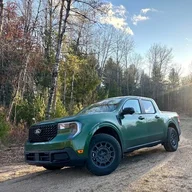
2025 Hybrid XLT/4K/AWD/CoPilot/Eruption Green
Engine
2.5L Hybrid
Contacted the ForScan people and they sent me a developer/beta version of ForScan that has the 2025. If anyone wants me to email them the install file (EXE file), let me know.

So far I have been able to disable the turn signal outage detection (so I can use my LasFit LED bulbs). Confirmed no hyperflash once I edited those settings. Same method as described in the spreadsheet for the 2022-2024 model years.

But......

I tried to also disable the seatbelt warning screens, but got a checksum error and even when saying "do it anyway", the process fails/ends midway thru. A bit scary. So I did not press the issue. But I am hoping it gets figured out soon in an official ForScan release so I can disable the seatbelt screen. I am wondering if it needs to be in completely different fields, since the coding for 2022-2024 was to just 'Zero out" all the numbers and letters. Seems pretty simple and straightforward. But it seems on the 2025 it isn't as simple as just sticking all zeros into those fields.
Sponsored


 

commadorebob

2.0L EcoBoost
Well-known member
First Name
Bob
Joined
Sep 17, 2022
Threads
62
Messages
4,954
Reaction score
10,552
Location
Alabama
Vehicle(s)
2025 Expedition Max Platinum; 2023 Maverick Lariat
Engine
2.0L EcoBoost
Well, we knew Ford read the forums. Could be they simply changed the code to make it more difficult to remove.
 
OP
OP
paneubert

paneubert

2.5L Hybrid
Well-known member
Joined
Jan 17, 2022
Threads
34
Messages
2,866
Reaction score
4,835
Location
Seattle
Vehicle(s)
2025 Hybrid XLT/4K/AWD/CoPilot/Eruption Green
Engine
2.5L Hybrid
Well, we knew Ford read the forums. Could be they simply changed the code to make it more difficult to remove.
Could be. Using all zeros seems pretty....obvious. Like zero means "break it/make it not work" and anything else means "make it do something fancy".
 

Maverick_Innovation_Designs

2.5L Hybrid
Well-known member
Gold Sponsor
First Name
Mark
Joined
Jul 5, 2022
Threads
9
Messages
189
Reaction score
239
Location
California, CA
Vehicle(s)
'09 F-150, '22 Maverick
Engine
2.5L Hybrid
The zeroes didn't work for me either (2022). It worked for all but a single seat, so I had to play with some of the other settings until I got it resolved.
 
OP
OP
paneubert

paneubert

2.5L Hybrid
Well-known member
Joined
Jan 17, 2022
Threads
34
Messages
2,866
Reaction score
4,835
Location
Seattle
Vehicle(s)
2025 Hybrid XLT/4K/AWD/CoPilot/Eruption Green
Engine
2.5L Hybrid
The zeroes didn't work for me either (2022). It worked for all but a single seat, so I had to play with some of the other settings until I got it resolved.
That is odd. I am 99.9% sure that I used the "All Zeros" method on my 2023 and it worked. When I have more time, I am going to see if any of the other methods work. There are, if I recall, three variations you can try in ForScan.
 

Sponsored

Bohefus65

2.0L EcoBoost
Member
First Name
Joe
Joined
Dec 19, 2024
Threads
0
Messages
20
Reaction score
16
Location
Mesa Az
Vehicle(s)
2024 Maverick Lariat, 2016 Mazda 3
Engine
2.0L EcoBoost
Contacted the ForScan people and they sent me a developer/beta version of ForScan that has the 2025. If anyone wants me to email them the install file (EXE file), let me know.

So far I have been able to disable the turn signal outage detection (so I can use my LasFit LED bulbs). Confirmed no hyperflash once I edited those settings. Same method as described in the spreadsheet for the 2022-2024 model years.

But......

I tried to also disable the seatbelt warning screens, but got a checksum error and even when saying "do it anyway", the process fails/ends midway thru. A bit scary. So I did not press the issue. But I am hoping it gets figured out soon in an official ForScan release so I can disable the seatbelt screen. I am wondering if it needs to be in completely different fields, since the coding for 2022-2024 was to just 'Zero out" all the numbers and letters. Seems pretty simple and straightforward. But it seems on the 2025 it isn't as simple as just sticking all zeros into those fields.
Yeah it's very Nice! not having those seatbelt visual and audio nags.
 
OP
OP
paneubert

paneubert

2.5L Hybrid
Well-known member
Joined
Jan 17, 2022
Threads
34
Messages
2,866
Reaction score
4,835
Location
Seattle
Vehicle(s)
2025 Hybrid XLT/4K/AWD/CoPilot/Eruption Green
Engine
2.5L Hybrid
NEW TEST VERSION!

The ForScan people sent me a NEW test version that they claim corrects the errors I was seeing when trying to mess with the seatbelt screens. This is what they said....

Fixed, here is the test build:


https://forscan.org/download/FORScanSetup2.3.65.test20250122.exe

Important: please remove the vehicle profile before the first connect with this version.


Please also note it is recommended to use "Module Configuration" functions instead of As Built, if they are available.

Here is an article about how/why to delete the vehicle profile before using this new version of the software.

https://forscan.org/forum/viewtopic.php?f=5&t=9196
 
OP
OP
paneubert

paneubert

2.5L Hybrid
Well-known member
Joined
Jan 17, 2022
Threads
34
Messages
2,866
Reaction score
4,835
Location
Seattle
Vehicle(s)
2025 Hybrid XLT/4K/AWD/CoPilot/Eruption Green
Engine
2.5L Hybrid
@EONR24 , I can confirm with the latest test version of ForScan that the same "all zeros" coding works to remove all seat-belt related screens, dings, and lights. 2025 XLT Hybrid AWD.

I'm now working to figure out how to test the police idle mode. There is an option in ForScan to enable and disable, and I have "enabled" it. That part is not confusing. The confusing part is that there is a separate option in the IPC to disable/grey out the toggle button for 30 minute max idle displayed within the Infotainment screen. The one where any random driver can go in via the Infotainment screen and say "I don't want this truck to turn off after 30 minutes of idle for this one drive" (since the setting only persists for one drive, like the drive modes reverting each time you turn off the truck and the headligh settings reverting each time you turn off the truck, etc...). I was able to "grey it out" via ForScan, but I dont know if this means it WON'T turn off after 30 minutes, or if it means I just no longer have the option to override the 30 minute limit via the Infotainment screen. So I re-enabled it so I at least can toggle that from outside of ForScan. If you have delved into that at all, let me know your thoughts.

Did some more tinkering. I think I got it, and now am waiting 30+ minutes to see what happens. Will report back. I think I actually need to do 2 tests, just to confirm that I didn't somehow do the "one time 30 minute max idle" thing with all my button pressing and code changes. Right now it appears to be running without a keyfob present in range and I was able to lock the doors from the outside via "Intelligent Access" on the Door Handle. So it is currently locked and running. The "Trip 2" counter is still counting from what I can see thru the window. Will eat some dinner and then go out and see if I can still see the trip log counting above 30+ minutes. If so, I plan to bring my fob in range so I can unlock it, turn the truck off and back on, then repeat to see if it once again idles for more than 30 minutes without me providing any input at all.

If it works, I'll post what I did to get it to work.
 
Last edited:

kxpqzt

2.5L Hybrid
Active member
First Name
Kxp
Joined
Aug 2, 2024
Threads
2
Messages
28
Reaction score
39
Location
46075
Vehicle(s)
2025 XLT
Engine
2.5L Hybrid
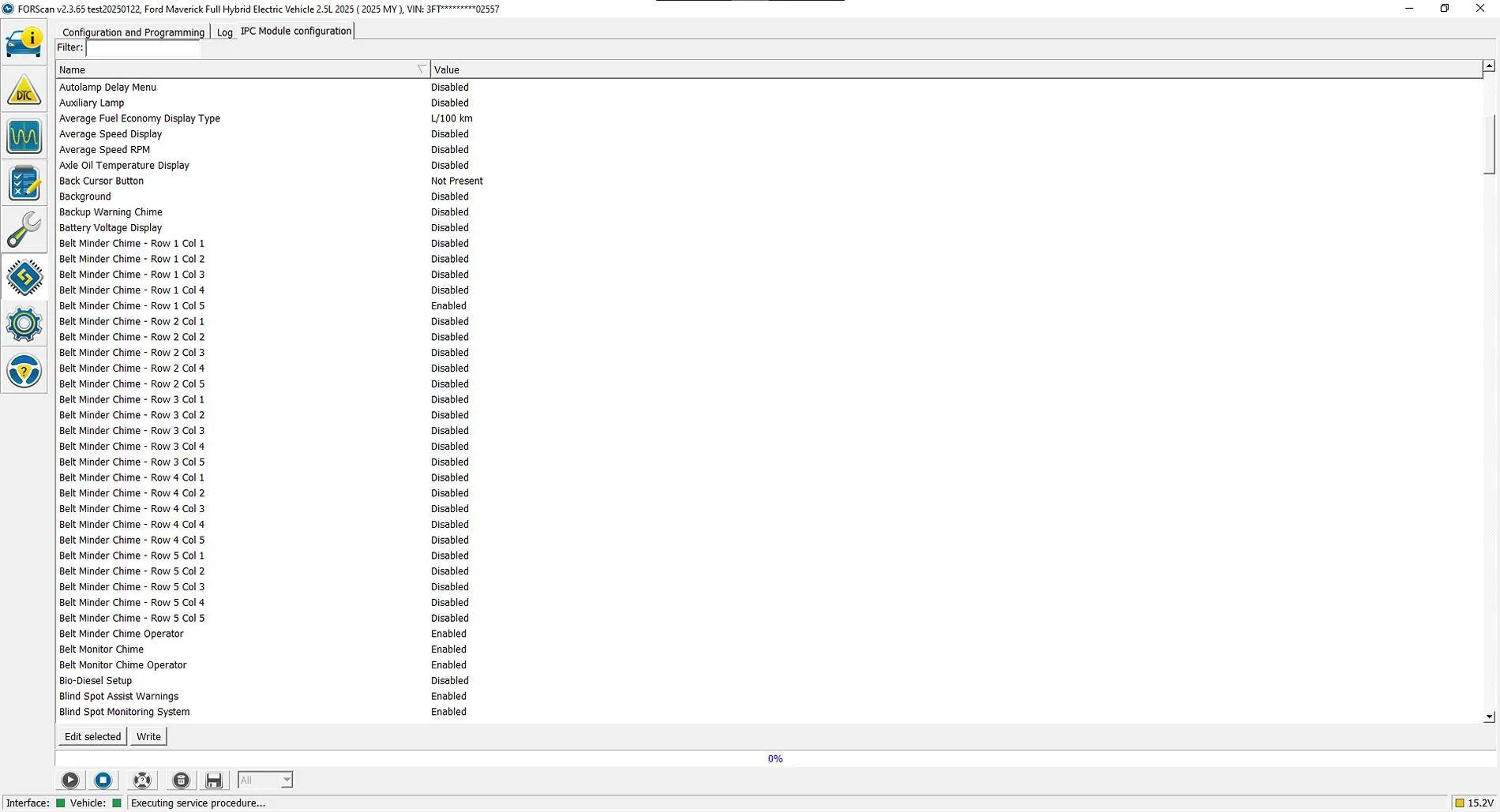
So I noticed there are also options available in the IPC EZ-mode configuration for Belt Minder Chime and Belt Monitor Chime. Are these also available on the previous model years? Just curious is folks have tested them.
Ford Maverick I have a developer/beta version of ForScan that has the 2025! Screenshot 2025-01-24 074557


Was also looking for the Driver Restriction Menu in ACM EZ-mode (table below from the master spreadsheet) but I only see as-build configuration for ACM. Wondering if that is a change for the 2025s as well.
Driver Restriction Menu Disable (XL,XLT only)ACM(EZ) Disable "Driver Restriction Configuration"
Video Playback enable with NO speed restriction (XL,XLT only)ACM(EZ) Change "Video Playback" to "Enabled without Restrictions"
 

anthonym6

2.0L EcoBoost
Well-known member
First Name
AM
Joined
Sep 26, 2024
Threads
3
Messages
52
Reaction score
117
Location
MI
Vehicle(s)
2025 2.0EB AWD
Engine
2.0L EcoBoost
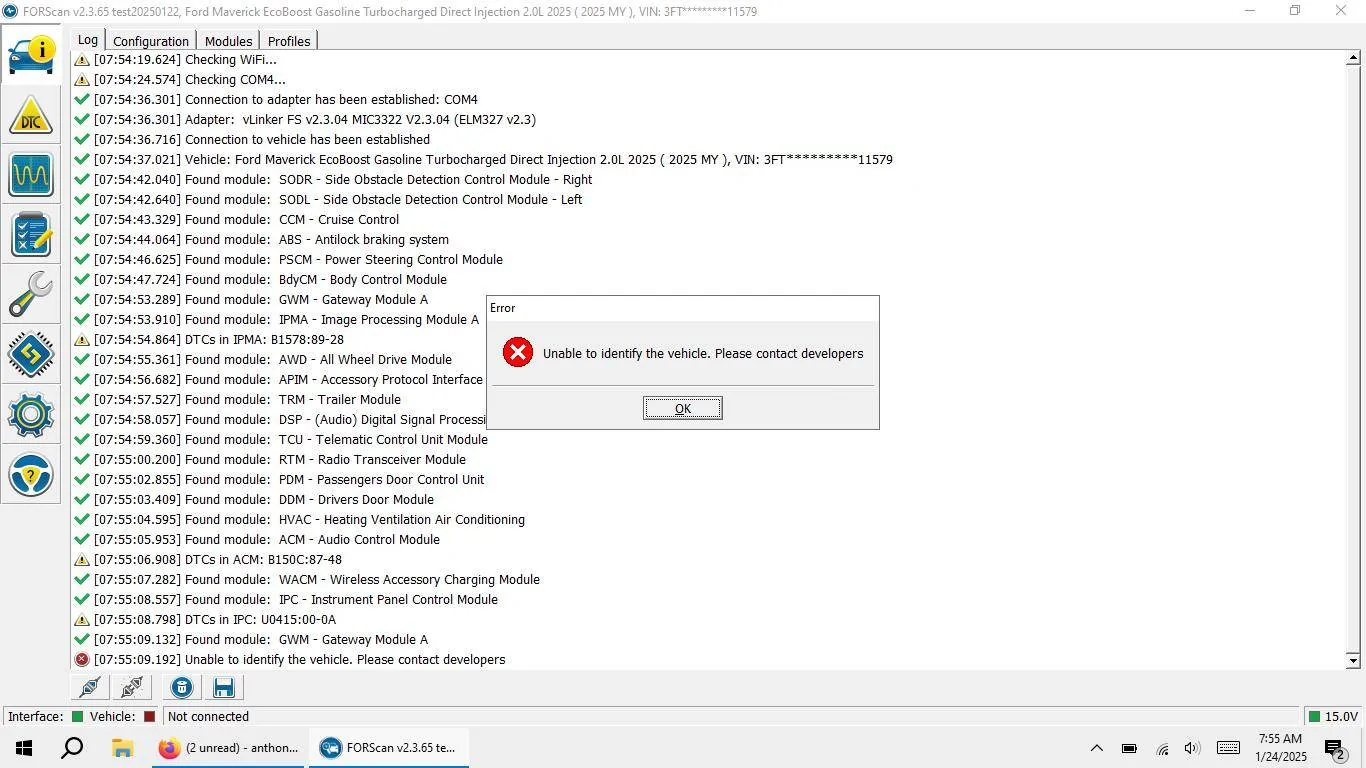
Anyone have any idea what I can do to resolve? I tried both of the beta versions and same result. Profiles deleted, connection settings changed, and still not fully connecting. Thanks.

Ford Maverick I have a developer/beta version of ForScan that has the 2025! 1737724786603-26
 
Sponsored

kxpqzt

2.5L Hybrid
Active member
First Name
Kxp
Joined
Aug 2, 2024
Threads
2
Messages
28
Reaction score
39
Location
46075
Vehicle(s)
2025 XLT
Engine
2.5L Hybrid
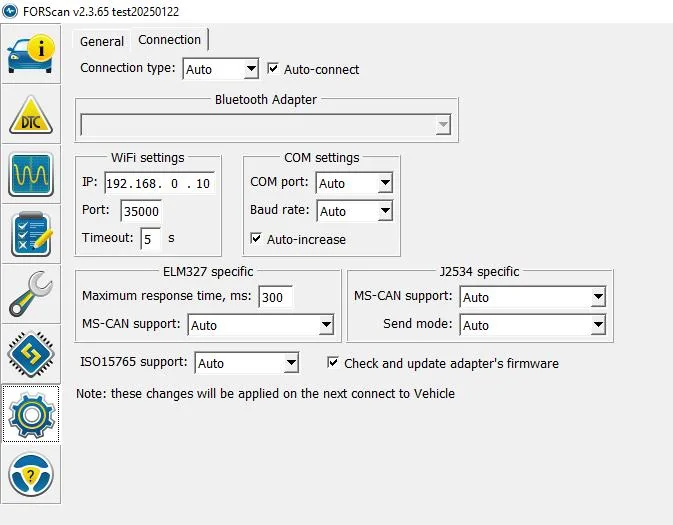
Anyone have any idea what I can do to resolve? I tried both of the beta versions and same result. Profiles deleted, connection settings changed, and still not fully connecting. Thanks.
I had the same error, then switched the connection settings back to default (auto) and it worked.
Ford Maverick I have a developer/beta version of ForScan that has the 2025! Screenshot 2025-01-24 090611
 

anthonym6

2.0L EcoBoost
Well-known member
First Name
AM
Joined
Sep 26, 2024
Threads
3
Messages
52
Reaction score
117
Location
MI
Vehicle(s)
2025 2.0EB AWD
Engine
2.0L EcoBoost
Unfortunately same error. Maybe I am having issues since I have the Ecoboost engine? Appears everyone else here has the Hybrid.
 
OP
OP
paneubert

paneubert

2.5L Hybrid
Well-known member
Joined
Jan 17, 2022
Threads
34
Messages
2,866
Reaction score
4,835
Location
Seattle
Vehicle(s)
2025 Hybrid XLT/4K/AWD/CoPilot/Eruption Green
Engine
2.5L Hybrid
Unfortunately same error. Maybe I am having issues since I have the Ecoboost engine? Appears everyone else here has the Hybrid.
Could be. We are definitely using an unreleased version that still has some bugs in it.
 

kxpqzt

2.5L Hybrid
Active member
First Name
Kxp
Joined
Aug 2, 2024
Threads
2
Messages
28
Reaction score
39
Location
46075
Vehicle(s)
2025 XLT
Engine
2.5L Hybrid
Also had the checksum alert when writing 720-13 and 720-14 for disabling the seat belt menu/chimes but it wrote fine regardless and worked perfectly! I'd kinda like to keep only the little red seatbelt icon but remove menu and chimes, so will look into that later.

In the IPC module, I also set "Chimes - Key in Ignition reminder" to disable and changed "Chimes - Vehicle running with door open" from Manual to Disabled. Now I only hear the 3 chimes when turning on the vehicle, which I should probably get rid of as well. Only making one change at a time, though!
 
OP
OP
paneubert

paneubert

2.5L Hybrid
Well-known member
Joined
Jan 17, 2022
Threads
34
Messages
2,866
Reaction score
4,835
Location
Seattle
Vehicle(s)
2025 Hybrid XLT/4K/AWD/CoPilot/Eruption Green
Engine
2.5L Hybrid
If you just want the red indicator light for the seat-belt, I think that is one of the subsequent sets of codes in the spreadsheet. Same fields to edit, but not "all zeros".
Sponsored


Top