

- First Name
- Jeff
- Joined
- Oct 22, 2023
- Threads
- 17
- Messages
- 641
- Reaction score
- 738
- Location
- Duluth, MN.
- Vehicle(s)
- '24 Maverick Lariat & '25 Chevy Equinox LT
- Engine
- 2.0L EcoBoost
- Thread starter
- #1
I have a Motorola MA1 Android Auto wireless dongle I use with a Pixel 6a phone. I've had flawless service using these except for a recent incident.
On a longer trip my phone battery was running low, so I plugged it in only to charge since it was connected wirelessly already. I plugged it into the USB-C port above the USB-A port in the lower center console. This didn't cause an issue at first.
We stopped to eat for about 1/2 hour. I left everything connected as is during that time. When we returned and I started the truck the Sync 3 lit up and Android Auto started normally, but Google Maps was stuck and pressing AA buttons did nothing. It was all locked up. I had to unplug both the phone and the MA1 and replug in the MA1 to get things to work correctly again.
After some reading I learned that others have had the same issue when the phone is connected both wirelessly and via a cable to data ports and the system is restarted.
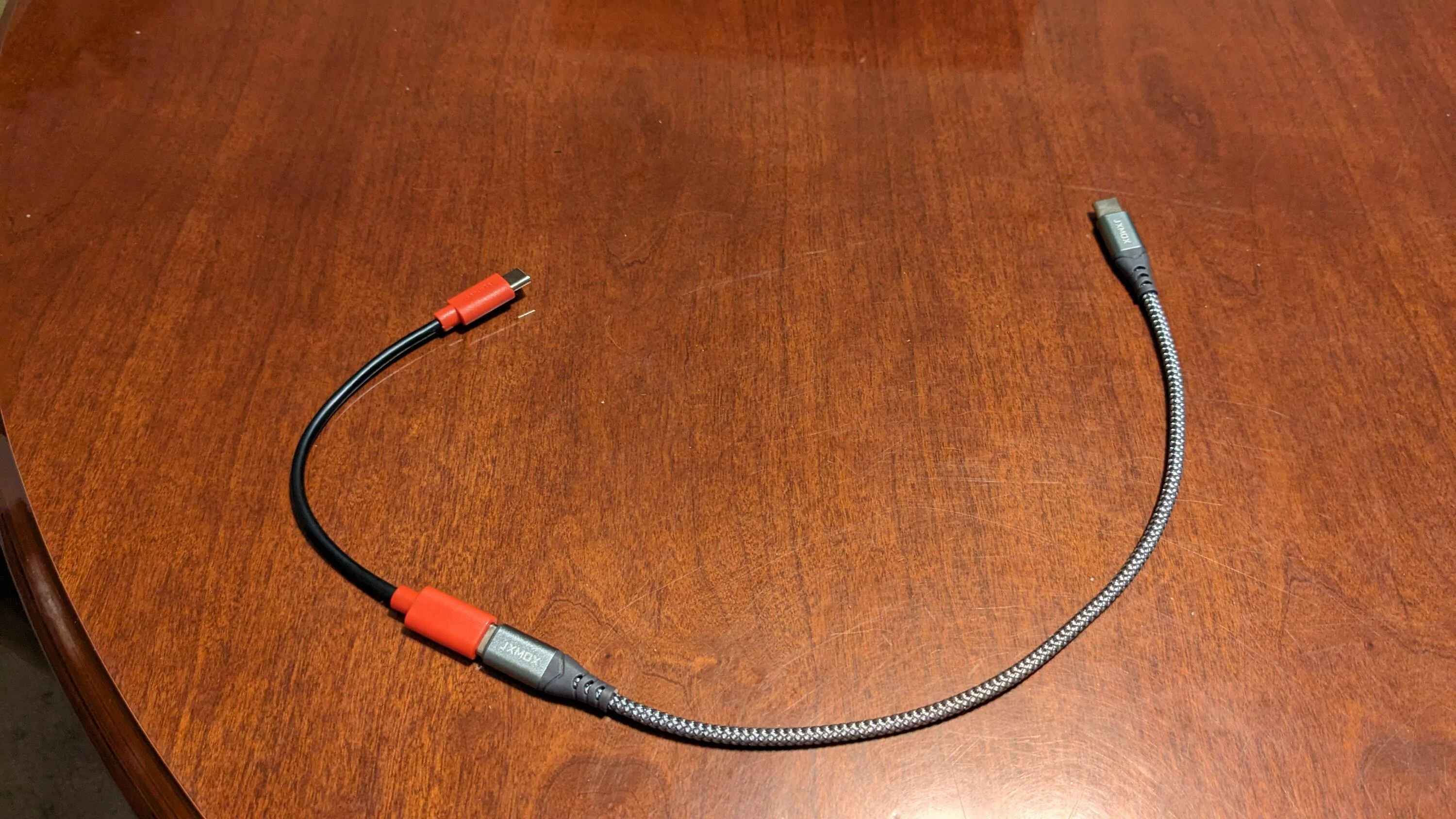
So, I ordered a "charging only data blocker" cord to place inline with my charging cable (short red & black cord in pic). This prevents the cord from transferring data but still allows it to be used for charging.
After retesting a couple times by hooking everything up and restarting the vehicle, I've not had the problem again.
Thought I'd share in case it could help someone else. A person could also just plug their phone in via the rear seat USB to charge since that one is not a data port, or unplug the wireless dongle and use a cord for both charging and AA, and get the same results.
On a longer trip my phone battery was running low, so I plugged it in only to charge since it was connected wirelessly already. I plugged it into the USB-C port above the USB-A port in the lower center console. This didn't cause an issue at first.
We stopped to eat for about 1/2 hour. I left everything connected as is during that time. When we returned and I started the truck the Sync 3 lit up and Android Auto started normally, but Google Maps was stuck and pressing AA buttons did nothing. It was all locked up. I had to unplug both the phone and the MA1 and replug in the MA1 to get things to work correctly again.
After some reading I learned that others have had the same issue when the phone is connected both wirelessly and via a cable to data ports and the system is restarted.
So, I ordered a "charging only data blocker" cord to place inline with my charging cable (short red & black cord in pic). This prevents the cord from transferring data but still allows it to be used for charging.
After retesting a couple times by hooking everything up and restarting the vehicle, I've not had the problem again.
Thought I'd share in case it could help someone else. A person could also just plug their phone in via the rear seat USB to charge since that one is not a data port, or unplug the wireless dongle and use a cord for both charging and AA, and get the same results.
Sponsored