Sponsored

Cleaning Buttons

Zen00

2.0L EcoBoost
New member
Joined
Dec 14, 2025
Threads
3
Messages
4
Reaction score
2
Location
USA
Vehicle(s)
2023 Maverick
Engine
2.0L EcoBoost
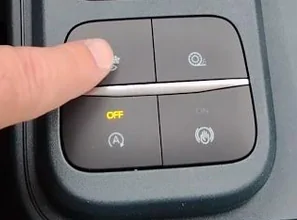
Ford Maverick Cleaning Buttons 1765893691797-zd

How do you clean these buttons? The ones in my vehicle are sticky and when I press the drive mode button, it also presses the traction control button. Is there a way to remove them safely for cleaning? What solution is recommended?
Sponsored

 

OR3X

2.0L EcoBoost
Well-known member
Joined
Apr 7, 2025
Threads
3
Messages
125
Reaction score
271
Location
SC
Vehicle(s)
2025 Maverick XL
Engine
2.0L EcoBoost
It sounds like something got spilled onto the buttons if they're sticking together like that. You MIGHT be able to get away with dripping a small amount of 99% rubbing alcohol between the buttons and then working them to loosen up whatever got spilled inside. The real solution is to disassemble the center console to remove the button pod and then disassemble that (if possible) to remove whatever gunk is causing the issue.
 

OR3X

2.0L EcoBoost
Well-known member
Joined
Apr 7, 2025
Threads
3
Messages
125
Reaction score
271
Location
SC
Vehicle(s)
2025 Maverick XL
Engine
2.0L EcoBoost
Another approach I tried: spray a little electronics-safe cleaner (like contact cleaner) around the buttons without removing them, then press repeatedly to work the cleaner in. It helped a lot with sticky or double presses.
Ahh, I like the idea of using contact cleaner more than rubbing alcohol as I believe it has a lubricant in it as well whereas the alcohol will dissolve any lubricant that's in the buttons. Good call.
 

NiCkyGee

2.0L EcoBoost
Well-known member
First Name
Nick
Joined
Nov 24, 2023
Threads
13
Messages
66
Reaction score
60
Location
Richmond Hts, Ohio
Vehicle(s)
2023 Maverick
Engine
2.0L EcoBoost
1765893691797-zd.webp

How do you clean these buttons? The ones in my vehicle are sticky and when I press the drive mode button, it also presses the traction control button. Is there a way to remove them safely for cleaning? What solution is recommended?
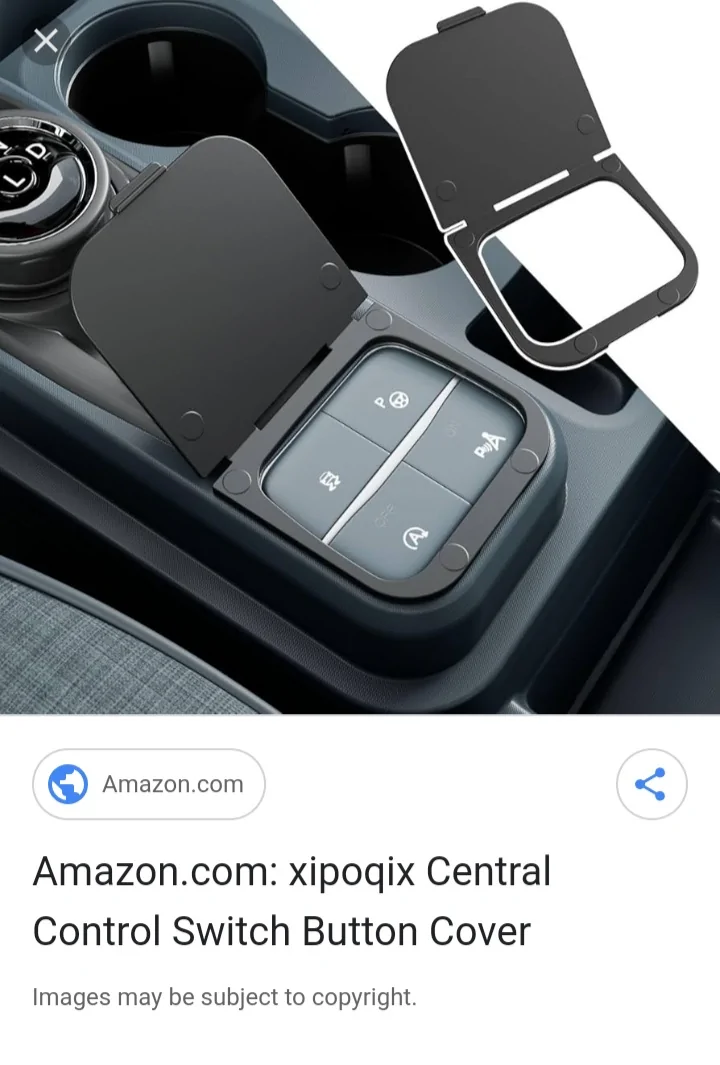
Are there aftermarket covers available for these?
 

Sponsored

Mavman1

2.5L Hybrid
Well-known member
First Name
Jeff
Joined
Jul 18, 2024
Threads
6
Messages
195
Reaction score
248
Location
S/E Pennsylvania
Vehicle(s)
2025 Maverick XLT Hybrid AWD 4K Luxury Trim Oxford White
Engine
2.5L Hybrid
Clubs
 
The aftermarket cover looks like good protection. Hopefully it will help keep out the bulk of any accidental soda and coffee spills! Liquids will always seem to find their way into crevices.
 

Mabcim

2.0L EcoBoost
Well-known member
First Name
Mark
Joined
Oct 4, 2021
Threads
3
Messages
1,225
Reaction score
1,086
Location
Rochester, NY
Vehicle(s)
25 Maverick Lariat 2.0 AWD; 23 Escape ST Line Select 2.0 AWD
Engine
2.0L EcoBoost
Clubs
 
I have taken mine out before, but I had taken out the center console to do it. There are 2 tabs to release tabs to get them out. Not sure you can get to them from the top.
 
Sponsored
OP
OP

Zen00

2.0L EcoBoost
New member
Joined
Dec 14, 2025
Threads
3
Messages
4
Reaction score
2
Location
USA
Vehicle(s)
2023 Maverick
Engine
2.0L EcoBoost
Are there any videos showing how to disassemble the center console base without breaking it? I'd like to try removing and cleaning the buttons entirely.
 

First Sergeant

2.5L Hybrid
Well-known member
First Name
Dave
Joined
Jan 2, 2024
Threads
16
Messages
836
Reaction score
1,056
Location
Fruitland Idaho
Vehicle(s)
2023 XLT Hybrid pushing a 40 foot diesel motorhome 2014 Toyota 4Runner Limited
Engine
2.5L Hybrid
Clubs
 
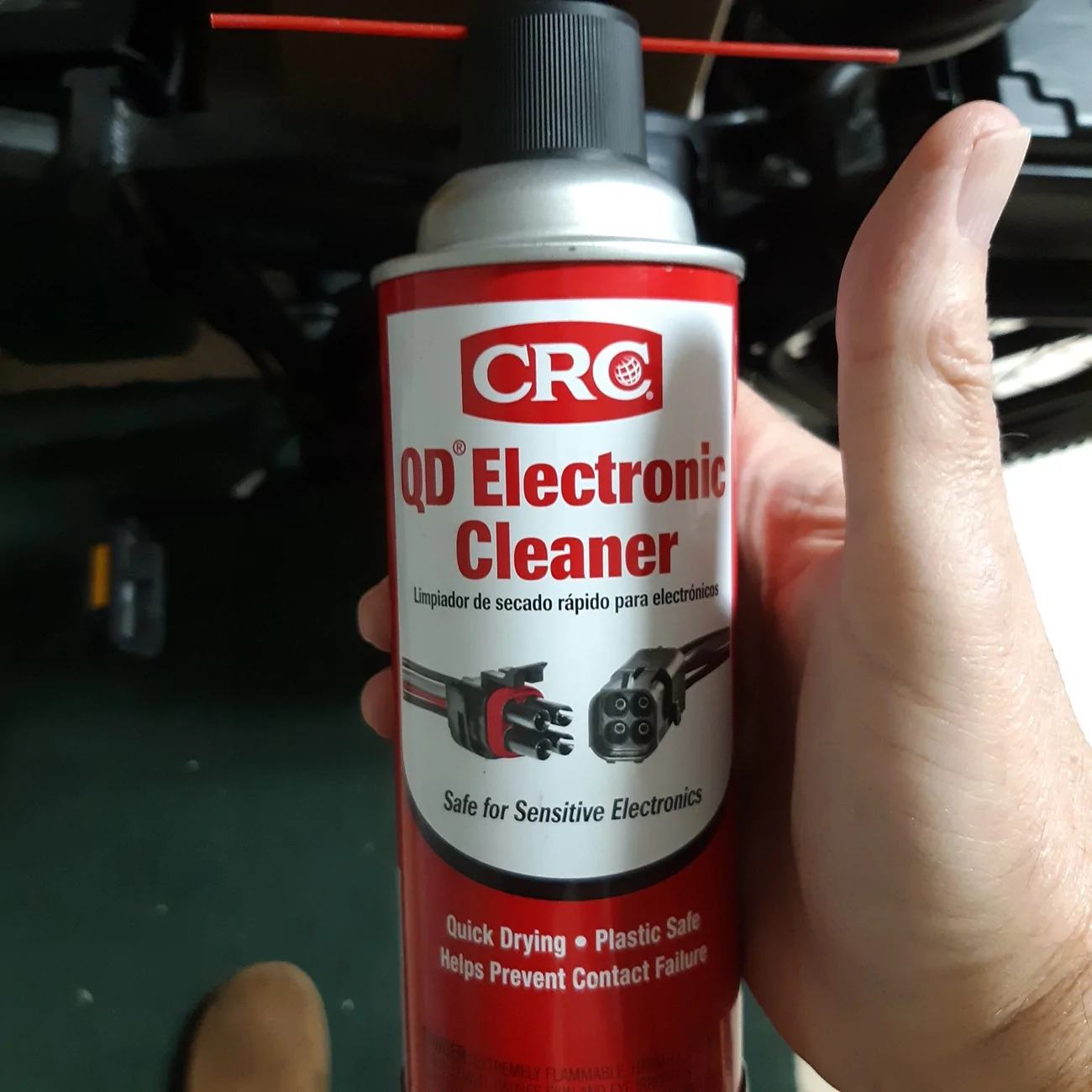
First this.
20251216_091252.webp


Then this.
20251216_091457.webp
Yup, I have the exact same stuff. Ran a small part time computer repair shop out of my home for about 20 plus years. There are many different brands , but they all clean about the same and do a good job, especially on keyboards!
 

Mabcim

2.0L EcoBoost
Well-known member
First Name
Mark
Joined
Oct 4, 2021
Threads
3
Messages
1,225
Reaction score
1,086
Location
Rochester, NY
Vehicle(s)
25 Maverick Lariat 2.0 AWD; 23 Escape ST Line Select 2.0 AWD
Engine
2.0L EcoBoost
Clubs
 
Are there any videos showing how to disassemble the center console base without breaking it? I'd like to try removing and cleaning the buttons entirely.
I don’t recall what video I found when I did it, I recall searching took a back back then.
It isn’t too bad, have done multiple times on my ‘22 and then my ‘25.
The thing is it is 3 different socket sizes.

- 2 bolts in the front, under the USB ports; these are fairly long
- 2 bolts on either side, near the front seat rails; when you put these back in, becareful to not strip them
- 2 bolts on either side at the rear (easier to get at if you move the seats forward); again becareful when putting them back in
- 1 bolt on the black panel on the driver side front (under the dash), then pop it off; there is a small tab at the rear, nothing major, just pull the front first.
- the black panel on the front passenger side just pops off, again pull from the front
- then there is a big plug under the passenger side black panel you need to disconnect; there is a lever you swing
- then just lift the console from the rear and pull away from the the front to get it out

Go to page 22 of the PDF in my original post. It shows the underside of the console and the plug.
https://www.mavericktruckclub.com/f...-default-to-a-drive-mode-my-‘25-update.31556/
Sponsored


Top