Sponsored

Defconxzero

2.0L EcoBoost
Well-known member
First Name
Pete
Joined
Feb 25, 2024
Threads
7
Messages
74
Reaction score
53
Location
Connecticut USA
Vehicle(s)
Maverick
Engine
2.0L EcoBoost
Thats a great idea . Great job finding those.
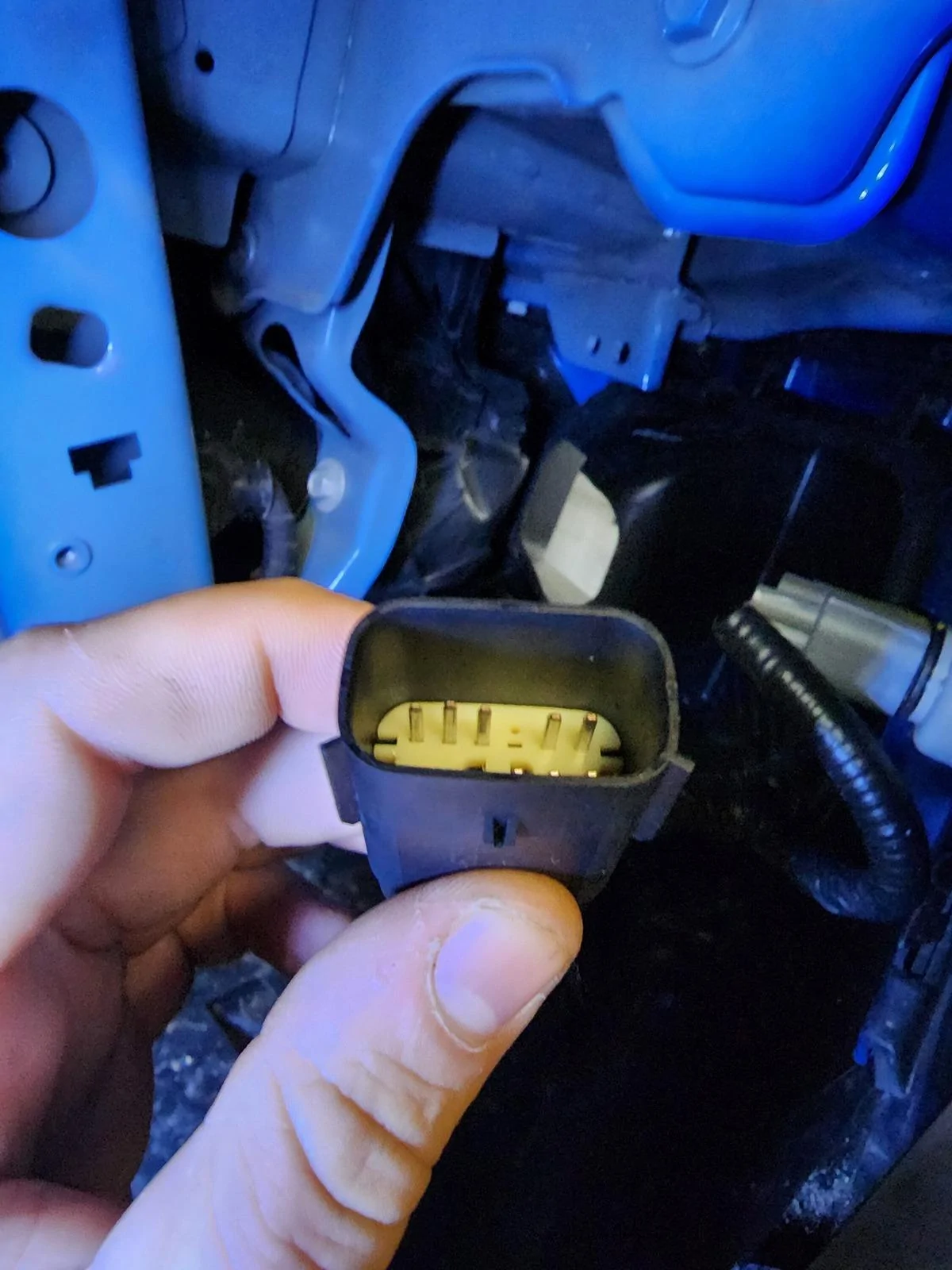
this is great info. @Vtec87pr1 are you able to check the ford pro tech system for the PN for the bumper harness connector? shown in the manual as connector c121.
Ford Maverick F-150 Fog Lamp Switch and Wire Harness Installed in Maverick - DIY 20230103_103801


im looking for a PN for this connector and its pins to do what you did..

i think this molex connector from ebay will work but id like to confirm...
Ebay Molex Connector
Sponsored

 
OP
OP
Vtec87pr1

Vtec87pr1

2.0L EcoBoost
Well-known member
First Name
Antonio
Joined
Jul 21, 2022
Threads
26
Messages
1,270
Reaction score
2,117
Location
Virginia
Website
youtube.com
Vehicle(s)
2022 XL Ford Maverick
Engine
2.0L EcoBoost
Clubs
 
this is great info. @Vtec87pr1 are you able to check the ford pro tech system for the PN for the bumper harness connector? shown in the manual as connector c121.
20230103_103801.jpg


im looking for a PN for this connector and its pins to do what you did..

i think this molex connector from ebay will work but id like to confirm...
Ebay Molex Connector
Ok I will check now on my pc apologies did not see this before.
 

Jag1046

2.5L Hybrid
Active member
Joined
Apr 3, 2024
Threads
4
Messages
40
Reaction score
78
Location
Louisiana
Vehicle(s)
2024 Azure Gray Maverick Lariat Hybrid, Indian MC
Engine
2.5L Hybrid
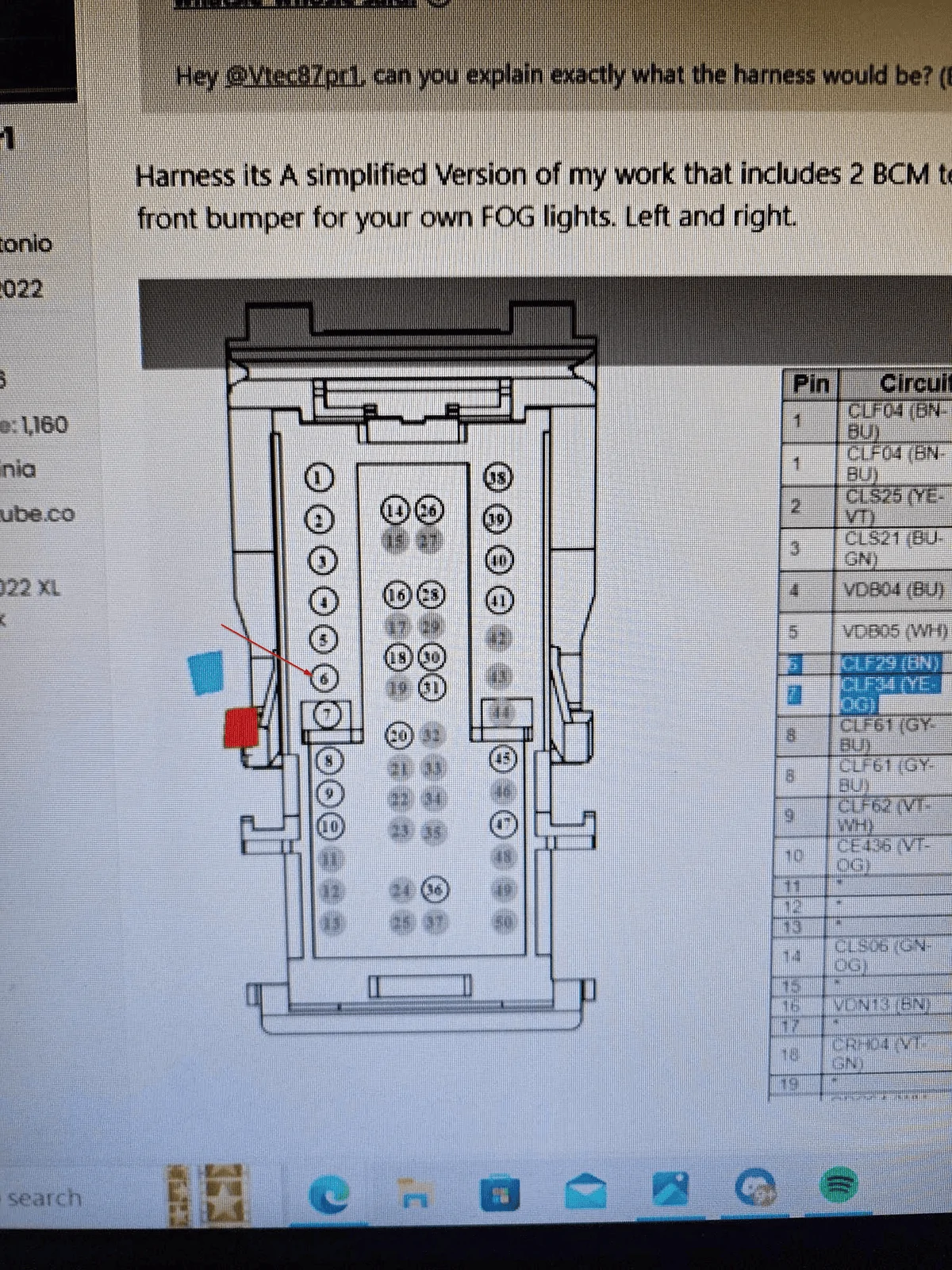
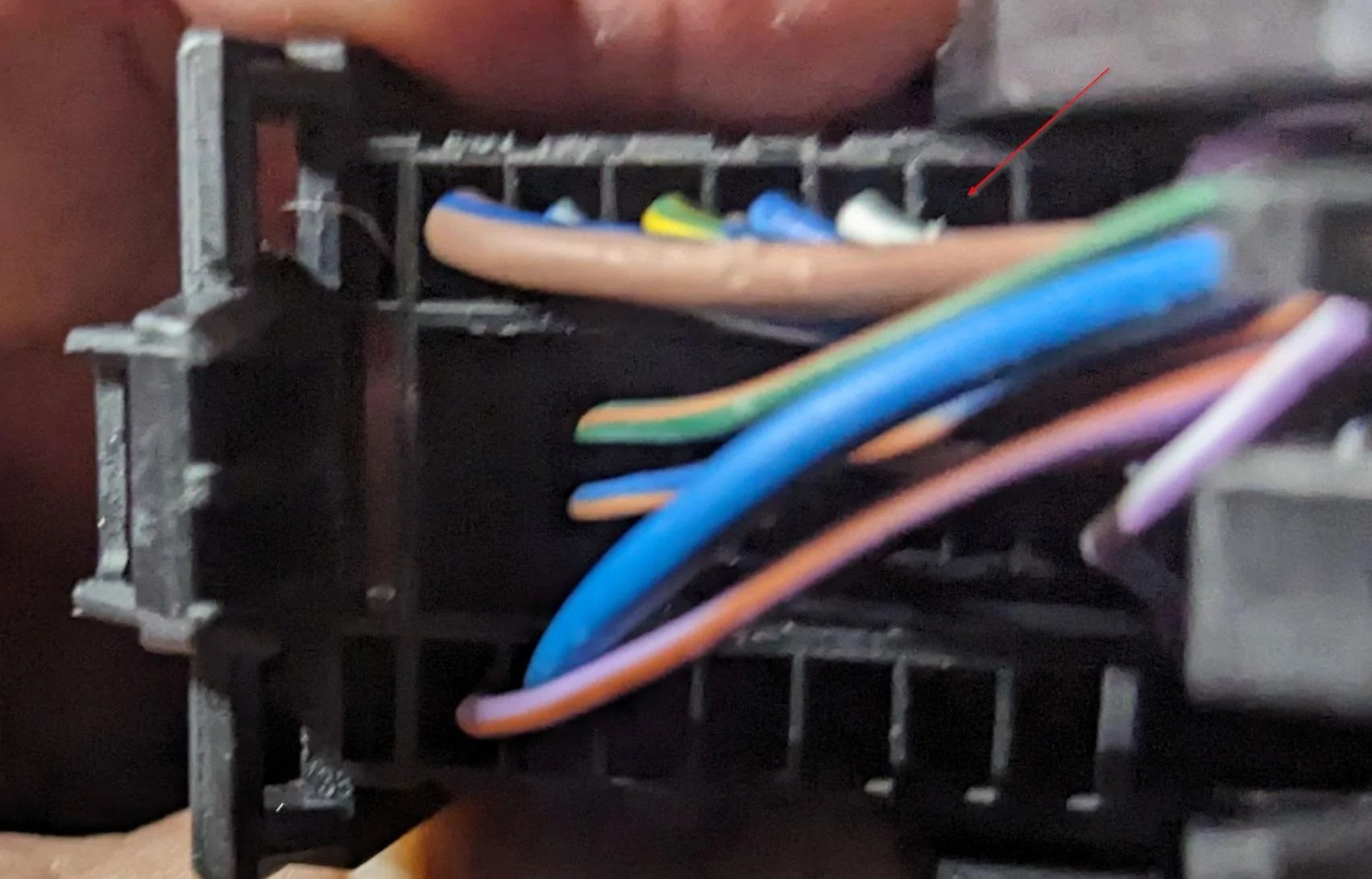
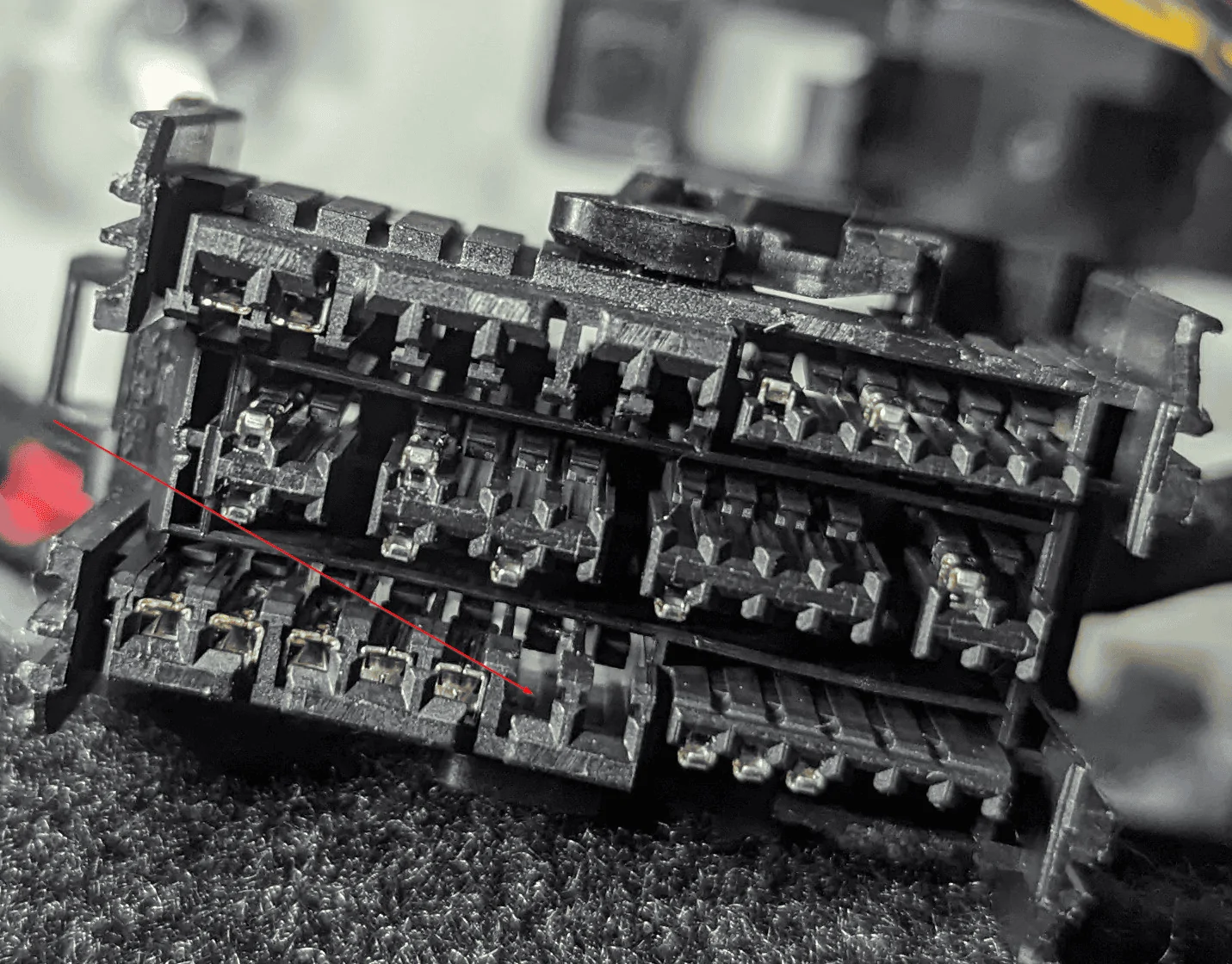
Just want to make sure I am making the Proper placement of Pin 6.
Ford Maverick F-150 Fog Lamp Switch and Wire Harness Installed in Maverick - DIY BCM Pin Out
Ford Maverick F-150 Fog Lamp Switch and Wire Harness Installed in Maverick - DIY BCM pin Placement 1
Ford Maverick F-150 Fog Lamp Switch and Wire Harness Installed in Maverick - DIY BCM Pin Placement2
 

Dagriff1998

2.5L Hybrid
New member
First Name
David
Joined
Apr 20, 2024
Threads
0
Messages
1
Reaction score
1
Location
Ohio
Vehicle(s)
2020 Ford Escape Hybrid
Engine
2.5L Hybrid
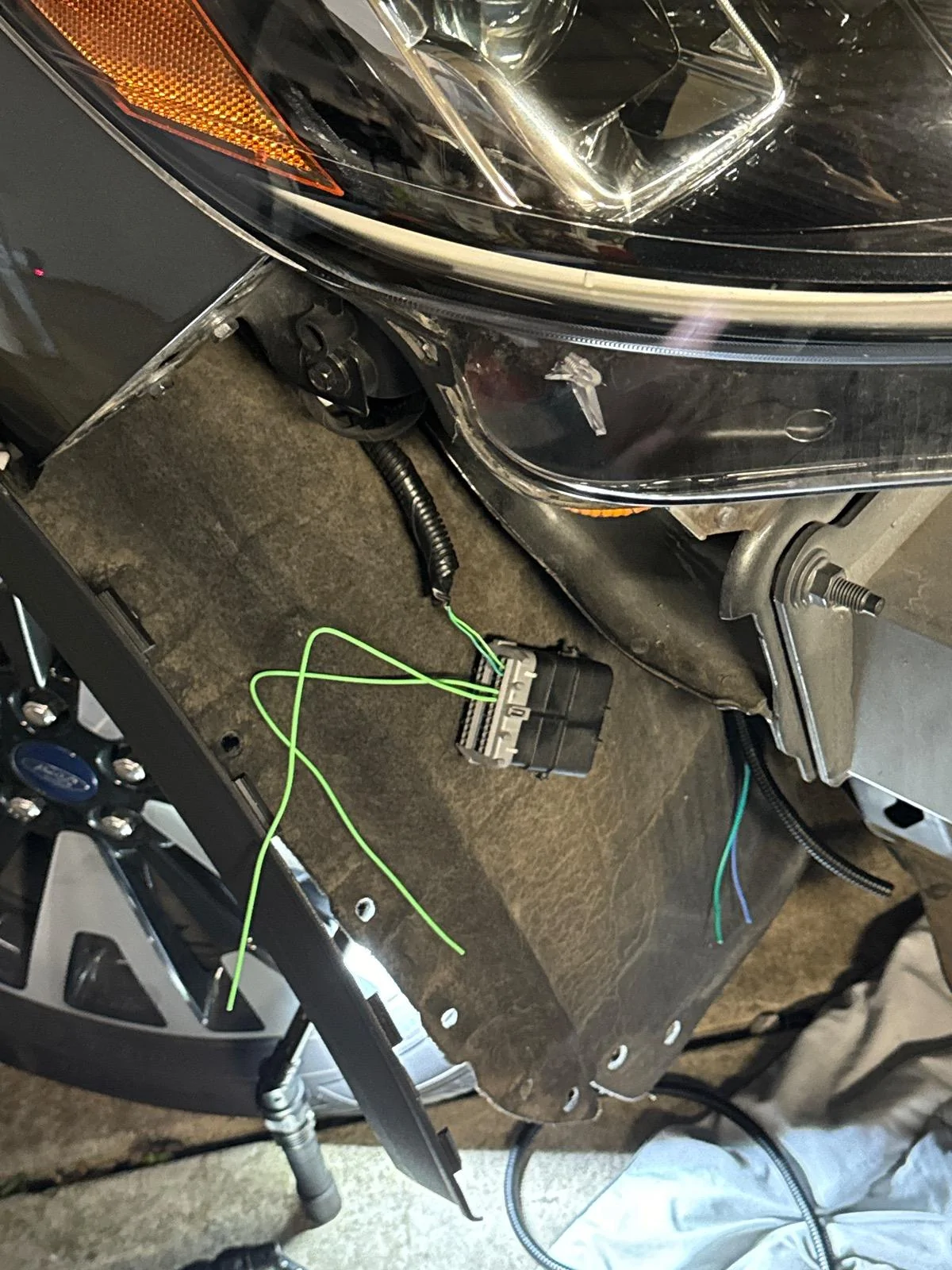
Thanks for this write up! Was able to add these pins/wires to the BCM harness on my 2020 Ford Escape SE. Mine didn’t have the wires in the front bumper connector harness coming from the BCM for some reason but finally got the courage to complete this myself. I didn’t take too many pictures of the install but did grab a pic of the two power wire pins I added. The blue/green wires are the wires I added from the BCM connector
Ford Maverick F-150 Fog Lamp Switch and Wire Harness Installed in Maverick - DIY IMG_0583
Thanks again for the write up Vtec87pr1!
 

Sponsored

OP
OP
Vtec87pr1

Vtec87pr1

2.0L EcoBoost
Well-known member
First Name
Antonio
Joined
Jul 21, 2022
Threads
26
Messages
1,270
Reaction score
2,117
Location
Virginia
Website
youtube.com
Vehicle(s)
2022 XL Ford Maverick
Engine
2.0L EcoBoost
Clubs
 
Thanks for this write up! Was able to add these pins/wires to the BCM harness on my 2020 Ford Escape SE. Mine didn’t have the wires in the front bumper connector harness coming from the BCM for some reason but finally got the courage to complete this myself. I didn’t take too many pictures of the install but did grab a pic of the two power wire pins I added. The blue/green wires are the wires I added from the BCM connector
IMG_0583.jpeg
Thanks again for the write up Vtec87pr1!

Thanks for the shout out
 

A.Bursell

2.0L EcoBoost
Well-known member
Joined
Jun 23, 2023
Threads
11
Messages
663
Reaction score
789
Location
Stanwood, WA
Vehicle(s)
Maverick
Engine
2.0L EcoBoost
Clubs
 
My install is finished!
I'll try not to be repetitive with things everyone has seen already, but I do have some tips/ideas that I think are helpful/interesting:

For the bumper cutting, I used a Dremel and a couple different bits. It didn't occur to me until afterwards, but I think if I were doing it again I would try an oscillating tool. The spinning cutting tool left a lot of melted "flashing" behind that I had to then go an clean up. I used a razor for some of it and finished with a little sandpaper to try to get it as smooth as possible and the surround laying as flush as possible. I think an oscillating tool might avoid that step.

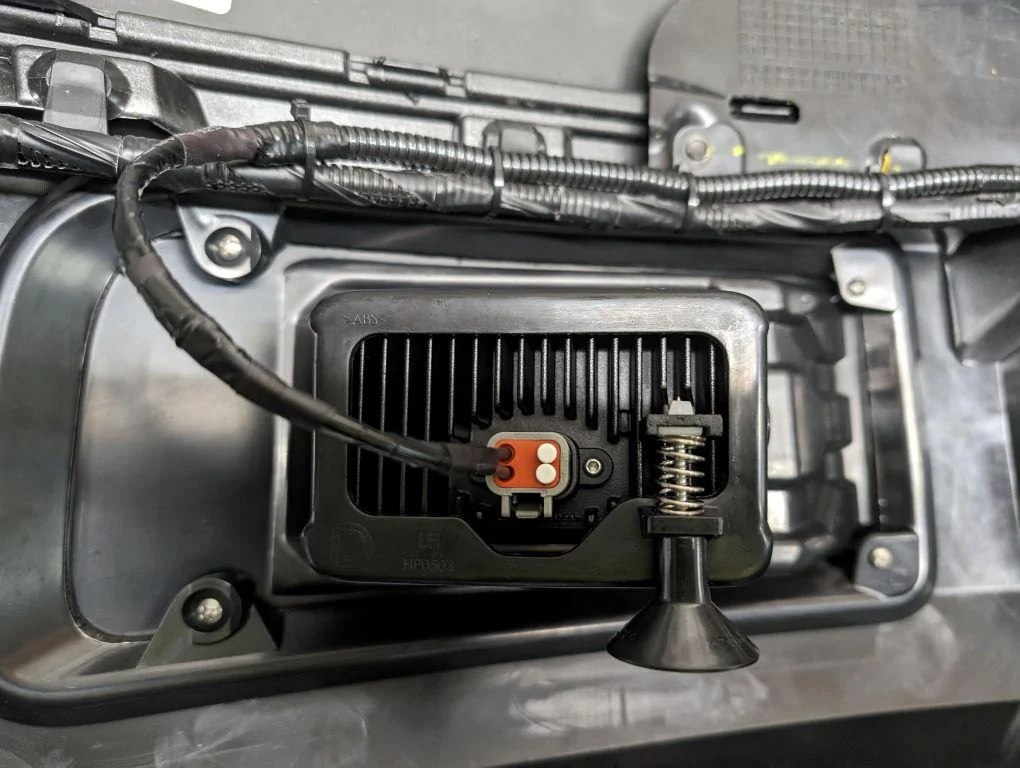
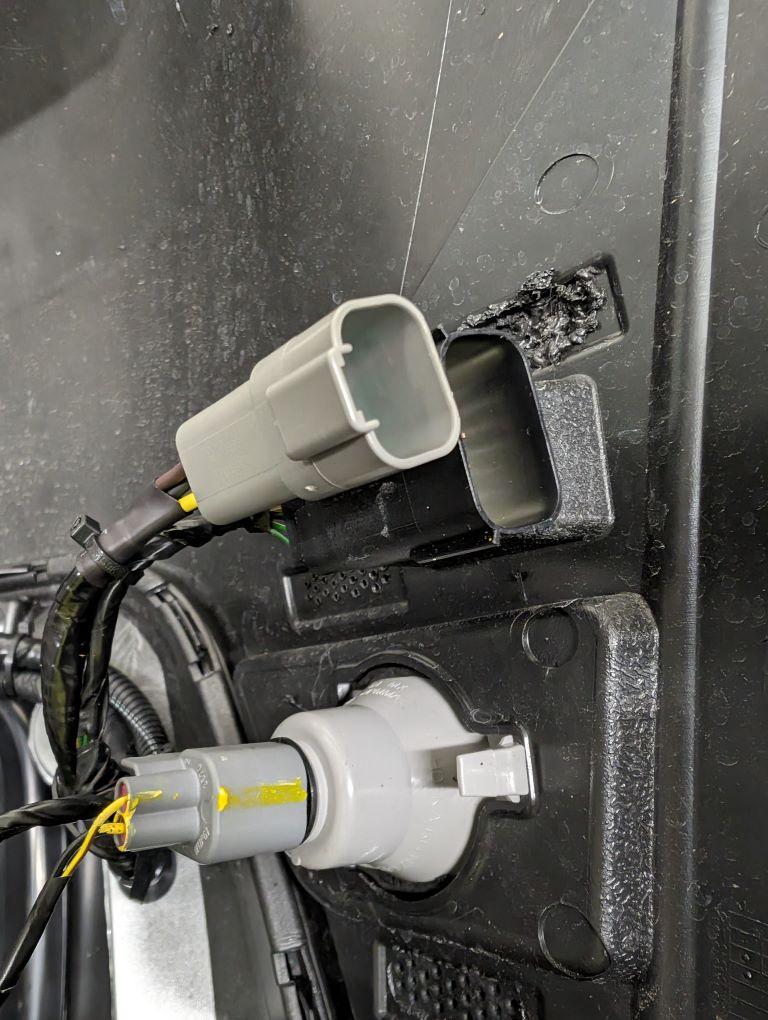
I made up my own wire harness, trying to mimic the factory style as much as possible, and routed it right along the factory harness on the bumper cover. The wire I used is 16-gauge GXL, typical for automotive use in high heat applications. Brown and Yellow for power, as that appears closest to what the factory would have used, and black for ground. I used my own Deutsch connectors on the fog lights, and then at the joint between the bumper and the fender as well. They are easy to work with, strong, and moisture proof. Note that on the fogs I only used two terminals as I do not want the backlighting. I used solid terminals but you could also use stamped terminals with an inexpensive tool as well.

Ford Maverick F-150 Fog Lamp Switch and Wire Harness Installed in Maverick - DIY PXL_20240526_231717760


Ford Maverick F-150 Fog Lamp Switch and Wire Harness Installed in Maverick - DIY PXL_20240526_231731563b


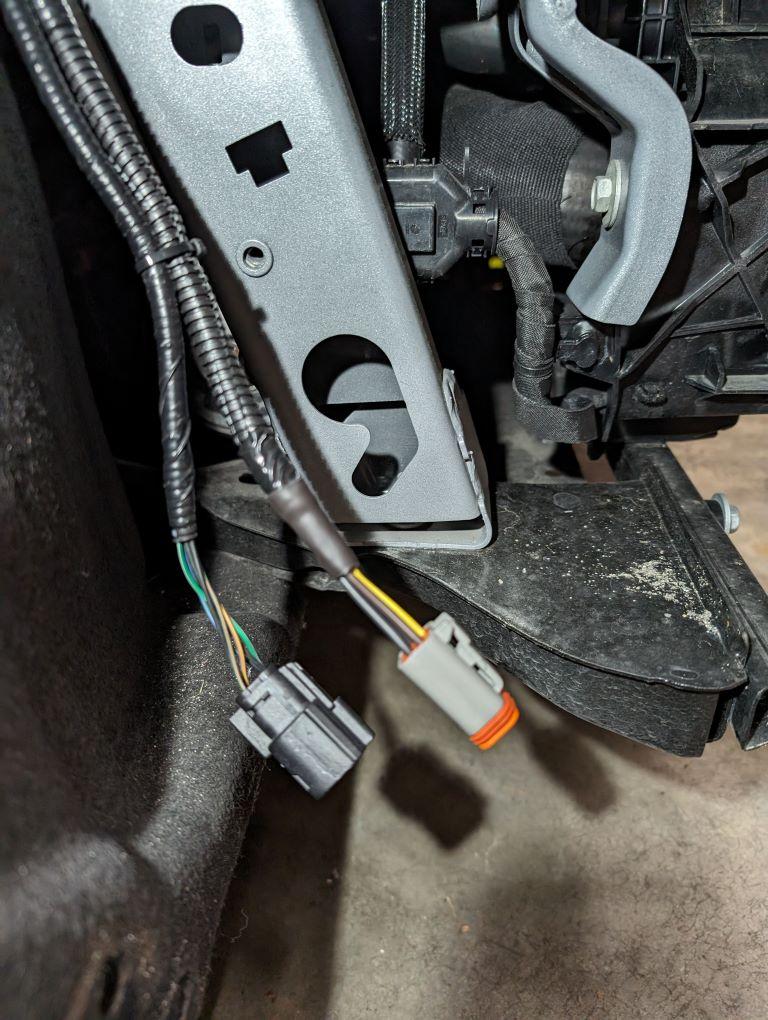
I again made my own wire harness for the vehicle side, following the factory wiring and using the same wire and of course the matching connector at the bumper cover to fender joint.

Ford Maverick F-150 Fog Lamp Switch and Wire Harness Installed in Maverick - DIY PXL_20240527_051910222b


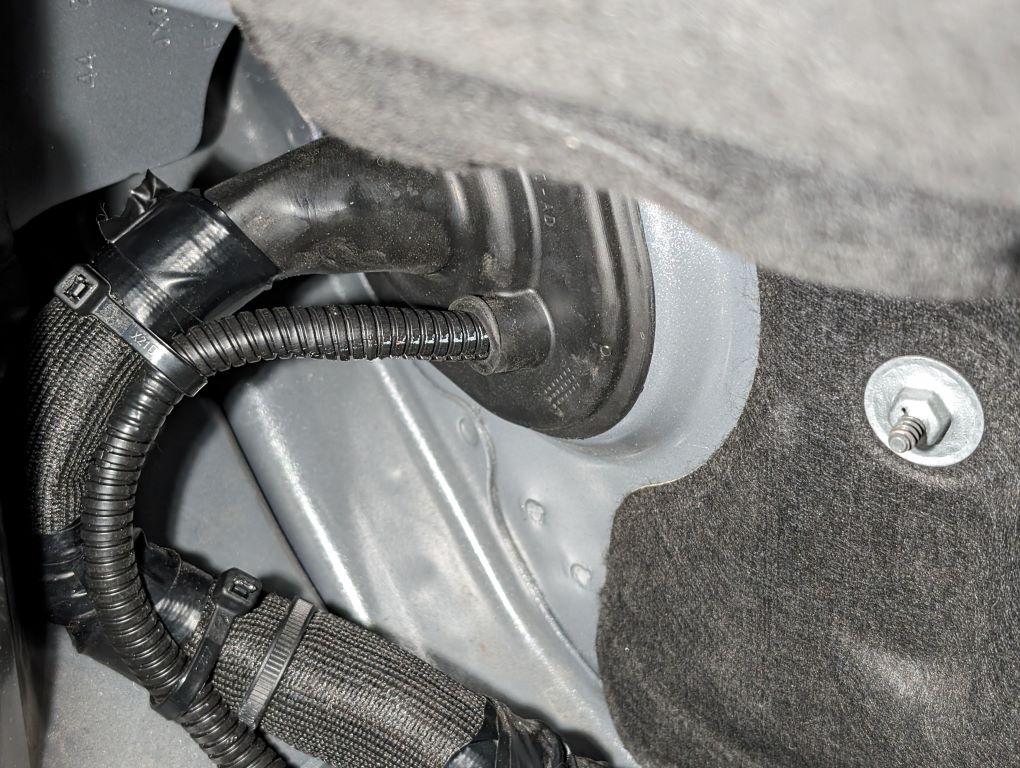
I passed the bundle through the firewall in what I would call a service port I found. I don't think I've seen anyone mention this, but it seems perfect for this use. I trimmed the top off and fed my harness through. This was probably the hardest part of the wiring, but I think it was worth it - not just for aesthetics, but it is a lot of rubber and a tight fit, so I believe it seals very well from the elements.

Ford Maverick F-150 Fog Lamp Switch and Wire Harness Installed in Maverick - DIY PXL_20240527_051844405b


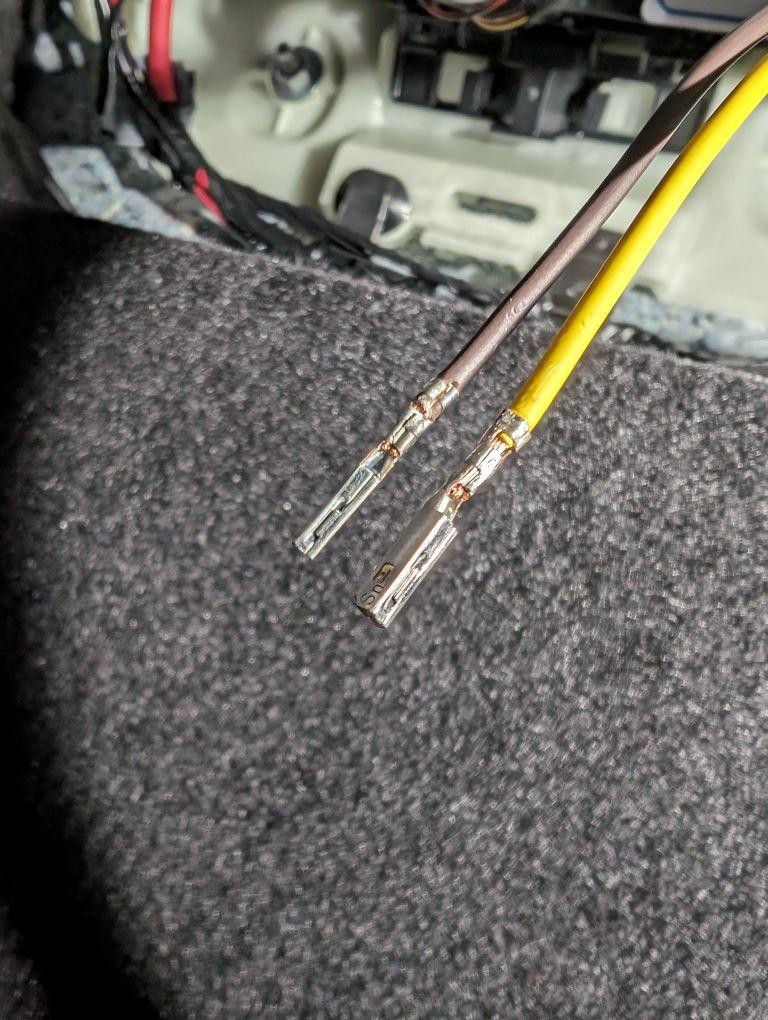
When I got to the BCM, I crimped on my own terminals. These can be had from Mouser/Digikey for about $0.15 each, vs. the $15 each that Ford gets. They were a little tricky to crimp, but if you were to get say 10 of them and practice a few times, you could do it. It doesn't have to look perfect, the connector is forgiving enough that they should slide in and lock in place.

Ford Maverick F-150 Fog Lamp Switch and Wire Harness Installed in Maverick - DIY PXL_20240527_203600790b


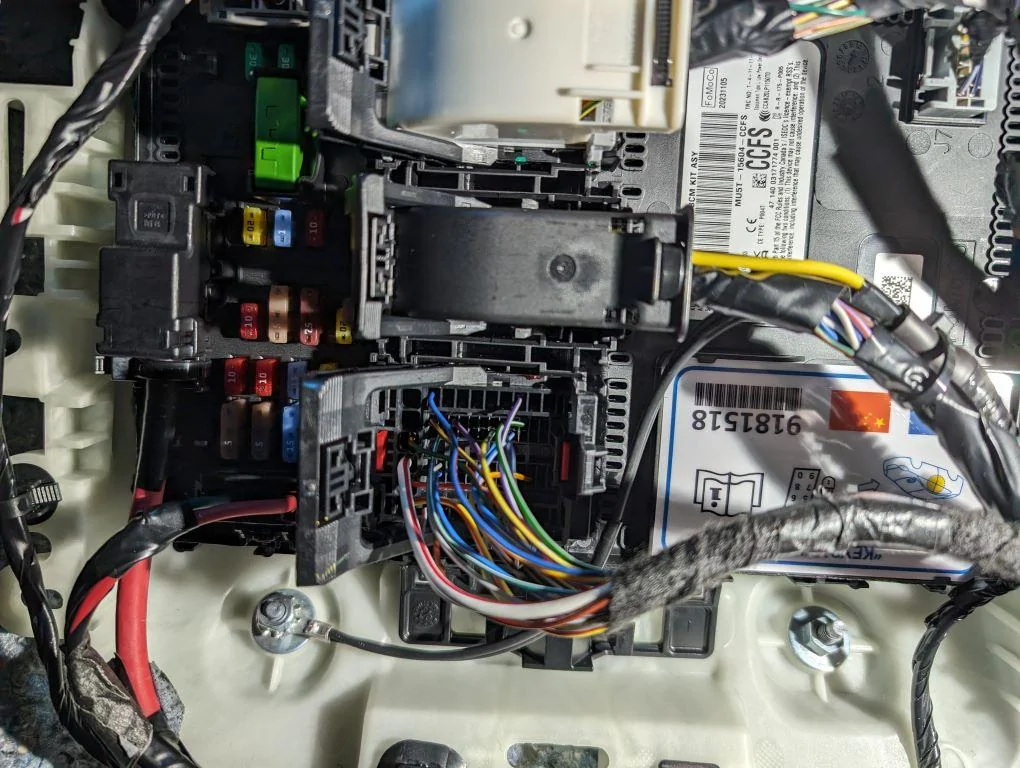
As for the BCM connector itself, I found that a little tricky until I figured it out. The big handle on top locks in place, you must press the smaller lock inside before you can swing the handle over and the connector will separate. Then you must pry the handle off of the connector. Use a small screwdriver/pry tool to pull it up off it's pin on each side and slide it off. Then the zip-tie holding the wiring must be cut. Then you can finally squeeze the end of the top cover to pop it up and out. Not sure if you need to have the red face out or off to get the terminals in, I did anyway. It has a locking tab on each side that you pry the red plastic piece over and move it down a little at a time. You can just move it down about a quarter inch and work with it, or continue and take it all the way off. You will need it off if you pin the wrong cavity in order to release the tabs as well. Hopefully you don't do that. The terminals easily slide into the correct cavities and lock in place, just be sure you have them facing the correct way. If they feel resistant, they are probably backwards. Reinstallation of everything is the reverse of removal. Be sure you put a zip-tie back on the connector for strain relief, and make sure the handle locks back in place when you reconnect to the BCM.

Here is my routing at the BCM. I again tried to follow factory wiring as much as possible. My harness comes in from the service port and swings outboard and down, through existing wire clips and a channel and then up into the BCM area. I chose to run my grounds all the way into the cab and ground them right at the BCM. I like the idea of having them protected from the elements, and they definitely get a good ground there. If you choose to do the same, you will need 1/4" ring terminals and an M6 nut to thread on. I also used a star lock washer as well.

Running the wiring this way leaves me with solid wire from the BCM to the Lights, less the bumper junction, without any splices or solder joints or anything else. Should be a very reliable setup.

Ford Maverick F-150 Fog Lamp Switch and Wire Harness Installed in Maverick - DIY PXL_20240602_204623796


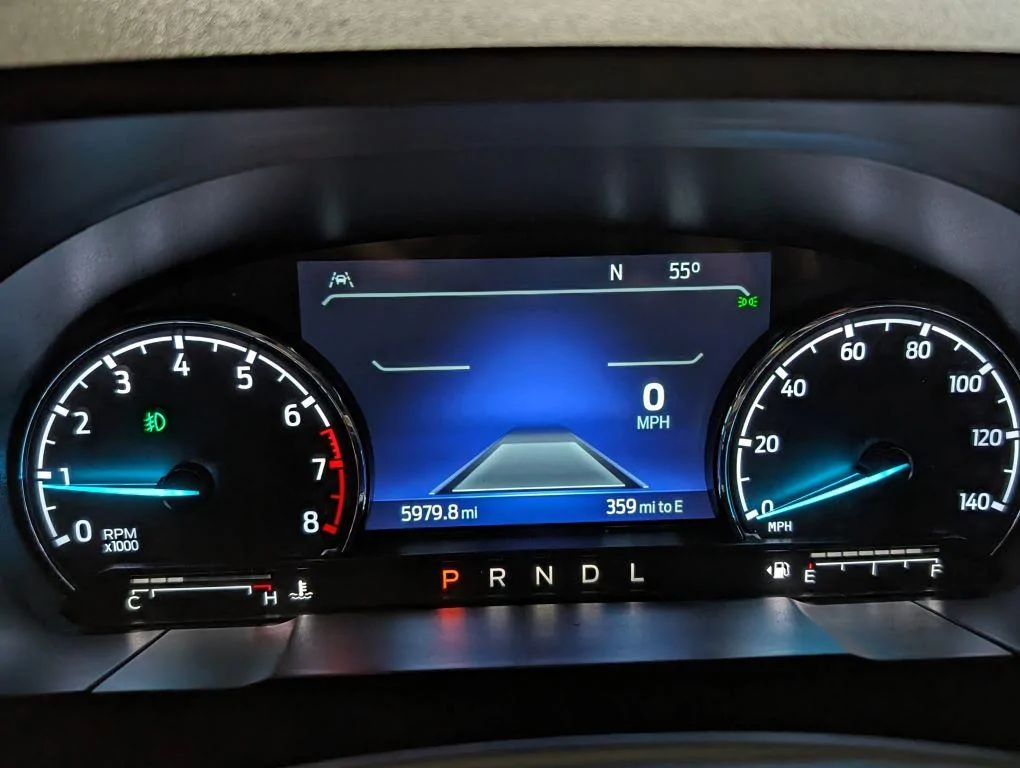
Here is what the 6.5" dash looks like with the fogs -- the icon is in the Tach.

Ford Maverick F-150 Fog Lamp Switch and Wire Harness Installed in Maverick - DIY PXL_20240603_004334042.MP


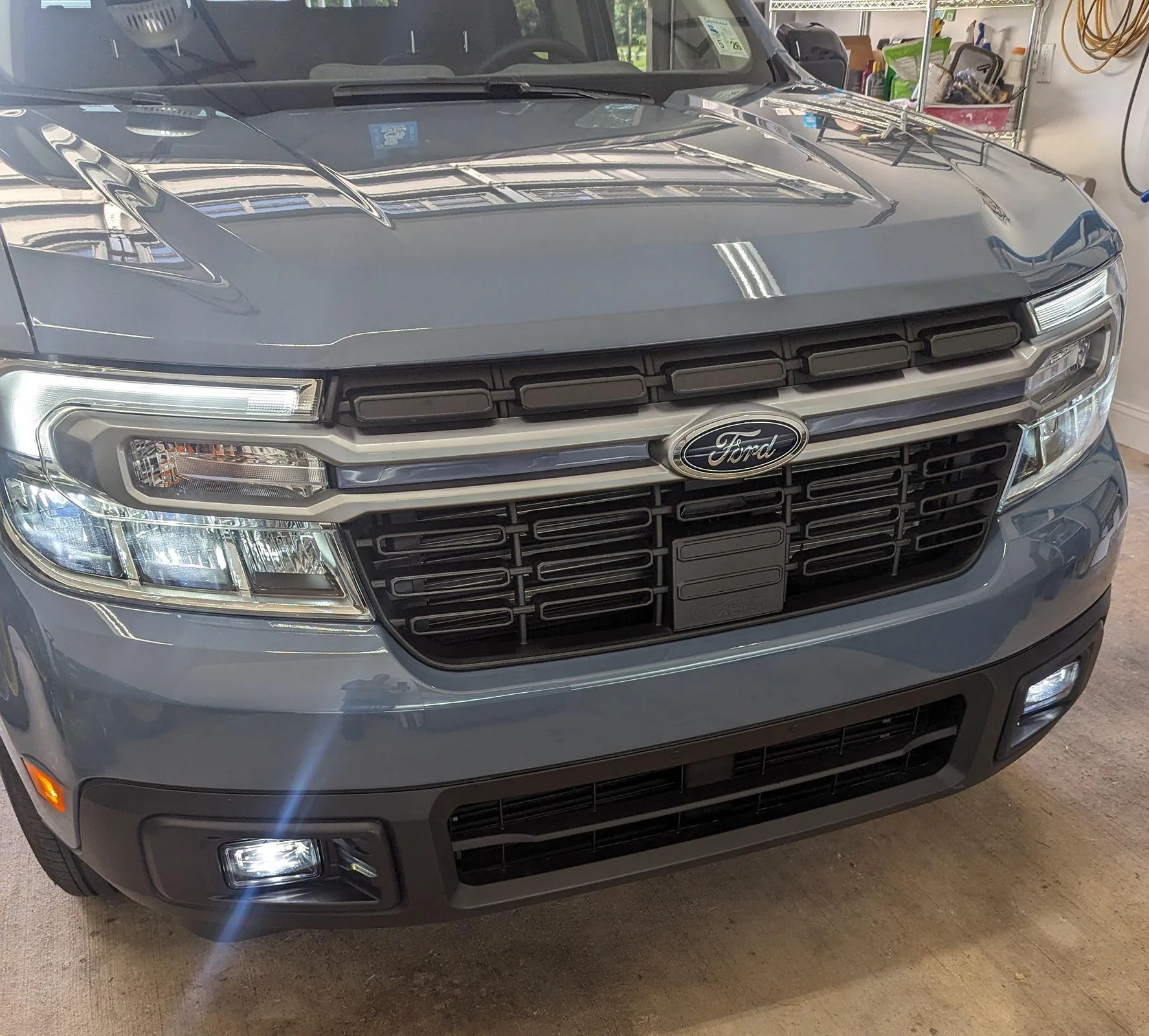
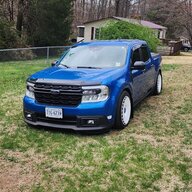
And lastly, an outside picture of the truck right after I finished. Been raining too much for a nice, cleaned up picture, but not bad. I think the lights go great with the BAP as they are also dark. Also, I did not realize it until actually getting these, but DD has integrated the same design elements into the light surround as you see on the back of the truck - the kind of angled imprint matches well.

Ford Maverick F-150 Fog Lamp Switch and Wire Harness Installed in Maverick - DIY PXL_20240528_010119122b


As for aiming them, DD recommends parking 25 feet from a wall, measuring to the centerline of the lights and then marking the wall 4" lower. I did just that, and set the top gradient area of the cutoff to match my tape mark. The hardest part about aiming them was getting the screwdriver in the right place -- they have such a sharp cutoff they are very easy to aim. Driving with them at night is really impressive! They add quite a bit of light right in front of the truck and definitely add off on the sides as well. Very impressed! This is a 10/10 mod that is worth doing!

All of my other lighting, exterior and interior, is from DD as well - less the LED third brake light that I sourced from an F150 and other OEM LED's. I highly, HIGHLY recommend them as a company.

Special thanks to everyone in this thread for your help and ideas!
 
Last edited:

Mabcim

2.0L EcoBoost
Well-known member
First Name
Mark
Joined
Oct 4, 2021
Threads
3
Messages
1,229
Reaction score
1,094
Location
Rochester, NY
Vehicle(s)
25 Maverick Lariat 2.0 AWD; 23 Escape ST Line Select 2.0 AWD
Engine
2.0L EcoBoost
Clubs
 
My install is finished!
I'll try not to be repetitive with things everyone has seen already, but I do have some tips/ideas that I think are helpful/interesting:

For the bumper cutting, I used a Dremel and a couple different bits. It didn't occur to me until afterwards, but I think if I were doing it again I would try an oscillating tool. The spinning cutting tool left a lot of melted "flashing" behind that I had to then go an clean up. I used a razor for some of it and finished with a little sandpaper to try to get it as smooth as possible and the surround laying as flush as possible. I think an oscillating tool might avoid that step.

I made up my own wire harness, trying to mimic the factory style as much as possible, and routed it right along the factory harness on the bumper cover. The wire I used is 16-gauge GXL, typical for automotive use in high heat applications. Brown and Yellow for power, as that appears closest to what the factory would have used, and black for ground. I used my own Deutsch connectors on the fog lights, and then at the joint between the bumper and the fender as well. They are easy to work with, strong, and moisture proof. Note that on the fogs I only used two terminals as I do not want the backlighting. I used solid terminals but you could also use stamped terminals with an inexpensive tool as well.

PXL_20240526_231717760b.jpg


PXL_20240526_231731563b.jpg


I again made my own wire harness for the vehicle side, following the factory wiring and using the same wire and of course the matching connector at the bumper cover to fender joint.

PXL_20240527_051910222b.jpg


I passed the bundle through the firewall in what I would call a service port I found. I don't think I've seen anyone mention this, but it seems perfect for this use. I trimmed the top off and fed my harness through. This was probably the hardest part of the wiring, but I think it was worth it - not just for aesthetics, but it is a lot of rubber and a tight fit, so I believe it seals very well from the elements.

PXL_20240527_051844405b.jpg


When I got to the BCM, I crimped on my own terminals. These can be had from Mouser/Digikey for about $0.15 each, vs. the $15 each that Ford gets. They were a little tricky to crimp, but if you were to get say 10 of them and practice a few times, you could do it. It doesn't have to look perfect, the connector is forgiving enough that they should slide in and lock in place.

PXL_20240527_203600790b.jpg


As for the BCM connector itself, I found that a little tricky until I figured it out. The big handle on top locks in place, you must press the smaller lock inside before you can swing the handle over and the connector will separate. Then you must pry the handle off of the connector. Use a small screwdriver/pry tool to pull it up off it's pin on each side and slide it off. Then the zip-tie holding the wiring must be cut. Then you can finally squeeze the end of the top cover to pop it up and out. Not sure if you need to have the red face out or off to get the terminals in, I did anyway. It has a locking tab on each side that you pry the red plastic piece over and move it down a little at a time. You can just move it down about a quarter inch and work with it, or continue and take it all the way off. You will need it off if you pin the wrong cavity in order to release the tabs as well. Hopefully you don't do that. The terminals easily slide into the correct cavities and lock in place, just be sure you have them facing the correct way. If they feel resistant, they are probably backwards. Reinstallation of everything is the reverse of removal. Be sure you put a zip-tie back on the connector for strain relief, and make sure the handle locks back in place when you reconnect to the BCM.

Here is my routing at the BCM. I again tried to follow factory wiring as much as possible. My harness comes in from the service port and swings outboard and down, through existing wire clips and a channel and then up into the BCM area. I chose to run my grounds all the way into the cab and ground them right at the BCM. I like the idea of having them protected from the elements, and they definitely get a good ground there. If you choose to do the same, you will need 1/4" ring terminals and an M6 nut to thread on. I also used a star lock washer as well.

Running the wiring this way leaves me with solid wire from the BCM to the Lights, less the bumper junction, without any splices or solder joints or anything else. Should be a very reliable setup.

PXL_20240602_204623796b.jpg


Here is what the 6.5" dash looks like with the fogs -- the icon is in the Tach.

PXL_20240603_004334042.MPb.jpg


And lastly, an outside picture of the truck right after I finished. Been raining too much for a nice, cleaned up picture, but not bad. I think the lights go great with the BAP as they are also dark. Also, I did not realize it until actually getting these, but DD has integrated the same design elements into the light surround as you see on the back of the truck - the kind of angled imprint matches well.

PXL_20240528_010119122b.jpg


As for aiming them, DD recommends parking 25 feet from a wall, measuring to the centerline of the lights and then marking the wall 4" lower. I did just that, and set the top gradient area of the cutoff to match my tape mark. The hardest part about aiming them was getting the screwdriver in the right place -- they have such a sharp cutoff they are very easy to aim. Driving with them at night is really impressive! They add quite a bit of light right in front of the truck and definitely add off on the sides as well. Very impressed! This is a 10/10 mod that is worth doing!

All of my other lighting, exterior and interior, is from DD as well - less the LED third brake light that I sourced from an F150. I highly, HIGHLY recommend them as a company.

Special thanks to everyone in this thread for your help and ideas!
Great work
 
Sponsored

Mabcim

2.0L EcoBoost
Well-known member
First Name
Mark
Joined
Oct 4, 2021
Threads
3
Messages
1,229
Reaction score
1,094
Location
Rochester, NY
Vehicle(s)
25 Maverick Lariat 2.0 AWD; 23 Escape ST Line Select 2.0 AWD
Engine
2.0L EcoBoost
Clubs
 
Thanks for all your guidance Vtec87pr1. After double and triple checking everything I found that I had missed one setting on the BCM
1000002244.jpg
Very nice
 
OP
OP
Vtec87pr1

Vtec87pr1

2.0L EcoBoost
Well-known member
First Name
Antonio
Joined
Jul 21, 2022
Threads
26
Messages
1,270
Reaction score
2,117
Location
Virginia
Website
youtube.com
Vehicle(s)
2022 XL Ford Maverick
Engine
2.0L EcoBoost
Clubs
 
My install is finished!
I'll try not to be repetitive with things everyone has seen already, but I do have some tips/ideas that I think are helpful/interesting:

For the bumper cutting, I used a Dremel and a couple different bits. It didn't occur to me until afterwards, but I think if I were doing it again I would try an oscillating tool. The spinning cutting tool left a lot of melted "flashing" behind that I had to then go an clean up. I used a razor for some of it and finished with a little sandpaper to try to get it as smooth as possible and the surround laying as flush as possible. I think an oscillating tool might avoid that step.

I made up my own wire harness, trying to mimic the factory style as much as possible, and routed it right along the factory harness on the bumper cover. The wire I used is 16-gauge GXL, typical for automotive use in high heat applications. Brown and Yellow for power, as that appears closest to what the factory would have used, and black for ground. I used my own Deutsch connectors on the fog lights, and then at the joint between the bumper and the fender as well. They are easy to work with, strong, and moisture proof. Note that on the fogs I only used two terminals as I do not want the backlighting. I used solid terminals but you could also use stamped terminals with an inexpensive tool as well.

PXL_20240526_231717760b.jpg


PXL_20240526_231731563b.jpg


I again made my own wire harness for the vehicle side, following the factory wiring and using the same wire and of course the matching connector at the bumper cover to fender joint.

PXL_20240527_051910222b.jpg


I passed the bundle through the firewall in what I would call a service port I found. I don't think I've seen anyone mention this, but it seems perfect for this use. I trimmed the top off and fed my harness through. This was probably the hardest part of the wiring, but I think it was worth it - not just for aesthetics, but it is a lot of rubber and a tight fit, so I believe it seals very well from the elements.

PXL_20240527_051844405b.jpg


When I got to the BCM, I crimped on my own terminals. These can be had from Mouser/Digikey for about $0.15 each, vs. the $15 each that Ford gets. They were a little tricky to crimp, but if you were to get say 10 of them and practice a few times, you could do it. It doesn't have to look perfect, the connector is forgiving enough that they should slide in and lock in place.

PXL_20240527_203600790b.jpg


As for the BCM connector itself, I found that a little tricky until I figured it out. The big handle on top locks in place, you must press the smaller lock inside before you can swing the handle over and the connector will separate. Then you must pry the handle off of the connector. Use a small screwdriver/pry tool to pull it up off it's pin on each side and slide it off. Then the zip-tie holding the wiring must be cut. Then you can finally squeeze the end of the top cover to pop it up and out. Not sure if you need to have the red face out or off to get the terminals in, I did anyway. It has a locking tab on each side that you pry the red plastic piece over and move it down a little at a time. You can just move it down about a quarter inch and work with it, or continue and take it all the way off. You will need it off if you pin the wrong cavity in order to release the tabs as well. Hopefully you don't do that. The terminals easily slide into the correct cavities and lock in place, just be sure you have them facing the correct way. If they feel resistant, they are probably backwards. Reinstallation of everything is the reverse of removal. Be sure you put a zip-tie back on the connector for strain relief, and make sure the handle locks back in place when you reconnect to the BCM.

Here is my routing at the BCM. I again tried to follow factory wiring as much as possible. My harness comes in from the service port and swings outboard and down, through existing wire clips and a channel and then up into the BCM area. I chose to run my grounds all the way into the cab and ground them right at the BCM. I like the idea of having them protected from the elements, and they definitely get a good ground there. If you choose to do the same, you will need 1/4" ring terminals and an M6 nut to thread on. I also used a star lock washer as well.

Running the wiring this way leaves me with solid wire from the BCM to the Lights, less the bumper junction, without any splices or solder joints or anything else. Should be a very reliable setup.

PXL_20240602_204623796b.jpg


Here is what the 6.5" dash looks like with the fogs -- the icon is in the Tach.

PXL_20240603_004334042.MPb.jpg


And lastly, an outside picture of the truck right after I finished. Been raining too much for a nice, cleaned up picture, but not bad. I think the lights go great with the BAP as they are also dark. Also, I did not realize it until actually getting these, but DD has integrated the same design elements into the light surround as you see on the back of the truck - the kind of angled imprint matches well.

PXL_20240528_010119122b.jpg


As for aiming them, DD recommends parking 25 feet from a wall, measuring to the centerline of the lights and then marking the wall 4" lower. I did just that, and set the top gradient area of the cutoff to match my tape mark. The hardest part about aiming them was getting the screwdriver in the right place -- they have such a sharp cutoff they are very easy to aim. Driving with them at night is really impressive! They add quite a bit of light right in front of the truck and definitely add off on the sides as well. Very impressed! This is a 10/10 mod that is worth doing!

All of my other lighting, exterior and interior, is from DD as well - less the LED third brake light that I sourced from an F150 and other OEM LED's. I highly, HIGHLY recommend them as a company.

Special thanks to everyone in this thread for your help and ideas!

Great job. Looks very good and clean like a pro.
 

Defconxzero

2.0L EcoBoost
Well-known member
First Name
Pete
Joined
Feb 25, 2024
Threads
7
Messages
74
Reaction score
53
Location
Connecticut USA
Vehicle(s)
Maverick
Engine
2.0L EcoBoost
@A.Bursell @Vtec87pr1 thank you for you great write ups. i wound up going with @Justin.23 JJC /ss3 light setup for fog and driving lights combo setup. Thanks to your writups i was able to get the fog lights working however i do have a question i feel like yall might be able to answer. i tried to setup the driving lights using a relay having the trigger tapping into the high beam wire but the high beam wire is hot all the time! i then tried to tap into the high beam signal from the BCM to the Battery Junction box wire and that is always hot too!!!!! any idea how i can find a wire that is only active when the high beams are active?????????? im at a loss this makes no sense....

Ford Maverick F-150 Fog Lamp Switch and Wire Harness Installed in Maverick - DIY IMG_2263
 

A.Bursell

2.0L EcoBoost
Well-known member
Joined
Jun 23, 2023
Threads
11
Messages
663
Reaction score
789
Location
Stanwood, WA
Vehicle(s)
Maverick
Engine
2.0L EcoBoost
Clubs
 
@A.Bursell @Vtec87pr1 thank you for you great write ups. i wound up going with @Justin.23 JJC /ss3 light setup for fog and driving lights combo setup. Thanks to your writups i was able to get the fog lights working however i do have a question i feel like yall might be able to answer. i tried to setup the driving lights using a relay having the trigger tapping into the high beam wire but the high beam wire is hot all the time! i then tried to tap into the high beam signal from the BCM to the Battery Junction box wire and that is always hot too!!!!! any idea how i can find a wire that is only active when the high beams are active?????????? im at a loss this makes no sense....
Looks good!

AFAIK, there is no high beam power wire like in a traditional setup, it is all computer controlled. I don't think there is a way to do what you want to do on the Mav.


Top