
Sponsored
Status
Not open for further replies.

uh50

2.0L EcoBoost
Well-known member
First Name
Howard
Joined
Oct 4, 2021
Threads
30
Messages
1,236
Reaction score
1,395
Location
Brookhaven Lake O' the Pines, Texas
Website
www.hchaney.com
Vehicle(s)
2022 Maverick XL, VB, 2.0 EB
Engine
2.0L EcoBoost
Cool, good to know about the clamshells. I think that is the area most likely to be broken in the process anyway, so maybe most will choose to not remove it.

It's a country truck, not a city truck, and I was tromping through dirt, snow, and mud doing this job. And it was raining. That's my story, and I am sticking to it.

But I vacuumed immediately after finishing the job, apparently I should have done that before! 🤣
Bushpilot, thanks for taking the time to go through the mechanical details to change the switches and for cataloging the steps with photos. You, Tyvemattis, and others probably will never know how many owners you've helped. So thanks...

Just trying to talk my wife into letting me buy the switches and the OBDLinkEX. 😅
Sponsored


Automate

2.5L Hybrid
Well-known member
Joined
Jul 21, 2021
Threads
60
Messages
1,798
Reaction score
2,135
Location
Atlanta GA, USA (ATL)
Vehicle(s)
Fusion Hybrid, Mav XL Hybrid
Engine
2.5L Hybrid
My outlander sport “shifts” it’s eCVT with paddle shifters. Thought it was a strange idea, but it is actually pretty nice in mountainous terrain.
The Mitsubishi is a mechanical dual cone CVT not an dual electric motor eCVT like the Ford.
 

skinnyboy

2.5L Hybrid
Well-known member
First Name
Andy
Joined
Jan 20, 2022
Threads
7
Messages
475
Reaction score
526
Location
Ontario, Canada
Vehicle(s)
'24 Corolla hatch, '25 Mazda 3
Engine
2.5L Hybrid
Greg, thank you so much for putting in the time and effort to document and post this procedure. What a great write up!
 

Sponsored

kingranchero

2.0L EcoBoost
Well-known member
Joined
Apr 1, 2021
Threads
4
Messages
258
Reaction score
919
Location
Dearborn
Website
www.ford.com
Vehicle(s)
2023 Ford Maverick Tremor
Engine
2.0L EcoBoost
  • Remove the 15/16 inch bolt holding the wheel on. It is not as tight as I thought it would be.
  • Remove the steering wheel, mine came off easily.
  • Put a piece of tape across the clockspring to keep it from rotating out of position while you are doing other stuff. (Make sure you remove this later!)
IMG_20220120_092534457_HDR.jpg

Great write-up! One note I think you should include, torque down the steering wheel retaining bolt to 35 lb-ft. It is very important that this bolt is re-secured properly.
 

Kaytu

2.0L EcoBoost
Well-known member
Joined
Dec 17, 2021
Threads
5
Messages
125
Reaction score
314
Location
Brevard County, FL
Vehicle(s)
2022 Velocity Blue Maverick XL AWD
Engine
2.0L EcoBoost
My mega writeup ...

First, I must thank @Tyvemattis for his ground-breaking work. All I am doing here is documenting the process that worked for me.

This took me about four hours, I am sure I could do it in less than two now.

My vehicle is an XL hybrid, with CP-360.

The main points:
  • Switches SW-8579 and SW-8576
  • Forscan 2.3.45, and OBDLinkEX
    • SCCM - 724-02-01 1258 6820 3050
    • IPC - no changes
    • BCM - 726-04-05 CB28 8140 8872
The long version:

Tools needed - 15/16 socket, 7mm socket, 10mm socket, small flat screwdriver, T8 torx screwdriver, and perhaps a few hand tools
Recommended - Loctite

Steps -
  • Disconnect the negative battery terminal (under the rear seat for the hybrid, under the hood for the EB). Use a 10mm socket.
  • Adjust the steering wheel position to full extension.
  • (Note: see posts following about not needing to remove the clamshells. This would save a few steps, but I will leave my method here for reference.)
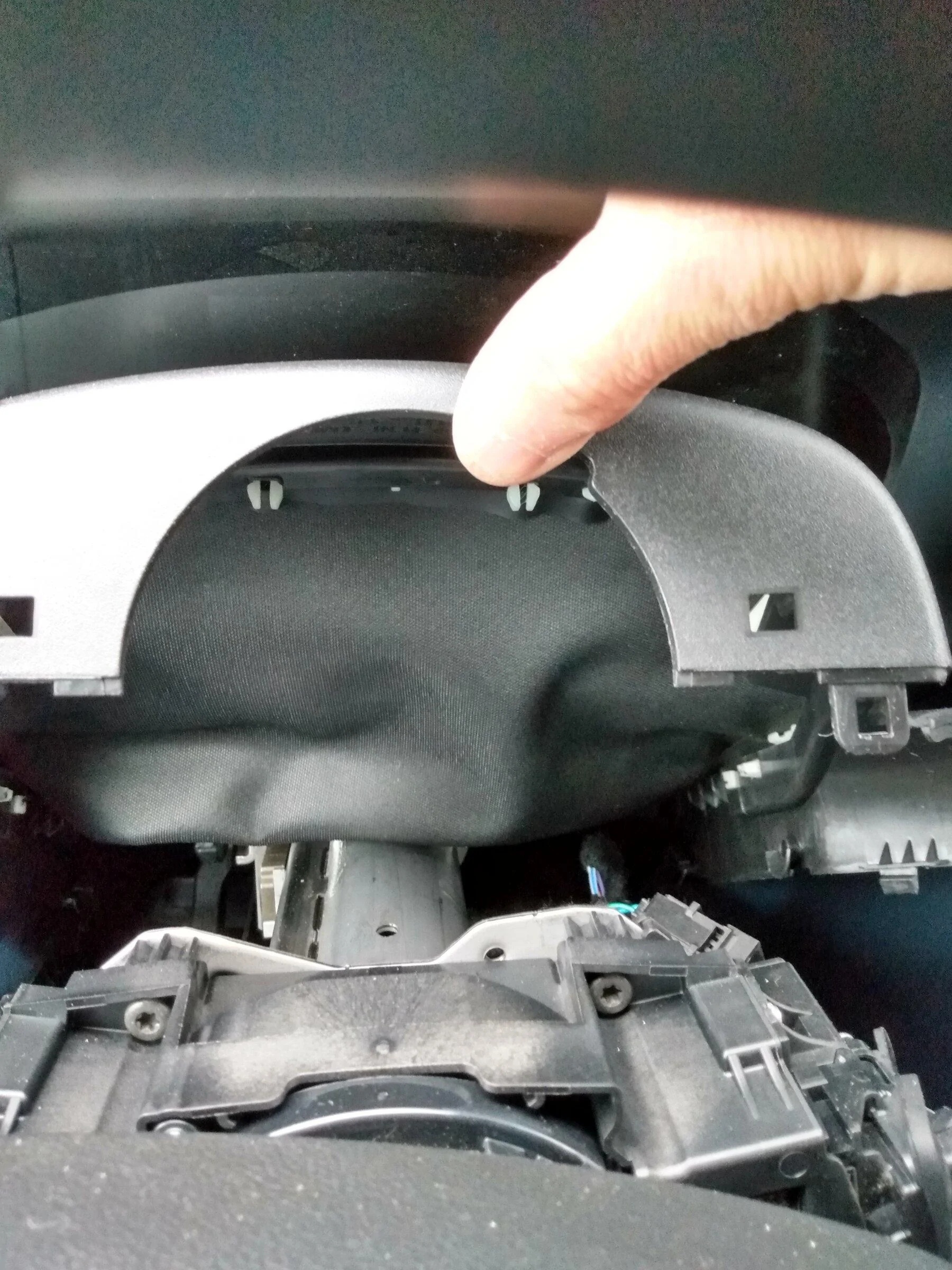
  • Gently pry apart the steering column upper clamshell from the lower.
IMG_20220120_105505080_HDR.jpg


  • Remove the lower clamshell for the steering column. You need a 7mm socket for this, remove the two bolts and pull it aft and down.
  • Turn the steering wheel 90* left or right. (It will be hard turning without power assist.)
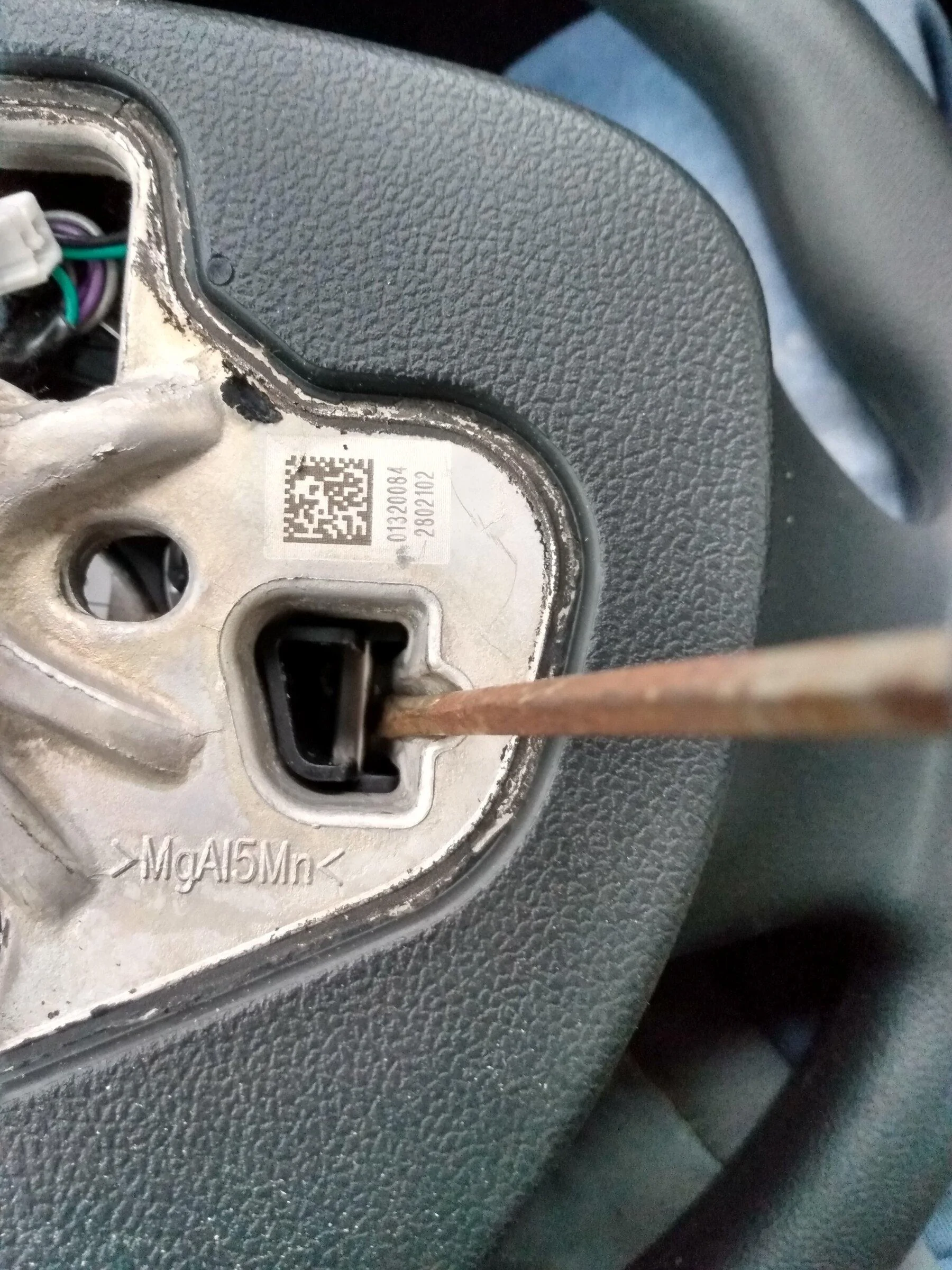
  • Look underneath, and on the forward side of the wheel you will see a slot. Insert the screwdriver in that slot, and pry "up" on the release, to release that side of the airbag.
IMG_20220120_092318235_HDR.jpg

  • Turn the wheel 90* the other way and do it again. The airbag should come off.
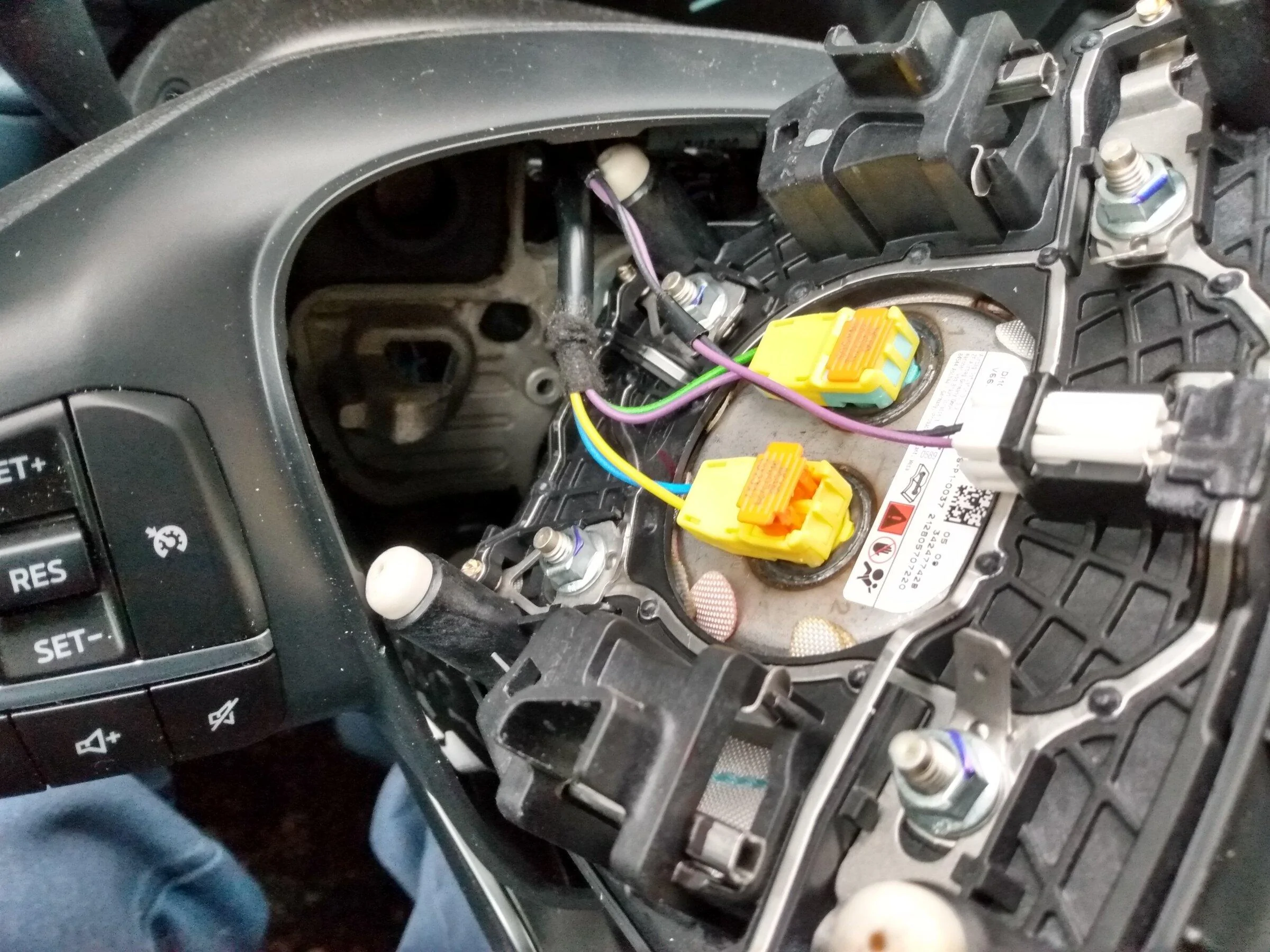
  • Remove the wires from the airbag. For the yellow and orange connectors, gently lift the orange section with a pick or tiny screwdriver to release, and after it is lifted, the connector can be removed. Set the airbag aside.
IMG_20220120_093337005_HDR.jpg

  • Disconnect the black clockspring connector exiting the wheel through the top opening by inserting a small screwdriver into the top side and releasing.
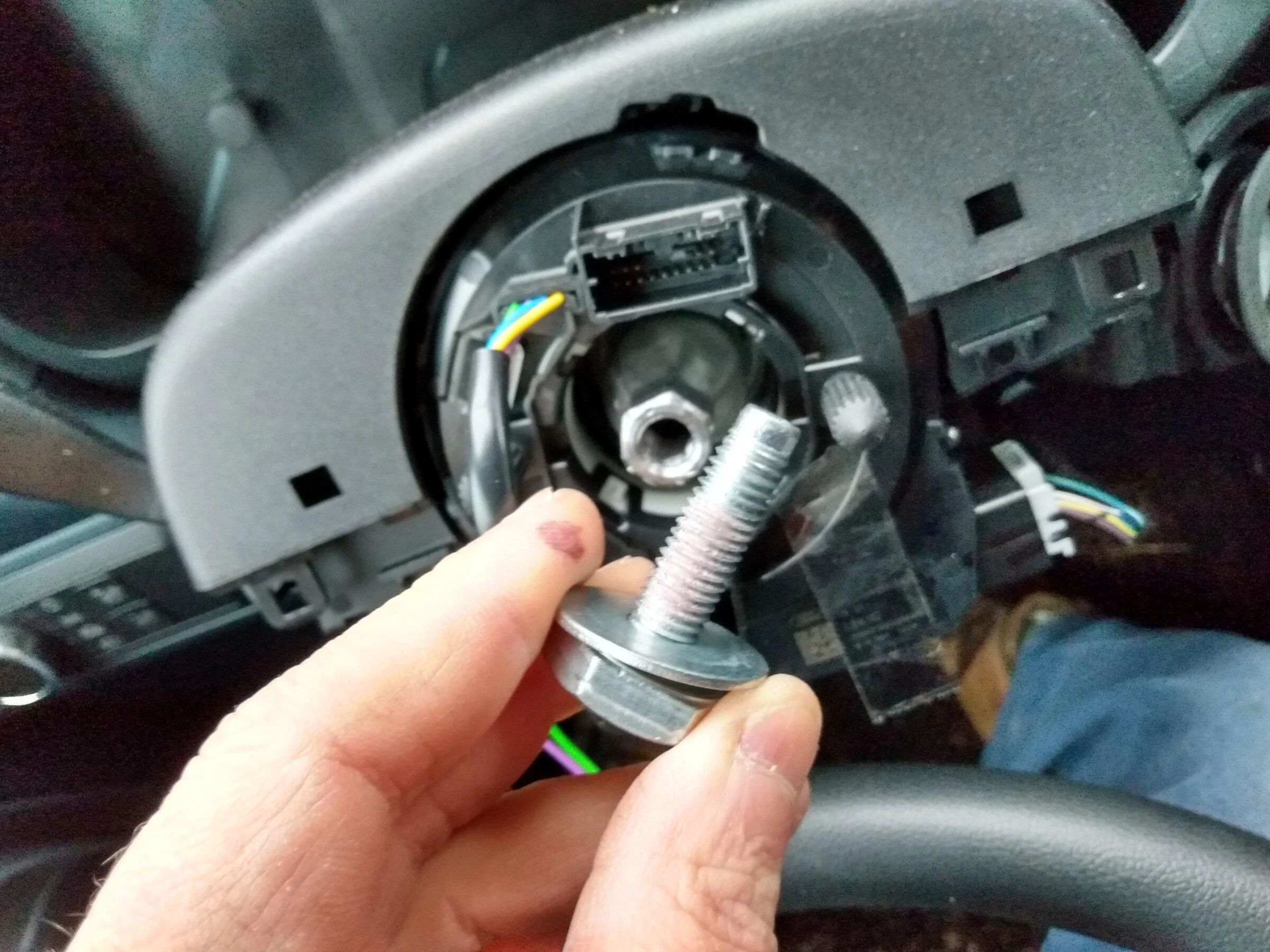
  • Remove the 15/16 inch bolt holding the wheel on. It is not as tight as I thought it would be.
  • Remove the steering wheel, mine came off easily.
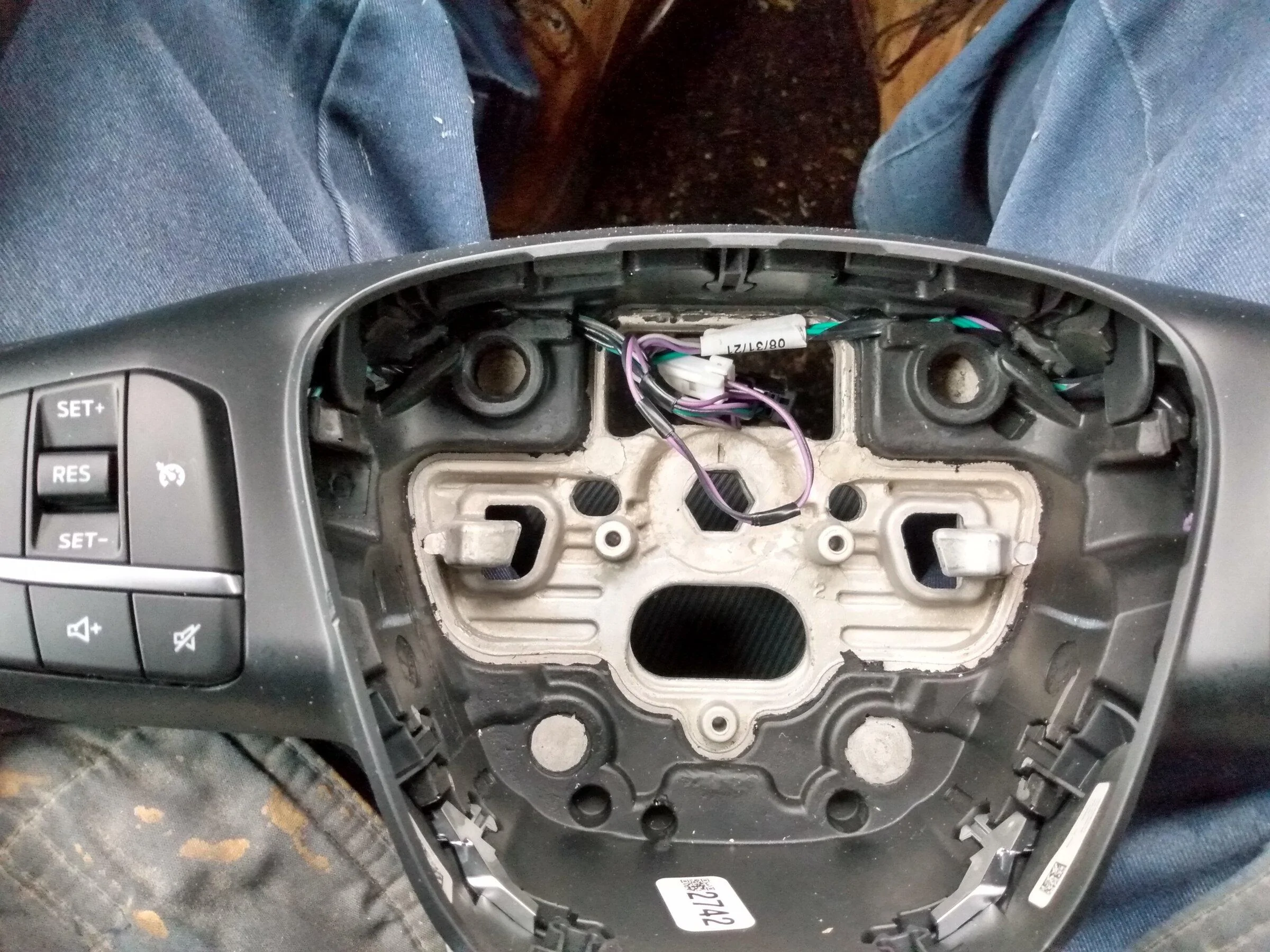
  • Put a piece of tape across the clockspring to keep it from rotating out of position while you are doing other stuff. (Make sure you remove this later!)
IMG_20220120_092534457_HDR.jpg

IMG_20220120_092421159_HDR.jpg


Reassembly is basically the opposite of disassembly. I recommend you put loctite on the 15/16 bolt thread.

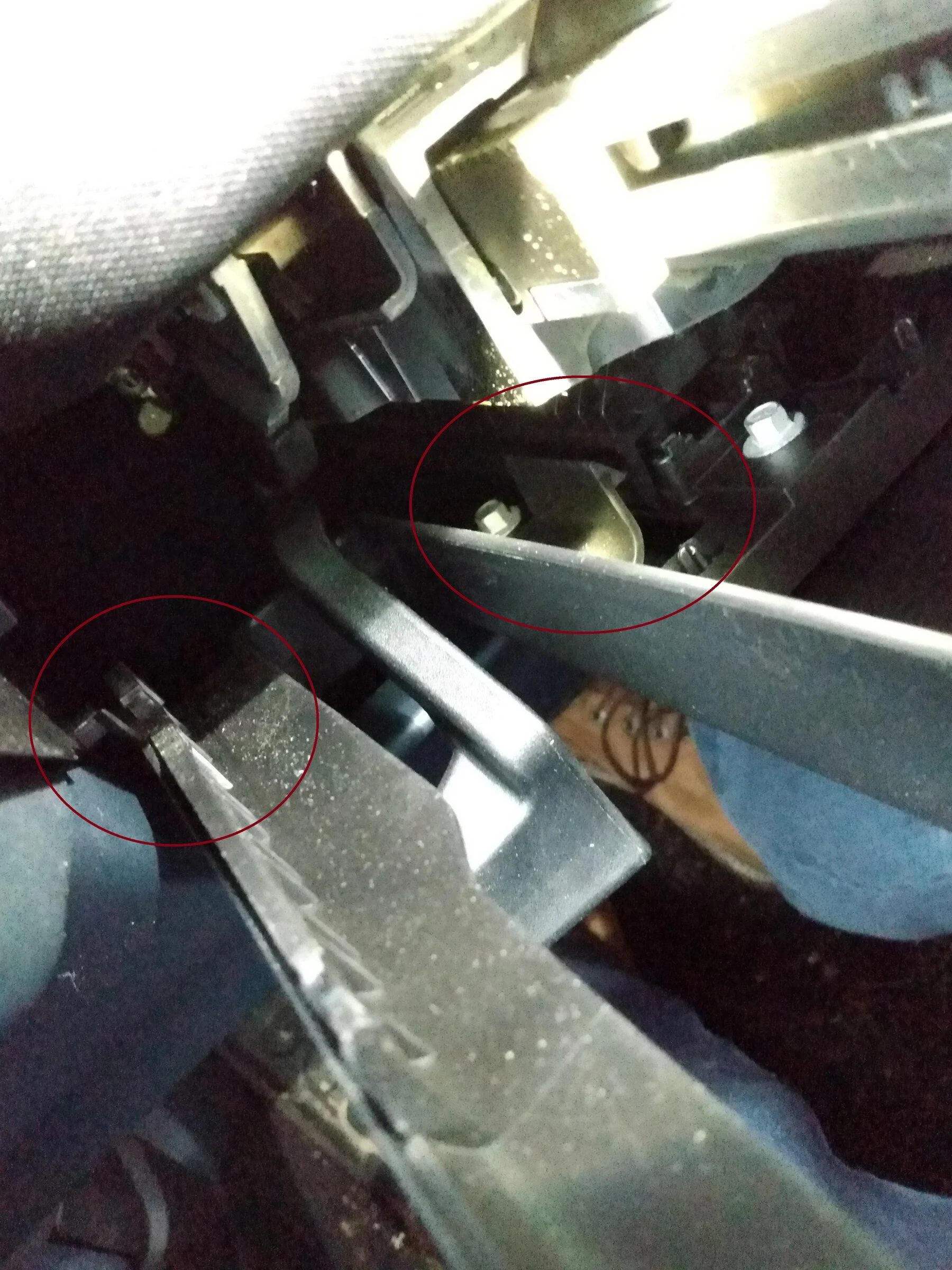
When putting the two clamshells together, be sure to get all the various "tabs" engaged. Install the lower first, starting with the forward end, getting the tabs on the rail, then hinge the upper into place. Pay close attention to the areas circled below.

IMG_20220120_105336786_BURST000_COVER.jpg


After it is all put together, reconnect the battery, and program.


IMG_20220120_093549450.jpg


I am not going to get into the details of using Forscan, there are tutorials available. The parameters I used are at the top of this post.

I tried to write the IPC values suggested by @Tyvemattis , but they would not write. It works fine anyway. (My first one was a match for his recommended already.)

The system will set a few DTCs, make sure you clear them after all is finished.

IMG_20220120_102239075_HDR.jpg


That is all I can think of right now, I hope this helps!

Oh, and if this works for you, please consider buying a paid license for Forscan, they deserve it.

Greg
Talk about a killer write-up, awesome job man! That's everything one needs basically to go from cruiseless to cruisin'!
 

Bushpilot

2.5L Hybrid
Well-known member
First Name
Greg
Joined
Aug 15, 2021
Threads
11
Messages
971
Reaction score
1,839
Location
Spokane, WA
Vehicle(s)
Chevy Volt
Engine
2.5L Hybrid
Great write-up! One note I think you should include, torque down the steering wheel retaining bolt to 35 lb-ft. It is very important that this bolt is re-secured properly.
Thank you for adding that info.
 

Bushpilot

2.5L Hybrid
Well-known member
First Name
Greg
Joined
Aug 15, 2021
Threads
11
Messages
971
Reaction score
1,839
Location
Spokane, WA
Vehicle(s)
Chevy Volt
Engine
2.5L Hybrid
Bushpilot, thanks for taking the time to go through the mechanical details to change the switches and for cataloging the steps with photos. You, Tyvemattis, and others probably will never know how many owners you've helped. So thanks...

Just trying to talk my wife into letting me buy the switches and the OBDLinkEX. 😅
Ah, I paved the way from the date I ordered, as we agreed we were going to install a cruise control on this. Then this cheaper and better (than aftermarket) option showed up, no brainer!

Frankly, I thought this would be more complicate to do than it was ...
 

Sleepyalero

2.0L EcoBoost
Active member
First Name
Nathan
Joined
Jan 20, 2022
Threads
7
Messages
41
Reaction score
27
Location
46077
Vehicle(s)
2022 maverick
Engine
2.0L EcoBoost
My mega writeup ...

Edit: a few details have been added, I would be glad to add more pertinant details or links as suggested, especially pertaining to the use of Forscan for this purpose.

First, I must thank @Tyvemattis for his ground-breaking work. All I am doing here is documenting the process that worked for me.

This took me about four hours, I am sure I could do it in less than two now.

My vehicle is an XL hybrid, with CP-360.

The main points:
  • Switches SW-8579 and SW-8576
  • Forscan 2.3.45 (must be a licensed to write to modules, even the 2 month free license will work), and OBDLinkEX
    • SCCM - 724-02-01 1258 6820 3050
    • IPC - no changes
    • BCM - 726-04-05 CB28 8140 8872
The long version:

Tools needed - 15/16 socket, 10mm socket, small flat screwdriver, T8 torx screwdriver, and perhaps a few hand tools
Recommended - Loctite, torque wrench, 7mm socket (if removing clamshells)

Steps -
  • Disconnect the negative battery terminal (under the rear seat for the hybrid, under the hood for the EB). Use a 10mm socket.
  • Adjust the steering wheel position to full extension, to gain space between it and the dash.
  • (Note: see posts following about not needing to remove the clamshells. This would save a few steps, but I will leave my method here for reference. Posts in italics assume that you do dissassemble the clamshells.)
  • Gently pry apart the steering column upper clamshell from the lower.
IMG_20220120_105505080_HDR.jpg


  • Remove the lower clamshell for the steering column. You need a 7mm socket for this, remove the two bolts and pull it aft and down.
  • Turn the steering wheel 90* left or right. (It will be hard turning without power assist.)
  • Look underneath, and on the forward side of the wheel you will see a slot. Insert the screwdriver in that slot, and pry "up" on the release, to release that side of the airbag.
IMG_20220120_092318235_HDR.jpg

  • Turn the wheel 90* the other way and do it again. The airbag should come off.
  • Remove the wires from the airbag. For the yellow and orange connectors, gently lift the orange section with a pick or tiny screwdriver to release, and after it is lifted, the connector can be removed. Set the airbag aside.
IMG_20220120_093337005_HDR.jpg

  • Disconnect the black clockspring connector exiting the wheel through the top opening by inserting a small screwdriver into the top side and releasing.
  • Remove the 15/16 inch bolt holding the wheel on. It is not as tight as I thought it would be.
  • Remove the steering wheel, mine came off easily.
  • Put a piece of tape across the clockspring to keep it from rotating out of position while you are doing other stuff. (Make sure you remove this later!)
IMG_20220120_092534457_HDR.jpg

IMG_20220120_092421159_HDR.jpg


Reassembly is basically the opposite of disassembly. I recommend you put loctite on the 15/16 bolt thread, it had it from the factory. @kingranchero recommends 35 lb-ft of torque, I just torqued it tight.

If you removed the clamshells, when putting them back together, be sure to get all the various "tabs" engaged. Install the lower first, starting with the forward end, getting the tabs on the rail, then hinge the upper into place. Pay close attention to the areas circled below.

IMG_20220120_105336786_BURST000_COVER.jpg


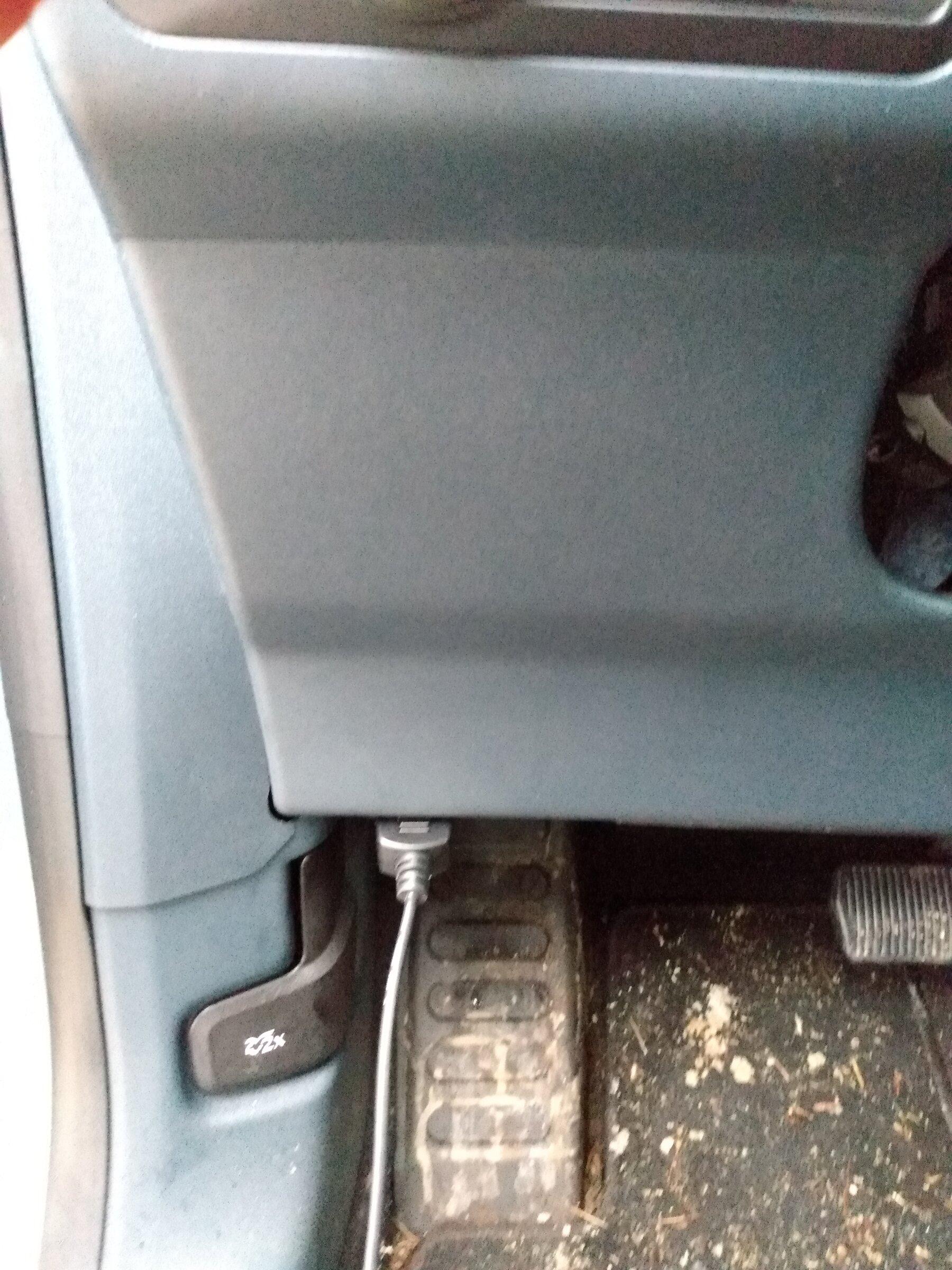
After it is all put together, reconnect the battery, and program.


IMG_20220120_093549450.jpg


I am not going to get into the details of using Forscan, there are tutorials available. The parameters I used are at the top of this post.

I tried to write the IPC values suggested by @Tyvemattis (https://www.mavericktruckclub.com/f...an-and-escape-steering-wheel.7287/post-151787), but they would not write. It works fine anyway. (My first one was a match for his recommended already.)

The system will set a few DTCs (primarily when the vehicle wakes up with different parts installed), make sure you clear them after all is finished. (Don't sweat this, it wasn't a big deal, you would never know if Forscan didn't tell you.)

IMG_20220120_102239075_HDR.jpg


That is all I can think of right now, I hope this helps!

Oh, and if this works for you, please consider buying a paid license for Forscan, they deserve it.

Greg
So, for this, you do NOT need an Escape steering wheel? Just the switches?
 
Sponsored

Bushpilot

2.5L Hybrid
Well-known member
First Name
Greg
Joined
Aug 15, 2021
Threads
11
Messages
971
Reaction score
1,839
Location
Spokane, WA
Vehicle(s)
Chevy Volt
Engine
2.5L Hybrid
So, for this, you do NOT need an Escape steering wheel? Just the switches?
Correct, the only parts needed are the two switches listed (less than $100), OR an Escape wheel with the switches installed.

You will also need the tools listed, a PC with USB, and the OBDLinkEX adaptor (about $50).
 

Maverick2022XL

2.0L EcoBoost
Well-known member
First Name
name
Joined
Jan 13, 2022
Threads
19
Messages
1,285
Reaction score
1,268
Location
hinterlands
Vehicle(s)
2022 Ford Maverick XL, AWD, 4K tow, 2.0L EcoBoost
Engine
2.0L EcoBoost
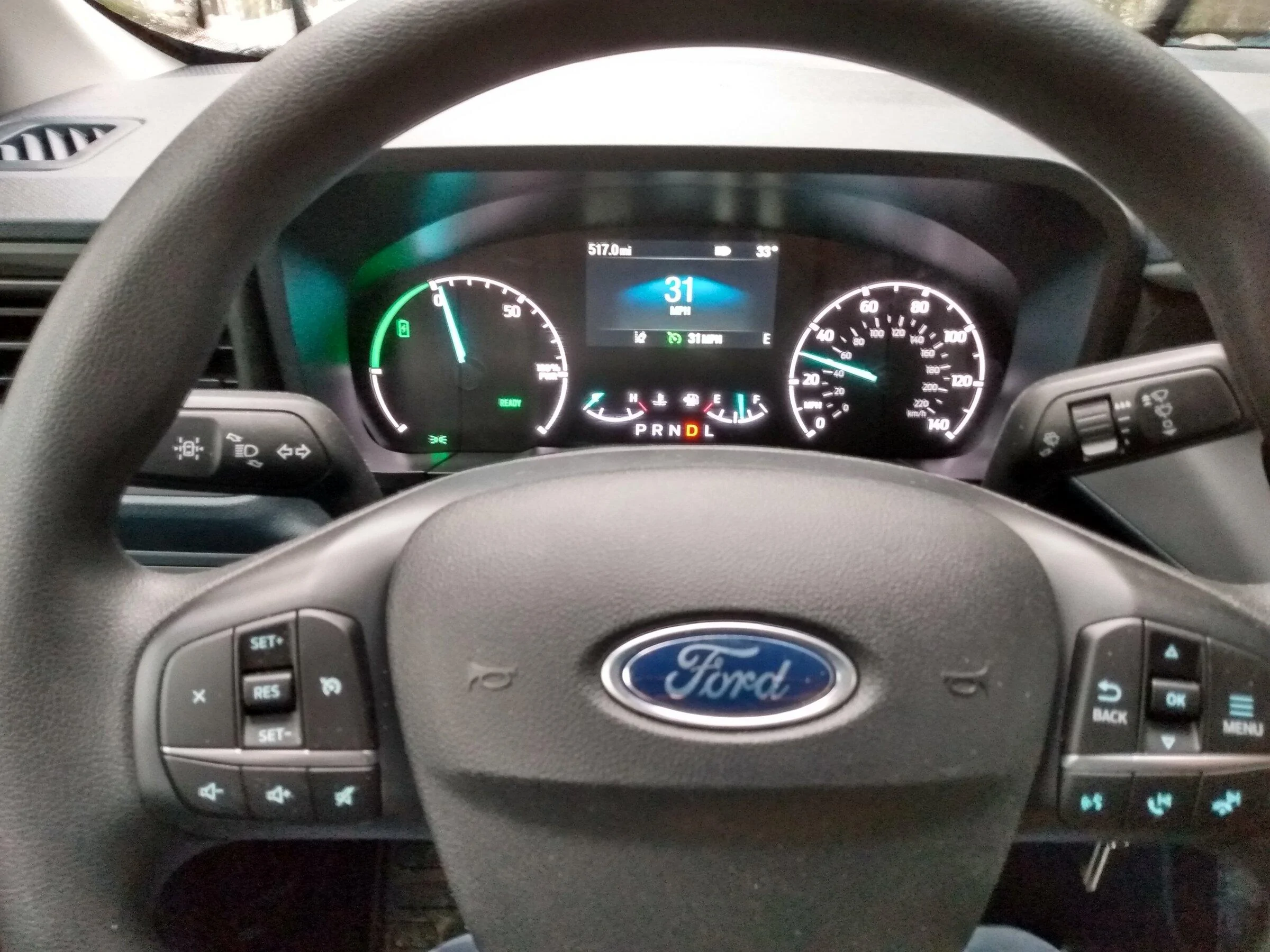
I got it working putting in new switches only, pictures to follow tomorrow if I have time since it is too dark out and the flash obscures the cluster. All the buttons work correctly and I also tested to see if I could activate engineering test mode on the cluster which worked successfully.

Specs on the truck is an XL with AWD, 2.0L ecoboost and 4K tow package.

I wasn't able to get an torque reading on the nut when it was on originally but did torque it to 35 ft lbs. That felt tighter than how it was tightened originally so that should be sufficient pending someone getting a Haynes or shop manual and referencing it there.

For the IPC codes

720-01-02 0227 4093

720-02-01 09E4 2D34 1E96

They have nothing far as I can tell to do with the cruise control and are to enable lane assist in the cluster. If you don't have the turn control switch with it on it or a camera in the windshield it won't work anyways. The cruise control worked fine including the instrument cluster leaving those code lines as built for my truck.

If I have time tomorrow I'll check if the BCM code also needed to be changed or not to make cruise control work. The only code I am confident that did need to be changed was the SCCM Steering Wheel Control Module to correctly activate the switches.
 
Last edited:

Maverick2022XL

2.0L EcoBoost
Well-known member
First Name
name
Joined
Jan 13, 2022
Threads
19
Messages
1,285
Reaction score
1,268
Location
hinterlands
Vehicle(s)
2022 Ford Maverick XL, AWD, 4K tow, 2.0L EcoBoost
Engine
2.0L EcoBoost
To revert the codes to stock, I did it the following. I did a save first of each as built module prior to changing code lines before I went in and made the changes that way. To revert them I had to load the original settings in the saved file I made for the IPC settings then for the lines 720-01-02 and 720-02-01 you have to choose the write option or else it won't change them back.
 
Last edited:

Bushpilot

2.5L Hybrid
Well-known member
First Name
Greg
Joined
Aug 15, 2021
Threads
11
Messages
971
Reaction score
1,839
Location
Spokane, WA
Vehicle(s)
Chevy Volt
Engine
2.5L Hybrid
I got it working putting in new switches only, pictures to follow tomorrow if I have time since it is too dark out and the flash obscures the cluster. All the buttons work correctly and I also tested to see if I could activate engineering test mode on the cluster which worked successfully.

Specs on the truck is an XL with AWD, 2.0L ecoboost and 4K tow package.

I wasn't able to get an torque reading on the nut when it was on originally but did torque it to 35 ft lbs. That felt tighter than how it was tightened originally so that should be sufficient pending someone getting a Haynes or shop manual and referencing it there.

For the IPC codes

720-01-02 0227 4093

720-02-01 09E4 2D34 1E96

They have nothing far as I can tell to do with the cruise control and are to enable lane assist in the cluster. If you don't have the turn control switch with it on it or a camera in the windshield it won't work anyways. The cruise control worked fine including the instrument cluster leaving those code lines as built for my truck.

If I have time tomorrow I'll check if the BCM code also needed to be changed or not to make cruise control work. The only code I am confident that did need to be changed was the SCCM Steering Wheel Control Module to correctly activate the switches.
If/when you report back that the BCM code was not needed on your truck, I will try to revert mine as well, and report here.
 

Maverick2022XL

2.0L EcoBoost
Well-known member
First Name
name
Joined
Jan 13, 2022
Threads
19
Messages
1,285
Reaction score
1,268
Location
hinterlands
Vehicle(s)
2022 Ford Maverick XL, AWD, 4K tow, 2.0L EcoBoost
Engine
2.0L EcoBoost
If/when you report back that the BCM code was not needed on your truck, I will try to revert mine as well, and report here.
You do need it as it turns out. I also found the BCM option in the not as built modules. It is labeled as cruise control. When I changed it to disabled it reverted the as built hex code. When I turned it back on the hex code in the as built section changed to the one listed in the OP write up. You can also set the switches for SCCM the same way. The left switch is option 11 and right switch is option 1 if you don't want to type in the hex codes.
Sponsored

 
Status
Not open for further replies.


Top