
- First Name
- Chris
- Joined
- Jun 14, 2025
- Threads
- 9
- Messages
- 368
- Reaction score
- 342
- Location
- Hawley, Pennsylvania
- Vehicle(s)
- 2025 Ford Maverick Tremor
- Engine
- 2.0L EcoBoost
- Thread starter
- #1
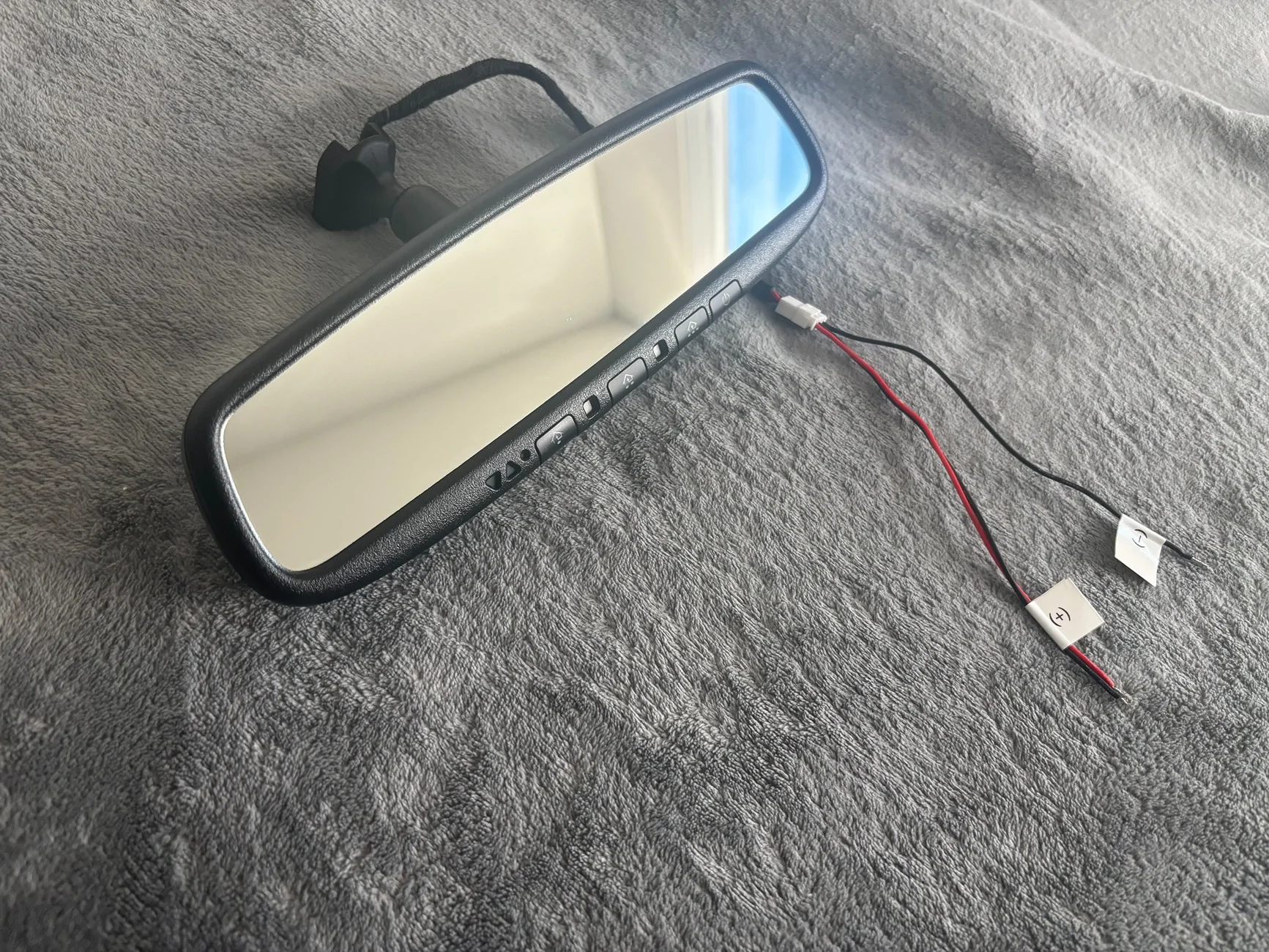
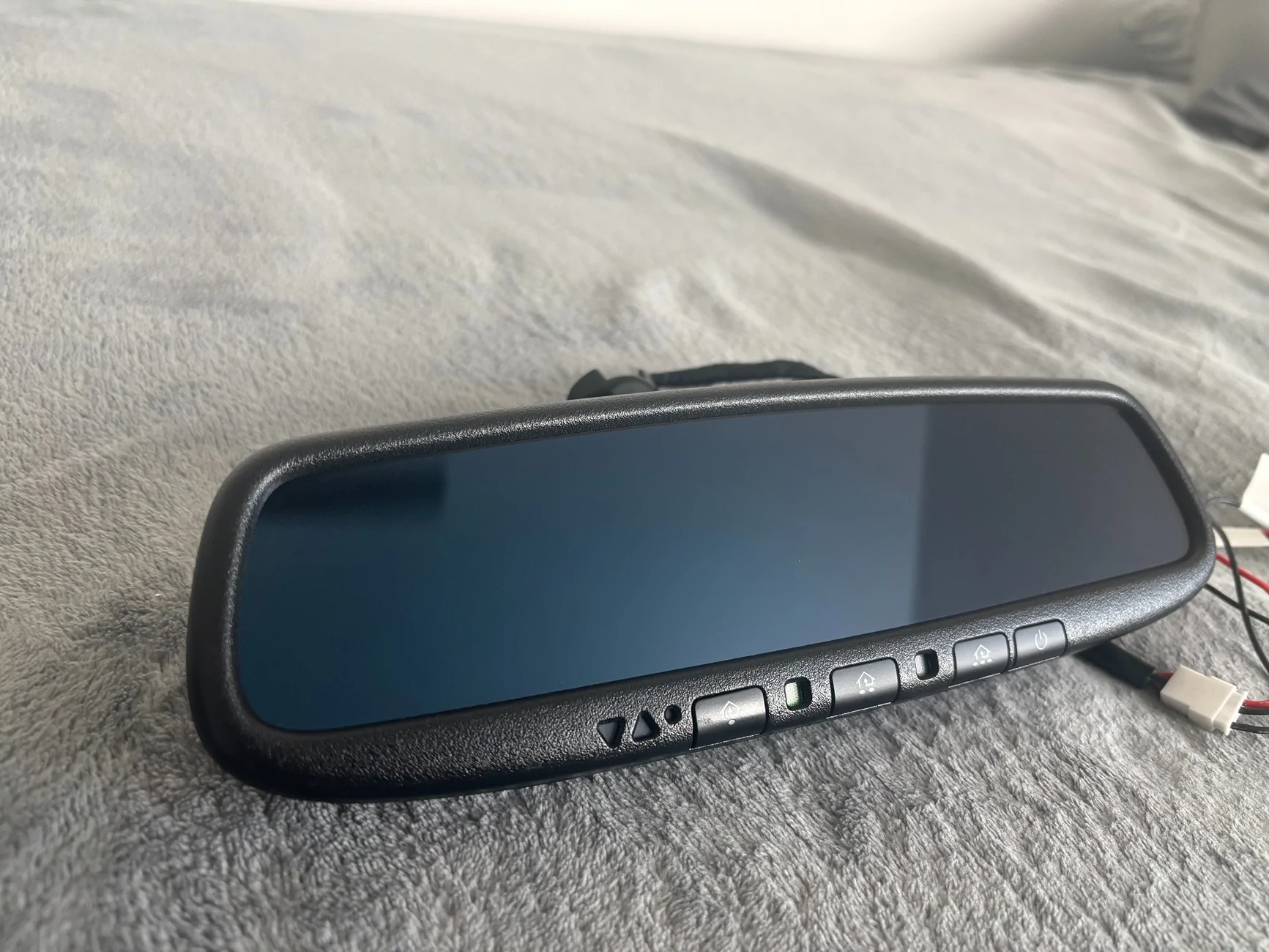
To start I want to give this man a shout out for providing this fantastic wiring harness and auto dimming mirror with garage door opener/compass for the Ford Maverick:
Link to the mirror kit on E-Bay: https://www.ebay.com/itm/126968047760
Link to the mirror kit on Etsy: https://www.etsy.com/listing/186955...d737:a941f37256bb87fe903353213f0dee77ada190db
His install video:
(Just to note, you no longer need to solder those connections shown in the video, the seller does that for you and all that you have to do is click the harness into the existing connections. I was thrilled with this!)
The tldr version of this: I absolutely love this auto dimming mirror and wire harness kit, it’s worth the $176 with taxes/shipping and it’s something that most people can install with minimal experience.
My biggest pet peeve was Ford omitting these features from the Maverick, especially after jacking up the price on it recently. Thankfully this kit here with the instructions provided allows for someone to add on the auto dimming mirror and built in garage doors openers that looks/functions as if it was installed at the factory.
Install was relatively easy, the only tools you need really are the plastic pry tools for removing interior trim panels, I got mine on Amazon for $10 (https://www.amazon.com/dp/B01L8GHB7O?ref=ppx_yo2ov_dt_b_fed_asin_title&th=1). I only needed the pry tool for the black plastic trim piece mounted to the windshield, the overhead light panel/sunglass holder can be removed by opening the sunglasses holder compartment, hooking your hand on the inside and pulling down with a little force.
I would also recommend having a drill with a 1/4” bit, in the video the man used wire cutters to make a channel but I saw elsewhere someone running a drill bit on its side against the plastic and it makes a much cleaner cut that looks like it’s there by design, you won’t see it after everything is up but I am a bit of a stickler about things looking nice.
Just to note, that black panel on the windshield has some plastic cable that prevents it from falling, I couldn’t figure out how to remove it without damaging it so I left it on while I drilled that channel, then the panel fell off the wire, I couldn’t get the cable back into it’s mount so I left it off when I reattached the panel.
After connecting the wire harness and mirror everything powered up, my overhead lights continued to work and I didn’t get any electrical issues or alerts from the car. The mirror continues to stay on after locking the car for 15-20 minutes, then powers off when accessory power goes off. I don’t know if the Homelink garage door opener buttons are still powered after this point, as I know an always hot wire exist up there but I don’t know if the harness is setup to take advantage of that. I’m fine with the Homelink being completely powered down with the car off as I often park on the side of my garage.
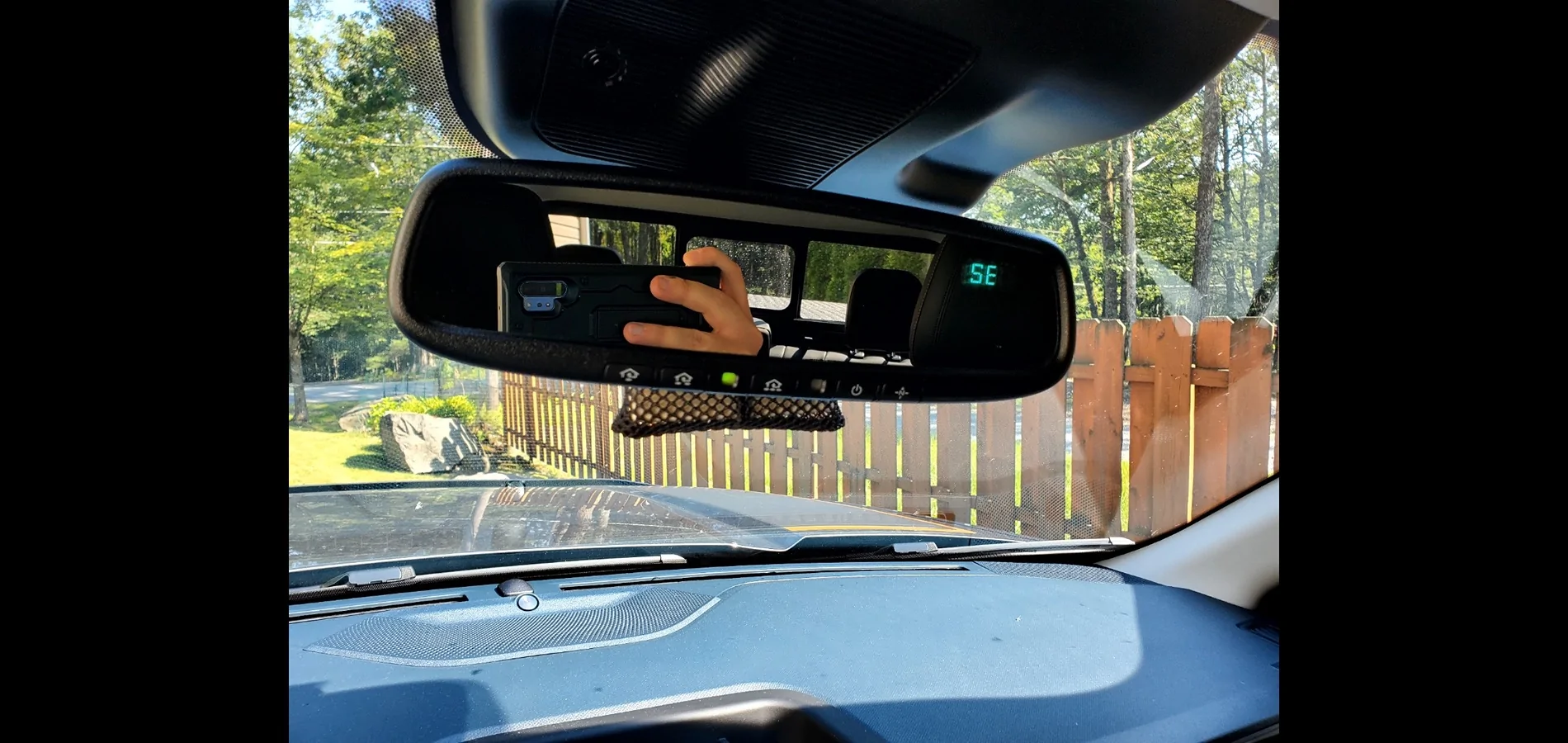
After that, getting the Homelink/garage door openers programmed to my equipment took about 5 minutes. I used the wireless remotes to program them, as that took less effort compared to getting to my garage door openers learn buttons. I had to calibrate the compass manually, you have to set what zone you are in North America using the map in the instructions and then drive around in circles 3 times at below 5 MPH before the display goes from “C” for calibration to displaying which direction your facing. I had some issues here, I did it 6 times in one spot and it wouldn’t calibrate, I changed to a bigger parking lot and did it 3 times, then it worked. This parking lot had less trees overhead and was wider, I am unsure if this mirror tells your direction from GPS or has a magnetic sensor that picks up the Earth‘s magnetic field.
After that I tested the auto dimming with a flash light and the mirror dimmed. So now it’s fully setup, I am happy with the function and look of it, looking at it from inside and outside the windshield it looks like Ford put it there from the factory. Lastly, the seller gave you the option of a frameless auto dimming mirror with the Homelink buttons tucked under it, I didn’t like how it looked since it seemed like it had a gaudy silver finish and cost more money. However, the seller makes wiring harnesses with additional connectors for other accessories, I paid the extra $12 to get the female USB port in case I decide to ever get a camera or radar detector, I might never use it but it’s there under the plastic trim if I decide I need it, the female USB also glows red from the socket to show it’s powered.
Thats it, I am quite happy with how this turned out and added features back that I expected to be standard relatively cheaply and easily.
Link to the mirror kit on E-Bay: https://www.ebay.com/itm/126968047760
Link to the mirror kit on Etsy: https://www.etsy.com/listing/186955...d737:a941f37256bb87fe903353213f0dee77ada190db
His install video:
(Just to note, you no longer need to solder those connections shown in the video, the seller does that for you and all that you have to do is click the harness into the existing connections. I was thrilled with this!)
The tldr version of this: I absolutely love this auto dimming mirror and wire harness kit, it’s worth the $176 with taxes/shipping and it’s something that most people can install with minimal experience.
My biggest pet peeve was Ford omitting these features from the Maverick, especially after jacking up the price on it recently. Thankfully this kit here with the instructions provided allows for someone to add on the auto dimming mirror and built in garage doors openers that looks/functions as if it was installed at the factory.
Install was relatively easy, the only tools you need really are the plastic pry tools for removing interior trim panels, I got mine on Amazon for $10 (https://www.amazon.com/dp/B01L8GHB7O?ref=ppx_yo2ov_dt_b_fed_asin_title&th=1). I only needed the pry tool for the black plastic trim piece mounted to the windshield, the overhead light panel/sunglass holder can be removed by opening the sunglasses holder compartment, hooking your hand on the inside and pulling down with a little force.
I would also recommend having a drill with a 1/4” bit, in the video the man used wire cutters to make a channel but I saw elsewhere someone running a drill bit on its side against the plastic and it makes a much cleaner cut that looks like it’s there by design, you won’t see it after everything is up but I am a bit of a stickler about things looking nice.
Just to note, that black panel on the windshield has some plastic cable that prevents it from falling, I couldn’t figure out how to remove it without damaging it so I left it on while I drilled that channel, then the panel fell off the wire, I couldn’t get the cable back into it’s mount so I left it off when I reattached the panel.
After connecting the wire harness and mirror everything powered up, my overhead lights continued to work and I didn’t get any electrical issues or alerts from the car. The mirror continues to stay on after locking the car for 15-20 minutes, then powers off when accessory power goes off. I don’t know if the Homelink garage door opener buttons are still powered after this point, as I know an always hot wire exist up there but I don’t know if the harness is setup to take advantage of that. I’m fine with the Homelink being completely powered down with the car off as I often park on the side of my garage.
After that, getting the Homelink/garage door openers programmed to my equipment took about 5 minutes. I used the wireless remotes to program them, as that took less effort compared to getting to my garage door openers learn buttons. I had to calibrate the compass manually, you have to set what zone you are in North America using the map in the instructions and then drive around in circles 3 times at below 5 MPH before the display goes from “C” for calibration to displaying which direction your facing. I had some issues here, I did it 6 times in one spot and it wouldn’t calibrate, I changed to a bigger parking lot and did it 3 times, then it worked. This parking lot had less trees overhead and was wider, I am unsure if this mirror tells your direction from GPS or has a magnetic sensor that picks up the Earth‘s magnetic field.
After that I tested the auto dimming with a flash light and the mirror dimmed. So now it’s fully setup, I am happy with the function and look of it, looking at it from inside and outside the windshield it looks like Ford put it there from the factory. Lastly, the seller gave you the option of a frameless auto dimming mirror with the Homelink buttons tucked under it, I didn’t like how it looked since it seemed like it had a gaudy silver finish and cost more money. However, the seller makes wiring harnesses with additional connectors for other accessories, I paid the extra $12 to get the female USB port in case I decide to ever get a camera or radar detector, I might never use it but it’s there under the plastic trim if I decide I need it, the female USB also glows red from the socket to show it’s powered.
Thats it, I am quite happy with how this turned out and added features back that I expected to be standard relatively cheaply and easily.
Sponsored
Last edited:


 and had to buy a new one so avoid my mistake.