
- First Name
- David
- Joined
- Dec 8, 2024
- Threads
- 36
- Messages
- 138
- Reaction score
- 589
- Location
- So. Calif.
- Vehicle(s)
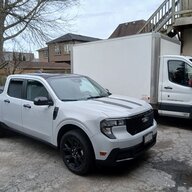
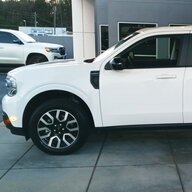
- 2025 Maverick Hybrid
- Engine
- 2.5L Hybrid
- Thread starter
- #1
Drawing on insights from Maverick newsgroups, owner forums, trade publications, and official Ford resources, here are some useful tricks, tips, and hacks for the Ford Maverick.
Got another one? Disagree with something? Please comment... YMMV
Got another one? Disagree with something? Please comment... YMMV
— General Driving Hacks
- Reverse Camera for Precision Parking
Use the reverse camera when pulling into your garage. Stop when you see the garage slab lip appear over the bumper, ensuring maximum space in front and safe clearance for the garage door. - Infotainment System Reset
If your infotainment screen freezes or Android Auto malfunctions, hold the radio power on/off button and the skip track forward button simultaneously to force a system reset. - Auto Park and Brake Release
You don't need to manually shift into Park before switching off the ignition. The Maverick will automatically shift to Park when you turn the vehicle off, even if left in Drive or Reverse. You don't even need to turn the car off. As long as the car is stopped, if you open the door, the car will automatically shift to park. - Auto Hold Feature
Engage the Auto Hold button (if equipped) to keep the vehicle stationary at stops without keeping your foot on the brake. Pressing the accelerator releases the hold.
— Fuel Efficiency and Hybrid-Specific Tips
- Maximize EV Mode (Hybrid)
To stay in electric-only mode as much as possible, accelerate slowly and use cruise control. Once at speed, back off the cruise control by 1–2 mph to encourage the hybrid system to use battery power. Modulate the accelerator to keep power usage at about 10% or less for extended EV driving. - Optimal MPG Driving
Owners report achieving close to 60 mpg by cruising at 40 mph or less and using gentle acceleration. Averaging 45 mpg is possible with careful driving.
— Comfort and Convenience
- Sound System Improvement
Enhance the base sound system by switching the sound mode from 'passenger' to 'driver' and adjusting the balance to favor the dashboard tweeters. This tweak can noticeably improve audio quality. - Seat Warmer as Food Warmer
Use the passenger seat heater to keep takeout food warm on the drive home. Secure the food with the seatbelt to prevent spills.
— Tech and Customization
- Disable Automatic High Beams
If you find the automatic high beams activate too readily, you can temporarily disable them by pulling the turn signal lever towards you while the headlights are on. Permanent deactivation can be done through the vehicle settings in the screen menu. - Backup Camera Zoom
When using the backup camera, tap the "+" icon in the upper left corner of the screen to switch to a straight-down view—useful for hitching assist or parking.
Sponsored