- Joined
- Feb 26, 2024
- Threads
- 44
- Messages
- 1,441
- Reaction score
- 1,658
- Location
- United States
- Vehicle(s)
- 2024 Ford Maverick XL
- Engine
- 2.0L EcoBoost
- Thread starter
- #1
Hey everyone!
So I have just been digging through this Maverick Hex Code Spreadsheet (mostly the IPC section) and I found a few more useful coding changes for the 4 inch Cluster in addition to my ORIGINAL THREAD. I will list the coding and pictures below.
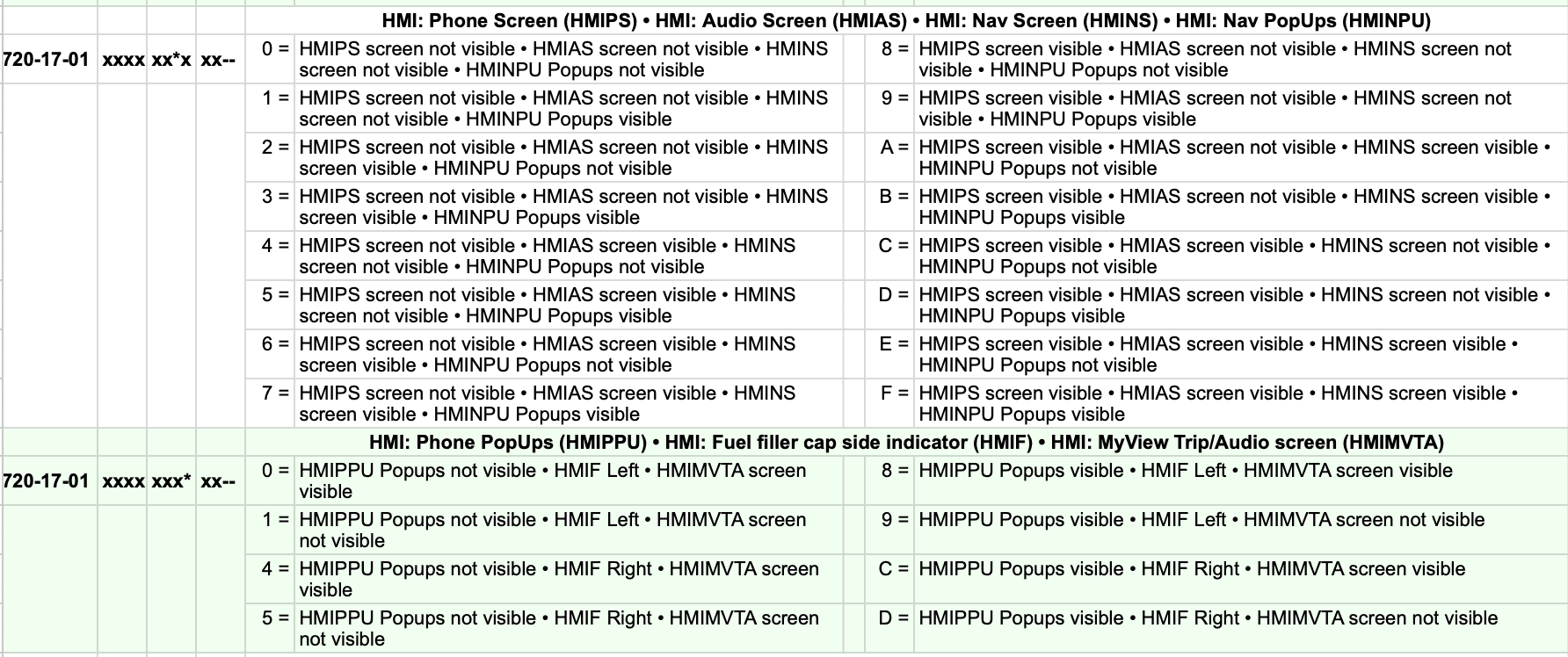
ENABLE OR DISABLE PHONE, AUDIO AND NAV SCREEN
1. OPEN IPC AS BUILT
2. Go to 720-17-01
3. Change the seventh digit based on this guide below
DISABLE ALL "0" xxxx-xx0x-xxxx
ENABLE ALL "F" xxxx-xxFx-xxxx
(Factory Coding Below)
PHONE AND AUDIO ENABLED, NAV DISABLED "C" xxxx-xxCx-xxxx
I THINK NAV SCREEN ONLY WORKS WITH SYNC WHICH IS LARIAT ONLY. IT CURRENTLY SHOWS A COMPASS BECAUSE I DONT HAVE SYNC
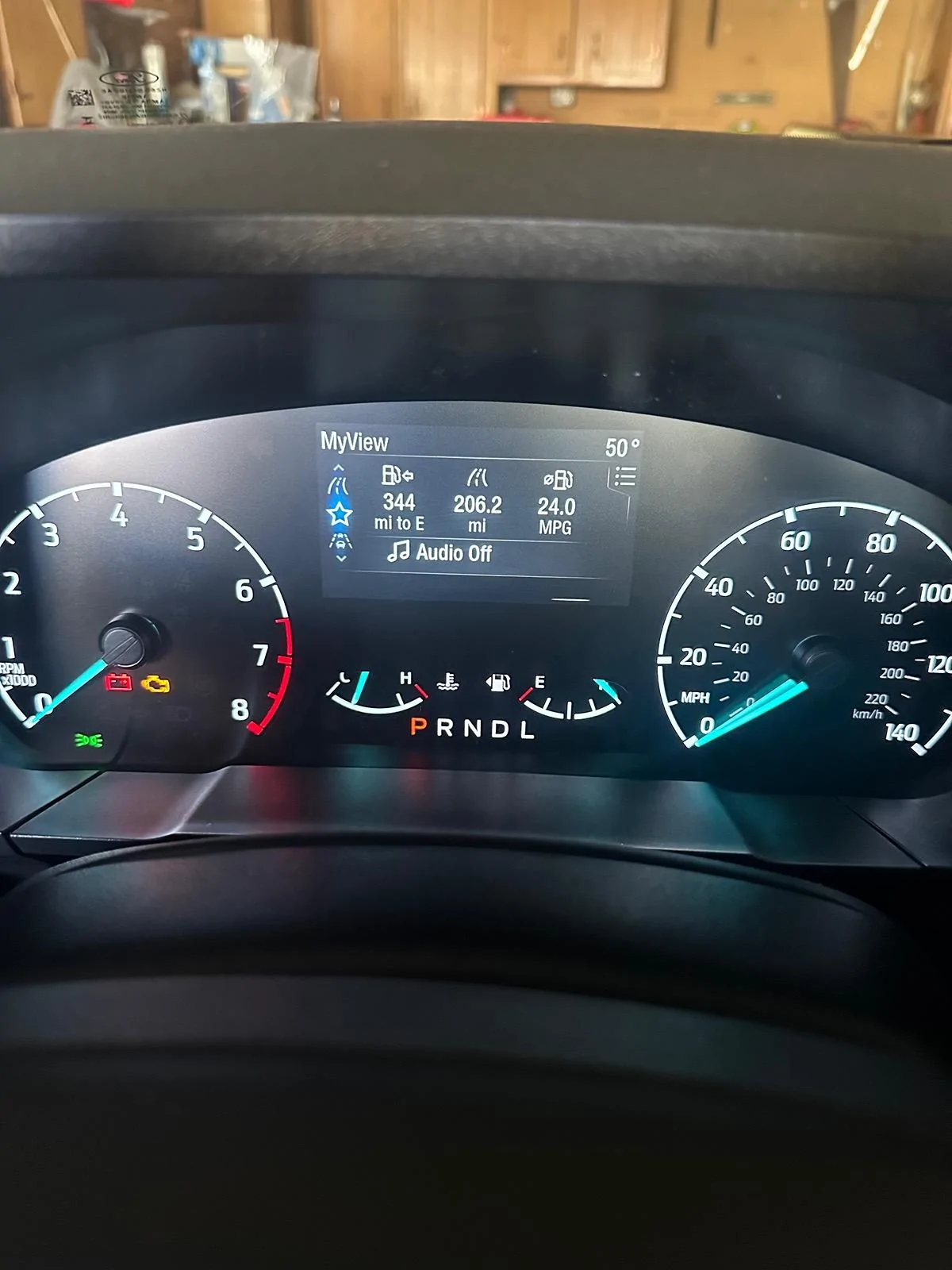
ENABLE TRIP/AUDIO MY VIEW SCREEN
1. OPEN IPC AS BUILT
2. Go to 720-17-01
3. Change the eighth digit to a "8" as shown below. (Factory coding is a "9")
xxxx-xxx8-xxxx
CHANGE YOUR DEFAULT MYVIEW SCREEN
1. OPEN IPC AS BUILT
2. Go to 720-17-02
3. Change the second digit based on the guide below
(Factory Coding) Digital SPEEDO "0" x0xx-xxxx
FUEL ECONOMY "1" x1xx-xxxx
TRIP/AUDIO "2" x2xx-xxxx
CALM SCREEN "3" x3xx-xxxx
ECO COACH "4" x4xx-xxxx
FORD PERFORMANCE "5" x5xx-xxxx
UPDATE: JUST FOUND A NEW CODING TO TRY TO ENABLE TURN BY TURN DIRECTIONS IN THE CLUSTER
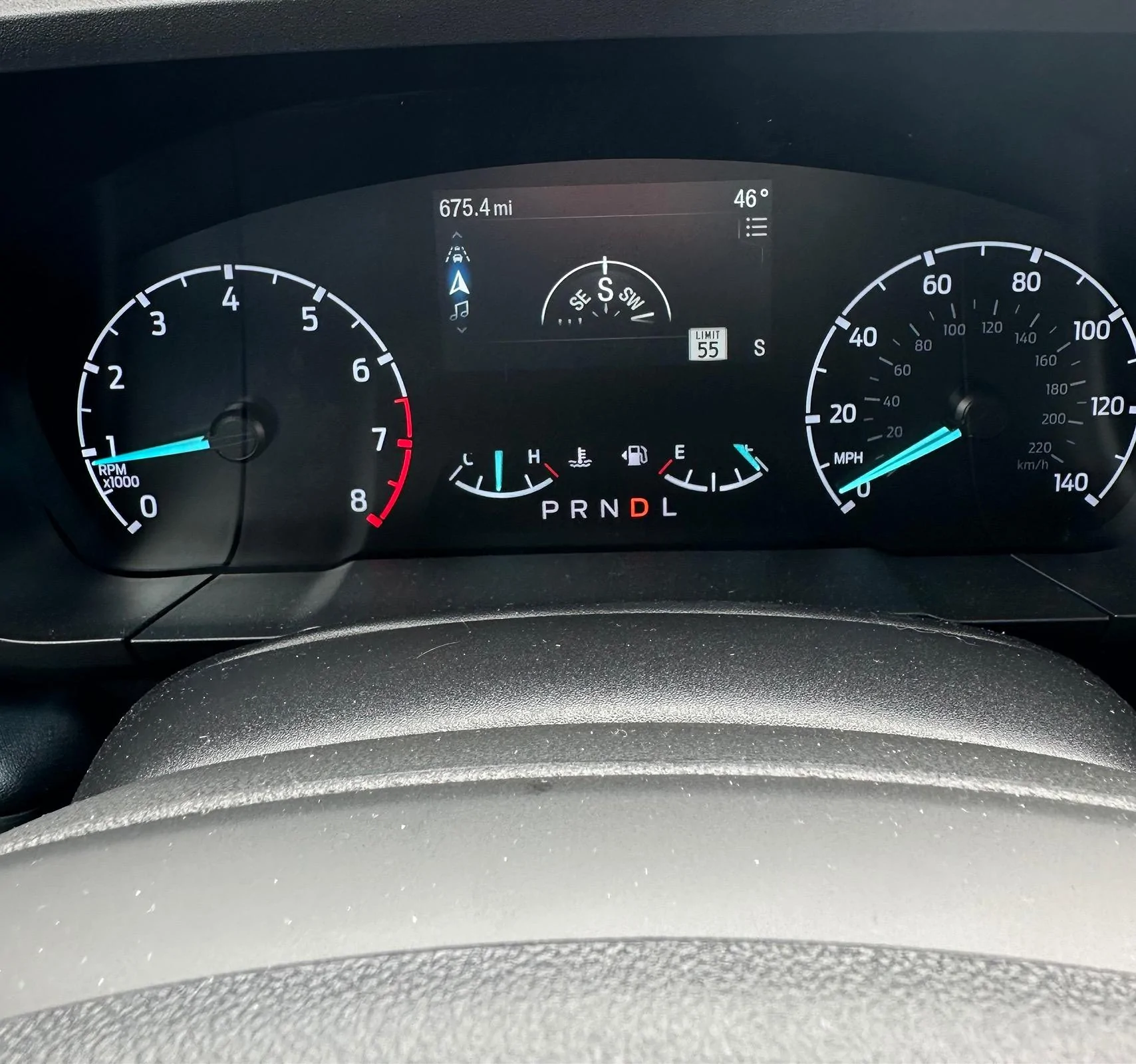
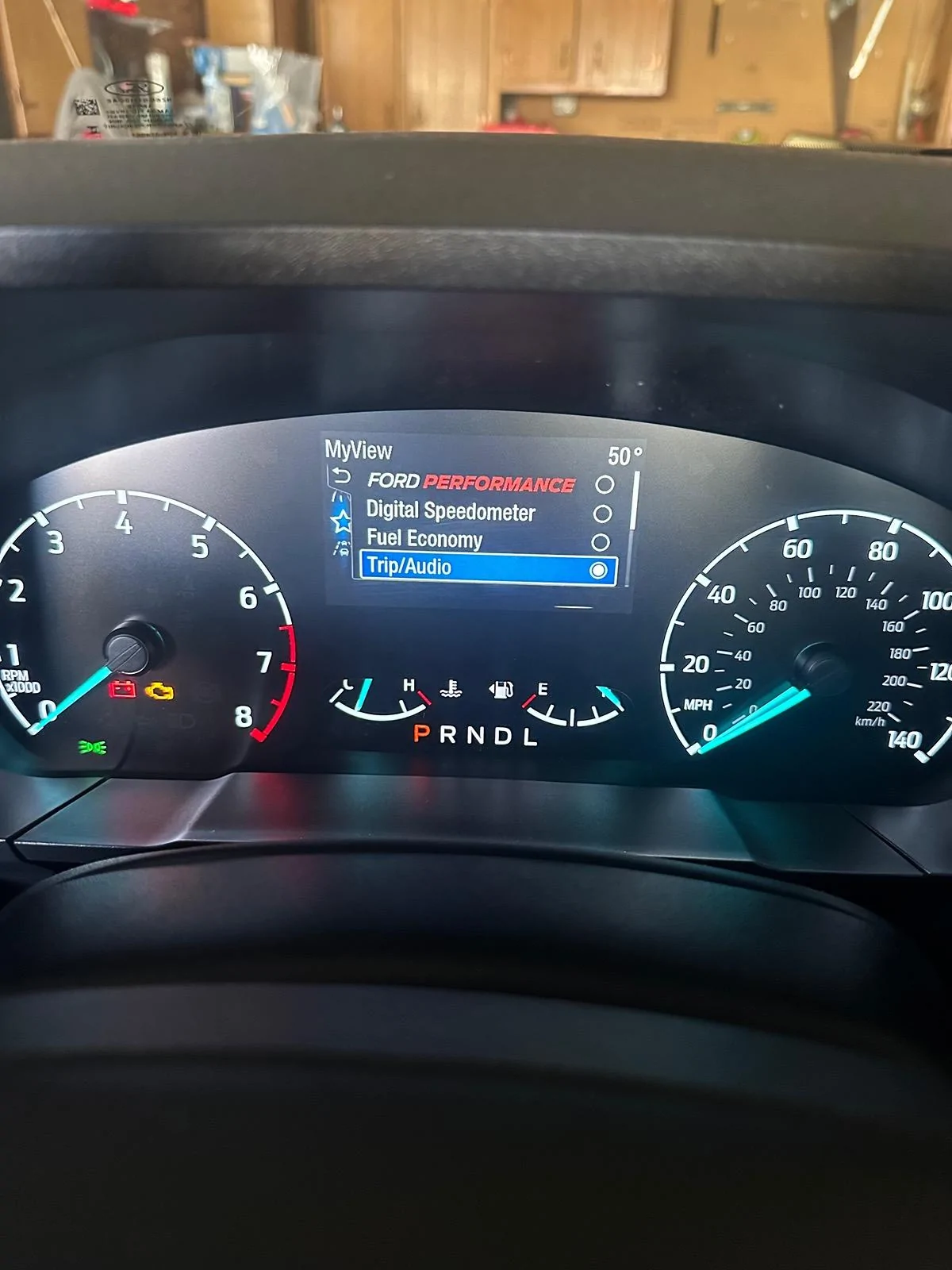

So I have just been digging through this Maverick Hex Code Spreadsheet (mostly the IPC section) and I found a few more useful coding changes for the 4 inch Cluster in addition to my ORIGINAL THREAD. I will list the coding and pictures below.
ENABLE OR DISABLE PHONE, AUDIO AND NAV SCREEN
1. OPEN IPC AS BUILT
2. Go to 720-17-01
3. Change the seventh digit based on this guide below
DISABLE ALL "0" xxxx-xx0x-xxxx
ENABLE ALL "F" xxxx-xxFx-xxxx
(Factory Coding Below)
PHONE AND AUDIO ENABLED, NAV DISABLED "C" xxxx-xxCx-xxxx
I THINK NAV SCREEN ONLY WORKS WITH SYNC WHICH IS LARIAT ONLY. IT CURRENTLY SHOWS A COMPASS BECAUSE I DONT HAVE SYNC
ENABLE TRIP/AUDIO MY VIEW SCREEN
1. OPEN IPC AS BUILT
2. Go to 720-17-01
3. Change the eighth digit to a "8" as shown below. (Factory coding is a "9")
xxxx-xxx8-xxxx
CHANGE YOUR DEFAULT MYVIEW SCREEN
1. OPEN IPC AS BUILT
2. Go to 720-17-02
3. Change the second digit based on the guide below
(Factory Coding) Digital SPEEDO "0" x0xx-xxxx
FUEL ECONOMY "1" x1xx-xxxx
TRIP/AUDIO "2" x2xx-xxxx
CALM SCREEN "3" x3xx-xxxx
ECO COACH "4" x4xx-xxxx
FORD PERFORMANCE "5" x5xx-xxxx
UPDATE: JUST FOUND A NEW CODING TO TRY TO ENABLE TURN BY TURN DIRECTIONS IN THE CLUSTER
Sponsored
Last edited: