Sponsored

Work-around for CarPlay

rtucker5612

2.5L Hybrid
Member
First Name
Roger
Joined
Jan 31, 2022
Threads
4
Messages
19
Reaction score
19
Location
Memphis, TN
Vehicle(s)
2022 Maverick XL
Engine
2.5L Hybrid
So I’ve had an ongoing issue with CarPlay. When I would connect initially, if someone called me, they could not hear me. I could hear them, though. I’ve not been able to get a fix for that. I’ve updated the software on both the truck and my phone. However, today I tried something that seems to work. When I initially connect to CarPlay, I say, “Hey, Siri.” That seems to activate the microphone, then when someone calls me, they can hear me first time. So now, when I get in the truck, I plug my phone in to start up CarPlay and say “Hey Siri” and then I go about my business and if someone calls me, they can hear me.
Sponsored


 

HizJohnny

2.0L EcoBoost
Well-known member
Joined
Dec 12, 2023
Threads
3
Messages
45
Reaction score
47
Location
Texas
Vehicle(s)
2024 Ford Maverick AWD FX4 4KTOW
Engine
2.0L EcoBoost
Clubs
 
Thank you for sharing this! I’ve had a weird issue also where sometimes when I connect my phone it won’t go straight to apple carplay mode. I have to open maps or YouTube music right after I plug in my phone to activate apple carplay 🤣
 

Space

2.5L Hybrid
Well-known member
First Name
Roger
Joined
Oct 4, 2023
Threads
11
Messages
110
Reaction score
80
Location
Brandon, Florida
Vehicle(s)
Ford Maverick Lariat
Engine
2.5L Hybrid
I have found the iPhone has operating issues associated with multiple applications running at the same time. Most officials recommend not closing apps that are commonly used, but I have found issues evolve that require reboot. Also note there seems to be a background background phenomenon where an application is running but not visible. Open it and close it to terminate all activity. In addition updates in waiting also cause iPhone problems. Resolve these items and you might (and I do me might) not have to tickle mic with an “Hey Siri” iteration.
 

Franklin

2.0L EcoBoost
Well-known member
First Name
Frank
Joined
Jul 22, 2022
Threads
1
Messages
45
Reaction score
67
Location
Cleveland Ohio
Vehicle(s)
Ford Maverick
Engine
2.0L EcoBoost
Clubs
 
Replacing my 3rd party cable with a genuine Apple cable resolved several issues that I was having. Same goes for our Chevy Blazer.
 

mdsalemi

2.5L Hybrid
Well-known member
First Name
Michael
Joined
Aug 1, 2023
Threads
10
Messages
182
Reaction score
221
Location
Davidson NC
Vehicle(s)
2023 Maverick Lariat Hybrid
Engine
2.5L Hybrid
Per @Franklin while I don't subscribe to the "buy Apple cable" at their good as gold pricing (and they are made NO BETTER than and last NO LONGER than any other cables) I have found that sometimes any cable just stops working well. In that case, if it gives you repeated problems, THROW IT OUT. Don't put it in a drawer and save for later. In the trash. Plenty of good luck with some cables from Amazon, robust braided covers.

Sometimes reversing the lightning cable works, which tells me it could be dirt or dust inside the phone connector. Keep them clean though it's not easy with the phones moving from pocket to pocket.

I also try NOT to have so many applications running when I'm doing a long distance drive in the car. That app you opened two weeks ago? Close it. The only apps I keep running when on a long drive are Waze, Messages, Pandora and Apple Music and sometimes WhatsApp.

I've had all "connected Ford" products since the 1st generation Sync way back when. Most of the time they work the way they are supposed to. But every now and then CarPlay won't start up the way it's supposed to. Lately I've had a few black screens when nothing shows up. Usually stopping the car, turning everything off, opening the door and then closing it and starting again seems to fix the issues.
 

Sponsored

Halo9x

2.0L EcoBoost
Well-known member
First Name
Hal
Joined
May 4, 2023
Threads
2
Messages
823
Reaction score
692
Location
Abilene, TX
Vehicle(s)
Maverick XLT 2023
Engine
2.0L EcoBoost
Clubs
 
So I’ve had an ongoing issue with CarPlay. When I would connect initially, if someone called me, they could not hear me. I could hear them, though. I’ve not been able to get a fix for that. I’ve updated the software on both the truck and my phone. However, today I tried something that seems to work. When I initially connect to CarPlay, I say, “Hey, Siri.” That seems to activate the microphone, then when someone calls me, they can hear me first time. So now, when I get in the truck, I plug my phone in to start up CarPlay and say “Hey Siri” and then I go about my business and if someone calls me, they can hear me.
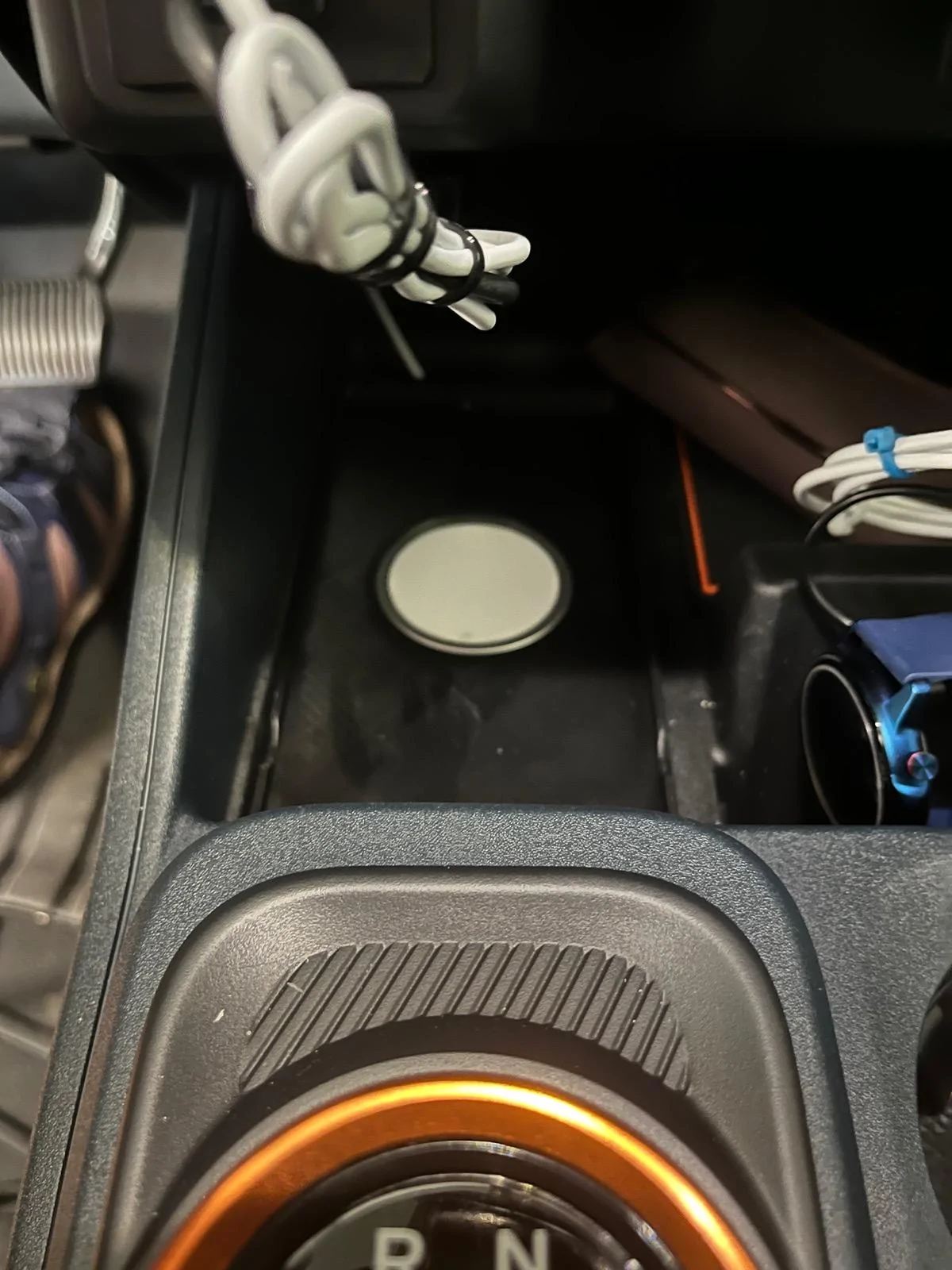
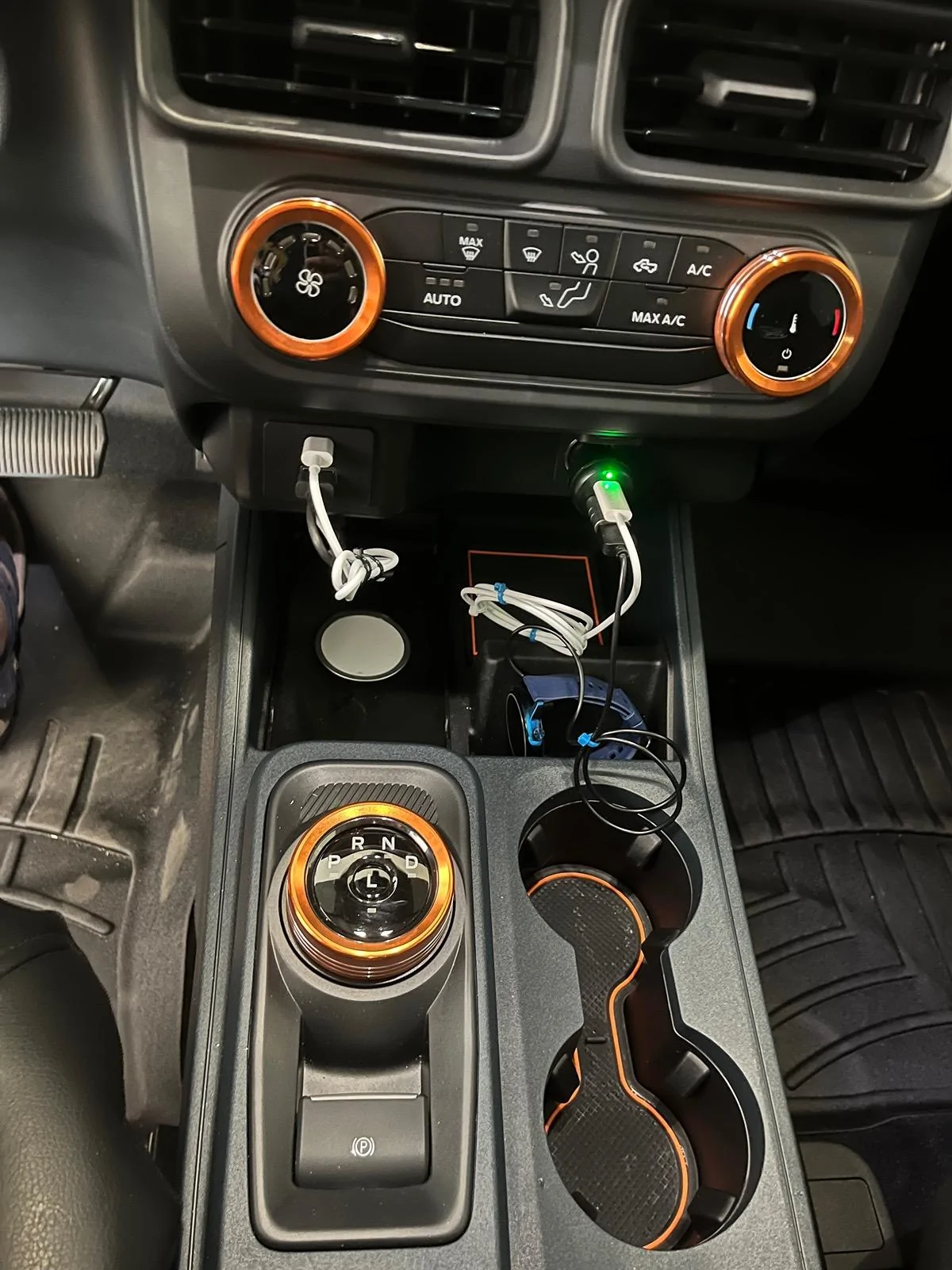
I'm done with cables and went wireless for both CarPlay and charging. While not as pretty as built in, my solution works. The Carlinkit is out of sight because I used Uglue to stick it to the top of the cubby area. The black cable is the Carlinkit while the white cable is the MagSafe charger. I found an adapter for the charger on Etsy.

Ford Maverick Work-around for CarPlay IMG_0155


Ford Maverick Work-around for CarPlay IMG_0158
Sponsored


Top