
- First Name
- Rough
- Joined
- Jan 9, 2022
- Threads
- 5
- Messages
- 682
- Reaction score
- 820
- Location
- Torrance, CA 90503
- Vehicle(s)
- Down to just the Mav
- Engine
- 2.5L Hybrid
- Thread starter
- #1
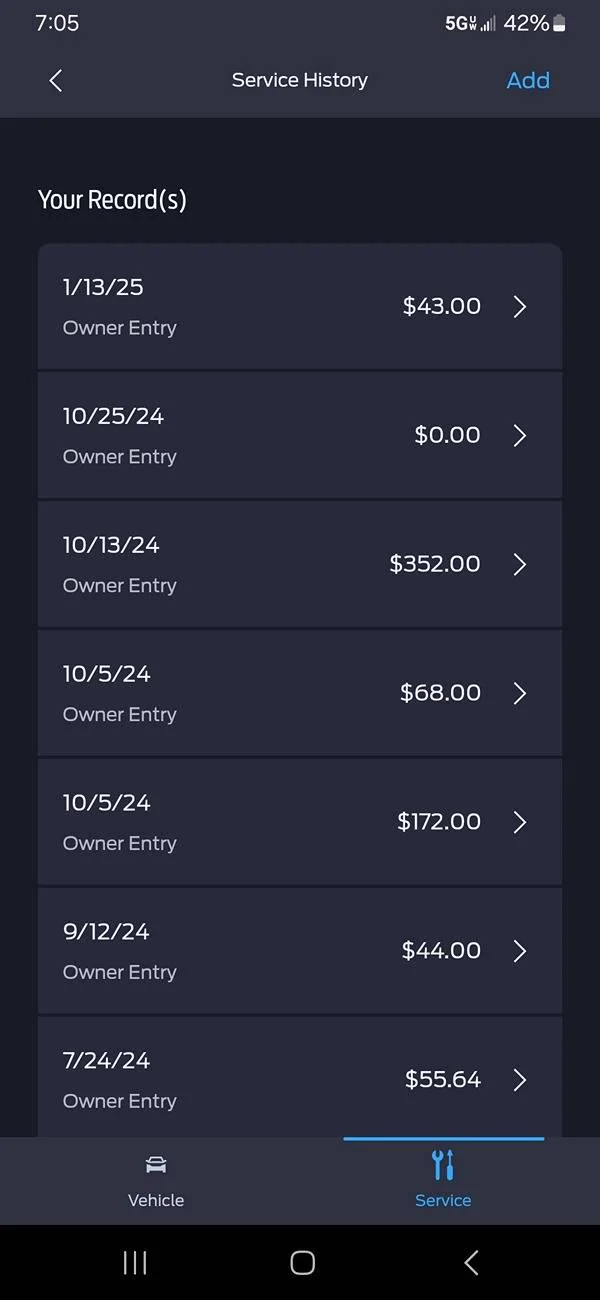
FordPass supports an online service history database showing maintenance and repairs done to your vehicle. You can view this history with the phone app, but adding a record must be done through a computer browser. I used Google Chrome under Windows 10 by logging in to my account HERE. For newbies, you can find step-by-step instructions HERE.
Each service record is not very detailed, offering a limited subset of maintenance & repair actions in a list of check boxes. For example, the entries by my dealer for PDI and firmware recalls simply say "Other" with no details present. Normal scheduled services are limited to "Oil Change" and "Filter Replacement", so if you want to document the distinction between the engine oil and cabin air filters, you must put this in the NOTES section.
At my second oil change, I wanted to enter details on the oil used & filters replaced, as well as tire rotation direction and tread depth. When I filled out the form and clicked the SAVE button, I saw the error message, "Oops! Something went wrong adding your entry. Please refresh and try again later." I retried my action many times over several weeks before contacting the FordPass Support line at 800-883-2966. Eventually, the Ford rep and I discovered that the NOTES field accepts user text that will throw an error during processing into the database. If you have a similar experience, try weeding out these potential troublemakers. We did not have time to verify all potential causes, but the current list of suspects include:
Each service record is not very detailed, offering a limited subset of maintenance & repair actions in a list of check boxes. For example, the entries by my dealer for PDI and firmware recalls simply say "Other" with no details present. Normal scheduled services are limited to "Oil Change" and "Filter Replacement", so if you want to document the distinction between the engine oil and cabin air filters, you must put this in the NOTES section.
At my second oil change, I wanted to enter details on the oil used & filters replaced, as well as tire rotation direction and tread depth. When I filled out the form and clicked the SAVE button, I saw the error message, "Oops! Something went wrong adding your entry. Please refresh and try again later." I retried my action many times over several weeks before contacting the FordPass Support line at 800-883-2966. Eventually, the Ford rep and I discovered that the NOTES field accepts user text that will throw an error during processing into the database. If you have a similar experience, try weeding out these potential troublemakers. We did not have time to verify all potential causes, but the current list of suspects include:
- Reserved characters
- Line breaks (multiple lines of text)
- Certain punctuation (TBD)
- Too much text (guess >250 chars max)
Sponsored