
Sponsored

Phimosis

2.0L EcoBoost
Well-known member
First Name
Larry
Joined
Jul 18, 2024
Threads
2
Messages
1,180
Reaction score
1,517
Location
Santa Clarita, CA
Vehicle(s)
2024 Maverick Lariat FX4 4K tow
Engine
2.0L EcoBoost
Agree with this. The way to get rid of that error is to keep a running total of both miles traveled and fuel added to the tank. It doesn't matter if it's full or not. The more readings you get, the less the error.
Keep two columns (spreadsheet makes it easy) one labeled "Miles Traveled Since Last Fill" and the other "Fuel added at This Fill".
Keep a running sum and you will see that you average MPG gets very accurate.
I’ve never messed with the AFE, because I’ve never been motivated to spend the time and money to get an ODB scanner or Forscan, or whatever the other options are.

But what I can say, is that the trip meter is always off. It always tells me that I am getting 2-3 mpg better than what I am actually getting. Summer blend, winter blend, hot, cold, city driving, freeway, regular, premium, it doesn’t matter. It is always overly optimistic.
Sponsored

 

Bill Quattlebaum

2.0L EcoBoost
Well-known member
First Name
Bill
Joined
Jan 4, 2023
Threads
27
Messages
698
Reaction score
849
Location
Blackville, SC
Vehicle(s)
2024 Maverick XL, Ecoboost 2.0
Engine
2.0L EcoBoost
It's not going to get more accurate unless you adjust the AFE bias. I agree that the more pump calculations you do, the more accurate your mpg will be. The computer readings on my truck were always higher than the pump calculations until I lowered the AFE bias.
 

HeyBales

2.5L Hybrid
Well-known member
First Name
Mike
Joined
May 3, 2024
Threads
4
Messages
4,827
Reaction score
4,375
Location
KC Metro area
Vehicle(s)
2005 Toyota RAV4, 2024 XLT Hybrid
Engine
2.5L Hybrid
I'm not sure about that. I use actual mpg divided by computer mpg to get AFE bias number. In your example it's saying the reading is optimistic by 11.2 percent. When I first checked mine, it was off by about 6.5 percent and has improved some since then. I haven't heard of anyone's being off by that much. I think it would be better if Ford would just set it at 950 at the factory.
But if the displayed computer MPG in your formula was already an adjusted figure, you need to account for that when redoing the math.
During certain seasons I could see it going way off.
Then again - my last 3 fillups avg did go to 950 from 964 - using the adjustment formula version.
 

SteveM

2.5L Hybrid
Well-known member
First Name
Steve
Joined
Sep 14, 2022
Threads
11
Messages
122
Reaction score
221
Location
Maryland USA
Vehicle(s)
2018 Silverado, 2025 Eruption Green Lariat Hybrid
Engine
2.5L Hybrid
How does this work for a 2025 Lariat? Is there a different process to get to the ET Mode? Mine won't do it. Just keeps bouncing between power on notifications like the seat belt warning, and press brake to start....
 

Bill Quattlebaum

2.0L EcoBoost
Well-known member
First Name
Bill
Joined
Jan 4, 2023
Threads
27
Messages
698
Reaction score
849
Location
Blackville, SC
Vehicle(s)
2024 Maverick XL, Ecoboost 2.0
Engine
2.0L EcoBoost
How does this work for a 2025 Lariat? Is there a different process to get to the ET Mode? Mine won't do it. Just keeps bouncing between power on notifications like the seat belt warning, and press brake to start....
If you look up AFE Bias on this site you will see a procedure to use to adjust AFE bias and getting into the ET Mode. You don"t have to crank the vehicle. On my XL you just hold down the ok button for 5 to 7 seconds, then turn the key to the accessory position, and the ET mode will flash on the screen. When the ET mode comes up, then you can let go of the ok button and follow the other steps listed to adjust the AFE bias. Hope this helps.
 

Sponsored

Bill Quattlebaum

2.0L EcoBoost
Well-known member
First Name
Bill
Joined
Jan 4, 2023
Threads
27
Messages
698
Reaction score
849
Location
Blackville, SC
Vehicle(s)
2024 Maverick XL, Ecoboost 2.0
Engine
2.0L EcoBoost
I’ve never messed with the AFE, because I’ve never been motivated to spend the time and money to get an ODB scanner or Forscan, or whatever the other options are.

But what I can say, is that the trip meter is always off. It always tells me that I am getting 2-3 mpg better than what I am actually getting. Summer blend, winter blend, hot, cold, city driving, freeway, regular, premium, it doesn’t matter. It is always overly optimistic.
You don't have to spend any money or get a scanner to adjust AFE bias. The mpg is usually optimistic because the bias is set at 1,000 at the factory. That is why your vehicle is showing 2 to 3 mpg too high.
 

mechgingeneet

2.5L Hybrid
Well-known member
First Name
Cameron
Joined
May 14, 2024
Threads
7
Messages
104
Reaction score
179
Location
Indiana
Vehicle(s)
2025 Ford Maverick XLT
Engine
2.5L Hybrid
Clubs
 
If you look up AFE Bias on this site you will see a procedure to use to adjust AFE bias and getting into the ET Mode. You don"t have to crank the vehicle. On my XL you just hold down the ok button for 5 to 7 seconds, then turn the key to the accessory position, and the ET mode will flash on the screen. When the ET mode comes up, then you can let go of the ok button and follow the other steps listed to adjust the AFE bias. Hope this helps.
I think the point was that the 2025s seem to be different. I can confirm that I tried the normal procedure on my '25 XLT, and wasn't able to enter ET mode.
 

DefiantDJ

2.5L Hybrid
Well-known member
First Name
Doris
Joined
Jan 16, 2025
Threads
6
Messages
63
Reaction score
56
Location
Michigan
Vehicle(s)
2024 Maverick Hybrid XLT
Engine
2.5L Hybrid
One of my Forescan to do's is to disable that bloody seat belt warning, just haven't got around to it yet. It just moved up on my priorities list.
Get a seat belt extender for the unused or seldom used seat belts.

When the seat belt extendor is plugged in the dash will no longer show the notice at all.

We almost never have anyone in the back seat. So this keeps that warning from showing up.

This means that as long as the seat belt extension remains plugged in, no annoying notice.
 

MCIAD

2.0L EcoBoost
Well-known member
First Name
Michael
Joined
Mar 8, 2024
Threads
14
Messages
97
Reaction score
96
Location
Ventura County, California
Vehicle(s)
2023 Ford Maverick Lariat
Engine
2.0L EcoBoost
Get a seat belt extender for the unused or seldom used seat belts.

When the seat belt extendor is plugged in the dash will no longer show the notice at all.

We almost never have anyone in the back seat. So this keeps that warning from showing up.

This means that as long as the seat belt extension remains plugged in, no
annoying notice.
Thanks - I found this tip a couple of weeks ago in a REDDIT thread (and didn't share - sorry about that) but it's a game changer. I also almost never have anybody in the backseat - seriously considering removing it altogether and replacing it with a platform of some kind - so having the belts attached removes one (really large) annoyance.
 

wax87

2.5L Hybrid
Well-known member
First Name
Stuart
Joined
Mar 22, 2022
Threads
29
Messages
1,730
Reaction score
1,700
Location
Dallas South
Vehicle(s)
2004 Avalon
Engine
2.5L Hybrid
Clubs
 
MPG Correction Tutorial
If your Ford Maverick displays an inaccurate MPG, you can correct it by adjusting the AFE bias in Engineering Test Mode. After calculating my truck's MPG at the pump, I discovered the displayed MPG indicated a value approximately 1.2 MPG higher than the actual value (about 4-5%)

Steps
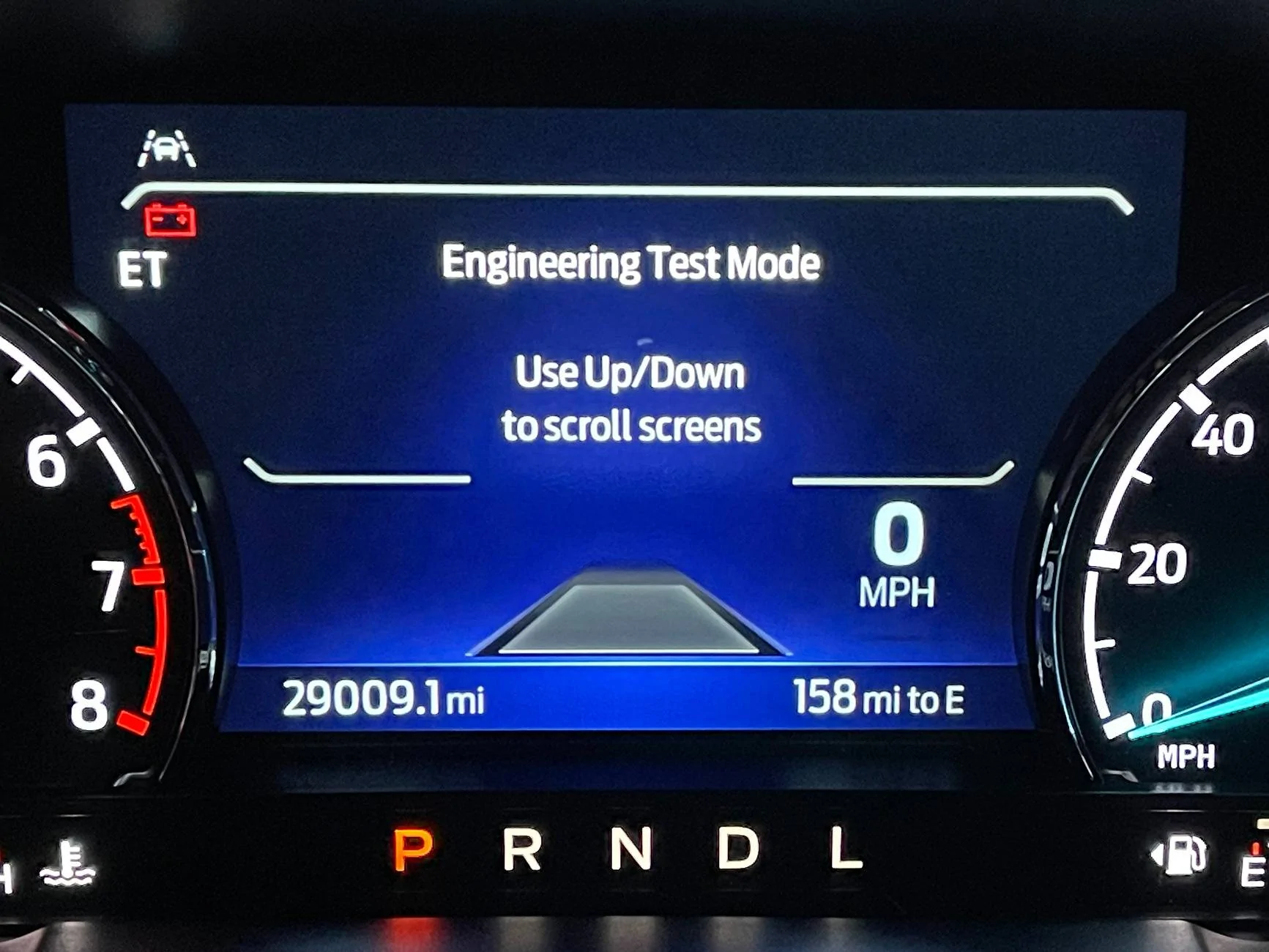
Follow these steps to enter Engineering Test Mode and fine-tune the AFE bias for a more accurate MPG readout.
  1. Enter Engineering Test Mode
    • With the truck off, press and hold the right-side OK button on the steering wheel.
    • While holding the OK button, press and release the Start/Stop button (or turn the key to the "on" position). You do not have to start the engine.
    • Continue holding the OK button for 5-7 seconds until you have entered Engineering Test Mode.
  2. Adjust the AFE Bias
    • Use the Up/Down buttons to navigate to the AFE Bias option.
    • If you haven't made adjustments yet, the default value will be 1000 (representing 100%).
    • Use the formula or Siri Shortcut below to adjust your AFE bias so your truck displays a more accurate MPG value.
    • Turn the truck off to exit Engineering Test Mode.
  3. Bonus Features
    • Engineering Test Mode also provides access to diagnostic trouble codes, RPM, coolant temperature, and other valuable data.
Calculation Formula
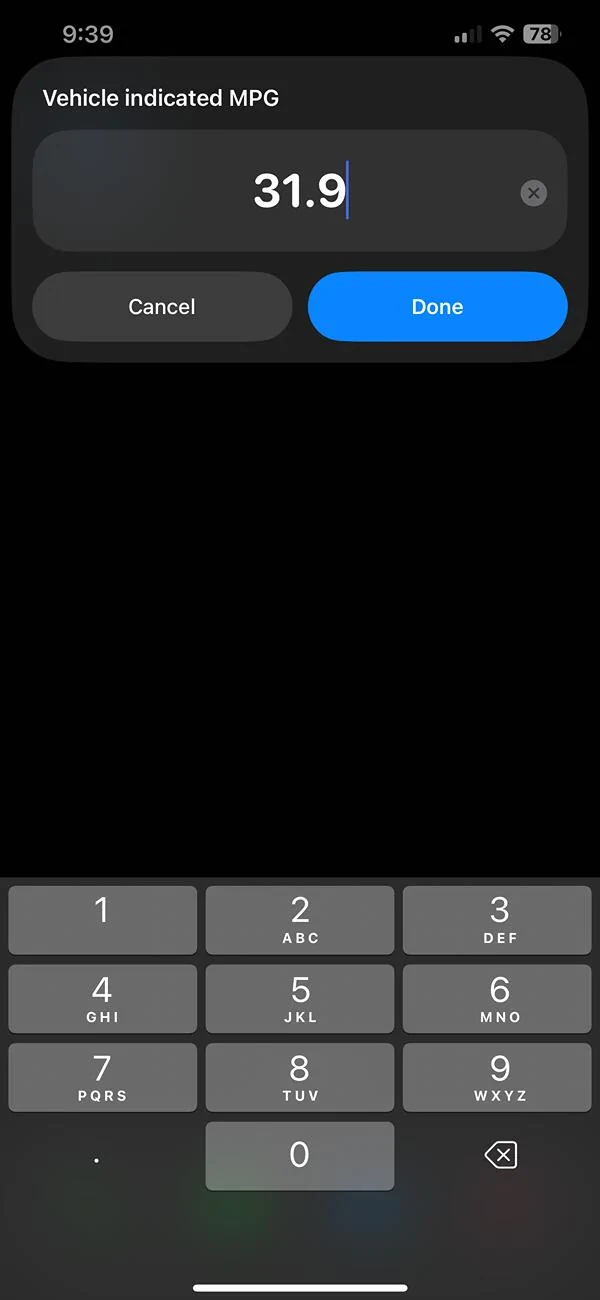
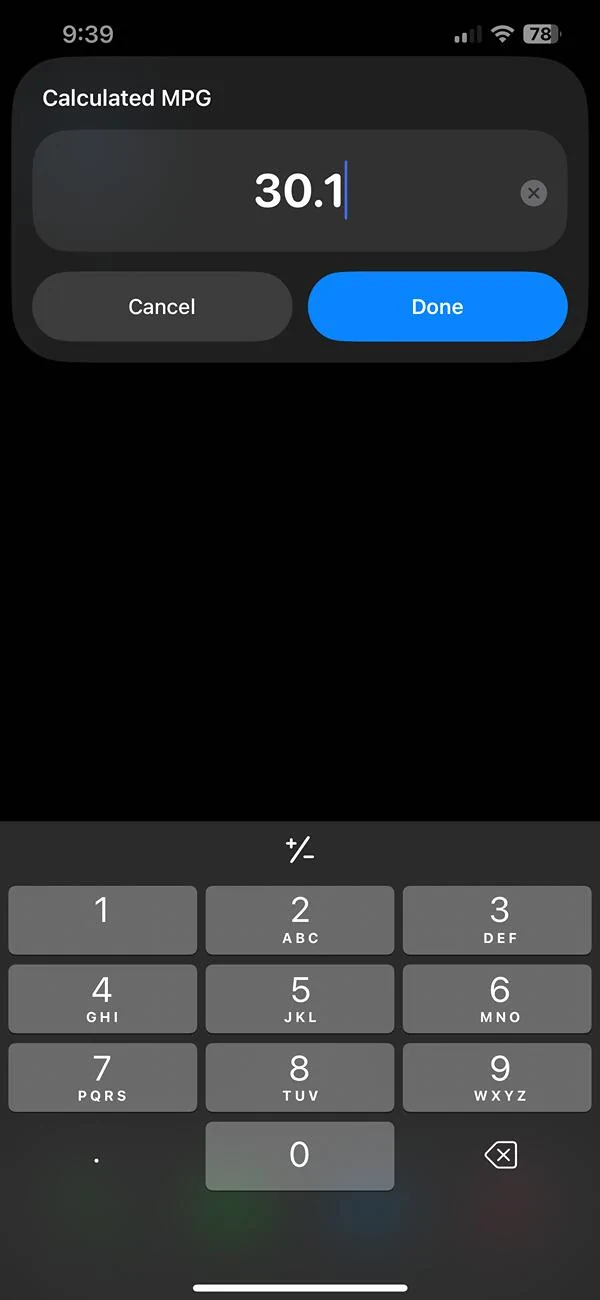
Current AFE Bias value X Calculated MPG / Displayed MPG = New AFE Bias Value

Pro Tip
I recommend repeating this process multiple times over a few fill-ups to calculate a more accurate average. When I did the math, I noticed some variance, so taking multiple readings will help you get a more precise result.

Siri Shortcuts
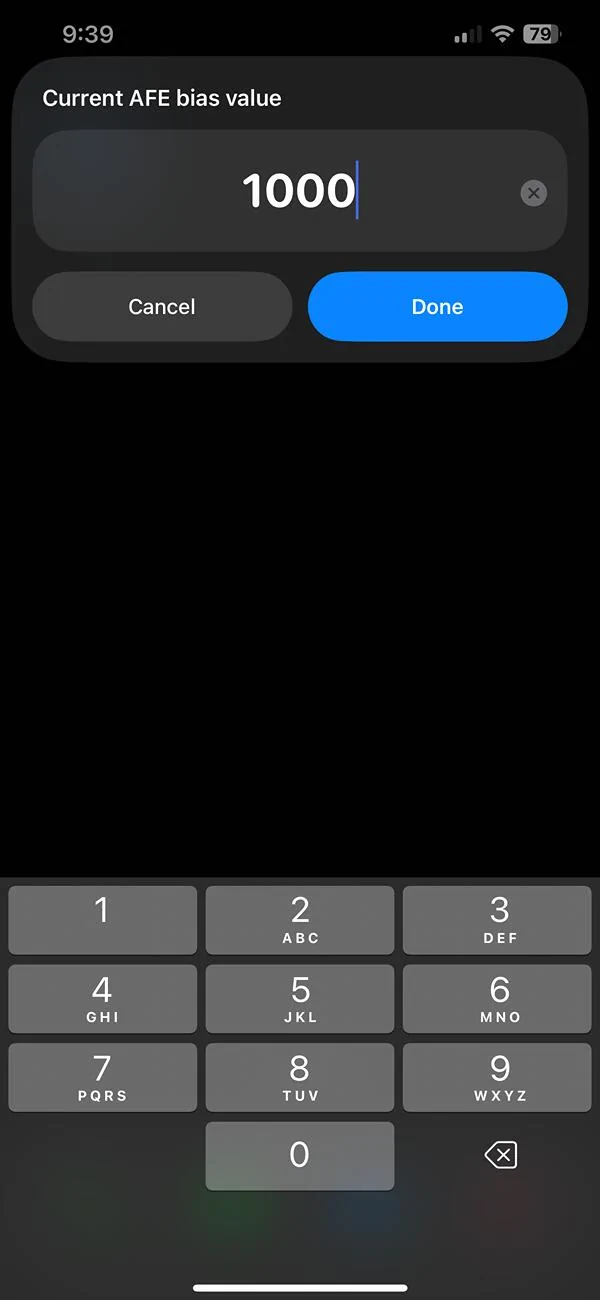
For iPhone users I’ve included a Siri Shortcuts link below that quickly calculates the new AFE bias value, even if the current bias differs from the default value of 1000. This shortcut makes fine-tuning your MPG quicker and easier on the go.

https://www.icloud.com/shortcuts/679729a810094cee9e26bb64b5142c66

Photos
Main Engineering Test Mode Screen
ETM.JPG


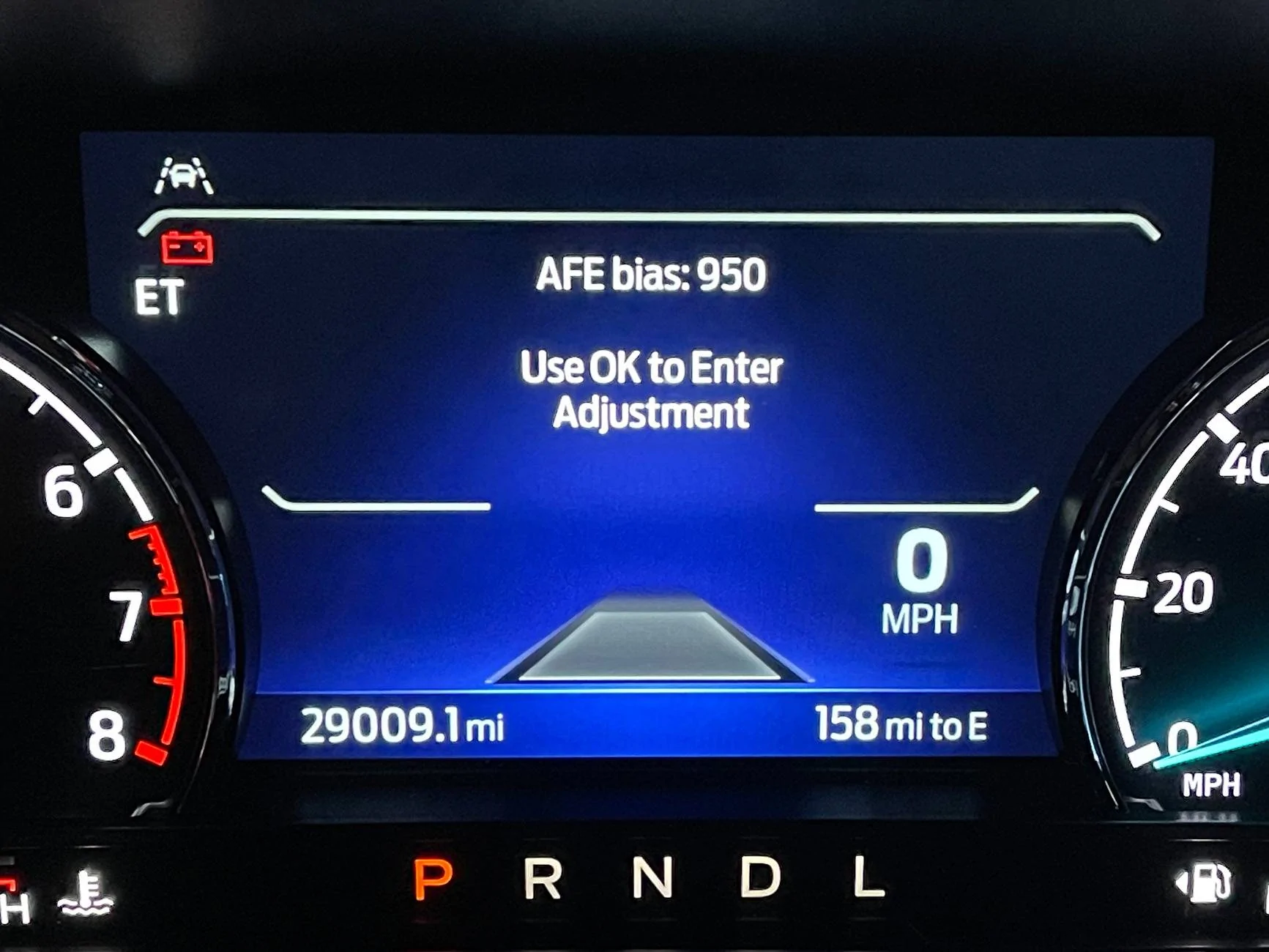
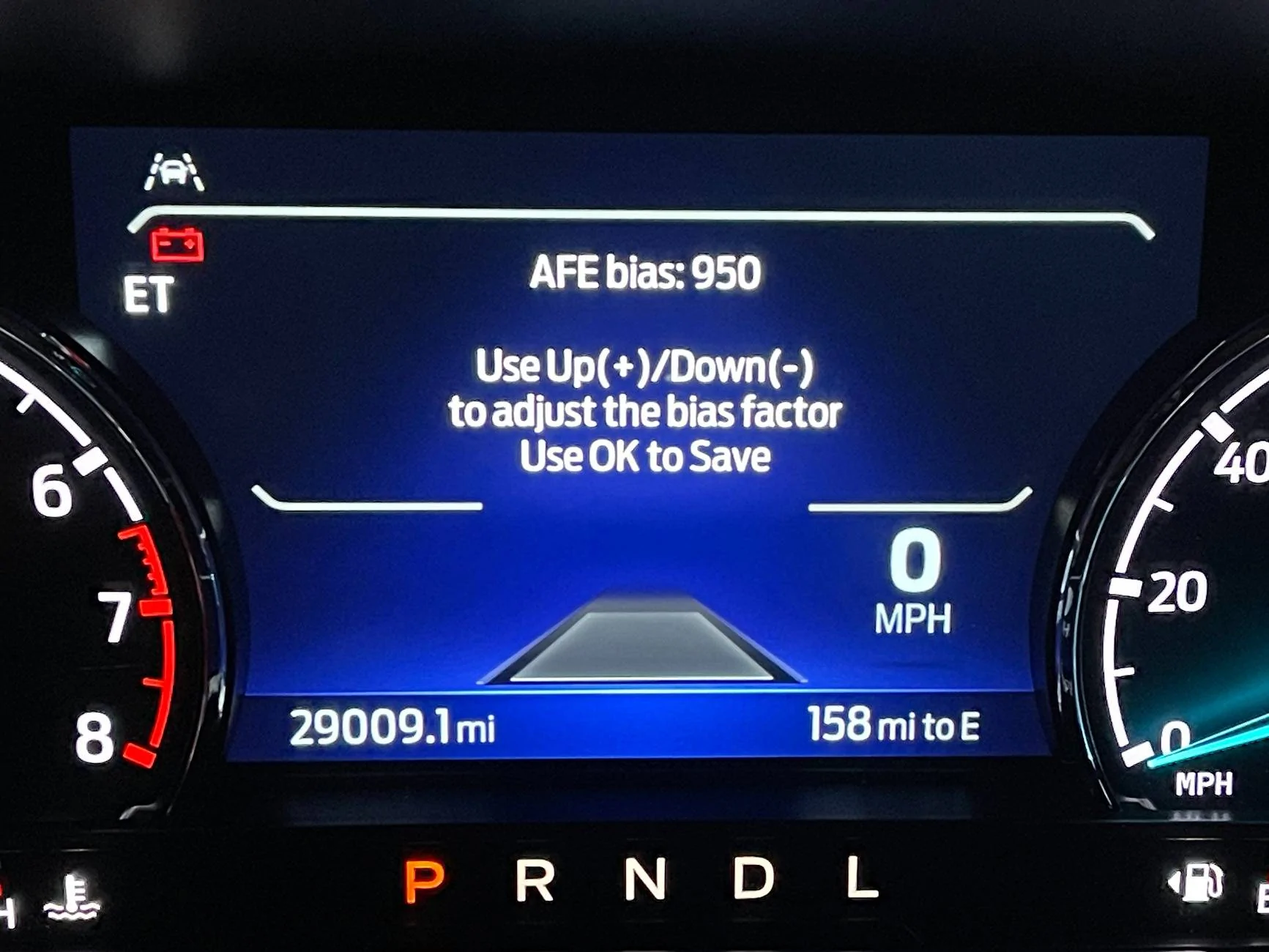
AFE Bias menu.
AFE Bias.JPG


I have already adjusted mine from 1000 to 950 (100% to 95% readout)
Afe Bias 2.JPG


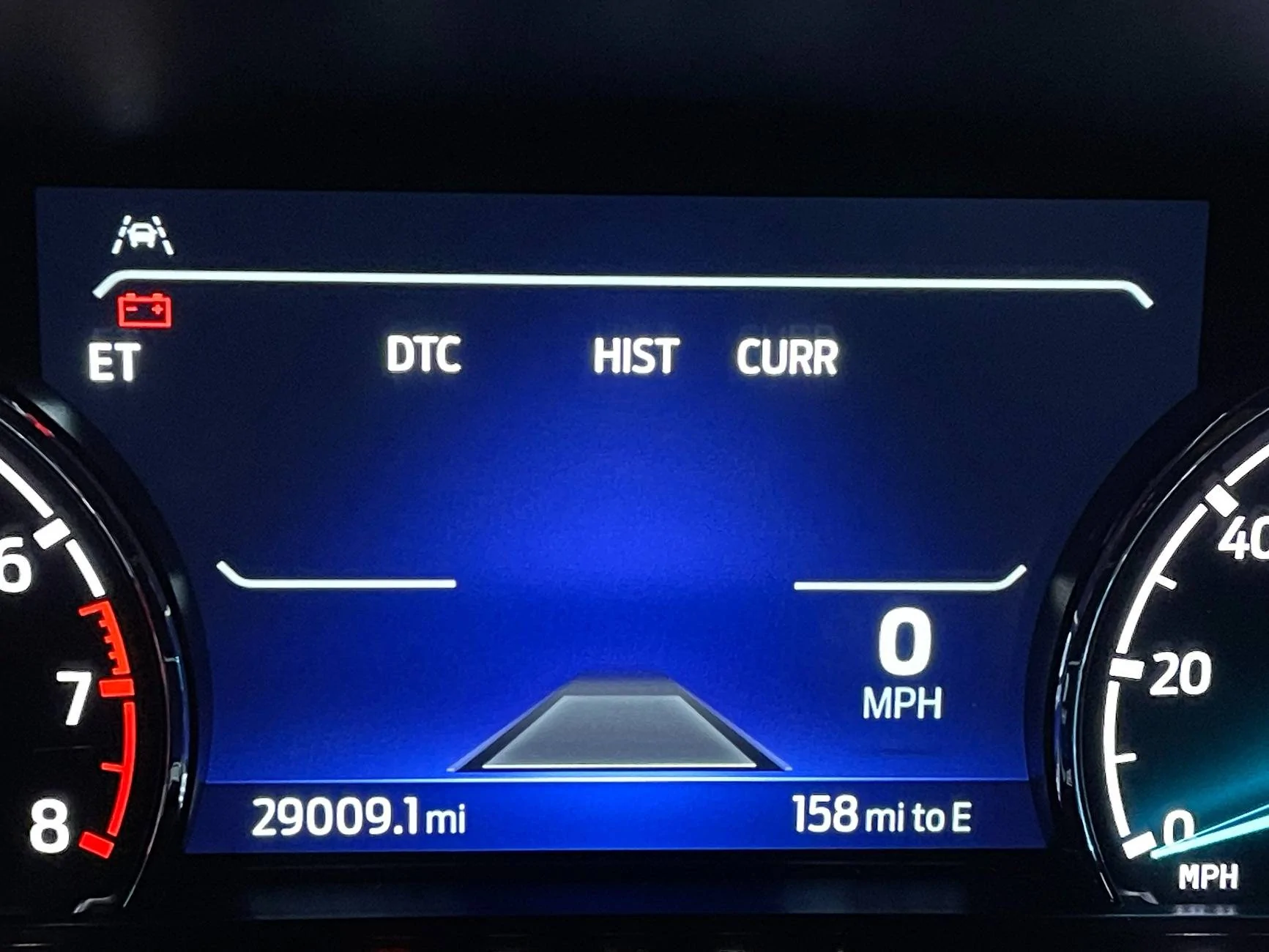
Diagnostic Trouble Code Menu. There are many more menus as well.
DTC.JPG


Siri Shortcuts app I built.
1.jpg


2.jpg


3.jpg


Hope this helps!

IMG_1969.jpg
so you can start and run the truck while in this engineering mode? To monitor the RPM?
 
Sponsored

Bill Quattlebaum

2.0L EcoBoost
Well-known member
First Name
Bill
Joined
Jan 4, 2023
Threads
27
Messages
698
Reaction score
849
Location
Blackville, SC
Vehicle(s)
2024 Maverick XL, Ecoboost 2.0
Engine
2.0L EcoBoost
I think the point was that the 2025s seem to be different. I can confirm that I tried the normal procedure on my '25 XLT, and wasn't able to enter ET mode.
Ford must have changed the procedure on the 2025 models. It works on the 22 to 24 Mavericks.
 

CD_SM

2.5L Hybrid
Well-known member
Joined
Oct 12, 2023
Threads
17
Messages
343
Reaction score
385
Location
San Diego, CA
Vehicle(s)
Mazda6 '06
Engine
2.5L Hybrid
But if the displayed computer MPG in your formula was already an adjusted figure, you need to account for that when redoing the math.
During certain seasons I could see it going way off.
Then again - my last 3 fillups avg did go to 950 from 964 - using the adjustment formula version.
All I know is after doing the adjustment a month or so after I got the truck, it's well within 1% of the calculated, and often closer (Several tanks it was under 0.1 mpg different.)
(And I based the new value on just one tank of gas too.)
Sponsored


Top