
Sponsored

mepot101

2.5L Hybrid
Well-known member
First Name
Mike
Joined
Jun 2, 2024
Threads
14
Messages
312
Reaction score
547
Location
Orlando, Fl
Vehicle(s)
2024 Ford Maverick
Engine
2.5L Hybrid
I set mine to 950, but it still shows too high.
Pump reading tells me I'm getting ~43, the dash still shows 46mpg.
How low should I go to get it closer?
I mostly drive red light to red light in Orlando, with an occasional highway trip.
Sponsored

 

jb_cb900

2.0L EcoBoost
Well-known member
First Name
Jim
Joined
Jun 28, 2024
Threads
4
Messages
90
Reaction score
104
Location
Dallas
Vehicle(s)
2024 Ford Maverick
Engine
2.0L EcoBoost
Tried this in my XLT with the smaller display and it never entered Engineering Test Mode. I don't have push button start, but did turn key to the run position with the OK button pressed for well beyond 7 seconds. Very disappointed. :(
Does the smaller display support Engineering Mode?
 

HeyBales

2.5L Hybrid
Well-known member
First Name
Mike
Joined
May 3, 2024
Threads
4
Messages
4,827
Reaction score
4,374
Location
KC Metro area
Vehicle(s)
2005 Toyota RAV4, 2024 XLT Hybrid
Engine
2.5L Hybrid
Tried this in my XLT with the smaller display and it never entered Engineering Test Mode. I don't have push button start, but did turn key to the run position with the OK button pressed for well beyond 7 seconds. Very disappointed. :(
Does the smaller display support Engineering Mode?
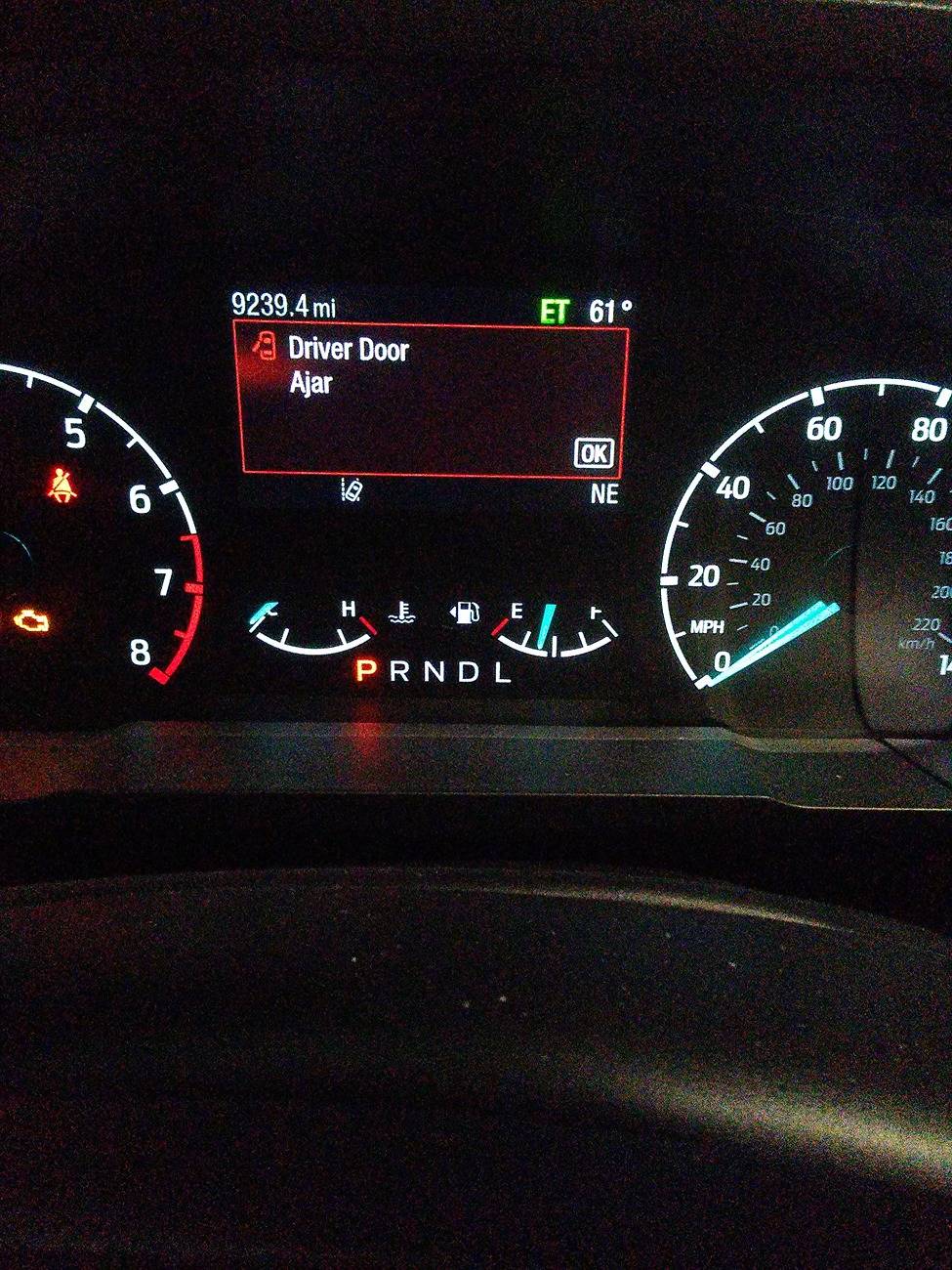
Hold OK button while key turned to ON - not Run.
Green ET will show up on display when you let go of OK after 7 seconds.
 

Rallywagon

2.5L Hybrid
Member
First Name
Brian
Joined
May 6, 2024
Threads
0
Messages
12
Reaction score
12
Location
Georgia
Vehicle(s)
1984 Honda CRX
Engine
2.5L Hybrid
I have an Ecoboost Lariat and just could not get into the ETM. My display just scrolled between the Seat belt [OK], Full Accessory Power [OK], and a third I cannot recall while typing this. I tried it with the engine started and not - no dice. I gave up after 1/2 dozen attempts before I really screwed something up.

One of my Forescan to do's is to disable that bloody seat belt warning, just haven't got around to it yet. It just moved up on my priorities list.
There is a procedure in the owners manual to do this involving buckling and unbuckling the seatbelt. It took me several tries but now I don't have to listen to the chime down my long driveway after getting out to check the mail when I get home.
 

jb_cb900

2.0L EcoBoost
Well-known member
First Name
Jim
Joined
Jun 28, 2024
Threads
4
Messages
90
Reaction score
104
Location
Dallas
Vehicle(s)
2024 Ford Maverick
Engine
2.0L EcoBoost
Got it! Thanks
A little persnickaty. ET appears in about 4-5 seconds. ON and RUN refer to the same key "position" with engine not started.
Ford Maverick MPG Correction Tutorial - AFE Bias Adjustment (via Engineering Test Mode) 1213240750_Burst01
 
Last edited:

Sponsored

MCIAD

2.0L EcoBoost
Well-known member
First Name
Michael
Joined
Mar 8, 2024
Threads
14
Messages
97
Reaction score
96
Location
Ventura County, California
Vehicle(s)
2023 Ford Maverick Lariat
Engine
2.0L EcoBoost
There is a procedure in the owners manual to do this involving buckling and unbuckling the seatbelt. It took me several tries but now I don't have to listen to the chime down my long driveway after getting out to check the mail when I get home.
Gonna have to look that one up. Thanks for the tip!
 
Last edited:

Bill Quattlebaum

2.0L EcoBoost
Well-known member
First Name
Bill
Joined
Jan 4, 2023
Threads
27
Messages
698
Reaction score
849
Location
Blackville, SC
Vehicle(s)
2024 Maverick XL, Ecoboost 2.0
Engine
2.0L EcoBoost
I set mine to 950, but it still shows too high.
Pump reading tells me I'm getting ~43, the dash still shows 46mpg.
How low should I go to get it closer?
I mostly drive red light to red light in Orlando, with an occasional highway trip.
43 divided by 46 = 935
 

Ozarkbeard

Well-known member
Joined
May 22, 2022
Threads
14
Messages
4,344
Reaction score
5,476
Location
.
Vehicle(s)
.
Engine
Undecided
...One of my FORScan to do's is to disable that bloody seat belt warning, just haven't got around to it yet. It just moved up on my priorities list.
Not having FORScan, I manually disabled each individual seat, using the buckle/unbuckle method. It's nice to not have that shit going off when I drive up my empty private road to get my mail. At least until a future time when I take the truck in for yet-another-software-update and the dealer wipes the preferences.
:rolleyes:

I always wear my seatbelt when leaving my private property. One would be a complete idiot to not wear one; having seen so many horrible accidents where people didn't and were needlessly killed.

[Edit: removed/moved some commas. ;) ]
 
Last edited:

wax87

2.5L Hybrid
Well-known member
First Name
Stuart
Joined
Mar 22, 2022
Threads
29
Messages
1,730
Reaction score
1,697
Location
Dallas South
Vehicle(s)
2004 Avalon
Engine
2.5L Hybrid
Clubs
 
MPG Correction Tutorial
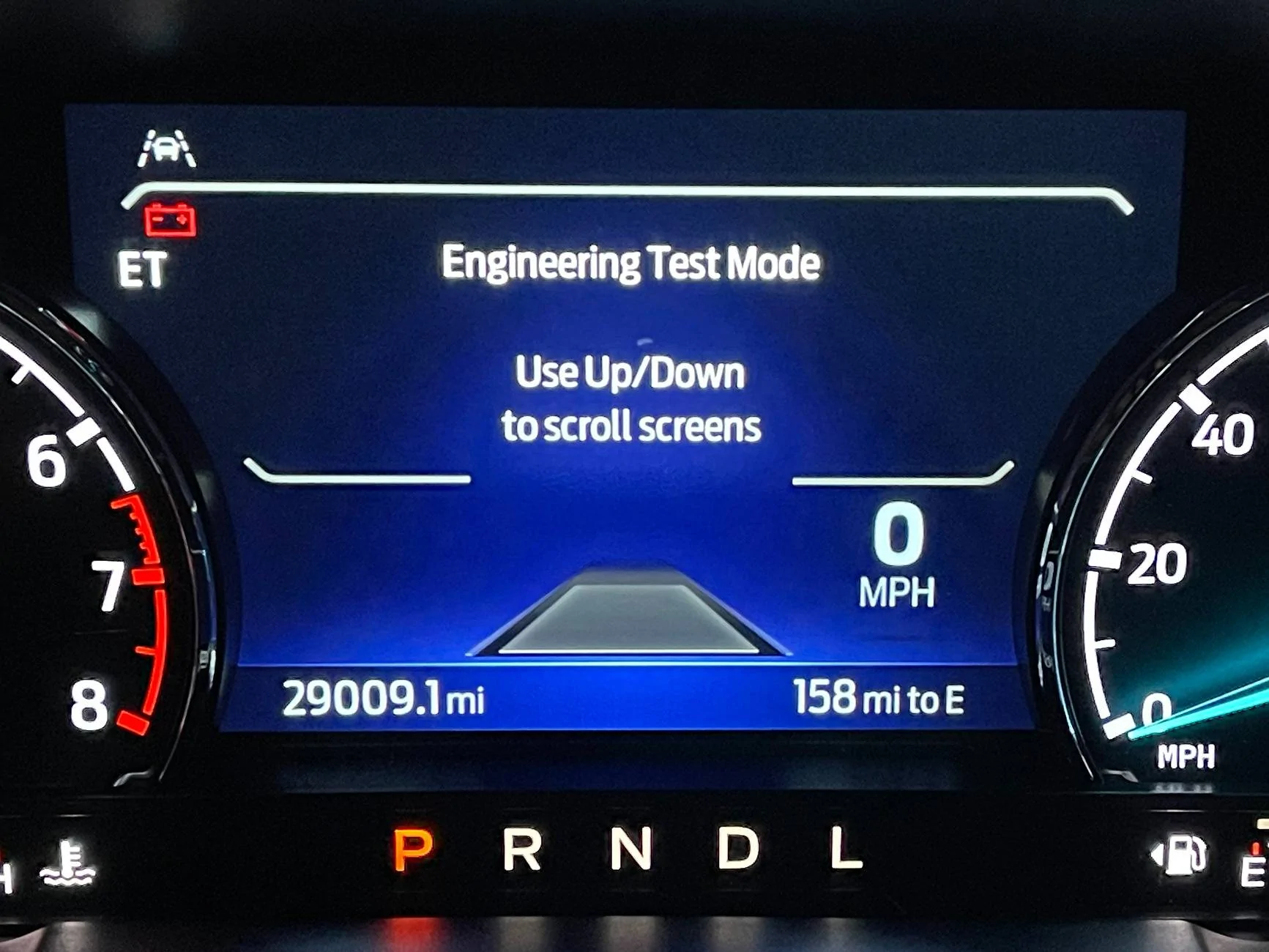
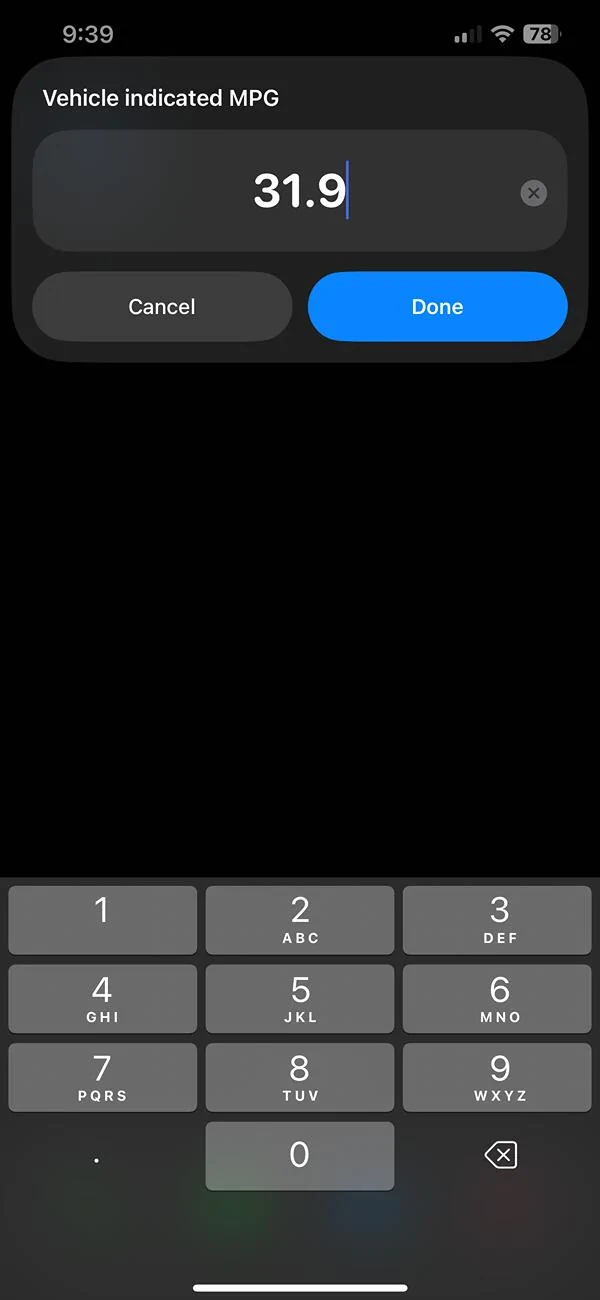
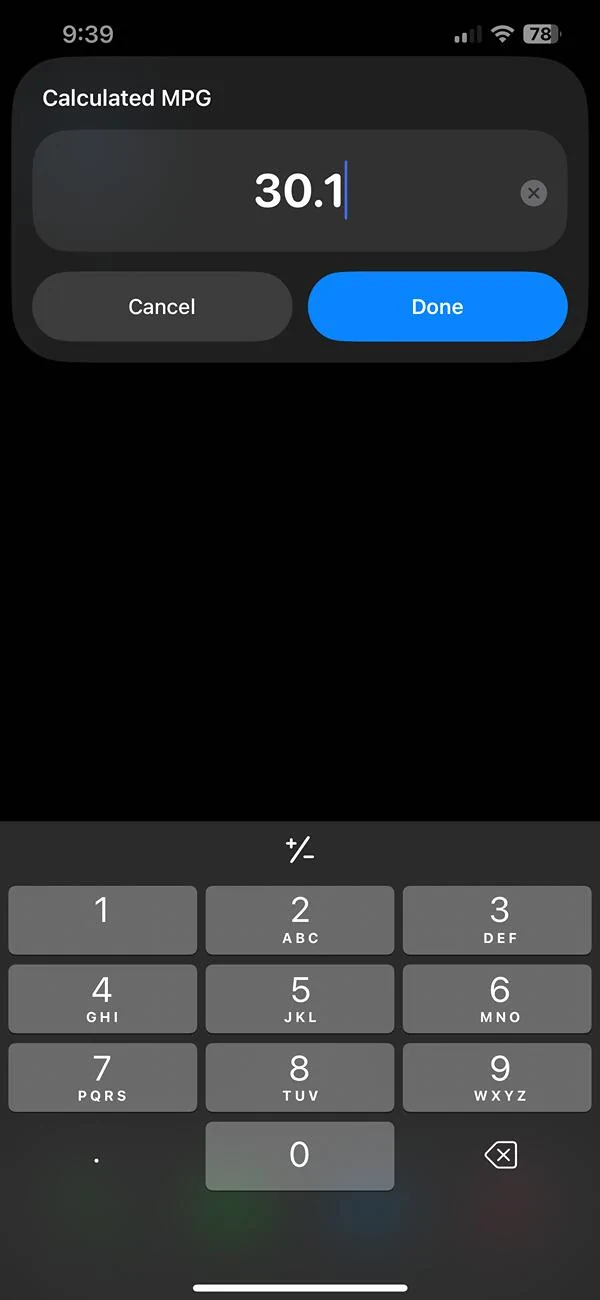
If your Ford Maverick displays an inaccurate MPG, you can correct it by adjusting the AFE bias in Engineering Test Mode. After calculating my truck's MPG at the pump, I discovered the displayed MPG indicated a value approximately 1.2 MPG higher than the actual value (about 4-5%)

Steps
Follow these steps to enter Engineering Test Mode and fine-tune the AFE bias for a more accurate MPG readout.
  1. Enter Engineering Test Mode
    • With the truck off, press and hold the right-side OK button on the steering wheel.
    • While holding the OK button, press and release the Start/Stop button (or turn the key to the "on" position). You do not have to start the engine.
    • Continue holding the OK button for 5-7 seconds until you have entered Engineering Test Mode.
  2. Adjust the AFE Bias
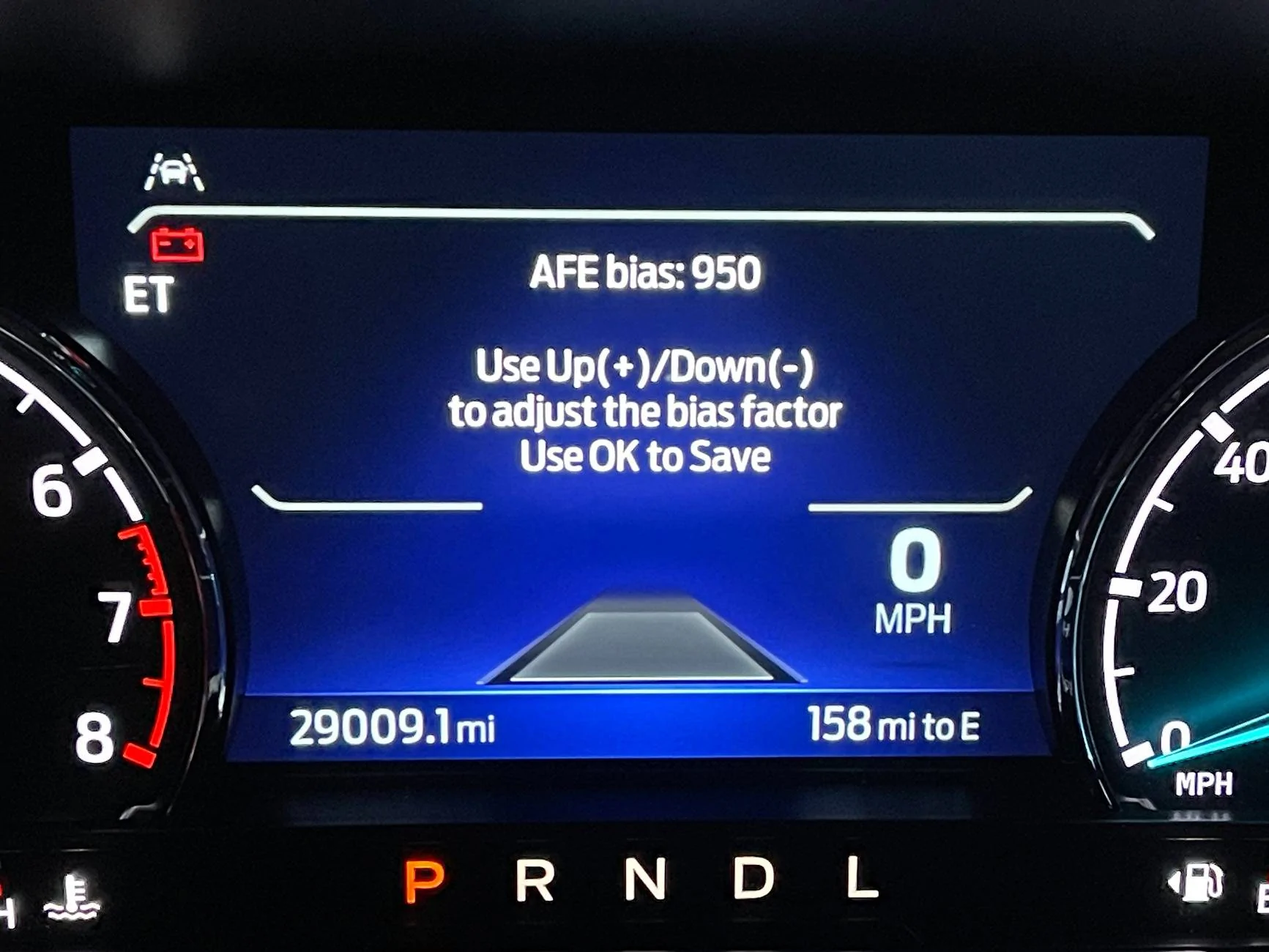
    • Use the Up/Down buttons to navigate to the AFE Bias option.
    • If you haven't made adjustments yet, the default value will be 1000 (representing 100%).
    • Use the formula or Siri Shortcut below to adjust your AFE bias so your truck displays a more accurate MPG value.
    • Turn the truck off to exit Engineering Test Mode.
  3. Bonus Features
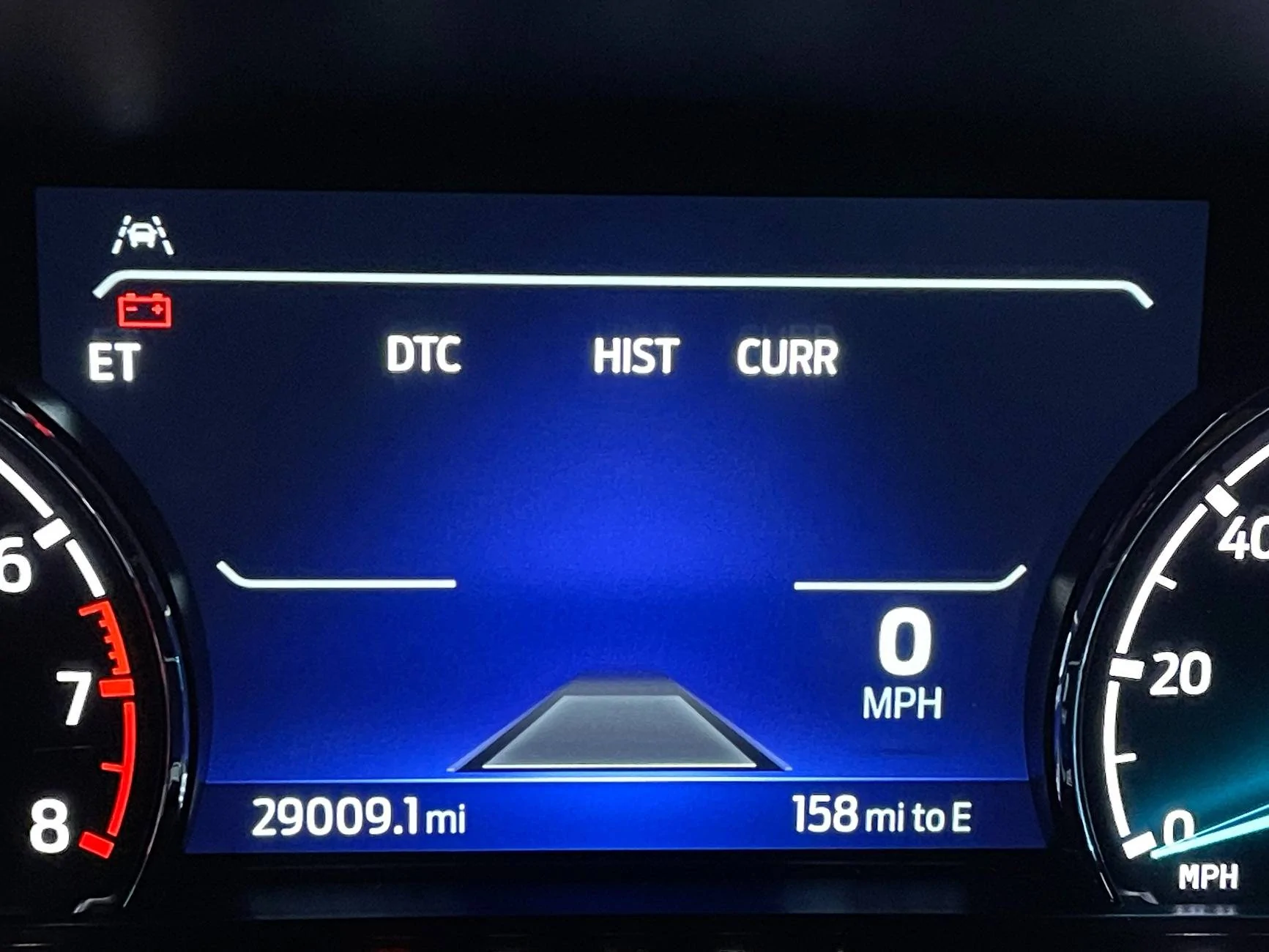
    • Engineering Test Mode also provides access to diagnostic trouble codes, RPM, coolant temperature, and other valuable data.
Calculation Formula
Current AFE Bias value X Calculated MPG / Displayed MPG = New AFE Bias Value

Pro Tip
I recommend repeating this process multiple times over a few fill-ups to calculate a more accurate average. When I did the math, I noticed some variance, so taking multiple readings will help you get a more precise result.

Siri Shortcuts
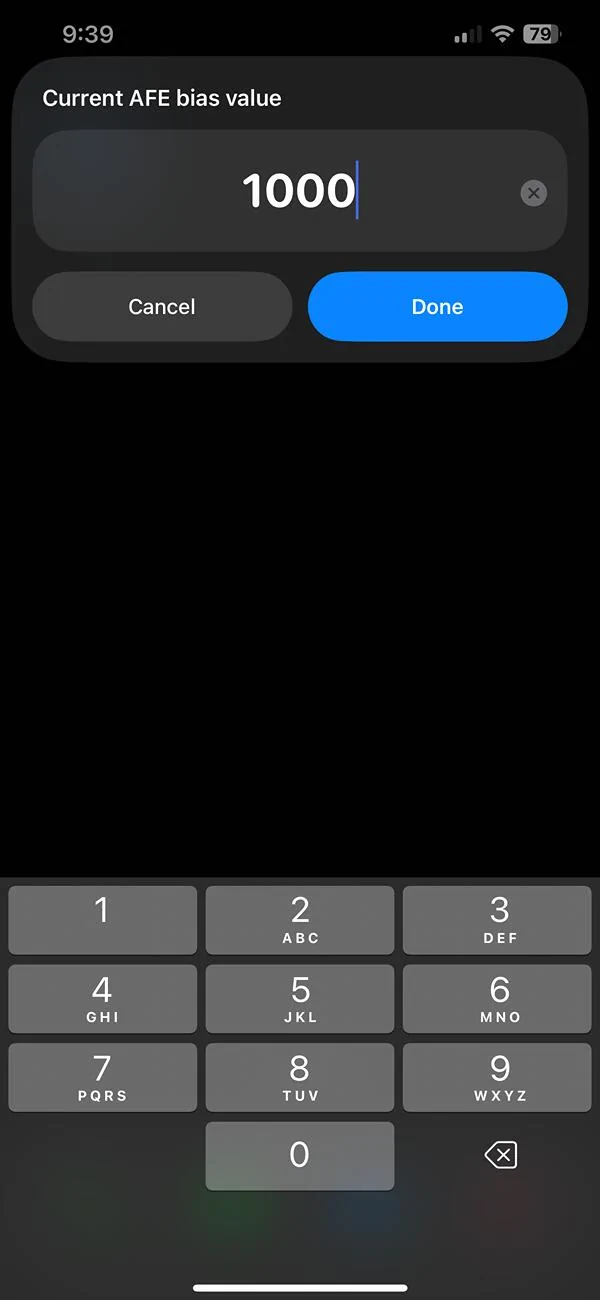
For iPhone users I’ve included a Siri Shortcuts link below that quickly calculates the new AFE bias value, even if the current bias differs from the default value of 1000. This shortcut makes fine-tuning your MPG quicker and easier on the go.

https://www.icloud.com/shortcuts/d392c91a176448eba3845e6e2971a809

Photos
Main Engineering Test Mode Screen
ETM.JPG


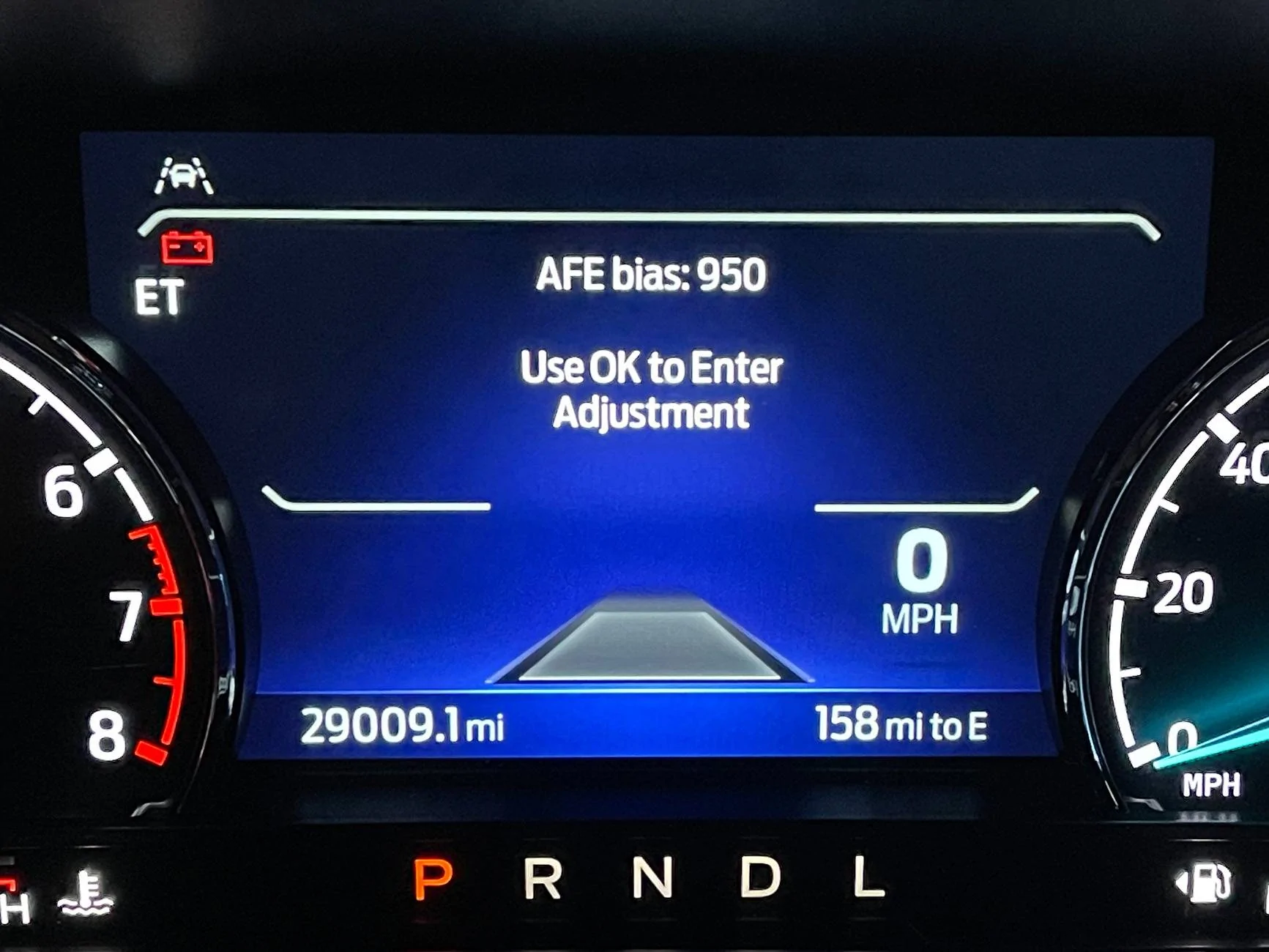
AFE Bias menu.
AFE Bias.JPG


I have already adjusted mine from 1000 to 950 (100% to 95% readout)
Afe Bias 2.JPG


Diagnostic Trouble Code Menu. There are many more menus as well.
DTC.JPG


Siri Shortcuts app I built.
1.jpg


2.jpg


3.jpg


View attachment 187331

Hope this helps!
If you disconnect the battery, does it reset to 1000 or does it remember your setting?
 

HeyBales

2.5L Hybrid
Well-known member
First Name
Mike
Joined
May 3, 2024
Threads
4
Messages
4,827
Reaction score
4,374
Location
KC Metro area
Vehicle(s)
2005 Toyota RAV4, 2024 XLT Hybrid
Engine
2.5L Hybrid
mepot101 said:
I set mine to 950, but it still shows too high.
Pump reading tells me I'm getting ~43, the dash still shows 46mpg.
How low should I go to get it closer?
I mostly drive red light to red light in Orlando, with an occasional highway trip.

43 divided by 46 = 935
Was thinking about this - like the OP shows, the formula changes if you already had a changed AFE figure.

If dash mpg was based on 950 AFE already, then unchanged AFE would have caused a 48.4 mpg (46/0.95) reading.

So new would be 43 / 48.4 = 888

Pump MPG / (Dash MPG / Current AFE (/1000)) = new AFE (*1000) is the long version.

Which simplifies to the OP formula.
 
Last edited:
Sponsored

HeyBales

2.5L Hybrid
Well-known member
First Name
Mike
Joined
May 3, 2024
Threads
4
Messages
4,827
Reaction score
4,374
Location
KC Metro area
Vehicle(s)
2005 Toyota RAV4, 2024 XLT Hybrid
Engine
2.5L Hybrid
If you disconnect the battery, does it reset to 1000 or does it remember your setting?
It has been commented elsewhere when the battery is replaced your DTE is way off because the learned values are lost, but IIRC when ones looked this AFE was still there. And within so many miles the DTE starting getting better estimate.
It just is used with the DTE logging and math.
 

Bill Quattlebaum

2.0L EcoBoost
Well-known member
First Name
Bill
Joined
Jan 4, 2023
Threads
27
Messages
698
Reaction score
849
Location
Blackville, SC
Vehicle(s)
2024 Maverick XL, Ecoboost 2.0
Engine
2.0L EcoBoost
Was thinking about this - like the OP shows, the formula changes if you already had a changed AFE figure.

If dash mpg was based on 950 AFE already, then unchanged AFE would have caused a 48.4 mpg (46/0.95) reading.

So new would be 43 / 48.4 = 888

Pump MPG / (Dash MPG / Current AFE (/1000)) = new AFE (*1000) is the long version.

Which simplifies to the OP formula.
I'm not sure about that. I use actual mpg divided by computer mpg to get AFE bias number. In your example it's saying the reading is optimistic by 11.2 percent. When I first checked mine, it was off by about 6.5 percent and has improved some since then. I haven't heard of anyone's being off by that much. I think it would be better if Ford would just set it at 950 at the factory.
 

imboden013

2.5L Hybrid
Well-known member
First Name
Mike
Joined
Dec 29, 2022
Threads
16
Messages
987
Reaction score
1,029
Location
West Memphis AR
Vehicle(s)
2024 & 2025 Mavericks
Engine
2.5L Hybrid
I'm not sure about that. I use actual mpg divided by computer mpg to get AFE bias number. In your example it's saying the reading is optimistic by 11.2 percent. When I first checked mine, it was off by about 6.5 percent and has improved some since then. I haven't heard of anyone's being off by that much. I think it would be better if Ford would just set it at 950 at the factory.
I don’t know how all you guys are coming up with the amount that Mav’s computer is off. There are all sorts of variables each time you fill up. Sometimes my hand calculations show I’m getting less mpg(which is not consistent in how much) then some times my calculations show I’m getting more. With that small of a tank if you get a few tenths more or less in the tank it will make your calculations way different from the computers calculation. Example the other day I’d traveled just 77.2miles and wanted to top off for a trip the next day. I filled up and after filling same as usual the pump showed something like 1.35 gallons, that’s like 57.2 mpg. I pulled the nozzle out a bit more and squeezed in a little more to get to 1.48 gallons that’s 52 mpg the trucks computer showed 44.7mpg so either figure I used was way different. What I use my computer or my hand calculations for is to tell me if something serious is going on. If my mpg seriously drops over a full tank or so then I look for why.
 

Bill Quattlebaum

2.0L EcoBoost
Well-known member
First Name
Bill
Joined
Jan 4, 2023
Threads
27
Messages
698
Reaction score
849
Location
Blackville, SC
Vehicle(s)
2024 Maverick XL, Ecoboost 2.0
Engine
2.0L EcoBoost
I just like for the computer reading to be accurate. You should never make changes just based on 75 or 100 miles. I think use at least 2 full tanks before making any changes. The fact is that the factory setting is too high. Most people on here say that about 950 is a lot more accurate number than the factory setting of 1,000. Of course there are many factors that can make your mileage go up or down. My truck is averaging around 29 mpg and I am happy with that.
 

AlsMaverick

2.0L EcoBoost
Well-known member
First Name
Allen
Joined
Dec 1, 2023
Threads
5
Messages
444
Reaction score
805
Location
Cincinnati
Vehicle(s)
2024 Maverick Lariat FX4 w/4k Tow Build Date 12/5
Engine
2.0L EcoBoost
I don’t know how all you guys are coming up with the amount that Mav’s computer is off. There are all sorts of variables each time you fill up. Sometimes my hand calculations show I’m getting less mpg(which is not consistent in how much) then some times my calculations show I’m getting more. With that small of a tank if you get a few tenths more or less in the tank it will make your calculations way different from the computers calculation. Example the other day I’d traveled just 77.2miles and wanted to top off for a trip the next day. I filled up and after filling same as usual the pump showed something like 1.35 gallons, that’s like 57.2 mpg. I pulled the nozzle out a bit more and squeezed in a little more to get to 1.48 gallons that’s 52 mpg the trucks computer showed 44.7mpg so either figure I used was way different. What I use my computer or my hand calculations for is to tell me if something serious is going on. If my mpg seriously drops over a full tank or so then I look for why.
Agree with this. The way to get rid of that error is to keep a running total of both miles traveled and fuel added to the tank. It doesn't matter if it's full or not. The more readings you get, the less the error.
Keep two columns (spreadsheet makes it easy) one labeled "Miles Traveled Since Last Fill" and the other "Fuel added at This Fill".
Keep a running sum and you will see that you average MPG gets very accurate.
Sponsored


Top