- Thread starter
- #1
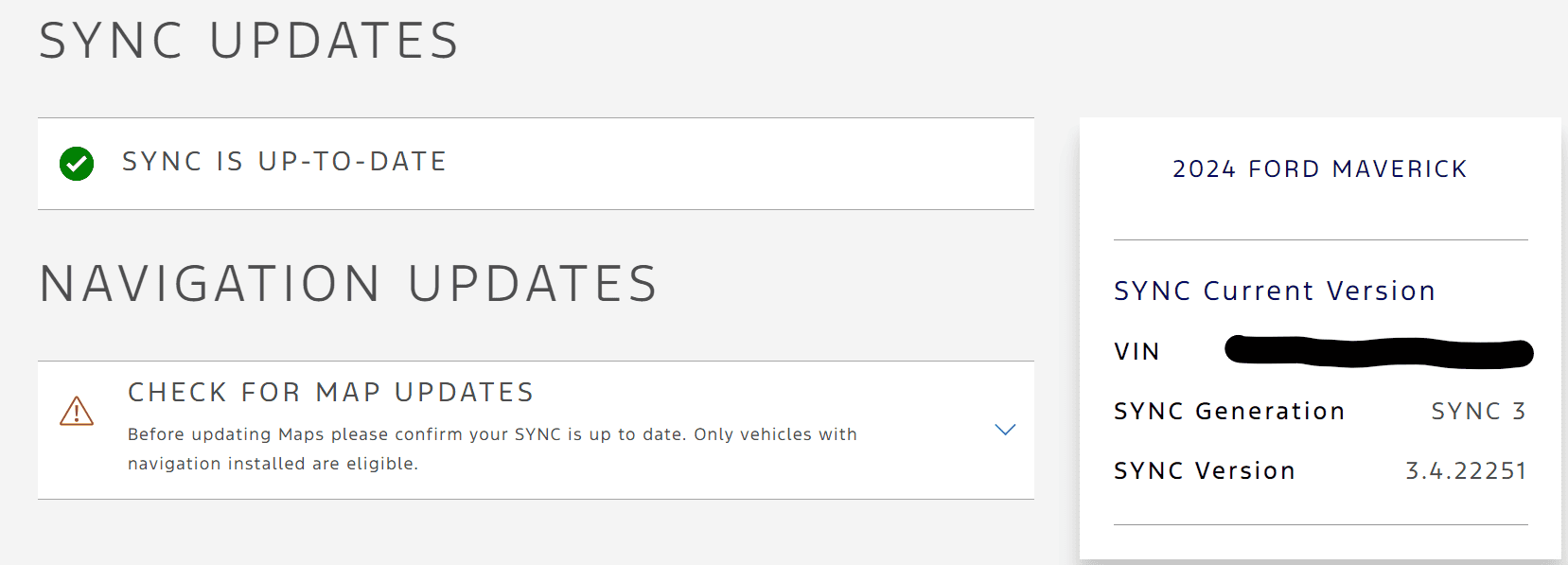
About a week ago I began experiencing a lot of glitches with Sync 3. On the Ford Sync website, I learned that there was a build update
available from 22251 (year 2022 on the 251st day of the year) to 23188 (year 2023 on the 188th day of the year).
- You should really enter your VIN in the "check for update" box as there can be different versions for different models.
- Don't try to update via WiFi! You risk being disconnected during the update and that can cause major problems. Use the USB method.
- Don't forget to uncheck the automatic idle timer before beginning.
- May be obvious but use a front USB port. Not a rear.
- Once you are in your truck and begin the update it takes no more than 10-15 minutes, not 30.
- The instructions on the website do not include the following! When the update appears to be complete there will be a brief (and I mean brief) pop-up that says something such as: "You can now remove your device from the USB port and turn off your vehicle. Turn your vehicle back on and re-insert your device for Part 2 of the update". (If I hadn't been looking directly at the screen at that time, I would never have seen the pop-up).
- Part 2 of the update is very brief.
- It is not enough to just turn off your truck. You need to turn off the truck and then open and close the door. Then re-start the truck.
- Optional: Turn the automatic idle timer back on.
- When the update is complete it will add a file to your USB device. You then upload this file on the Ford Sync website and it will update your Ford account.
This update has fixed all of the issues I was having. Good luck.
available from 22251 (year 2022 on the 251st day of the year) to 23188 (year 2023 on the 188th day of the year).
- You should really enter your VIN in the "check for update" box as there can be different versions for different models.
- Don't try to update via WiFi! You risk being disconnected during the update and that can cause major problems. Use the USB method.
- Don't forget to uncheck the automatic idle timer before beginning.
- May be obvious but use a front USB port. Not a rear.
- Once you are in your truck and begin the update it takes no more than 10-15 minutes, not 30.
- The instructions on the website do not include the following! When the update appears to be complete there will be a brief (and I mean brief) pop-up that says something such as: "You can now remove your device from the USB port and turn off your vehicle. Turn your vehicle back on and re-insert your device for Part 2 of the update". (If I hadn't been looking directly at the screen at that time, I would never have seen the pop-up).
- Part 2 of the update is very brief.
- It is not enough to just turn off your truck. You need to turn off the truck and then open and close the door. Then re-start the truck.
- Optional: Turn the automatic idle timer back on.
- When the update is complete it will add a file to your USB device. You then upload this file on the Ford Sync website and it will update your Ford account.
This update has fixed all of the issues I was having. Good luck.
Sponsored
Last edited: