Sponsored

Not of this earth

Well-known member
First Name
Brick
Joined
Jul 13, 2023
Threads
0
Messages
51
Reaction score
78
Location
America
Vehicle(s)
1967 RS 427 convertable F body
Engine
Undecided
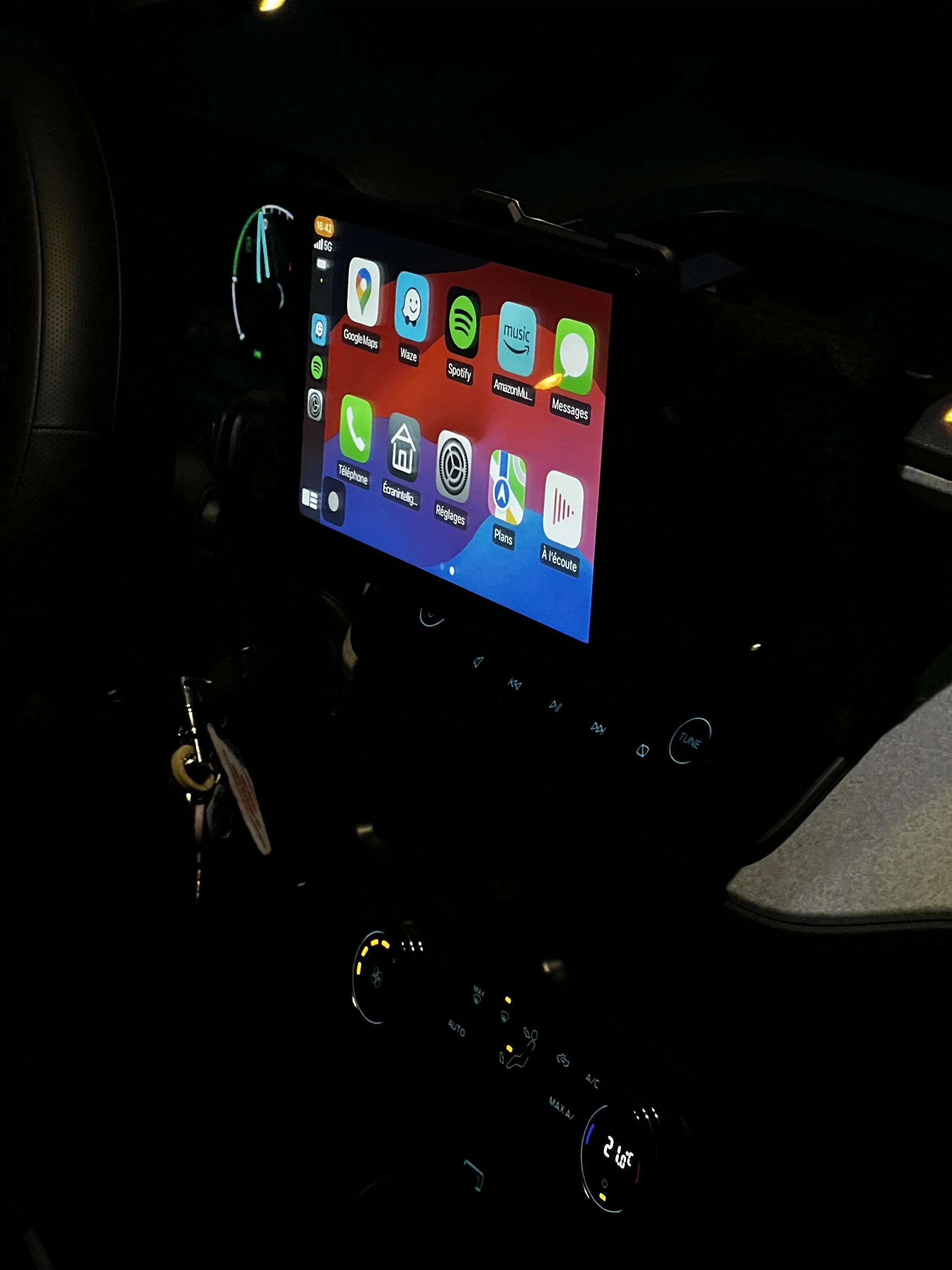
Just wanted to share a project I am working on
(still in progress)

warning: it's for my own needs (I will explain later)
not necessary to reply to this thread with comments like
-Not for me
-Don't like it
-Uggly
etc
Any constructive comments I am ready to read and learn
I am just a regular guy with basic DIY skills

Pictures:
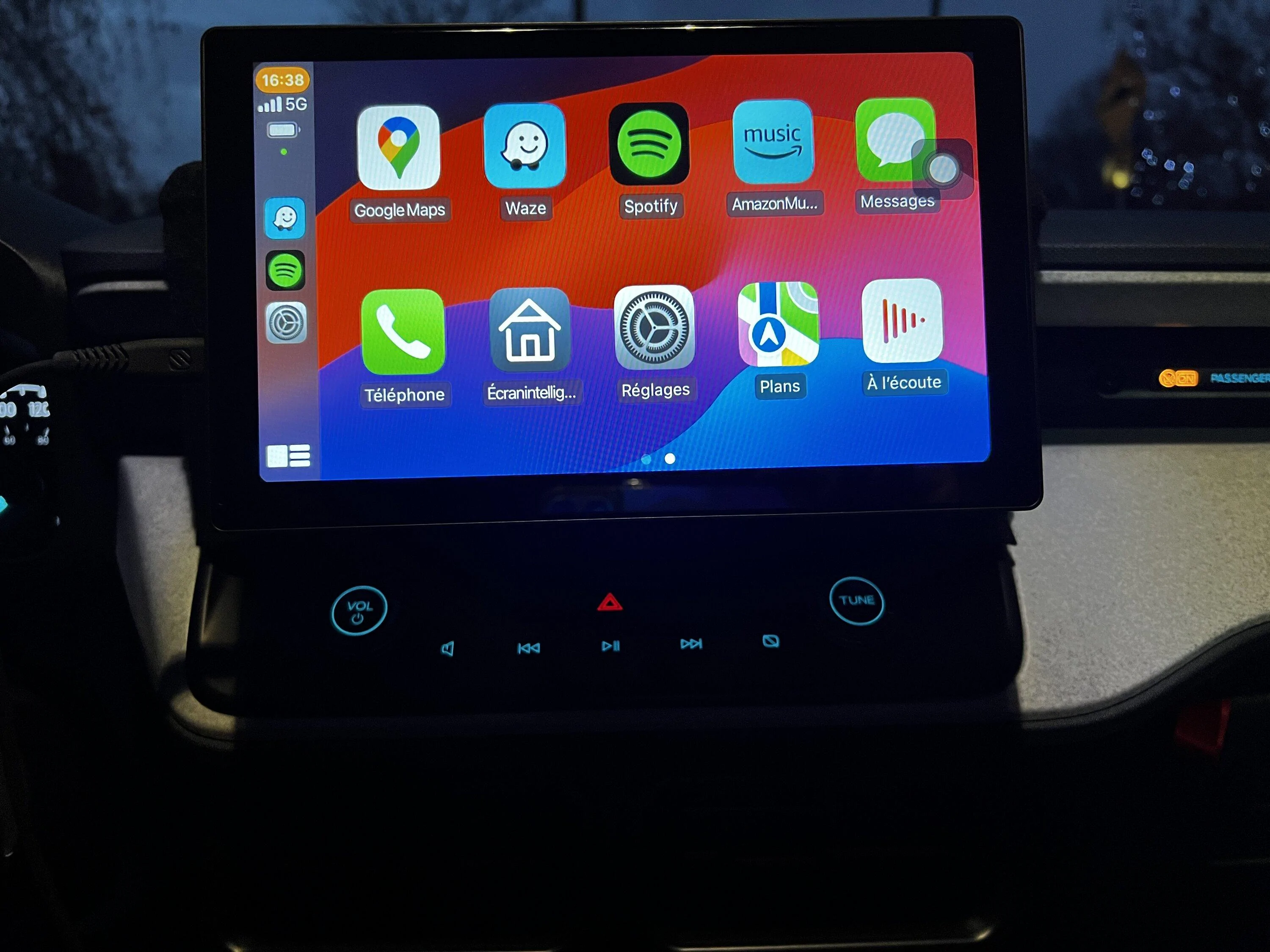
a.JPG

b.JPG

c.JPG


Bought this carplay screen (Yes, I am from Canada so amazon.ca link):
https://www.amazon.ca/dp/B0C1T5D8VQ?ref=ppx_yo2ov_dt_b_product_details&th=1

Why ?

2 main reasons:

First thing when I first sat in the Maverick
I started to grab the screen to see if I could adjust it
(not possible) finding it's facing down too much

Two, when I pop in the Maverick I always use Carplay (Spotify and Google Maps)
and nothing else on the original OEM screen (radio, etc). Am tired of seeing in the middle
of the screen the volume and temperature when changing them.

This Carplay sreen is 9"
Wish I could have found a bigger one (but this one fitted my budget)
but the fact it is going in front of the OEM screen
it looks bigger and finally I can adjust this screen with more angles

If I need to access the original OEM screen underneath
it takes a second to slide it up. The black liner is protecting the
OEM screen and is held up by 4 pieces of double sided 3M tape
(also easy to remove)

All is working fine and Music (with Bluetooth) is playing in the Maverick
without issues. Project still in progress so didn't receive or make a call yet
with this new setup.

Also, I can use Apple Airplay on this Carplay screen

Anyway fits my needs
Just wanted to share something different with all of you
Why not just use a tablet
Sponsored


NatePabrant

2.0L EcoBoost
Well-known member
First Name
Nate
Joined
Dec 8, 2023
Threads
5
Messages
95
Reaction score
37
Location
Florida
Vehicle(s)
24 Tremor
Engine
2.0L EcoBoost
You are correct, I will take a test drive soon and see what happens if for example I hit a couple of pot holes. The brackets are made of metal (pictures are not clear I know, end of the day picts).
Something to look for. Thanks for the tip!!!
I would find a way to 3-D print or manufacture some sort of zigzag shaped clip that goes around the screen into the cubby so that the screen cannot slide straight up during a collision.
like what I’m saying is, somehow get it to attach horizontally to the cubby so I cannot go up and then use side clamps to attach it to the screen behind it to hold horizontal slide.
 

surfstar

2.5L Hybrid
Well-known member
Joined
Feb 7, 2023
Threads
14
Messages
1,125
Reaction score
2,409
Location
CA
Vehicle(s)
2023 XL Hybrid
Engine
2.5L Hybrid
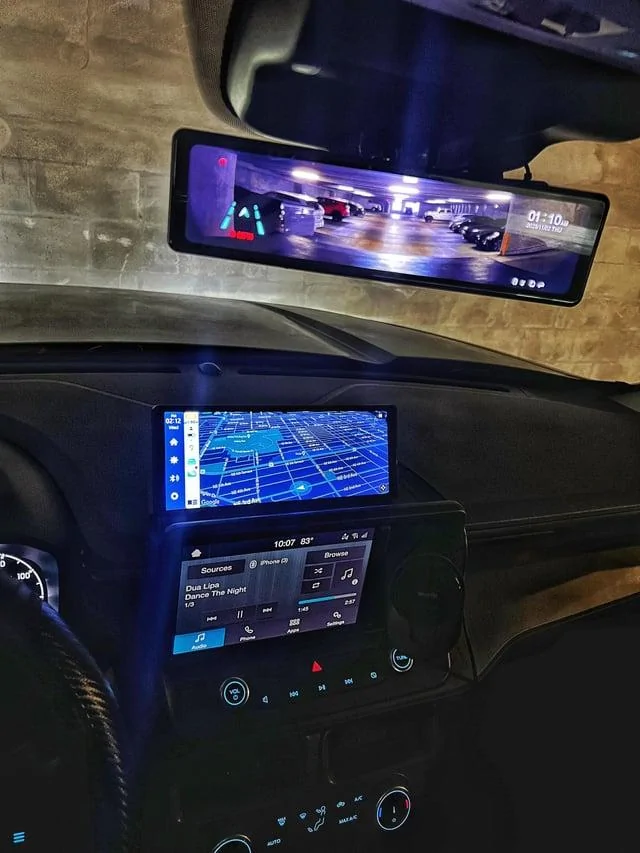
See this for more inspiration:


Ford Maverick Installing an External Carplay Screen (not using OEM screen) DIY Project jsrf0ei1j70c1


It keeps the OEM screen and adds a widescreen for AA/Carplay above.

My main gripe is that the OEM is hard to read in bright light - screen doesn't get bright enough to easily see maps while driving!
edit: to clarify, I haven't done this to mine, but seems a good option to solve my complaints
 
Last edited:

JBEN110

2.0L EcoBoost
Well-known member
First Name
Jeff
Joined
Nov 10, 2023
Threads
10
Messages
312
Reaction score
163
Location
Canada
Vehicle(s)
Maverick Awd XLT tremor with lux
Engine
2.0L EcoBoost
Clubs
 
Just wanted to share a project I am working on
(still in progress)

warning: it's for my own needs (I will explain later)
not necessary to reply to this thread with comments like
-Not for me
-Don't like it
-Uggly
etc
Any constructive comments I am ready to read and learn
I am just a regular guy with basic DIY skills

Pictures:
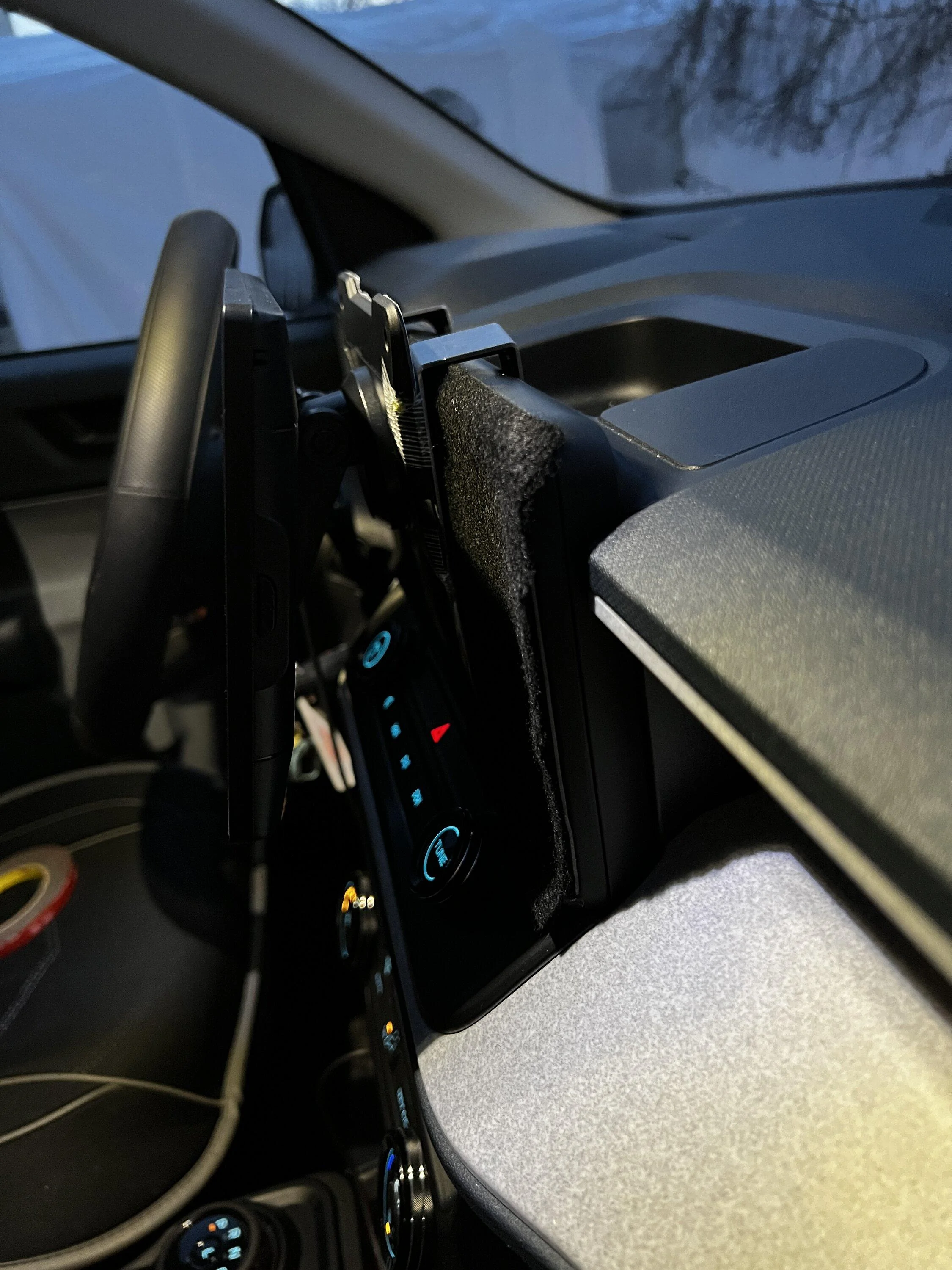
a.JPG

b.JPG

c.JPG


Bought this carplay screen (Yes, I am from Canada so amazon.ca link):
https://www.amazon.ca/dp/B0C1T5D8VQ?ref=ppx_yo2ov_dt_b_product_details&th=1

Why ?

2 main reasons:

First thing when I first sat in the Maverick
I started to grab the screen to see if I could adjust it
(not possible) finding it's facing down too much

Two, when I pop in the Maverick I always use Carplay (Spotify and Google Maps)
and nothing else on the original OEM screen (radio, etc). Am tired of seeing in the middle
of the screen the volume and temperature when changing them.

This Carplay sreen is 9"
Wish I could have found a bigger one (but this one fitted my budget)
but the fact it is going in front of the OEM screen
it looks bigger and finally I can adjust this screen with more angles

If I need to access the original OEM screen underneath
it takes a second to slide it up. The black liner is protecting the
OEM screen and is held up by 4 pieces of double sided 3M tape
(also easy to remove)

All is working fine and Music (with Bluetooth) is playing in the Maverick
without issues. Project still in progress so didn't receive or make a call yet
with this new setup.

Also, I can use Apple Airplay on this Carplay screen

Anyway fits my needs
Just wanted to share something different with all of you
That looks good actually! I wonder if you removed the original screen could you some how hook it up so that you have the back up camera feel the new one?
 

Sponsored

OP
OP

Tito71

2.5L Hybrid
Active member
Joined
Apr 18, 2022
Threads
4
Messages
41
Reaction score
80
Location
Laval, Quebec
Vehicle(s)
2025 Ford Maverick AWD XLT LUX 4K Tow Hybrid Ruby Red
Engine
2.5L Hybrid
That looks good actually! I wonder if you removed the original screen could you some how hook it up so that you have the back up camera feel the new one?
Good idea but I am not there yet, just started this idea/project yesterday afternoon. I’ll keep it in mind. Thanks
 

JBEN110

2.0L EcoBoost
Well-known member
First Name
Jeff
Joined
Nov 10, 2023
Threads
10
Messages
312
Reaction score
163
Location
Canada
Vehicle(s)
Maverick Awd XLT tremor with lux
Engine
2.0L EcoBoost
Clubs
 
Yea for sure! I’m excited to see where it goes, I know that it is extremely easy to remove the oem screen
Good idea but I am not there yet, just started this idea/project yesterday afternoon. I’ll keep it in mind. Thanks
 
OP
OP

Tito71

2.5L Hybrid
Active member
Joined
Apr 18, 2022
Threads
4
Messages
41
Reaction score
80
Location
Laval, Quebec
Vehicle(s)
2025 Ford Maverick AWD XLT LUX 4K Tow Hybrid Ruby Red
Engine
2.5L Hybrid
Here are more pictures,

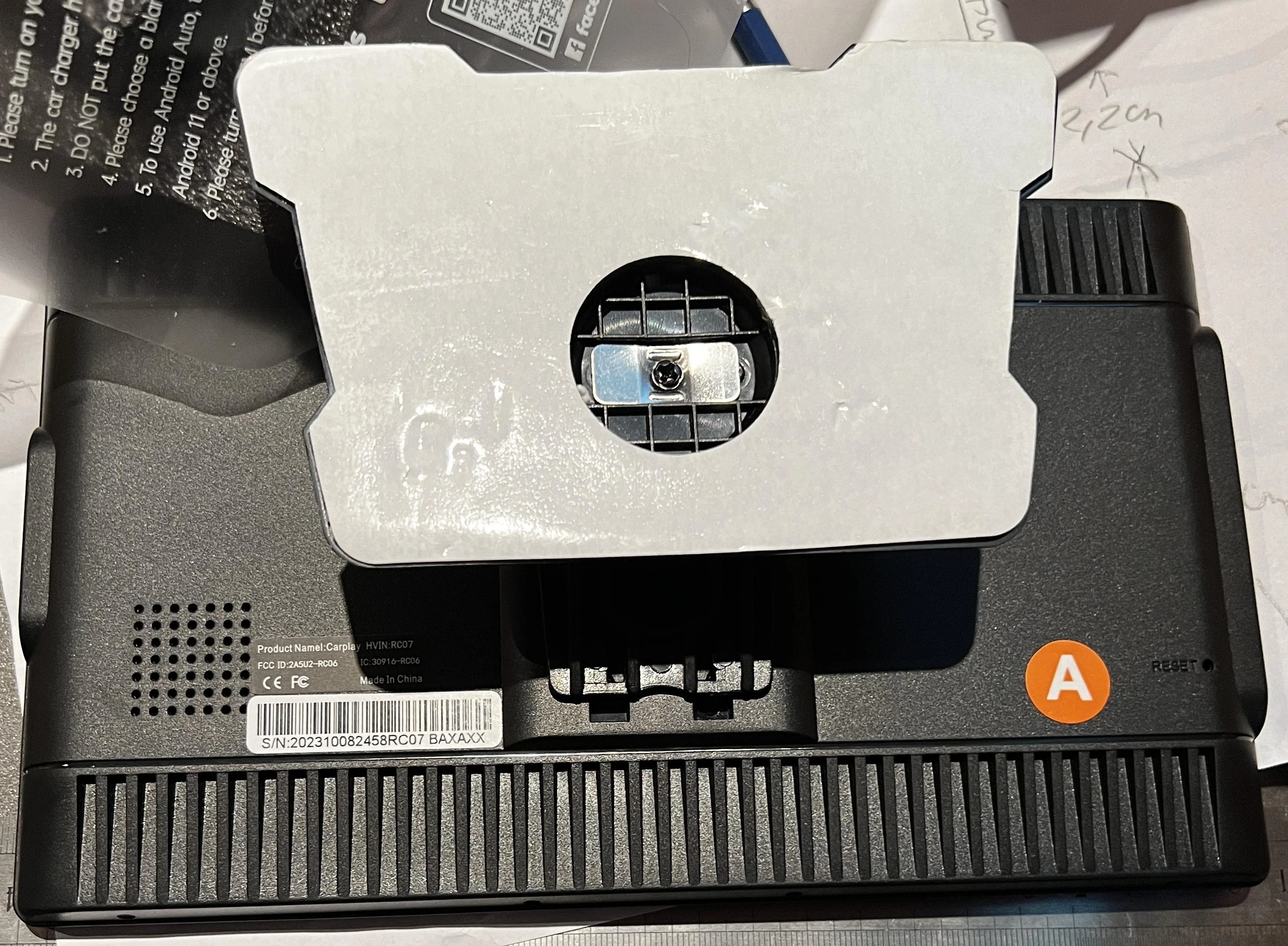
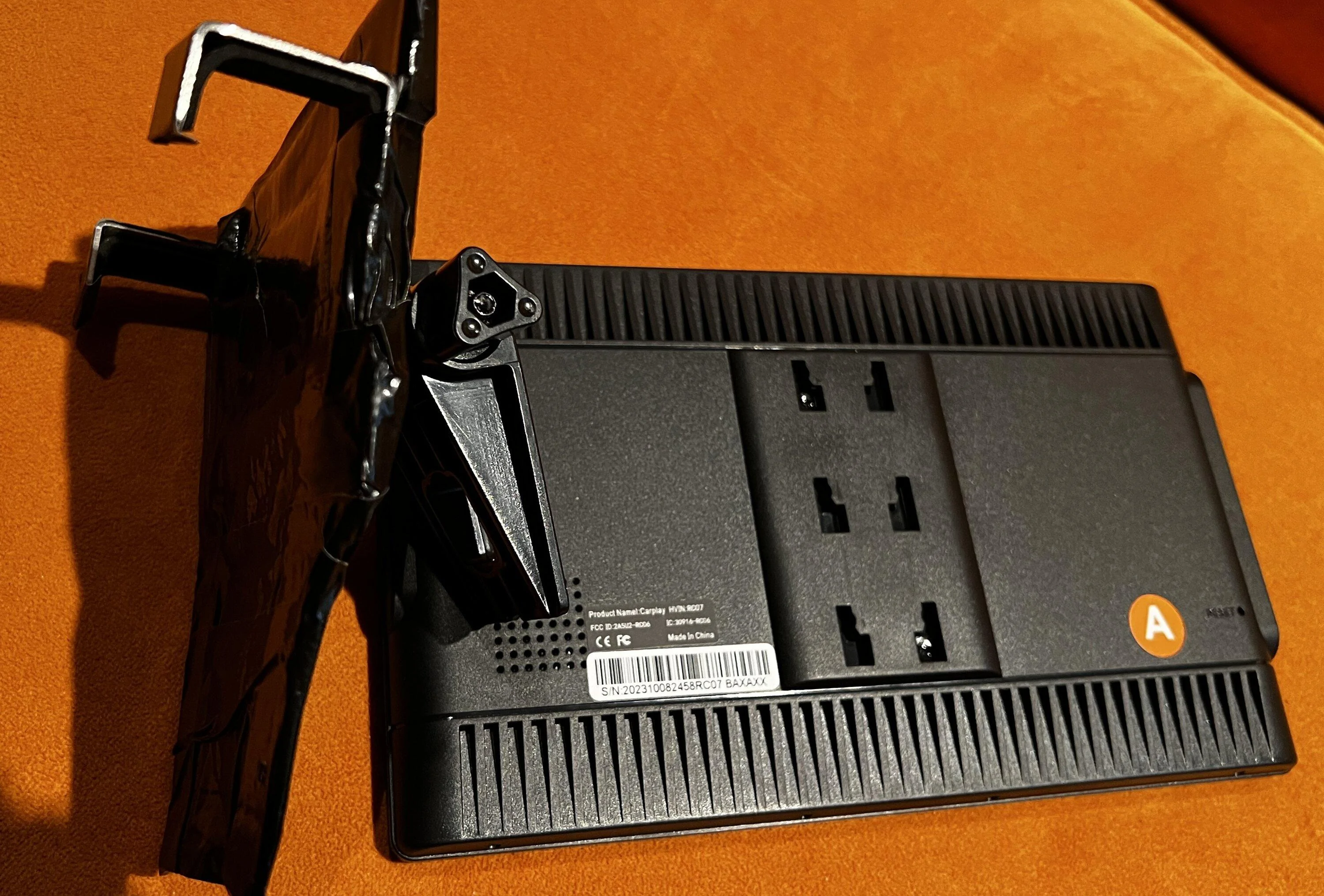
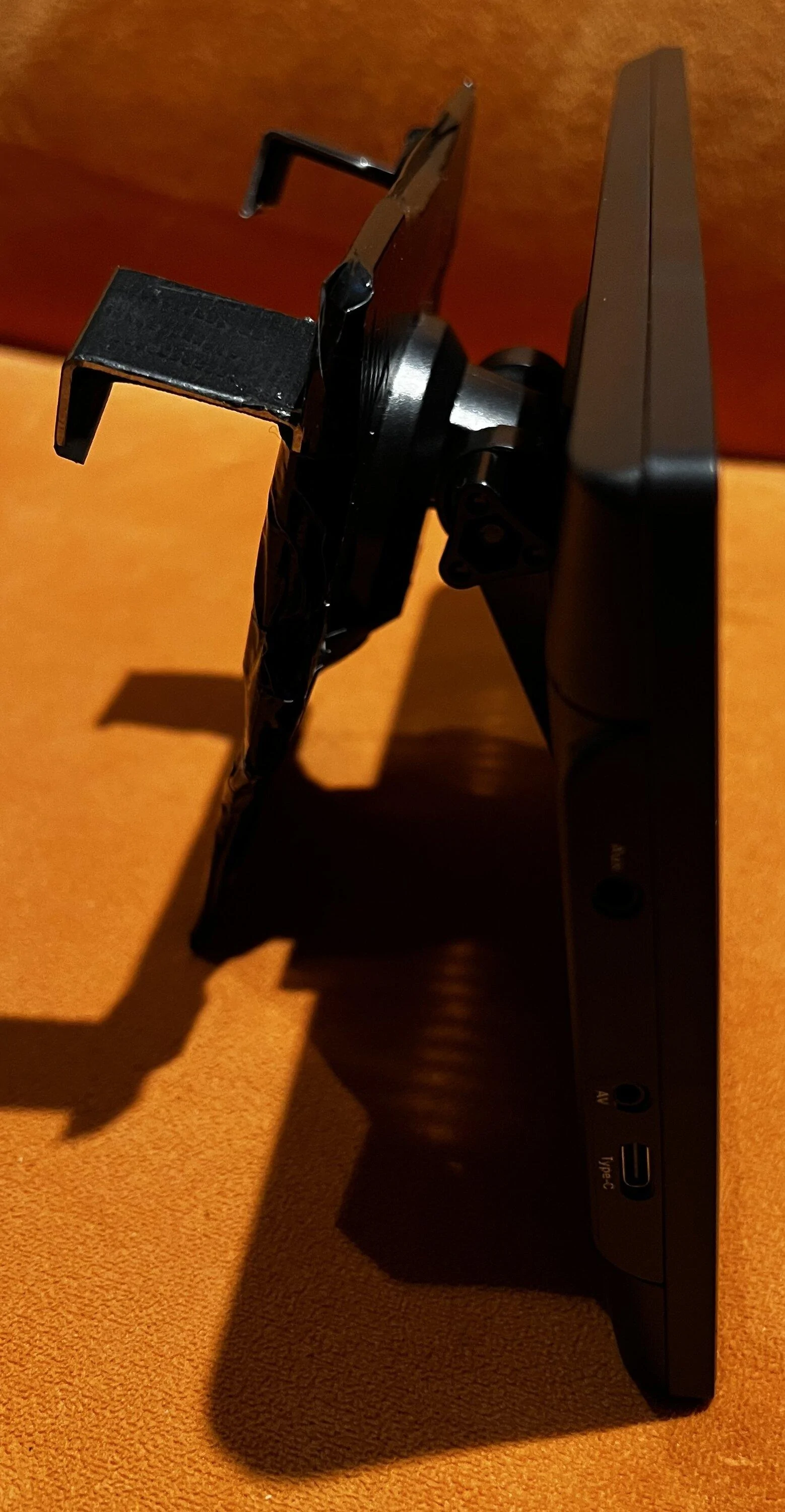
This one shows the back of the Carplay screen (base of the project) with
the attached bracket

Ford Maverick Installing an External Carplay Screen (not using OEM screen) DIY Project IMG_2902


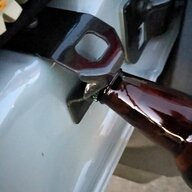
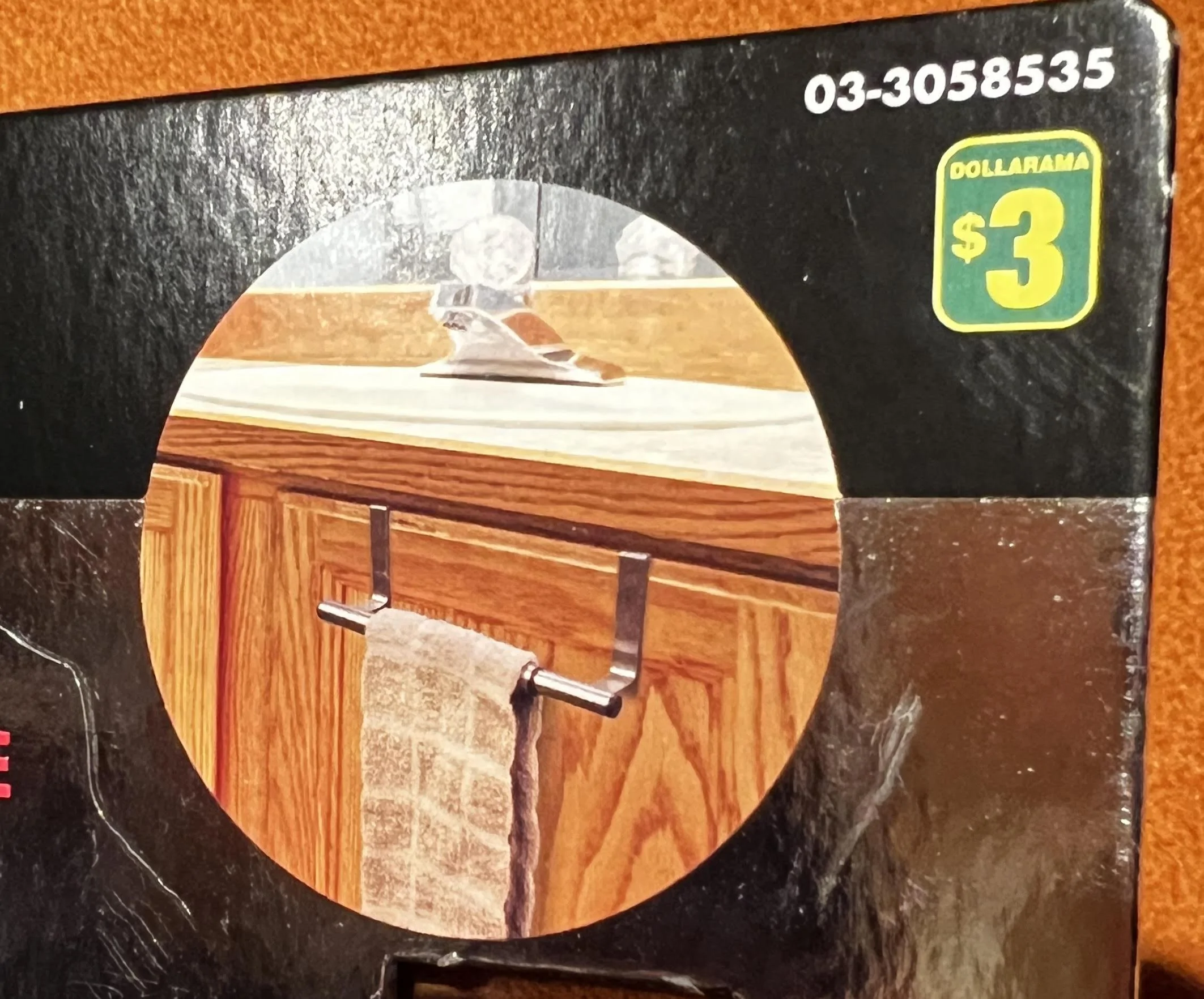
added 2 metal brackets (that had foam underneath them for protection) that came out of a towel bar (dollar store)
Ford Maverick Installing an External Carplay Screen (not using OEM screen) DIY Project ddddd


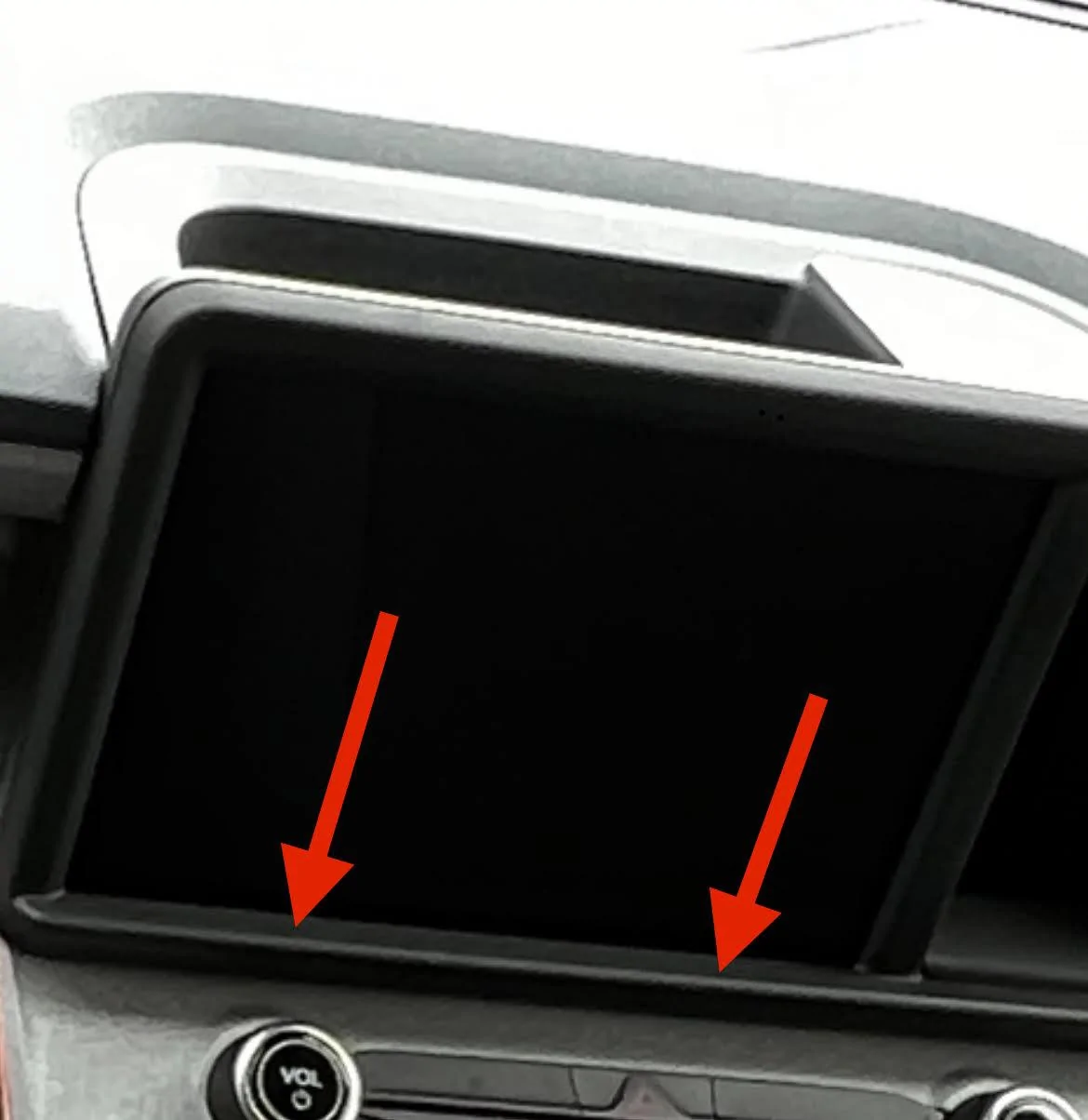
Pratical thing, the 2 brackets seats at the bottom lip of the screen (yes added 2 foam pieces at the 2 contact points)
Ford Maverick Installing an External Carplay Screen (not using OEM screen) DIY Project fffff


A bit of black duck tape for now (lucky me I don't see this when seating in the driver's seat) for
the primitive home made brackets:
Ford Maverick Installing an External Carplay Screen (not using OEM screen) DIY Project IMG_2914

Ford Maverick Installing an External Carplay Screen (not using OEM screen) DIY Project IMG_2916
 
Last edited:

Automate

2.5L Hybrid
Well-known member
Joined
Jul 21, 2021
Threads
60
Messages
1,798
Reaction score
2,135
Location
Atlanta GA, USA (ATL)
Vehicle(s)
Fusion Hybrid, Mav XL Hybrid
Engine
2.5L Hybrid
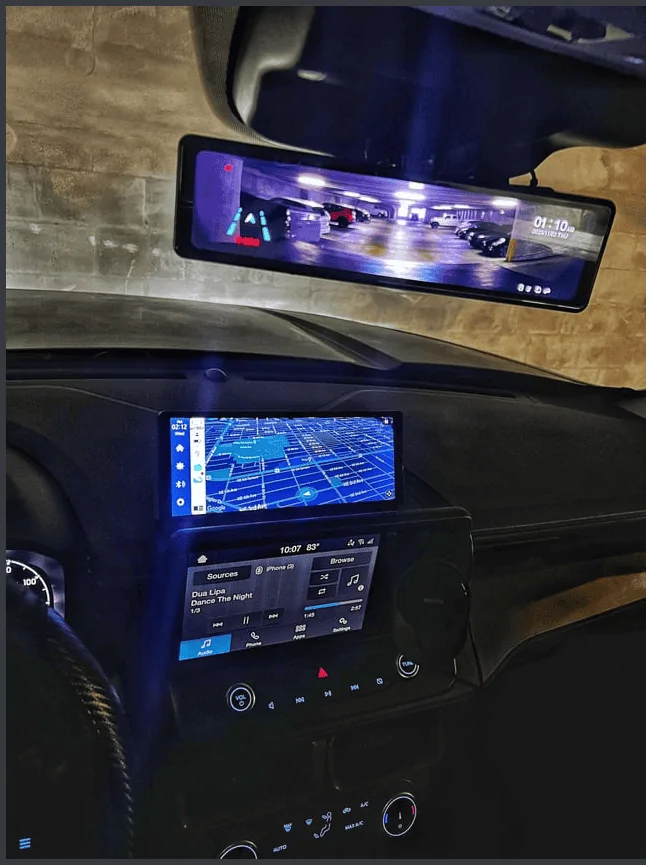
See this for more inspiration:
Ford Maverick Installing an External Carplay Screen (not using OEM screen) DIY Project 1702560633133

It keeps the OEM screen and adds a widescreen for AA/Carplay above.

My main gripe is that the OEM is hard to read in bright light - screen doesn't get bright enough to easily see maps while driving!
What is the brand and size of the extra screen?
 

commadorebob

2.0L EcoBoost
Well-known member
First Name
Bob
Joined
Sep 17, 2022
Threads
62
Messages
4,946
Reaction score
10,524
Location
Alabama
Vehicle(s)
2025 Expedition Max Platinum; 2023 Maverick Lariat
Engine
2.0L EcoBoost
Interesting project. I am actually hoping someone will try seeing if the larger 2024 Escape display fits and if it is mostly plug-and-play.

But I also like the idea of a second display.
 
Sponsored
OP
OP

Tito71

2.5L Hybrid
Active member
Joined
Apr 18, 2022
Threads
4
Messages
41
Reaction score
80
Location
Laval, Quebec
Vehicle(s)
2025 Ford Maverick AWD XLT LUX 4K Tow Hybrid Ruby Red
Engine
2.5L Hybrid
Interesting project. I am actually hoping someone will try seeing if the larger 2024 Escape display fits and if it is mostly plug-and-play.

But I also like the idea of a second display.
You know what, when I saw the bigger screen on the 24 Escape that is what
started this project. By hidding with a black liner the back of this Carplay screen
I don't see the smaller screen and that cubby hole that I never use.
 

JBryant

2.5L Hybrid
Well-known member
First Name
Jesse
Joined
Nov 7, 2022
Threads
33
Messages
1,629
Reaction score
2,709
Location
Bowie, TX
Vehicle(s)
2023 Maverick Lariat Hybrid Alto Blue
Engine
2.5L Hybrid
thanks for tTE]
I use a 13" iPad mounted on a cup holder. That lets me swivel, adjust up or down, etc. Can adjust volume, gives me all kind of options. I actually get my phone calls that way as well. Like others, as I get older, I need more screen size and ease of use.
 

Luthinator

2.5L Hybrid
Well-known member
First Name
Steve
Joined
Sep 4, 2023
Threads
6
Messages
228
Reaction score
175
Location
Illinois
Vehicle(s)
24' Mav. Lariat Hybrid & 23' Ford Explorer XLT+
Engine
2.5L Hybrid
Clubs
 
I like all the ideas. I have found this dash mount for the Mav. This is one of the best I have come across so far. I have not looked, but there may be an option for a tablet too.

Bulletpoint RubiGrid Metal Dash Mount Phone Holder Compatible with 2022+ Ford Maverick
https://a.co/d/gClDHUe
 

710-oil-614

2.5L Hybrid
Well-known member
First Name
Cal
Joined
Oct 13, 2021
Threads
27
Messages
6,034
Reaction score
11,838
Location
Ohio...but I'd rather be in Boone.
Vehicle(s)
2025 Hybrid AWD Lariat
Engine
2.5L Hybrid
My guess is the MY25 refresh will come with Sync 3 or 3A (or maybe even 4a) standard for all Mavericks, as well as a 10-12 inch screen.

My guess is the 10-12" screen will be a direct replacement for the existing 8" screen and a cubby.

Those of us who wait patiently will be heavily rewarded.
 

Automan21

2.0L EcoBoost
Well-known member
First Name
Mel
Joined
Nov 30, 2023
Threads
23
Messages
1,062
Reaction score
926
Location
CT
Vehicle(s)
‘23 XLT Eco AWD 4K Tow
Engine
2.0L EcoBoost
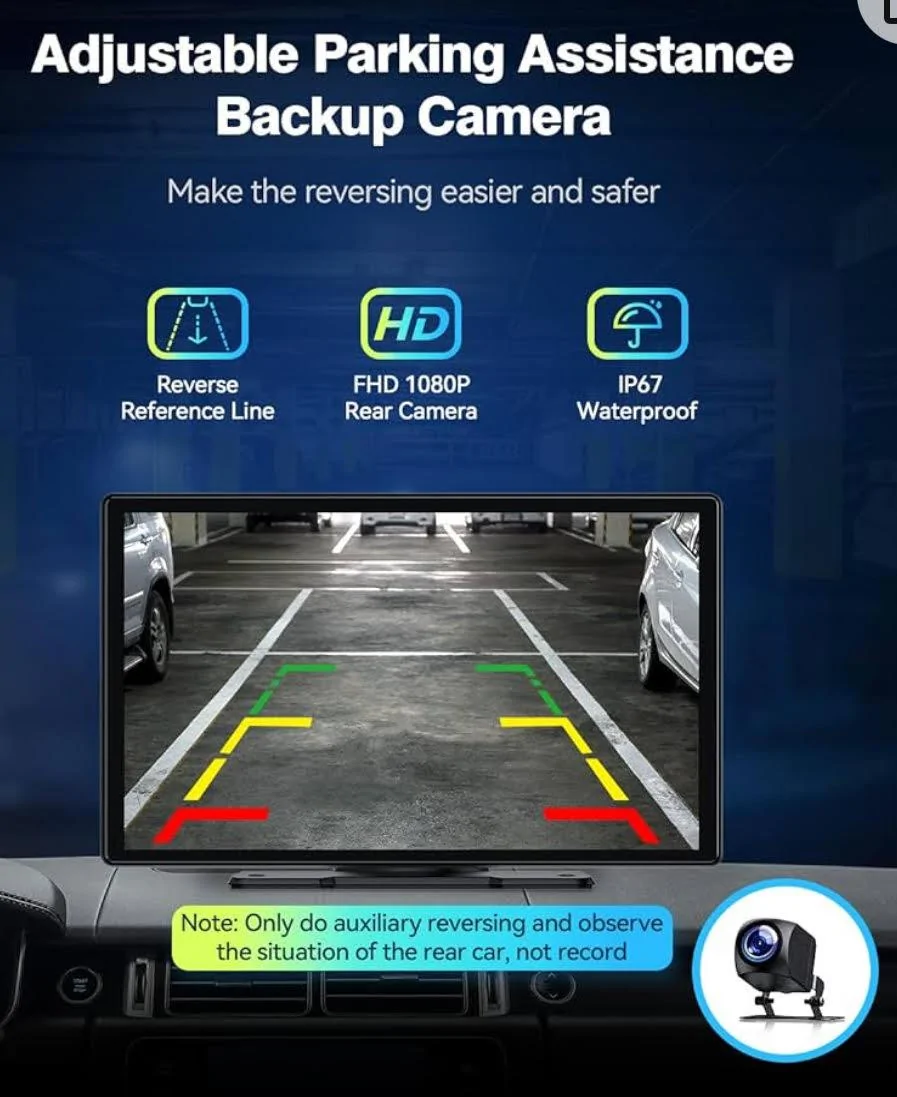
Work in progress that Carplay screen comes with a backup camera (so you can view the same kind of pict as the original OEM screen). I did not install yet
unnamed.jpg
You would still have to install another camera right?
Sponsored


Top