Sponsored

How To: Sync 3/4 swap for non Sync 3 XL/XLT

breeves002

2.0L EcoBoost
Member
First Name
Sam
Joined
Mar 10, 2025
Threads
0
Messages
17
Reaction score
38
Location
St. Louis, MO
Vehicle(s)
2022 Maverick
Engine
2.0L EcoBoost
Thanks but I don't need to to purchase additional hardware. Hoping someone on the forum, having completed this already, could share their as-built codes to get the Ford app working, everything else works great.
You'll have to put your old system back in, re-enable FordPass, then put the Sync 4 back in. You can't enable it with Sync 4 but it will continue to work if enabled. Just don't Master Reset the Sync 4.
Sponsored


MattinNC

2.5L Hybrid
Well-known member
First Name
Matt
Joined
Dec 12, 2023
Threads
3
Messages
64
Reaction score
24
Location
Raleigh, NC
Vehicle(s)
'23 Lariat
Engine
2.5L Hybrid
You'll have to put your old system back in, re-enable FordPass, then put the Sync 4 back in. You can't enable it with Sync 4 but it will continue to work if enabled. Just don't Master Reset the Sync 4.
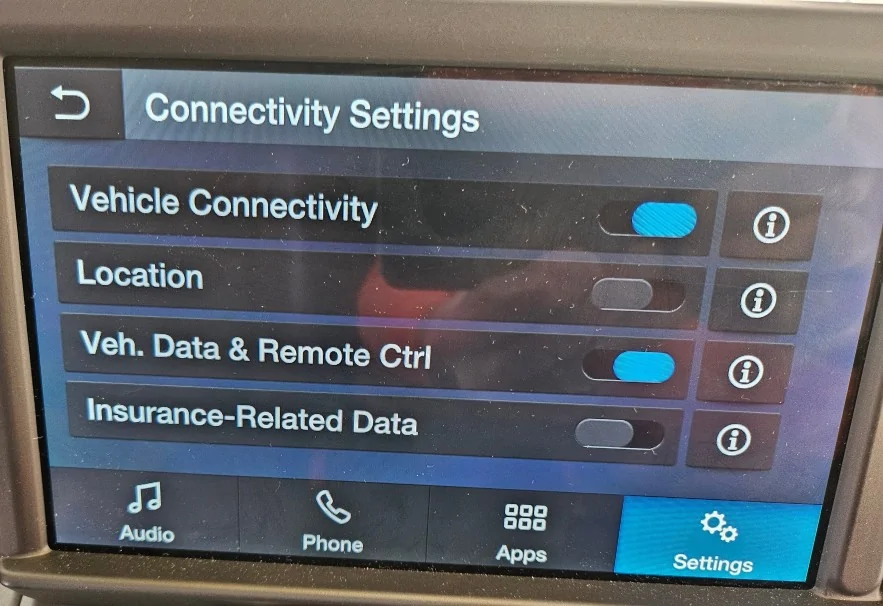
Thanks..after all else failed I thought it was worth a try. I ultimately disconnected the main connector to the new harness and connected back in the original APM and screen temporarily. It connected immediately. I think I was expecting to configure a menu in the APIM like (pictured) the original ACM that would turn on these functions. But I was not able to do this and as you have stated; you can't enable it with Sync 4.

Thanks again. I appreciate the replies. I really like having the Ford app to start the vehicle in cold mornings and lock it when I'm unsure if it locked. :)

Ford Maverick How To: Sync 3/4 swap for non Sync 3 XL/XLT ACM_Connectivity
 

PepperMav

2.0L EcoBoost
Member
First Name
Mike
Joined
Jan 17, 2026
Threads
0
Messages
21
Reaction score
15
Location
St. Charles MO
Vehicle(s)
86 Mustang, 04 Ranger, 21 Explorer Hybrid, 22 Maverick XLT, 24 Mustang Mach E
Engine
2.0L EcoBoost
Thanks..after all else failed I thought it was worth a try. I ultimately disconnected the main connector to the new harness and connected back in the original APM and screen temporarily. It connected immediately. I think I was expecting to configure a menu in the APIM like (pictured) the original ACM that would turn on these functions. But I was not able to do this and as you have stated; you can't enable it with Sync 4.

Thanks again. I appreciate the replies. I really like having the Ford app to start the vehicle in cold mornings and lock it when I'm unsure if it locked. :)

ACM_Connectivity.webp
Did you just hook up the old system and power it up, or did you go through the whole repairing process between the app and vehicle? From what I understand, the master reset of SYNC4 severs the paring with the ford pass app network. the sync4 setup is incapable of repairing with the Maverick, so you have to reinstall the old system, repair with Ford Pass, and then you can put back your already master reset Sync4 setup, and the connection remains, as long as you do not do another master reset.
 

MattinNC

2.5L Hybrid
Well-known member
First Name
Matt
Joined
Dec 12, 2023
Threads
3
Messages
64
Reaction score
24
Location
Raleigh, NC
Vehicle(s)
'23 Lariat
Engine
2.5L Hybrid
Did you just hook up the old system and power it up, or did you go through the whole repairing process between the app and vehicle? From what I understand, the master reset of SYNC4 severs the paring with the ford pass app network. the sync4 setup is incapable of repairing with the Maverick, so you have to reinstall the old system, repair with Ford Pass, and then you can put back your already master reset Sync4 setup, and the connection remains, as long as you do not do another master reset.
I believe you are correct. During the attempt to get the Ford app to connect I had removed and added back the truck in the app. Then once I reconnected the old ACM, the app connected pretty quick.
 

elizabethk314

2.0L EcoBoost
Well-known member
First Name
Elizabeth
Joined
Sep 21, 2021
Threads
0
Messages
57
Reaction score
48
Location
St. Louis
Vehicle(s)
Escape
Engine
2.0L EcoBoost
Clubs
 
Thanks to everyone in this post finally bit the bullet and installed my 12” inch sync 4 upgrade installed. Extra thanks to Sam @oemplusupgrades for the programming help at the end. System is up and pictures to follow. Also I have the 13 inch screen for sale if anyone wants it!
 

Sponsored

fcoplo

2.0L EcoBoost
Active member
First Name
Fernando
Joined
May 15, 2022
Threads
0
Messages
44
Reaction score
21
Location
Argentina
Vehicle(s)
Maverick Lariat FX4 South America Edition
Engine
2.0L EcoBoost
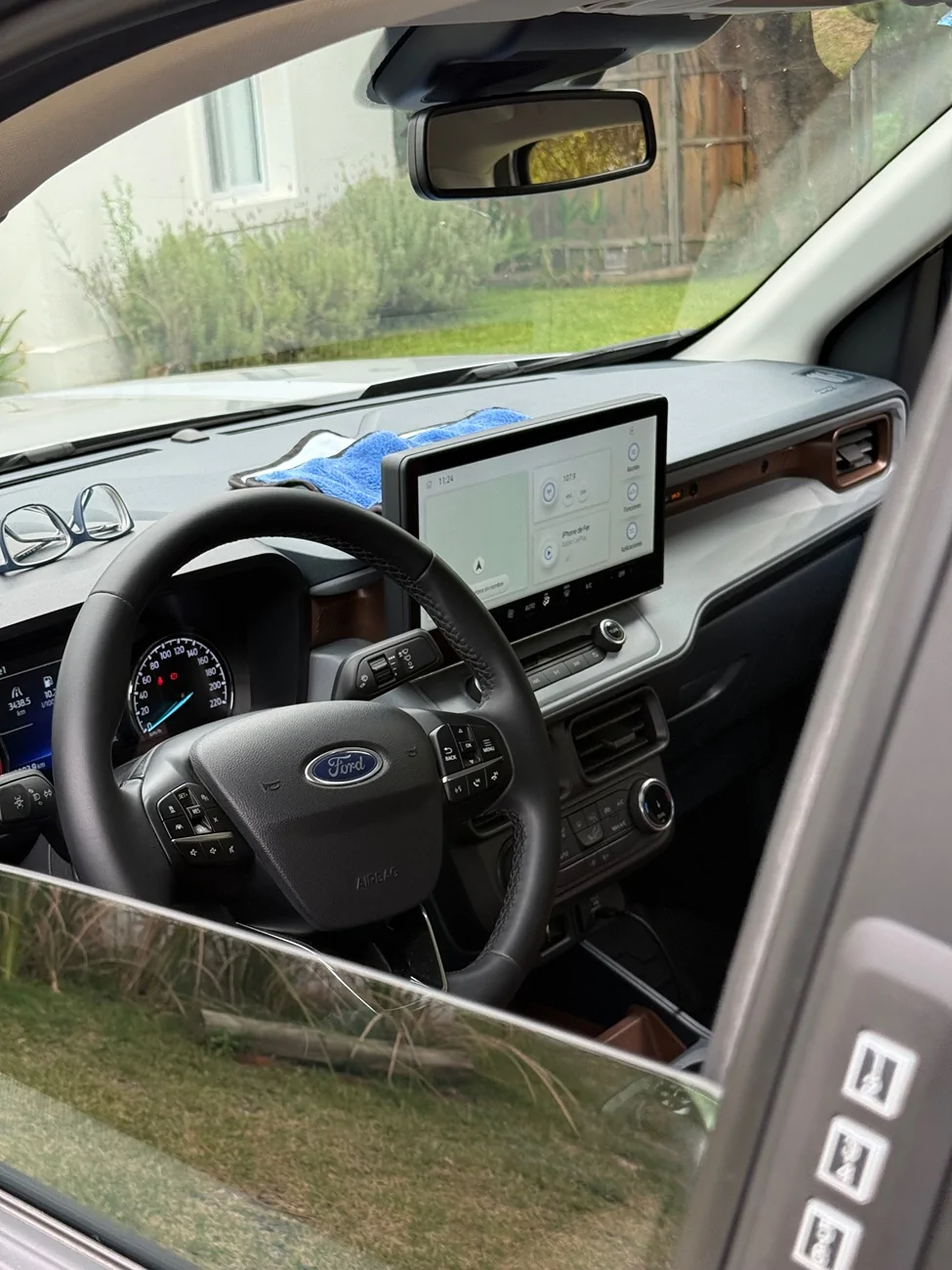
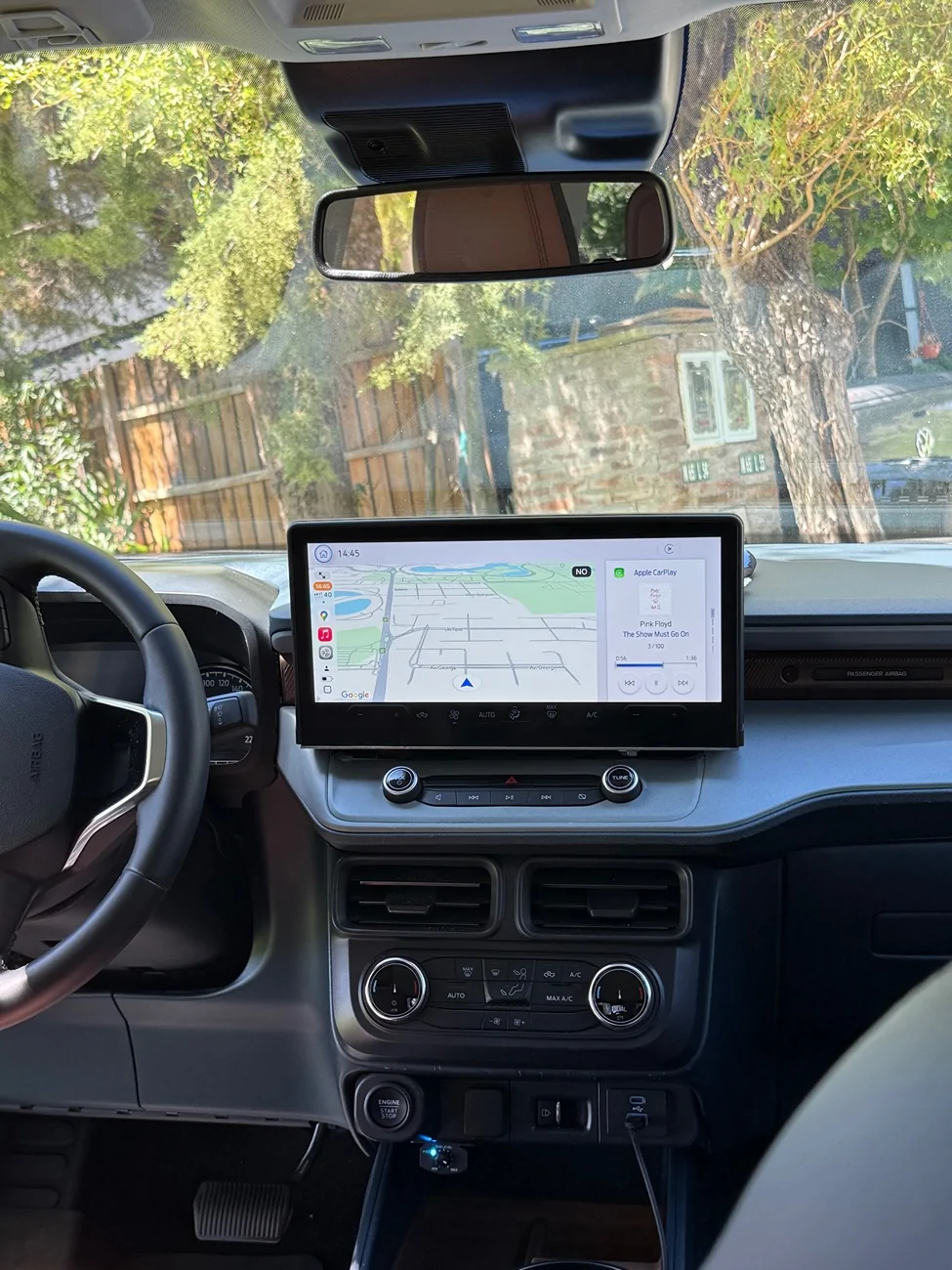
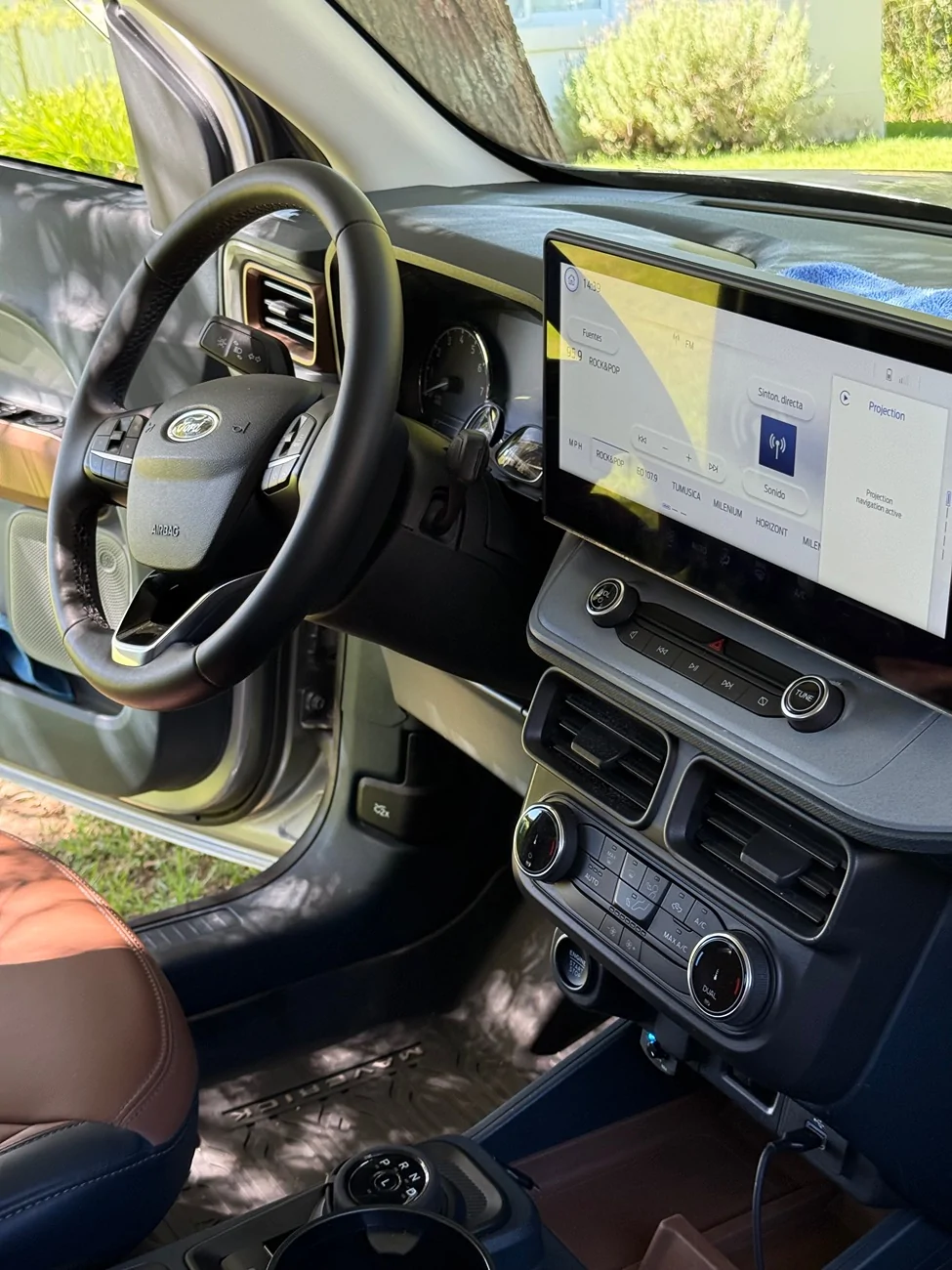
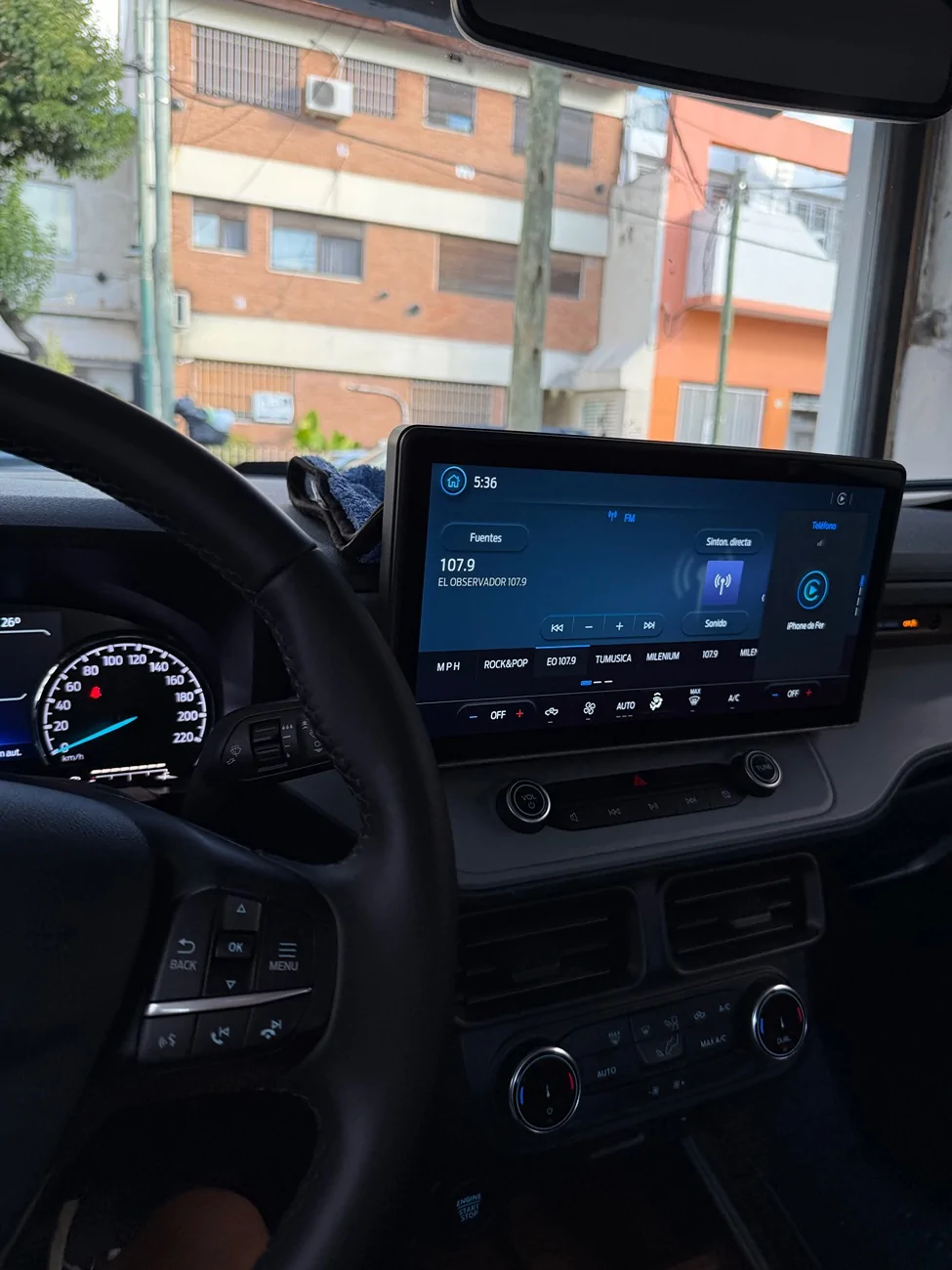
On 2023 I changed to sync4 , and some months ago bought the 13.2" screen from the new maverick for a good price , and also got an apim from new mustang with 2025 software , It was
really hard to mount (took me lot of hours making a good way to hold it) and also to program , but finally it s working. The screen holder is handmade by me using wood and screws.

I will need to print a 3d rear cover, to insert into the hole behind the screen.
Also the below part of screen needs to be covered with something (the bottom edge is metal because it is inserted into the dashboard), or just change the screen from the Escape model.
I like and prefer the landscape 13.2 screen instead of the portrait 12".

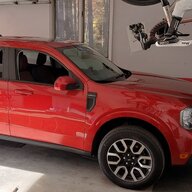
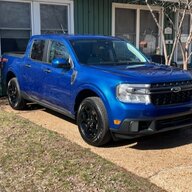
Ford Maverick How To: Sync 3/4 swap for non Sync 3 XL/XLT IMG_0447


Ford Maverick How To: Sync 3/4 swap for non Sync 3 XL/XLT IMG_0487


Ford Maverick How To: Sync 3/4 swap for non Sync 3 XL/XLT IMG_0482


Ford Maverick How To: Sync 3/4 swap for non Sync 3 XL/XLT IMG_0462
 
Last edited:

RONR11

2.5L Hybrid
Well-known member
First Name
Ron
Joined
Sep 1, 2021
Threads
49
Messages
272
Reaction score
121
Location
Hartsville SC
Vehicle(s)
2019 Ranger/Maverick
Engine
2.5L Hybrid
On 2023 I changed to sync4 , and some months ago bought the 13.2" screen from the new maverick for a good price , and also got an apim from new mustang with 2025 software , It was
really hard to mount (took me lot of hours making a good way to hold it) and also to program , but finally it s working. The screen holder is handmade by me using wood and screws.

I will need to print a 3d rear cover, to insert into the hole behind the screen.
Also the below part of screen needs to be covered with something (the bottom edge is metal because it is inserted into the dashboard), or just change the screen from the Escape model.
I like and prefer the landscape 13.2 screen instead of the portrait 12".
I covered mine with matte black vinyl from hobby lobby

IMG_0447.webp


IMG_0487.webp


IMG_0482.webp


IMG_0462.webp
 

fcoplo

2.0L EcoBoost
Active member
First Name
Fernando
Joined
May 15, 2022
Threads
0
Messages
44
Reaction score
21
Location
Argentina
Vehicle(s)
Maverick Lariat FX4 South America Edition
Engine
2.0L EcoBoost
could you post a photo of it? thanks
 

PepperMav

2.0L EcoBoost
Member
First Name
Mike
Joined
Jan 17, 2026
Threads
0
Messages
21
Reaction score
15
Location
St. Charles MO
Vehicle(s)
86 Mustang, 04 Ranger, 21 Explorer Hybrid, 22 Maverick XLT, 24 Mustang Mach E
Engine
2.0L EcoBoost
I accidentally posted in the wrong thread...there are two very similar ones. Sorry for that.


Ok, its 4+ years removed from when this was first conquered, but I too have completed the Sync-4 8" conversion in my XLT. As of last night I had corrected the last of the bothersome effects (e.g. Bronco splash screen, a handful of DTCs including lost communication to Parking Module A, no ability to change the door keypad, etc.) I can officially report only one DTCs (satellite antenna circuit open), HD radio fully working, Ford Pass app connected, Map tracking to GPS, audio content for all sources on the IPC and wireless AA working. Nice companion piece to the upgrade of the Lariat cluster with the larger screen, and the homelink enabled LED mirrored visors. Cyanide Labs' as-built database for all the modules is s huge resource.

For anyone interested I used a APIM from an F150 MU5T14G670FBN and an ACM M1PT18K810DB from a Bronco Sport. I bought the OEM+ Sync 4 conversion Harness just to save the time which was worth more to me, and the Ford APIM bracket listed in this thread (which by the way is not the correct P/N for Maverick- it's the part number for the Escape) after modifying it.

As to the lack of SXM radio, I've decided the antenna was bad out of the package, as others have mentioned issues with the one recommended in the first post of this thread had given them problems too. I've ordered the alternate listed later in the thread to see if it works better. All in I um just under $450 not counting my time and lost hair.

The last thing I need help with is someone with a 26 XLT ecoboost that is willing to share their stock APIM as-built so I can check the APIM X/Y/Z angles and other vehicle specs/dimensions stored in 05-02, 05-03, 06-01, 06-02, 07-01, 07-02, 07-03 and 07-04. I'm just not sure the as built data in the 2nd post of this thread has all of this accounted for.
 

fcoplo

2.0L EcoBoost
Active member
First Name
Fernando
Joined
May 15, 2022
Threads
0
Messages
44
Reaction score
21
Location
Argentina
Vehicle(s)
Maverick Lariat FX4 South America Edition
Engine
2.0L EcoBoost
I accidentally posted in the wrong thread...there are two very similar ones. Sorry for that.


Ok, its 4+ years removed from when this was first conquered, but I too have completed the Sync-4 8" conversion in my XLT. As of last night I had corrected the last of the bothersome effects (e.g. Bronco splash screen, a handful of DTCs including lost communication to Parking Module A, no ability to change the door keypad, etc.) I can officially report only one DTCs (satellite antenna circuit open), HD radio fully working, Ford Pass app connected, Map tracking to GPS, audio content for all sources on the IPC and wireless AA working. Nice companion piece to the upgrade of the Lariat cluster with the larger screen, and the homelink enabled LED mirrored visors. Cyanide Labs' as-built database for all the modules is s huge resource.

For anyone interested I used a APIM from an F150 MU5T14G670FBN and an ACM M1PT18K810DB from a Bronco Sport. I bought the OEM+ Sync 4 conversion Harness just to save the time which was worth more to me, and the Ford APIM bracket listed in this thread (which by the way is not the correct P/N for Maverick- it's the part number for the Escape) after modifying it.

As to the lack of SXM radio, I've decided the antenna was bad out of the package, as others have mentioned issues with the one recommended in the first post of this thread had given them problems too. I've ordered the alternate listed later in the thread to see if it works better. All in I um just under $450 not counting my time and lost hair.

The last thing I need help with is someone with a 26 XLT ecoboost that is willing to share their stock APIM as-built so I can check the APIM X/Y/Z angles and other vehicle specs/dimensions stored in 05-02, 05-03, 06-01, 06-02, 07-01, 07-02, 07-03 and 07-04. I'm just not sure the as built data in the 2nd post of this thread has all of this accounted for.
Hi, I have tremor 25 sync4 asbuilt, I used to programm my retroffited mustang apim and all is working ok. I will share asap.
Br
 
Sponsored

PepperMav

2.0L EcoBoost
Member
First Name
Mike
Joined
Jan 17, 2026
Threads
0
Messages
21
Reaction score
15
Location
St. Charles MO
Vehicle(s)
86 Mustang, 04 Ranger, 21 Explorer Hybrid, 22 Maverick XLT, 24 Mustang Mach E
Engine
2.0L EcoBoost
The last thing I need help with is someone with a 26 XLT ecoboost that is willing to share their stock APIM as-built so I can check the APIM X/Y/Z angles and other vehicle specs/dimensions stored in 05-02, 05-03, 06-01, 06-02, 07-01, 07-02, 07-03 and 07-04. I'm just not sure the as built data in the 2nd post of this thread has all of this accounted for.
So I went lurking on auto trader and found a VIN for a 26 XLT 2.0 FWD, and made an assumption that the 22 to 26 dimensions, track, weight, tire diameter, etc. are the same. I downloaded the full as built config from the ford website. I also assumed that the APIM mounting angle in the 26 match the escape bracket I modified. Below are the mods I will make to the as built shown in the second post of this thread and test them tomorrow. I'll come back and report if I have any issues as a result.

7D0-05-02 0000 00C6 24C8 wheel tick freq GPS Mount Vehicle Lgth
7D0-05-03 442A 0000 004D Vehicle Height
7D0-06-01 1874 18C4 296F Front Track Rear Track Wheel Base Cont’d 06-02
7D0-06-02 AE8D 0000 0000 Wheel Base
7D0-07-01 1700 3300 0029 Vehicle Weight
7D0-07-02 0000 5EA1 00DF IAAPIMAX IAAPIMAY IAAPIMAZ Cont’d 07-03 (X/Y/Z angle of APIM)
7D0-07-03 0056 567F 000C WTRF WTRR Tire Circ DIP (IP to Rear Axle) Cont’d 07-04
7D0-07-04 886A 0000 0000
 

PepperMav

2.0L EcoBoost
Member
First Name
Mike
Joined
Jan 17, 2026
Threads
0
Messages
21
Reaction score
15
Location
St. Charles MO
Vehicle(s)
86 Mustang, 04 Ranger, 21 Explorer Hybrid, 22 Maverick XLT, 24 Mustang Mach E
Engine
2.0L EcoBoost
So I went lurking on auto trader and found a VIN for a 26 XLT 2.0 FWD, and made an assumption that the 22 to 26 dimensions, track, weight, tire diameter, etc. are the same. I downloaded the full as built config from the ford website. I also assumed that the APIM mounting angle in the 26 match the escape bracket I modified. Below are the mods I will make to the as built shown in the second post of this thread and test them tomorrow. I'll come back and report if I have any issues as a result.

7D0-05-02 0000 00C6 24C8 wheel tick freq GPS Mount Vehicle Lgth
7D0-05-03 442A 0000 004D Vehicle Height
7D0-06-01 1874 18C4 296F Front Track Rear Track Wheel Base Cont’d 06-02
7D0-06-02 AE8D 0000 0000 Wheel Base
7D0-07-01 1700 3300 0029 Vehicle Weight
7D0-07-02 0000 5EA1 00DF IAAPIMAX IAAPIMAY IAAPIMAZ Cont’d 07-03 (X/Y/Z angle of APIM)
7D0-07-03 0056 567F 000C WTRF WTRR Tire Circ DIP (IP to Rear Axle) Cont’d 07-04
7D0-07-04 886A 0000 0000
So 3 solid days with the above update with no adverse effects or trouble codes. I replaced the SXM antenna with the later recommended 2 piece solution, and the SXM trouble code stopped, and the error on the satellite radio screen saying antenna problem. I'm declaring this one conquered.
 

tiktokbrainrot

2.0L EcoBoost
Well-known member
Joined
Mar 31, 2026
Threads
0
Messages
174
Reaction score
348
Location
around
Vehicle(s)
91 F250, 20 GLI, 25 Mav XLT
Engine
2.0L EcoBoost
On 2023 I changed to sync4 , and some months ago bought the 13.2" screen from the new maverick for a good price , and also got an apim from new mustang with 2025 software , It was
really hard to mount (took me lot of hours making a good way to hold it) and also to program , but finally it s working. The screen holder is handmade by me using wood and screws.

I will need to print a 3d rear cover, to insert into the hole behind the screen.
Also the below part of screen needs to be covered with something (the bottom edge is metal because it is inserted into the dashboard), or just change the screen from the Escape model.
I like and prefer the landscape 13.2 screen instead of the portrait 12".

IMG_0447.webp


IMG_0487.webp


IMG_0482.webp


IMG_0462.webp
Looks great!

Now see, that's what ford should have done for the 2025+....
Sponsored


Top