- Thread starter
- #1
Deleted
Sponsored
Last edited:

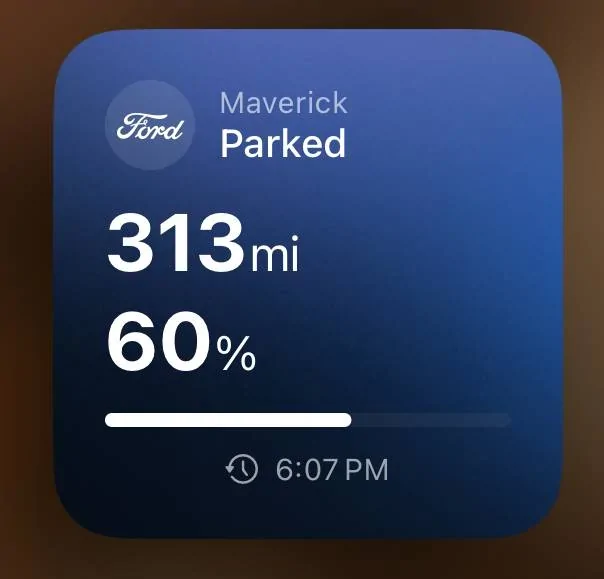
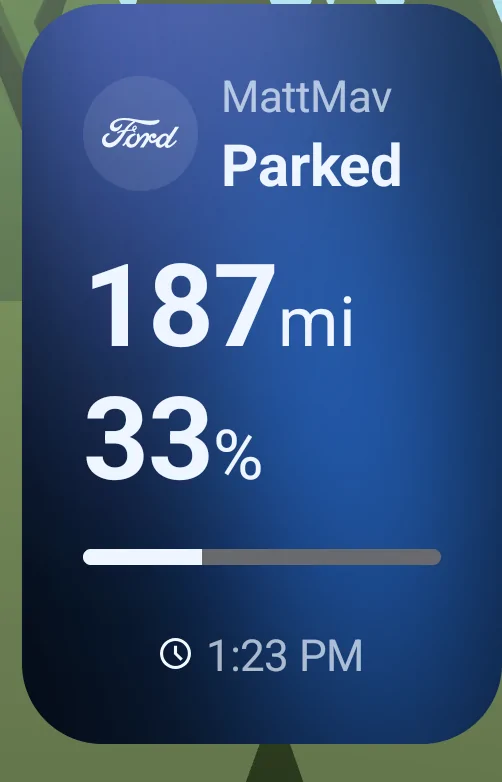
My Ford app widget on my iPhone only shows distance to empty and fuel level as a percent.Is it just me, or is the widget for the updated Ford app on Android really useless?
I see iPhone users' widget allows them to lock, unlock & start the truck. On Android all is shows is that the truck is parked, the fuel level and estimated range.
Am I doing it wrong? I know I can click the widget and go to the app ... but usually the widget itself has some useful function

Yes - these are indeed complaints about an extra touch being required.I have a Samsung S22 Ultra. I didn't even know there was a widget for the Ford app. I have always just used the app from the home screen. I added the widget and it shows status, remaining mileage, and percentage remaining. If I touch the widget, the app opens and then everything the app offers is available. How is it that an iPhone user can do anything without touching the widget? Once I touch the widget, I can do whatever the app allows.

Yes, the APPLICATION can do all that. My post is talking about the WIDGET which is a miniature control panel the phone can display on the home screen
It looks like this (thanks to @scottjl for the screen capture in another thread) ... most device widgets allow you to interact with some control over the device, they don't simply display current status like the Ford widget does :
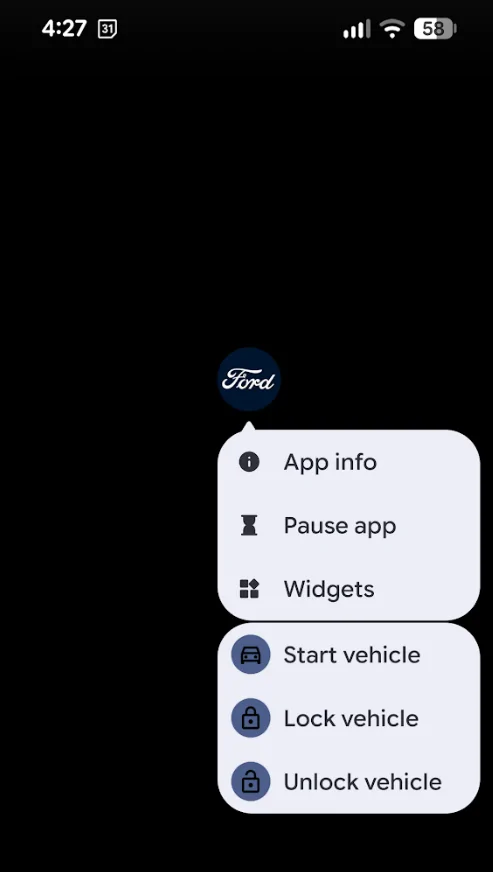

The buttons on long press just open the app for me and I have to use the app to do the thing I wanted to do from the long press.On a recent pixel you can long hold the icon to get those options:
Oh ford! From the same folks that gave us the deep sleep software issue.The buttons on long press just open the app for me and I have to use the app to do the thing I wanted to do from the long press.