
- First Name
- Atom
- Joined
- May 2, 2021
- Threads
- 40
- Messages
- 494
- Reaction score
- 824
- Location
- Central TX
- Vehicle(s)
- 2022 Cyber Orange Ford Maverick XLT Hybrid
- Engine
- 2.5L Hybrid
- Thread starter
- #1
Hey everyone. Google has added incident reporting to Google Maps on Android Auto, but it doesn't show up on AA in the Maverick due to a frustrating design constraint, the 2022-24 Maverick's small screen. Incident reporting on Google Maps for AA allows drivers to send in a report for road hazards found along their route, such as construction, closed lanes, accidents, speed traps, etc. The Maverick's screen doesn't have enough vertical space, so the button doesn't appear. Incident reporting is accessed by a "hazard" button along the left side of the screen underneath the north point view, and above the zoom buttons. Since the Maverick's screen isn't tall enough to show all the buttons, the incident reporting button is removed. The incident reporting button shows up for me in Google Maps on my phone (I saw it when using Google Maps for navigation while riding my motorcycle), but noticed that the incident reporting button missing in Google Maps on Android Auto in the Maverick. I didn't know why until I read this article: Android Auto’s incident reporting feature might not work in your car – here’s why.
The fix is to change the DPI using an AAWireless adapter Here’s how to get more space for widgets on Android Auto ‘Coolwalk’. I own the adapter and changed the DPI from default "0", to 110, and that fixed the issue. In my Maverick, changing the DPI to 110 results in Android Auto showing Google Maps as a wide, fully-functional app at the top of the display with widgets below, instead of on the right side. It shows the weather widget that’s missing for most users of “Coolwalk” and also the music widget off to the bottom right side. Notably, that weather widget gets replaced by any recent messages you might receive. When I make Google Maps full screen, the incident reporting button shows up. Check out the pics below.
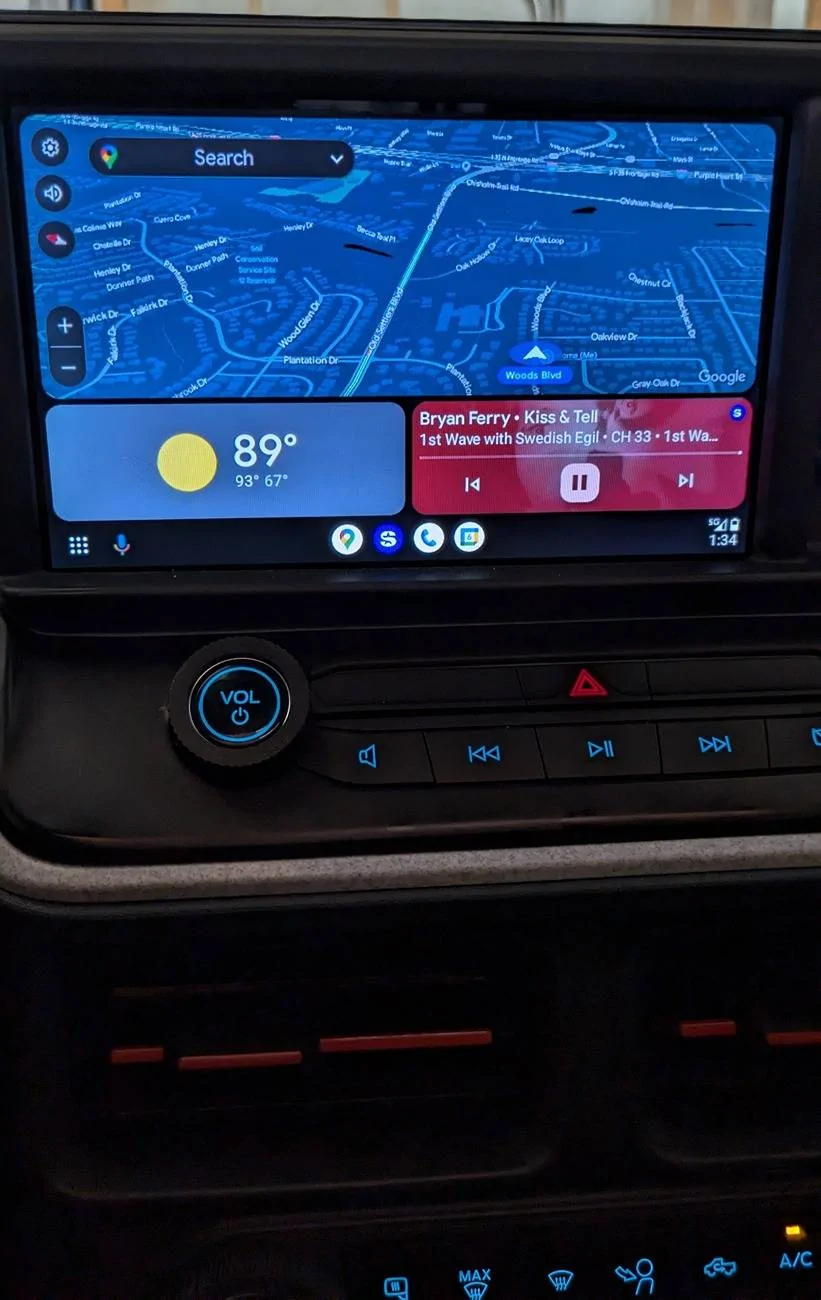
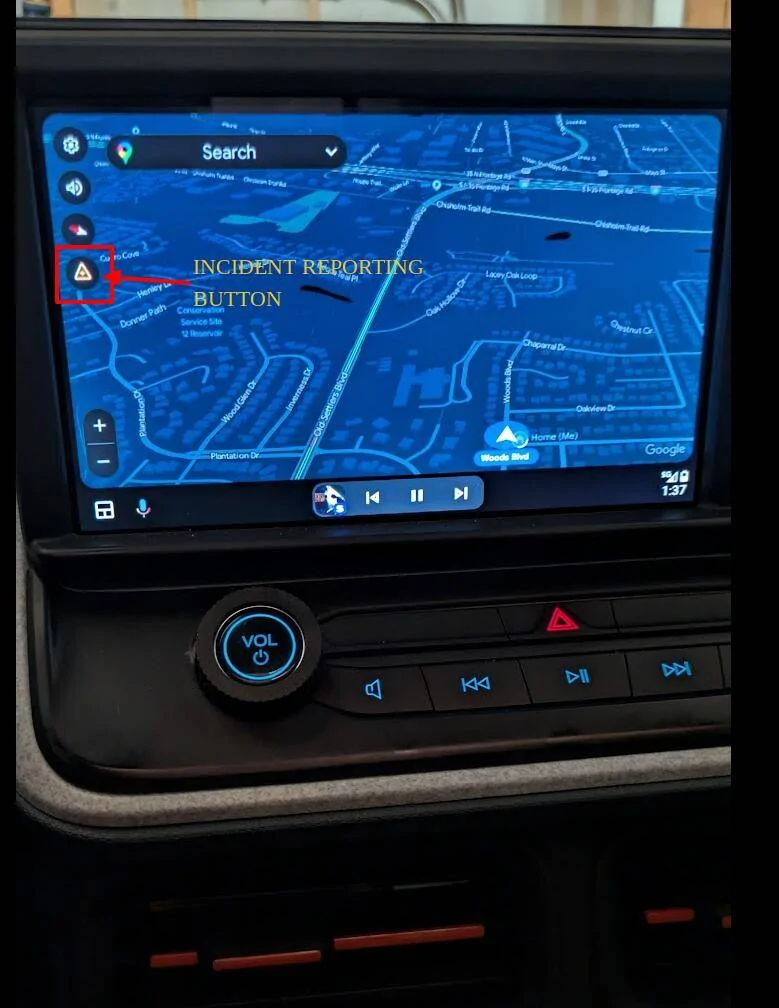
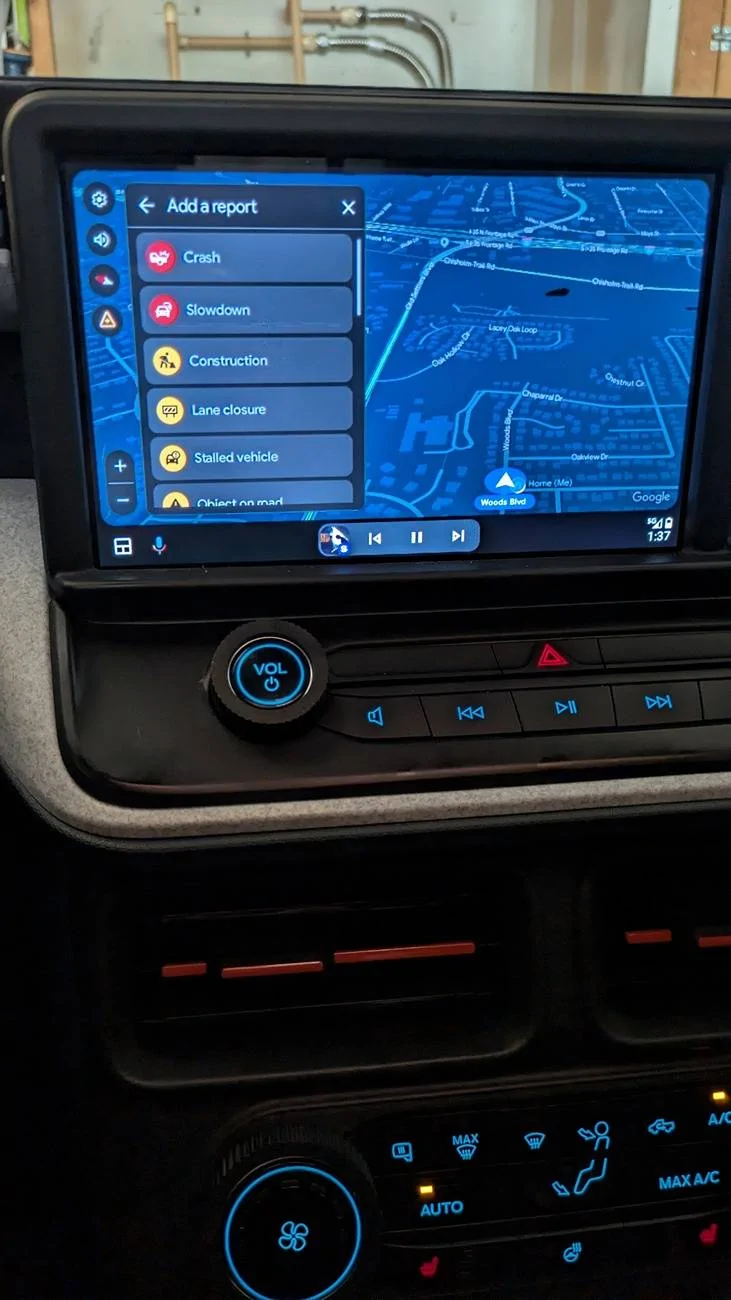
The fix is to change the DPI using an AAWireless adapter Here’s how to get more space for widgets on Android Auto ‘Coolwalk’. I own the adapter and changed the DPI from default "0", to 110, and that fixed the issue. In my Maverick, changing the DPI to 110 results in Android Auto showing Google Maps as a wide, fully-functional app at the top of the display with widgets below, instead of on the right side. It shows the weather widget that’s missing for most users of “Coolwalk” and also the music widget off to the bottom right side. Notably, that weather widget gets replaced by any recent messages you might receive. When I make Google Maps full screen, the incident reporting button shows up. Check out the pics below.
Sponsored
Last edited: