
- First Name
- Jason
- Joined
- Feb 8, 2025
- Threads
- 31
- Messages
- 321
- Reaction score
- 814
- Location
- Hanford, CA, USA
- Website
- www.youtube.com
- Vehicle(s)
- 2025 Ford Maverick Tremor
- Engine
- 2.0L EcoBoost
- Thread starter
- #1
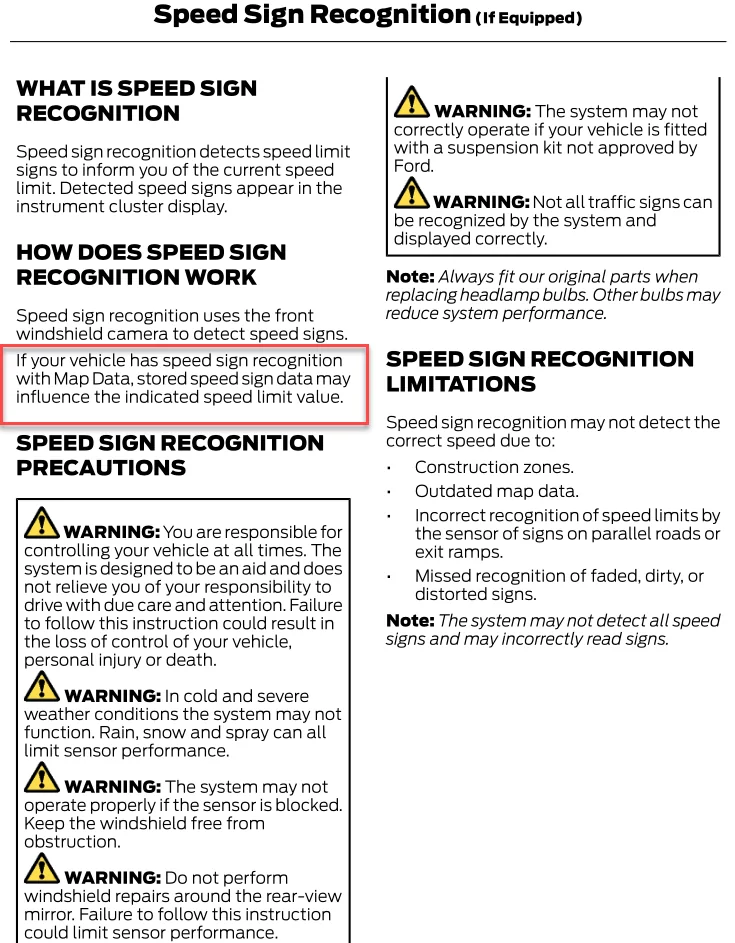
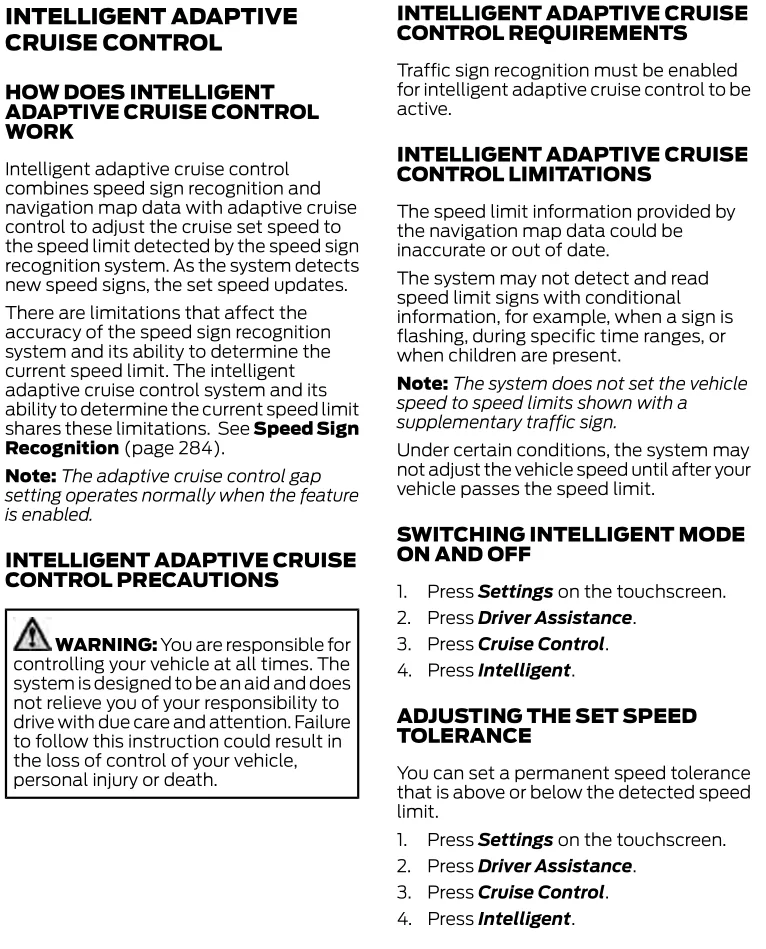
Two of my beloved features of the ACC seem to have broken. The slow down for curves/speed zones and the internal database for the curves/speed limits. This is the first time this has happened and I do not know how to fix it.
I first noticed, when using the ACC, the truck was not slowing down on its own when the speed limit lowered. I went through all the cruise control menus and turned made sure all of those settings were turned on. They were.
I though it was a camera problem but I do not think that is it. I have it set to go 5 mph over the speed limit. I will be going 60 in a 55. When I approach a 45 mph speed limit sign, it does seem to detect the speed limit sign and it turns to 45 but the cruise control setting will remain at 60 instead of dropping down to 50 like normal.
I parked, turned off, locked, and let the truck sit a few minutes, hoping to get the 'bug' to clear but that was not working.
Then, I noticed another thing. When I got on roads closer to home, roads where I the truck usually knew the speed limit before it spotted a speed limit sign, the speed limit sign on the dash just read '--' and the cruise control speed would just remain the same as what I had it set before I turned. Also missing from the internal database is how it knows when a shaper turn is coming up and temporarily slows down for the turn.
Here are a few other bits of info that may help:
It is a 2025 Tremor with the 2.0.
While Googling for answers, I read to make sure 'Speed Sign Recognition' was turned on. I cannot find that option in the ACC menu. It was there somewhere when I first bough the truck and turned it on, but I cannot find it again. Though, there is still a option to set the speed above/below the speed sign speed separate from the speed warning option.
I just got home from a road trip from Central California to East Texas and back. The ACC worked fine every day except for today, the last day.
I first noticed, when using the ACC, the truck was not slowing down on its own when the speed limit lowered. I went through all the cruise control menus and turned made sure all of those settings were turned on. They were.
I though it was a camera problem but I do not think that is it. I have it set to go 5 mph over the speed limit. I will be going 60 in a 55. When I approach a 45 mph speed limit sign, it does seem to detect the speed limit sign and it turns to 45 but the cruise control setting will remain at 60 instead of dropping down to 50 like normal.
I parked, turned off, locked, and let the truck sit a few minutes, hoping to get the 'bug' to clear but that was not working.
Then, I noticed another thing. When I got on roads closer to home, roads where I the truck usually knew the speed limit before it spotted a speed limit sign, the speed limit sign on the dash just read '--' and the cruise control speed would just remain the same as what I had it set before I turned. Also missing from the internal database is how it knows when a shaper turn is coming up and temporarily slows down for the turn.
Here are a few other bits of info that may help:
It is a 2025 Tremor with the 2.0.
While Googling for answers, I read to make sure 'Speed Sign Recognition' was turned on. I cannot find that option in the ACC menu. It was there somewhere when I first bough the truck and turned it on, but I cannot find it again. Though, there is still a option to set the speed above/below the speed sign speed separate from the speed warning option.
I just got home from a road trip from Central California to East Texas and back. The ACC worked fine every day except for today, the last day.
Sponsored