Sponsored

Android tablet to live in car forever?

sunismymed

Well-known member
Joined
Jan 27, 2022
Threads
10
Messages
169
Reaction score
120
Location
NY
Vehicle(s)
22 xl
Engine
Undecided
Who has a tablet 'permanently' plugged into their Maverick for Nav and tunes?

You can get a 7" Android tablet for $60 with wifi (no cell phone) so why not just leave it there. Then you've got an Android Auto moving map gps, there are a couple of options to download maps so you don't need cell service and monthly fees. So if my Mav ever gets here, that's what I'm thinking of doing.

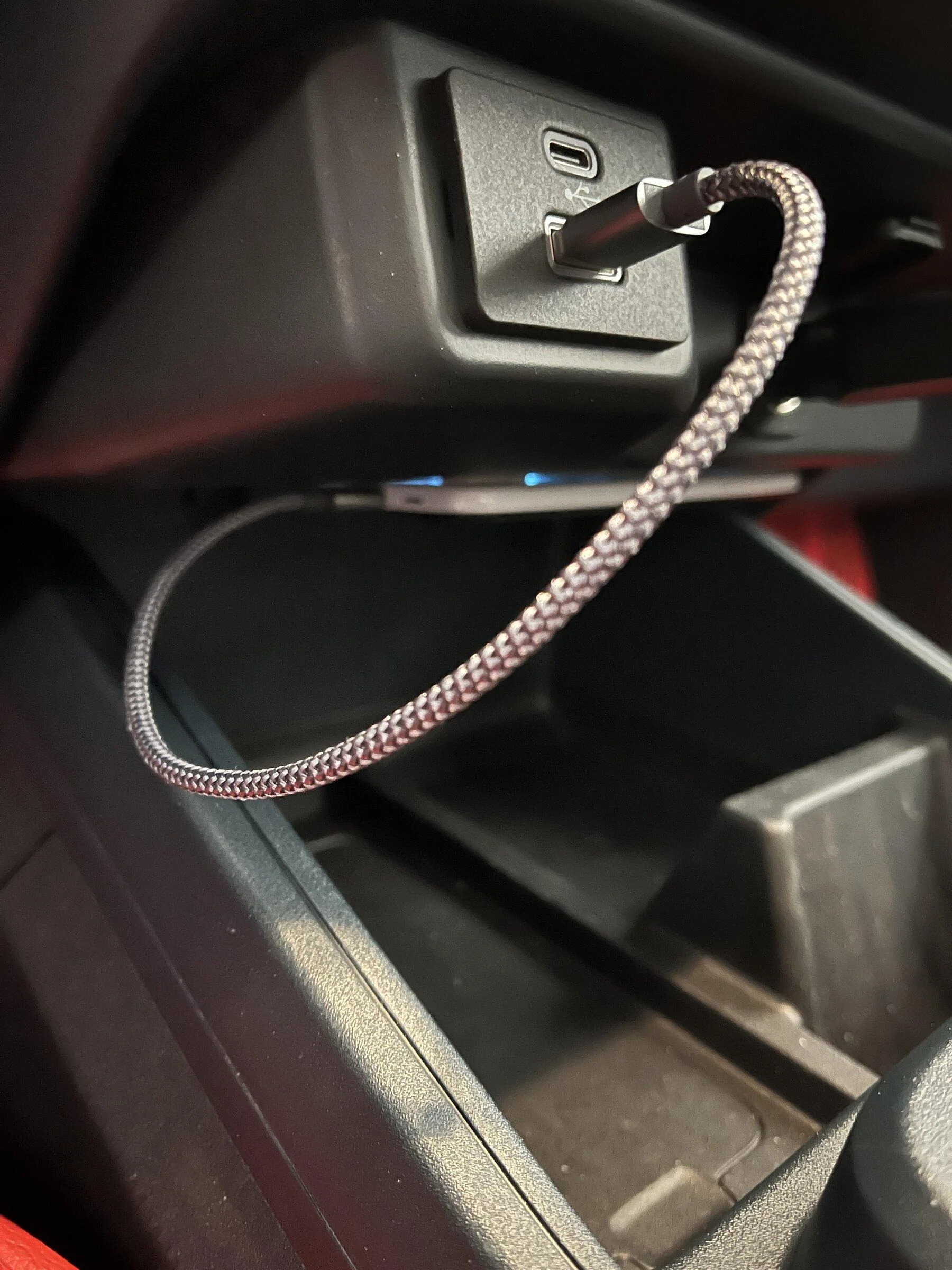
Is there a good spot to have the tablet somewhat hidden, but always plugged into the USB so GPS Nav is always set up?

How many swipes, presses, clicks and so forth does it take each time you get into the car to use the Nav function or just play some tunes?
Sponsored

 

brnpttmn

2.5L Hybrid
Well-known member
Joined
Aug 12, 2021
Threads
1
Messages
1,213
Reaction score
1,955
Location
MN
Vehicle(s)
Maverick Hybrid
Engine
2.5L Hybrid
You can get a 7" Android tablet for $60 with wifi (no cell phone) so why not just leave it there. Then you've got an Android Auto moving map gps, there are a couple of options to download maps so you don't need cell service and monthly fees.
Definitely doable, but the user experience is going to be very frustrating pairing a cheap tablet with offline android auto. Do you not have any cell phone plan now?
 
Last edited:

pxpaulx

2.0L EcoBoost
Well-known member
Joined
Jun 15, 2021
Threads
18
Messages
1,504
Reaction score
2,087
Location
Minnesota
Vehicle(s)
Ford Maverick
Engine
2.0L EcoBoost
Who has a tablet 'permanently' plugged into their Maverick for Nav and tunes?

You can get a 7" Android tablet for $60 with wifi (no cell phone) so why not just leave it there. Then you've got an Android Auto moving map gps, there are a couple of options to download maps so you don't need cell service and monthly fees. So if my Mav ever gets here, that's what I'm thinking of doing.

Is there a good spot to have the tablet somewhat hidden, but always plugged into the USB so GPS Nav is always set up?

How many swipes, presses, clicks and so forth does it take each time you get into the car to use the Nav function or just play some tunes?
I'm not sure there is necessarily a good spot to put a full tablet, though in theory you could route the cable and just stick it in the glove box or arm rest storage.

This isn't a bad idea if you don't want to use your phone, but keep in mind you wouldn't have the emergency contact capability that a phone would provide. Alternately why not just use an unused phone that would have the emergency call functionality?

It is possible Android Auto isn't supported on a tablet, and also need to consider support - an older version of android may also not support the functionality either.

If AA is supported, there is no reason it wouldn't work. As far as functionality, it starts up shortly after the car starts automatically, including displaying maps and starting music playback (at least it does that for me).
 

Qwillex

2.5L Hybrid
Well-known member
Joined
Nov 2, 2021
Threads
4
Messages
101
Reaction score
142
Location
Colorado Springs
Vehicle(s)
22 Mav Hybrid XLT, 04 Ford F350, 12 Mazda CX-9
Engine
2.5L Hybrid
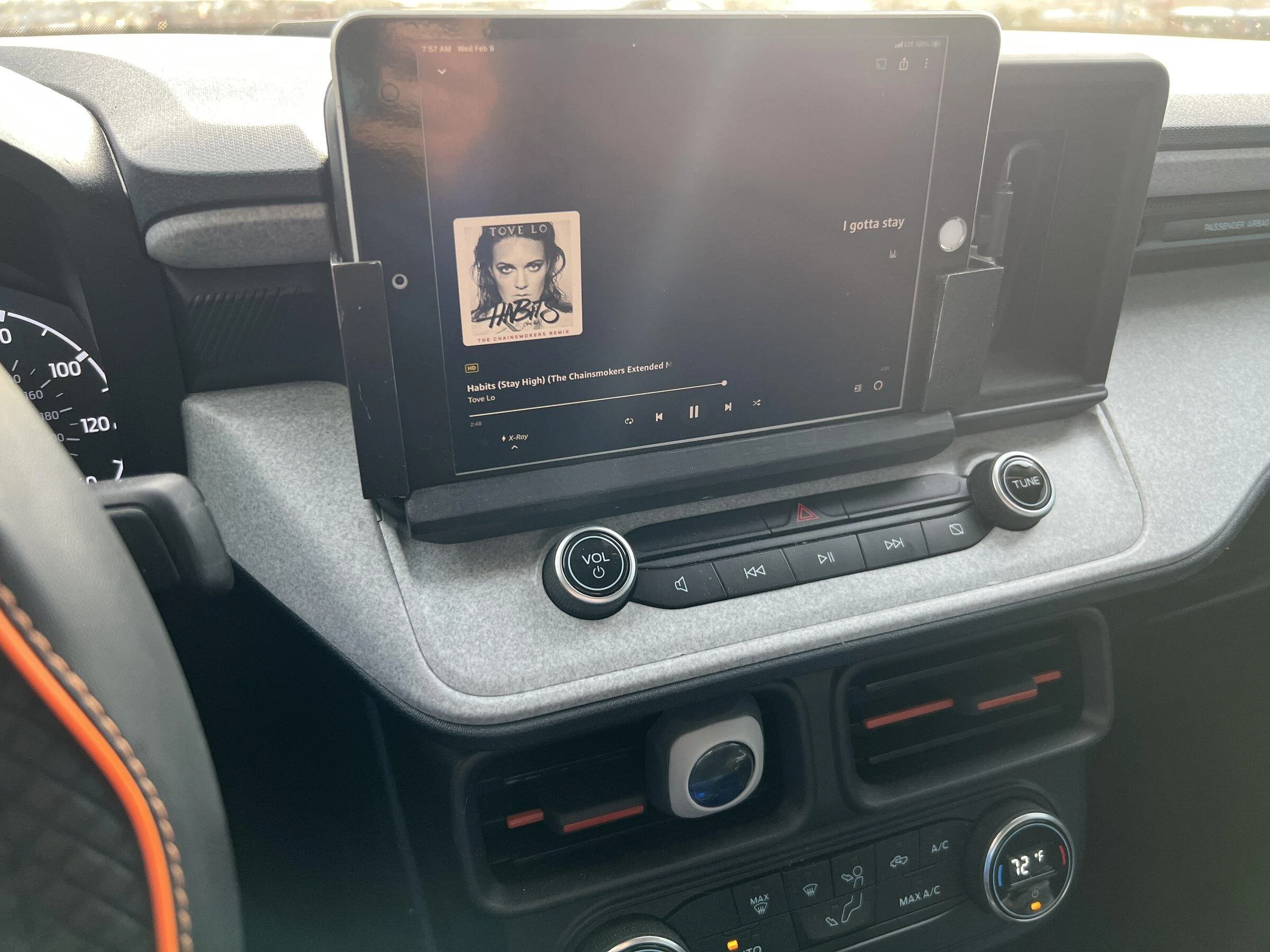
There's a great place for a small tablet (I use an iPad mini) I use it via Bluetooth though. It pauses and starts playing automatically. I was using my phone as a hotspot but it was only $10 a month to add data to the iPad so I did that.

The clip on the left is held by a magnet so I can easily remove it and the iPad, my iPad pro 12.9 will also drop right in the slot with the clip removed so if I wanted to watch a movie is a pretty large screen.

I'm pretty certain I'm going to have something 3d printed that integrates it better and still allows quick removal and swapping to the 12.9

Ford Maverick Android tablet to live in car forever? B981D48E-3A77-4E98-8D2E-908CAAF03E1F
 

Sponsored

JASmith

2.5L Hybrid
Well-known member
First Name
Jessica
Joined
Jun 16, 2021
Threads
71
Messages
1,674
Reaction score
3,846
Location
Texas
Vehicle(s)
Dodge Ram 1500
Engine
2.5L Hybrid
I used a tablet mounted with very strong but thin magnets along with rubberized non-slip little adhesive pads on another vehicle that had no screen at all. Made the mount strong but could easily be popped on-off.

It was an android unit, and I had to install an app called "Slumber" to ensure that when it went inactive, it would not just turn off the screen but kill all open processes and not even check for internet or anything until woken again by getting power from USB (when the car turns on).

Wakeup was instant and I used an app that would automatically launch my music when it detected power on USB and had a android-auto looking interface that would also auto-launch, and not only does google maps work offline, but you can get pure low dataplans for tablets much cheaper than you can for phones... in fact my data plan was free. Obviously has to be a tablet with a SIM card though.

The only problems I had was that even with "Slumber" installed, the tablet could get so hot in the summer that when you'd turn on the car the tablet would say "bla bla shut down thermal protection" and would be in a limp mode for quite a while.

My car I used it on didn't have a backup camera, and that would be an issue w/ the above setup blocking the screen, I wouldn't want to give up my camera, so stuffing a small tablet out of sight somewhere and using android auto or carplay would make more sense IMO.

tl;dr: Worked great, no nanny controls, fast interface, and I had no lag and my audio was over bluetooth using a bluetooth to aux adapter.
 
OP
OP
sunismymed

sunismymed

Well-known member
Joined
Jan 27, 2022
Threads
10
Messages
169
Reaction score
120
Location
NY
Vehicle(s)
22 xl
Engine
Undecided
Definitely doable, but the user experience is going to be very frustrating pairing a cheap tablet with offline android auto. Do you not have any cell phone plane now?
Just an emergency only flip fone. Only take it on long trips.
 

Decayed

2.0L EcoBoost
Well-known member
First Name
yes
Joined
Oct 18, 2021
Threads
51
Messages
3,358
Reaction score
5,210
Location
Directly above the center of the Earth
Vehicle(s)
a car
Engine
2.0L EcoBoost
I used a tablet mounted with very strong but thin magnets along with rubberized non-slip little adhesive pads on another vehicle that had no screen at all. Made the mount strong but could easily be popped on-off.

It was an android unit, and I had to install an app called "Slumber" to ensure that when it went inactive, it would not just turn off the screen but kill all open processes and not even check for internet or anything until woken again by getting power from USB (when the car turns on).

Wakeup was instant and I used an app that would automatically launch my music when it detected power on USB and had a android-auto looking interface that would also auto-launch, and not only does google maps work offline, but you can get pure low dataplans for tablets much cheaper than you can for phones... in fact my data plan was free. Obviously has to be a tablet with a SIM card though.

The only problems I had was that even with "Slumber" installed, the tablet could get so hot in the summer that when you'd turn on the car the tablet would say "bla bla shut down thermal protection" and would be in a limp mode for quite a while.

My car I used it on didn't have a backup camera, and that would be an issue w/ the above setup blocking the screen, I wouldn't want to give up my camera, so stuffing a small tablet out of sight somewhere and using android auto or carplay would make more sense IMO.

tl;dr: Worked great, no nanny controls, fast interface, and I had no lag and my audio was over bluetooth using a bluetooth to aux adapter.
Thanks for the tip about the slumber app that sounds like exactly what's needed. My plan was to mount a tablet holder sticking out of the cubby and have an 8" or so tablet permanently plugged in and set to run off my phone's hot spot. No reason to pay for data.

The thermal issue is real; right now I mount my phone on a holder and if it runs gps an music at the same time while charging my old phone can get hot enough to turn itself off. I ended up having to change where I mounted it so one of the a/c vents would blow on it. Somebody should build a phone holder with a peltier cooler built in.
 

brnpttmn

2.5L Hybrid
Well-known member
Joined
Aug 12, 2021
Threads
1
Messages
1,213
Reaction score
1,955
Location
MN
Vehicle(s)
Maverick Hybrid
Engine
2.5L Hybrid
Just an emergency only flip fone. Only take it on long trips.
You may want to go with a dedicated navigation device. I think dealing with hacked together android auto would be a more annoying than helpful in your situation.
 
OP
OP
sunismymed

sunismymed

Well-known member
Joined
Jan 27, 2022
Threads
10
Messages
169
Reaction score
120
Location
NY
Vehicle(s)
22 xl
Engine
Undecided
There's a great place for a small tablet (I use an iPad mini) I use it via Bluetooth though. It pauses and starts playing automatically. I was using my phone as a hotspot but it was only $10 a month to add data to the iPad so I did that.

The clip on the left is held by a magnet so I can easily remove it and the iPad, my iPad pro 12.9 will also drop right in the slot with the clip removed so if I wanted to watch a movie is a pretty large screen.

I'm pretty certain I'm going to have something 3d printed that integrates it better and still allows quick removal and swapping to the 12.9

B981D48E-3A77-4E98-8D2E-908CAAF03E1F.jpeg
Well that is the solution for when the Maverick's screen dies, and Ford wants us to spend $3K for a new one.

I'm talking about a $50 mini tablet, for offline NAV and tunes I could drag n drop from my PC.

I'll want to use the Mavericks screen, maybe even steering wheel buttons if they work.
 
Sponsored

FATONY1121

2.0L EcoBoost
Member
First Name
Tony
Joined
Jan 5, 2022
Threads
4
Messages
24
Reaction score
46
Location
Iowa
Vehicle(s)
2022 ford maverick xlt
Engine
2.0L EcoBoost
Who has a tablet 'permanently' plugged into their Maverick for Nav and tunes?

You can get a 7" Android tablet for $60 with wifi (no cell phone) so why not just leave it there. Then you've got an Android Auto moving map gps, there are a couple of options to download maps so you don't need cell service and monthly fees. So if my Mav ever gets here, that's what I'm thinking of doing.

Is there a good spot to have the tablet somewhat hidden, but always plugged into the USB so GPS Nav is always set up?

How many swipes, presses, clicks and so forth does it take each time you get into the car to use the Nav function or just play some tunes?
I am confused. Do you not have an android auto capable phone? There is no need to ever use cell data for android auto. Only if you want to stream instead of playing downloaded music, or you do not want to download your maps for GPS. Most Map apps on your phone will allow you to download maps through wifi to use offline, and you can of course load up music on your phone through wifi as well. I currently have a moto g power that I paid $179 for brand new on Amazon, it is a bit more than some cheap phones, but it has the latest android 11 and I use google fi. With google fi cell service for both myself and my wife, our average monthly bill is $55 per month total, taxes and fees included. I get by this cheaply because I barely use any data. I have a podcast app and google play music that auto download new content when I am on wifi, and I have downloaded GPS mapping for my tri-state area. If you just don't have or don't want a cell phone bill of any sort, then you can use any phone without a cell plan and it will allow you to download all the same things and connect to the maverick radio just the same.
 

psklenar

Well-known member
First Name
Pat
Joined
Oct 25, 2021
Threads
3
Messages
111
Reaction score
132
Location
Connecticut
Vehicle(s)
2022 Rivian R1T

Bunkyg

Active member
First Name
Harry
Joined
Jun 30, 2021
Threads
3
Messages
30
Reaction score
76
Location
South Jersey
Vehicle(s)
Mav Lariat Lux 2.5, Ranger, Forester, Goldwing
OP, What you're trying to accomplish can be done. But it falls into the category of should it be done and is it worth the aggravation. What you are doing is use technology in a way it really wasn't designed for. By the time your done you will have to fab a mount and deal with software issues to make it work. As suggested earlier why not get a dedicated gps and a usb stick for music. You'll have gps, music and keep your backup camera
Sponsored


Top