
Sponsored

Sync 4 APIM Upgrade Complete! (Help with Issues)

yeahiguessman

2.5L Hybrid
Well-known member
First Name
Angelo
Joined
Nov 30, 2024
Threads
15
Messages
150
Reaction score
96
Location
USA
Vehicle(s)
2024 Maverick Lariat
Engine
2.5L Hybrid
(UPDATES DOWN BELOW)

Hey all,

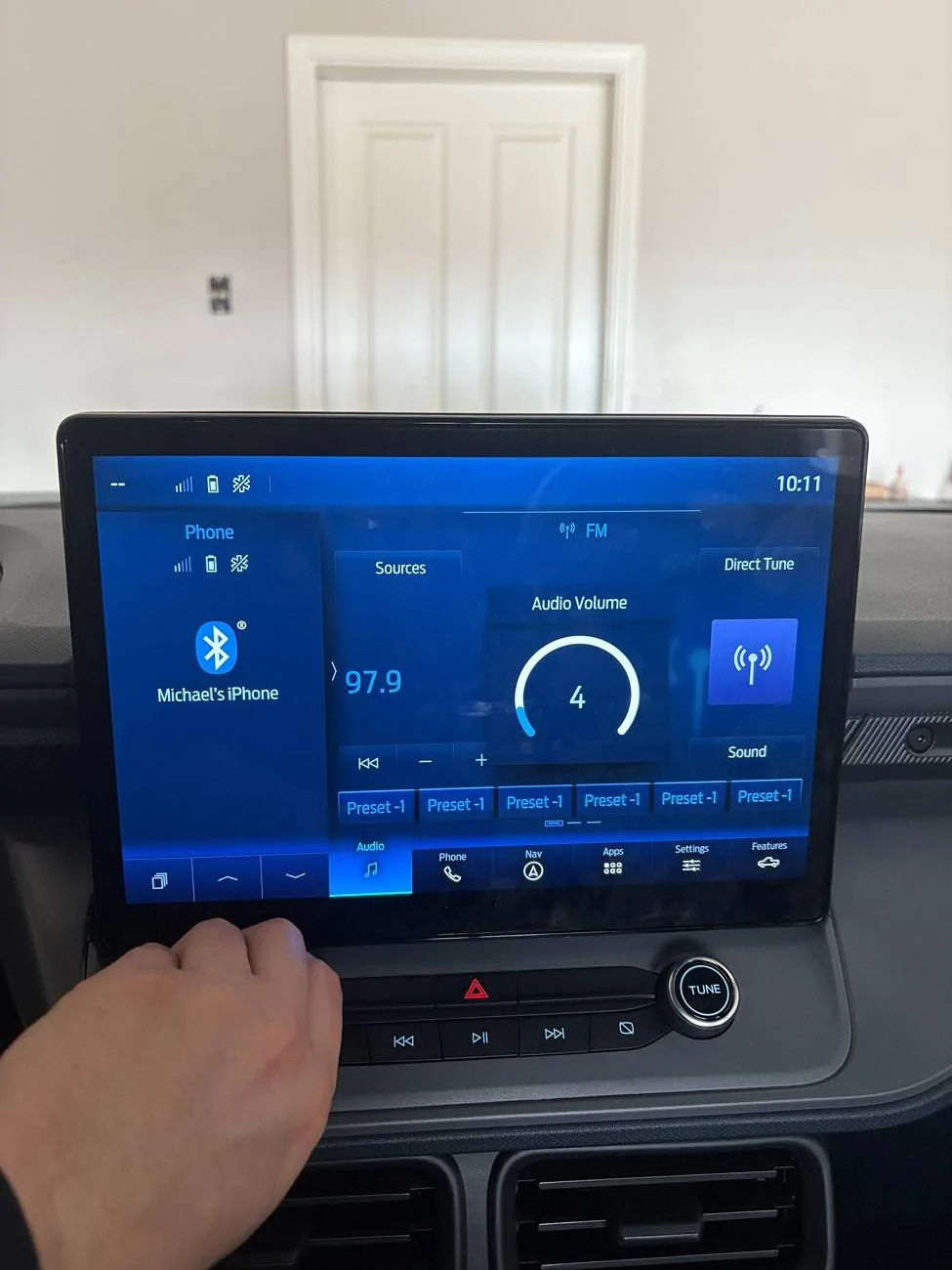
Recently installed a Sync4 APIM from a Ford F150 along with a 12inch screen from a Ford Transit.

Now that everything is up and running I am hitting a few small issues that are a bit outside of my knowledge.

1. I cannot figure out how to get climate values to display on the screen in the same way volume does when I turn the knobs. It doesn’t seem like any adjustment I make to them in Forscan works.

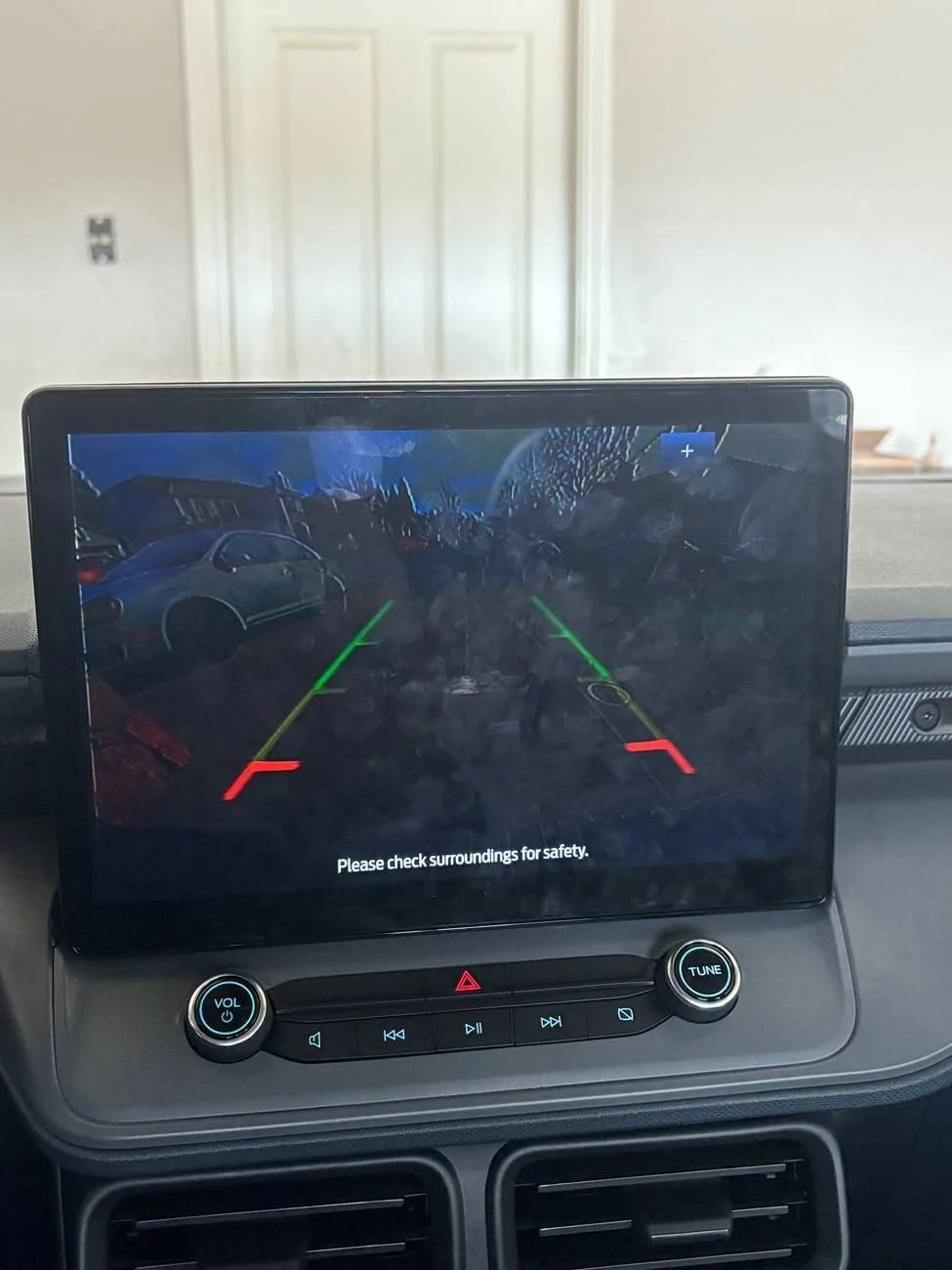
2. My back up camera is incredibly dark and occasionally buggy. I’ll include a photo of this as well. (Software or harness related?) Any idea what module I could reboot or refresh to calibrate?

3. I think the APIM was programmed to believe my wheel is on the right side as all driver focused controls shifted from the left to the right. Again, unsure of where the value or setting for this can be changed in Forscan.

4. There is a slight static pop in music here and there. Usually two or three times a song there is a faint little crackle for maybe half a second.

Any tips or ideas for Forscan or maybe an issue with the harness that would cause these problems?

Hope your Christmas has been or was great!

(Also if you have any questions for me about the transfer then feel free!)
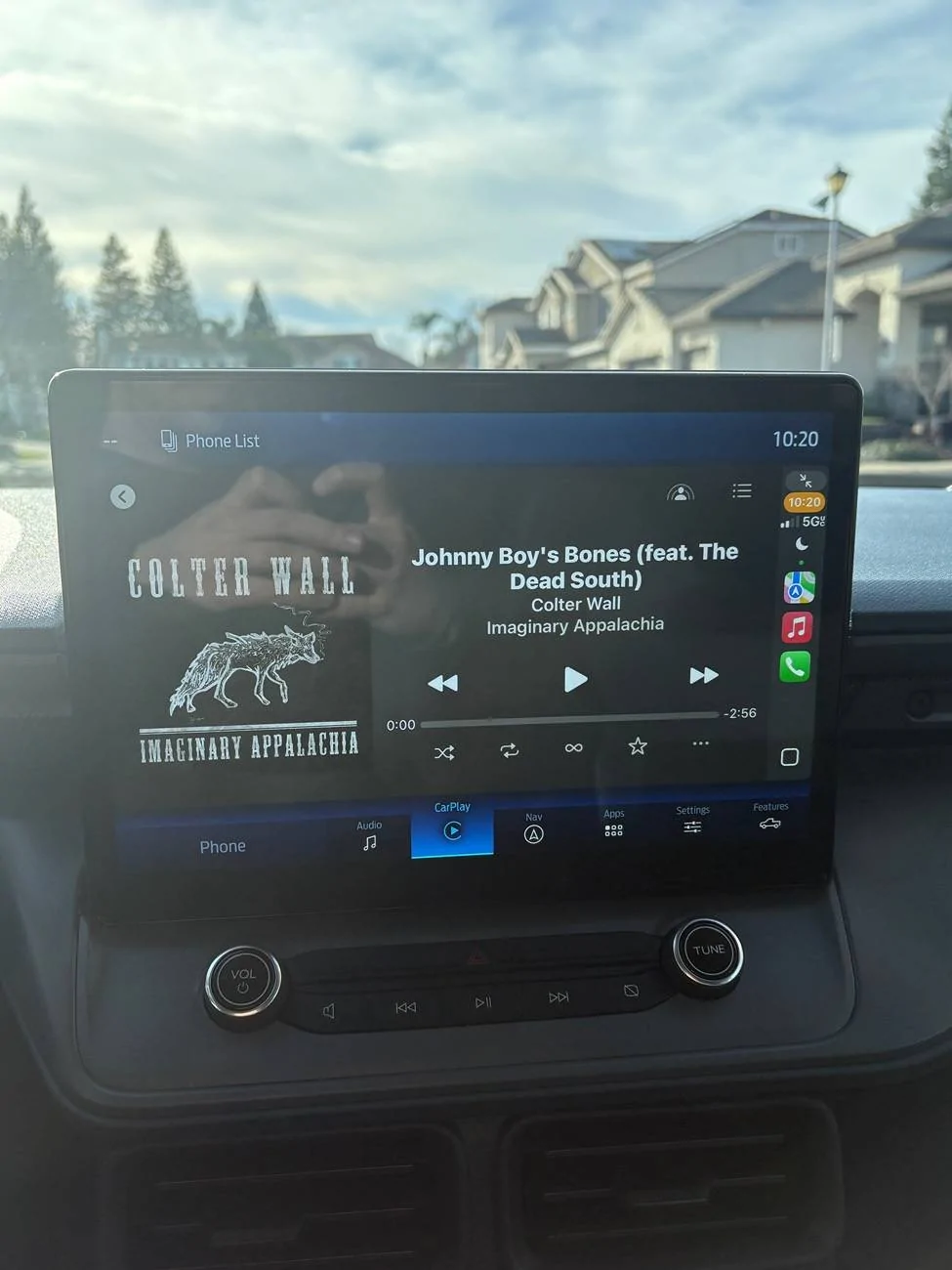
Ford Maverick Sync 4 APIM Upgrade Complete! (Help with Issues) IMG_0503


Ford Maverick Sync 4 APIM Upgrade Complete! (Help with Issues) IMG_0502


Ford Maverick Sync 4 APIM Upgrade Complete! (Help with Issues) IMG_0501
Sponsored

 
Last edited:
OP
OP
yeahiguessman

yeahiguessman

2.5L Hybrid
Well-known member
First Name
Angelo
Joined
Nov 30, 2024
Threads
15
Messages
150
Reaction score
96
Location
USA
Vehicle(s)
2024 Maverick Lariat
Engine
2.5L Hybrid
Update: Started from an F150 as built in and got all of the controls to work.

Currently noticing the same slight static pop when playing USB audio, haven’t noticed it when playing Bluetooth.

Also can no longer get the rear view camera to activate at all. Just the rear parking sensor image appears.
Getting closer….
 

RONR11

2.5L Hybrid
Well-known member
First Name
Ron
Joined
Sep 1, 2021
Threads
49
Messages
272
Reaction score
121
Location
Hartsville SC
Vehicle(s)
2019 Ranger/Maverick
Engine
2.5L Hybrid
Update: Started from an F150 as built in and got all of the controls to work.

Currently noticing the same slight static pop when playing USB audio, haven’t noticed it when playing Bluetooth.

Also can no longer get the rear view camera to activate at all. Just the rear parking sensor image appears.
Getting closer….
What yr Apim did you use? And did you have to forscan both?
I got a 2021 booted up on my 8” but still sound issues
 
OP
OP
yeahiguessman

yeahiguessman

2.5L Hybrid
Well-known member
First Name
Angelo
Joined
Nov 30, 2024
Threads
15
Messages
150
Reaction score
96
Location
USA
Vehicle(s)
2024 Maverick Lariat
Engine
2.5L Hybrid
What yr Apim did you use? And did you have to forscan both?
I got a 2021 booted up on my 8” but still sound issues
Mine is from April 2024. Transit screen from 2023.

I’m almost certain my audio issues are from the cheap harness or something with the USB port itself since it seems that the audio doesn’t have an issue when using Bluetooth.

The back up camera won’t enable though. I’ve turned it on in Forscan where it says “rear view camera” but it doesn’t do anything. Odd because the previous as build I used worked when enabling that setting despite having some visual artifacts.

Also wanted to note that the navigation plug used on the stock APIM is different than the one on this 2024 F150 APIM. I would have to replace the cable or housing to make it work. Thankfully I use CarPlay pretty exclusively.
 
OP
OP
yeahiguessman

yeahiguessman

2.5L Hybrid
Well-known member
First Name
Angelo
Joined
Nov 30, 2024
Threads
15
Messages
150
Reaction score
96
Location
USA
Vehicle(s)
2024 Maverick Lariat
Engine
2.5L Hybrid
Update #2

After using an as built for a 2024 F150 Lariat I found it to be a surprisingly good starting ground. It solved problems 1 & 3 listed above for me right away. After enabling some features like ambient lighting and disabling features that didn’t apply we are in pretty good shape.

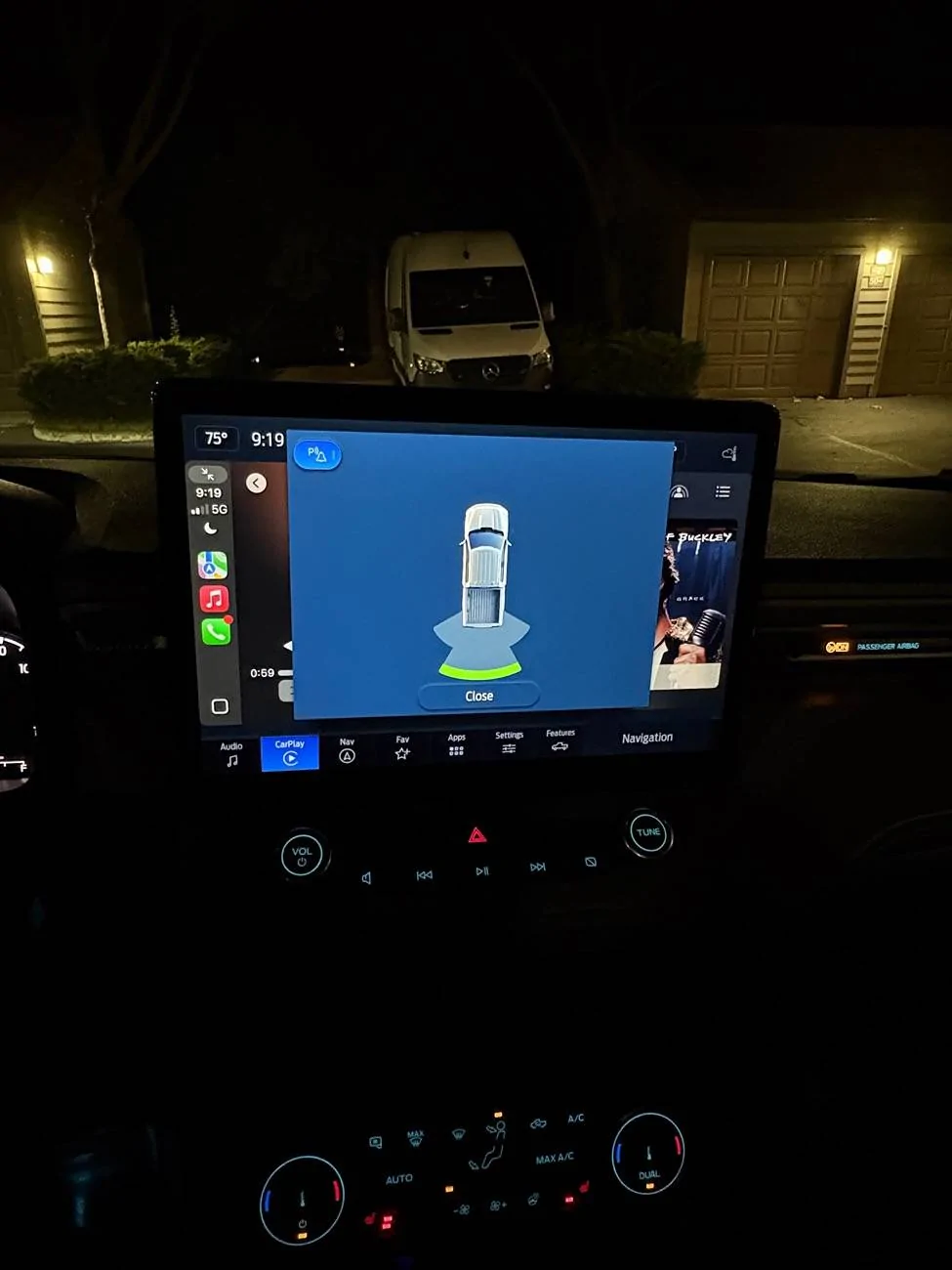
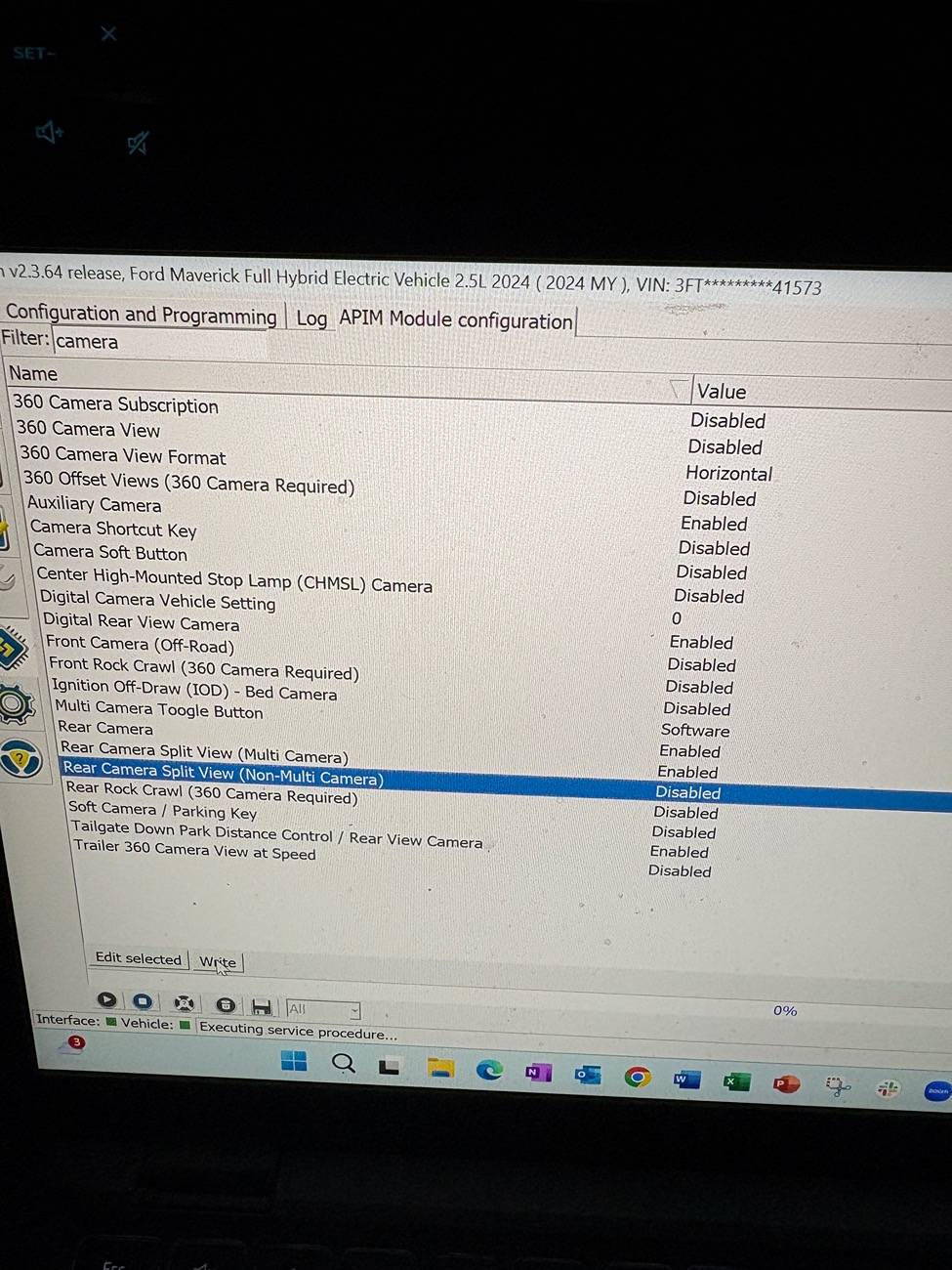
The one thing still not working is the rear view camera. With the previous as build on this APIM it turned on when the truck was put into reverse, but was dark and buggy. After switching to this as build, even with rear view camera enabled in Forscan, putting the truck into reverse only brings up the parking sensor screen. The camera does not turn on. Below is a photo of what I’m referring to as well as my Forscan settings.

At the moment, I am unable to find a fix. Any ideas?

Ford Maverick Sync 4 APIM Upgrade Complete! (Help with Issues) IMG_0530


Ford Maverick Sync 4 APIM Upgrade Complete! (Help with Issues) IMG_0528
 

Sponsored

OP
OP
yeahiguessman

yeahiguessman

2.5L Hybrid
Well-known member
First Name
Angelo
Joined
Nov 30, 2024
Threads
15
Messages
150
Reaction score
96
Location
USA
Vehicle(s)
2024 Maverick Lariat
Engine
2.5L Hybrid
My guess would be having it set for Multi Camera Split View.
That was my thought as well, but turning that off didn’t change anything sadly.

I don’t know the values in the as built data well enough to blindly tinker in there, so hoping maybe someone on CyanLabs or something can give me a hint. Either that or I will one by one all of the camera settings in the APIM until it hopefully registers to turn the camera on when in reverse?
 

colinl

2.0L EcoBoost
Well-known member
First Name
Colin
Joined
Jun 21, 2022
Threads
32
Messages
5,440
Reaction score
6,177
Location
ICT
Vehicle(s)
'22 Maverick Lariat AWD, '22 Bronco OBX 2-Door
Engine
2.0L EcoBoost
Clubs
 
My guess would be having it set for Multi Camera Split View.
'digital rear view camera' is another to try toggling.

I would do the multi-camera first, that's obviously not equipped.
 
OP
OP
yeahiguessman

yeahiguessman

2.5L Hybrid
Well-known member
First Name
Angelo
Joined
Nov 30, 2024
Threads
15
Messages
150
Reaction score
96
Location
USA
Vehicle(s)
2024 Maverick Lariat
Engine
2.5L Hybrid
'digital rear view camera' is another to try toggling.

I would do the multi-camera first, that's obviously not equipped.
I’ll have to check that one out later. I was curious if maybe a different module also has control of the rear camera, but the only setting I could find was in the Body Control and rear view camera was enabled. No other options related to cameras in there.
 
Sponsored
OP
OP
yeahiguessman

yeahiguessman

2.5L Hybrid
Well-known member
First Name
Angelo
Joined
Nov 30, 2024
Threads
15
Messages
150
Reaction score
96
Location
USA
Vehicle(s)
2024 Maverick Lariat
Engine
2.5L Hybrid
Update #3

Unfortunately have not fixed the back up camera issue yet. Haven’t had time to go through it.

Also facing another returning issue in that the occasional static pop when playing USB audio is back. With the stock Sync3 module it had the occasional stutter once a song or so. This is more of the sound a record gets when it has a little dust on it. Audio plays correctly and clearly 98% of the time, but two to three times a song low volume static pop is heard.

I am unsure at this time if it’s the harness adapter, the APIM, or software. I have a back up harness to try out, but anybody else have any ideas?

Note that this does not happen when playing Bluetooth audio. Only through USB. Will try using the Type C port as opposed to the Type A and see if it changes anything. New cable, different port.
 
Last edited:

dfitz

2.0L EcoBoost
Well-known member
First Name
Dan
Joined
Apr 9, 2024
Threads
2
Messages
53
Reaction score
38
Location
Michigan
Vehicle(s)
2024 Maverick Lariat 2.0L EB
Engine
2.0L EcoBoost
I would check the two pins for the camera on the passthrough harness. They may not be fully seated properly. I am out of town for a few weeks or I'd post my Forscan settings for you.
 
OP
OP
yeahiguessman

yeahiguessman

2.5L Hybrid
Well-known member
First Name
Angelo
Joined
Nov 30, 2024
Threads
15
Messages
150
Reaction score
96
Location
USA
Vehicle(s)
2024 Maverick Lariat
Engine
2.5L Hybrid
I would check the two pins for the camera on the passthrough harness. They may not be fully seated properly. I am out of town for a few weeks or I'd post my Forscan settings for you.
My thing is Bluetooth audio works perfect, it’s just when using the USB port. Would this be a fault of the harness still or possibly the USB to APIM cable?
 

dfitz

2.0L EcoBoost
Well-known member
First Name
Dan
Joined
Apr 9, 2024
Threads
2
Messages
53
Reaction score
38
Location
Michigan
Vehicle(s)
2024 Maverick Lariat 2.0L EB
Engine
2.0L EcoBoost
I was trying to help you with your rear camera issue. Mine was the wires on the harness not being seated fully when I installed them on the harness.
I didn't have the audio issues. Good luck on getting it sorted out.
 
OP
OP
yeahiguessman

yeahiguessman

2.5L Hybrid
Well-known member
First Name
Angelo
Joined
Nov 30, 2024
Threads
15
Messages
150
Reaction score
96
Location
USA
Vehicle(s)
2024 Maverick Lariat
Engine
2.5L Hybrid
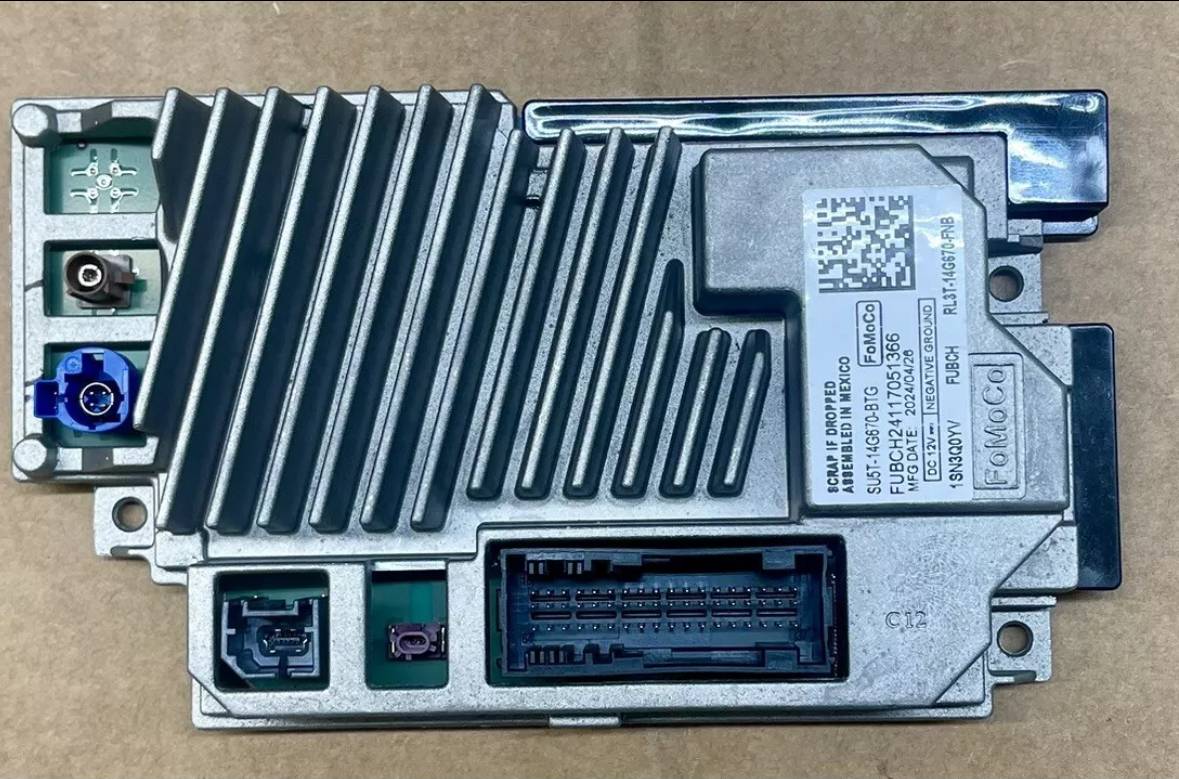
So I had mentioned in another thread that I was unable to get navigation setup because the APIM I bought doesn’t seem to have it.

I was a bit confused because I was under the impression that Ford started building all their APIMs with the ability to have Nav via subscription a while back. This was manufactured earlier this year.

Out of curiosity, what is the brown/copper antenna for?

Ford Maverick Sync 4 APIM Upgrade Complete! (Help with Issues) IMG_0545
Sponsored


Top