
- Thread starter
- #1
The Problem
For the past month or two, I've noticed the FordPass app hasn't been working well at all. I could not control any of my truck's features or see its location on GPS.
I called Ford and the rep stated that there are known issues with the older software versions having connectivity issues. She also stated that because of this, the over-the-air and Wi-Fi updates weren't working well. She advised me to use the USB option to update the SYNC software.
The Fix (at least for me)
Here are the steps I followed to fix the issue. *Note: I have a 2023 Lariat with Sync 3, so your results may vary.
Hope this helps!
For the past month or two, I've noticed the FordPass app hasn't been working well at all. I could not control any of my truck's features or see its location on GPS.
I called Ford and the rep stated that there are known issues with the older software versions having connectivity issues. She also stated that because of this, the over-the-air and Wi-Fi updates weren't working well. She advised me to use the USB option to update the SYNC software.
The Fix (at least for me)
Here are the steps I followed to fix the issue. *Note: I have a 2023 Lariat with Sync 3, so your results may vary.
- Go to Settings > FordPass Connect > Connectivity Settings > Ensure all toggles are turned on (except probably the Data For Insurance toggle).
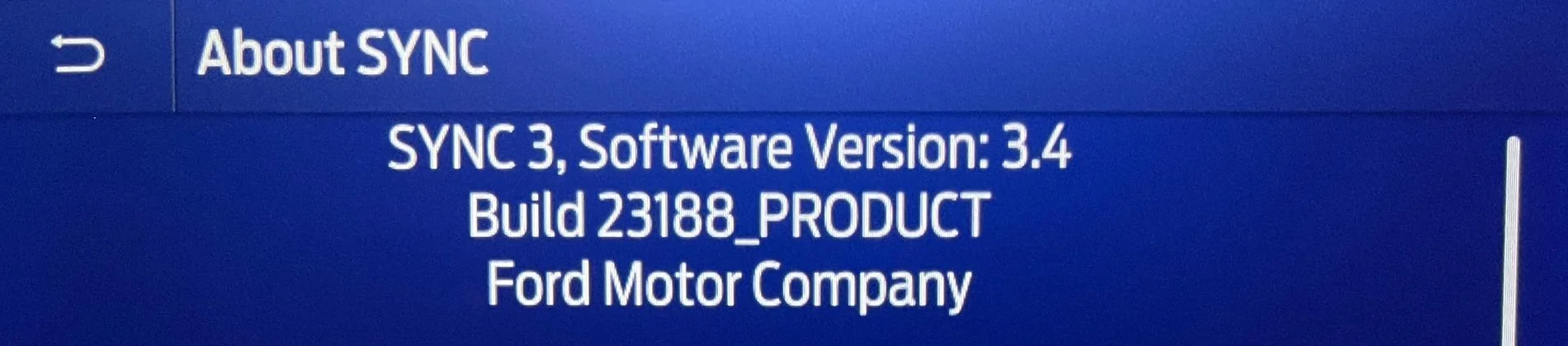
- Go to Settings > Automatic Updates > View Current Software version.
- If your version is NOT Version 3.4 AND Build 23188, then you need to update it.
- To update: Go to Ford's Site, enter your VIN, and download your SYNC update to a USB drive.
- Follow the PDF on their site to update your truck using either a Mac or PC.
Hope this helps!
Sponsored