- Joined
- Nov 21, 2021
- Threads
- 25
- Messages
- 732
- Reaction score
- 1,135
- Location
- Charlotte, NC
- Vehicle(s)
- Subaru Legacy
- Engine
- 2.0L EcoBoost
Someone has to say it…it’s bc it’s android and not apple 
Sponsored
FYI I do not know if related BUT i watch TV using cell frequency streaming services and have during the last ten days had data streaming interruptions generally during times of high cell usage (5:30-6:30 mainly). With many people driving with active mapping, etc as well as heavy internet usage I believe a lot of freezing up etc could be related to data delays. Just a thought.There is a known issue with the head units, though most complaints are of it freezing up, volume/tuning not working, and slow to respond. Add your complaints to the list I guess. Ford has acknowledged the problem(s), but has not given any get-well date yet as far as I know. You might try a complete reset of the head unit (Since I don't have mine yet, I can't talk you through the steps, but on my Toyota Sienna, it was under Menu - Settings - Delete Personal Data. This removed all pre-sets, BT connections, AA authorizations, and as a bonus, forced a software update to the latest version.)

Used AA for many years. Had trouble when I first began but changed USB cords and have not had an issue since.I've had my Maverick for 10 days now and the Android Auto is so glitchy that its literally safer to just use my phone while I drive. Multiple times I've had google maps simply end the navigation in the middle of a drive out of nowhere, and a few times even navigating to an entire different place despite tapping on the correct destination multiple times. Forcing me to either try to figure it out while I'm driving or just unplugging my phone and using it instead.
While listening to Spotify with navigation going it goes black for a couple seconds and the audio stops before the screen comes back on and resumes multiple times within a few minutes.
In short, its literally unusable and causes massive distractions and/or accidental detours.
Does anybody else experience issues like this? If so do you think its a software issue that can be patched by Ford remotely, or just a problem with my phone?
You must connect with a USB coble.Okay, so I am trying to find out if there is a way to wirelessly connect AND use android auto for nav and everything else. I found a wireless charger that facilitates data transfer as well and have contacted the manufacturer to ask if it might be able to do so in a vehicle vs form phone to laptop, and am awaiting a response.
Yes, I understand the hardware capabilities currently dictate a cable, due to data transfer capabilities. using a secondary device to eliminate that limitation is what I am talking about.You must connect with a USB coble.

With my 2006 Chevy Trailblazer, my Samsung GS7 worked flawlessly with Android Auto. When I upgraded the vehicle to a 2018 Silverado, the GS7 had constant issues with AA, more noticable in weak data areas, but also occured in strong areas. When I upgraded the phone to a GS20, all those problems miracously went away. Now with my 2021 Toyota Sienna (and the Samsung GS), I still rarely have any problems with AA. My big issue is it's a 50/50 chance the Sienna will properly start the data connection to the AT&T towers and a 50/50 chance it will turn on the wi-fi automatically likes it's supposed to. Neither would be a big issue, except Toyota, in their infinite wisdom, has mandated that the van be at a complete stop to turn these things on manually.Many of these replies are making me think it could be my phone. what @testa422 said is unfortunately true in a lot of cases. I love Android but the fact of the matter is there are lots of different Android phones and they all use slightly different software. For example my Oneplus 9 is already super glitchy and honestly a hot mess on its own, definitely dont recommend it and I plan on switching soon.
I'll keep this updated thank you for all the replies and input everybody.
Someone has to say it...android is A.I. apple is for piesSomeone has to say it…it’s bc it’s android and not apple


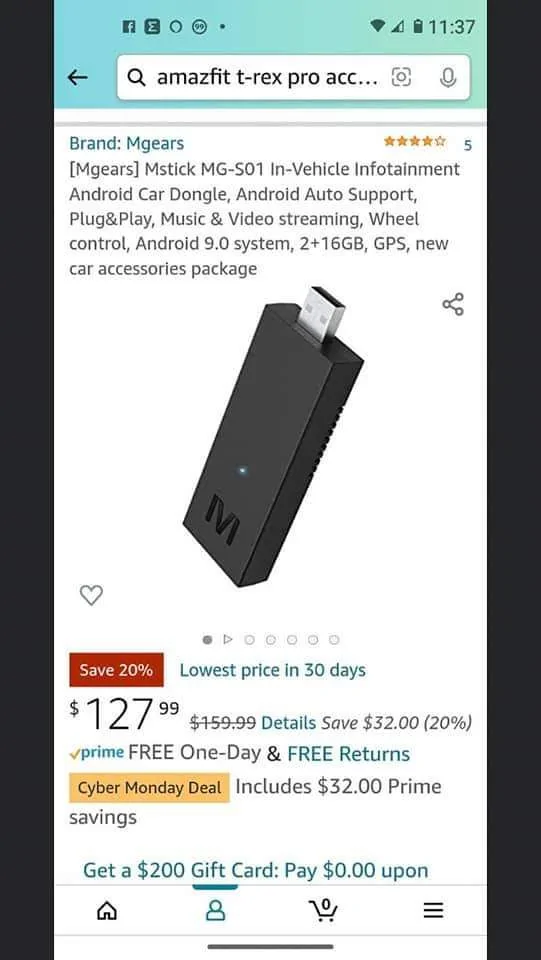
https://www.cpeb.it/Okay, so I am trying to find out if there is a way to wirelessly connect AND use android auto for nav and everything else. I found a wireless charger that facilitates data transfer as well and have contacted the manufacturer to ask if it might be able to do so in a vehicle vs form phone to laptop, and am awaiting a response.

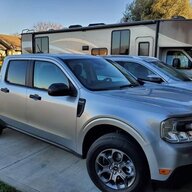
I saw a guy using one of these in his MaverickI've had my Maverick for 10 days now and the Android Auto is so glitchy that its literally safer to just use my phone while I drive. Multiple times I've had google maps simply end the navigation in the middle of a drive out of nowhere, and a few times even navigating to an entire different place despite tapping on the correct destination multiple times. Forcing me to either try to figure it out while I'm driving or just unplugging my phone and using it instead.
While listening to Spotify with navigation going it goes black for a couple seconds and the audio stops before the screen comes back on and resumes multiple times within a few minutes.
In short, its literally unusable and causes massive distractions and/or accidental detours.
Does anybody else experience issues like this? If so do you think its a software issue that can be patched by Ford remotely, or just a problem with my phone?
I read where a guy used one of these in his Maverick and it worked well.I've had my Maverick for 10 days now and the Android Auto is so glitchy that its literally safer to just use my phone while I drive. Multiple times I've had google maps simply end the navigation in the middle of a drive out of nowhere, and a few times even navigating to an entire different place despite tapping on the correct destination multiple times. Forcing me to either try to figure it out while I'm driving or just unplugging my phone and using it instead.
While listening to Spotify with navigation going it goes black for a couple seconds and the audio stops before the screen comes back on and resumes multiple times within a few minutes.
In short, its literally unusable and causes massive distractions and/or accidental detours.
Does anybody else experience issues like this? If so do you think its a software issue that can be patched by Ford remotely, or just a problem with my phone?
Mine is not even set for a Bluetooth connection to avoid this issue, just plug in and run off Android Auto only.did you sync bluetooth BEFORE plugging it in
Why have it setup for Bluetooth at all when using Android Auto?i've had android auto for 10 yrs and the only time i've had trouble was when i forgot to sync it because i switched cars or phones. make sure your your car is listed in phone's bluetooth settings. carplay doesn't matter.