- Thread starter
- #1
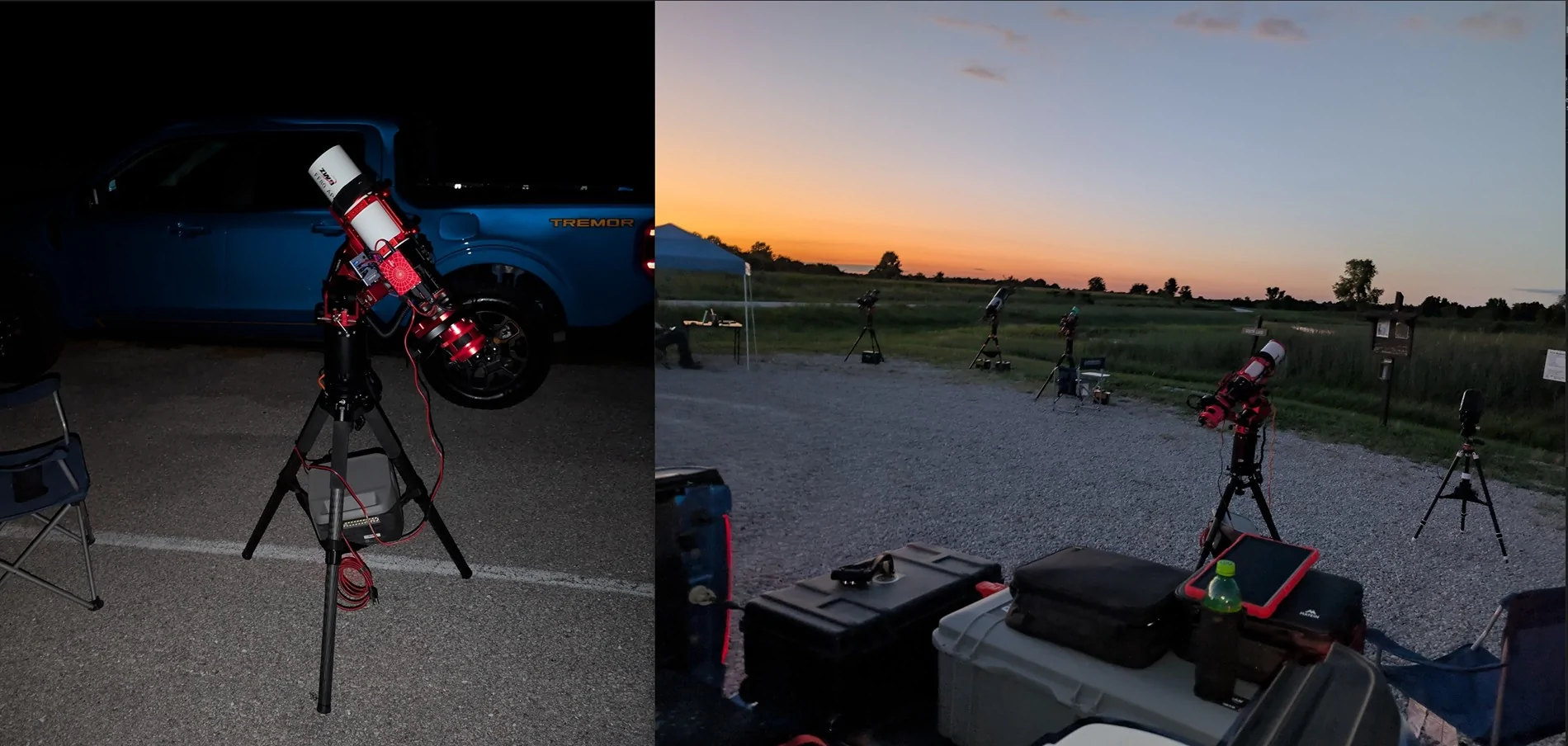
I have an astronomy and astrophotography hobby. I frequently go to dark sites and setup telescopes with others. There's a need at these events to be completely dark. I cannot have my lights coming on every time I open or close a door. There are many references to "dark mode" on ford vehicles.. and many different settings being recommended on forum posts (here and elsewhere). I did some experiments with FORScan and found the minimal configuration needed on a 2025 Lariat. I also determined what settings seemingly did nothing (no need to change).
The good news. There's only one parameter that needs to be changed. In APIM, enable "Silent mode control function". Then reboot the SYNC infotainment system. Shutting down and starting up the vehicle is NOT enough to reboot APIM. You can reboot APIM through FORScan, or you can press and hold the skip forward button and the radio power button at the same time until the screen blanks.
After rebooting APIM, there will be a "Silent mode" menu item on the infotainment screen under Vehicle Settings. When silent mode is toggled on, there will be no exterior or interior lights that turn on when locking/unlocking/opening/closing doors... even with the key. There will be no lights until you start the vehicle. Once started, all the lights will work as they normally work. Unfortunately, there were times when I was testing where the backlight of the infotainment screen was on, but that may have been because of quick cycling between my tests. The car was very dark except for that... and most of the time the screen's backlight was off. Nothing came on outside the vehicle. That was my primary goal.
There are many other settings that are NOT needed...
In BodyCM, there are several "Dark (Silent) Mode - *" settings. The one that does something is "Silent (Dark) Mode - Vehicle". You could enable that INSTEAD OF the silent mode in APIM assuming you don't want the ability to toggle this setting on and off using the SYNC menu. The menu item on the SYNC screen will actually control the "Silent (Dark) Mode - Vehicle" setting in BodyCM for you though, so changing this here is not needed if using the SYNC menu method.
In APIM (Accessory Protocol Interface Module - infotainment/SYNC), there is also a "Police Dark Car mode" setting. This did nothing for me. There was no Police mode menu item after making this change. I disabled it after testing.
In IPC (Instrument Panel Cluster), there is a "Silent mode control function". This also did nothing for me. I was hoping it would display a toggle on the menu next to the speedometer, but it didn't. I disabled it after testing.
So, after testing many different settings and configurations. I only needed to change one value using FORScan to get what I needed. It's really nice because I can toggle the setting on and off as needed now.
In short, just enable "Silent mode control function" in APIM. Skip everything else.
I hope this helps someone.
The good news. There's only one parameter that needs to be changed. In APIM, enable "Silent mode control function". Then reboot the SYNC infotainment system. Shutting down and starting up the vehicle is NOT enough to reboot APIM. You can reboot APIM through FORScan, or you can press and hold the skip forward button and the radio power button at the same time until the screen blanks.
After rebooting APIM, there will be a "Silent mode" menu item on the infotainment screen under Vehicle Settings. When silent mode is toggled on, there will be no exterior or interior lights that turn on when locking/unlocking/opening/closing doors... even with the key. There will be no lights until you start the vehicle. Once started, all the lights will work as they normally work. Unfortunately, there were times when I was testing where the backlight of the infotainment screen was on, but that may have been because of quick cycling between my tests. The car was very dark except for that... and most of the time the screen's backlight was off. Nothing came on outside the vehicle. That was my primary goal.
There are many other settings that are NOT needed...
In BodyCM, there are several "Dark (Silent) Mode - *" settings. The one that does something is "Silent (Dark) Mode - Vehicle". You could enable that INSTEAD OF the silent mode in APIM assuming you don't want the ability to toggle this setting on and off using the SYNC menu. The menu item on the SYNC screen will actually control the "Silent (Dark) Mode - Vehicle" setting in BodyCM for you though, so changing this here is not needed if using the SYNC menu method.
In APIM (Accessory Protocol Interface Module - infotainment/SYNC), there is also a "Police Dark Car mode" setting. This did nothing for me. There was no Police mode menu item after making this change. I disabled it after testing.
In IPC (Instrument Panel Cluster), there is a "Silent mode control function". This also did nothing for me. I was hoping it would display a toggle on the menu next to the speedometer, but it didn't. I disabled it after testing.
So, after testing many different settings and configurations. I only needed to change one value using FORScan to get what I needed. It's really nice because I can toggle the setting on and off as needed now.
In short, just enable "Silent mode control function" in APIM. Skip everything else.
I hope this helps someone.
Sponsored
 I do remember it did not show up until I got it to reboot properly. It sounds like you're doing that though. In any case, here's a picture and a video of what it's supposed to look like.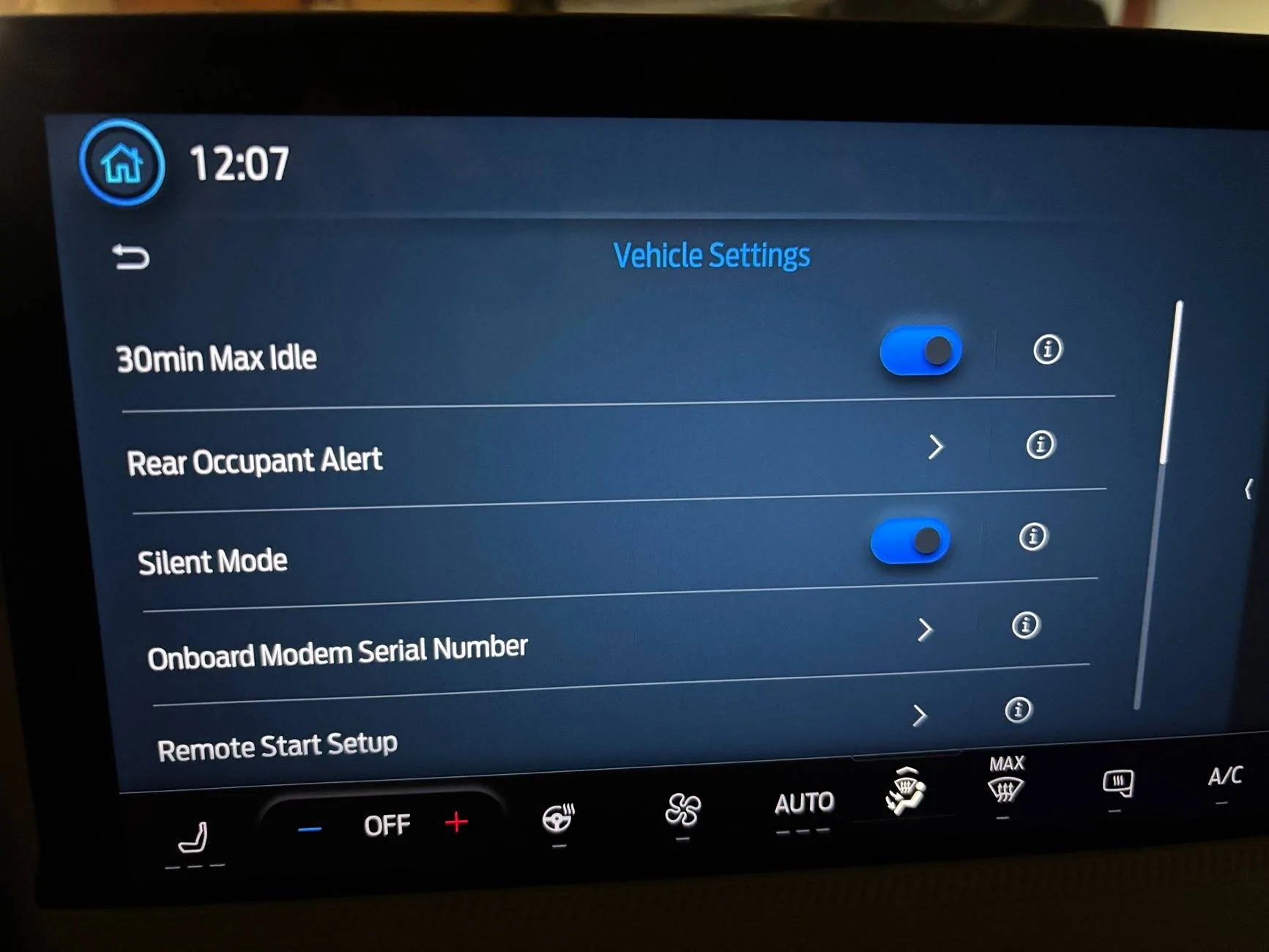

 The Silent mode got me exactly what I needed... well.. the backlight on the display comes on for a bit when the doors open, but that's forgivable. All the bright lights stay off. I am curious if we need to change the notes on how to reboot APIM though. We'll see if