
Sponsored

TNFurb

2.5L Hybrid
Well-known member
First Name
Kelly
Joined
Jul 16, 2023
Threads
16
Messages
484
Reaction score
597
Location
Nashville
Vehicle(s)
‘23 Bronco Sport OB ‘24 Mav Lariat Hybrid
Engine
2.5L Hybrid
What issues are you having?
The screen is unresponsive to touch. It comes on, I see the map and can see that the gps is picking up my location. But nothing responds to my touch so I can’t test anything else. Secondly the backup camera is not coming on when I put it in reverse.
Thankfully infotainment team on here is in good connection with me and working on it. I’m not worried at this point and feel confident we will get it figured out.
Sponsored

 
Last edited:
WhatJoeKnow

2.0L EcoBoost
Active member
First Name
Joe
Joined
Dec 9, 2024
Threads
7
Messages
33
Reaction score
9
Location
Land O Lakes, Fl
Vehicle(s)
2024 Ford Maverick Lariat
Engine
2.0L EcoBoost
@infotainment is this a one off issue or is this something that has to be worked out in production? After you lowered the price i'm considering this over the OEM plus one due to XM sync. Whats the standard lead times on the units?
 

TorqueWrenchUSA

2.0L EcoBoost
Well-known member
First Name
Joe
Joined
Oct 28, 2021
Threads
10
Messages
93
Reaction score
94
Location
Cincinnati, Ohio
Vehicle(s)
03' VDC Outback wagon, 97' zoom zoom Miata
Engine
2.0L EcoBoost
Clubs
 
I'd like to see a video of them performing a deep dive comparison of the system after upgrading from the XL/XLT system. Showing that all the features and settings were indeed kept just as if the stock unit was still in the vehicle. While also listing the additional features/settings that sync4 provides.
 

TNFurb

2.5L Hybrid
Well-known member
First Name
Kelly
Joined
Jul 16, 2023
Threads
16
Messages
484
Reaction score
597
Location
Nashville
Vehicle(s)
‘23 Bronco Sport OB ‘24 Mav Lariat Hybrid
Engine
2.5L Hybrid
Quick update. I happened to be in the Orlando area this week. So I will be taking my Maverick to Infotainment on Wednesday for them to sort things out. I will update the group after then, with hopefully news that all is fixed. This screen is spectacular so I’d really hate to have to go back to the original screen
 

TNFurb

2.5L Hybrid
Well-known member
First Name
Kelly
Joined
Jul 16, 2023
Threads
16
Messages
484
Reaction score
597
Location
Nashville
Vehicle(s)
‘23 Bronco Sport OB ‘24 Mav Lariat Hybrid
Engine
2.5L Hybrid
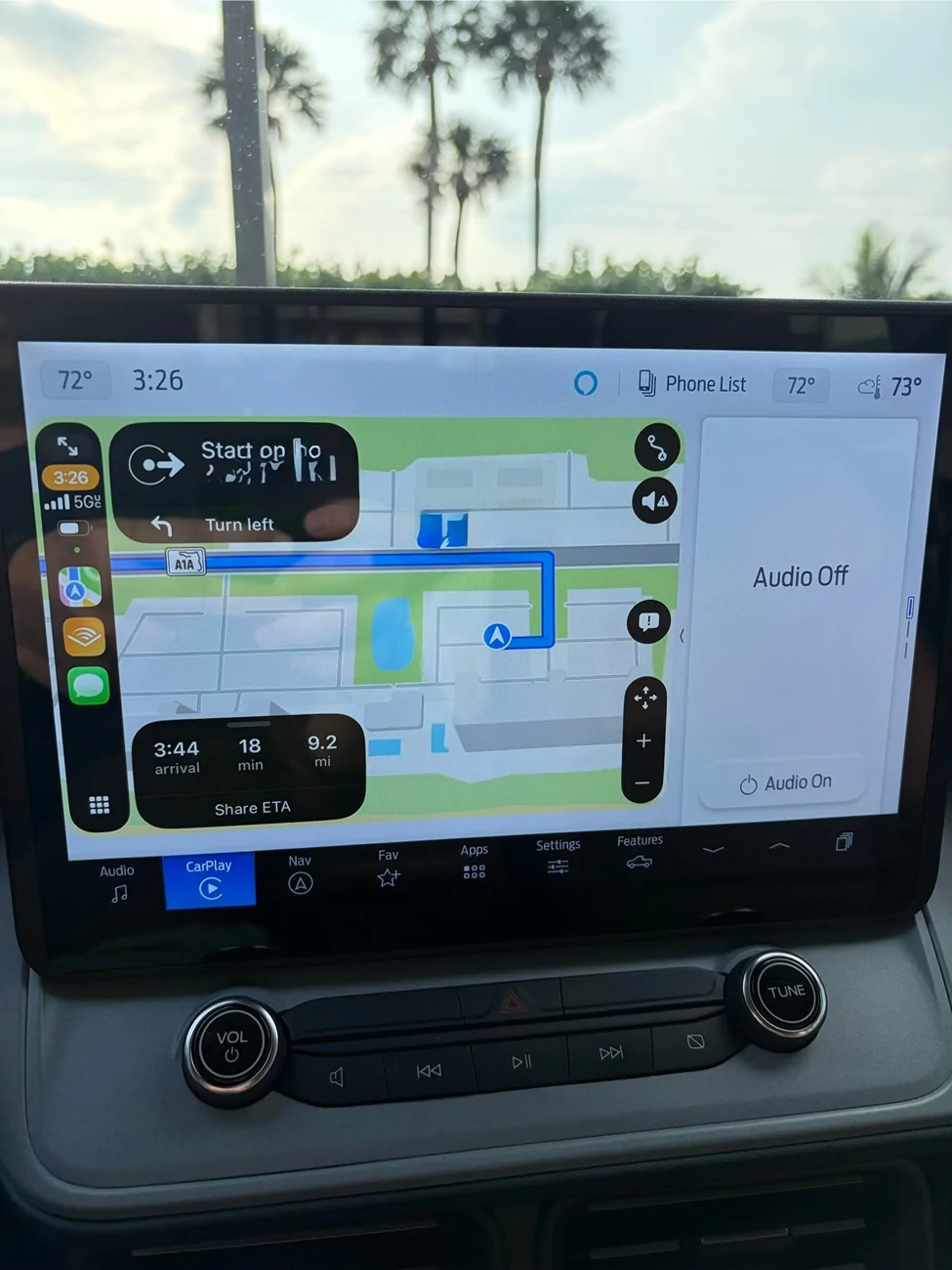
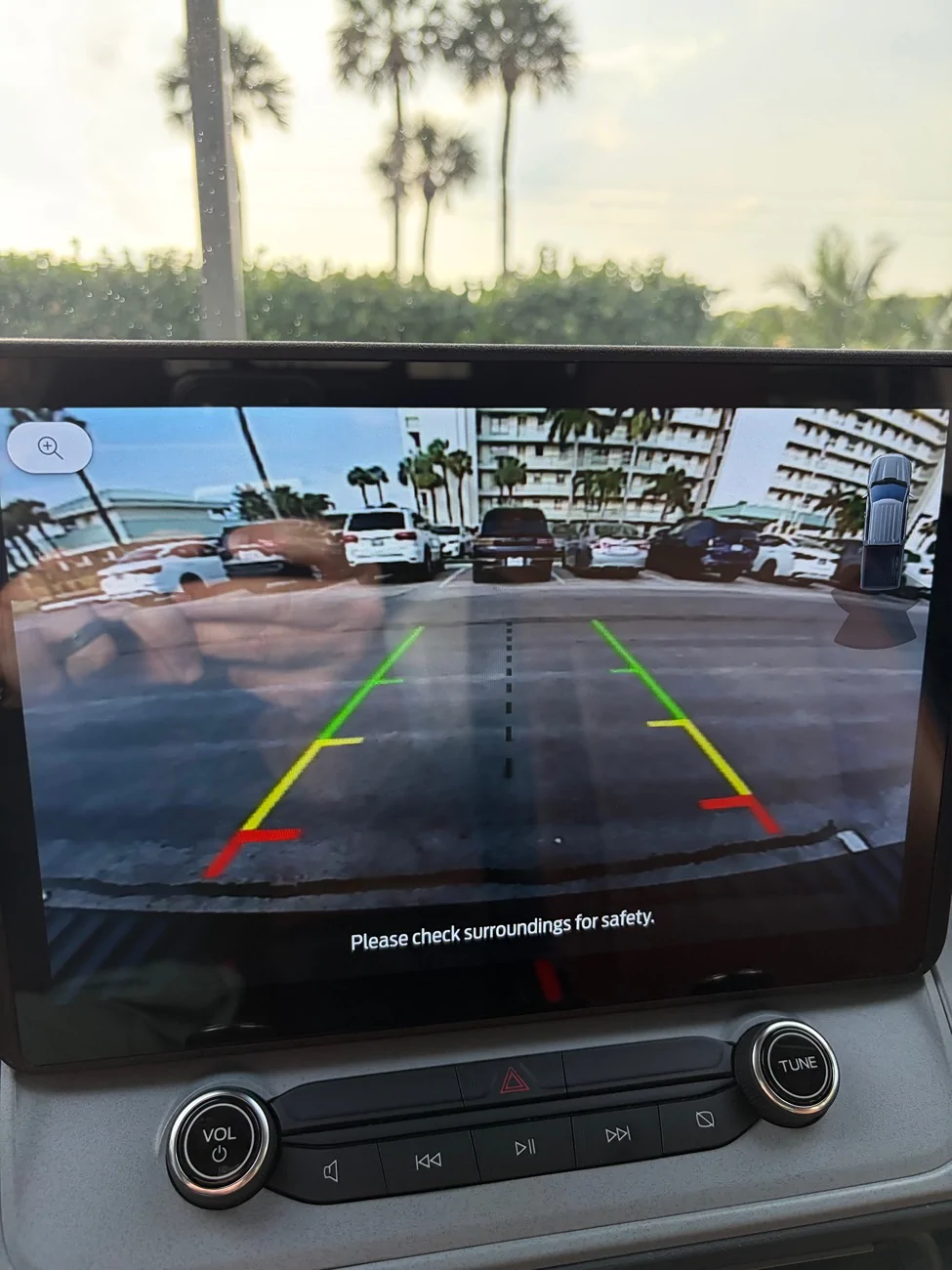
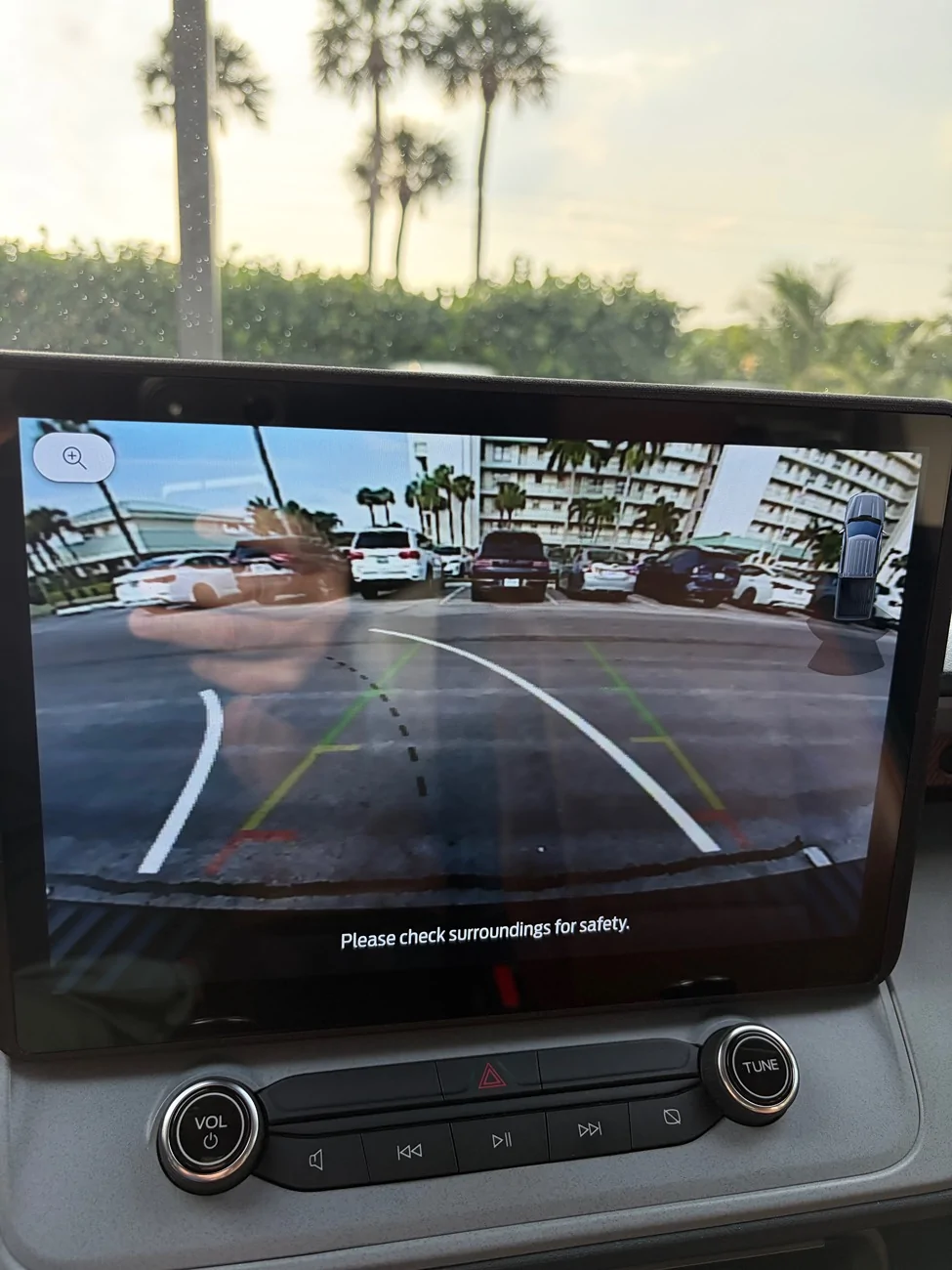
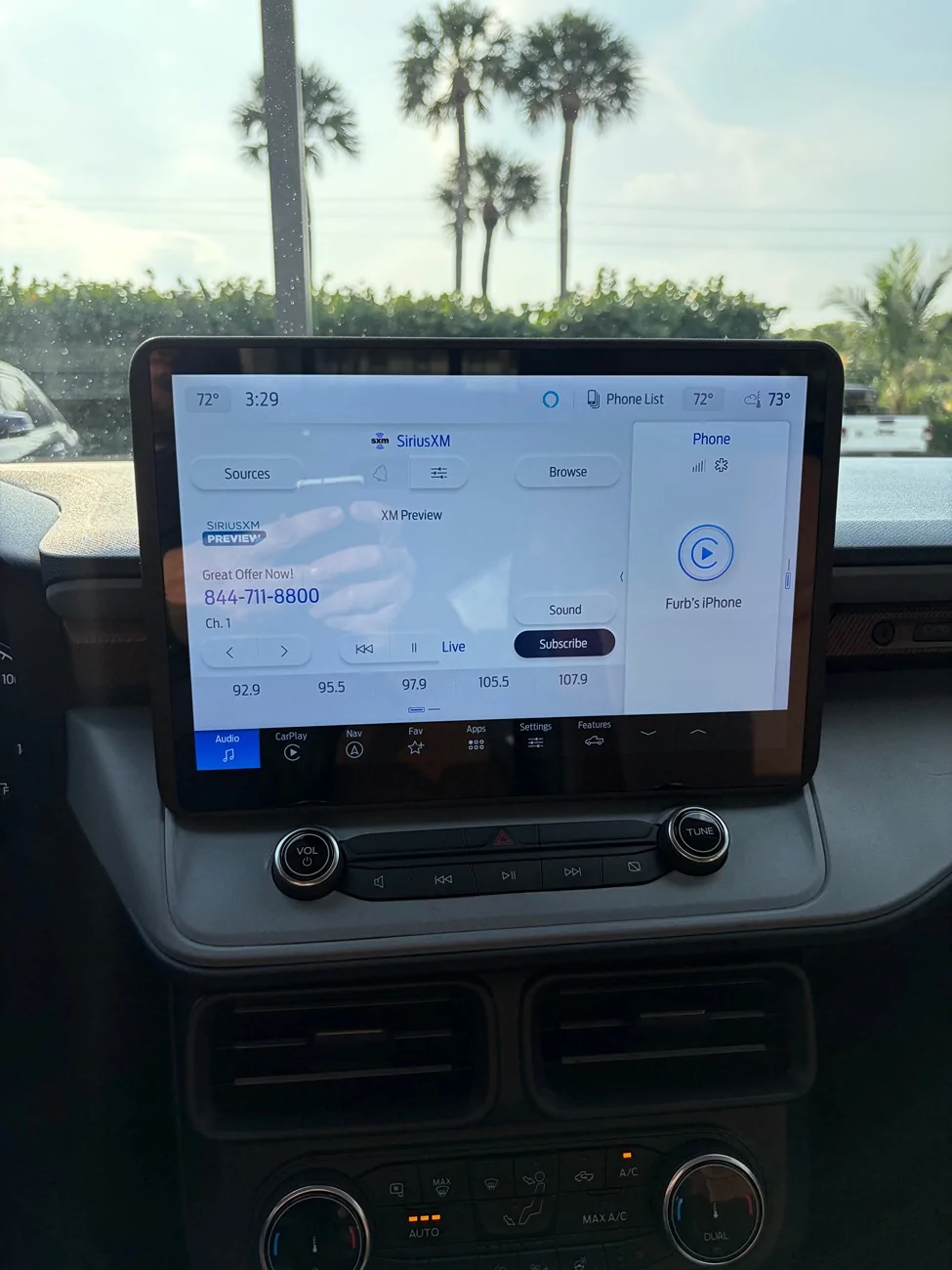
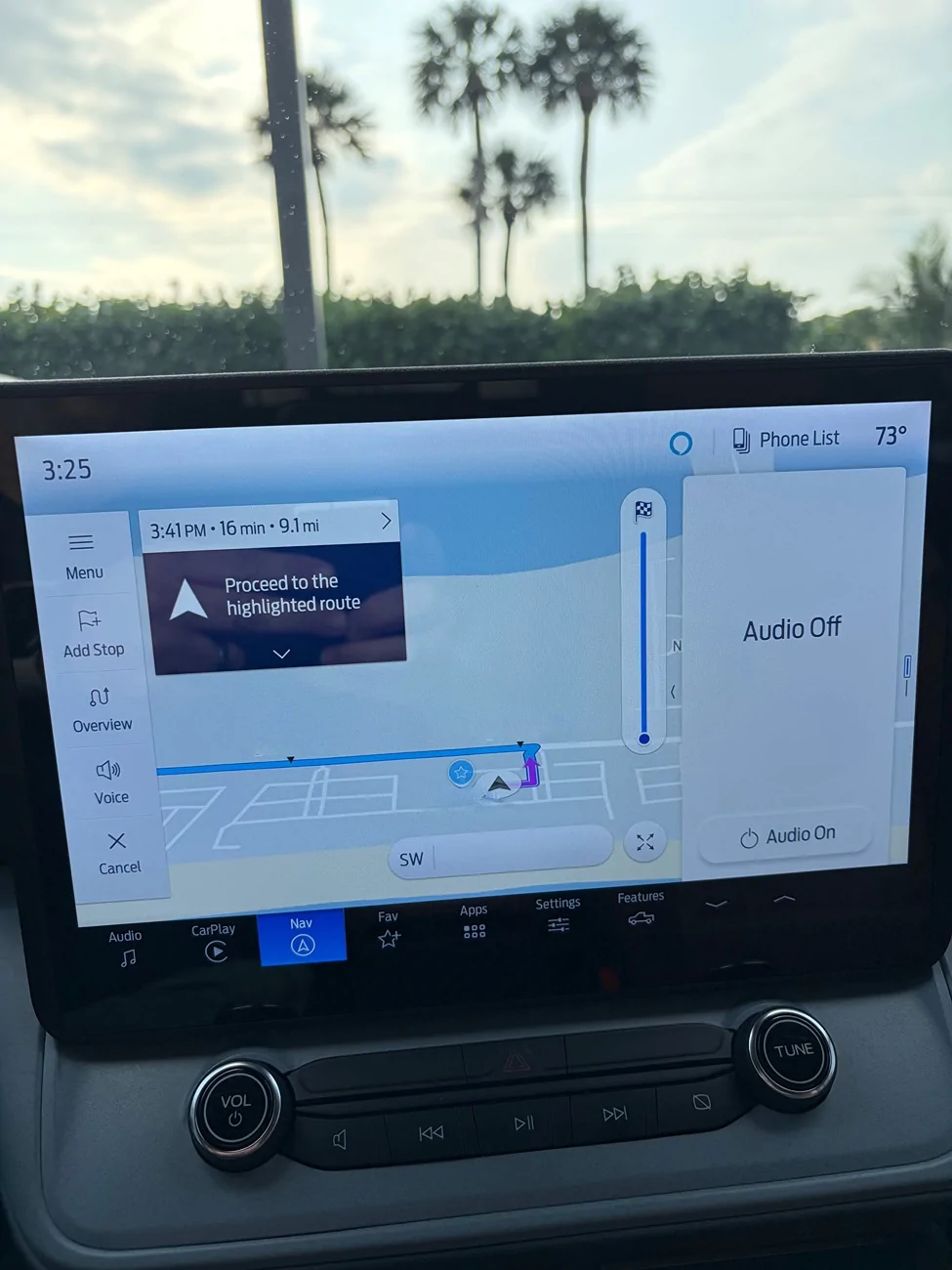
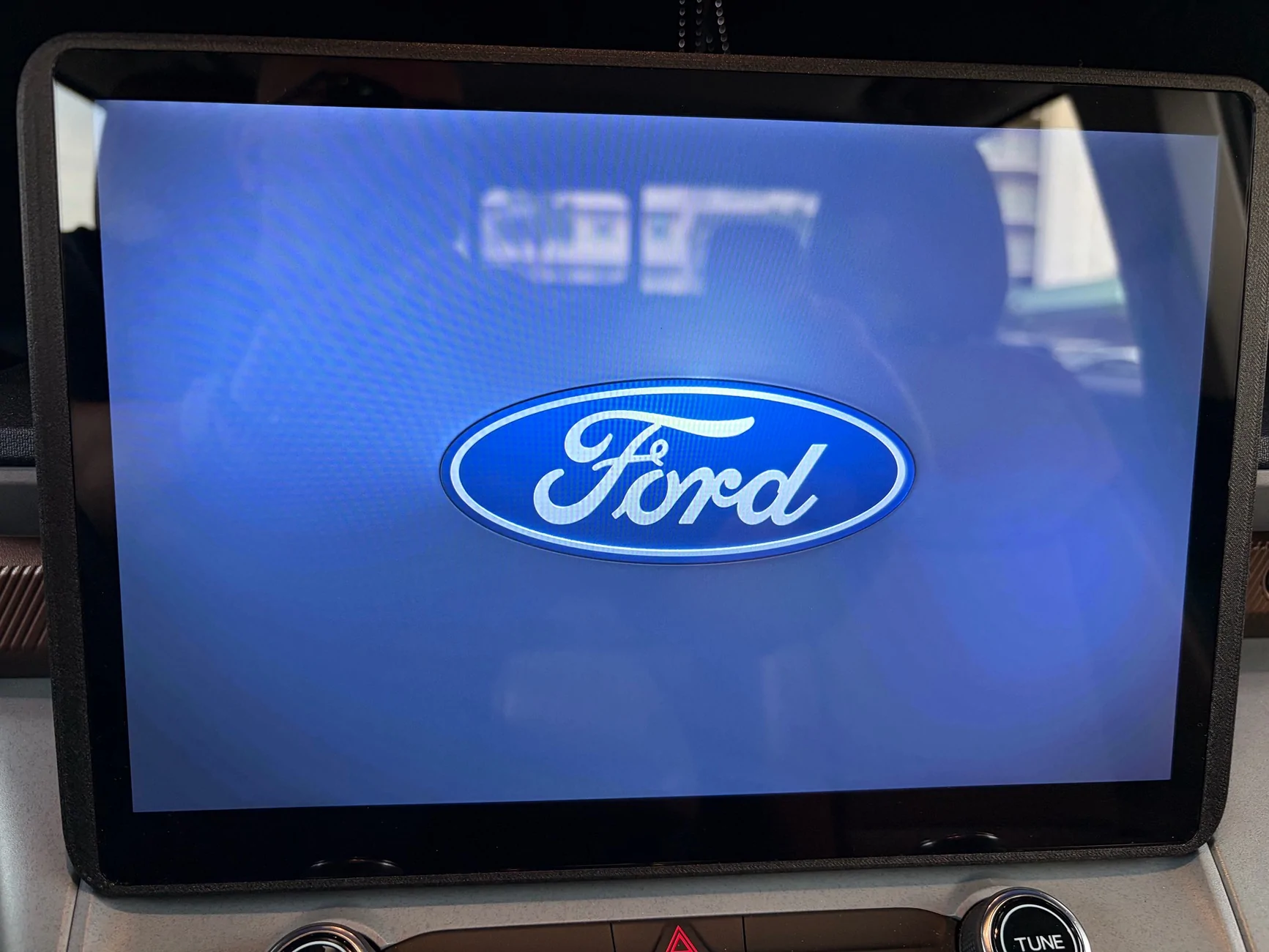
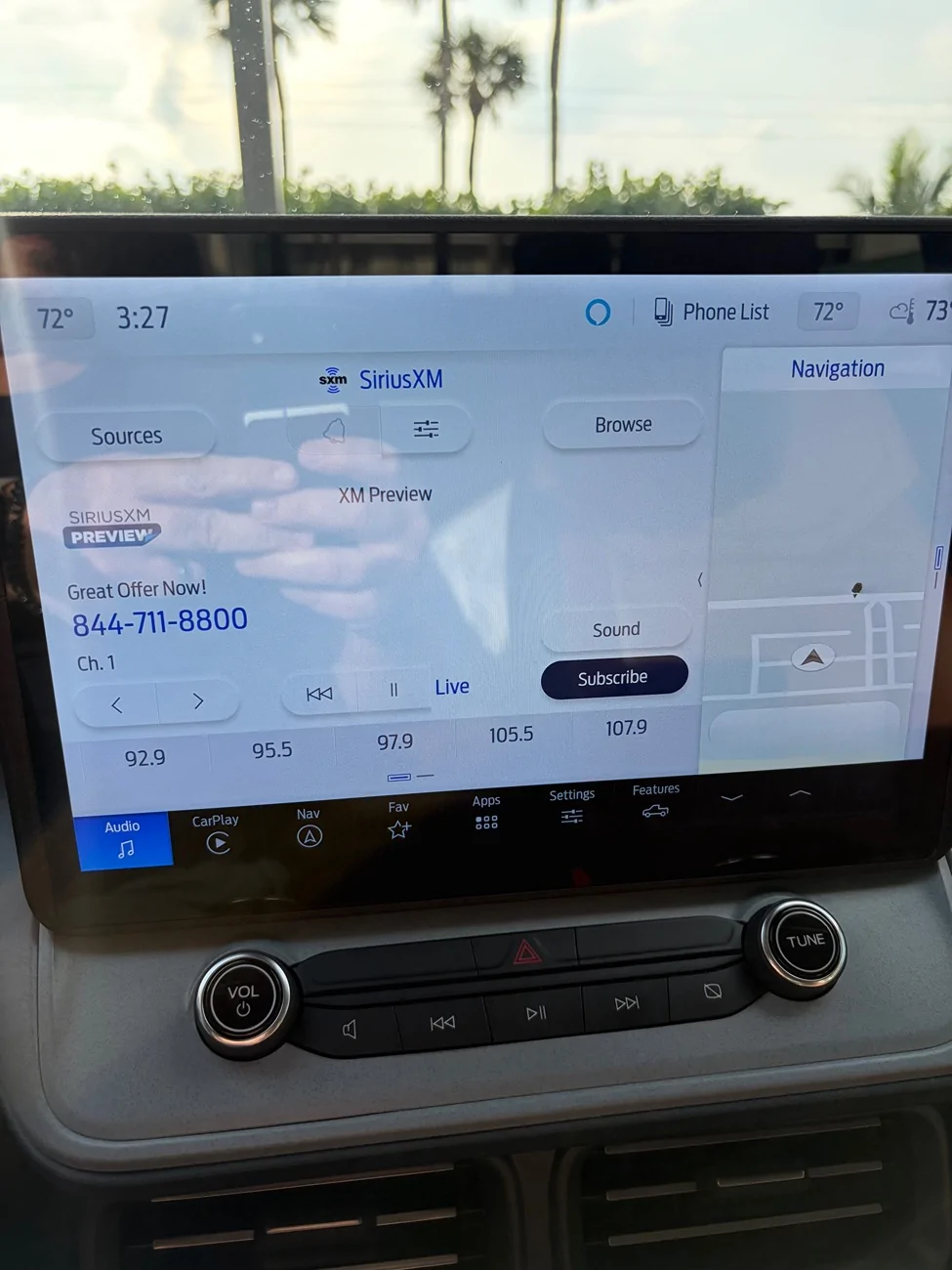
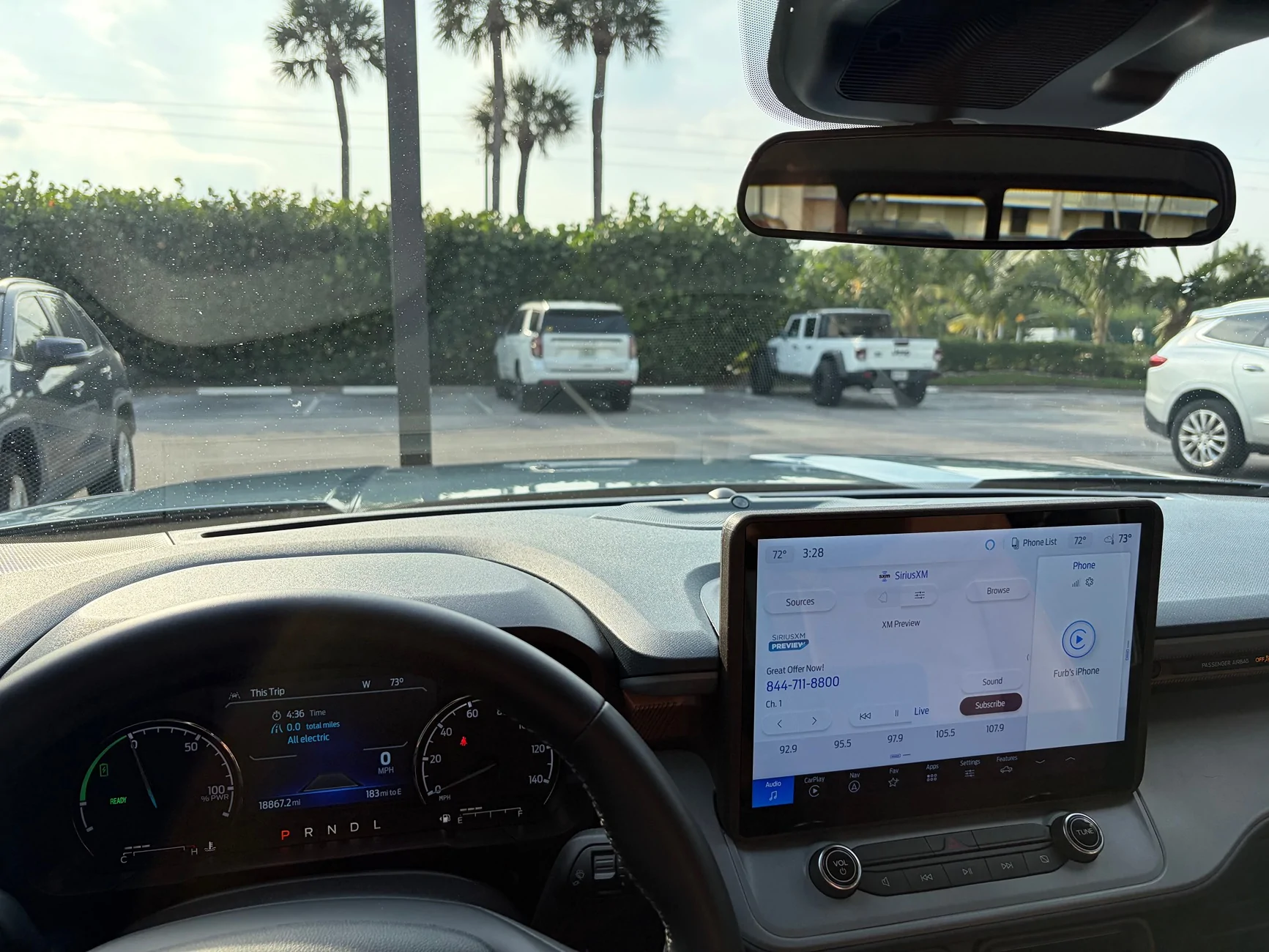
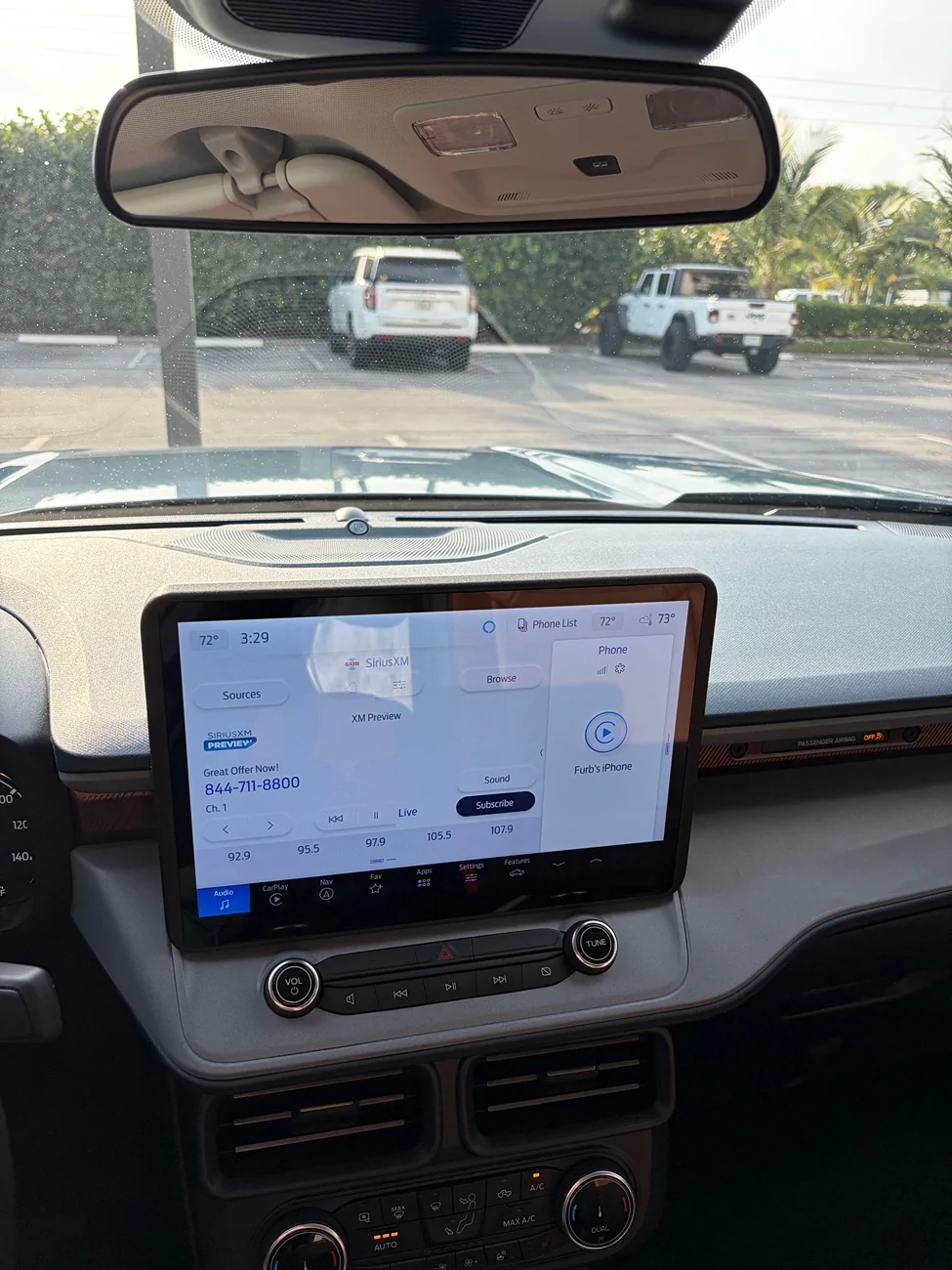
Hopefully I’m not too late for anyone that has been following this thread and considering getting this upgrade kit. I’m pleased to tell everyone that I finally have everything working as advertised. I’ve included various pictures to show that the built in navigation, Sirius XM, wireless Apple CarPlay and backup camera all function exactly as if they had come from the factory. I will be up front that it took a couple of tries for the infotainment team to get everything set properly. However, I can also say that they are a great team, very responsive and I have zero doubts that if I ever have an issue, they will address it quickly and fairly. Here are some thoughts I have I think others might be interested in:

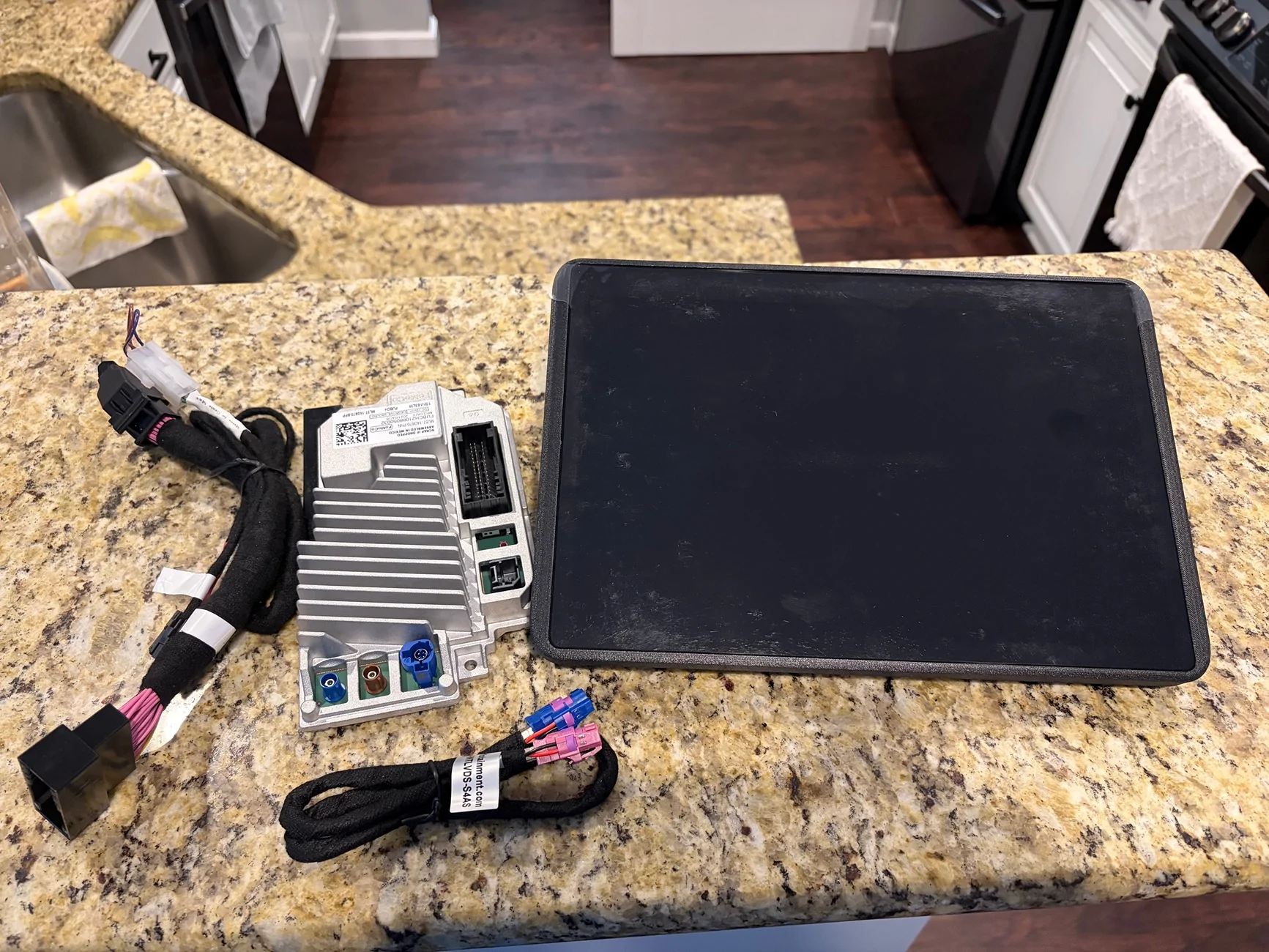
Install: I‘m not going to lie, it was a pain in the rear. Doing is is not for the faint of heart because when you remove the a/c module from the dash and the cowl that covers the back of the original 8” screen, you are going to be really worried that you’re breaking something. Mine were much tighter and a little more difficult to remove than what is in the installation video. I suspect the truck that video was made with had been taken apart several times which is why it looked so Much easier. But it does come apart and I am very relieved to say there are no rat,Les are creaks after putting it all back together. The biggest hurdle on the install is removing the wires connected to the factory installed APIM. That alone took me about an hour and a half. That’s mostly because I was really afraid of breaking something, combined with the fact that the clips/connectors on the end of those cables are pretty hard to find and squeeze in just the right place to get them to loosen and be able to be removed. Just like the video says though, once you’ve done it once, it’s much easier if you ever need to do it again because you know where those clips are and exactly how they attach. Once those wires are removed though the rest of the install is a piece of cake. I highly recommend doing what the video suggests with having magnetized driver bits and extensions as well as the right angle attachment.

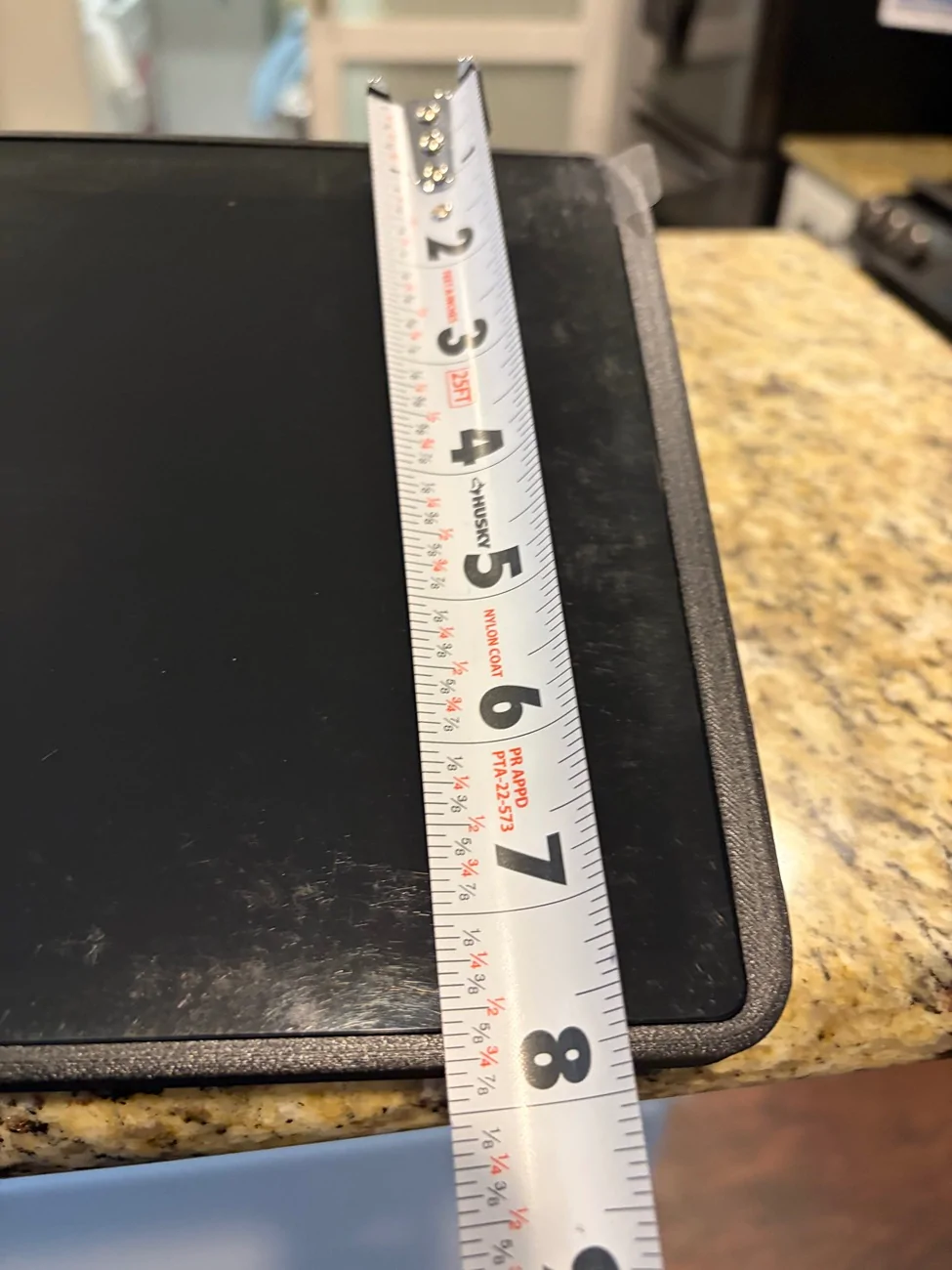
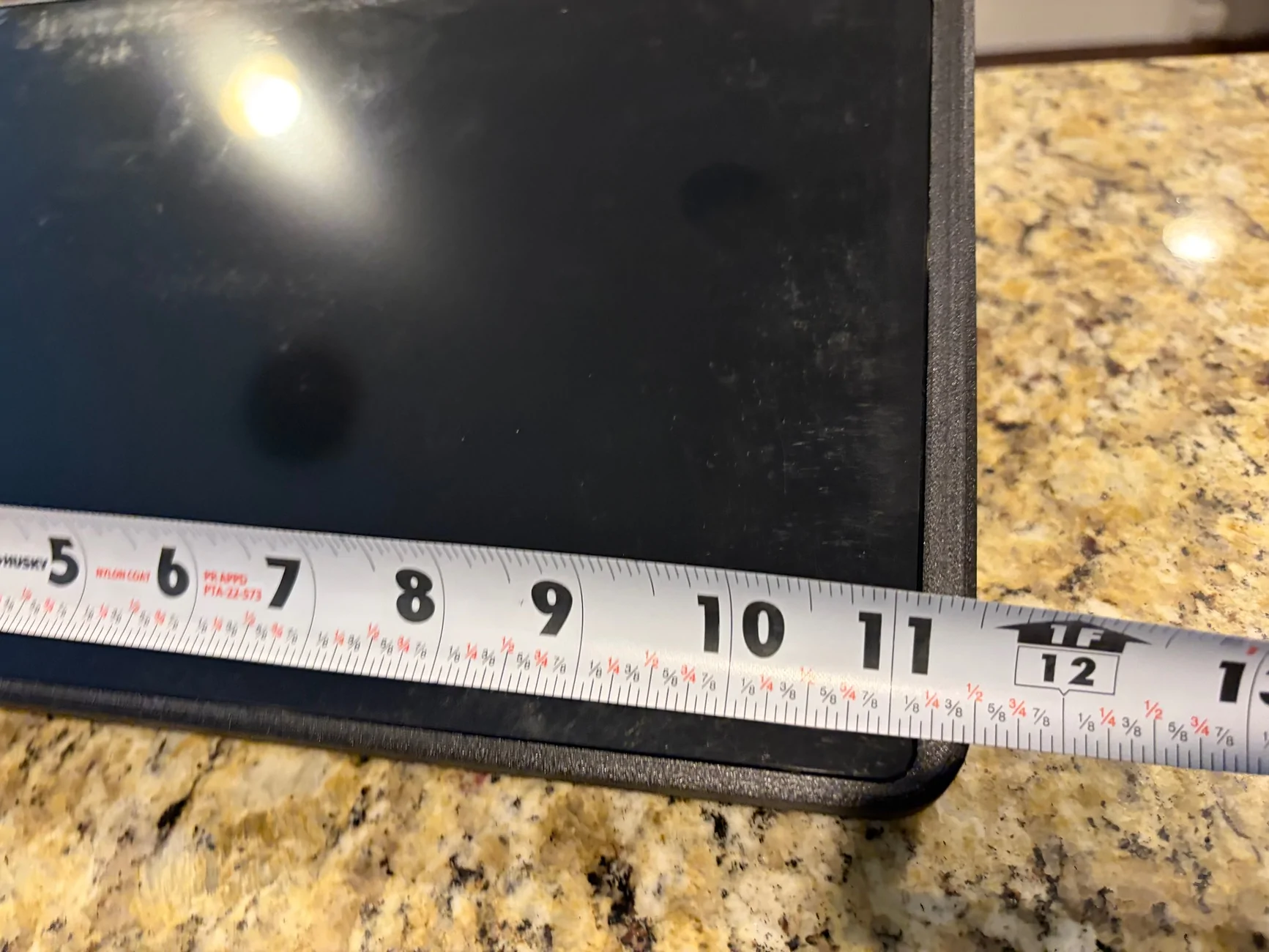
Screen Size: it’s perfect. It’s seriously not nearly as big in person as what some photos make it look. It all depends on the angle of the photo. I’m 5’8” tall and I can easily see over the top of the screen, fully see my dash behind it and fully see the front passenger side corner of my truck. One of the pics I took and have attached is with my phone held up right in front of my eyes looking over at the screen. I think this gives a pretty good image of how it looks. As I said in a previous post, this is the screen Ford should have put in the truck from the beginning and I believe should have been the screen they put in with the 2025 refresh. The clarity and sharpness of the screen is excellent. The only thing about the screen I would change is that it is very shiny and pretty reflective. It hasn’t been a problem, but it is more reflective than the small 8” screen that came with the truck. So I may look for some sort of anti glare screen cover to put on it if I can find the right size.

Customer Service: Infotainment has been top notch. Since I was driving through Orlando anyway after I did the initial install where some things weren’t working, they offered for me to come to their headquarters for them to take a look. As a reminder, the original issues I had were that the screen was not responsive to touch, the backup camera was not coming on at all, and my usb ports were not charging. The USB port was my own fault though. I apparently missed connecting a wire. The other two issues were legit issues. So when I got to their headquarters I was immediately impressed and relieved to see that this is a legit business. They have their own building that looks fairly new and it is really nice. So this is not some fly by night thing in somebody’s garage. They replaced the entire set up for me. I got to meet Chris, who is the guy in the instruction video and he is the one who installed the new system. The Owner even came and shook my hand and personally did programming on the APIM they were installing And apologized for the difficulty. They completed the install and I was on my way. Unfortunately, I didn’t attempt to use the built in navigation before I left. I simply pulled up the screen and saw my location was accurate and then proceeded to use Apple CarPlay for my drive further south. A couple of days later I tried to use the built in navigation and got an error. Thankfully I was still in the area and I went back and it was a quick fix.

Summary: in short, even though there were some hiccups, I would definitely do this again even knowing it would take a couple of times to get it all right. I hope that my issues will lead to Infotainment getting this Maverick upgrade kit dialed in so it is truly plug and play. Now that it’s done, I couldn’t be happier. One thing to note is that with the much larger screen size, the backup camera resolution could stand to be increased. It’s totally acceptable, but I would love to find a better camera to replace the OEM camera that came from the factory. If anyone has any questions, just let me know. I’ll be happy to answer. All in my pics of the maps, I cleaned out street names. Probably overkill, but putting my exact location out on the web just didn’t seem prudent to me.

IMG_0471.webp


IMG_0395.webp


IMG_0394.webp


IMG_0473.webp


IMG_0474.webp


IMG_0478.webp


IMG_0392.webp


IMG_0469.webp


IMG_0467.webp


IMG_0472.webp


IMG_0475.webp


IMG_0479.webp
 

Sponsored

Mavreezy

2.5L Hybrid
Well-known member
First Name
Peter
Joined
Sep 29, 2022
Threads
7
Messages
560
Reaction score
759
Location
Long Beach, CA
Vehicle(s)
Mazda B3000 Dual Sport, Lincoln MKZ Hybrid
Engine
2.5L Hybrid
Hopefully I’m not too late for anyone that has been following this thread and considering getting this upgrade kit. I’m pleased to tell everyone that I finally have everything working as advertised. I’ve included various pictures to show that the built in navigation, Sirius XM, wireless Apple CarPlay and backup camera all function exactly as if they had come from the factory. I will be up front that it took a couple of tries for the infotainment team to get everything set properly. However, I can also say that they are a great team, very responsive and I have zero doubts that if I ever have an issue, they will address it quickly and fairly. Here are some thoughts I have I think others might be interested in:

Install: I‘m not going to lie, it was a pain in the rear. Doing is is not for the faint of heart because when you remove the a/c module from the dash and the cowl that covers the back of the original 8” screen, you are going to be really worried that you’re breaking something. Mine were much tighter and a little more difficult to remove than what is in the installation video. I suspect the truck that video was made with had been taken apart several times which is why it looked so Much easier. But it does come apart and I am very relieved to say there are no rat,Les are creaks after putting it all back together. The biggest hurdle on the install is removing the wires connected to the factory installed APIM. That alone took me about an hour and a half. That’s mostly because I was really afraid of breaking something, combined with the fact that the clips/connectors on the end of those cables are pretty hard to find and squeeze in just the right place to get them to loosen and be able to be removed. Just like the video says though, once you’ve done it once, it’s much easier if you ever need to do it again because you know where those clips are and exactly how they attach. Once those wires are removed though the rest of the install is a piece of cake. I highly recommend doing what the video suggests with having magnetized driver bits and extensions as well as the right angle attachment.

Screen Size: it’s perfect. It’s seriously not nearly as big in person as what some photos make it look. It all depends on the angle of the photo. I’m 5’8” tall and I can easily see over the top of the screen, fully see my dash behind it and fully see the front passenger side corner of my truck. One of the pics I took and have attached is with my phone held up right in front of my eyes looking over at the screen. I think this gives a pretty good image of how it looks. As I said in a previous post, this is the screen Ford should have put in the truck from the beginning and I believe should have been the screen they put in with the 2025 refresh. The clarity and sharpness of the screen is excellent. The only thing about the screen I would change is that it is very shiny and pretty reflective. It hasn’t been a problem, but it is more reflective than the small 8” screen that came with the truck. So I may look for some sort of anti glare screen cover to put on it if I can find the right size.

Customer Service: Infotainment has been top notch. Since I was driving through Orlando anyway after I did the initial install where some things weren’t working, they offered for me to come to their headquarters for them to take a look. As a reminder, the original issues I had were that the screen was not responsive to touch, the backup camera was not coming on at all, and my usb ports were not charging. The USB port was my own fault though. I apparently missed connecting a wire. The other two issues were legit issues. So when I got to their headquarters I was immediately impressed and relieved to see that this is a legit business. They have their own building that looks fairly new and it is really nice. So this is not some fly by night thing in somebody’s garage. They replaced the entire set up for me. I got to meet Chris, who is the guy in the instruction video and he is the one who installed the new system. The Owner even came and shook my hand and personally did programming on the APIM they were installing And apologized for the difficulty. They completed the install and I was on my way. Unfortunately, I didn’t attempt to use the built in navigation before I left. I simply pulled up the screen and saw my location was accurate and then proceeded to use Apple CarPlay for my drive further south. A couple of days later I tried to use the built in navigation and got an error. Thankfully I was still in the area and I went back and it was a quick fix.

Summary: in short, even though there were some hiccups, I would definitely do this again even knowing it would take a couple of times to get it all right. I hope that my issues will lead to Infotainment getting this Maverick upgrade kit dialed in so it is truly plug and play. Now that it’s done, I couldn’t be happier. One thing to note is that with the much larger screen size, the backup camera resolution could stand to be increased. It’s totally acceptable, but I would love to find a better camera to replace the OEM camera that came from the factory. If anyone has any questions, just let me know. I’ll be happy to answer. All in my pics of the maps, I cleaned out street names. Probably overkill, but putting my exact location out on the web just didn’t seem prudent to me.

IMG_0471.webp


IMG_0395.webp


IMG_0394.webp


IMG_0473.webp


IMG_0474.webp


IMG_0478.webp


IMG_0392.webp


IMG_0469.webp


IMG_0467.webp


IMG_0472.webp


IMG_0475.webp


IMG_0479.webp
Glad everything worked out for you. 👍🏼

The screen will look even smaller once you apply a trim piece around the audio controls.
 

WhatJoeKnow

2.0L EcoBoost
Active member
First Name
Joe
Joined
Dec 9, 2024
Threads
7
Messages
33
Reaction score
9
Location
Land O Lakes, Fl
Vehicle(s)
2024 Ford Maverick Lariat
Engine
2.0L EcoBoost
Hopefully I’m not too late for anyone that has been following this thread and considering getting this upgrade kit. I’m pleased to tell everyone that I finally have everything working as advertised. I’ve included various pictures to show that the built in navigation, Sirius XM, wireless Apple CarPlay and backup camera all function exactly as if they had come from the factory. I will be up front that it took a couple of tries for the infotainment team to get everything set properly. However, I can also say that they are a great team, very responsive and I have zero doubts that if I ever have an issue, they will address it quickly and fairly. Here are some thoughts I have I think others might be interested in:

Install: I‘m not going to lie, it was a pain in the rear. Doing is is not for the faint of heart because when you remove the a/c module from the dash and the cowl that covers the back of the original 8” screen, you are going to be really worried that you’re breaking something. Mine were much tighter and a little more difficult to remove than what is in the installation video. I suspect the truck that video was made with had been taken apart several times which is why it looked so Much easier. But it does come apart and I am very relieved to say there are no rat,Les are creaks after putting it all back together. The biggest hurdle on the install is removing the wires connected to the factory installed APIM. That alone took me about an hour and a half. That’s mostly because I was really afraid of breaking something, combined with the fact that the clips/connectors on the end of those cables are pretty hard to find and squeeze in just the right place to get them to loosen and be able to be removed. Just like the video says though, once you’ve done it once, it’s much easier if you ever need to do it again because you know where those clips are and exactly how they attach. Once those wires are removed though the rest of the install is a piece of cake. I highly recommend doing what the video suggests with having magnetized driver bits and extensions as well as the right angle attachment.

Screen Size: it’s perfect. It’s seriously not nearly as big in person as what some photos make it look. It all depends on the angle of the photo. I’m 5’8” tall and I can easily see over the top of the screen, fully see my dash behind it and fully see the front passenger side corner of my truck. One of the pics I took and have attached is with my phone held up right in front of my eyes looking over at the screen. I think this gives a pretty good image of how it looks. As I said in a previous post, this is the screen Ford should have put in the truck from the beginning and I believe should have been the screen they put in with the 2025 refresh. The clarity and sharpness of the screen is excellent. The only thing about the screen I would change is that it is very shiny and pretty reflective. It hasn’t been a problem, but it is more reflective than the small 8” screen that came with the truck. So I may look for some sort of anti glare screen cover to put on it if I can find the right size.

Customer Service: Infotainment has been top notch. Since I was driving through Orlando anyway after I did the initial install where some things weren’t working, they offered for me to come to their headquarters for them to take a look. As a reminder, the original issues I had were that the screen was not responsive to touch, the backup camera was not coming on at all, and my usb ports were not charging. The USB port was my own fault though. I apparently missed connecting a wire. The other two issues were legit issues. So when I got to their headquarters I was immediately impressed and relieved to see that this is a legit business. They have their own building that looks fairly new and it is really nice. So this is not some fly by night thing in somebody’s garage. They replaced the entire set up for me. I got to meet Chris, who is the guy in the instruction video and he is the one who installed the new system. The Owner even came and shook my hand and personally did programming on the APIM they were installing And apologized for the difficulty. They completed the install and I was on my way. Unfortunately, I didn’t attempt to use the built in navigation before I left. I simply pulled up the screen and saw my location was accurate and then proceeded to use Apple CarPlay for my drive further south. A couple of days later I tried to use the built in navigation and got an error. Thankfully I was still in the area and I went back and it was a quick fix.

Summary: in short, even though there were some hiccups, I would definitely do this again even knowing it would take a couple of times to get it all right. I hope that my issues will lead to Infotainment getting this Maverick upgrade kit dialed in so it is truly plug and play. Now that it’s done, I couldn’t be happier. One thing to note is that with the much larger screen size, the backup camera resolution could stand to be increased. It’s totally acceptable, but I would love to find a better camera to replace the OEM camera that came from the factory. If anyone has any questions, just let me know. I’ll be happy to answer. All in my pics of the maps, I cleaned out street names. Probably overkill, but putting my exact location out on the web just didn’t seem prudent to me.

IMG_0471.webp


IMG_0395.webp


IMG_0394.webp


IMG_0473.webp


IMG_0474.webp


IMG_0478.webp


IMG_0392.webp


IMG_0469.webp


IMG_0467.webp


IMG_0472.webp


IMG_0475.webp


IMG_0479.webp
Did they say why the issues happened or if it was just a faulty unit?
 

TNFurb

2.5L Hybrid
Well-known member
First Name
Kelly
Joined
Jul 16, 2023
Threads
16
Messages
484
Reaction score
597
Location
Nashville
Vehicle(s)
‘23 Bronco Sport OB ‘24 Mav Lariat Hybrid
Engine
2.5L Hybrid

LAClippers420

2.5L Hybrid
Well-known member
First Name
mario
Joined
Aug 25, 2021
Threads
14
Messages
298
Reaction score
702
Location
los ángeles
Vehicle(s)
Maverick XL
Engine
2.5L Hybrid
Wow! It’s beautiful ! My 22 is in desperate need of an upgrade! I’m just not great at doing these types of jobs.
 

EVMaverick

2.5L Hybrid
New member
First Name
Tone
Joined
Oct 1, 2022
Threads
0
Messages
2
Reaction score
0
Location
SF Bay Area
Vehicle(s)
2024 Maverick Lariat Hybrid
Engine
2.5L Hybrid
Are there any qualified installers in the San Francisco Bay Area that can install the Sync 4 Touchscreen?
 
Sponsored
OP
OP
infotainment

infotainment

Member
Diamond Sponsor
First Name
Infotainment
Joined
Oct 31, 2025
Threads
3
Messages
7
Reaction score
31
Location
Oviedo, FL
Vehicle(s)
Ford Maverick
Engine
Undecided
@TNFurb We truly appreciate you stopping by! Glad you are enjoying the upgrade too. It looks great.

The issues you initially experienced have now been ironed out for future customers that want this upgrade.

If any other forum members are in FL or feel like driving down, we are more than happy to help you as well!
 

Steve R

2.5L Hybrid
Member
First Name
Steve
Joined
Sep 26, 2025
Threads
0
Messages
6
Reaction score
2
Location
Cali
Vehicle(s)
2024 Maverick hybrid
Engine
2.5L Hybrid
Infotainment gets the units from OEM+ so just buy direct from them.
 

Steve R

2.5L Hybrid
Member
First Name
Steve
Joined
Sep 26, 2025
Threads
0
Messages
6
Reaction score
2
Location
Cali
Vehicle(s)
2024 Maverick hybrid
Engine
2.5L Hybrid
Panda also gets them from OEM. I ordered it from OEM+ for 1500$. I haven't received it yet. 2 to 3 week lead time. It's a very popular upgrade.
Sponsored


Top