Sponsored

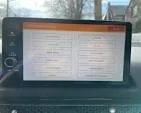
13 inch Center Display is not turning on

Kpankow

2.0L EcoBoost
Active member
First Name
Kirt
Joined
May 13, 2025
Threads
2
Messages
36
Reaction score
55
Location
Vail, AZ 85641, USA
Vehicle(s)
2025 Maverick Tremor
Engine
2.0L EcoBoost
My 2025 Maverick Tremor Center Display just stopped working. It's just a black screen. 1,700 miles on the odometer. Fuses checkout ok. Of course the local Dealership can't look at it for week. Anyone else experience this?
Sponsored

 

Cancunbadlands

2.0L EcoBoost
Well-known member
First Name
Cancun
Joined
Jul 5, 2025
Threads
4
Messages
3,756
Reaction score
3,776
Location
Cancun
Vehicle(s)
2024 Ford Maverick Lariat Tremor
Engine
2.0L EcoBoost
Clubs
 
So you don't know your speed limit, performed a master reset?
 

CurtisB

2.5L Hybrid
Well-known member
Joined
Jan 11, 2024
Threads
6
Messages
1,953
Reaction score
2,528
Location
92868
Vehicle(s)
2023 Maverick XLT Hybrid
Engine
2.5L Hybrid
Clubs
 
How do I perform a master reset?
Try googling it. "hard reset for head unit on 2025 Maverick" and see what comes up. Nevermind, I just did.....

Ford Maverick 13 inch Center Display is not turning on 1754944916152-by


" To perform a hard reset on the 2025 Ford Maverick's head unit (infotainment system), press and hold the power button and the seek button (>>) simultaneously for about 5-10 seconds until the Ford logo flashes and the system restarts, according to a Maverick forum. This will reboot the system and may resolve minor issues. If problems persist, a more comprehensive reset can be done through the infotainment system settings."


On 2022-2024 models, we hold down the power button and the fast forward button at the same time with the truck powered up. Then we hold the to two buttons down until the Ford logo appears on the screen.
 

Cancunbadlands

2.0L EcoBoost
Well-known member
First Name
Cancun
Joined
Jul 5, 2025
Threads
4
Messages
3,756
Reaction score
3,776
Location
Cancun
Vehicle(s)
2024 Ford Maverick Lariat Tremor
Engine
2.0L EcoBoost
Clubs
 
Try googling it. "hard reset for head unit on 2025 Maverick" and see what comes up. Nevermind, I just did.....

1754944916152-by.webp


" To perform a hard reset on the 2025 Ford Maverick's head unit (infotainment system), press and hold the power button and the seek button (>>) simultaneously for about 5-10 seconds until the Ford logo flashes and the system restarts, according to a Maverick forum. This will reboot the system and may resolve minor issues. If problems persist, a more comprehensive reset can be done through the infotainment system settings."


On 2022-2024 models, we hold down the power button and the fast forward button at the same time with the truck powered up. Then we hold the to two buttons down until the Ford logo appears on the screen.
#perfect didn't work out????
 

Sponsored

OP
OP

Kpankow

2.0L EcoBoost
Active member
First Name
Kirt
Joined
May 13, 2025
Threads
2
Messages
36
Reaction score
55
Location
Vail, AZ 85641, USA
Vehicle(s)
2025 Maverick Tremor
Engine
2.0L EcoBoost
Try googling it. "hard reset for head unit on 2025 Maverick" and see what comes up. Nevermind, I just did.....

1754944916152-by.png


" To perform a hard reset on the 2025 Ford Maverick's head unit (infotainment system), press and hold the power button and the seek button (>>) simultaneously for about 5-10 seconds until the Ford logo flashes and the system restarts, according to a Maverick forum. This will reboot the system and may resolve minor issues. If problems persist, a more comprehensive reset can be done through the infotainment system settings."


On 2022-2024 models, we hold down the power button and the fast forward button at the same time with the truck powered up. Then we hold the to two buttons down until the Ford logo appears on the screen.
Thanks for the effort, but it didn't work. I pressed the start button then held down the Power/Vol and >> buttons for 20 seconds with no reply. I tried it several times. Oh well, looks like I'm stuck with a dealership visit after all.
 

CurtisB

2.5L Hybrid
Well-known member
Joined
Jan 11, 2024
Threads
6
Messages
1,953
Reaction score
2,528
Location
92868
Vehicle(s)
2023 Maverick XLT Hybrid
Engine
2.5L Hybrid
Clubs
 
Thanks for the effort, but it didn't work. I pressed the start button then held down the Power/Vol and >> buttons for 20 seconds with no reply. I tried it several times. Oh well, looks like I'm stuck with a dealership visit after all.
Try hold both buttons with the truck off, then turn it on. Yeah, my need a third hand, but something has to spark it up. If the truck is running and the screen is blank, could be serious. Do you have the FordPass App? If so, is the app telling you that you have a fault/communication issue?
 

Backin15

2.0L EcoBoost
Well-known member
Joined
May 10, 2025
Threads
6
Messages
341
Reaction score
622
Location
Frozen Minnesota
Vehicle(s)
2025 Maverick XLT
Engine
2.0L EcoBoost
Clubs
 
If you used the seek forward button below the display, the manual says to use the button on the steering wheel:

Center Display - Rebooting the Center Display
Ford Maverick 13 inch Center Display is not turning on {filename}

Rebooting the Center Display

You can reboot the center display using the controls on the steering wheel.
  1. Simultaneously press and hold the seek forward and audio system power button for 10 seconds.
 
OP
OP

Kpankow

2.0L EcoBoost
Active member
First Name
Kirt
Joined
May 13, 2025
Threads
2
Messages
36
Reaction score
55
Location
Vail, AZ 85641, USA
Vehicle(s)
2025 Maverick Tremor
Engine
2.0L EcoBoost
Try hold both buttons with the truck off, then turn it on. Yeah, my need a third hand, but something has to spark it up. If the truck is running and the screen is blank, could be serious. Do you have the FordPass App? If so, is the app telling you that you have a fault/communication issue?
Thanks for your help. Nothing worked so far. Ford App doesn't report any issues.
 
OP
OP

Kpankow

2.0L EcoBoost
Active member
First Name
Kirt
Joined
May 13, 2025
Threads
2
Messages
36
Reaction score
55
Location
Vail, AZ 85641, USA
Vehicle(s)
2025 Maverick Tremor
Engine
2.0L EcoBoost
If you used the seek forward button below the display, the manual says to use the button on the steering wheel:

Center Display - Rebooting the Center Display
Ford Maverick 13 inch Center Display is not turning on {filename}

Rebooting the Center Display

You can reboot the center display using the controls on the steering wheel.
  1. Simultaneously press and hold the seek forward and audio system power button for 10 seconds.
Thanks. I read that in the manual as well, but there is no seek forward button on the steering wheel, only on the controls below the center display.
 
Sponsored

Backin15

2.0L EcoBoost
Well-known member
Joined
May 10, 2025
Threads
6
Messages
341
Reaction score
622
Location
Frozen Minnesota
Vehicle(s)
2025 Maverick XLT
Engine
2.0L EcoBoost
Clubs
 
The lower right button is the hang up the phone button but also has an > on it, and doubles as the forward audio button, this may be what they are referring to. I doubt it will help at this point though.
 

Waterick

2.5L Hybrid
Well-known member
First Name
Richard
Joined
Oct 27, 2022
Threads
8
Messages
2,097
Reaction score
2,587
Location
Laurens county SC
Vehicle(s)
'24 Mav Lariat, '14 Prius, '83 'Stang, more...
Engine
2.5L Hybrid
Clubs
 
You can also report this to the appropriate safety authorities because without that screen, you have no Federally mandated backup camera. What about your HVAC controls? Voice control?
 

Bdesign

2.0L EcoBoost
Well-known member
First Name
Steve
Joined
May 31, 2025
Threads
10
Messages
220
Reaction score
346
Location
Santa cruz, CA
Vehicle(s)
2025 Lobo MPC EB
Engine
2.0L EcoBoost
So you pressed the >> button and the power button in the middle of the volume knob and this did not work?
 
OP
OP

Kpankow

2.0L EcoBoost
Active member
First Name
Kirt
Joined
May 13, 2025
Threads
2
Messages
36
Reaction score
55
Location
Vail, AZ 85641, USA
Vehicle(s)
2025 Maverick Tremor
Engine
2.0L EcoBoost
You can also report this to the appropriate safety authorities because without that screen, you have no Federally mandated backup camera. What about your HVAC controls? Voice control?
I have no control of anything is usually displayed on the monitor. No radio, cameras, HVAC, etc. The dealership gave me an appointment for 8/18/25, one week.


Top