

- Thread starter
- #1
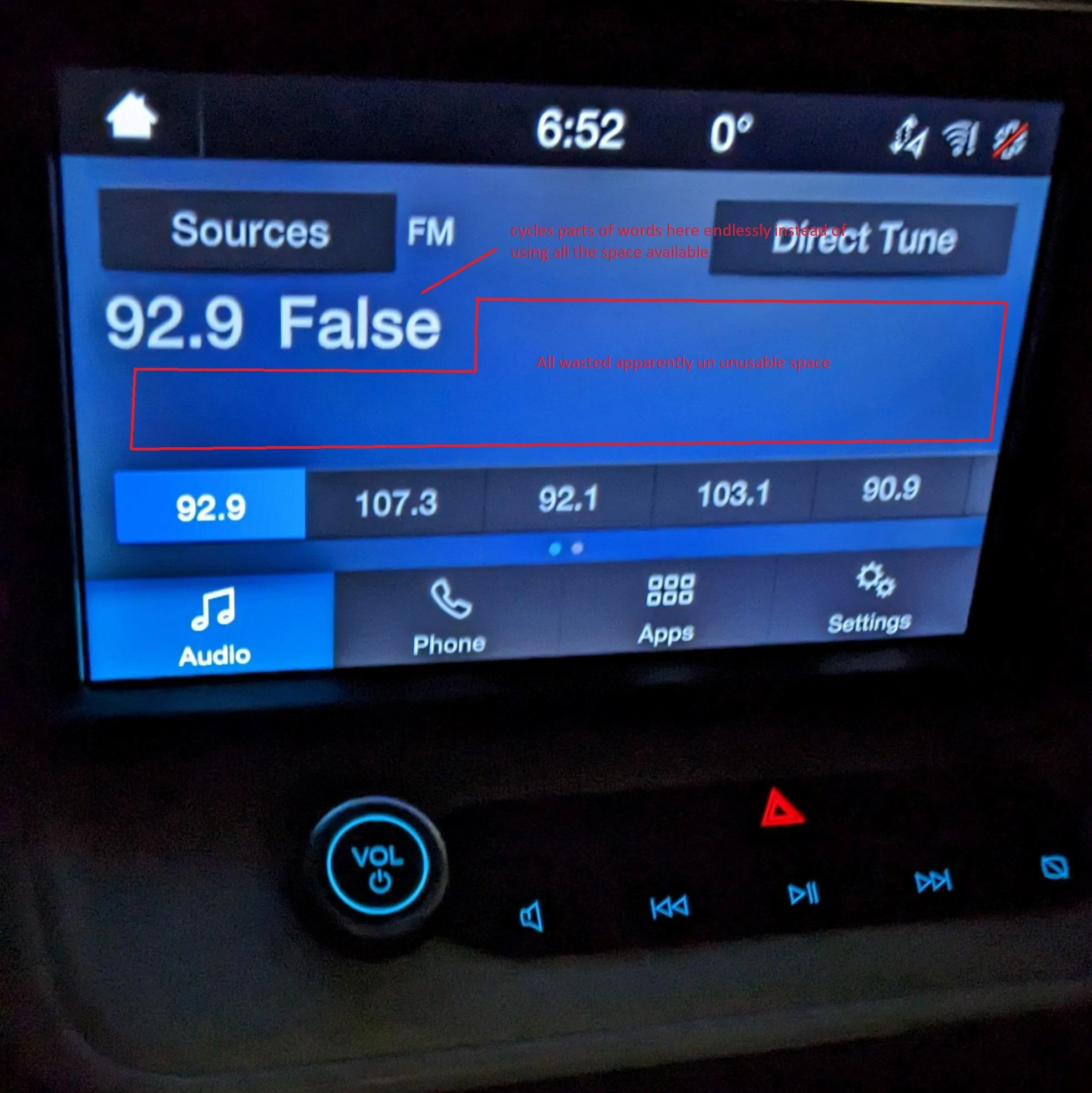
Something I have noticed when using the radio and driving me slowly insane is, beside the station your listening too it displays (or tries too) the song name / artist / station info. But the problem is, even though there is tons of space available to display this info for some reason the font is large and it seems to have a character limit of only 7 or 8 letters, So instead of just displaying everything ie song name, artist, station info you basically get a stupid ticker that is often just displaying parts of words at a time endlessly cycling and displaying pieces of the information.
I get they want large font so its easy to read while driving with quick glances, but I think it makes it worse if your trying to figure out the name of a song or artist and you have to glance 15 times to solve the riddle of the full name its trying to spit out.
See picture circled area is all available space that nothing ever gets displayed on.
I get they want large font so its easy to read while driving with quick glances, but I think it makes it worse if your trying to figure out the name of a song or artist and you have to glance 15 times to solve the riddle of the full name its trying to spit out.
See picture circled area is all available space that nothing ever gets displayed on.
Sponsored