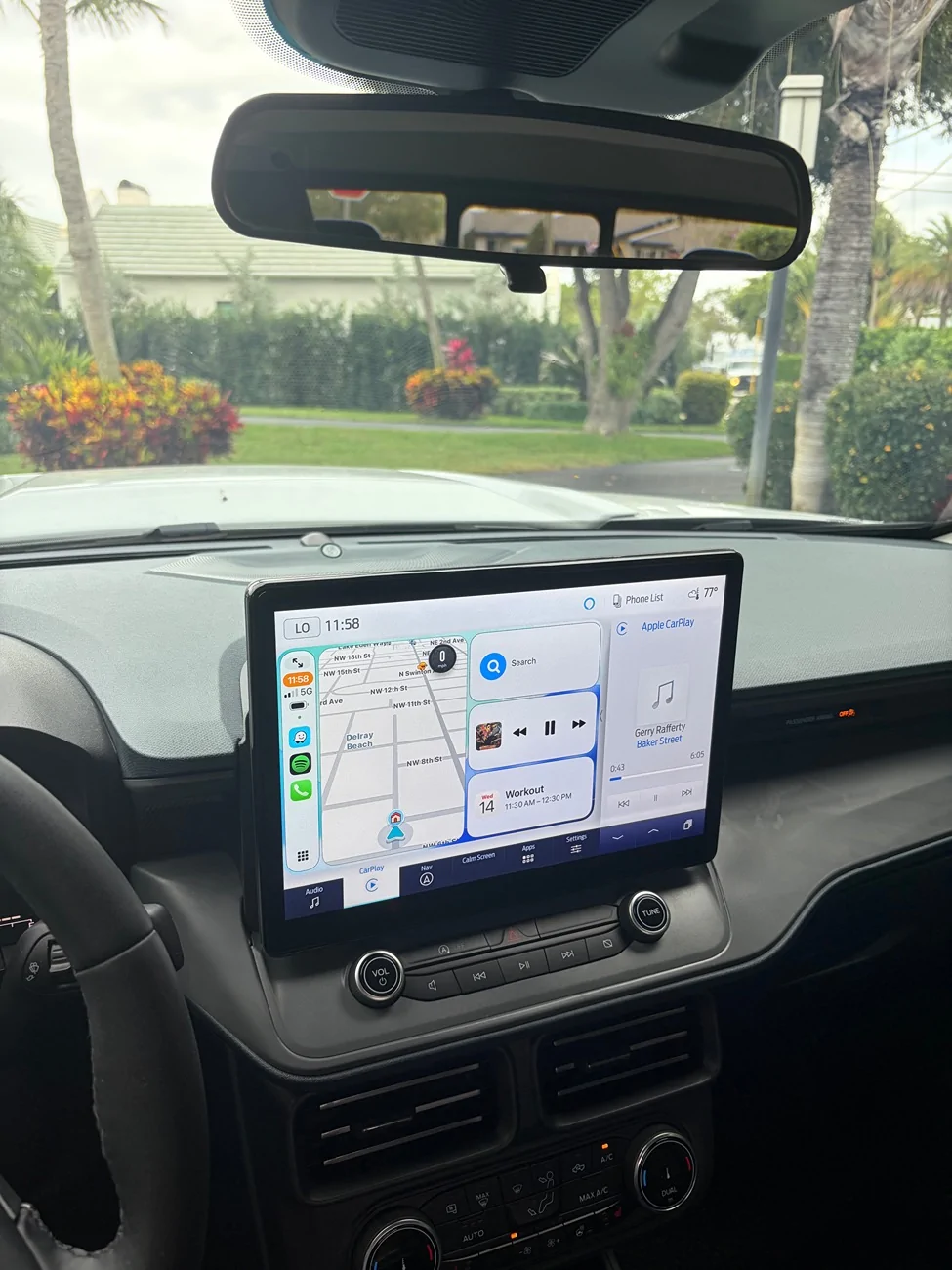
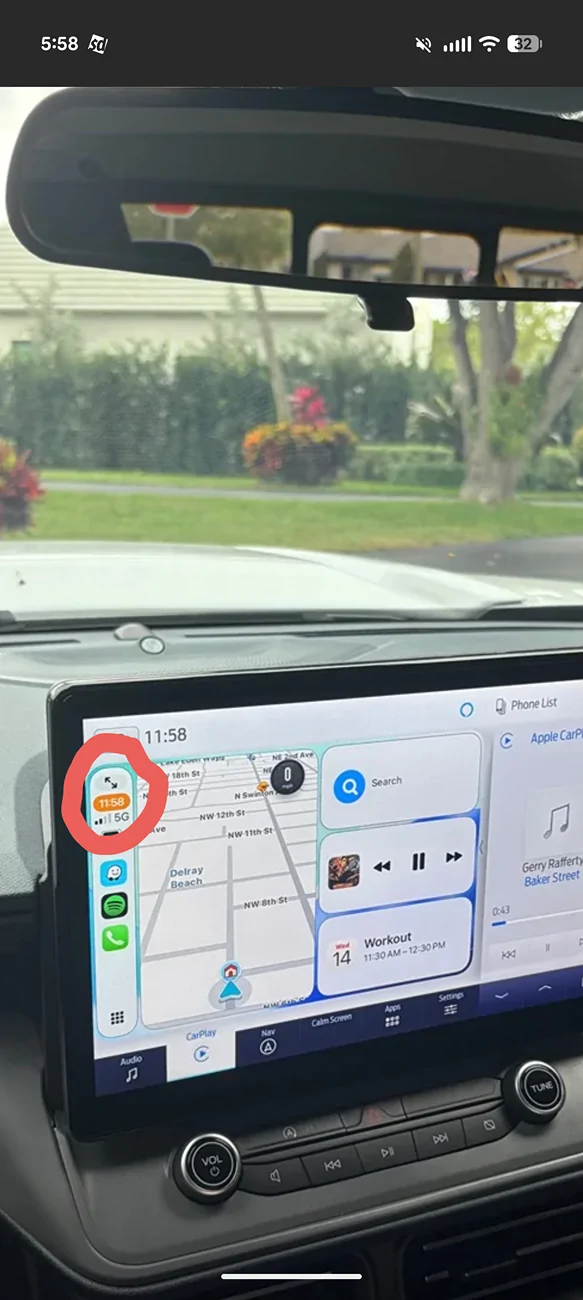
If you are referring to the car play section on the far right, I think you tap the bottom right button on the screen if I remember correctly. It was the first thing I tried to figure out as well as it is a waste of space.
If you are referring to the car play section on the far right, I think you tap the bottom right button on the screen if I remember correctly. It was the first thing I tried to figure out as well as it is a waste of space.
I briefly considered installing the 8 inch on my '22 that has the base system. I questioned Panda about future updates from Ford and they told me it would never get them because Fords update roll out is based on the VIN as-built list. I also asked about the Fordpass app. It would continue to work but if you had to reset the unit to correct a glitch, the app would stop working. The only way to get it back would be to reconnect your original unit and re-pair it to the app. OEM told me the same thing.
I briefly considered installing the 8 inch on my '22 that has the base system. I questioned Panda about future updates from Ford and they told me it would never get them because Fords update roll out is based on the VIN as-built list. I also asked about the Fordpass app. It would continue to work but if you had to reset the unit to correct a glitch, the app would stop working. The only way to get it back would be to reconnect your original unit and re-pair it to the app. OEM told me the same thing.